Our readers keep the lights on and my smoothie glass nicely filled. As an Amazon Associate, I earn from qualifying purchases.
Building or upgrading a server means facing a wall of core counts, cache hierarchies, and power budgets that look nothing like a desktop CPU shopping list. The wrong choice bottlenecks virtual machine density, cripples transcoding pipelines, or wastes money on threads that never spin up. This guide breaks down nine processors — from entry-level Xeons to workstation-class Threadrippers — using the metrics that actually matter in a 24/7 server environment.
I’m Mohammad Maruf — the founder and writer behind WellFizz. I’ve spent hundreds of hours analyzing server CPU specifications, comparing memory controller architectures, and studying how core configurations affect real-world workloads like Plex transcoding, file serving, and virtualization.
Whether you are populating a single home lab or scaling a production rack, this guide to cpu for server deployments will help you match silicon to your actual workload without overspending on unused threads.
How To Choose The Best CPU For Server
Selecting a server CPU requires shifting your mindset from peak single-thread performance to sustained multi-thread throughput and platform longevity. The first decision is platform — AMD’s socket AM5 and WRX80 versus Intel’s LGA 2011-v3 and LGA 1851 determine what memory, storage, and expansion you can use. Next, evaluate core count against your virtualization overhead: each idle core still consumes power, and each VM requires a minimum thread allocation. Finally, consider cache — larger L3 caches reduce latency for database queries and compression algorithms common in file and media servers.
Core Count vs. Clock Speed in Server Workloads
Server applications rarely max out a single core. Instead, they spread tasks — web server requests, transcoding jobs, database queries — across available threads. A 16-core processor at 4.0 GHz all-core will outperform an 8-core at 5.0 GHz in almost every server scenario, provided the memory bandwidth supports it. However, clock speed still matters for latency-sensitive workloads like game server hosting or real-time analytics, where each transaction waits on a single thread to complete.
Memory Channels and ECC Support
Servers with high memory density — 64 GB or more — benefit from processors that support quad-channel memory. Dual-channel setups can starve a 16-core chip of data, forcing cores to stall. ECC (Error-Correcting Code) memory is non-negotiable for production servers that cannot tolerate silent data corruption. Consumer platforms like Intel’s LGA 1700 or AMD’s AM5 offer limited or no ECC support, while Xeon and Threadripper platforms require it.
PCIe Lane Count for Storage and Networking
Every NVMe drive, GPU for transcoding, and high-speed network card consumes PCIe lanes. A 24-lane CPU can handle a GPU and two NVMe drives before running out. For dense storage servers with eight or more NVMe drives, a platform with 64 or 128 lanes is mandatory. Count your drives and expansion cards before choosing a processor — running out of lanes mid-build means slower shared bandwidth or dropping add-in cards entirely.
Quick Comparison
On smaller screens, swipe sideways to see the full table.
| Model | Category | Best For | Key Spec | Amazon |
|---|---|---|---|---|
| Intel Core Ultra 7 265KF | Mid-Range | Entry-level server & multitasking | 20 cores / 36 MB cache | Amazon |
| AMD Ryzen 9 5900XT | Mid-Range | Home server & transcoding | 16 cores / 72 MB cache | Amazon |
| Intel Xeon E5-2699 V4 | Workstation | Workstation & virtualization | 22 cores / 55 MB cache | Amazon |
| Intel Core Ultra 7 270K | Mid-Range | Virtualization & rendering | 24 cores / 40 MB cache | Amazon |
| AMD Ryzen 7 9800X3D | Premium | Game server & low-latency | 8 cores / 104 MB cache | Amazon |
| Intel Core Ultra 9 285K | Premium | CAD workstation & VMs | 24 cores / 40 MB cache | Amazon |
| AMD Ryzen 9 9950X3D | Premium | Workstation & gaming server | 16 cores / 144 MB cache | Amazon |
| Dell PowerEdge T340 | Complete Server | Turnkey small business server | Xeon E-2124 / 8 TB storage | Amazon |
| AMD Threadripper PRO 5975WX | Workstation | Dense virtualization & rendering | 32 cores / 128 MB cache | Amazon |
In‑Depth Reviews
1. AMD Ryzen 9 5900XT

The AMD Ryzen 9 5900XT combines 16 Zen 3 cores with 72 MB of cache, making it a natural fit for home server builds that handle Plex transcoding, Docker containers, and file serving simultaneously. Customer reviews highlight its strong performance in compression and content creation workloads while running cooler than the 5950X. The all-core boost settles around 4.1 GHz under SSE loads, which provides consistent throughput for non-AVX tasks.
Built on the AM4 platform, this processor allows you to reuse DDR4 memory and existing motherboards, reducing total build cost for budget-conscious server builders. The unlocked multiplier enables overclocking, but most server applications benefit more from the stock power profile and its 130W TDP ceiling. Reviews note that pairing it with a 360mm AIO keeps peak temperatures under 80°C during sustained load.
The 5900XT is not the best choice for low-latency game servers due to its split CCD design, which adds cross-CCD latency. However, for multi-threaded server tasks like software compilation, media encoding, and running multiple VMs, it offers an excellent price-to-performance ratio. One user reported stable operation in a 24/7 home server environment with zero crashes over several months.
Why it’s great
- High core count at a budget-friendly price point
- Runs cooler than 5950X while matching multi-threaded performance
- AM4 platform allows budget DDR4 memory builds
Good to know
- Split CCD design adds latency for gaming or low-latency workloads
- Rarely reaches its 4.8 GHz max boost in all-core loads
2. Intel Xeon E5-2699 V4
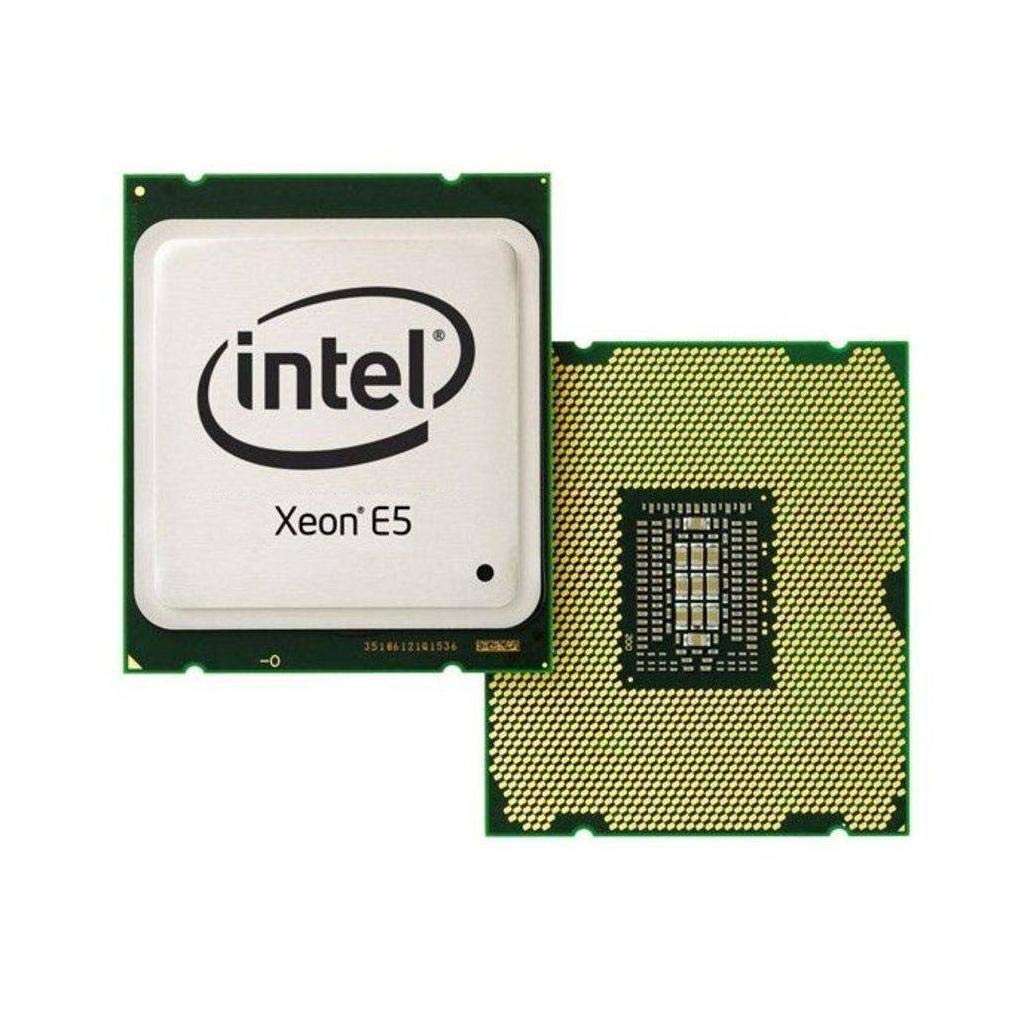
The Intel Xeon E5-2699 V4 packs 22 Broadwell cores and 44 threads into the LGA 2011-v3 socket, delivering workstation-class multi-threaded performance for virtualization and content creation. Customer reviews highlight its ability to handle simultaneous Adobe Media Encoder jobs, multiple After Effects comps, and file syncs without breaking a sweat. One reviewer replaced an i7 in an X99 system for an UNRAID home server running Plex, Minecraft, and NAS duties for five PCs.
With a 2.2 GHz base clock and 55 MB of smart cache, this processor excels in workloads that benefit from large cache and high core counts rather than raw frequency. The 145W TDP is manageable with a decent air cooler, though custom loop users reported max temps of only 34°C under heavy Prime95 loads. The quad-channel memory controller supports DDR4 ECC memory, essential for production server stability.
The main trade-off is platform age — LGA 2011-v3 limits you to DDR4 2400 MHz and PCIe 3.0. For media servers, NAS builds, or budget workstation builds, the E5-2699 V4 offers tremendous value per core. However, newer platforms offer higher single-thread performance and faster memory bandwidth. One user received an E5-2694v4 instead, which runs slightly faster at 150W TDP — a minor and positive surprise.
Why it’s great
- 22 cores and 44 threads at an entry-level price point
- 55 MB L3 cache reduces latency for database workloads
- Low power consumption for a 22-core chip at 145W TDP
Good to know
- Aged platform with DDR4 2400 MHz and PCIe 3.0 only
- Low 2.2 GHz base clock limits single-threaded tasks
3. Intel Core Ultra 7 265KF

The Intel Core Ultra 7 265KF brings 20 cores (8 P-cores plus 12 E-cores) with a 5.5 GHz max turbo to the mid-range server market. This processor uses the LGA 1851 socket and Intel 800 series chipsets, providing PCIe 5.0 support for fast NVMe storage — critical for database servers and virtualization hosts. Customer reviews report excellent performance for multitasking and light encoding, with one user noting it runs cooler and more stable than previous 12th/13th gen Intel chips.
The hybrid architecture allows P-cores to handle latency-sensitive workloads while E-cores manage background tasks like file indexing and OS maintenance. This makes the 265KF well-suited for all-in-one server setups that also handle occasional gaming or productivity tasks. With 36 MB of cache, it provides decent bandwidth for most server applications, though not as much as the X3D processors.
Where this processor stands out is its value proposition — it delivers modern platform features at a significantly lower price than the Core Ultra 9 285K. Reviews mention that users switching from an AMD Ryzen 7 3700X saw noticeable improvements in system responsiveness and application load times. The main drawback is the 20-thread limit, which may feel restrictive if you plan to run dozens of containers or VMs simultaneously.
Why it’s great
- Modern LGA 1851 platform with PCIe 5.0 support
- Excellent single-thread performance at 5.5 GHz turbo
- Great price-to-performance for entry-level servers
Good to know
- Only 20 threads limits dense virtualization
- Motherboard compatibility requires BIOS updates
4. Intel Core Ultra 7 270K

The Intel Core Ultra 7 270K packs 24 cores (8 P-cores plus 16 E-cores) with up to 5.5 GHz boost, making it a strong contender for workstations that double as virtualization hosts. The 40 MB cache and support for DDR5 memory up to 7200 MT/s provide the bandwidth needed for rendering, code compilation, and running multiple VMs. Customer reviews note that it matches the 285K in core count while costing significantly less, and sometimes outperforms the flagship chip in multi-threaded benchmarks.
VR simulation users reported significant performance uplifts from a 14700K, maintaining 87-90 FPS at 4K per eye with an RTX 5090. For server applications, the 270K’s strong memory controller and stability with overclocked profiles make it suitable for memory-intensive databases. The processor runs at 125W base and 250W turbo, requiring a quality 360mm AIO to maintain sustained performance under heavy load.
The 270K is unlocked for tuning, giving you flexibility to optimize for power efficiency or raw performance depending on your server workload. One reviewer noted it outperforms the AMD 9950X in emulation and rendering tasks while costing less. The thread count of 24 may feel limiting for massive virtualization projects, but for most small-to-medium server builds it provides ample headroom.
Why it’s great
- 24 cores with modern LGA 1851 platform
- Often outperforms the 285K in multi-threaded workloads
- Unlocked for performance tuning
Good to know
- 250W turbo power requires robust cooling solution
- Thread count lower than competing AMD 16-core options
5. AMD Ryzen 7 9800X3D

The AMD Ryzen 7 9800X3D is built around Zen 5 architecture with 96 MB of 3D V-Cache stacked on top of 8 MB L2, totaling 104 MB. This massive cache reduces memory latency dramatically, making it the best choice for game servers where every millisecond of response time matters. Customer reviews consistently call it the fastest gaming CPU available, with one reviewer noting it handles CPU-heavy games at 1080p with insane frame rates even without overclocking.
For server applications that rely on low-latency access to small datasets — like real-time analytics databases or caching servers — the 9800X3D provides a clear advantage over higher-core-count alternatives. The 5.2 GHz boost clock ensures single-threaded workloads are handled with minimal delay. The processor runs cool even with mediocre airflow, and reviews report peak temperatures staying manageable with a decent air cooler.
The trade-off is core count: 8 cores and 16 threads limit how many simultaneous server processes you can run. For virtualization hosts running ten or more VMs, a 16-core chip would be more appropriate. However, the 9800X3D’s excellent power efficiency makes it ideal for 24/7 operation in game server hosting or low-power home lab setups where response time is the priority over thread count.
Why it’s great
- 104 MB total cache for ultra-low memory latency
- Best-in-class single-thread performance at 5.2 GHz
- Excellent power efficiency for 24/7 server operation
Good to know
- 8-core limit makes it unsuitable for dense virtualization
- Premium price for the 3D V-Cache technology
6. Intel Core Ultra 9 285K

The Intel Core Ultra 9 285K represents the top of Intel’s new hybrid architecture, combining 8 P-cores and 16 E-cores with a 5.7 GHz boost clock and 40 MB cache. This processor targets demanding workstation environments like SolidWorks CAD modeling and video editing. Customer reviews from engineers running SolidWorks report that the 285K runs reliably with no overheating or crashes — a marked improvement over previous Intel generations that suffered from instability issues.
For server applications, the 285K excels in single-threaded database queries and light virtualization. The 250W turbo power requires a robust cooling solution, but users report that a 360mm AIO keeps temperatures under 80°C even during sustained Cinebench loads. The LGA 1851 platform supports DDR5 up to 7200 MT/s and PCIe 5.0, providing the memory bandwidth and storage speed needed for demanding server workloads.
One reviewer noted that this CPU works well in all-black professional workstations, paired with an MSI Z890E and 64 GB of DDR5 for 24/7 operation. The integrated Intel Graphics provide display output without a dedicated GPU. While the 24 threads may feel limited compared to Threadripper alternatives, for most CAD, video editing, and moderate virtualization servers, the 285K delivers a balanced, stable experience.
Why it’s great
- Stable performance for professional CAD workloads
- 5.7 GHz turbo and 40 MB cache for fast single-thread tasks
- Runs cooler and more stable than 13th/14th gen Intel
Good to know
- Requires LGA 1851 motherboard and CUDIMM RAM for best speeds
- High power draw at 250W turbo under heavy load
7. AMD Ryzen 9 9950X3D

The AMD Ryzen 9 9950X3D combines 16 Zen 5 cores with an enormous 144 MB of total cache, offering a hybrid of workstation-grade throughput and low-latency X3D cache for demanding server applications. This processor is designed for users who need both multi-threaded rendering power and low-latency response for game servers or real-time databases. Customer reviews highlight flawless stability after switching from an Intel i9-14900KS that suffered from BSOD issues.
The 5.7 GHz boost clock and support for AVX-512 make the 9950X3D suitable for scientific computing and code compilation tasks. Users report that it runs surprisingly cool — one reviewer set a 70°C thermal throttle limit with a Noctua NH-D15 G2 air cooler and the system remained quiet under heavy load. The AM5 platform provides PCIe 5.0 support and DDR5 memory, ensuring the processor is not bottlenecked by storage or memory bandwidth.
Where the 9950X3D truly shines is in versatility — it can power a high-end gaming rig during the day and transition to a virtual machine host at night without compromise. The 16 cores handle about 10-15 lightweight VMs comfortably. One reviewer noted excellent performance in code compilation and productivity tasks. The main consideration is the price premium, but for those who need both low-latency cache and high core count, it delivers unmatched flexibility.
Why it’s great
- 144 MB total cache provides both bandwidth and low latency
- 16 Zen 5 cores handle dense virtualization easily
- Quiet and cool under load with decent cooling
Good to know
- Premium price for the X3D cache and core count
- Requires AM5 motherboard with DDR5 memory
8. Dell PowerEdge T340 (Renewed)

The Dell PowerEdge T340 is a complete tower server solution, not just a processor — but the heart of this system is the Intel Xeon E-2124 quad-core processor. This is a pre-configured, renewed server that ships with Windows Server 2019 Standard, 32GB DDR4 ECC RAM, and 8TB of RAID storage. For small businesses or IT professionals who need a turnkey file server or domain controller, this removes the build process entirely.
The Xeon E-2124 operates at 3.3 GHz base with 4.3 GHz turbo and only 8 MB cache. It is not a high-core-count monster, but for lightweight server duties like Active Directory, file sharing, or running a single business application, the performance is adequate. Customer reviews report that units arrive in good condition, with one buyer purchasing two and running them continuously for four months without issues.
The major advantage here is the complete package — you get hot-swap drive bays, RAID controller, Windows Server license, and iDRAC remote management. However, the processor limits you to 4 cores and 4 threads, which is insufficient for any virtualization or transcoding workloads. For its intended use as a basic office server, the T340 is excellent; for a home lab running multiple VMs, you will want a different CPU.
Why it’s great
- Complete server with Windows Server 2019 pre-installed
- Hot-swap drives and RAID for data redundancy
- Enterprise remote management via iDRAC
Good to know
- Only 4 cores and 4 threads — unsuitable for virtualization
- Renewed unit may have cosmetic scratches
9. AMD Ryzen Threadripper PRO 5975WX

The AMD Ryzen Threadripper PRO 5975WX is a 32-core, 64-thread beast built on the Zen 3 architecture with 128 MB of L3 cache. This processor targets professional environments where PCIe lane count is the primary constraint — with 128 lanes, you can populate multiple GPUs, eight or more NVMe drives, and multiple high-speed network cards without sharing bandwidth. Customer reviews highlight its utility for rendering workloads, with one user noting surprising speed improvements over their previous CPU.
For server deployments, the 5975WX excels in dense virtualization environments where you need to run 20+ VMs simultaneously, each with dedicated cores and memory. The WRX80 platform supports 8-channel memory, providing massive bandwidth for memory-intensive database workloads. Reviewers in IT and graphics departments call this the sweet spot for workstation/server combos that must last 5-7 years without upgrade.
The main barrier is the platform cost — WRX80 motherboards and the 5975WX itself command a premium price. One reviewer noted that if you do not need the 128 PCIe lanes, more cost-effective options exist with higher single-thread performance. However, for users who genuinely need the PCIe expansion capability and 32 cores, the 5975WX is unmatched. Another reviewer humorously reported it finally let them play Minecraft with shaders and Halo — a testament to its versatility.
Why it’s great
- 32 cores and 64 threads for massive virtualization headroom
- 128 PCIe lanes supports dense storage and GPU clusters
- 8-channel memory provides enormous bandwidth
Good to know
- Very high platform cost for CPU and motherboard
- Single-thread performance lower than desktop alternatives
FAQ
Can I use a desktop CPU like the Ryzen 9 5900XT for a 24/7 server build?
How many cores do I need for a home virtualization server?
Does clock speed matter more than core count for a file server?
Final Thoughts: The Verdict
For most users, the cpu for server winner is the AMD Ryzen 9 5900XT because it offers the best balance of core count, cache size, and platform cost for home servers and virtualization hosts. If you need massive PCIe lane count for dense storage arrays, the AMD Ryzen Threadripper PRO 5975WX is the only choice with 128 lanes. And for low-latency game server hosting or real-time databases, nothing beats the AMD Ryzen 7 9800X3D with its 104 MB cache.

Mo Maruf
I created WellFizz to bridge the gap between vague wellness advice and actionable solutions. My mission is simple: to decode the research and give you practical tools you can actually use.
Beyond the data, I am a passionate traveler. I believe that stepping away from the screen to explore new environments is essential for mental clarity and physical vitality.