Our readers keep the lights on and my smoothie glass nicely filled. As an Amazon Associate, I earn from qualifying purchases.
Pairing the 9800X3D with RAM is a balancing act — too slow a kit robs the CPU of data, while overly aggressive speeds can destabilize the Infinity Fabric clock. The ultimate target for the 3D V-Cache architecture is a clean 6000MT/s with tight CAS 30 timings, which keeps the memory controller running in a 1:1 ratio with the fabric for the lowest latency and highest frame rates.
I’m Mohammad Maruf — the founder and writer behind WellFizz. This guide is the result of hundreds of hours combing through technical datasheets, overclocking forums, and real-user validation reports to find the memory kits that actually deliver on the promise of stable, high-bandwidth performance for the 9800X3D.
Whether you prioritize low-latency RGB kits or prefer a clean, low-profile workhorse, this deep dive into the best ddr5 ram for 9800x3d will help you choose the right memory for a seamless, high-fps gaming build.
How To Choose The Best DDR5 RAM For 9800X3D
The 9800X3D’s unique 3D V-Cache design makes it less dependent on raw bandwidth than standard Ryzen chips, but it is hypersensitive to latency. Choosing the wrong kit can leave performance on the table or cause system instability.
Prioritize the 6000MT/s CL30 Sweet Spot
AMD’s memory controller on the 9800X3D is designed to run at a 1:1 ratio with the Infinity Fabric clock (UCLK = FCLK). Achieving this ratio at speeds beyond 6000MT/s is extremely difficult and often unstable. A 6000MT/s CL30 kit offers the perfect balance of bandwidth and latency, delivering the lowest possible access times for the 3D V-Cache. Kits rated at 6400MT/s or higher usually force a 2:1 ratio, which adds latency and negates the speed benefit.
Check the IC Quality — Hynix A-Die is the Gold Standard
The physical memory chips on the stick, or ICs, define the overclocking potential. SK Hynix A-Die is widely regarded as the best DDR5 IC for AM5 platforms, offering tight timings and high frequency headroom. Many of the kits reviewed here explicitly use Hynix A-Die. Avoid older Samsung or Micron ICs for the 9800X3D if you plan to manually tweak timings.
Match the Overclocking Profile to Your Motherboard
Intel XMP profiles are common on many RAM kits, but AMD EXPO is the native standard for the 9800X3D. While most AM5 boards will run XMP kits, an EXPO-optimized kit guarantees correct subtimings out of the box. Check your motherboard’s QVL (Qualified Vendor List) to confirm compatibility before purchasing.
Quick Comparison
On smaller screens, swipe sideways to see the full table.
| Model | Category | Best For | Key Spec | Amazon |
|---|---|---|---|---|
| KLEVV CRAS V RGB | Premium | Best Overall | 6000MT/s CL30, Hynix A-Die, 44mm height | Amazon |
| Corsair Vengeance 6000 CL30 | Premium | Low-Profile & iCUE Control | 6000MT/s, 30-36-36-76, 1.4V | Amazon |
| G.Skill Flare X5 6000 CL30 | Premium | Plug-and-Play EXPO | 6000MT/s, 30-38-38-96, 1.35V | Amazon |
| Kingston FURY Beast RGB 6000 | Mid-Range | Brand Reliability & RGB | 6000MT/s, CL30, Infrared Sync | Amazon |
| TEAMGROUP T-Create Expert 6000 | Mid-Range | Clean Aesthetic & Thermal Performance | 6000MT/s, CL30, White heatsink | Amazon |
| Corsair Vengeance 6400 CL36 | Mid-Range | Higher Bandwidth Option | 6400MT/s, 36-48-48-104, 1.35V | Amazon |
| Lexar ARES Gen2 RGB 6000 | Mid-Range | Overclocking Headroom | 6000MT/s, CL30, 1.88mm heatsink | Amazon |
| Biwin Black Opal DW100 6000 | Mid-Range | Value & Thermal Control | 6000MT/s, CL30, 10-layer PCB | Amazon |
| Acer Predator Pallas II 6000 | Value | Budget-Friendly 6000 CL30 | 6000MT/s, CL30, On-die ECC | Amazon |
In-Depth Reviews
1. KLEVV CRAS V RGB 32GB 6000MHz CL30

Built by Essencore with direct access to SK Hynix’s supply chain, the CRAS V RGB uses genuine Hynix A-Die ICs that provide the tightest CL30 timings at 6000MT/s without any compatibility headaches. Users report instant EXPO activation on AM5 boards like the MSI B850 and ASRock X870, with the kit holding stability at the rated 1.35V.
The heatsink design keeps the DIMMs cool even during extended Cinebench loops, and the 44mm height leaves plenty of clearance for large dual-tower air coolers. The hollow linear lighting bar delivers vivid RGB without looking gaudy, fully controllable through major motherboard software.
For a 9800X3D build that demands stability out of the box and room to manually tweak subtimings, the KLEVV CRAS V represents a near-ideal balance of price and performance. It is widely considered the best all-rounder for the AM5 platform.
Why it’s great
- Verified Hynix A-Die ICs for tight timings
- Low 44mm profile fits under big air coolers
- Stable EXPO enabling on multiple AM5 boards
Good to know
- Not available on some motherboard QVL lists
- RGB software compatibility varies by board brand
2. TEAMGROUP T-Create Expert 32GB 6000MHz CL30

The T-Create Expert is designed for content creators who need reliable performance without flashy LEDs. Its low-profile white heatsink makes it a perfect match for white-themed 9800X3D builds, and the CL30 timing at 6000MT/s ensures snappy responsiveness in video editing and 3D rendering.
Real users running this kit on 7950X3D and 9800X3D systems report stable operation at XMP and EXPO settings with built-in temperature monitoring. The kit ships with a 5600MHz base clock, which users have successfully overclocked to 7200MT/s on high-end boards, demonstrating strong overclocking headroom for those willing to adjust voltages.
If you prioritize a clean, professional aesthetic and need memory that stays cool under sustained all-core loads, the T-Create Expert delivers discipline and excellent thermal behavior.
Why it’s great
- White low-profile heatsink fits stealth builds
- Excellent thermal management under load
- Solid overclocking headroom beyond rated speed
Good to know
- No RGB lighting for flair builds
- Premium pricing reflects top-bin ICs
3. Lexar ARES Gen2 RGB 32GB 6000MHz CL30

Lexar’s Gen2 iteration uses a 1.88mm aluminum heat spreader that effectively pulls heat away from the memory ICs during heavy gaming sessions. Users have validated the kit as having Hynix A-Die chips, with one reviewer achieving 6000 CL26 in 1:1 mode on a 9950X3D — impressive headroom for manual tuning.
The RGB lighting is bright and uniform, compatible with major motherboard software via Lexar RGB Sync. The on-die ECC and PMIC features ensure data integrity and stable voltage regulation, reducing the chance of crashes during memory-intensive workloads.
For the enthusiast who wants to push the 9800X3D to its absolute limits, the Lexar ARES Gen2 offers tier-1 IC quality at a competitive price point, making it one of the best values for high-performance tuning.
Why it’s great
- Thick heatsink for superior thermal dissipation
- Hynix A-Die confirmed by community testing
- Achieves CL26 at 6000MT/s with manual tuning
Good to know
- Some units arrive with damaged packaging
- Requires EXPO/XMP activation for rated speed
4. Corsair Vengeance 32GB 6000MHz CL30

Corsair’s Vengeance line has been a staple of PC builds for years, and this 6000MHz CL30 kit is purpose-built for the 9800X3D. With a 30-36-36-76 timing set and 1.4V rating, it provides excellent latency without the RGB bells and whistles, making it a top choice for users who prioritize function over form.
The low-profile design ensures clearance for massive air coolers like the Noctua NH-D15, and the onboard voltage regulation allows fine-tuned control via iCUE. One user running a 9950X3D on an ASUS X870E-E board achieved stable 6000MT/s after BIOS configuration, noting the kit’s reliability under stress testing.
If you want a proven, no-nonsense memory solution that delivers the 6000 CL30 sweet spot without compatibility surprises, the Corsair Vengeance is a safe, durable choice.
Why it’s great
- Very low clearance for cooler compatibility
- Onboard voltage regulation via iCUE
- Proven stability on AM5 boards
Good to know
- No RGB lighting for aesthetic builds
- Requires BIOS update on some X870E boards
5. Kingston FURY Beast RGB 32GB 6000MT/s CL30

The FURY Beast RGB uses Kingston’s patented Infrared Sync Technology to deliver smooth, evenly diffused lighting across the heat spreader, eliminating the harsh LED hotspots seen on cheaper sticks. Users report flawless EXPO activation on B650 and X670 boards with zero errors on MemTest86.
At 6000MT/s CL30, the kit matches the 9800X3D’s ideal memory speed. One user paired it with a Ryzen 7 8700G in an OMEN 35L, successfully enabling EXPO via AMD Ryzen Master after the BIOS would not cooperate, showing the kit’s flexibility in OEM systems.
For builders who want a mainstream brand with excellent RGB diffusion and guaranteed stability, the FURY Beast is a polished choice that looks as good as it performs.
Why it’s great
- Patent-pending IR sync for even RGB diffusion
- 100% MemTest86 pass rate at EXPO settings
- Works in OEM pre-builts with Ryzen Master
Good to know
- Heatsink height may interfere with large air coolers
- EXPO may fail on some BIOS versions
6. Acer Predator Pallas II 32GB 6000MHz CL30

Acer’s Pallas II brings hand-selected ICs from original manufacturers to the mid-range segment at a competitive price point. The 6000MHz CL30 configuration with on-die ECC provides a stable foundation for the 9800X3D, and users confirm that enabling XMP or EXPO yields the rated speeds without voltage adjustment.
The heatsink is sturdy and the weight of the module feels substantial, indicating a quality PCB. A small minority of users report issues hitting 6000MT/s on specific BIOS versions, but the majority experience flawless operation for months on end.
If you are on a tighter budget and need a 6000 CL30 kit that covers the essential specs for the 9800X3D, the Predator Pallas II offers the lowest barrier to entry for the sweet spot speed.
Why it’s great
- Hand-selected ICs for quality assurance
- Lowest price entry point for 6000 CL30
- Compatible with Intel XMP and AMD EXPO
Good to know
- Some users report stuck at 3600MHz with certain BIOS
- No RGB lighting for illuminated builds
7. Biwin Black Opal DW100 32GB 6000MHz CL30

The DW100 features a three-fin staggered cooling design that maximizes surface area for heat dissipation, making it ideal for sustained gaming sessions with the 9800X3D. Premium Hynix ICs ensure tight CL30 timings, and the 10-layer PCB provides stable power delivery even during aggressive overclocking.
Users on AM5 boards report immediate EXPO recognition without manual tuning, and the unlocked PMIC allows dynamic voltage adjustments for those who want to push beyond 6000MT/s. The RGB lighting adds visual flair without adding extra height that would conflict with coolers.
If you want the Hynix IC advantage at a more accessible price point, the Biwin DW100 delivers strong thermal performance and reliable overclocking potential.
Why it’s great
- Three-fin heatsink design for effective cooling
- Unlocked PMIC for advanced overclocking
- Hynix ICs guarantee strong performance
Good to know
- RGB lighting wasted in closed cases
- Brand less established than major competitors
8. Corsair Vengeance 32GB 6400MHz CL36
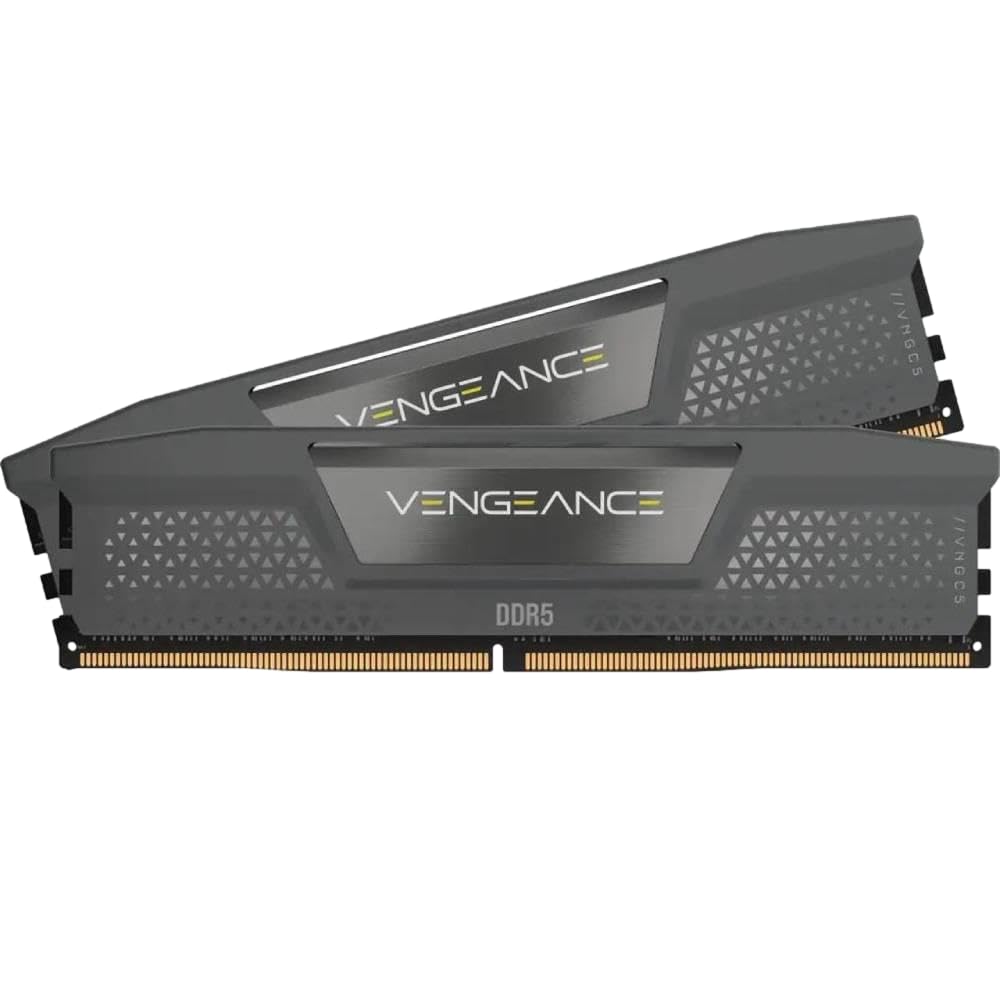
This kit pushes the frequency to 6400MT/s, which is slightly above the 6000MT/s sweet spot for 1:1 Infinity Fabric operation. However, users on the latest AM5 BIOS revisions report success running this kit at 6400MT/s in 2:1 mode, offering higher bandwidth for applications that benefit from raw throughput.
The CL36 latency is looser than the ideal CL30, but the extra bandwidth can help in multi-threaded workloads like video encoding. The iCUE software provides real-time frequency readings and onboard voltage regulation, giving the user full control over power management.
If you need the highest possible memory bandwidth and are willing to accept the latency penalty from 2:1 mode, this Corsair Vengeance 6400 kit is a capable choice for the 9800X3D.
Why it’s great
- Higher 6400MT/s bandwidth for productivity
- Onboard voltage regulation via iCUE
- Compatible with latest AM5 BIOS revisions
Good to know
- CL36 latency higher than ideal sweet spot
- May require 2:1 UCLK mode on 9800X3D
9. G.Skill Flare X5 32GB 6000MT/s CL30

G.Skill’s Flare X5 is one of the most widely validated AMD EXPO kits on the market. The 6000MT/s CL30-38-38-96 timing set at 1.35V is precisely what the 9800X3D needs to maintain a 1:1 memory controller ratio, and the kit is listed on the QVL of almost every X670 and B650 motherboard.
Users consistently report plug-and-play operation — just drop the sticks in, enable EXPO in the BIOS, and the system runs at the rated speed without any manual tweaking. The matte black heat spreader is subtle and fits into any build theme without clashing.
For builders who want zero-trouble setup and guaranteed compatibility, the G.Skill Flare X5 is the definitive AMD-optimized solution. It is the benchmark against which other 9800X3D memory kits are measured.
Why it’s great
- Extensive motherboard QVL validation
- Native AMD EXPO profile for one-click setup
- Low-profile design fits under most coolers
Good to know
- No RGB lighting for aesthetic builds
- Timings slightly looser than premium kits
FAQ
What is the best RAM speed for the Ryzen 7 9800X3D?
Should I enable XMP or EXPO on my 9800X3D system?
Is 32GB enough for gaming on the 9800X3D?
Why does my 9800X3D system crash with high-speed RAM?
Final Thoughts: The Verdict
For most users, the best ddr5 ram for 9800x3d winner is the KLEVV CRAS V RGB because it combines genuine Hynix A-Die ICs, tight CL30 timings, and reliable EXPO activation at a reasonable price point. If you want a zero-fuss, plug-and-play solution that is validated on nearly every AM5 board, grab the G.Skill Flare X5. And for a clean, low-profile kit that excels under sustained workload heat, nothing beats the TEAMGROUP T-Create Expert.

Mo Maruf
I created WellFizz to bridge the gap between vague wellness advice and actionable solutions. My mission is simple: to decode the research and give you practical tools you can actually use.
Beyond the data, I am a passionate traveler. I believe that stepping away from the screen to explore new environments is essential for mental clarity and physical vitality.