Our readers keep the lights on and my smoothie glass nicely filled. As an Amazon Associate, I earn from qualifying purchases.
A desktop PC for work isn’t about flashy lights or extreme clock speeds — it is about sustained, reliable performance under a multi-monitor load with zero compromise on build quality. Choosing the wrong configuration means wrestling with fan noise during video calls or hitting a memory ceiling in the middle of a project.
I’m Mohammad Maruf — the founder and writer behind WellFizz. I have spent hundreds of hours analyzing desktop PC hardware specifications, real-world benchmarks, and user reliability data to separate genuine workhorse machines from marketing fluff.
Whether you need seamless multitasking across spreadsheets or quiet 4K video editing, this guide breaks down the top contenders to help you find the best desktop pc for work that matches your actual daily demands.
How To Choose The Best Desktop PC For Work
Work desktop PCs are judged by how many applications you can run simultaneously without slowdown. The CPU, RAM capacity, storage type, and cooling solution each play a decisive role in real-world daily productivity.
RAM: The Bottleneck You Feel First
For office workflows with multiple browser tabs, email clients, and spreadsheets, 16GB is the baseline. Creative or development workloads demand 32GB or more to avoid swap file slowdowns. DDR5 memory offers higher bandwidth for data-intensive tasks, but DDR4 remains perfectly capable for general business use when paired with a fast SSD.
CPU Cores vs Clock Speed
A 6-core processor with a high turbo frequency handles most business software smoothly. Eight or more cores benefit compilation, rendering, and heavy data analysis. Integrated graphics now support dual or triple 4K displays, so a dedicated GPU is only necessary for 3D design or video production workflows.
Storage Speed and Capacity
NVMe SSDs are non-negotiable for boot times under ten seconds and instant application launches. A 512GB drive works for standard document work, but creative users should target 1TB or more. Look for PCIe Gen 4 drives if you transfer large media files regularly.
Quick Comparison
On smaller screens, swipe sideways to see the full table.
| Model | Category | Best For | Key Spec | Amazon |
|---|---|---|---|---|
| HP Envy Desktop i9-14900K | Premium Tower | Heavy creative & pro workloads | 64GB DDR5 / 2TB NVMe | Amazon |
| HP Elite Mini 800 i7-14700 | Elite Mini | Demanding multitasking | 20-core CPU / 16GB DDR5 | Amazon |
| Dell Pro Tower Plus Ultra 5 | Business Tower | Enterprise office productivity | 32GB DDR5 / 1TB PCIe | Amazon |
| HP Mini i7-12700T 32GB | Compact Power | Quiet triple 4K setup | 12-core CPU / 32GB DDR4 | Amazon |
| HP Mini ProDesk 400 i5-12400T | Business Mini | Remote work with 3 displays | 32GB RAM / 1TB NVMe | Amazon |
| HP Pro Tower 290 i5-12500 | Mid Tower | Everyday business tasks | 16GB DDR4 / 512GB PCIe | Amazon |
| Dell Slim ECS1250 Ultra 5 | Slim Tower | Home office & basic use | 16GB DDR5 / 512GB M.2 | Amazon |
| HP ProDesk 400 G9 SFF | Small Form Factor | Compact office deployment | 32GB DDR4 / 1TB PCIe | Amazon |
| Lenovo ThinkCentre neo 50q | SMB Mini | Dual 4K business use | 16GB DDR5 / 512GB SSD | Amazon |
| GEEKOM A8 Ryzen 7 | Creator Mini | Creative workflows on a budget | Radeon 780M / 16GB DDR5 | Amazon |
| GEEKOM IT13 i5-13600H | Value Mini | Affordable quad-display work | 16GB DDR4 / 1TB NVMe | Amazon |
In‑Depth Reviews
1. HP Envy Desktop i9-14900K

The HP Envy packs a 14th Gen Core i9-14900K with 24 cores and a 6.0 GHz turbo, paired with 64GB of DDR5 RAM and a 2TB NVMe SSD. This configuration handles data-intensive workloads like stock trading with dozens of concurrent charts, video rendering, and large database queries without breaking a sweat. The dedicated RTX 3050 with 8GB GDDR6 memory provides enough GPU acceleration for light 3D work and smooth multi-monitor output.
Real-world usage shows processor loading rarely exceeding 20% during heavy multitasking with four 4K displays running simultaneously. The thermal solution keeps the system stable under sustained loads, and the generous storage capacity means less time managing files. Windows 11 Pro comes pre-installed, and the tower design offers good internal airflow and expansion options.
This machine is overkill for standard office tasks but ideal for professionals who run multiple virtual machines, compile large codebases, or work with 4K video daily. The footprint is larger than mini PCs, so desk space planning matters.
Why it’s great
- Extreme CPU and RAM capacity for pro workloads
- 2TB NVMe storage eliminates external drives
- Dedicated GPU supports heavy graphics tasks
Good to know
- Tower size takes up desk or floor space
- Higher power consumption than mini alternatives
2. HP Elite Mini 800 i7-14700

The HP Elite Mini 800 houses a 14th Gen Core i7-14700 with 20 cores and 28 threads inside a micro form factor barely larger than a paperback. Despite the compact footprint, it delivers responsive multitasking for demanding business applications thanks to DDR5 memory and a PCIe NVMe SSD. Intel UHD Graphics 770 supports three simultaneous displays via dual DisplayPort 1.4 and HDMI 2.1, making it a strong candidate for analysts and developers who need multiple screens.
Weighing just over three pounds, this mini PC can be mounted behind a monitor with a VESA bracket to create a clutter-free workspace. Wi-Fi 6 and Bluetooth 5.2 handle wireless peripherals and network tasks reliably. The included wired keyboard is a welcome addition, though a mouse is not included.
The 16GB DDR5 RAM is adequate for most office workloads, but power users may want to consider models with 32GB for heavy multitasking. The unit runs cool and quiet during typical office hours, and the external 120W power adapter keeps thermal stress low.
Why it’s great
- 20-core CPU in a micro footprint
- DDR5 RAM improves application responsiveness
- Triple display support out of the box
Good to know
- No mouse included in the box
- VESA mount sold separately
3. Dell Pro Tower Plus Ultra 5

The Dell Pro Tower Plus is built for business environments that demand reliability and expansion. Powered by the Intel Core Ultra 5 235 with 14 cores and integrated Intel Graphics, it comes with 32GB of DDR5 RAM and a 1TB PCIe SSD — a balanced configuration for multitasking across office applications, data analysis, and light creative work. The tower design allows easy internal upgrades, and the included DVD-RW drive is useful for legacy media.
Real-world feedback highlights smooth Windows 11 Pro operation with three displays connected directly to the motherboard. The system handled video editing adequately, though heavy rendering benefits from a discrete GPU. The USB-C port is data-only, so video output relies on HDMI and DisplayPort connections as expected.
Internal expansion is limited to two cards total, which is fine for standard business add-ons but may feel constrained for specialty workflows. The 80 Plus Gold power supply and tool-less access panels make it a solid choice for IT-managed office deployments.
Why it’s great
- 32GB DDR5 memory handles heavy multitasking
- Tool-less design simplifies upgrades
- Reliable Dell support with onsite service
Good to know
- USB-C port does not support video output
- Limited to two internal expansion cards
4. HP Mini i7-12700T 32GB
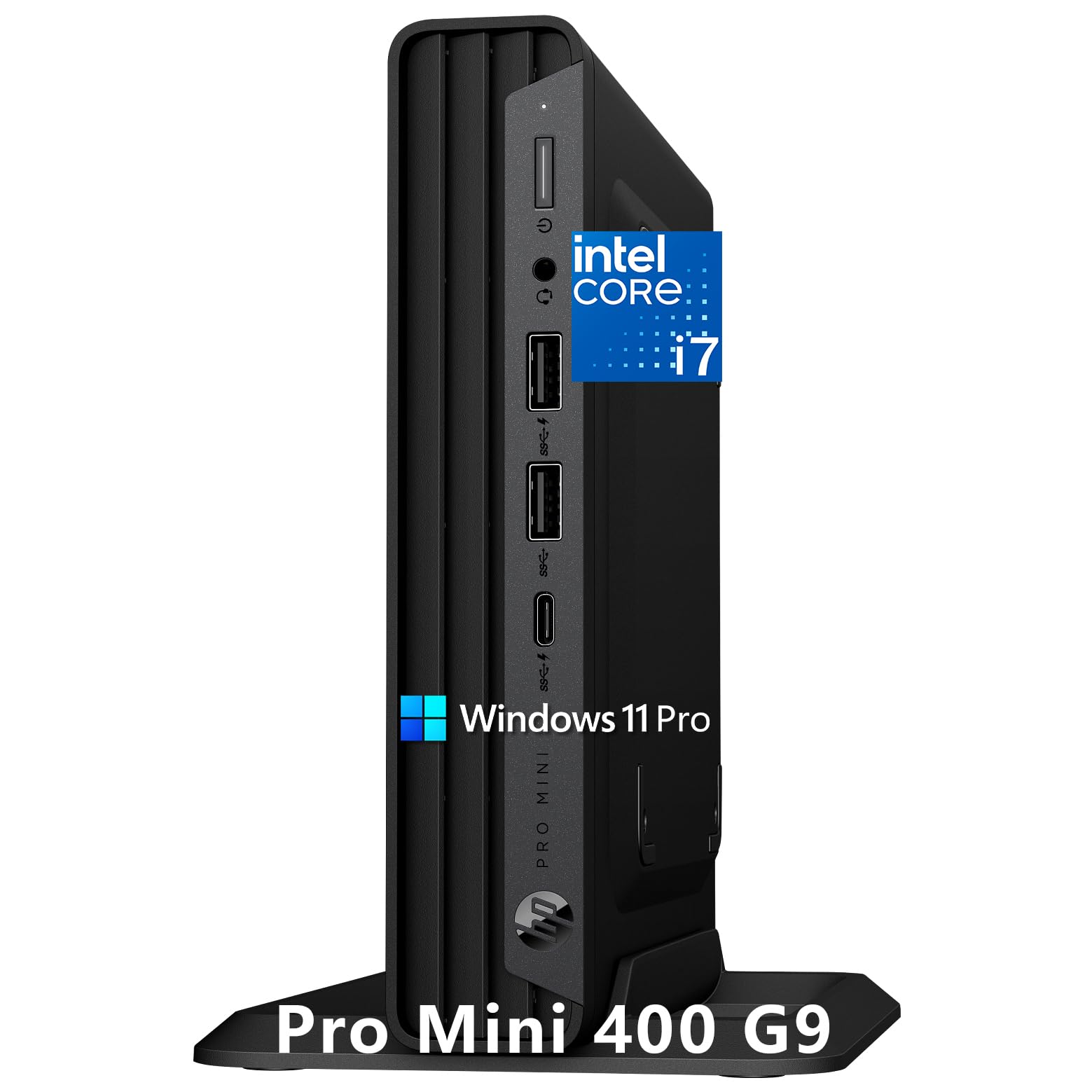
The HP Mini i7-12700T delivers a rare combination of high-end processing power and whisper-quiet operation. Its 12-core i7-12700T processor with 32GB DDR4 RAM and a 1TB NVMe SSD handles creative applications, financial modeling, and intensive multitasking without audible fan disruption — a key advantage for video calls and open-plan offices. The triple 4K display support via HDMI 2.1 and dual DisplayPort 1.4 makes it ideal for finance, programming, or content creation workflows that demand expansive screen real estate.
The ultra-compact chassis measures just 6.97 x 6.89 x 1.34 inches, and the included vertical stand and wired peripherals mean you are operational minutes after unboxing. One user reported stable performance over months of graphics work on a dual-monitor setup, with no thermal throttling or noise complaints.
The 32GB DDR4 memory is generous for this price tier, though upgrade paths are limited by the mini form factor. The system runs Windows 11 Pro and includes enterprise security features like BitLocker and TPM 2.0.
Why it’s great
- Near-silent operation in demanding workflows
- Triple 4K display support from a tiny chassis
- Full business bundle with keyboard, mouse, and stand
Good to know
- DDR4 instead of DDR5 limits bandwidth
- Limited internal upgrade options
5. HP Mini ProDesk 400 i5-12400T
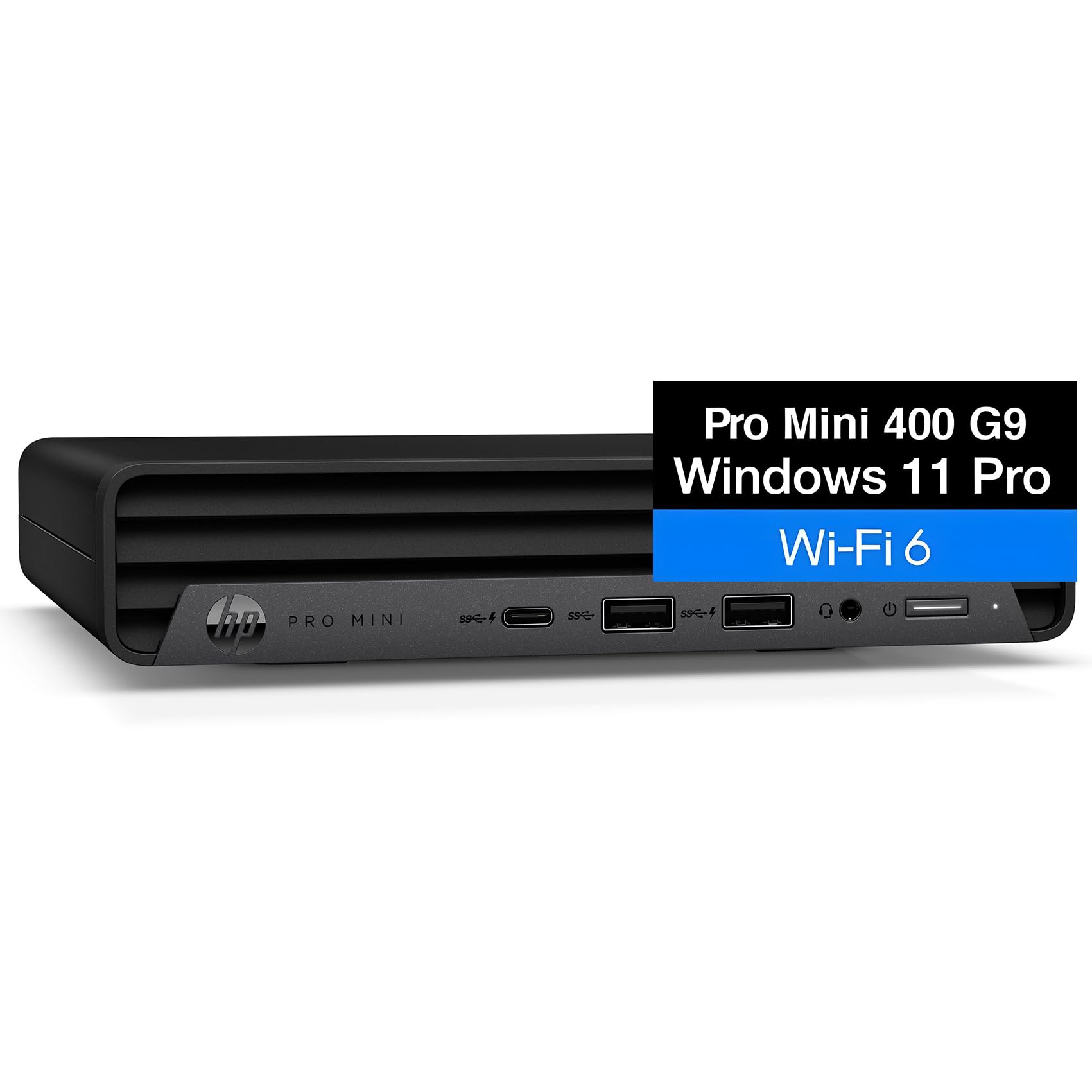
The HP ProDesk 400 G9 Mini PC packs an Intel Core i5-12400T with 6 cores and 32GB of DDR4 RAM, making it a capable machine for remote workers and small business owners. The 1TB NVMe SSD provides fast boot times and ample space for project files, while triple display support via dual DisplayPort and HDMI turns any desk into a multi-screen workstation. WiFi 6 and Gigabit Ethernet ensure reliable connectivity for cloud-based accounting, CRM software, and video conferencing.
Users consistently praise the compact size — roughly that of a DVD player — and the hassle-free plug-and-play experience. The system runs Windows 11 Pro out of the box with enterprise security features like BitLocker encryption and Remote Desktop support. Some users noted the limited number of USB ports, so a hub may be necessary for multiple peripherals.
The 32GB RAM configuration is a strong value proposition for business users who need to run multiple monitors and memory-intensive applications without stepping up to a premium tier. The VESA mount compatibility allows for a clean behind-monitor installation.
Why it’s great
- 32GB RAM at a mid-range price point
- Triple display support boosts productivity
- Compact design fits anywhere
Good to know
- Limited USB ports may require a hub
- Integrated graphics not for 3D work
6. HP Pro Tower 290 i5-12500

The HP Pro Tower 290 G9 is a straightforward business desktop that delivers dependable performance without unnecessary frills. The Intel Core i5-12500 with 6 cores and a 4.6 GHz turbo handles daily tasks like office applications, web browsing, and streaming without lag. The 16GB DDR4 RAM and 512GB PCIe NVMe SSD provide a responsive experience for standard workloads, and the UHD Graphics 770 supports dual monitors for expanded productivity.
Users report quiet operation and easy setup, with some running three monitors using the integrated graphics. The tower design allows for future upgrades, and the inclusion of both HDMI and VGA ports ensures compatibility with older monitors. The 180W 80 Plus Gold power supply keeps energy costs low.
This PC is best suited for general office work, home offices, and student use where heavy multitasking is limited. The 16GB RAM may feel constrained if you run many applications simultaneously, but for typical business software, it performs reliably.
Why it’s great
- Quiet operation even under daily load
- Dual monitor support via integrated graphics
- Expandable tower design
Good to know
- 16GB RAM may limit heavy multitasking
- Integrated graphics not for gaming
7. Dell Slim ECS1250 Ultra 5

The Dell Slim Desktop ECS1250 introduces Intel Core Ultra 5 processing with built-in AI acceleration for enhanced productivity in everyday tasks. The 16GB DDR5 memory and 512GB M.2 SSD handle standard office software, web browsing, and media consumption smoothly. The slim tower design supports up to four FHD monitors via DisplayPort daisy chaining or two 4K displays, making it a flexible option for home office setups.
Users consistently mention the whisper-quiet fan and reliable performance as key strengths. The tool-less side panel allows easy access for future upgrades, and the built-in SD card reader is convenient for photographers. Dell includes a 1-year onsite service and 6 months of Dell Migrate for data transfer from old PCs.
This is an entry-level configuration suited for basic computing, spreadsheets, and internet use. It lacks the RAM and GPU headroom for video editing or development work, but for general home office productivity, it delivers excellent value.
Why it’s great
- Virtually silent fan operation
- Tool-less upgrades for easy expansion
- Includes SD card reader and onsite service
Good to know
- 16GB RAM limits multitasking capacity
- Integrated graphics not for gaming
8. HP ProDesk 400 G9 SFF

The HP ProDesk 400 G9 in small form factor configuration offers a generous 32GB of DDR4 RAM and a 1TB PCIe SSD at a price point that undercuts many competitors. While powered by the entry-level Intel Celeron G6900 dual-core processor, the substantial memory and fast storage make it effective for light office work, email, web browsing, and document creation where CPU demands are modest. The compact chassis measures just 11.9 x 10.6 x 3.7 inches and weighs under nine pounds.
Connectivity includes USB-C, multiple USB-A ports, HDMI, DisplayPort, and RJ-45 Ethernet, along with WiFi and Bluetooth. Users report easy setup and quiet operation, with some replacing older towers and finding the performance more than adequate for daily business software. The included wired keyboard and mouse complete the package.
The dual-core Celeron processor is the limiting factor here. This PC handles single-threaded tasks fine but will struggle with heavy multitasking, large spreadsheets, or video conferencing with many applications open simultaneously.
Why it’s great
- 32GB RAM and 1TB SSD at a budget price
- Compact SFF design saves desk space
- Includes keyboard, mouse, and Windows 11 Pro
Good to know
- Dual-core CPU limits multitasking
- Not suitable for CPU-heavy applications
9. Lenovo ThinkCentre neo 50q

The Lenovo ThinkCentre neo 50q Gen 5 combines a 13th Gen Intel Core i5-13420H processor with 16GB of DDR5 RAM and a 512GB SSD in a compact chassis that measures just 7.05 x 7.20 x 1.42 inches. The 8-core CPU with turbo up to 4.6 GHz provides responsive performance for business applications, video calls, and multitasking. Dual display support via HDMI 2.1 and DisplayPort 1.4 allows for side-by-side document comparison and expanded workflow.
Users running this machine for extended hours in busy environments report no overheating and reliable operation. The DDR5 memory provides a 50% bandwidth improvement over DDR4, which benefits data-intensive tasks. The included wired keyboard and mouse, along with Windows 11 Pro pre-installed, make it a complete out-of-box solution for small and medium businesses.
The 512GB SSD is adequate for standard office use, but users with large file collections may need external storage. One report of a unit with warranty issues suggests verifying seller reputation before purchase.
Why it’s great
- DDR5 RAM for faster multitasking
- Ultra-compact with dual 4K support
- Includes keyboard and mouse
Good to know
- 512GB storage fills up quickly
- Some units may have warranty issues
10. GEEKOM A8 Ryzen 7
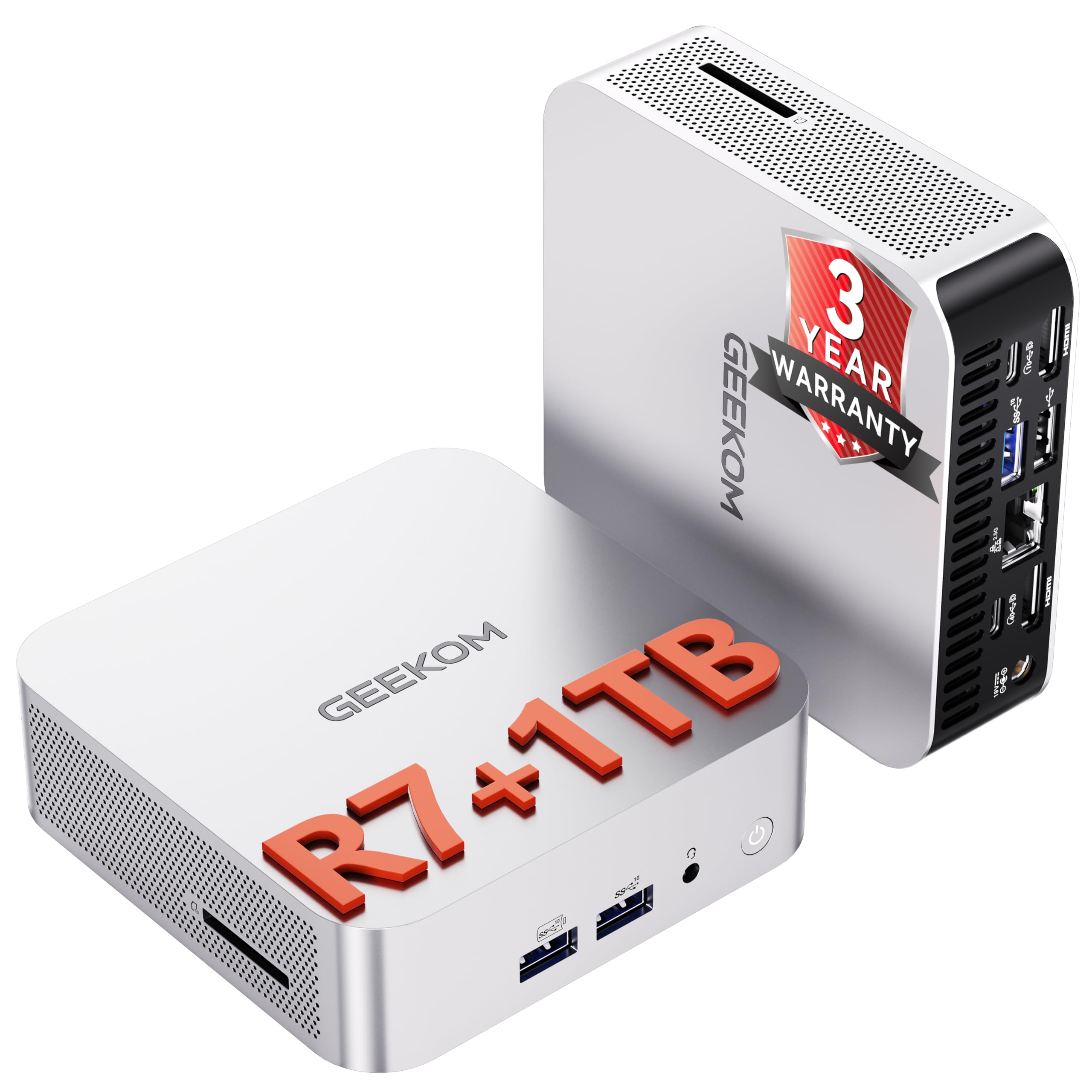
The GEEKOM A8 is a compact powerhouse built around the AMD Ryzen 7 8745HS processor with 8 cores and 16 threads, paired with 16GB of DDR5 RAM and a 1TB NVMe SSD. Its integrated Radeon 780M graphics, based on the RDNA 3 architecture, deliver desktop-class GPU performance that handles 4K video editing, graphic design, and even casual gaming at 60 FPS. The 0.5-liter chassis supports up to four 4K displays via USB4, HDMI, and USB-C, making it a strong choice for traders and developers.
Users praise the blazing speed and whisper-quiet cooling system, which maintains stable performance under sustained loads. The dual-channel DDR5 RAM is upgradable up to 128GB, and the SSD can be expanded, though the single NVMe slot may be limiting. The included VESA mount and 3-year warranty add long-term value.
The Ryzen 7 8745HS lacks a dedicated NPU compared to the higher-tier 8845HS, but for creative workflows and general productivity, the performance difference is minimal. The fan is audible in quiet rooms under load, but remains within acceptable noise levels.
Why it’s great
- Radeon 780M iGPU for creative tasks
- Quad 4K display support in a tiny chassis
- Upgradable DDR5 RAM up to 128GB
Good to know
- Single NVMe slot limits internal storage expansion
- Fan audible in quiet environments under load
11. GEEKOM IT13 i5-13600H

The GEEKOM IT13 strikes the best balance of performance, expandability, and build quality for work-oriented users. Powered by the 13th Gen Intel Core i5-13600H with 12 cores and 16 threads, it delivers smooth multitasking for office applications, photo editing, and light development work. The 16GB DDR4 RAM is upgradeable to 96GB, and the 1TB PCIe Gen4 NVMe SSD provides up to 75% faster transfer speeds than Gen3, with expansion options for an additional M.2 SATA SSD and 2.5-inch SATA HDD.
The reinforced ABS+PC metal frame is tested to withstand 440 pounds of static pressure, making it unusually durable for a mini PC. Dual USB4 ports support 8K output and eGPU connections, and quad display support enables expansive workflows. WiFi 6E and 2.5GbE Ethernet ensure fast network transfers, while the 3-year warranty provides peace of mind for business use.
Users consistently report fast setup, quiet operation, and reliable performance across four displays. Some noted that the default fan curve is aggressive and requires a BIOS adjustment for quieter operation, and driver updates are advisable out of the box. For the price, the combination of expandability, connectivity, and warranty is unmatched.
Why it’s great
- Quad display support with dual USB4 8K output
- Exceptional build quality with 3-year warranty
- Highly expandable storage and RAM
Good to know
- Fan curve may require BIOS adjustment
- Outdated drivers may need manual update
FAQ
How much RAM do I need for office work with multiple monitors?
Can integrated graphics handle two 4K monitors for work?
Should I buy a mini PC or a tower for my home office?
Final Thoughts: The Verdict
For most users, the best desktop pc for work winner is the GEEKOM IT13 because it combines quad-display support, exceptional build quality, and a 3-year warranty at a reasonable investment. If you need a silent machine with triple 4K output, grab the HP Mini i7-12700T. And for resource-heavy creative work that demands dedicated graphics and massive RAM, nothing beats the HP Envy i9-14900K.

Mo Maruf
I created WellFizz to bridge the gap between vague wellness advice and actionable solutions. My mission is simple: to decode the research and give you practical tools you can actually use.
Beyond the data, I am a passionate traveler. I believe that stepping away from the screen to explore new environments is essential for mental clarity and physical vitality.