Our readers keep the lights on and my smoothie glass nicely filled. As an Amazon Associate, I earn from qualifying purchases.
A flat screen can feel like a pane of glass sitting between you and the action. A curved monitor wraps the edges of the display into your peripheral vision, reducing eye movement and creating a more natural field of view. That shift in geometry changes how you game, work, and watch content — but only if the panel, curvature, and refresh rate actually align with what you do every day.
I’m Mohammad Maruf — the founder and writer behind WellFizz. After spending hundreds of hours analyzing panel types, curvature radii, refresh rate implementation, color gamut coverage, and real-world buyer feedback across dozens of models, I built this guide around the specs that actually separate a good curved monitor from a frustrating one.
Whether you need silky motion for competitive shooters, ultrawide real estate for multitasking, or deep contrast for immersive single-player worlds, the right best curved monitor depends on matching panel technology and curvature to your specific setup and budget.
How To Choose The Best Curved Monitor
Curved monitors promise immersion, but the wrong curvature or panel type can make desktop work feel cramped and gaming feel distorted. You need to match the curve radius to your viewing distance, the panel type to your content, and the resolution to your GPU. Here’s what actually matters.
Curvature Radius: 1500R, 1800R, or 800R
The curvature number refers to the radius of the circle the curve would form measured in millimeters. A 1500R curve means the monitor forms a circle with a 1500mm radius — tighter than 1800R, gentler than 1000R. For a single monitor at typical arm’s length (60-80cm), 1500R is the sweet spot: the edges curve toward you at roughly the same distance your eyes naturally focus. An 800R curve, like the LG OLED option, wraps more aggressively and works best for ultrawide panels where peripheral content needs to stay in your natural field of view. Too shallow a curve (3000R or above) offers negligible immersion benefit — you might as well buy a flat panel.
Panel Technology: VA vs OLED
VA (Vertical Alignment) panels dominate the curved monitor market because they achieve high native contrast ratios (3000:1 is common) and deep blacks without the blooming issues of IPS. That high contrast pairs beautifully with a curved form factor for dark-room gaming or movie watching. The trade-off is slower pixel response compared to OLED, though modern VA panels with overdrive can hit 1ms MPRT. OLED panels, like the one in the LG 34GS95QE, produce true black (infinite contrast) with 0.03ms response times — but they cost substantially more and require burn-in management for static desktop elements. For mixed use (productivity + gaming), VA is the pragmatic choice. For pure gaming and media, OLED is transformative.
Refresh Rate and Adaptive Sync
A higher refresh rate (144Hz, 165Hz, 180Hz, or 240Hz) makes motion appear smoother, but only if your graphics card can push frames at that rate. Pairing a 240Hz curved monitor with a mid-range GPU that struggles at 60fps in modern titles means you are paying for motion clarity you cannot use. Adaptive sync (FreeSync or G-Sync Compatible) eliminates screen tearing when frame rates fluctuate, and it is essential for any curved gaming monitor. Look for FreeSync Premium or G-Sync Compatible certification — they ensure a minimum refresh rate floor (usually 120Hz at FHD) that prevents flicker during frame rate dips.
Quick Comparison
On smaller screens, swipe sideways to see the full table.
| Model | Category | Best For | Key Spec | Amazon |
|---|---|---|---|---|
| LG 34GS95QE | OLED | Competitive & immersive gaming | 240Hz / 0.03ms / 800R | Amazon |
| Alienware AW3425DWM | Ultrawide | Multitasking & gaming | 180Hz / 1ms / 1500R | Amazon |
| Samsung ViewFinity S50GC | Ultrawide | Productivity & light gaming | 100Hz / 5ms / 21:9 | Amazon |
| LG 34WR55QK-B | Ultrawide | Office & creative work | 100Hz / USB-C 65W / 21:9 | Amazon |
| Dell S2725QC | 4K Flat | Professional & casual gaming | 4K / 120Hz / USB-C 65W | Amazon |
| ASUS TUF VG32VQ1B | VA | Competitive gaming & immersion | 165Hz / 1ms / 1500R | Amazon |
| CRUA 32″ 4K | 4K Curved | Gaming & streaming | 160Hz / 4K / 1500R | Amazon |
| Deco Gear 49″ | Super Ultrawide | Sim racing & extreme multitasking | 144Hz / 32:9 / 1800R | Amazon |
| SANSUI 32″ | VA | Budget gaming | 180Hz / 1440p / 1500R | Amazon |
In‑Depth Reviews
1. LG 34GS95QE 34-inch Ultragear OLED Curved Gaming Monitor

The LG 34GS95QE is the pinnacle of curved monitor performance, combining an OLED panel with a dramatic 800R curve that wraps the 34-inch ultrawide into your periphery like a cockpit windscreen. Its 240Hz refresh rate and 0.03ms GtG response time deliver motion clarity that no VA or IPS panel can match — ghosting is non-existent, and transitions between frames feel instantaneous. The 1.5M:1 contrast ratio produces blacks so deep that the desktop can appear powered off when in dark mode.
Color accuracy out of the box is excellent for a gaming monitor, covering 95% DCI-P3, and the DisplayHDR True Black 400 certification ensures HDR content retains shadow detail without blooming. The aggressive 800R curve demands a viewing distance of about 50-70cm — any farther and the edges can feel distorted. The stand offers height, tilt, and swivel adjustability, though the panel is heavy and requires a sturdy desk.
Text clarity is the most common compromise with OLED’s subpixel layout — reading small fonts for extended coding sessions may look slightly less sharp than a high-PPI IPS panel. Burn-in protection features (pixel shift, pixel cleaning, logo dimming) are present and must be enabled manually. For pure gaming and media consumption, this is the most immersive curved monitor you can buy under the premium tier threshold.
Why it’s great
- True black levels and infinite contrast ratio
- 240Hz with 0.03ms response eliminates all motion blur
- DisplayHDR True Black 400 with excellent shadow detail
Good to know
- Aggressive 800R curve requires close viewing distance
- OLED text clarity is softer than IPS for productivity
- Burn-in management features need manual activation
2. Alienware 34 Curved Gaming Monitor – AW3425DWM

The Alienware AW3425DWM strikes a near-perfect balance between ultrawide immersion and practical refresh rate, offering a 34-inch WQHD (3440×1440) VA panel with a 1500R curve, 180Hz refresh rate, and 1ms response time. The 1500R curvature is gentle enough to not distort spreadsheet columns or code lines while still pulling the edges into your peripheral vision during gaming. The VA panel delivers a 3000:1 native contrast ratio, giving dark scenes in games and movies genuine depth without the blooming that plagues IPS panels.
Color coverage reaches 95% DCI-P3 with VESA DisplayHDR 400 certification, which provides a noticeable brightness boost in HDR mode despite not being OLED-class. The stand offers full ergonomic adjustment — height, tilt, swivel — and has a relatively small footprint that frees up desk space. Adaptive sync via FreeSync Premium and VESA AdaptiveSync handles frame rate fluctuations smoothly, and the included DP 1.4 cable supports the full 180Hz at 10-bit color.
There are no built-in speakers, so you will need external audio. The black uniformity on VA panels can sometimes show mild clouding in a dark room, though this unit appears consistent based on user feedback. For anyone who splits time between competitive gaming and productivity, the AW3425DWM is the most balanced ultrawide curved monitor in its price bracket.
Why it’s great
- Versatile 1500R curve suits gaming and productivity
- 3000:1 VA contrast ratio with deep blacks
- Excellent ergonomic stand with height adjustment
Good to know
- No built-in speakers require external audio
- HDR brightness is decent but not OLED-level
- VA black uniformity can vary between units
3. Samsung 34″ ViewFinity S50GC Series Ultrawide QHD Monitor

The Samsung ViewFinity S50GC is built for the productivity user who wants ultrawide screen real estate without the gaming-grade price premium. Its 34-inch VA panel at 3440×1440 with a 21:9 aspect ratio gives you room for two full-width documents or three browser windows side by side. The 100Hz refresh rate is modest compared to gaming monitors, but it eliminates the perceptible stutter of 60Hz during window dragging and scrolling. The V-shaped stand is functional but wobbly under desk bumps — a VESA mount is recommended.
Color reproduction is the highlight here: the VA panel covers over 1 billion colors with HDR10 support, and Samsung’s ambient light sensor automatically adjusts brightness to match your room lighting, reducing eye strain during long work sessions. PIP and PBP modes allow you to connect two input sources simultaneously — useful for running a work laptop next to a personal desktop. The three-sided virtually bezel-free design makes multi-monitor setups feel seamless.
The built-in speakers are noticeably weak and tinny — they work for system alerts but not for media consumption. Setup can be finicky on macOS, where some users report needing third-party utilities to enable full resolution at 100Hz. For spreadsheet-heavy workflows, programming, or any task requiring maximum horizontal screen space, the ViewFinity S50GC delivers exceptional value.
Why it’s great
- Ultrawide 21:9 aspect ratio for serious multitasking
- Ambient light sensor automatically adjusts brightness
- PIP/PBP support for dual-input workflows
Good to know
- Stand feels wobbly on uneven desks
- macOS configuration may require extra steps
- Built-in speakers are very low quality
4. LG 34WR55QK-B 34-inch UltraWide WQHD Curved Monitor

The LG 34WR55QK-B is a purpose-built productivity monitor that understands most modern laptops ship with USB-C only. Its single USB-C port delivers up to 65W power delivery to charge your laptop while carrying display signal — one cable replaces both power and HDMI. The 34-inch VA panel runs at a comfortable 100Hz with a 3440×1440 resolution, and the 21:9 aspect ratio makes it easy to snap three windows side by side without scaling issues. The 1500R curve is subtle enough to avoid distortion in document work.
OnScreen Control software lets you split the screen into customizable zones with a few mouse clicks, and Picture-by-Picture mode lets you display two input sources at once — a laptop next to a desktop, for example — each at native resolution. The 99% sRGB coverage is accurate for office tasks and light photo editing, though creative professionals will want a wider DCI-P3 gamut. The stand offers height and tilt adjustment, and the three-side virtually borderless design looks clean on any desk.
There are no built-in speakers, which is a notable omission for an office-focused monitor. The 5ms response time is fine for productivity but will appear sluggish in fast-paced games. For the remote worker or student who wants a single-cable ultrawide setup with integrated USB hub functionality, the LG 34WR55QK-B is a direct and practical choice.
Why it’s great
- USB-C with 65W power delivery for single-cable laptops
- OnScreen Control software for easy window management
- Virtually borderless design looks clean in any setup
Good to know
- No built-in speakers
- sRGB coverage is fine for office but not DCI-P3 wide
- 100Hz is adequate but not competitive for gaming
5. Dell 27 Plus 4K USB-C Monitor – S2725QC

While not curved, the Dell S2725QC deserves a mention for its class-leading 4K resolution and 120Hz refresh rate at a price that undercuts most curved 4K options. Its 27-inch IPS panel delivers 99% sRGB coverage with a 350-nit brightness that handles well-lit rooms better than many VA-based curved monitors. The single USB-C port provides up to 65W power delivery and makes it a seamless partner for MacBooks. The 1500:1 contrast ratio is better than typical IPS panels, though it cannot match the deep blacks of VA or OLED.
The stand offers full height, tilt, and swivel adjustment, and the ComfortView Plus hardware reduces blue light to 35% without shifting colors yellow. The integrated speakers represent a genuine improvement over the previous generation — they are usable for casual video calls and YouTube, though not for music or movie immersion. AMD FreeSync Premium ensures smooth frame pacing up to 120Hz, which is enough for most esports titles.
This is the monitor to get if you prioritize pixel density and text sharpness above all else. The 4K resolution at 27 inches produces a 163 PPI density that makes small fonts razor-sharp for coding and reading. The lack of a curve makes it less immersive for gaming, but for professional color work and document clarity, this flat panel outspecs most curved alternatives at this price.
Why it’s great
- Sharp 4K resolution at 27 inches (163 PPI)
- USB-C with 65W PD simplifies laptop connectivity
- 120Hz refresh rate with FreeSync Premium
Good to know
- Not curved — loses peripheral immersion factor
- IPS contrast ratio is lower than VA or OLED
- Speakers are improved but still not for serious audio
6. ASUS TUF 32 Inch Curved Gaming Monitor VG32VQ1B
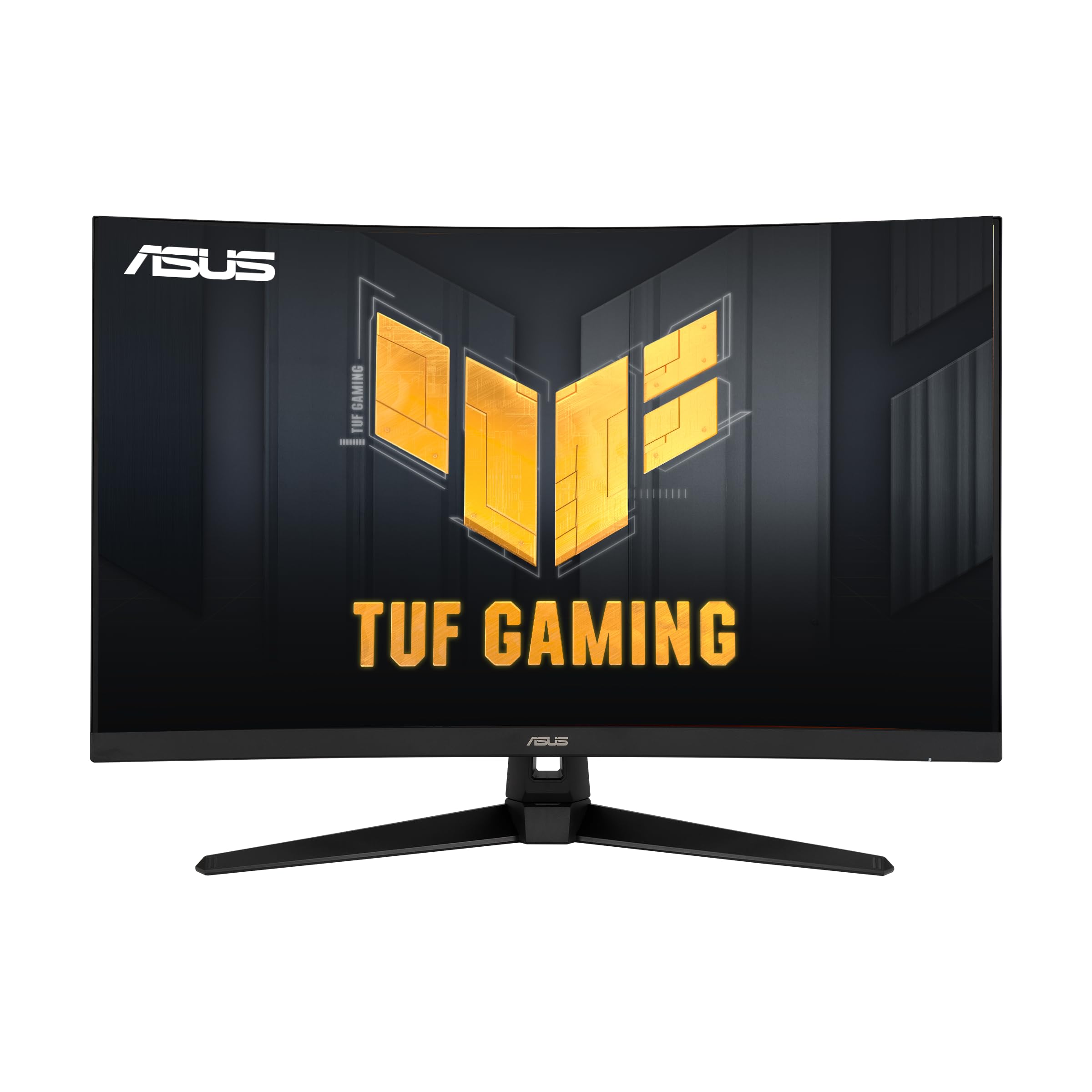
The ASUS TUF VG32VQ1B is a 31.5-inch 1440p curved gaming monitor that leans hard into competitive performance without abandoning visual quality. Its 165Hz refresh rate (with 144Hz support) sits in the sweet spot where motion is smooth but GPU demands remain manageable — a mid-range card like an RTX 3060 can push 100+ fps at 1440p in most titles. The 1500R VA panel delivers a 3000:1 contrast ratio, and ASUS’s Extreme Low Motion Blur (ELMB) technology reduces perceived motion blur to 1ms MPRT when enabled alongside Adaptive-Sync.
Shadow Boost is a genuinely useful feature for competitive shooters: it brightens dark corners without blowing out bright areas, letting you spot enemies hiding in shadows. The built-in speakers are present but deliver thin, low-volume audio — fine for system sounds but not for gameplay. The stand is sturdy with tilt adjustment but lacks height adjustment, which is a notable omission at this price point.
HDR-10 support is technically present, but the 250-nit peak brightness means HDR content looks washed out compared to proper HDR displays. The OSD menu uses ASUS’s standard joystick navigation, which is intuitive once you learn the layout. For the budget-conscious competitive gamer who wants high refresh rate and VA contrast without spending on ultrawide, the VG32VQ1B is a proven performer.
Why it’s great
- 165Hz with ELMB reduces motion blur effectively
- 3000:1 VA contrast ratio for deep blacks
- Shadow Boost helps visibility in dark game scenes
Good to know
- Stand lacks height adjustment
- 250-nit brightness limits HDR effectiveness
- Built-in speakers are weak
7. CRUA 32″ Curved Gaming Monitor, 4K UHD

The CRUA 32-inch 4K curved monitor is an ambitious entry in the mid-range space, combining a 3840×2160 resolution with a 160Hz refresh rate on a 1500R VA panel. The pixel density at 32 inches (138 PPI) delivers sharp text and rich detail in games and movies. The 120% sRGB coverage and 3000:1 contrast ratio produce vibrant, punchy colors with deep blacks. Built-in RGB lighting on the rear adds flair for streaming setups, and the white chassis stands out from the sea of black monitors.
The major concern with CRUA is reliability. User feedback includes reports of screen failure after three months, with the seller directing customers to Amazon’s 30-day return policy while not honoring the claimed one-year manufacturer warranty. This is a legitimate risk that budget-brand buyers must accept. The included stand requires some assembly effort, and the monitor has no VESA bolts included despite supporting 75x75mm mounting.
Brightness is rated at 320 nits typical, but user reports indicate it feels dimmer in sunlit rooms even at maximum setting. HDMI 2.1 support ensures the full 160Hz at 4K from a compatible GPU. For buyers willing to take a chance on QC in exchange for 4K curved specs at a low price, the CRUA delivers where it counts — but warranty skepticism is warranted.
Why it’s great
- 4K resolution with 160Hz refresh rate
- 3000:1 VA contrast ratio for rich blacks
- Unique white design with RGB lighting
Good to know
- Reliability and warranty concerns from user reports
- Brightness may be insufficient for bright rooms
- Stand assembly is not user-friendly
8. Deco Gear 49″ Curved Ultrawide Gaming Monitor
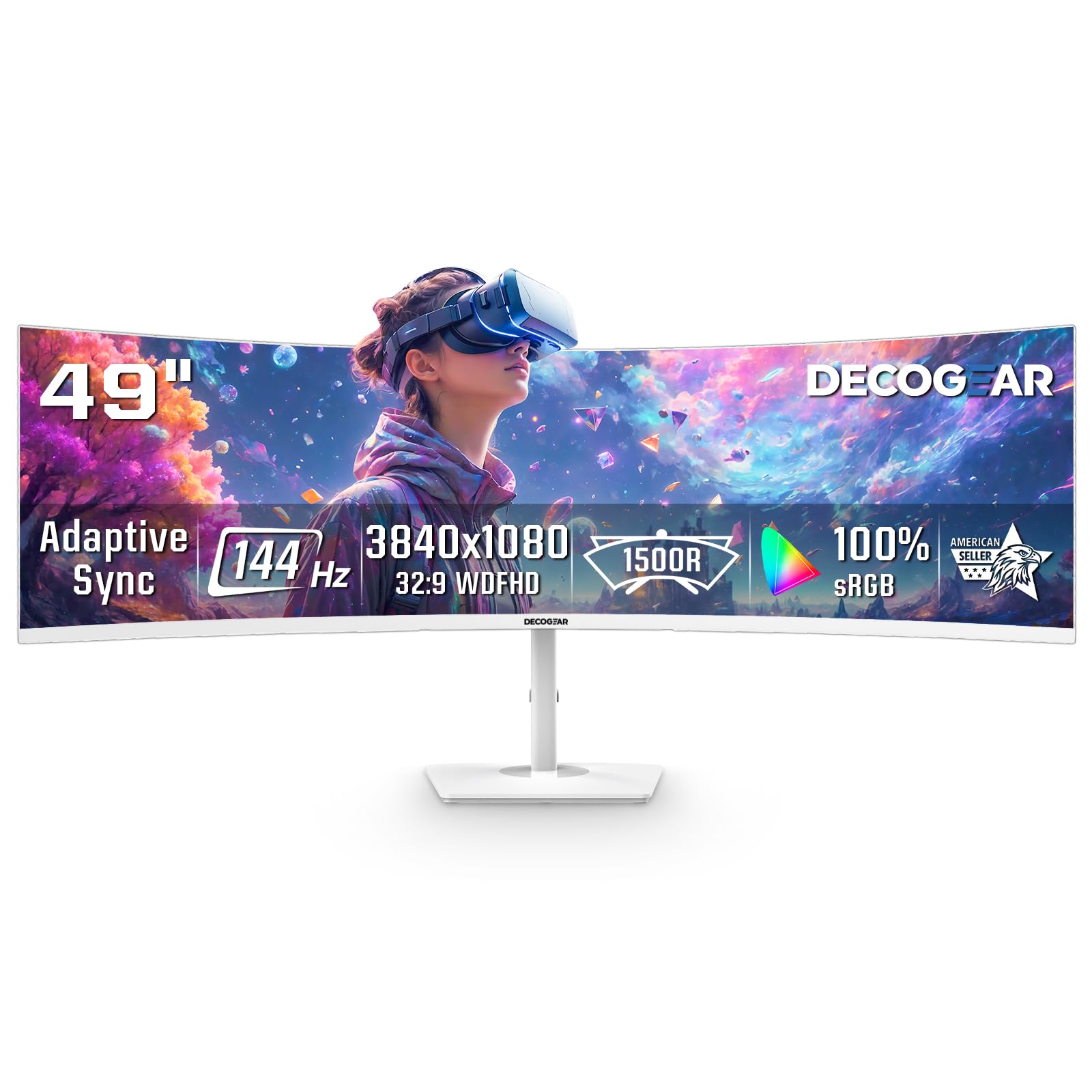
The Deco Gear 49-inch super ultrawide is the monitor equivalent of putting two 27-inch 1080p monitors side by side without a bezel gap — its 3840×1080 resolution at 32:9 aspect ratio provides immense horizontal workspace. The 1800R curve wraps around your field of view in a way that makes sim racing and flight sims feel genuinely cockpit-like. The 144Hz refresh rate and 1ms MPRT with Adaptive Sync keep motion smooth, though the 250-nit brightness means HDR content lacks punch.
PIP/PBP mode lets you connect two different input sources simultaneously — run your work laptop on one half and a gaming PC on the other — and switch between them without cable swapping. The VA panel delivers the expected 3000:1 contrast ratio, which helps dark scenes in games look deep and rich. The white finish is a refreshing alternative for those building bright or all-white desk setups. The power button is a known weak point: some users report it snapping off after months of use, though customer service has been responsive for replacements.
The DFHD resolution (3840×1080) means you are getting 1080p vertical resolution on a 49-inch screen — text and icons appear larger and less sharp than a 1440p ultrawide. This is less of an issue for gaming or trading dashboards but noticeable for productivity. For the sim enthusiast or trader who wants maximum horizontal space without spending premium-tier money, the Deco Gear 49-inch offers unmatched real estate.
Why it’s great
- Massive 32:9 aspect ratio replaces dual monitors
- 1800R curve is perfect for sim racing and flight sims
- PIP/PBP for dual-input multitasking
Good to know
- DFHD resolution limits vertical pixel count
- Power button build quality is a concern
- 250-nit brightness is dim for HDR content
9. SANSUI 32-Inch Curved Gaming Monitor WQHD 1440p
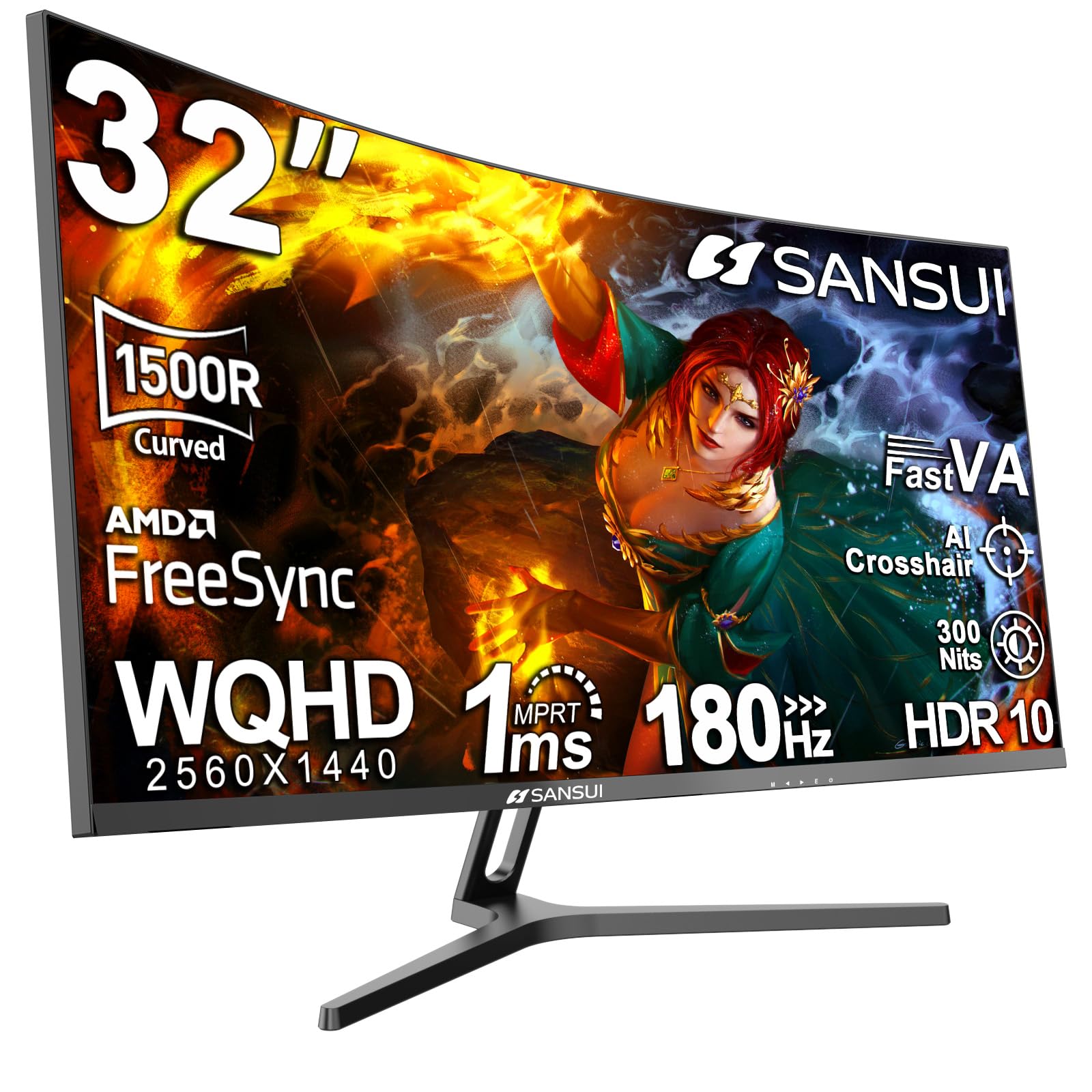
The SANSUI 32-inch curved gaming monitor proves that 1440p at 180Hz is no longer a premium-only privilege. Its 1500R VA panel delivers a 3000:1 contrast ratio, 125% sRGB coverage, and 95% DCI-P3 gamut — color performance that punches well above its price tier. The 180Hz refresh rate over DisplayPort 1.4 (with 144Hz over HDMI) provides fluid motion for shooters and racing games. The 1ms OD response time is respectable, though VA ghosting is slightly visible in extreme dark-to-light transitions.
Build quality is solid for the price point, with a tilt-adjustable stand and 100x100mm VESA compatibility. The joystick OSD control is intuitive and responsive, and the inclusion of two DisplayPort 1.4 ports (plus two HDMI) gives flexibility for multi-device setups. Blue light reduction and flicker-free backlight reduce eye strain during long sessions. SANSUI offers lifetime technical support and a 30-day replacement warranty, and user feedback highlights proactive customer service when units arrive with defects.
The main trade-off for the low price is consistency: some units have reported corner clouding on dark screens, requiring replacement. The stand lacks height and swivel adjustment, so desk ergonomics depend on your monitor arm or riser. The 300-nit peak brightness is adequate for indoor use but will struggle in bright rooms. For anyone building a budget 1440p gaming rig and prioritizing refresh rate and color accuracy over build polish, the SANSUI is the standout value option.
Why it’s great
- 1440p at 180Hz with excellent color gamut coverage
- Two DisplayPort 1.4 inputs for multi-device setups
- Lifetime technical support and responsive customer service
Good to know
- Stand lacks height and swivel adjustment
- Some units may have corner clouding issues
- 300-nit brightness is marginal for bright rooms
FAQ
Is a curved monitor worth it for productivity and coding?
Can I use a curved monitor for photo and video editing?
Does a curved monitor work with a monitor arm?
Does a curved monitor cause eye strain compared to a flat monitor?
Final Thoughts: The Verdict
For most users, the best curved monitor winner is the Alienware AW3425DWM because it strikes the ideal balance between ultrawide immersion, high refresh rate gaming, and practical VA contrast without jumping to the OLED price bracket. If you want transformative black levels and the fastest motion clarity available, grab the LG 34GS95QE. And for pure productivity with a single USB-C cable and ultrawide real estate, nothing beats the LG 34WR55QK-B.

Mo Maruf
I created WellFizz to bridge the gap between vague wellness advice and actionable solutions. My mission is simple: to decode the research and give you practical tools you can actually use.
Beyond the data, I am a passionate traveler. I believe that stepping away from the screen to explore new environments is essential for mental clarity and physical vitality.