Our readers keep the lights on and my smoothie glass nicely filled. As an Amazon Associate, I earn from qualifying purchases.
A good flat monitor works fine—until you switch to a curve that wraps the action around your peripheral vision. That natural field of view changes how you track fast-moving targets, read minimaps, and stay immersed for hours. For competitive titles and open-world exploration alike, the right curvature paired with 4K clarity delivers a tangible edge that flat panels simply cannot match.
I’m Mohammad Maruf — the founder and writer behind WellFizz. I’ve spent countless hours breaking down panel technologies, refresh rate implementations, and adaptive sync performance to separate real-world gains from marketing claims in this specific category.
The challenge is that raw specs alone don’t reveal how a monitor actually handles motion at 144Hz or how its curve interacts with your desk depth. That’s exactly what this guide to the best curved 4k monitor for gaming addresses — matching real panel behavior to the way you actually play.
How To Choose The Best Curved 4K Monitor For Gaming
Picking the right curved 4K gaming monitor means looking past the refresh rate number and understanding how each spec interacts with your actual desk setup, GPU horsepower, and the types of games you play. Here are the key factors that separate a genuinely immersive experience from a spec sheet that looks good on paper.
Curvature Radius: 1500R vs 1800R vs 1000R
The curvature measurement (R stands for radius in millimeters) determines how aggressive the screen bends toward you. A 1500R curve is the sweet spot for most 32-inch monitors — it matches the natural focal distance of a typical desktop setup. A 1000R curve wraps around you more intensely, which can feel cinematic in dark rooms but may strain your eyes if you sit farther back. For 49-inch ultrawides, 1800R or 1000R are common; the wider the monitor, the tighter the curve needs to be to keep all edges equidistant from your eyes.
Panel Type: VA vs OLED vs Nano IPS
VA panels are the most common in budget and mid-range curved monitors because they deliver strong native contrast (around 3000:1) for deep blacks without the pixel-level control of OLED. OLED panels achieve infinite contrast with per-pixel lighting, producing true black and brilliant HDR highlights, but they carry burn-in risk over years of static UI elements. Nano IPS offers wider viewing angles and faster pixel response than VA, but typically sacrifices contrast ratio (around 1000:1). Your choice depends on whether you prioritize black-level immersion or color accuracy from extreme angles.
Quick Comparison
On smaller screens, swipe sideways to see the full table.
| Model | Category | Best For | Key Spec | Amazon |
|---|---|---|---|---|
| LG 34GS95QE | OLED | Ultrawide OLED immersion | 800R curve, 0.03ms GtG | Amazon |
| Alienware AW3425DW | QD-OLED | Color accuracy + HDR | 99.3% DCI-P3, 1800R | Amazon |
| ASUS ROG Strix XG32UCWG | Glossy WOLED | Competitive dual-mode gaming | 4K 165Hz / FHD 330Hz | Amazon |
| Samsung Odyssey G7 (G75F) 37″ | VA | Cinematic single-screen 4K | 1000R curve, HDR600 | Amazon |
| LG 45GX900A-B | OLED | Large-format OLED ultrawide | 45″ 21:9, 240Hz, 800R | Amazon |
| GIGABYTE M32UC | SS VA | Balanced 4K with KVM | 160Hz OC, 1ms MPRT | Amazon |
| CRUA 32″ 4K | VA | Entry-level 240Hz | 1500R, 120% sRGB | Amazon |
| Samsung Odyssey G9 (G91F) 49″ | VA | Panoramic 32:9 gaming | 1000R, HDR600, 144Hz | Amazon |
| Deco Gear 49″ QD-OLED | QD-OLED | Ultrawide QD-OLED value | 240Hz, 0.03ms, KVM | Amazon |
| INNOCN 49C1S | VA | Budget 49-inch 240Hz | 5120×1440, HDR400 | Amazon |
| LG 49WQ95C-W | Nano IPS | Productivity + gaming hybrid | 98% DCI-P3, 90W USB-C | Amazon |
In‑Depth Reviews
1. LG 34GS95QE 34″ Ultragear OLED

This 34-inch OLED delivers the steepest 800R curve in the category, wrapping the 21:9 WQHD panel so tightly around your field of view that the bezels effectively disappear. The 240Hz refresh rate and 0.03ms GtG response time eliminate any perceptible motion blur, while the 1.5M:1 contrast ratio from OLED’s per-pixel lighting produces blacks so deep that the screen can appear powered off during dark loading screens. Real buyers consistently report that this monitor transforms how they perceive depth in games — shadows feel volumetric rather than just dim.
The anti-glare low-reflection coating reduces ambient light interference, which is crucial for maintaining the OLED’s black-level advantage in rooms with windows or overhead lights. HDMI 2.1 support means full 240Hz bandwidth from compatible GPUs, and the included DisplayPort 1.4 cable handles the same throughput. The 275-nit typical brightness is lower than premium LCD monitors, but HDR True Black 400 certification ensures that highlights still punch above the surrounding black floor.
What holds this back from perfection is the aggressive OLED care routines — pixel cleaning and compensation cycles run automatically during standby but cannot be disabled, and some users report that the menu joystick on the rear is awkward to reach with the monitor positioned low. Text clarity is slightly softer than a high-end IPS panel due to the non-standard subpixel layout, though this rarely affects gaming readability.
Why it’s great
- True black levels from OLED create unmatched immersion in dark game environments
- 240Hz at 3440×1440 delivers fluid motion without demanding full 4K pixel count
- 800R curve is the most aggressive available, pulling side content into peripheral vision
Good to know
- 275 nits typical brightness may feel dim in brightly lit rooms
- OLED burn-in risk requires enabling care tools; not ideal for static desktop use all day
- Rear menu joystick placement can be difficult to reach during adjustment
2. Alienware AW3425DW 34″ QD-OLED

The Alienware AW3425DW uses a QD-OLED panel that combines OLED’s infinite contrast with quantum dot color enhancement, hitting 99.3% DCI-P3 coverage and Delta E color error below 2. This means reds and greens appear saturated without clipping, and the 1.5M:1 contrast ratio ensures that bright highlights sit on a perfectly black background rather than the grayish-black typical of IPS panels. The 1800R curve is gentler than the LG 800R offering, making this a better fit for users who split time between gaming and productivity tasks where straight lines matter.
The 240Hz refresh rate pairs with both NVIDIA G-SYNC Compatible and AMD FreeSync Premium Pro, so adaptive sync works cleanly regardless of your GPU brand. VESA DisplayHDR TrueBlack 400 certification means the monitor handles HDR metadata accurately, and peak brightness reaches 1000 nits in small highlights — enough to make explosions and spell effects pop without washing out the surrounding shadow detail. The three-year warranty includes burn-in coverage, which addresses the primary hesitation buyers have about OLED longevity.
Downsides are minor but real: text clarity on the QD-OLED subpixel layout is slightly less sharp than a traditional IPS panel at 100% scaling, and the glossy screen coating can produce visible reflections in rooms with direct light sources behind the viewer. The stand is large and takes up significant desk depth, though height, tilt, and swivel adjustments are fully tool-free.
Why it’s great
- Industry-leading color accuracy with 99.3% DCI-P3 coverage straight out of the box
- Three-year warranty explicitly covers OLED burn-in, reducing long-term ownership risk
- 1800R curve balances immersion with usability for mixed productivity workloads
Good to know
- Glossy surface reflects ambient light; not ideal for rooms with bright overhead lighting
- Text clarity at native resolution is slightly softer than high-end IPS monitors
- Base footprint is deep and may not fit smaller desks without an arm mount
3. ASUS ROG Strix XG32UCWG 32″ Glossy WOLED

The ASUS ROG Strix XG32UCWG stands out with its dual-mode capability — it runs 4K at 165Hz for visually rich single-player titles, then switches to 1080p at 330Hz for competitive shooters where raw frame rate matters more than pixel density. The glossy WOLED panel eliminates the hazy diffusion layer found on matte OLEDs, producing imagery that looks sharper and more vibrant because light passes through the panel without scattering. Real buyers describe the visual leap as transformative, particularly in HDR titles where specular highlights appear to float above the screen surface.
ASUS includes its Neo Proximity Sensor as part of the OLED Care Pro suite — the sensor detects when you leave your desk and automatically dims the screen to reduce static image retention risk. The DisplayWidget Center software allows mouse-based adjustment of OLED care settings without navigating the OSD joystick. Connectivity covers DisplayPort 1.4 with DSC, HDMI 2.1, and a USB-C port with 15W power delivery for peripheral charging, though the lack of higher USB-C wattage means you cannot charge a laptop through this monitor alone.
The main drawbacks are the weight — at roughly 18 pounds without the stand, a monitor arm must be rated for heavy loads — and the default auto-dimming feature that can be too aggressive during static desktop use, requiring manual adjustment in the OSD. The on-screen menu text is small at native 4K resolution, making initial setup slightly fiddly without the software utility.
Why it’s great
- Dual-mode switching between 4K 165Hz and FHD 330Hz covers both immersive and competitive gaming
- Glossy WOLED surface produces the sharpest, most vibrant image of any OLED panel tested
- Neo Proximity Sensor automates burn-in protection without manual intervention
Good to know
- Heavy construction requires a beefy monitor arm with adequate load capacity
- Default auto-dimming can be too sensitive during static desktop or browser use
- USB-C port only delivers 15W — not sufficient for laptop charging
4. Samsung Odyssey G7 (G75F) 37″ 4K VA

The 37-inch Samsung Odyssey G7 occupies a unique size — larger than standard 32-inch displays but less overwhelming than 43-inch options — and wraps that panel with a 1000R curve that creates a near-cocooning effect. The VA panel delivers a native 3000:1 contrast ratio, which means blacks in dark game scenes appear inky rather than washed out, and VESA DisplayHDR 600 certification provides enough luminance headroom to make HDR highlights distinct without crushing shadow detail. The 165Hz refresh rate is slightly below the 240Hz found on premium OLEDs, but the 1ms GtG response time keeps ghosting minimal in fast-paced titles.
Software engineers and developers in the real reviews highlight this as an ideal single-monitor workstation because the 4K resolution at 37 inches produces roughly 116 PPI — sharp enough for text without requiring scaling, and spacious enough for multiple code windows. AMD FreeSync Premium Pro keeps frame rates smooth across the 48-165Hz variable range, and the included HDMI 2.1 port supports full bandwidth from modern GPUs and consoles alike. The stand offers height, tilt, and swivel adjustments with a cable management channel through the central column.
The aggressive 1000R curve is polarizing — some users report eye strain or discomfort because the edges of the screen sit closer to your face than a flatter panel. If you sit more than three feet from the monitor, the curvature loses its intended effect and can actually distort straight-line geometry. Additionally, the VA panel exhibits some gamma shift at wide horizontal viewing angles, though this is rarely a concern for single-user gaming setups.
Why it’s great
- 3000:1 native contrast from VA panel delivers deep blacks without OLED burn-in concerns
- 37-inch size is a rare sweet spot between standard 32-inch and oversized 43-inch displays
- HDR600 certification provides meaningful highlight brightness for HDR gaming titles
Good to know
- 1000R curve can feel too aggressive for users who sit farther than 3 feet away
- VA gamma shift reduces color consistency at extreme horizontal viewing angles
- Refresh rate capped at 165Hz, which is lower than the 240Hz OLED competition
5. LG 45GX900A-B 45″ Ultragear OLED

The LG 45GX900A-B takes the 800R curve from its smaller sibling and scales it up to a massive 45-inch diagonal, producing an ultrawide 21:9 panel that wraps around your peripheral vision more completely than any 49-inch 32:9 monitor can. The WQHD resolution (3440×1440) is lower pixel density than a 32-inch 4K panel, but the trade-off is that you can drive the full 240Hz refresh rate with a mid-range GPU without needing DSC compression. The 0.03ms response time and OLED contrast ratio of 1.5M:1 make motion look fluid and blacks disappear into the bezel.
Real buyers who play sim racing titles consistently praise the extra vertical height of the 45-inch panel compared to wider 49-inch monitors — you see more of the cockpit and road ahead rather than a stretched horizon. The HDMI 2.1 port supports full 240Hz throughput, and the USB-C port with 65W power delivery can charge a gaming laptop during extended sessions. The included stand is massive and heavy, but the height and tilt adjustments are smooth and tool-free, and VESA 100×100 mounting is compatible with most arms.
The biggest concern reported by buyers is the pixel density — at 45 inches with 3440×1440, the pixel pitch is roughly 0.27mm, which makes text appear less crisp than a 32-inch 4K panel at typical desktop viewing distance. Some users also report aggressive auto-dimming on static elements that requires tweaking the OLED care settings to avoid distracting brightness fluctuations. The built-in speakers are present but lack bass and volume headroom for immersive gaming without external audio.
Why it’s great
- 45-inch 21:9 OLED with 800R curve creates the most enveloping gaming experience available
- 240Hz at 3440×1440 is achievable with mid-range GPUs without compression artifacts
- USB-C with 65W PD charges gaming laptops directly from the monitor
Good to know
- Lower pixel density (81 PPI) makes text less sharp than 32-inch 4K alternatives
- Auto-dimming on static elements can be distracting during mixed-use workloads
- Built-in speakers are weak and lack low-end frequency response for gaming audio
6. GIGABYTE M32UC 32″ 4K SS VA

The GIGABYTE M32UC packs a 31.5-inch SS VA panel with 3840×2160 resolution and a native 144Hz refresh rate that overclocks to 160Hz — placing it squarely in the sweet spot for gamers who want 4K clarity without the premium OLED price tag. The 3000:1 contrast ratio from the VA technology gives blacks real depth in dark scenes, and the 350 cd/m² typical brightness is sufficient for most indoor lighting conditions. The 1500R curve is gentle enough to avoid distortion for productivity work while still providing meaningful immersion in gaming.
What elevates this monitor beyond simple specs is the integrated KVM switch — you connect your keyboard and mouse to the monitor’s USB 3.2 ports, then toggle between your gaming desktop and a work laptop without unplugging anything. The 93% DCI-P3 coverage and 123% sRGB gamut deliver vibrant colors that look punchy out of the box, though calibration via an ICC profile improves accuracy for color-sensitive work. Connectivity includes two HDMI 2.1 ports, one DisplayPort 1.4, and a USB-C port, plus four USB 3.2 downstream ports.
Quality control reports show occasional backlight uniformity issues on the LCD panel, and the OSD menu is navigated only through a rear joystick without a remote control option. The 1ms MPRT response time is achieved through overdrive, which can introduce minor overshoot artifacts at the highest setting. Some buyers report that enabling the 160Hz overclock requires manually setting the refresh rate in the GPU driver rather than auto-detecting.
Why it’s great
- Integrated KVM switch lets you share peripherals between gaming PC and work laptop seamlessly
- 160Hz overclocked refresh rate at 4K delivers fluid motion at a mid-range price point
- 3000:1 VA contrast provides deep blacks without the burn-in risk of OLED
Good to know
- Backlight uniformity varies between units; some show visible clouding on dark screens
- Overdrive at max setting can produce overshoot artifacts in fast motion
- 160Hz overclock requires manual configuration and is not always stable out of the box
7. CRUA 32″ 4K Curved VA

The CRUA 32-inch 4K monitor is the only budget-tier option in this roundup that offers a genuine 240Hz refresh rate at native 4K resolution, making it a compelling pick for gamers who prioritize refresh rate over panel pedigree. The VA panel provides a 3000:1 contrast ratio and 120% sRGB coverage that produces vibrant colors, and the 1500R curvature is standard for this size class. Real buyers note that the image quality is surprisingly good for the price tier, with no dead pixels reported in the majority of verified purchases.
The panel supports AMD FreeSync for variable refresh rate, and the inclusion of both HDMI 2.1 and DisplayPort 1.4 means you can hit the full 240Hz bandwidth with modern GPUs. PIP/PBP mode is a useful addition for users who want to display two input sources simultaneously on the same screen. The white color scheme with RGB back lighting differentiates this monitor visually from the sea of black gaming displays, and the thin bezel design looks more premium than the price suggests.
Build quality reports are mixed — the stand offers only tilt adjustment with no height or swivel capability, and some buyers report that the assembly required for the base is fiddly for large hands. The built-in speakers are underpowered and produce thin audio that struggles with game soundtracks. The OSD menu lacks the depth of adjustments found on premium monitors, and there is no USB hub for connecting peripherals.
Why it’s great
- Only budget-tier monitor offering native 240Hz at true 4K resolution without compression
- 3000:1 VA contrast and 120% sRGB coverage produce vibrant, immersive visuals
- HDMI 2.1 and DP 1.4 inputs support full refresh rate bandwidth from modern GPUs
Good to know
- Stand lacks height and swivel adjustment; tilt-only limits ergonomic flexibility
- Built-in speakers produce thin, low-volume audio inadequate for gaming
- OSD menu has limited adjustment options compared to premium-tier monitors
8. Samsung Odyssey G9 (G91F) 49″ DQHD

The Samsung Odyssey G9 G91F uses a 1000R curve on a 49-inch VA panel at 32:9 aspect ratio — effectively two 27-inch 16:9 monitors side by side without any bezel gap. The DQHD resolution (5120×1440) matches the pixel count of two QHD screens, giving you massive horizontal real estate for racing sims, flight simulators, and first-person shooters where peripheral awareness is critical. DisplayHDR 600 certification ensures that highlights in supported titles are bright enough to create visual separation from the VA panel’s native 3000:1 contrast floor.
The 144Hz refresh rate and 1ms response time are well-matched to the VA panel’s capabilities — motion handling is clean at this refresh rate without the overshoot artifacts that can plague faster overdrive settings on cheaper VA panels. AMD FreeSync Premium Pro keeps the frame rate synchronized across the full 48-144Hz variable range. The Auto Source Switch+ feature automatically detects active input sources and switches without manual OSD navigation.
The 49-inch width demands a desk at least 60 inches wide for proper viewing distance, and the 1000R curve means you need to sit directly centered to avoid distortion at the edges. There are no built-in speakers, which is an odd omission at this price point. Some buyers report that the aggressive curve flattens the perceived height of the screen, making it feel shorter than a standard 32-inch 16:9 panel in vertical games.
Why it’s great
- 32:9 aspect ratio replaces dual-monitor setups with a seamless, bezel-free panoramic view
- 1000R curve on a 49-inch panel matches natural eye distance across the entire screen width
- HDR600 certification provides meaningful brightness for HDR gaming and media content
Good to know
- Requires a desk at least 60 inches wide for comfortable viewing distance
- No built-in speakers despite the premium price point
- Aggressive curve can make the screen feel shorter in vertical games and applications
9. Deco Gear 49″ QD-OLED Ultrawide
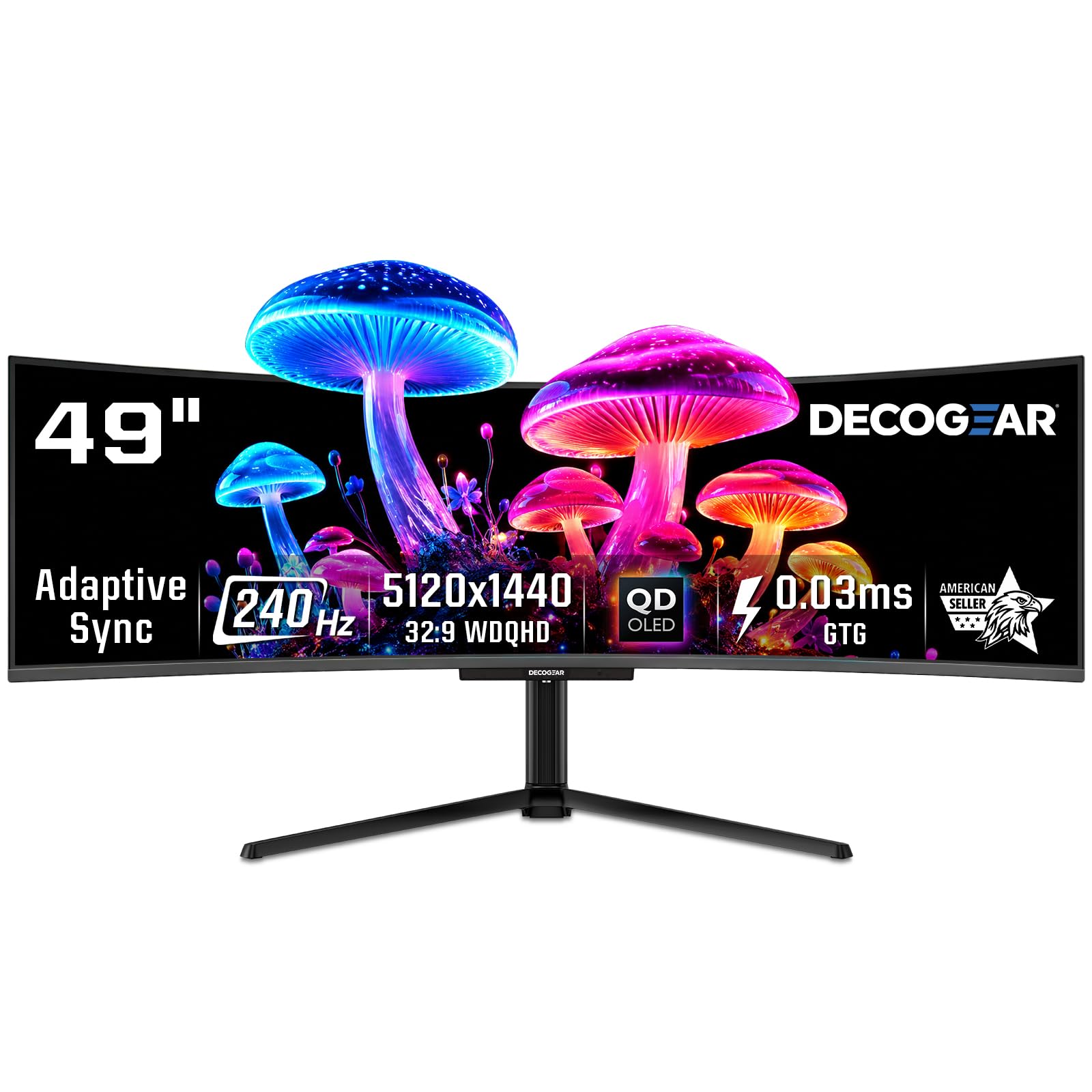
The Deco Gear 49-inch QD-OLED delivers the same Samsung OLED panel technology found in monitors costing several hundred more, making it the most affordable entry point into quantum-dot OLED at the 32:9 ultrawide format. The 5120×1440 resolution runs at 240Hz with a 0.03ms response time, and the 1.5M:1 contrast ratio produces the deep blacks and per-pixel lighting that define OLED image quality. Real buyers who also own the comparable Innocn 49Q1R confirm the panel quality is identical — vibrant colors, no visible blooming, and excellent motion clarity.
The USB-C port with 90W power delivery is a standout feature at this price tier — enough to charge most gaming laptops and even some larger workstations at full speed while carrying the display signal. The built-in KVM switch lets you control two computers with a single keyboard and mouse setup, and the PIP/PBP modes work well for simultaneously viewing gaming and productivity sources. The 131% sRGB color gamut produces oversaturated but punchy colors that look fantastic in HDR titles.
Quality control is a concern here — multiple verified reviews report power supply failures within months of purchase, and the refurbished units appear to have even higher failure rates. The included power cable can arrive with internal wire damage from tight folding in the box, requiring a replacement cable before the monitor even powers on. Customer support response for warranty claims has been reported as inconsistent, which is a significant risk for a high-value purchase like this.
Why it’s great
- Lowest price point for a 49-inch QD-OLED panel with 240Hz and true black performance
- 90W USB-C power delivery charges gaming laptops directly through the monitor
- 1.5M:1 contrast ratio and per-pixel lighting produce unmatched HDR and black-level quality
Good to know
- Multiple reports of power supply and cable failures within the first few months of ownership
- Customer support responsiveness for warranty claims is inconsistent and slow
- Refurbished units carry significantly higher risk of premature failure
10. INNOCN 49C1S 49″ 240Hz VA
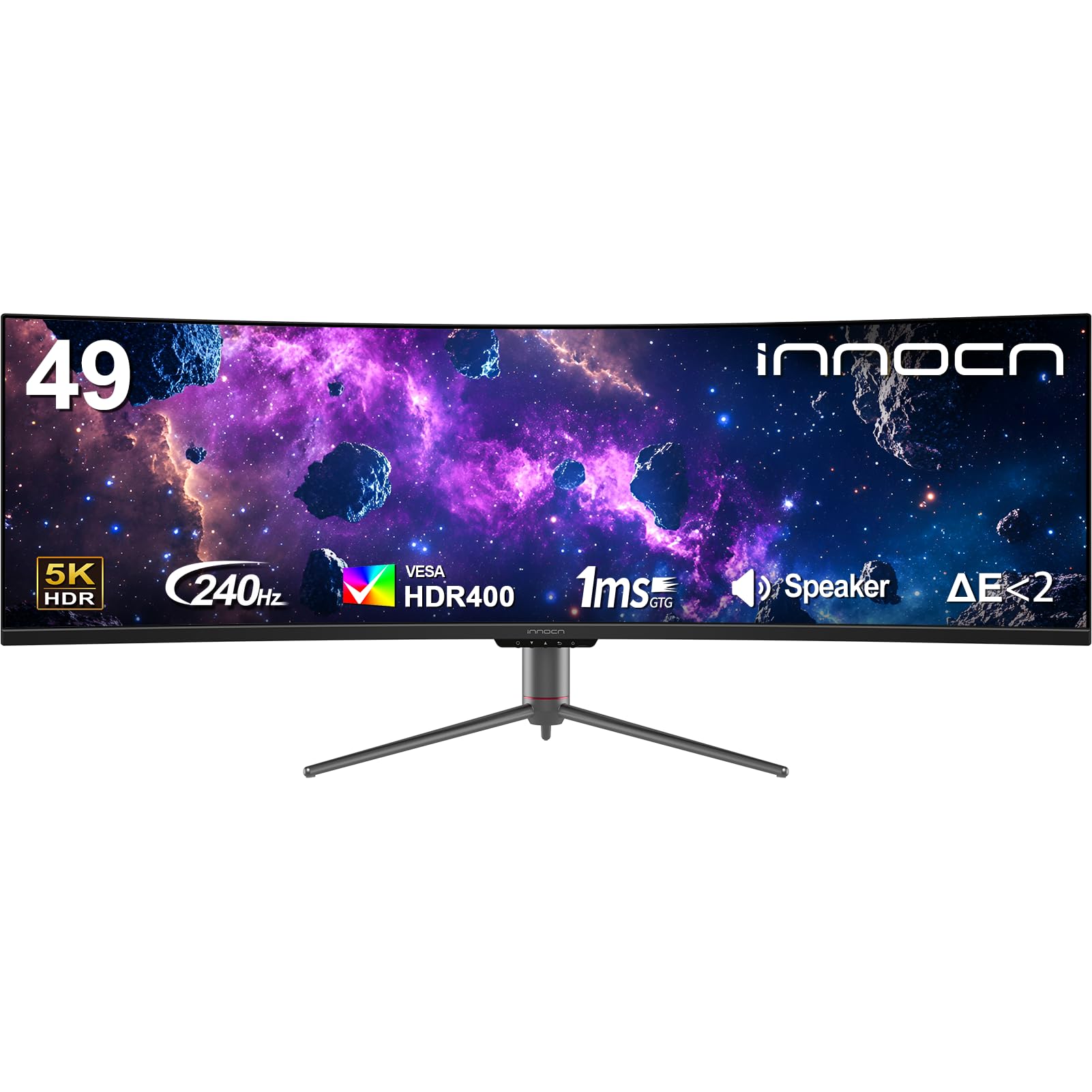
The INNOCN 49C1S offers a 49-inch VA panel at 5120×1440 resolution with a 240Hz refresh rate for significantly less than comparable Samsung or LG ultrawides. The 1800R curve is gentler than the 1000R found on Samsung’s Odyssey line, which makes this monitor more comfortable for productivity tasks where straight lines and spreadsheet columns shouldn’t appear distorted. The 3000:1 contrast ratio and 99% sRGB coverage deliver solid but not exceptional color performance — adequate for gaming but lacking the punch of DCI-P3 wide gamut coverage.
Connectivity is a strong point here — two DisplayPort 1.4 inputs, one HDMI 2.1, and a USB-C port with 65W power delivery cover most modern setups, plus a built-in KVM switch for dual-computer workflows. PIP/PBP mode works well for displaying two input sources side by side, making this a legitimate option for users who want to game on one half of the screen while monitoring chat or streaming software on the other. The height-adjustable stand with tilt and swivel offers better ergonomics than many budget ultrawides.
Real buyers report that the 1800R curve is not aggressive enough to fully compensate for the 49-inch width when sitting at a standard 30-inch viewing distance — the far edges of the screen can feel slightly too far from your eyes. The HDR400 certification is entry-level, meaning HDR highlights lack the brightness and impact of HDR600 or True Black 400 panels. Some units arrive with backlight bleed or dead pixels, and the warranty process requires shipping the massive monitor back at your own cost.
Why it’s great
- Most affordable 49-inch 240Hz ultrawide with VA contrast and 5120×1440 resolution
- 1800R curve is gentle enough for productivity work without geometric distortion
- Built-in KVM switch and 65W USB-C power delivery handle dual-PC setups cleanly
Good to know
- 1800R curve is too mild for a 49-inch panel; edges sit noticeably farther from your eyes
- HDR400 certification delivers underwhelming highlight brightness for HDR gaming
- Warranty returns require you to pay shipping on a large, heavy monitor
11. LG 49WQ95C-W 49″ Nano IPS

The LG 49WQ95C-W uses Nano IPS technology to deliver a 98% DCI-P3 color gamut and wide 178-degree viewing angles that maintain color accuracy across the entire 49-inch width — something VA panels struggle with at the edges. The 5120×1440 DQHD resolution provides the same dual-QHD pixel count as the Samsung Odyssey G9, but the Nano IPS panel offers faster pixel response and better color consistency at the cost of a lower 1000:1 contrast ratio. The 144Hz refresh rate is adequate for this class, though not as high as the 240Hz found on some competitors.
The real differentiator is the USB-C port with 90W power delivery and the built-in KVM switch — this monitor is designed for users who split time between gaming and productivity across two computers. The PBP mode lets you show two input sources simultaneously, and the KVM toggle lets you control both with one keyboard and mouse. The white chassis and slim bezels make this monitor fit better in a professional workspace than the black-and-RGB gaming aesthetic of most competitors. Real buyers note that it effectively replaced four separate monitors in a home office setup.
The primary complaint is the low curvature — at roughly 3800R (the gentlest curve in this roundup), the 49-inch screen barely bends at all, which means the far edges are significantly farther from your eyes than the center. This can cause eye strain during long gaming sessions where you need to track targets at screen edges. The USB ports have a documented reliability issue — several buyers report port failure within the first year, and LG’s warranty process requires proof of purchase and serial number registration that is not always straightforward.
Why it’s great
- Nano IPS panel delivers 98% DCI-P3 color coverage with wide viewing angles across the full 49 inches
- 90W USB-C power delivery and built-in KVM switch make dual-computer workflows seamless
- White, bezel-light design fits professional office environments better than gaming-focused alternatives
Good to know
- Very gentle curvature (~3800R) means edges are significantly farther from your eyes than the center
- 1000:1 contrast ratio produces grayish blacks in dark scenes compared to VA or OLED alternatives
- USB port durability is questionable, with multiple reports of failure within the first year of ownership
FAQ
Does a curved monitor affect competitive FPS gaming performance?
Can I use a curved 4K gaming monitor for professional photo or video editing?
What GPU do I need to run a 4K curved gaming monitor at high refresh rates?
Is OLED burn-in a real concern for curved gaming monitors?
Final Thoughts: The Verdict
For most users, the best curved 4k monitor for gaming winner is the LG 34GS95QE because its 800R curve, 240Hz OLED, and true black performance create the most immersive experience available without requiring the desk space of a 49-inch behemoth. If you want perfect color accuracy and OLED burn-in warranty coverage, grab the Alienware AW3425DW. And for pure competitive performance with dual-mode refresh rate switching, nothing beats the ASUS ROG Strix XG32UCWG.

Mo Maruf
I created WellFizz to bridge the gap between vague wellness advice and actionable solutions. My mission is simple: to decode the research and give you practical tools you can actually use.
Beyond the data, I am a passionate traveler. I believe that stepping away from the screen to explore new environments is essential for mental clarity and physical vitality.