Our readers keep the lights on and my smoothie glass nicely filled. As an Amazon Associate, I earn from qualifying purchases.
Keeping your cryptocurrency on an exchange is like handing your house keys to a stranger — convenient until it is not. A dedicated hardware wallet physically isolates your private keys from internet-connected devices, creating the only defense that truly blocks remote hacks, phishing, and exchange insolvency. Choosing the right one means weighing secure element certifications, supported asset lists, user interface maturity, and whether a device is fully open-source or air-gapped.
I’m Mohammad Maruf — the founder and writer behind WellFizz. I’ve spent hundreds of hours researching hardware security modules, analyzing firmware transparency policies, and cross-referencing customer failure reports to separate security theater from genuine cold storage.
This guide breaks down the top cold wallets by real-world security architecture and usability, so you can pick the right vault for your holdings without overpaying for features you will never use. Here is my unbiased analysis of the best crypto hardware wallet options available today.
How To Choose The Best Crypto Hardware Wallet
Not all hardware wallets offer the same level of protection. A sleek touchscreen or a low price tag can mask a serious vulnerability in how the device handles your seed phrase. Here are the three factors you must evaluate before committing to any cold storage solution.
Secure Element Certification and Supply Chain Trust
A Secure Element (SE) is a tamper-resistant chip designed to resist physical and side-channel attacks. Look for CC EAL5+ or EAL6+ certification, which indicates the chip has passed rigorous penetration testing. However, certification alone is not enough — verify that the manufacturer publishes a Bill of Materials or allows independent firmware audits. Closed-source wallets with proprietary SE chips offer less assurance than wallets whose firmware can be compiled and verified by the community.
Connectivity Threat Model: USB, Bluetooth, or Air-Gapped
Every connection method introduces a different risk profile. USB wallets require a wired link to a computer that may be compromised. Bluetooth wallets offer convenience but expand the attack surface through wireless pairing. Air-gapped wallets (which communicate solely via QR code scanning) keep the private key entirely offline with no electronic connection to any network. For large holdings or long-term storage, air-gapped signing is the gold standard. For active daily use, a balance of Bluetooth and PIN protection is acceptable if you understand the trade-off.
Asset Support and Recovery Path
Verify that the wallet supports the specific chains and tokens in your portfolio — some wallets prioritize Bitcoin-first, while others cover thousands of ERC-20 tokens, Solana, Cardano, and NFTs. Equally important is the recovery mechanism: every BIP39-compliant wallet uses a 24-word seed phrase that can be restored on any other BIP39 wallet. Avoid proprietary recovery systems that lock you into a single ecosystem. Also check whether the companion app supports staking, swapping, and DeFi dApp connections through WalletConnect or MetaMask.
Quick Comparison
On smaller screens, swipe sideways to see the full table.
| Model | Category | Best For | Key Spec | Amazon |
|---|---|---|---|---|
| Ledger Flex | Premium | All-in-one digital asset hub | 2.8″ E Ink touchscreen | Amazon |
| ELLIPAL Titan 2.0 | Premium | Maximum air-gapped security | 4″ HD IPS touchscreen | Amazon |
| Ledger Nano Gen5 | Premium | Mobile-first crypto management | 2.8″ scratch-resistant touchscreen | Amazon |
| Trezor Safe 5 | Mid-Range | Transparent open-source security | EAL 6+ Secure Element | Amazon |
| Arculus | Mid-Range | Slim NFC tap-to-sign | CC EAL6+ Secure Element | Amazon |
| SecuX V20 Plus | Mid-Range | Large touchscreen & Bluetooth | 2.8″ full color touchscreen | Amazon |
| Blockstream Jade | Budget | Bitcoin-only open-source wallet | Camera for air-gapped QR | Amazon |
In‑Depth Reviews
1. Ledger Flex
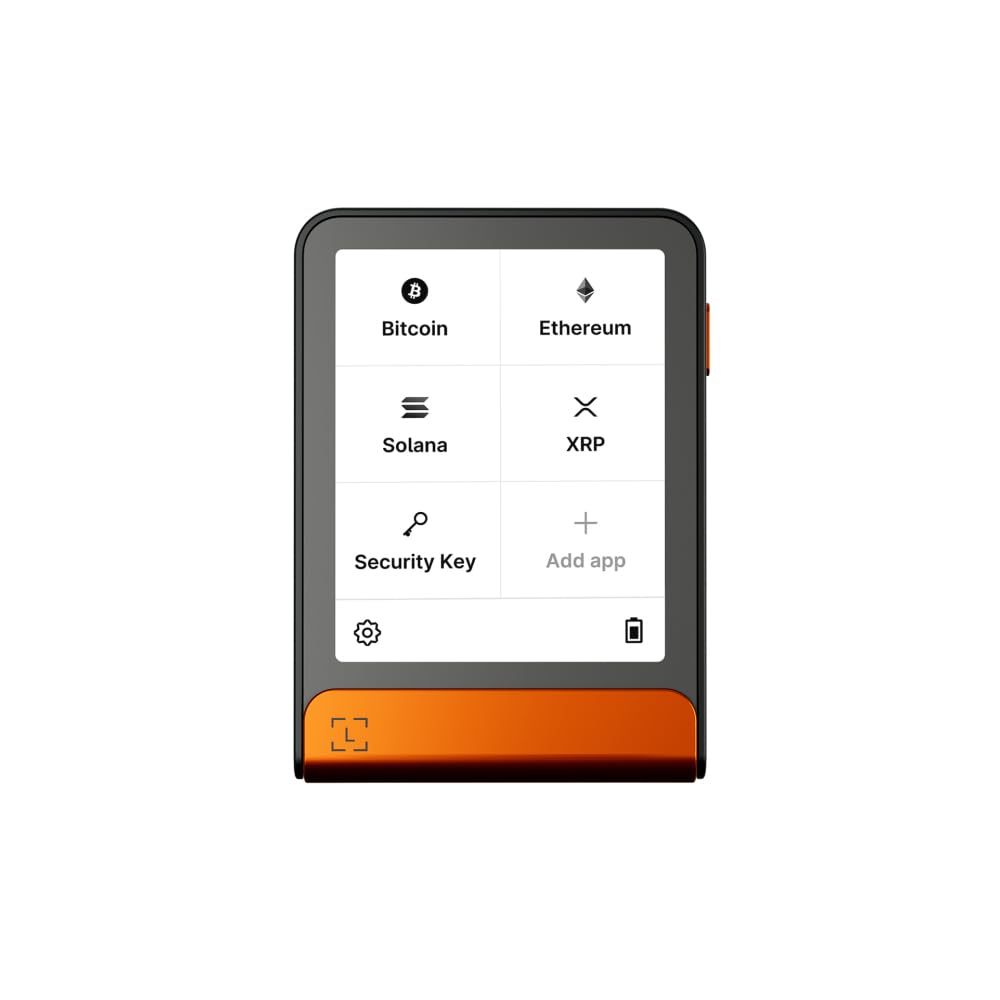
Ledger Flex sits at the top of the Ledger lineup with a 2.8-inch E Ink touchscreen that provides exceptional clarity and low power consumption — you can verify transaction details at a glance without a bright backlight draining the battery. The E Ink display also makes the device feel like a dedicated secure reader rather than a miniature smartphone, reinforcing the deliberate signing workflow that prevents accidental approvals.
The Ledger Wallet app supports over 15,000 crypto assets across multiple chains, including Bitcoin, Ethereum, Solana, and thousands of ERC-20 tokens, plus full NFT management and DeFi dApp connections through WalletConnect. The built-in Li-Polymer battery paired with Bluetooth gives you true mobile freedom, and the Ledger Recovery Key optional service provides a seed phrase backup method that adds convenience without compromising the core self-custody model.
User reviews consistently praise the easy setup and seamless recovery — one user successfully migrated a 24-word phrase from an old Nano into the Flex without friction. The only recurring criticism is a minor risk of screen misalignment in early units, which Ledger has addressed through replacement. If you want a premium, future-proof signer that balances portability, asset coverage, and transaction clarity, the Flex is the most complete package available.
Why it’s great
- E Ink touchscreen offers extreme readability and low battery drain
- Companion app manages 15,000+ assets, NFTs, and DeFi dApps
- Ledger Recovery Key provides a safety net without sacrificing security
Good to know
- Premium-tier pricing reflects the advanced E Ink hardware
- First unit screen alignment issue reported; warranty replacement is recommended
2. ELLIPAL Titan 2.0

If your threat model demands absolute isolation from any electronic attack surface, the ELLIPAL Titan 2.0 delivers a fully air-gapped signing workflow that uses QR codes instead of USB, Bluetooth, or Wi-Fi. The device is a sealed full-metal enclosure with CC EAL5+ certified secure element — there are no ports (except a MicroSD slot for firmware updates) and no way for a remote attacker to initiate a connection. The anti-tamper system wipes all data if physical breach is detected.
The 4-inch HD IPS touchscreen is the largest in this category, making address verification and menu navigation genuinely comfortable. The companion mobile app supports over 10,000 coins and tokens, including NFT galleries and DeFi access via WalletConnect V2 and browser extensions like MetaMask. Creating an account takes about two minutes, and firmware updates via the MicroSD card are straightforward even for less technical users.
Long-term owners report that the solid aluminum build instills confidence, and the ability to set up a secret secondary wallet (hidden account) adds a useful layer of plausible deniability. The main drawback is that the QR scanning process, while secure, is slower than a direct USB connection — and a few users experienced QR scanning hiccups during initial setup that were resolved with a firmware update. For long-term cold storage of significant holdings, the Titan 2.0 is the gold standard of offline security.
Why it’s great
- Zero electronic connections — all signing via QR codes
- Full metal body with anti-tamper data wipe protection
- Largest screen in category (4″) for easy verification
Good to know
- QR scanning workflow is slower than USB-based wallets
- Initial setup may require a firmware update for reliable QR reading
3. Ledger Nano Gen5
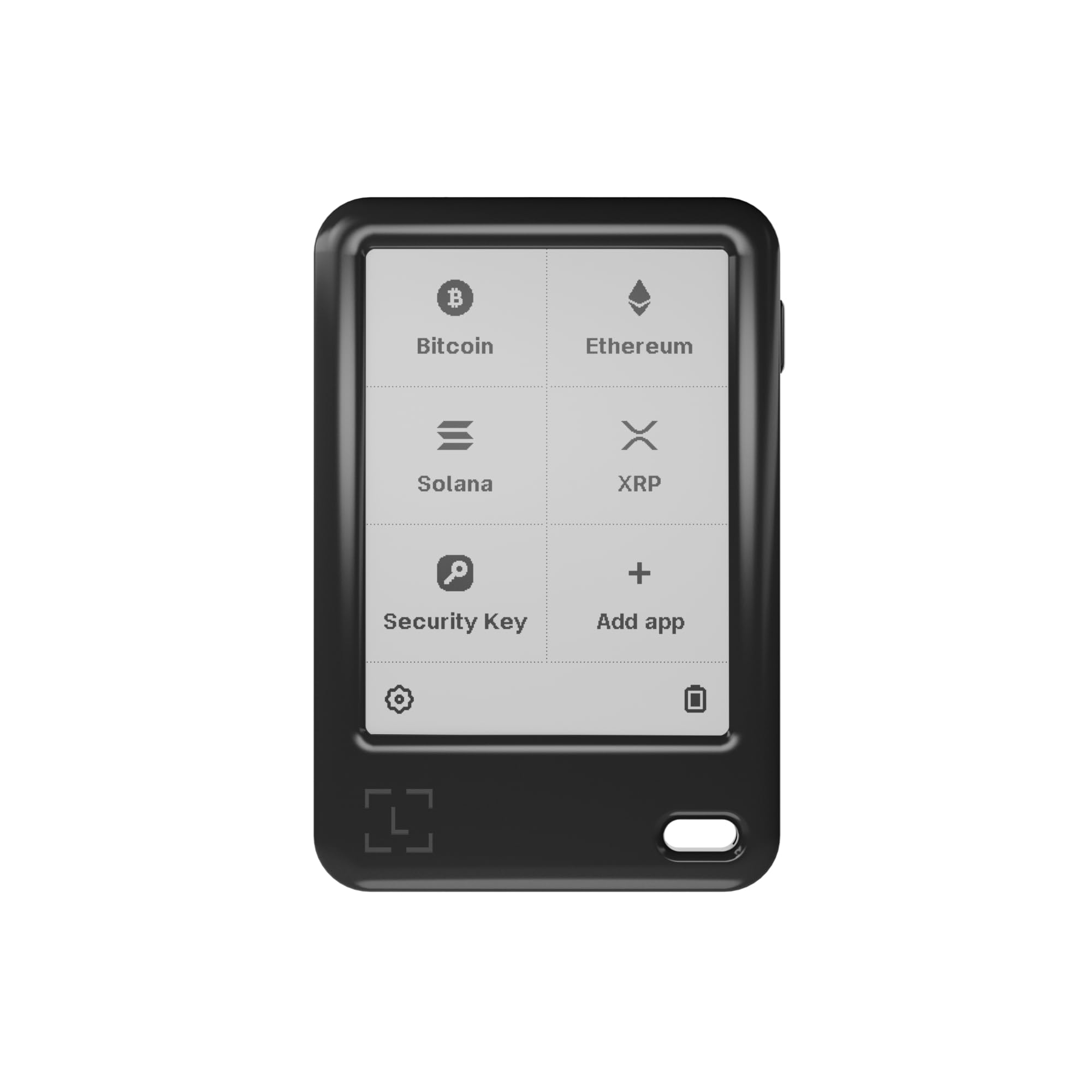
The Ledger Nano Gen5 replaces the button-based Nano X with a full 2.8-inch scratch-resistant touchscreen and Bluetooth connectivity, bringing the Ledger ecosystem into a truly modern form factor. The device integrates deeply with the Ledger Wallet app, giving you real-time market monitoring, staking rewards, DeFi exploration, and NFT display — all secured by the same offline, PIN-protected backup that defines Ledger’s security model.
Setting the auto-lock timer to 10 minutes (instead of the default 2) resolves the most common user complaint about frequent screen lock interruptions during active trading. The Gen5 supports the same vast ecosystem of 15,000+ crypto assets as the Flex, but at a lower price point that makes it accessible to a wider range of users. The USB-C charging and Bluetooth pairing are reliable across both iOS and Android devices, and the companion app handles recovery phrase import smoothly.
Experienced users note that the touchscreen is responsive but lacks haptic feedback for confirmation, which means you must pay close attention to each signing prompt. A small number of users report that the device can be fragile if exposed to liquid — the IP rating is not specified, so keep it dry. For anyone who wants a modern, portable signer with broad asset support and a mature app ecosystem, the Nano Gen5 delivers excellent value in the upper-mid-range tier.
Why it’s great
- Scratch-resistant touchscreen with intuitive interface
- Access to full Ledger ecosystem: staking, DeFi, NFTs
- Bluetooth pairing works reliably with iOS and Android
Good to know
- Default 2-minute auto-lock is too aggressive; adjust in settings
- Not water-resistant — keep away from spills and moisture
4. Trezor Safe 5

The Trezor Safe 5 is the culmination of Trezor’s decade-plus hardware wallet lineage, pairing an NDA-free EAL 6+ Secure Element with a vibrant color touchscreen and the Trezor Touch Haptic Engine for tactile signing confirmation. The use of an independently auditable Secure Element — without an NDA blocking third-party review — makes this the most transparent hardware wallet on the market for security-conscious users who want to verify the code themselves.
Setup is quick over USB-C, and the Trezor Suite software (desktop and mobile) provides a clean interface for managing thousands of coins and tokens, including Bitcoin, Ethereum, and full DeFi integration with MetaMask. The haptic engine gives a physical buzz when you confirm a transaction, reducing the risk of accidental signings on the responsive touchscreen. The Gorilla Glass display resists scratches and feels premium in hand.
Owners appreciate the robust security features (PIN, passphrase, firmware signing) but note two practical limitations: the touchscreen is small enough that typing a recovery phrase is tedious, and there is no internal battery — the device must be powered via USB-C to function. The lack of a fingerprint sensor also means you rely entirely on your PIN. For users who prioritize open-source transparency above all else and prefer a desktop-anchored workflow, the Safe 5 is the most trustworthy option in its class.
Why it’s great
- NDA-free EAL 6+ Secure Element sets the transparency standard
- Haptic feedback adds physical confirmation for each transaction
- Gorilla Glass display is durable and scratch-resistant
Good to know
- No internal battery — must be plugged into USB-C to operate
- Small touchscreen makes seed phrase entry cumbersome
5. Arculus

The Arculus hardware wallet takes a radically different approach to cold storage by fitting a CC EAL6+ Secure Element inside a metal credit-card form factor that communicates with your phone exclusively through NFC tap-to-transact technology. There is no battery, no USB port, no Bluetooth radio — the card wakes up only when it touches your phone, making it virtually impossible for remote attackers to interact with the device. This three-factor system (biometric lock, 6-digit PIN, and the physical card) provides a simple but robust security posture.
Transaction flow is remarkably simple: open the Arculus App, select the asset, tap the card to your phone, and confirm on-screen. The card supports Bitcoin, Ethereum, Cardano, Tether, XRP, and most of the top coins by market cap, covering roughly 95% of the crypto market. The slim metal design fits in a wallet sleeve or safe deposit box with zero bulk, and the BIP39 seed phrase recovery works across any compatible wallet if you ever leave the Arculus ecosystem.
Users consistently praise the ease of use — one reviewer described it as the easiest cold storage setup they’ve ever experienced, with the ability to share a joint wallet with a spouse via recovery phrase. The main drawbacks are that NFC can be finicky with thick phone cases (removing the case helps), and the Arculus App does not support as many niche altcoins as Ledger or Trezor. For someone who values minimalist design and wants a wallet that disappears into a pocket or safe, the Arculus is an elegant solution.
Why it’s great
- Ultra-slim metal card fits in any wallet or safe deposit box
- NFC tap-to-sign requires no cables, charging, or pairing
- CC EAL6+ Secure Element is the highest certification in this list
Good to know
- Thick phone cases can interfere with NFC connection
- Fewer supported altcoins compared to Ledger or Trezor
6. SecuX V20 Plus

The SecuX V20 Plus brings a 2.8-inch full color touchscreen and Bluetooth connectivity to a mid-range price point, making it one of the few devices in its tier with an on-screen keyboard for directly entering addresses. The military-grade CC EAL5+ certified secure element is housed in a rugged aluminum case that feels dense and durable — this is a wallet that can survive a drop without skipping a beat.
Setup is fast (under 10 minutes per most user reports), and the device supports Bitcoin, Ethereum, XRP, Litecoin, Dogecoin, Stellar, Binance Coin, and over 1,000 ERC-20 tokens. The on-screen address verification protects against clipboard malware attacks that attempt to redirect funds to a scam address. The USB-C port handles charging and wired connections, while Bluetooth pairs with the SecuX mobile app for on-the-go signing.
User reviews highlight the impressive build quality and responsive touchscreen but caution that the closed-source firmware is a concern for privacy-focused users — one reviewer switched to an open-source wallet after learning the code was not auditable. Additionally, Bluetooth can be unreliable on Windows 10, though iOS and Android pairing is generally stable. For anyone who prioritizes a large, clear touchscreen and solid metal construction without paying a premium, the V20 Plus is a strong contender.
Why it’s great
- Large color touchscreen with on-screen keyboard for direct address entry
- Rugged aluminum case with CC EAL5+ secure element
- Battery lasts over three months on a single charge
Good to know
- Closed-source firmware prevents independent security auditing
- Bluetooth connectivity can be spotty on Windows 10
7. Blockstream Jade

The Blockstream Jade is a Bitcoin-only hardware wallet designed for users who want no compromising support for alternative chains and prefer a fully open-source signing environment. The device features a built-in camera for scanning QR codes, enabling air-gapped transactions without any USB or Bluetooth connection — your private key never touches a connected computer or phone.
Every layer of the Jade, from the bootloader to the firmware, is fully open source and auditable by the community. It supports the Hardware Wallet Interface (HWI) for direct compatibility with Bitcoin Core, making it ideal for advanced users who run their own full node. The rate-limited, server-enforced PIN protection adds a brute-force deterrent that is unique among hardware wallets — after a few failed attempts, the PIN server blocks further tries entirely.
User reviews consistently mention the minimalist interface and high-quality tactile buttons as major strengths, especially for beginners who want a straightforward Bitcoin cold storage solution. The transparent orange case offers a fun aesthetic, but the device is serious underneath. The main limitation is obvious: it supports Bitcoin and Bitcoin Testnet only. If you hold any altcoins, you need a second wallet. For Bitcoin-purists who value sovereignty, transparency, and air-gapped signing at a budget-friendly entry point, the Jade is an exceptional choice.
Why it’s great
- Fully open-source firmware — every line of code is auditable
- Camera enables true air-gapped QR signing without cables
- Rate-limited PIN server prevents brute-force attacks
Good to know
- Bitcoin-only — no support for Ethereum, Solana, or any altcoins
- Limited to QR and Bluetooth connectivity; no USB signing mode
FAQ
What happens if I lose my hardware wallet or it breaks?
Can I use the same hardware wallet for Bitcoin, Ethereum, and Solana?
Is a hardware wallet with Bluetooth less secure than a USB-only model?
Final Thoughts: The Verdict
For most users, the best crypto hardware wallet winner is the Ledger Flex because it combines an E Ink touchscreen, broad asset support, Bluetooth convenience, and a mature app ecosystem into a single polished package. If you want maximum air-gapped security with zero electronic attack surface, grab the ELLIPAL Titan 2.0. And for Bitcoin-only cold storage with fully transparent open-source firmware, nothing beats the Blockstream Jade.

Mo Maruf
I created WellFizz to bridge the gap between vague wellness advice and actionable solutions. My mission is simple: to decode the research and give you practical tools you can actually use.
Beyond the data, I am a passionate traveler. I believe that stepping away from the screen to explore new environments is essential for mental clarity and physical vitality.