Our readers keep the lights on and my smoothie glass nicely filled. As an Amazon Associate, I earn from qualifying purchases.
The shift from a flat screen to a properly curved panel is one of the most underrated upgrades you can make to a desktop setup. On a 27-inch monitor, the curve isn’t a gimmick—it wraps the edges of the display into your peripheral vision, reducing the need to shift your head between windows and creating a focal point that pulls you into whatever is on screen.
I’m Mohammad Maruf — the founder and writer behind WellFizz. I’ve spent countless hours analyzing panel types, curvature radius specifications, refresh rate performance, and connectivity standards to build this guide around what actually matters when shopping for a curved 27-inch display.
Whether you prioritize smooth high-refresh-rate gaming, color-accurate productivity, or a budget-friendly entry into immersive viewing, this breakdown of the best curved 27 inch monitor options on the market will help you match the right panel to your specific use case.
How To Choose The Best Curved 27 Inch Monitor
Choosing a curved 27-inch monitor requires balancing visual immersion with technical performance. The key differences between models come down to curvature radius, panel type, and resolution—three elements that define how the screen looks and feels during everyday use.
Curvature Radius: 1000R vs 1500R
The curvature rating, measured in millimeters, describes how tightly the screen bends. A 1000R curve matches the natural field of view of the human eye, creating a cocooning effect that feels very immersive in solo use. A 1500R curve is gentler and works better for shared viewing or dual-monitor setups where an aggressive curve would create an awkward angle between two screens.
Panel Technology: VA vs IPS vs Fast VA
VA panels dominate the curved monitor space because they can bend without the light bleed issues that plague curved IPS panels. They also deliver superior native contrast ratios—often 2500:1 to 5000:1—which makes blacks look deep and dark scenes pop. Fast VA is a newer variant that narrows the gap in pixel response time, making it a strong choice for gaming at 144Hz and above.
Resolution: QHD or FHD at 27 inches
At 27 inches, Full HD (1920×1080) pixels are large enough that individual pixels can be visible during desktop use, especially for text. QHD (2560×1440) delivers 1.7 times the pixel density, resulting in sharper text and finer detail in games and video. The additional GPU load is noticeable, but for most mid-range and premium builds, QHD is the sweet spot for this screen size.
Quick Comparison
On smaller screens, swipe sideways to see the full table.
| Model | Category | Best For | Key Spec | Amazon |
|---|---|---|---|---|
| Samsung Odyssey G65B | Premium | Competitive & immersive gaming | QHD, 240Hz, 1000R, HDR600 | Amazon |
| Samsung Odyssey G5 | Mid-Range | High-refresh QHD gaming | QHD, 144Hz, 1000R, 1ms | Amazon |
| Pixio PXC278 Wave | Mid-Range | Aesthetic builds & fast-paced games | QHD, 180Hz, 1650R, VA | Amazon |
| SANSUI 27″ 280Hz | Mid-Range | Ultra-high refresh & dual-mode use | QHD 280Hz / HD 400Hz, HDR400 | Amazon |
| Acer Nitro XZ270 | Mid-Range | High fps eSports gaming | FHD, 280Hz, 1500R, 1ms VRB | Amazon |
| Samsung S39C | Entry-Level | Office, media & casual use | FHD, 75Hz, 1000R, Built-in speakers | Amazon |
In‑Depth Reviews
1. Samsung Odyssey G65B

The Odyssey G65B is the premium flagship in this roundup, combining a tight 1000R curvature with a blistering 240Hz refresh rate and a 1ms GTG response time. The QHD resolution at 27 inches delivers sharp, detailed visuals, and the DisplayHDR 600 certification provides significantly better contrast and brightness than standard HDR10 implementations—making dark scenes in games and movies genuinely watchable without crushed blacks.
AMD FreeSync Premium Pro keeps the high frame rates smooth and tear-free, and the built-in Gaming Hub with Wi-Fi and Bluetooth adds streaming apps and cloud gaming access without needing a PC powered on. The adjustable stand offers height, tilt, and swivel flexibility for a comfortable ergonomic setup.
Some users report that the smart interface can be intrusive with update notifications, and the lack of a dedicated non-smart variant at this price is a minor drawback for purists. However, the panel quality itself is outstanding, making this the best choice for gamers who want the highest motion clarity and immersive curve in a single package.
Why it’s great
- 240Hz refresh with 1ms GTG eliminates motion blur effectively
- DisplayHDR 600 provides real high dynamic range performance
- 1000R curve matches natural viewing for deep immersion
Good to know
- Smart features may cause unwanted notifications and pop-ups
- Premium price positions it above entry-level and mid-range options
2. Samsung Odyssey G5

The Odyssey G5 is the monitor that brought high-refresh QHD curved gaming to a more accessible price point. With a 2560×1440 resolution, 144Hz refresh rate, and a 1000R curve, it delivers an immersive experience that still holds its own against newer models. The 2500:1 contrast ratio from its VA panel makes blacks notably deeper than what most IPS competitors can offer at this level.
Response time is rated at 1ms MPRT, which means effective black-to-black response is adequate for fast shooters and racing games. FreeSync Premium support ensures smooth frame synchronization with compatible GPUs. The stand provides tilt and swivel adjustments, though height adjustment is absent unless you opt for a VESA arm.
A common observation among long-term users is that the HDR performance is modest—the 350 cd/m² peak brightness limits the impact. For gamers who prioritize a strong contrast ratio and a tight curve at QHD resolution without paying flagship prices, the G5 remains a well-balanced choice.
Why it’s great
- High native contrast ratio delivers deep blacks in dark scenes
- 1000R curve provides strong immersion for single-player titles
- QHD resolution at 144Hz balances detail and smoothness
Good to know
- Peak brightness limits HDR effectiveness
- Stand lacks height adjustment out of the box
3. Pixio PXC278 Wave
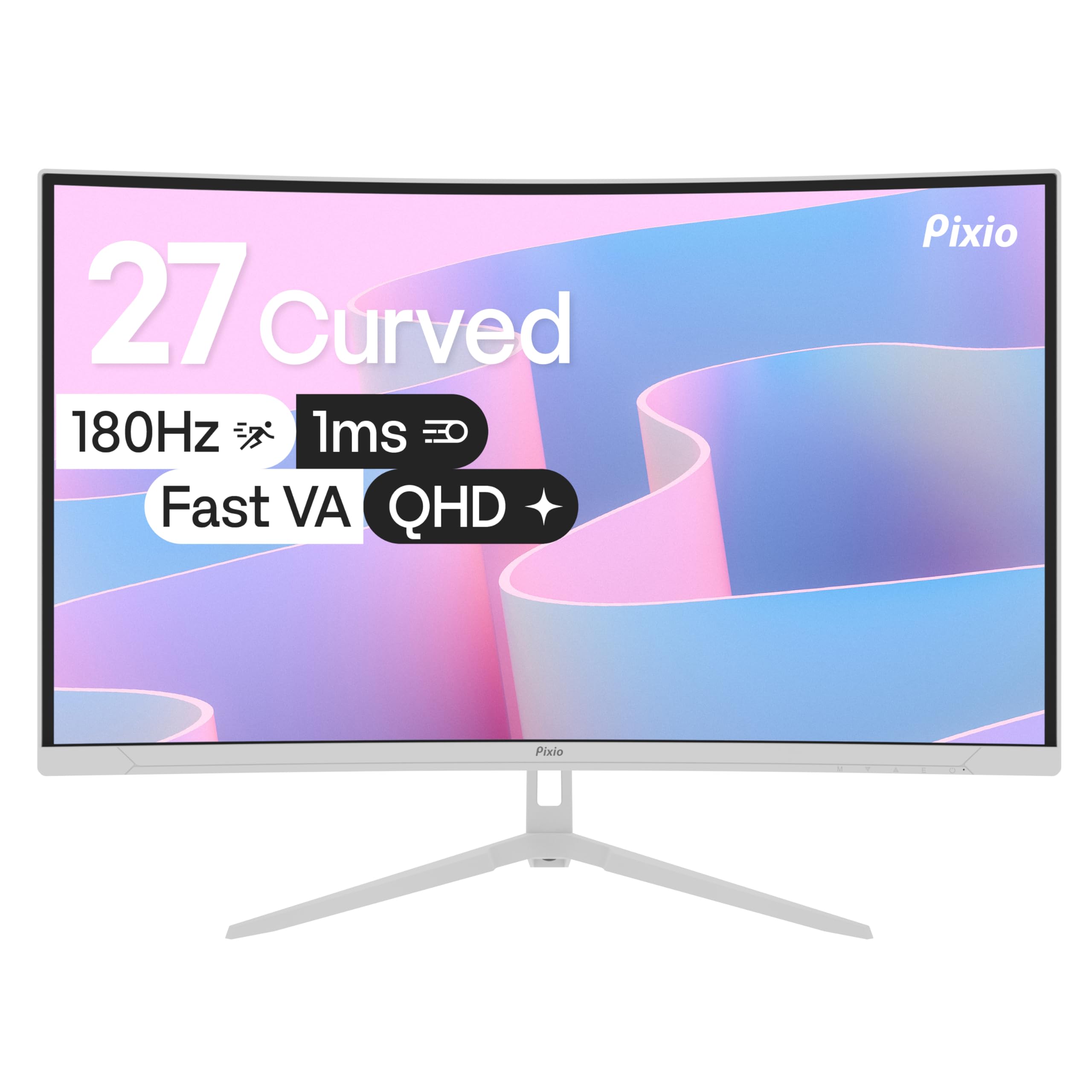
The Pixio PXC278 Wave stands out visually with its white and pastel color options, making it one of the few curved gaming monitors designed to match a clean, aesthetic desktop. Beyond the looks, it packs a 2560×1440 Fast VA panel with a 180Hz refresh rate and a 1ms GTG response time. The 1650R curve is gentler than the Samsung options, which makes it more comfortable for productivity tasks and side-by-side multi-monitor setups.
The VA panel delivers a 5000:1 contrast ratio, producing deep blacks and vibrant colors that look excellent in both games and movies. The included tilt-adjustable stand is functional, but for full ergonomic adjustment, a VESA mount is recommended. Built-in speakers are present, though they are low-wattage and best reserved for system sounds or casual video playback.
Some users have noted that the on-screen display joystick feels slightly mushy, and the blue light filter could be more aggressive for late-night sessions. Still, for someone building a color-coordinated setup that doesn’t sacrifice high-refresh QHD performance, the PXC278 is a compelling choice.
Why it’s great
- Unique white/pink color options for aesthetic builds
- 5000:1 contrast ratio provides excellent black depth
- 180Hz Fast VA panel minimizes ghosting
Good to know
- Built-in speakers have poor sound quality
- Stand only supports tilt; no height or swivel
4. SANSUI 27″ 280Hz
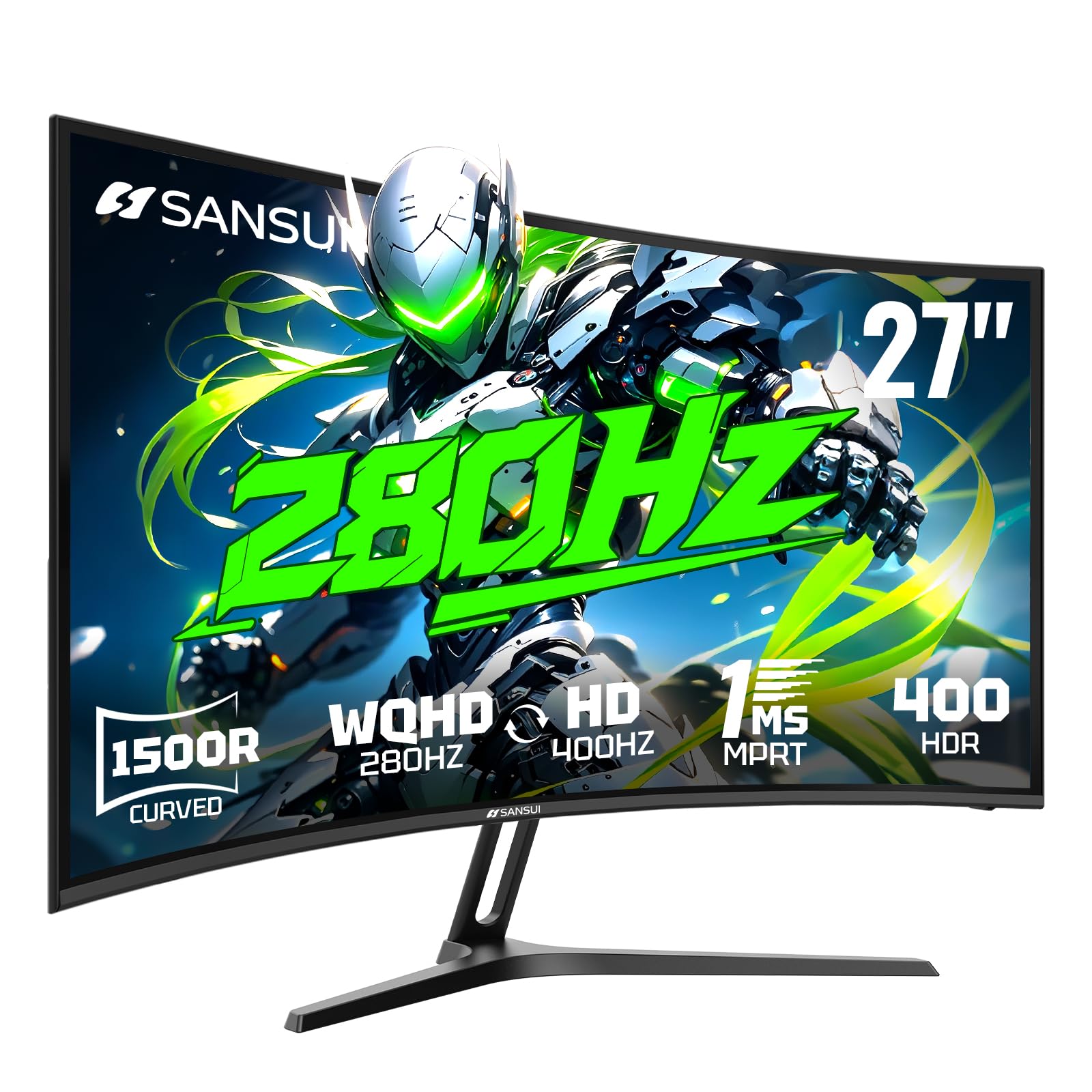
The SANSUI 27-inch curved monitor pushes refresh rate boundaries with a dual-mode capability—running QHD at 280Hz or switching to HD at 400Hz for esports titles where frame rate matters more than resolution. The 1500R curvature provides a noticeable wraparound effect without being as aggressive as a 1000R panel, striking a comfortable middle ground for mixed-use scenarios.
HDR400 support and a 5000:1 contrast ratio give the display decent pop in supported content, and the 135% sRGB gamut ensures colors are saturated and vivid. The inclusion of two HDMI 2.1 ports is a notable advantage, enabling high-bandwidth connections with modern consoles and GPUs. The PIP/PBP feature allows split-screen input from two sources simultaneously.
One important detail is that this monitor does not include built-in speakers, so external audio is required. Some users have noted that the stand offers only tilt adjustment, so a VESA mount is recommended for full ergonomic control. For competitive gamers who want extreme motion clarity without paying premium flagship prices, this is a strong performer.
Why it’s great
- Dual-mode QHD 280Hz / HD 400Hz for adaptable performance
- HDMI 2.1 ports support high-bandwidth connections
- 5000:1 contrast ratio with HDR400 support
Good to know
- No built-in speakers require external audio
- Stand only offers tilt adjustment; no height or swivel
5. Acer Nitro XZ270

The Acer Nitro XZ270 is built for one primary use case: high-frame-rate competitive gaming. Its 27-inch 1500R curved VA panel runs at Full HD resolution with a 280Hz refresh rate and 1ms VRB response time, delivering extremely fluid motion in fast-twitch shooters and racing sims. The 100,000,000:1 dynamic contrast ratio gives the VA panel impressive black depth in dimly lit scenes.
FreeSync Premium keeps screen tearing at bay, and the ergonomic stand provides tilt, swivel, and height adjustment—a rare feature at this price tier that significantly improves long-session comfort. The zero-frame bezel design makes multi-monitor setups look seamless, and the included DisplayPort and HDMI cables mean no extra purchases out of the box.
The trade-off is the Full HD resolution, which means pixel density is lower than QHD alternatives at 27 inches. For users who prioritize resolution over raw frame rates or use the monitor for productivity and text work, this may not be the ideal fit. As a dedicated gaming display with smooth performance and flexible ergonomics, the XZ270 delivers excellent value.
Why it’s great
- 280Hz refresh rate with 1ms VRB for fluid motion
- Fully adjustable stand with height, tilt, and swivel
- FreeSync Premium prevents screen tearing effectively
Good to know
- FHD resolution means lower pixel density at 27 inches
- VA panel viewing angles are narrower than IPS
6. Samsung S39C

The Samsung S39C is the entry-level curved monitor that prioritizes visual comfort and everyday usability over raw gaming performance. Its 1000R curve is the tightest in this class, designed to match the human field of view for reduced eye fatigue during extended work sessions. The 1080p resolution is adequate for office apps, web browsing, and streaming, though individual pixels are visible at normal viewing distances.
The 75Hz refresh rate is a step up from standard 60Hz panels, providing slightly smoother cursor movement and scrolling. Built-in 5-watt speakers deliver more volume and clarity than typical monitor audio, and the slim metal stand with a fabric-textured back adds a refined look to any desk setup. Dual HDMI ports and a DisplayPort input provide flexible connectivity for multiple devices.
Gamers seeking high frame rates will find the 75Hz ceiling limiting, and the lack of height adjustment on the stand may be a drawback for ergonomic purists. For users who spend most of their time reading, writing, or watching media and want a curved screen that reduces eye strain, the S39C offers a thoughtfully designed package at a comfortable entry point.
Why it’s great
- 1000R curve reduces eye strain for long work sessions
- Built-in 5W speakers sound better than typical monitor audio
- Slim metal stand with attractive fabric-textured back
Good to know
- 1080p resolution shows visible pixels at 27 inches
- 75Hz refresh rate limits gaming performance
FAQ
Is a 27-inch monitor too small for a curved screen?
Should I choose QHD or FHD resolution at 27 inches?
Does a curved monitor cause distortion for photo or video editing?
Final Thoughts: The Verdict
For most users, the best curved 27 inch monitor winner is the Samsung Odyssey G65B because it combines a premium 240Hz QHD panel, deep 1000R immersion, and HDR600 certification into a package that handles both competitive gaming and single-player titles with equal skill. If you want a gentler curve with high contrast at a lower cost, grab the Samsung Odyssey G5. And for an aesthetic-focused build that doesn’t sacrifice high-refresh performance, nothing beats the Pixio PXC278 Wave.

Mo Maruf
I created WellFizz to bridge the gap between vague wellness advice and actionable solutions. My mission is simple: to decode the research and give you practical tools you can actually use.
Beyond the data, I am a passionate traveler. I believe that stepping away from the screen to explore new environments is essential for mental clarity and physical vitality.