Our readers keep the lights on and my smoothie glass nicely filled. As an Amazon Associate, I earn from qualifying purchases.
In sim racing, catching the perfect apex isn’t just about steering input — it’s about seeing the corner unfold before you enter it. A flat, standard-ratio monitor collapses your peripheral awareness, turning every chicane into a guessing game. A well-chosen curved panel wraps the track around your field of view, letting your brain process speed and trajectory the same way it would from a real cockpit, delivering the spatial cues that shave tenths off your lap time.
I’m Mohammad Maruf — the founder and writer behind WellFizz. I’ve spent hundreds of hours analyzing panel technologies, response-time specifications, curvature radii, and real-world sim racing performance across dozens of displays to separate the truly immersive from the merely wide.
Whether you race in iRacing, Assetto Corsa, or Forza Motorsport, your monitor is the single biggest factor in how convincingly the game tricks your eyes. This guide breaks down the specs and trade-offs that actually matter on track, helping you find the best curved monitor for sim racing for your rig, budget, and GPU.
How To Choose The Best Curved Monitor For Sim Racing
Sim racing places unique demands on a display that standard gaming rarely does. You need peripheral coverage to see side-by-side cars entering a corner, low motion blur to read track textures at 180 mph, and high contrast to spot braking points in shadow. Every spec matters differently here compared to an FPS or RPG setup.
Curvature Radius: How Tight Should It Be?
Curvature is measured in millimeters — a lower number means a tighter curve. A 1000R or 800R radius wraps the screen edges toward your face, matching the natural curvature of the human eye. This creates depth perception that makes corners feel like they actually turn, not just scroll sideways. A 1500R or 1800R curve is gentler and works well for a monitor pushed farther back on a desk, but in a sim rig where the screen sits just behind the wheel base, a tighter curve is dramatically more immersive.
Resolution and Aspect Ratio: How Much Track Can You See?
A standard 16:9 monitor cuts off the passenger-side mirror and the far edge of the track. Ultrawide 21:9 shows the full windshield view, while super-ultrawide 32:9 stretches to where your peripheral vision naturally catches the door window. Higher resolutions (3440×1440 or 5120×1440) keep the image sharp across that wider canvas — but they also demand more from your GPU. Match your resolution ambition to your graphics card’s capability to maintain a stable frame rate at your target refresh.
Refresh Rate and Response Time: Smoothness During Cornering
Sim racing benefits from high refresh rates because the track texture and other cars move fast relative to your cockpit view. A 144Hz panel refreshes every 6.9ms; a 240Hz panel cuts that to 4.2ms. Response time — measured in milliseconds (or microseconds on OLED) — controls how quickly a pixel changes color. Slow response creates ghosting where a car’s edge blurs into the background during quick steering inputs. For sim racing, aim for a response time of 1ms or lower and a refresh rate of at least 120Hz.
Panel Technology: OLED vs VA vs Mini-LED
VA panels offer strong contrast (3000:1) and good blacks at a lower price point. OLED delivers true blacks and near-instant response (0.03ms) with infinite contrast, making night races and tunnel exits look stunning — but OLED carries a higher cost and potential burn-in risk with static HUD elements. Mini-LED, found in premium super-ultrawides, uses thousands of local dimming zones to approach OLED contrast while maintaining high brightness for HDR highlights like brake lights and flare reflections. Your choice depends on budget and how long your sim sessions typically run.
Quick Comparison
On smaller screens, swipe sideways to see the full table.
| Model | Category | Best For | Key Spec | Amazon |
|---|---|---|---|---|
| Alienware AW3425DWM | Mid-Range | Budget-friendly ultrawide entry | 3440×1440, 180Hz, 1500R | Amazon |
| Deco Gear 49″ | Mid-Range | GPU-friendly super ultrawide | 3840×1080, 144Hz, 1800R | Amazon |
| LG 34GX90SA-W | Premium | OLED speed and immersion | 3440×1440, 240Hz, 800R | Amazon |
| MSI MPG 491CQP | Premium | QD-OLED super ultrawide racing | 5120×1440, 144Hz, 1800R | Amazon |
| Alienware AW3425DW | Premium | High-refresh QD-OLED ultrawide | 3440×1440, 240Hz, 1800R | Amazon |
| ASUS ROG Strix XG49VQ | Mid-Range | Competitive sim racing value | 3840×1080, 144Hz, 1800R | Amazon |
| Samsung 49″ Business | Premium | Dual QHD with high brightness | 5120×1440, 120Hz, 1000R | Amazon |
| Dell UltraSharp U4924DW | Premium | Productivity plus sim racing | 5120×1440, 60Hz, 3800R | Amazon |
| Acer Predator Z57 | Premium | Ultra-high resolution Mini-LED | 7680×2160, 120Hz, 1000R | Amazon |
| Samsung Odyssey Neo G9 (G95NC) | Premium | Flagship dual-UHD sim racing | 7680×2160, 240Hz, 1000R | Amazon |
| Dell UltraSharp U4025QW | Premium | 5K2K wide-angle productivity | 5120×2160, 120Hz, 2500R | Amazon |
In‑Depth Reviews
1. Alienware 34 Curved Gaming Monitor – AW3425DWM

The AW3425DWM hits the sweet spot for sim racers who want a genuine ultrawide experience without draining their GPU budget. Its 3440×1440 resolution on a 34-inch 1500R panel gives you a wide enough field of view to see the apex and the car beside you, while 180Hz refresh with 1ms GtG keeps motion crisp during fast straights and tight chicanes. The 95% DCI-P3 coverage and DisplayHDR 400 certification ensure brake lights and track-side signage pop with believable color.
AMD FreeSync Premium and VESA AdaptiveSync support eliminate tearing, which matters most during endurance races where frame rates fluctuate between high-speed sections and crowded pack starts. The included stand offers height and tilt adjustment, making it easier to position the screen perfectly behind a wheel base. The anti-glare coating reduces cockpit reflections from overhead rig lighting.
Where this monitor cuts corners is in its VA panel’s black level — blacks appear grayish compared to OLED, especially in night races or tunnel transitions. Some users report light bloom in high-contrast scenes, though this can be mitigated through OSD adjustments. It also lacks built-in speakers, but serious sim racers rely on dedicated audio or transducer setups anyway.
Why it’s great
- Excellent value for 3440×1440 ultrawide with high refresh
- Solid ergonomic stand with height and tilt
- FreeSync Premium and G-Sync compatible for tear-free racing
Good to know
- VA panel blacks are not deep; some bloom in dark scenes
- No built-in speakers
- Max 180Hz requires DisplayPort connection
2. Deco Gear 49″ Curved Ultrawide Gaming Monitor
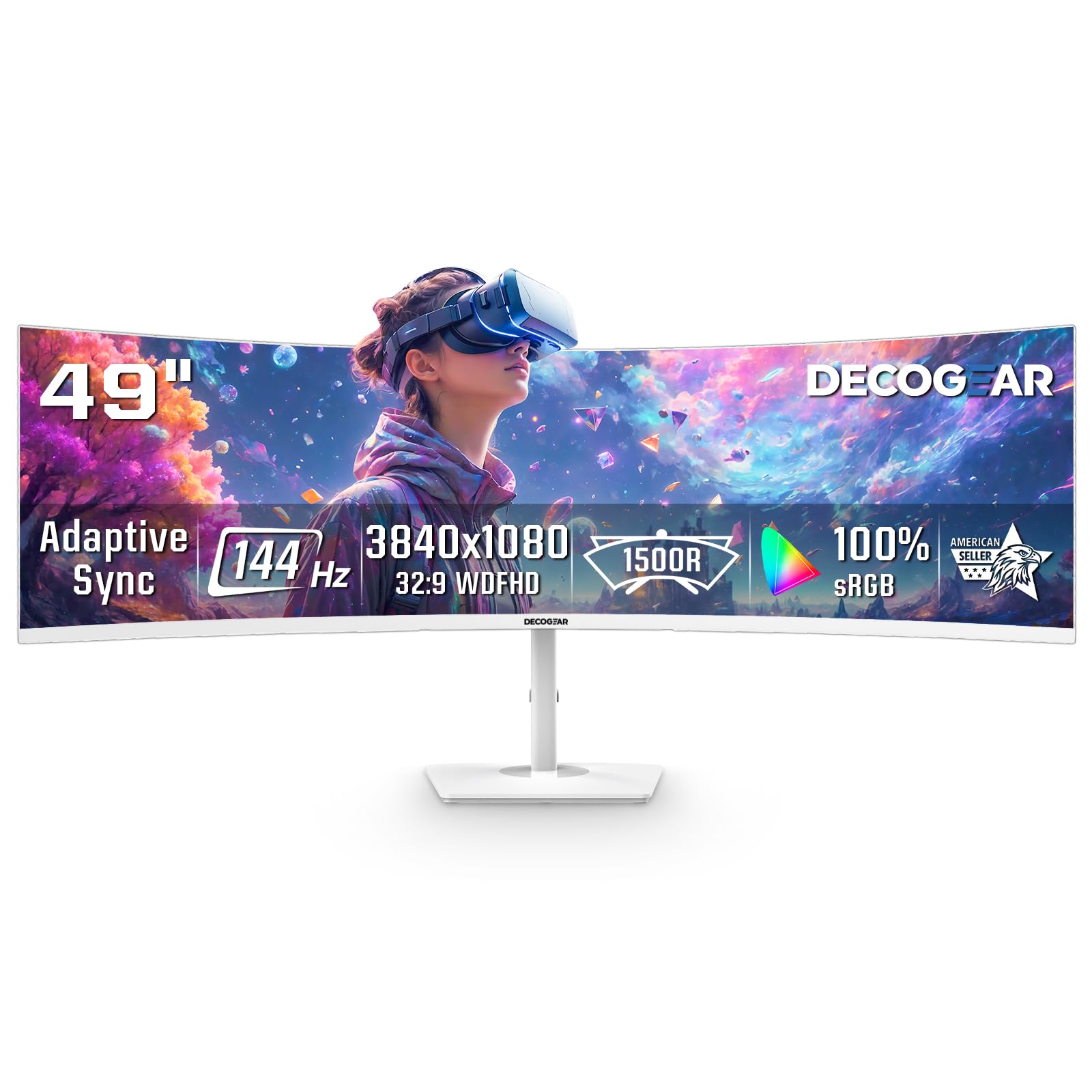
The Deco Gear 49″ gives sim racers a super-ultrawide 32:9 canvas at a resolution (3840×1080) that mid-range GPUs can actually drive at 144Hz. The 1800R curve and 3000:1 VA contrast create decent depth perception for cockpit views, and the 1ms MPRT response keeps ghosting low during high-speed corners. Dual FHD means you trade vertical sharpness for horizontal width — you’ll see both side mirrors clearly, which is a genuine advantage in multiplayer race starts.
Adaptive Sync with FreeSync and G-Sync support helps smooth out variable frame rates typical in open-world sims. The PIP/PBP feature lets you run a telemetry overlay or race engineer chat from a secondary device alongside your main game input without switching cables. The white finish is a clean aesthetic choice for bright sim rig rooms.
The panel brightness maxes out at 250 cd/m², which can feel dim in a well-lit room, and there’s no vertical height adjustment on the stand. A small minority of users report power button durability concerns. For sim racers on a tighter GPU budget who prioritize FOV width over pixel density, this is a strong value proposition.
Why it’s great
- Dual FHD 3840×1080 is less demanding on GPU while delivering wide FOV
- 144Hz with Adaptive Sync for smooth racing
- PIP/PBP supports telemetry and multi-source setups
Good to know
- Brightness is limited to 250 nits
- Stand has no height adjustment
- Power button build quality has been inconsistent in some units
3. LG 34GX90SA-W 34-inch Ultragear OLED

The LG 34GX90SA-W brings OLED’s defining advantages to sim racing: infinite contrast, near-instant 0.03ms response, and a steep 800R curve that wraps the track around you. At 3440×1440 with 240Hz, this panel eliminates motion blur entirely — you can read braking markers and kerb textures at any speed. The 98.5% DCI-P3 coverage and DisplayHDR True Black 400 make sunset races and tunnel exits look vivid without the washed-out haze VA panels suffer from.
G-Sync Compatible and FreeSync Premium support keep frame pacing consistent across variable track loads. The built-in webOS platform lets you stream live race telemetry or coaching sessions directly on the monitor without a secondary PC, and the anti-glare OLED coating reduces cockpit reflections noticeably more than glossy alternatives. The USB-C port with 65W PD simplifies cable management for a laptop-based sim rig.
OLED burn-in remains a consideration for sim racers who display static HUD elements — lap counters, speedometers — for hours at a time. LG includes pixel cleaning and a 2-year panel warranty, but the risk is inherent. The 800R curve is aggressive; some users find it too tight for mixed productivity use, but for a dedicated rig it delivers the most convincing sense of speed available at this size.
Why it’s great
- 0.03ms response with 240Hz for zero perceptible motion blur
- 800R curve offers deepest immersion for cockpit view
- OLED contrast makes night and HDR racing visuals stunning
Good to know
- Burn-in risk with static HUD elements over long sessions
- 800R curve may feel too narrow for mixed desk use
- Requires a powerful GPU to fully utilize 240Hz at native resolution
4. MSI MPG 491CQP QD-OLED

The MSI MPG 491CQP combines QD-OLED panel technology with a 49-inch 32:9 super-ultrawide format at 5120×1440, giving sim racers the widest peripheral coverage possible while maintaining sharp pixel density. The 0.03ms GtG response and 144Hz refresh translate steering inputs into screen motion with zero perceptible delay — you see the car rotate exactly when you turn the wheel. Delta E ≤ 2 color accuracy and DisplayHDR True Black 400 produce realistic track environments.
FreeSync Premium Pro support handles variable refresh without tearing, and the KVM feature lets you switch between a race PC and a telemetry laptop using one keyboard and mouse. MSI’s OLED Care 2.0 includes pixel shift and refresh cycles designed to mitigate burn-in, a critical feature for sim racers logging hundreds of hours with static speed readouts.
The 32:9 aspect ratio demands significant GPU horsepower to run at 5120×1440 with high detail settings. Some users report that initial setup requires a forced pixel refresh cycle that runs several minutes daily, though this can be extended. The 1800R curve is less aggressive than some racing-focused displays, but its width naturally fills your peripheral vision regardless.
Why it’s great
- QD-OLED delivers vibrant colors and true blacks at super-ultrawide size
- 0.03ms response with 144Hz for near-instant visual feedback
- Built-in KVM simplifies multi-device race setups
Good to know
- 5120×1440 requires a very powerful GPU for high frame rates
- 1800R curve is moderate; less immersive than 1000R alternatives
- Forced pixel refresh cycles may be inconvenient for some users
5. Alienware 34 240Hz QD-OLED – AW3425DW

The AW3425DW pairs a 34-inch QD-OLED panel with a 240Hz refresh rate and 0.03ms response time, creating the smoothest ultrawide racing experience in its class. The 1800R curve is gentle enough for mixed use but still wide enough to pull the side windows into your periphery at typical rig distance. With 99.3% DCI-P3 coverage and Delta E < 2 accuracy, track textures, liveries, and weather effects appear as the developers intended.
NVIDIA G-Sync Compatible and AMD FreeSync Premium Pro work together to eliminate tearing during rapid frame rate transitions — crucial when entering a crowded first corner at 120 fps and hitting 80 fps through the pack. DisplayHDR TrueBlack 400 with 1000 nits peak brightness ensures that brake lights and sunny sections have impact without blowing out shadow detail. The integrated USB hub simplifies connecting a wheel base, shifter, and pedal set.
QD-OLED text clarity can appear slightly soft for productivity work, though this is rarely an issue in full-screen sim racing. The glossy screen finish enhances color saturation but may reflect overhead rig lighting more than matte coatings. Alienware includes a microfiber cloth for careful cleaning, as OLED panels require gentle maintenance to avoid scratches.
Why it’s great
- 240Hz QD-OLED with 0.03ms for maximum motion clarity
- G-Sync Compatible and FreeSync Premium Pro for universal tear-free racing
- Excellent color accuracy and HDR peak brightness
Good to know
- Glossy screen can reflect ambient light in bright rooms
- Text clarity is slightly softer than IPS for productivity use
- OLED burn-in precautions apply with static HUD elements
6. ASUS ROG Strix XG49VQ

The ASUS ROG Strix XG49VQ delivers a 49-inch 32:9 super-ultrawide experience at 3840×1080 with 144Hz, making it a prime candidate for sim racers who want width without the pixel count that stresses a mid-range card. The 1800R VA panel offers 3000:1 contrast and DisplayHDR 400 certification with 90% DCI-P3 coverage, producing richer blacks than IPS alternatives at this price tier. FreeSync 2 HDR support keeps motion tear-free.
The stand provides full ergonomic adjustment — height, swivel, tilt — which is rare at this size and price. Eye Care technology with flicker-free backlighting and blue light filters helps during long practice sessions. Marathon-ready adjustability means you can fine-tune the screen position to match your exact rig geometry.
The 3840×1080 resolution shows its pixel structure more readily than higher-density panels; some users notice aliased text in desktop use. FreeSync 2 HDR can flicker with Nvidia cards, so G-Sync users may need to experiment with settings. The panel brightness is adequate but not class-leading, and the plastic build feels less premium than the monitor’s price tag suggests.
Why it’s great
- Full ergonomic stand with height, swivel, and tilt
- Low resolution demand means mid-range GPUs can run 144Hz
- VA panel gives strong contrast for track immersion
Good to know
- 1080p vertical resolution can look pixelated up close
- FreeSync 2 HDR has flicker issues with some Nvidia cards
- Build uses plastic that feels less durable than premium competitors
7. Samsung 49” Business Curved Ultrawide

Samsung’s 49-inch Business monitor brings a 1000R curve to a 32:9 Dual QHD (5120×1440) panel, offering a field of view that mimics the natural peripheral wrapping of a real car windshield. The 120Hz refresh rate is sufficient for competitive sim racing, and VESA DisplayHDR 400 support ensures track details remain visible in varying light conditions. The 3000:1 contrast ratio helps distinguish asphalt textures from curb markings.
The built-in USB-C hub with 90W charging doubles as a docking station, letting you connect a gaming PC and a telemetry laptop through a single cable swap. The built-in speakers are adequate for casual use but most sim racers will bypass them for a dedicated audio setup. Eye Care certification and flicker-free backlighting support long sessions without eye fatigue.
At 120Hz, this monitor gives up some smoothness compared to 144Hz+ competitors — motion during fast straightaways is slightly less fluid. The 1000R curve is aggressive and may feel uncomfortable for productivity tasks like spreadsheets, but for a dedicated sim rig it delivers excellent depth. Setup can be complex with older hardware, particularly regarding resolution detection.
Why it’s great
- 1000R curve offers deep immersion for cockpit views
- Dual QHD resolution is sharp at 49 inches
- USB-C hub with 90W charging simplifies rig cable management
Good to know
- 120Hz is less smooth than 144Hz+ alternatives
- 1000R curve can feel too tight for general desktop use
- Setup with older hardware may require troubleshooting
8. Dell UltraSharp U4924DW
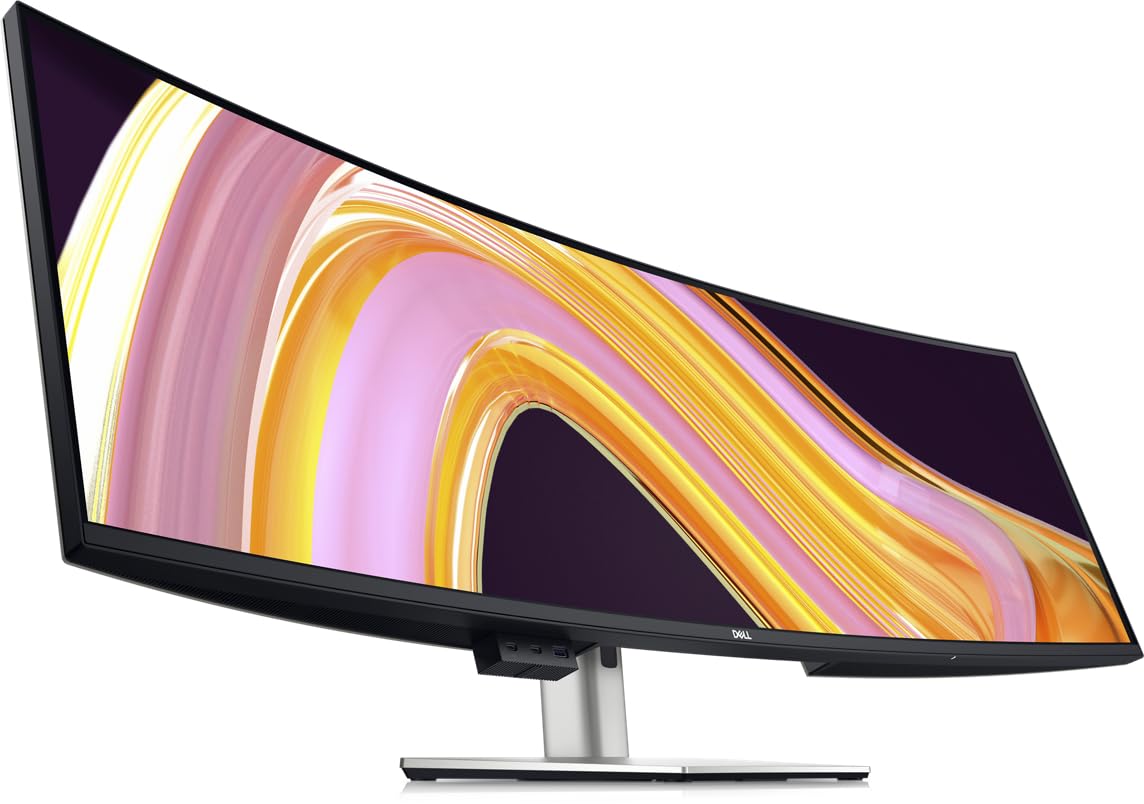
The Dell UltraSharp U4924DW is a professional-grade 49-inch monitor with a 3800R curve — very gentle — that prioritizes color accuracy and productivity features over gaming speed. At 60Hz with a 5ms response time, it is not built for competitive sim racing, but for the sim racer who also edits video, reviews telemetry data, or runs spreadsheets, its IPS Black technology delivers wide viewing angles and excellent color uniformity across the 32:9 canvas.
Built-in KVM, Ethernet pass-through, and extensive USB hub functionality make it a central command station for a multi-device racing setup. The 2000:1 contrast ratio (high for IPS) and 100% color gamut produce clean, accurate visuals for content creation. Height, swivel, and tilt adjustments allow precise ergonomic positioning.
The 60Hz limitation means fast-moving track details will blur compared to high-refresh monitors, and the gentle 3800R curve provides minimal peripheral wrapping. For dedicated sim racing, this is not the primary choice — but if your rig doubles as a workstation, this monitor’s dual-use capability is unmatched.
Why it’s great
- IPS Black panel with excellent color accuracy for content creation
- Built-in KVM and Ethernet for multi-device rig management
- Superb ergonomic adjustment for precise positioning
Good to know
- 60Hz refresh rate limits racing motion clarity
- 3800R curve provides minimal immersion for cockpit view
- Primarily a productivity monitor, not designed for competitive sim racing
9. Acer Predator Z57

The Acer Predator Z57 pushes resolution to 7680×2160 (DUHD) across a 57-inch 1000R curved Mini-LED panel, delivering 2304 local dimming zones that produce OLED-like contrast without the burn-in risk. The 120Hz refresh rate and 1ms response time provide smooth racing motion, while DisplayHDR 1000 and 98% DCI-P3 coverage create stunning HDR visuals where brake lights and track reflections have real brightness impact.
HDMI 2.1 support ensures full bandwidth for next-gen consoles and modern GPUs, and the KVM switch lets you toggle between a racing PC and a streaming or telemetry machine. Dual 10W speakers provide reasonable audio for quick sessions without headphone setup. The full ergonomic stand allows tilt, swivel, and height adjustments to dial in your rig position.
The extreme resolution demands a top-tier GPU — even an RTX 4080 will struggle to push 120Hz at native DUHD in demanding sims. Some users report quality control issues including dead pixels and ghosting, so careful inspection upon arrival is recommended. The 57-inch width may exceed the mounting capacity of standard monitor arms and desk depths.
Why it’s great
- 2304-zone Mini-LED dimming offers high contrast without burn-in
- DUHD resolution provides exceptional detail across 57 inches
- HDMI 2.1 supports full bandwidth for next-gen consoles
Good to know
- Requires a very high-end GPU to drive native resolution at 120Hz
- Quality control has been inconsistent in some user reports
- 57-inch size may not fit standard desk depths or monitor arms
10. Samsung 57″ Odyssey Neo G9 (G95NC)

The Samsung Odyssey Neo G9 G95NC is the current apex of sim racing monitors — a 57-inch 32:9 panel with Dual UHD resolution (7680×2160), 240Hz refresh, 1ms GtG, and a 1000R curve. Quantum Matrix Technology with 2392 Mini-LED local dimming zones delivers contrast that rivals OLED while sustaining 1000 nits peak brightness for HDR highlights. This is the display that makes you feel like the car is actually rotating around you.
DisplayPort 2.1 input is the key differentiator — it provides the bandwidth to drive Dual UHD at 240Hz with variable refresh, something HDMI 2.1 alone cannot fully achieve at this pixel count. AMD FreeSync Premium Pro ensures tear-free racing. Picture-by-Picture mode lets you run telemetry alongside the main game feed without losing full resolution on either input.
The GPU requirements are extreme: you need an RTX 4090 or 5080 class card with DP 2.1 to hit 240Hz at native resolution. The monitor weighs approximately 40 pounds and requires a heavy-duty monitor arm or a very sturdy desk. Some users report firmware quirks with wake-from-sleep and auto-input switching, though these are addressable through updates.
Why it’s great
- World’s first Dual UHD with 240Hz and 1000R curve
- DP 2.1 provides full bandwidth for 240Hz variable refresh
- Mini-LED with 2392 zones matches OLED contrast at higher brightness
Good to know
- Requires top-tier GPU with DP 2.1 to unlock full specs
- Very heavy (approx. 40 lbs); needs strong mounting solution
- Firmware has minor bugs with wake and input switching
11. Dell UltraSharp U4025QW

The Dell UltraSharp U4025QW offers a 40-inch 21:9 canvas at 5120×2160 (5K2K) with 120Hz refresh and HDR600 support, making it a rare hybrid that serves both creative professionals and sim racers who demand pixel density. The IPS Black technology delivers a 2000:1 contrast ratio and wide viewing angles, and the 2500R curve is gentle enough for precision design work while still providing a wider field of view than any 16:9 panel.
The integrated Thunderbolt 4 hub with 140W charging, multiple USB ports, and Ethernet make it the most connectivity-rich option for a sim rig that also functions as a workstation. The 600-nit peak brightness ensures visibility in bright environments, and the anti-glare coating minimizes cockpit reflections. Built-in KVM lets you share peripherals between a race PC and a work laptop.
This monitor is not designed for competitive sim racing — the 120Hz refresh is adequate but the 5ms GtG response means motion blur is more noticeable than on gaming-optimized panels. The 2500R curve provides minimal peripheral wrapping compared to tighter alternatives. For the sim racer who demands 5K resolution for design work and wants a single monitor for both roles, this is a unique option.
Why it’s great
- 5K2K resolution provides exceptional pixel density for design and reading
- Thunderbolt 4 hub with 140W charging simplifies multi-device rigs
- IPS Black panel offers strong contrast with wide viewing angles
Good to know
- 5ms response time introduces more motion blur than gaming panels
- 2500R curve offers minimal immersion for sim racing
- Primarily a professional monitor; racing performance is secondary
FAQ
What curvature is best for a dedicated sim racing rig?
Do I need 240Hz for sim racing or is 144Hz enough?
Is OLED burn-in a real concern for sim racing?
Can my current GPU run a super-ultrawide monitor for sim racing?
Final Thoughts: The Verdict
For most sim racers, the best curved monitor for sim racing winner is the LG 34GX90SA-W because its 800R curve, 240Hz OLED speed, and 0.03ms response create the most convincing in-cockpit immersion without requiring the enormous desk footprint and GPU power of 49-inch panels. If you want the widest possible field of view with OLED quality, grab the MSI MPG 491CQP. And for the ultimate setup with no compromises on resolution, refresh, or contrast, nothing beats the Samsung 57″ Odyssey Neo G9 G95NC.

Mo Maruf
I created WellFizz to bridge the gap between vague wellness advice and actionable solutions. My mission is simple: to decode the research and give you practical tools you can actually use.
Beyond the data, I am a passionate traveler. I believe that stepping away from the screen to explore new environments is essential for mental clarity and physical vitality.