Our readers keep the lights on and my smoothie glass nicely filled. As an Amazon Associate, I earn from qualifying purchases.
The jump to a curved gaming monitor isn’t just about looks—it’s a shift in how your eyes process the battlefield. The wrap-around effect pulls peripheral vision into the action, reducing eye-strain during long sessions and making fast-paced shooters feel more immediate. Choosing the right panel, resolution, and refresh rate for your specific hardware is the real challenge.
I’m Mohammad Maruf — the founder and writer behind WellFizz. I’ve spent countless hours analyzing panel technologies, refresh rate standards, and real-world performance feedback to help you cut through the noise in this crowded market.
After deep-diving into over 1000 verified buyer reports and cross-referencing technical specs, I’ve built this guide to the best curved gaming monitor so you can match the perfect screen to your rig and budget.
How To Choose The Best Curved Gaming Monitor
Buying a curved gaming monitor means balancing three interdependent specs: resolution, refresh rate, and your graphics card’s horsepower. A 4K 240Hz panel is wasted on a mid-range GPU, while a 1080p screen may leave a high-end rig underutilized. Understanding how curvature, panel type, and connectivity interact is the key to a purchase you won’t regret.
Curve Radius: 1500R vs 1000R vs 800R
The curvature rating, measured in millimeters (R), tells you how tightly the screen wraps around you. A lower number means a more aggressive curve. 1500R is the most common and works well at standard desk distances; 1000R (matching the human eye’s natural field) feels more enveloping but requires deeper desks. 800R, found on some premium OLEDs, is the most immersive but can feel claustrophobic in small setups.
Resolution and Refresh Rate Balance
1440p (QHD/WQHD) is the current sweet spot for curved gaming monitors—excellent visual clarity without the extreme GPU demand of 4K. Pair 1440p with 240Hz for competitive shooters, or 4K at 160Hz for visually rich open-world titles. 1080p at 240Hz remains a strong choice for pure esports performance where every millisecond counts.
Panel Technology: VA vs OLED vs QD-OLED
VA panels deliver high contrast and deep blacks at budget-friendly prices, making them a staple for curved monitors. QD-OLED takes it further with infinite contrast, ultra-fast 0.03ms response times, and vibrant color volume, though burn-in risk and higher cost remain considerations. Standard OLED offers similar speed with slightly less peak brightness than QD-OLED.
Quick Comparison
On smaller screens, swipe sideways to see the full table.
| Model | Category | Best For | Key Spec | Amazon |
|---|---|---|---|---|
| Samsung 40” Odyssey G7 | Premium | Ultrawide 5K2K immersion | 5120×2160, 180Hz, 1000R | Amazon |
| LG 39GX90SA-W | Premium | OLED speed & smart features | 3440×1440, 240Hz, 800R, OLED | Amazon |
| Alienware AW3425DW | Premium | QD-OLED color & contrast | 3440×1440, 240Hz, QD-OLED | Amazon |
| Alienware AW3423DWF | Premium | Creator & gamer hybrid | 3440×1440, 165Hz, QD-OLED | Amazon |
| ASUS TUF Gaming VG34VQ3B | Mid-Range | Ultrawide QHD, ELMB Sync | 3440×1440, 180Hz, 1500R | Amazon |
| SANSUI 34” Ultrawide | Mid-Range | High refresh ultrawide | 3440×1440, 240Hz, 1500R | Amazon |
| ASUS TUF Gaming VG32VQM5AZ | Mid-Range | 1080p esports speed | 1920×1080, 240Hz, 1500R | Amazon |
| KTC H32S25E | Budget | 1440p high refresh | 2560×1440, 240Hz, 1000R | Amazon |
| ZZA 32” 4K | Budget | 4K UHD entry point | 3840×2160, 160Hz, 1500R | Amazon |
| ETiansu 32” 4K | Budget | 4K with built-in speakers | 3840×2160, 160Hz, 1500R | Amazon |
| CRUA 32” 4K | Budget | 4K with RGB style | 3840×2160, 160Hz, 1500R | Amazon |
In‑Depth Reviews
1. Samsung 40” Odyssey G7 (G75F)

The G7 series has long defined premium curved gaming, and this 40-inch model raises the bar with a WUHD (5120×2160) resolution—essentially a 4K ultrawide that gives you massive horizontal real estate without the pixel density penalty of standard 4K. The 1000R curve is designed to match the human eye’s natural field, making long sessions in open-world RPGs feel genuinely wraparound. VESA DisplayHDR 600 support ensures that bright highlights and dark shadows retain detail, a significant step above the HDR400 found on most budget-friendly curved monitors.
With a 180Hz refresh rate and a 1ms GtG response time, this panel handles fast-paced shooters without visible ghosting, though you’ll need a high-end GPU like an RTX 4080 or above to push those frames at this resolution. AMD FreeSync Premium Pro keeps the motion buttery smooth and tear-free, and the included height and swivel adjustments make it easy to find the perfect ergonomic position.
Buyer feedback consistently praises the Samsung’s build quality and color accuracy after calibration, noting that the VA panel delivers deep blacks without the burn-in anxiety of OLED. The main caveat: its base is large and somewhat awkward, and HDR may require manual tweaking out of the box. For a balanced mix of resolution, refresh rate, and build quality, this is the most well-rounded premium option available.
Why it’s great
- 5K2K ultrawide resolution offers unmatched screen real estate for both gaming and productivity
- DisplayHDR 600 delivers excellent contrast for a VA panel
- Solid height, tilt, and swivel adjustments for desk ergonomics
Good to know
- Demands a very powerful GPU to drive native resolution at high frame rates
- Stand base is bulky and may feel awkward on smaller desks
2. LG 39GX90SA-W Ultragear

The 39-inch LG Ultragear marries an 800R curve—the steepest in this roundup—with a WQHD OLED panel that reaches up to 1300 nits peak brightness. The 0.03ms response time is practically instant, obliterating motion blur in competitive titles, and the 240Hz refresh rate keeps even the most frantic frame pacing looking fluid. LG’s webOS integration is a wildcard: built-in access to Netflix, Prime Video, and cloud gaming services like NVIDIA GeForce NOW means you can game without a PC or console connected.
The 21:9 aspect ratio at 3440×1440 hits a sweet spot where a mid-to-high-end GPU like an RTX 4070 can comfortably drive high frame rates. DisplayHDR True Black 400 ensures that black levels are truly black, with no backlight bleed, making horror games and cinematic scenes incredibly immersive. G-Sync Compatible and FreeSync Premium support ensure tear-free performance regardless of your GPU brand.
Owner reviews highlight the anti-glare coating that minimizes reflections, a thoughtful touch for brightly lit rooms. Some users note that the 800R curve can feel aggressive for non-gaming tasks, and the built-in speakers are adequate at best. The white finish is a refreshing departure from the black monolith of most gaming monitors, but it may not match everyone’s setup.
Why it’s great
- 0.03ms OLED response time is the fastest available, eliminating motion blur entirely
- webOS integration allows streaming and cloud gaming without a PC
- Steep 800R curve creates the most immersive wraparound effect
Good to know
- Aggressive 800R curve may feel unnatural for productivity or web browsing
- Built-in speakers are weak and lack bass response
3. Alienware AW3425DW

The Alienware AW3425DW takes everything great about QD-OLED and pushes the refresh rate to 240Hz, making it the fastest QD-OLED ultrawide currently available. The 34-inch 1800R curve is less aggressive than LG’s 800R, which makes it a more comfortable daily driver for mixed use. With 99.3% DCI-P3 color coverage and Delta E < 2 color accuracy, this monitor is as much a tool for content creation as it is for gaming.
VESA DisplayHDR TrueBlack 400 combined with 1000 nits peak brightness delivers incredible highlight detail without crushing shadows. The QD-OLED panel converts blue light through quantum dots, achieving a wider color volume than traditional WOLED panels. Adaptive sync technologies including G-Sync Compatible, FreeSync Premium Pro, and VESA AdaptiveSync ensure that no matter your GPU, motion stays smooth and tear-free.
User feedback emphasizes the jaw-dropping picture quality and smooth motion, with many calling it the best monitor they’ve ever owned. However, the glossy screen can be a double-edged sword: colors pop brilliantly in controlled lighting but reflections become apparent in sunny rooms. Text clarity is slightly softer than a high-end IPS panel due to the OLED subpixel layout, and burn-in remains a long-term concern—though Alienware covers it with a 3-year warranty including OLED burn-in.
Why it’s great
- 240Hz QD-OLED combines elite color volume with ultra-fast refresh rates
- Delta E < 2 color accuracy makes it viable for color-critical creative work
- 3-year premium warranty includes OLED burn-in coverage
Good to know
- Glossy screen can produce reflections in bright rooms
- Text clarity is slightly softer than high-end IPS panels
4. Alienware AW3423DWF

The AW3423DWF is the slightly older sibling to the AW3425DW but remains a phenomenal QD-OLED option at a more accessible price point. Its 34-inch 1800R curve and 3440×1440 resolution are identical, making it equally immersive, while the 165Hz refresh rate still outpaces what most GPUs can deliver at QD-OLED quality. The 0.1ms response time is more than fast enough for competitive play, and the 99.3% DCI-P3 color gamut produces vivid, lifelike images.
Creator Mode is a standout feature: it lets you switch between native DCI-P3 and sRGB color spaces with adjustable gamma, making this monitor genuinely useful for photo and video editing. The included factory calibration report ensures accuracy out of the box. FreeSync Premium Pro and VESA AdaptiveSync certification keep motion tear-free, though G-Sync support is not officially listed, it works with NVIDIA cards in practice.
Buyer reviews consistently report zero burn-in issues even after 1.5 years of heavy daily use, though the screen is finicky—micro scratches can occur from cleaning with a microfiber cloth, though they’re invisible when the display is on. The screen protector included in the box is a welcome safety net. If you want QD-OLED quality but don’t need 240Hz, this is the smarter value play.
Why it’s great
- Creator Mode with sRGB/DCI-P3 switching and gamma adjustment
- Excellent long-term reliability according to heavy daily users
- Factory calibration report ensures accurate color out of the box
Good to know
- Surface scratches easily; requires careful cleaning
- Text clarity is softer than IPS for productivity tasks
5. ASUS TUF Gaming VG34VQ3B

The ASUS TUF Gaming VG34VQ3B is a 34-inch ultrawide that hits the goldilocks zone for PC gamers: 3440×1440 resolution for crisp details, 180Hz refresh rate for smooth motion, and a 1500R curve that adds immersion without feeling overwhelming. The VA panel delivers a 4,000:1 static contrast ratio, producing deep blacks and good shadow detail in dark game scenes. ASUS’s Extreme Low Motion Blur (ELMB) Sync technology works alongside FreeSync Premium to reduce ghosting while maintaining variable refresh rate compatibility.
With 90% DCI-P3 color coverage and a typical brightness of 350 cd/m², the image quality is vibrant and punchy, though it won’t match the color volume of a QD-OLED. The 1ms MPRT response time keeps fast-moving objects sharp, and the inclusion of DisplayWidget Center software allows you to adjust monitor settings with a mouse instead of fumbling with buttons. The cable management routing through the stand is a nice touch for a clean desk look.
Real-world reviews highlight the impressive picture quality and easy 3-minute setup, with many users upgrading from dual 27-inch setups. The stand is functional but non-adjustable in height, which may be a dealbreaker for users who need precise ergonomics. The built-in 2W speakers are noticeably tinny and quiet, so plan to use external audio or a headset.
Why it’s great
- ELMB Sync eliminates ghosting while keeping VRR active
- 34-inch ultrawide 1440p is ideal for immersive gaming without GPU overload
- DisplayWidget Center makes OSD adjustment easy with a mouse
Good to know
- Stand is height-fixed, limiting ergonomic adjustment
- Built-in speakers are very poor quality; external audio recommended
6. SANSUI 34 Inch Ultrawide
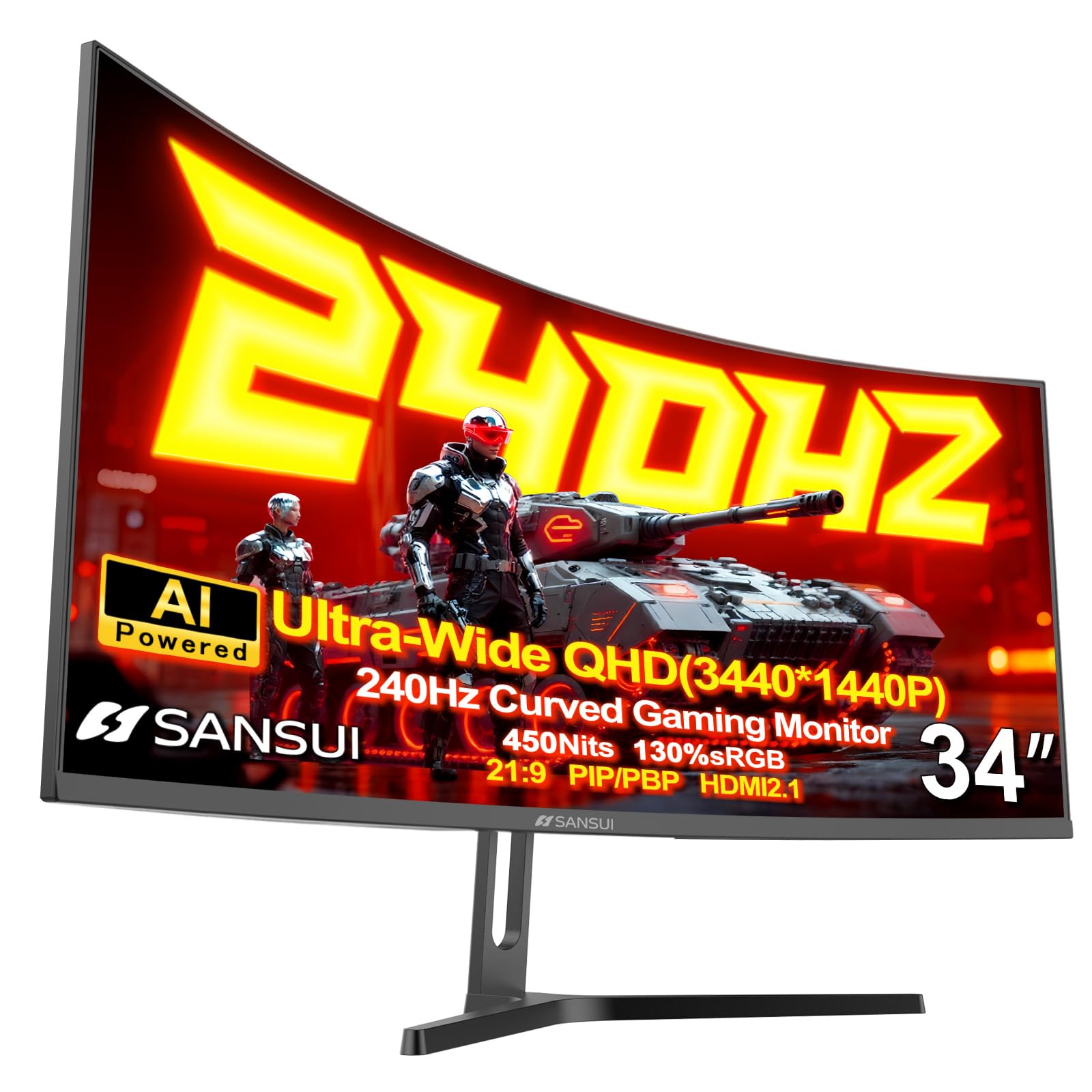
The SANSUI 34-inch ultrawide stands out by offering a 240Hz refresh rate at 3440×1440 resolution—a spec combination usually reserved for more expensive options. The 1500R VA panel covers 130% sRGB and 97% DCI-P3, delivering punchy, saturated colors that bring games to life. HDR400 support adds a decent dynamic range boost for supported titles, though it won’t match the contrast of OLED or high-end HDR600 panels.
Unique AI features like AI Crosshair, AI Bluelight, and Sniper Scope give competitive players extra tools, while PIP/PBP modes allow multitasking with two input sources simultaneously. The 1ms MPRT response time keeps motion clean, and the two HDMI 2.1 ports support up to 240Hz on consoles like Xbox Series X. The durable metal stand offers tilt adjustment, but height and swivel are absent.
User feedback is mixed regarding reliability—some report no issues after months of use, while others received units with backlight clouding or dead pixels. The customer service experience has been inconsistent, with some buyers receiving prompt replacements and others facing delays. If you’re willing to gamble on QC for the price, the specs are impressive, but the lack of built-in speakers is a notable omission at this price point.
Why it’s great
- 240Hz at 3440×1440 is fast for any budget, especially at this price tier
- AI Crosshair and Sniper Scope provide competitive gaming advantages
- Two HDMI 2.1 ports support full bandwidth for consoles
Good to know
- Quality control can be inconsistent; some units have defects
- No built-in speakers require external audio solution
7. ASUS TUF Gaming VG32VQM5AZ
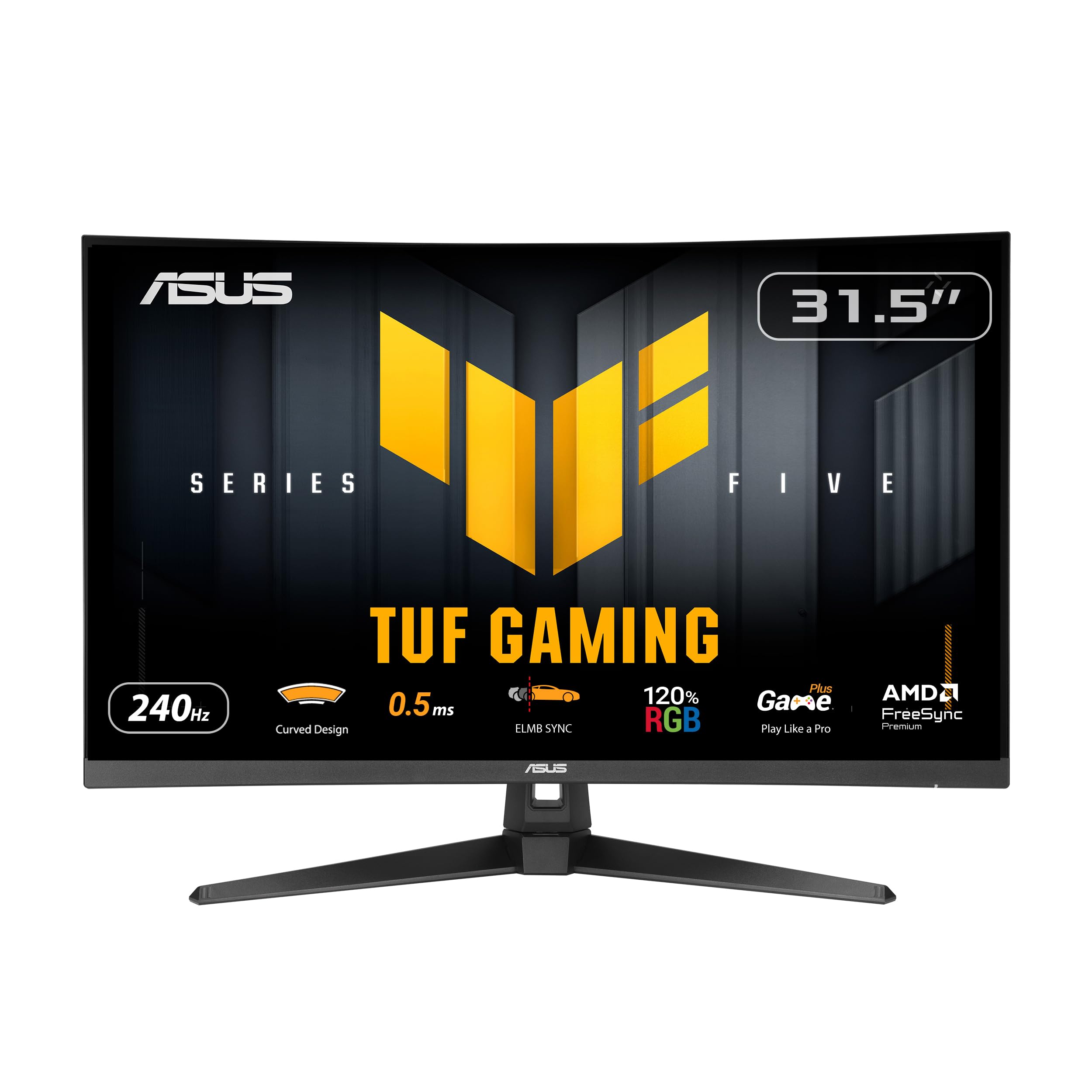
The ASUS VG32VQM5AZ is a 31.5-inch 1080p curved monitor that prioritizes raw speed over resolution. With a 240Hz overclocked refresh rate and 0.5ms GTG response time, it’s built for competitive shooters where every millisecond of input lag matters. The 1500R curve helps the large 32-inch screen feel more focused, pulling peripheral vision into the center of the action without requiring head movement.
ELMB Sync technology works with FreeSync Premium to reduce motion blur while keeping variable refresh rates active, eliminating both tearing and ghosting. The 120% sRGB color gamut is decent for a 1080p panel, though the low pixel density at 32 inches (roughly 69 PPI) means individual pixels may be visible up close—not ideal for desktop productivity but perfectly fine for gaming at a typical viewing distance. The included DisplayWidget Center and 3-month Adobe Creative Cloud subscription are nice bonuses.
Buyer reviews are overwhelmingly positive, with many noting that staying at 1080p allows for maximum graphics settings and high frame rates without needing a top-tier GPU. Users report smooth gameplay, bright screen, and sturdy build quality. The built-in speakers and multiple HDMI ports add convenience for console switching. If you’re a competitive player who values frame rate over pixel count, this is a strong, reliable choice.
Why it’s great
- 1080p at 240Hz is easily driven by mid-range GPUs at high settings
- ELMB Sync eliminates ghosting without turning off VRR
- Sturdy stand and reliable build quality praised by many users
Good to know
- 1080p on a 32-inch screen results in lower pixel density than smaller monitors
- Not ideal for productivity or content creation due to low resolution
8. KTC H32S25E

The KTC H32S25E is a 32-inch 1440p monitor that offers a 240Hz refresh rate and 1ms response time at a budget-friendly price point. The 1000R curvature is tighter than the industry-standard 1500R, creating a more enveloping feel that matches the human eye’s field of view. The VA panel delivers a 4000:1 contrast ratio, making dark game scenes look deep and detailed without the washed-out appearance of many IPS panels.
Adaptive-Sync technology eliminates screen tearing and stutter, and the dual HDMI and dual DisplayPort inputs give plenty of flexibility for connecting multiple devices. The tilt adjustment (-5° to 20°) allows for some ergonomic customization, though height and swivel adjustments are missing. HDR support is listed but reviews suggest it does not function as standard HDR, which may disappoint users expecting high dynamic range performance.
Customer feedback paints a troubling picture when it comes to reliability. Multiple reports detail dead pixels, screen failures after 2-3 months, and poor customer support from the manufacturer. While some units work well out of the box, the failure rate and lack of responsive warranty service make this a high-risk purchase. For those on a strict budget, it may be worth considering, but expect to treat it as an “AS IS” purchase.
Why it’s great
- 240Hz 1440p specs are excellent for the price tier
- 1000R curve is more immersive than standard 1500R panels
- High 4000:1 contrast ratio from VA panel
Good to know
- Risk of dead pixels and early failure is high based on user reports
- Customer support is unresponsive and warranty service is unreliable
- HDR feature is non-functional despite being advertised
9. ZZA 32 Inch 4K Curved
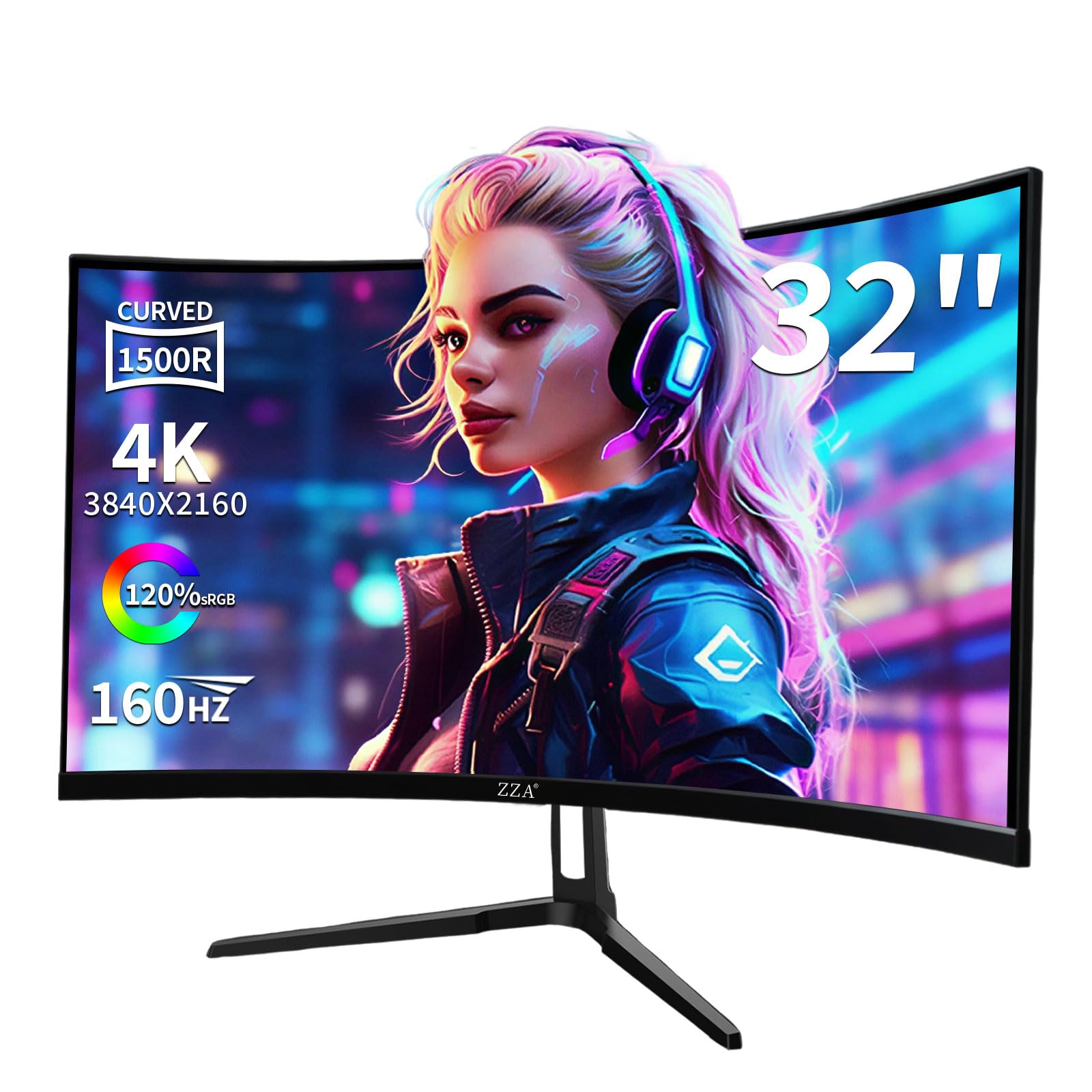
The ZZA 32-inch 4K monitor brings UHD resolution to the curved gaming market at a price point that undercuts most competitors by a wide margin. The 1500R VA panel offers 120% sRGB color coverage and a 3000:1 contrast ratio, producing rich colors and deep blacks for an immersive gaming experience. At 160Hz with AMD FreeSync, motion is smooth and tear-free, making this a viable option for both single-player epics and competitive titles.
Connectivity is a strong point: two HDMI 2.1 ports and two DisplayPort 1.4 inputs allow for high-bandwidth connections to modern consoles and PCs. The 320 cd/m² brightness is adequate for most indoor environments, though it may struggle in very brightly lit rooms. The monitor supports wall mounting with a 75x75mm VESA pattern, and the included cables (DP 1.4 and HDMI 2.1) mean you won’t need to buy extras to hit 160Hz.
User feedback is generally positive, with buyers praising the clarity, color quality, and value. However, one important note: this monitor has no built-in speakers, so you’ll need to plan for external audio. Some users also reported that the stand could be more stable. For entry-level 4K gaming on a budget, the ZZA delivers impressive specs, but be prepared to supply your own sound solution.
Why it’s great
- 4K 160Hz at a very entry-level price tier
- Two HDMI 2.1 ports support full bandwidth for next-gen consoles
- 120% sRGB coverage produces vibrant colors
Good to know
- No built-in speakers require external audio
- Stand stability could be improved
10. ETiansu 32 Inch 4K
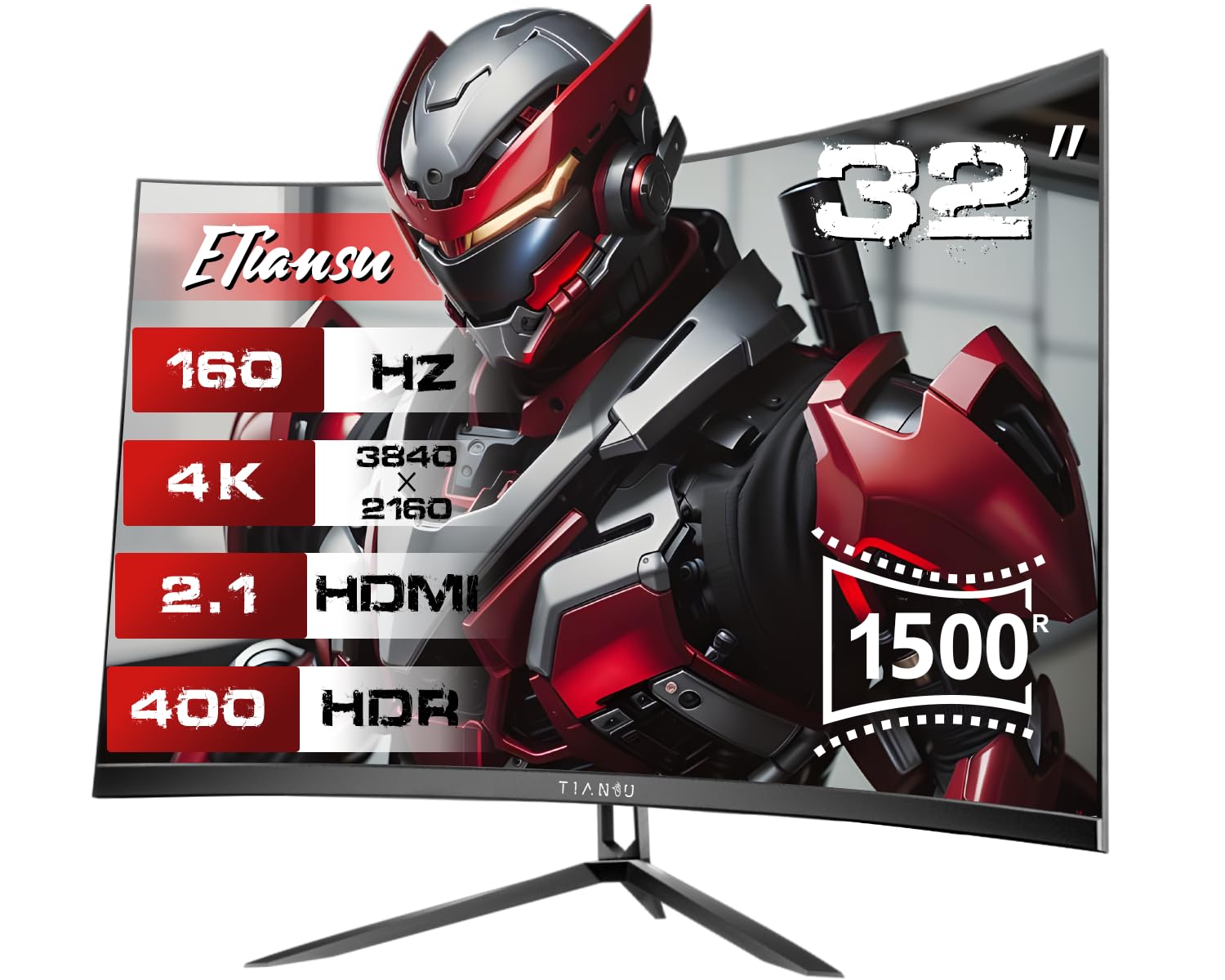
The ETiansu 32-inch 4K curved monitor aims to combine UHD clarity, high refresh gaming, and multimedia convenience. Its 1500R VA panel covers 125% sRGB and 95% DCI-P3, making colors pop in both games and video content. HDR400 support adds extra dynamic range, though it’s a modest implementation that won’t rival higher-tier monitors. The 1ms GTG response time and AMD FreeSync compatibility keep gameplay smooth and responsive.
Where this monitor differentiates itself is the inclusion of dual 5W speakers—substantially more powerful than the typical 2W units found on most gaming monitors. While they won’t replace a dedicated soundbar, they provide enough volume for casual gaming and streaming without clipping at high levels. The panel also features dynamic RGB lighting on the back for aesthetic flair, and the 100x100mm VESA mount allows for easy arm installation.
Buyer reviews are split: many appreciate the impressive color accuracy and value, while some report reliability issues like screen glitches and backlight bleed after several months of use. The manufacturer offers a 36-month warranty, but customer service responsiveness has been inconsistent according to reports. If you need 4K, high refresh, and on-board speakers in one package, the spec sheet is compelling, but be aware of the potential long-term risks.
Why it’s great
- Dual 5W speakers are louder and clearer than most monitor audio
- 125% sRGB and 95% DCI-P3 color coverage for vibrant visuals
- 36-month manufacturer warranty offers peace of mind
Good to know
- Some users report reliability issues like screen glitching after months
- Customer service response can be slow for warranty claims
11. CRUA 32 Inch 4K

The CRUA 32-inch 4K curved monitor stands out with its white chassis and integrated RGB lighting, making it a visual centerpiece for bright, modern gaming setups. The 1500R VA panel delivers 4K UHD resolution at 160Hz with AMD FreeSync, and the 120% sRGB color gamut ensures accurate color reproduction. The 3000:1 contrast ratio from the VA panel provides deep blacks and good shadow detail in dark game environments.
Built-in 2W speakers handle basic audio needs for casual use, while the HDMI 2.1 and DP 1.4 connectivity ensure compatibility with next-gen consoles and PCs. The 75x75mm VESA mount option allows for flexible desk setups, and the white color scheme makes it a rare find for builders creating a coordinated white gaming build. The monitor’s 320 cd/m² brightness is average for the category but sufficient for most indoor lighting conditions.
User reviews are mixed: buyers who received functional units praise the picture quality and price, while others report screen failure within months and difficulty getting warranty service honored. One reviewer noted the monitor stand assembly was complicated for non-DIY users. For those prioritizing aesthetics and value, the CRUA offers a unique look, but the reliability concerns and unresponsive manufacturer support are significant risks to consider.
Why it’s great
- White finish and RGB lighting stand out in a sea of black monitors
- 4K 160Hz with FreeSync at a budget-friendly price tier
- HDMI 2.1 supports full bandwidth for next-gen consoles
Good to know
- Reliability issues reported; some units fail within months
- Warranty service can be difficult to activate despite product page claims
- Stand assembly instructions are not beginner-friendly
FAQ
Is a 1000R curve better than 1500R for gaming?
Can I use a curved gaming monitor for professional work?
Does OLED burn-in still affect curved gaming monitors?
Final Thoughts: The Verdict
For most users, the best curved gaming monitor winner is the Samsung 40” Odyssey G7 because it delivers a unique 5K2K resolution that balances ultrawide immersion with sharp pixel density, backed by a 1000R curve and 180Hz refresh that satisfies both competitive and cinematic gaming. If you want the fastest OLED response times and built-in streaming, grab the LG 39GX90SA-W. And for pure QD-OLED color volume at the highest refresh rate, nothing beats the Alienware AW3425DW.

Mo Maruf
I created WellFizz to bridge the gap between vague wellness advice and actionable solutions. My mission is simple: to decode the research and give you practical tools you can actually use.
Beyond the data, I am a passionate traveler. I believe that stepping away from the screen to explore new environments is essential for mental clarity and physical vitality.