Our readers keep the lights on and my smoothie glass nicely filled. As an Amazon Associate, I earn from qualifying purchases.
Choosing a custom keyboard kit means deciding on a layout, a mounting style, and a material that dictates how every keystroke feels and sounds. Whether your priority is a creamy typing note, a rigid chassis for competitive gaming, or a compact frame that frees up mouse space, the wrong kit forces compromises that are costly to undo.
I’m Mohammad Maruf — the founder and writer behind WellFizz. I’ve spent hundreds of hours researching and comparing the specs, community feedback, and material quality across dozens of kits to isolate the handful of builds that truly reward your time and budget.
This guide breaks down the components, layouts, and mounting systems you need to know before picking a kit, and then reviews the top options to help you find the best custom keyboard kits for your next build.
How To Choose The Best Custom Keyboard Kits
A custom keyboard kit determines the structural foundation of your build — the chassis, PCB, mounting style, and connectivity options. Choosing the right one starts with understanding three variables: layout size, mounting system, and material quality.
Layout Size and Desk Fit
Layout determines how many keys you have and how much desk space the board occupies. Compact sizes like 65% and 75% preserve arrow keys and function rows while saving significant surface area for mouse movement. Full-size (100%) and 96% layouts keep a numpad for data entry but demand more space. TKL and 1800-style 96% layouts offer a middle ground for users who need navigation keys without a full numeric cluster. Pick a layout that matches your workflow before evaluating any other spec.
Mounting Style and Sound Profile
Gasket-mounted designs use silicone or poron pads between the plate and case to dampen vibration, creating a compliant, uniform flex and a deeper, thockier sound. Tray mounts screw the PCB directly into standoffs inside the case, resulting in a stiffer, often louder typing feel. Top mounts offer a middle path with consistent flex on the edges. For a quiet, refined typing experience, look for a gasket-mount kit with integrated sound-dampening foam. Gaming-first buyers may prefer a stiffer mount for faster, more predictable switch feedback.
Connectivity and Hot-Swap Support
Tri-mode connectivity (USB-C, 2.4 GHz, and Bluetooth 5.0+) is now common across mid-range and premium kits, giving you wired zero-latency gaming, low-latency wireless, and multi-device pairing in one board. South-facing RGB LEDs prevent interference with Cherry-profile keycaps, a detail that matters if you plan to swap keycaps often. Hot-swap PCBs let you change switches without soldering, making it trivial to experiment with different tactile and linear options.
Quick Comparison
On smaller screens, swipe sideways to see the full table.
| Model | Category | Best For | Key Spec | Amazon |
|---|---|---|---|---|
| Keychron Q6 Max | Premium Full-Size | Endgame desk build | Full CNC aluminum chassis | Amazon |
| ASUS ROG Azoth | Premium 75% | Enthusiast gaming & modding | OLED screen + included lube kit | Amazon |
| Keychron V5 Ultra | Mid-Range Wireless | 96% wireless with 8K polling | 4000mAh battery + 8000Hz | Amazon |
| MCHOSE Jet 75 | Mid-Range Gaming | Competitive FPS/Hall effect | 8000Hz + 0.005mm actuation | Amazon |
| GMK104 | Budget Full-Size | Office full-size with screen | 4000mAh battery + VIA support | Amazon |
| GMK87 | Budget TKL | Space-saving TKL with TFT screen | TFT-LCD screen + 3000mAh battery | Amazon |
| GMK67 | Budget 65% | First budget custom build | Tri-mode + 3000mAh battery | Amazon |
In‑Depth Reviews
1. Keychron Q6 Max

The Keychron Q6 Max sets the standard for a premium custom kit with a full CNC-machined 6063 aluminum chassis that goes through polishing, sandblasting, and over two dozen manufacturing steps. The double-gasket design combined with reinforced multi-layer acoustic foam produces a dampened, refined typing sound with minimal case ping, even when using heavier switches. The 100% full-size layout includes a dedicated numpad and a programmable rotary knob, giving data-entry professionals and developers the key density they need without sacrificing acoustic tuning.
Tri-mode connectivity (2.4 GHz, Bluetooth 5.1, and USB-C) covers every scenario from low-latency gaming to multi-device office work. The wired and 2.4 GHz modes support a 1000 Hz polling rate, which is fast enough for competitive use, while Bluetooth pairs up to three devices. The hot-swap PCB accepts both 3-pin and 5-pin MX switches without soldering, and the board runs QMK and VIA for full key remapping and macro creation. Builders report that the switch and keycap pullers included in the box make assembly straightforward for first-time buyers.
The aluminum body gives the Q6 Max a substantial, non-slip presence on the desk, though its weight makes it a fixed-location board rather than a portable option. Some users note that the per-key backlight brightness is moderate compared to plastic-framed competitors, and the default Mac keycap legends require a quick dip into VIA to remap for Windows use. The battery holds a charge for roughly a month of mixed use, which is excellent for a wireless full-size board with a metal enclosure.
Why it’s great
- Full metal chassis with double-gasket mounting for unmatched build rigidity and sound dampening
- QMK/VIA support enables granular key remapping and macro creation
- Strong battery life for a wireless full-size aluminum board
Good to know
- Heavy chassis discourages frequent transport or repositioning
- RGB backlight brightness is subdued relative to plastic kits
- Default keycaps are Mac-oriented, requiring VIA tweaks for Windows users
2. ASUS ROG Azoth

The ASUS ROG Azoth distinguishes itself in the 75% TKL bracket by bundling a full professional modding kit — Krytox GPL-205-GD0 lubricant, switch opener, lube station, pullers, and brush — directly in the box. The gasket-mount design uses three layers of dampening foam to absorb vibrations and eliminate high-pitched pinging, producing a sound profile that is controlled without feeling muted. The 2-inch OLED screen tracks CPU/GPU performance, media playback, and keyboard settings in real time, while the multifunction control knob adds tactile volume and lighting adjustment.
Tri-mode connectivity includes ROG SpeedNova wireless technology in 2.4 GHz mode, delivering over 2,000 hours of battery life with the OLED and RGB turned off. The hot-swap PCB supports standard 3-pin switches, and the included pre-lubricated ROG NX switches (available in clicky Storm or linear Snow variants) feel smooth and consistent straight from the factory. Users report minimal wake-up lag in wireless mode and appreciate the seamless pairing with other ASUS peripherals via Armoury Crate, though the software update process can be temperamental.
The OLED screen and knob interface provide a premium interactive layer that competing kits in this size bracket rarely offer. However, a small number of long-term users report clicky switch failures after several months of heavy use, which suggests the hot-swap socket is the safer path for high-cycle deployment. The included lube station and switch opener make this kit particularly appealing for beginners who want to learn switch modding without buying separate tools.
Why it’s great
- Comes with a full lube and modding kit, saving beginners substantial tool costs
- OLED screen provides at-a-glance system stats and customization
- Excellent wireless battery life with SpeedNova technology
Good to know
- Armoury Crate software updates can be inconsistent
- Some users report clicky switch longevity issues after several months
- LED illumination is less bright than some cheaper kits
3. Keychron V5 Ultra
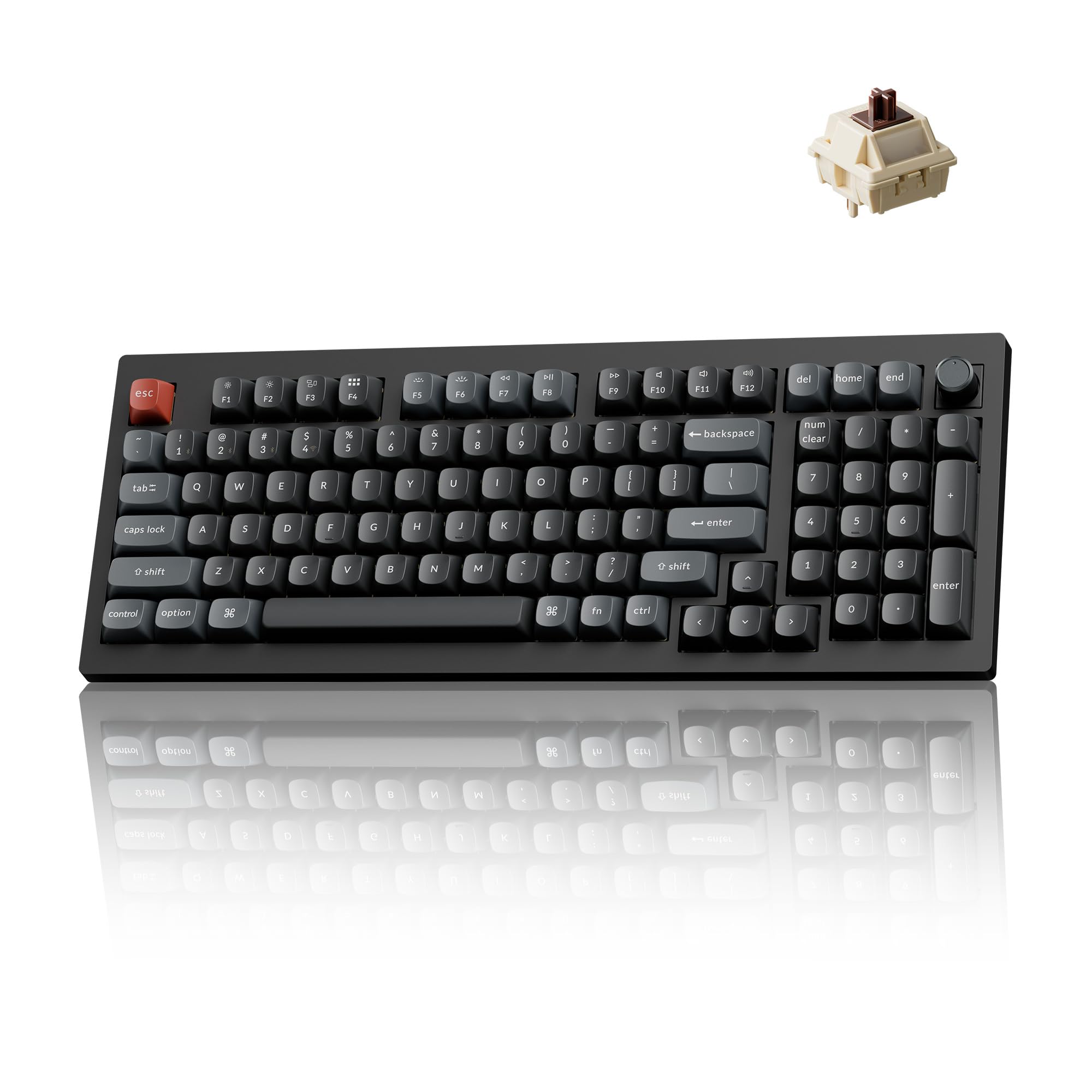
The Keychron V5 Ultra brings an 8000 Hz polling rate to a 96% (1800 compact) layout, a combination that is rare in wireless custom kits. The 8000 Hz polling across wired and 2.4 GHz connections pushes input latency down to levels typically seen in dedicated gaming keyboards while retaining the hot-swap socket compatibility, gasket mount, and full VIA programmability that the custom community expects. The 4000 mAh battery delivers up to 660 hours of life with backlighting off, making this kit a truly low-maintenance daily driver.
The board ships with factory-pre-lubed Keychron Silk POM switches that feel smooth from the first keystroke, and the OSA-profile double-shot PBT keycaps resist shine over time. The 96% layout preserves the numpad in a condensed form factor that fits on a laptop-sized desk tray without crowding the mouse zone. Builders report that the Banana switch variant offers a snappy tactile bump with a 57g actuation force that prevents accidental presses during long typing sessions without causing finger fatigue.
Customer feedback notes that the stock keycaps are opaque and do not support south-facing shine-through, so users wanting backlit legends will need to invest in a separate PBT shine-through set. The V5 Ultra uses ZMK firmware rather than QMK, which handles multi-device Bluetooth switching and power management well but has a slightly different macro workflow than traditional QMK boards. The non-shine-through keycaps and the need to remap per-key backlight brightness via the Keychron Launcher are minor friction points on an otherwise refined kit.
Why it’s great
- 8000 Hz polling in wireless and wired modes for near-zero latency
- 4000 mAh battery offers months of real-world use on a single charge
- Compact 96% layout retains a full numpad without desk domination
Good to know
- Stock keycaps lack shine-through compatibility
- ZMK firmware differs from QMK in macro workflow
- Per-key backlight brightness cannot be saved individually
4. MCHOSE Jet 75

The MCHOSE Jet 75 uses Kailh Hall-effect magnetic switches to deliver 0.005 mm precision across the entire key travel range, enabling features like Rapid Trigger and Snap Tap (SOCD) that competitive FPS players rely on for counter-strafing and peeking. The 8000 Hz polling rate and 128K scan rate push latency down to 0.1 ms, which places the Jet 75 in the same performance tier as flagship Hall-effect boards at a significantly lower investment. The floating keycap design makes debris removal easy and complements the clean black topographic aesthetic.
The kit supports full actuation point adjustment from 0.1 mm to 4.0 mm, dynamic key travel, and advanced functions like DKS, MT, and TGL through the MCHOSE software — accessible via web app or downloadable version. The 75% layout keeps the function row and arrow keys while reclaiming desk space for mouse movement, and the included accessories (dust cover, switch and keycap pullers, two replacement switches) add immediate value. Users report that the Kailh God magnetic switches produce a muted, thocky sound in person that photographs often fail to capture.
While the plastic chassis feels sturdy and exhibits minimal key wobble, the Jet 75 is wired-only (USB-C) with no Bluetooth or 2.4 GHz wireless option, which limits placement flexibility for users without easy cable routing. The macro system does not support mouse click inputs, so gamers relying on combined keyboard-mouse macros will need to work within that constraint. Some users report occasional key sticking after extended use, which is adjustable via the software actuation curve, but the long-term durability of the magnetic switch stems is still being validated by the community.
Why it’s great
- Hall-effect magnetic switches with 0.005mm precision and rapid trigger support
- 8000Hz polling rate achieves 0.1ms latency for competitive FPS
- Fully customizable actuation range and advanced SOCD features
Good to know
- Wired-only connectivity limits desk placement options
- Macro system does not support mouse click inputs
- Plastic case, while sturdy, lacks the heft of premium metal builds
5. GMK104
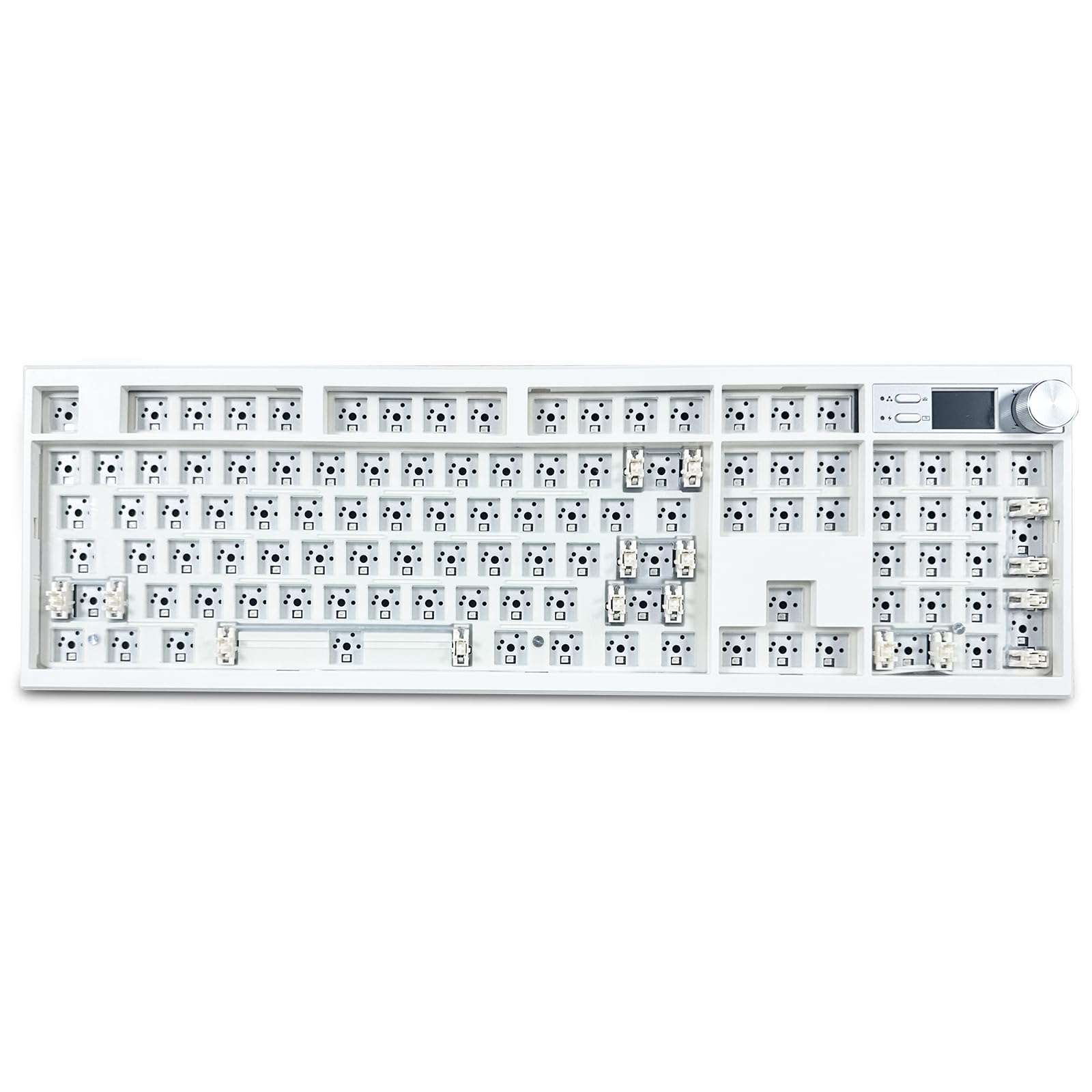
The GMK104 brings a 104-key full-size layout, a TFT-LCD display, and a metal volume knob into a kit that supports VIA software for full key mapping and macro creation. The gasket-mount construction with internal poron and cotton dampening layers reduces case ping, producing a typing sound that is surprisingly clean for a plastic chassis. The hot-swap PCB accepts both 3-pin and 5-pin switches, so you are free to experiment with different tactile or linear feels without soldering.
Tri-mode connectivity (Bluetooth 5.0, 2.4 GHz, and USB-C) pairs with a 4000 mAh battery that provides long runtimes between charges. The south-facing RGB LEDs ensure no interference with Cherry-profile keycaps, and the front-facing display can hold two GIF uploads for personalization. Users report that the board is heavy and sits firmly on the desk, and the included accessories (USB cable, 2.4G receiver, keycap puller) cover the basics for a first-time builder. The instruction manual is sparse, so finding VIA key mapping details requires a quick visit to the manufacturer’s Discord or third-party guides.
The plastic enclosure, while well-braced internally, does not match the structural rigidity of aluminum-framed boards, and the paint finish may show fingerprints over time. The VIA implementation works reliably once set up, but the software occasionally requires driver installation on Windows before the board is recognized. For a full-size kit with a display and knob, the GMK104 delivers strong value for office and home use where feature density outweighs chassis material prestige.
Why it’s great
- Full-size 104-key layout with a programmable LCD screen and knob
- VIA support enables full key remapping and macro creation
- 4000 mAh battery provides extended wireless runtimes
Good to know
- Plastic enclosure lacks the rigidity and feel of metal chassis
- Instruction manual is sparse, requiring online research for VIA setup
- Surface finish is prone to visible fingerprints
6. GMK87
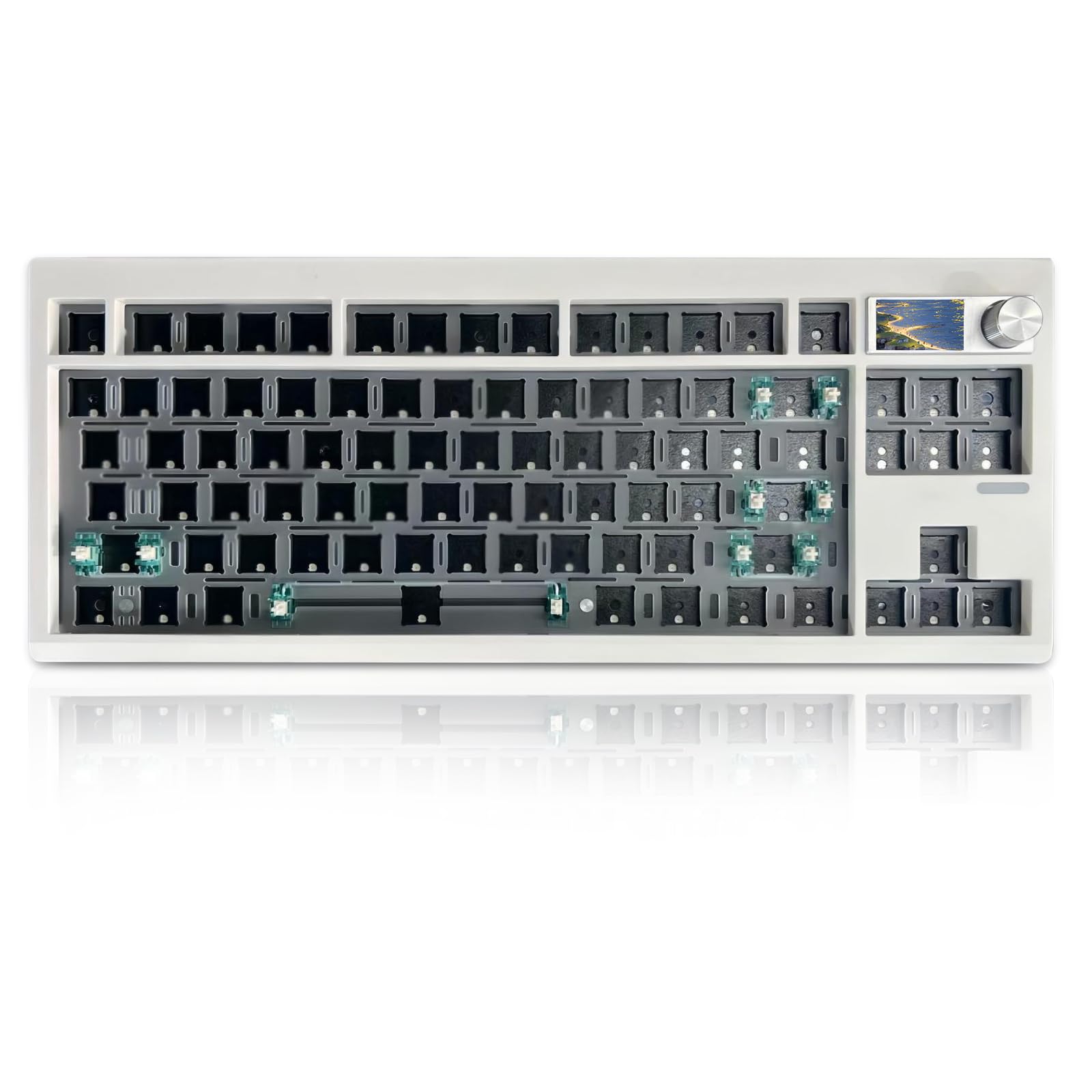
The GMK87 offers a TKL (87-key) layout with a TFT-LCD screen that can display custom images, GIFs, date, and time, plus a metal volume knob — features rarely found in this layout at this tier. The gasket-mounted plate with poron switch pads provides enough dampening to eliminate hollow pinging in the plastic case, and the tri-mode connectivity (Bluetooth 5.0, 2.4 GHz, and USB-C) paired with a 3000 mAh battery covers most daily wireless scenarios. The south-facing RGB LEDs keep keycap compatibility open for future upgrades.
The hot-swap PCB supports 3-pin and 5-pin switches, making the GMK87 an easy platform for trying different switch families without committing to soldering. VIA programmability allows remapping of every key and the screen content, though some users note that the RGB customization interface in the software is less intuitive than dedicated gaming board apps. The plastic case weighs less than full-metal competitors, making it easier to move between work and home setups, and the built-in USB storage compartment keeps the receiver from getting lost.
A small number of users report that specific F keys on the top row do not register consistently, which may indicate a batch-related PCB quality issue. The stock stabilizers are serviceable but benefit from a simple lubrication pass for smoother spacebar and shift-key action. The plastic enclosure does not have the acoustic resonance of a metal case, but the combination of foam dampening and a TKL layout keeps the typing sound contained and office-appropriate at a very accessible entry point.
Why it’s great
- TKL layout with a programmable TFT screen and metal knob at a budget-friendly tier
- Tri-mode wireless connectivity with a 3000mAh battery
- Hot-swap PCB and VIA support for easy customization
Good to know
- Occasional reports of non-functional F keys from certain batches
- Stock stabilizers benefit from lubrication for improved feel
- RGB customization software is less polished than premium alternatives
7. GMK67

The GMK67 is a 65% compact kit with a 66-key plus one knob layout that delivers an impressively creamy, thocky sound out of the box thanks to a poron switch pad and case foam that minimize case ping. The tri-mode connectivity (Bluetooth 5.0, 2.4 GHz, and USB-C) and a 3000 mAh battery provide solid wireless performance, and the hot-swap PCB accepts both 3-pin and 5-pin switches for easy experimentation. The plastic case uses clips rather than screws for the plate, which makes disassembly and modding faster for builders learning the hobby.
With 18 RGB lighting modes and south-facing LEDs, the GMK67 can produce a vibrant under-glow effect, though the plastic case is not translucent so the lighting is most visible through the keycap gaps. Users report that a simple tape mod on the back of the PCB transforms the sound to a deeper, richer note, and lubricating the stock stabilizers eliminates any residual rattle. The keyboard does not include keycaps or switches, so the total cost of a complete build will depend on your switch and keycap selections.
The GMK67 has no VIA or QMK support, so key remapping is limited to the factory driver’s functionality. The RGB programming interface is not intuitive, and Mac users face limited customization for the lighting layer. For a first-time builder looking to learn gasket-mount modding on a minimal budget, the GMK67 provides a rewarding platform that can sound far more premium than its construction might suggest.
Why it’s great
- Stock poron dampening delivers a creamy, thocky sound at the lowest entry point
- Clip-based assembly makes disassembly and tape modding fast and beginner-friendly
- Tri-mode wireless with a 3000mAh battery covers daily portability needs
Good to know
- No VIA or QMK support limits full key remapping capabilities
- Stock stabilizers benefit from lubrication to eliminate rattle
- RGB programming interface is not user-friendly, especially on Mac
FAQ
What is the difference between a barebone kit and a fully assembled keyboard?
Can I use any MX switch in a hot-swap keyboard kit?
Why does south-facing RGB matter for a custom keyboard build?
Final Thoughts: The Verdict
For most users, the best custom keyboard kits winner is the Keychron Q6 Max because its full CNC aluminum chassis, double-gasket mounting, and QMK/VIA programmability create a premium build that will last through years of daily use without compromise. If you want a ASUS ROG Azoth, grab that for its rare 75% form factor with an OLED screen and included professional modding kit. And for a budget-friendly entry that still sounds surprisingly good, nothing beats the GMK67 65% kit.

Mo Maruf
I created WellFizz to bridge the gap between vague wellness advice and actionable solutions. My mission is simple: to decode the research and give you practical tools you can actually use.
Beyond the data, I am a passionate traveler. I believe that stepping away from the screen to explore new environments is essential for mental clarity and physical vitality.