Our readers keep the lights on and my smoothie glass nicely filled. As an Amazon Associate, I earn from qualifying purchases.
Moving from a standard flat panel to a curved ultrawide monitor changes how you work and play. The subtle wrap of a 1500R or 1800R curve pulls your peripheral vision into the action, reducing the neck strain of scanning across two separate screens. Whether you are splitting a spreadsheet into three columns or tracking a racing line in a sim, the 21:9 aspect ratio delivers a field of view that 16:9 monitors simply cannot match.
I’m Mohammad Maruf — the founder and writer behind WellFizz. I have spent hundreds of hours analyzing panel technologies, refresh rate curves, and color gamut coverage to identify which curved ultrawide models deliver the best balance of immersion, clarity, and long-term value.
After comparing VA, IPS, and QD-OLED panels across eleven different models, this guide breaks down what actually matters when choosing the best curved ultrawide monitor for your desk.
How To Choose The Best Curved Ultrawide Monitor
Curved ultrawide monitors demand a slightly different buying mindset than standard displays. The curve, the panel type, and the resolution all interact to determine whether a model feels immersive or frustrating. Focus on these three factors to avoid buyer’s remorse.
Panel Technology: VA, IPS, or QD-OLED
VA panels dominate the mid-range and budget tier of curved ultrawide monitors because they offer deep native contrast ratios around 3000:1, which makes black levels look much richer than IPS. IPS panels provide better viewing angles and color accuracy for professional photo editing but typically have lower contrast. QD-OLED delivers infinite contrast and stunning color volume (99% DCI-P3), but it costs significantly more and carries a risk of burn-in over several years of static desktop use.
Curvature Radius and Desk Depth
A 1500R or 1800R curve works well for most 34-inch models and creates a gentle wrap that feels natural at arm’s length. The tighter 1000R curve found on some Samsung models matches the human field of vision more closely, which can reduce eye strain during long sessions but requires a minimum desk depth of about 28 inches to avoid feeling cramped. The 32:9 super-ultrawide panels (49-inch and larger) benefit from 1800R or tighter curves because the display is so wide that a flat panel would leave distant edges out of focus.
Refresh Rate and Adaptive Sync
Productivity users can stop at 100 Hz and enjoy noticeably smoother cursor movement and scrolling than a standard 60 Hz display. Competitive gamers should target 165 Hz or higher, paired with FreeSync Premium or G-SYNC Compatible certification to eliminate screen tearing. Professional content creators often prefer a 60 Hz IPS panel with factory color calibration over a high-refresh VA because color accuracy and consistency matter more than frame rate for grading work.
Quick Comparison
On smaller screens, swipe sideways to see the full table.
| Model | Category | Best For | Key Spec | Amazon |
|---|---|---|---|---|
| Alienware AW3423DWF | QD-OLED | Ultimate Gaming & HDR | 0.1ms GtG / 165Hz | Amazon |
| Alienware AW3425DW | QD-OLED | High-FPS Competitive Play | 0.03ms GtG / 240Hz | Amazon |
| Samsung Odyssey G7 (40”) | VA | Ultrawide Premium 4K | 5120×2160 / 180Hz | Amazon |
| LG 34WQ73A-B | IPS | Color-Critical Office Work | 99% sRGB / KVM Built-In | Amazon |
| Dell S3425DW | VA | All-Day Productivity | 120Hz / USB-C 65W PD | Amazon |
| LG 34G630A-B | VA | High-FPS Gaming | 240Hz / 1ms GtG | Amazon |
| LG 34SR63QA-W | VA | Work + Smart TV Combo | USB-C 65W PD/ webOS | Amazon |
| Deco Gear 49” | VA | Multi-Tasking Power User | 5120×1440 / 32:9 | Amazon |
| Samsung ViewFinity S50GC | VA | Entry-Level Ultrawide | 100Hz / HDR10 | Amazon |
| ASUS TUF Gaming VG34VQ3B | VA | Budget Gaming Immersion | 180Hz / 1ms MPRT | Amazon |
| Samsung ViewFinity S65UA | VA | Productivity & USB-C Hub | USB-C 90W PD / 1000R | Amazon |
In‑Depth Reviews
1. Alienware AW3423DWF

The Alienware AW3423DWF uses a Quantum Dot OLED panel that produces true blacks and infinite contrast, which makes HDR content look dramatically better than any VA or IPS ultrawide. The 165 Hz refresh rate and 0.1ms gray-to-gray response deliver fluid motion with virtually no ghosting, and the 1800R curve wraps comfortably into peripheral vision without distortion.
Color coverage hits 99.3% DCI-P3 out of the box, and the factory calibration report included in the box gives content creators confidence in Delta E accuracy. The stand offers full height, tilt, swivel, and slant adjustment, and the 3-year warranty explicitly covers OLED burn-in, which is a critical reassurance for anyone worried about long-term panel wear.
Peak brightness in standard SDR mode sits around 250 nits, which is adequate for a dim to moderately lit room but can feel underwhelming in a bright office. Some units arrive with minor cosmetic defects like micro-scratches on the coating, though these are typically invisible when the panel is powered on.
Why it’s great
- Infinite contrast ratio and true blacks create stunning HDR immersion
- Excellent color accuracy (99.3% DCI-P3) out of the box
- 3-year burn-in warranty provides long-term peace of mind
Good to know
- SDR brightness limited to 250 nits; struggles in brightly lit rooms
- Fragile screen coating can develop micro-scratches during cleaning
- Text clarity slightly lower than a high-DPI IPS panel
2. Alienware AW3425DW

The AW3425DW takes the QD-OLED formula and pushes the refresh rate to 240 Hz with a 0.03ms response time, making it one of the fastest curved ultrawide monitors available. The 1800R curve and WQHD resolution keep the pixel density crisp for gaming, and the VESA DisplayHDR TrueBlack 400 certification along with 1000 nits peak brightness delivers impactful highlights in HDR scenes.
Adaptive sync support spans AMD FreeSync Premium Pro and NVIDIA G-SYNC Compatible, so the monitor pairs cleanly with either GPU ecosystem. The Delta E rating under 2 ensures the color fidelity holds up for game development or content review, and the built-in KVM functionality lets you control two systems with a single keyboard and mouse setup.
The glossy QD-OLED coating handles reflections better than a matte finish but can still wash out in direct sunlight. Text rendering is slightly softer than a 4K IPS panel at equivalent viewing distance, which matters if you do heavy coding or document editing.
Why it’s great
- 240Hz refresh rate with 0.03ms response for elite competitive gaming
- 1000 nits peak HDR brightness and TrueBlack 400 certification
- Supports both FreeSync Premium Pro and G-SYNC Compatible
Good to know
- Glossy screen can produce reflections in bright rooms
- Text clarity is not as sharp as a high-DPI IPS alternative
- Premium pricing places it at the top of the budget range
3. Samsung Odyssey G7 (40”, G75F)

The 40-inch Odyssey G7 stands out because it uses a 5120×2160 WUHD resolution, which gives you significantly more vertical and horizontal pixels than a standard 3440×1440 ultrawide. The 1000R curve wraps aggressively around your field of vision, creating an immersive bubble that works exceptionally well for flight and racing sims. The VA panel delivers a 3000:1 contrast ratio with VESA DisplayHDR 600 support, producing deep blacks and bright highlights without the burn-in risk of OLED.
The 180 Hz refresh rate and 1ms GtG response keep motion clarity high, and FreeSync Premium Pro certification ensures tear-free frame pacing. Color gamut hits 99% sRGB coverage, which is solid for general use, though professional color graders may prefer an IPS for wider viewing angles.
The stand base is large and somewhat awkward, taking up significant desk space. The HDR mode requires manual adjustment out of the box to avoid a washed-out look, and the viewing angles are typical for VA with some gamma shift when viewed off-center.
Why it’s great
- WUHD 5120×2160 resolution offers more screen real estate than QHD
- Deep 3000:1 VA contrast with DisplayHDR 600 certification
- 180Hz refresh rate suits fast-paced gaming and smooth desktop use
Good to know
- Large stand base consumes considerable desk space
- HDR calibration needs manual tuning for optimal visuals
- VA viewing angles show gamma shift off-axis
4. LG 34WQ73A-B

The LG 34WQ73A-B is built for productivity first, using an IPS panel that covers 99% of the sRGB spectrum with consistent viewing angles that keep colors stable even from sharp side angles. The built-in KVM switch and USB-C connectivity with 90W power delivery let you run a laptop and a desktop through one keyboard, mouse, and monitor setup, reducing cable clutter significantly.
The 60 Hz refresh rate is standard for office-focused displays, but the IPS glow is minimal and backlight uniformity is strong across the panel. Reader Mode and Flicker Safe reduce eye strain during long document or coding sessions, and the height-adjustable stand with tilt and swivel offers good ergonomic range.
Some users report a recurring warning about powering off during use, which requires pressing the power button to wake the display. The contrast ratio sits at 1000:1, which is typical for IPS but noticeably weaker than the VA and OLED alternatives when watching dark scenes.
Why it’s great
- Factory-calibrated IPS panel with excellent color accuracy for creative work
- Built-in KVM and 90W USB-C power delivery streamline a dual-PC desk
- Ergonomic stand with height, tilt, and swivel adjustment
Good to know
- 60Hz refresh rate limits smoothness for gaming and scrolling
- IPS contrast of 1000:1 is weak for dark room HDR content
- Reports of intermittent power-on warning issues from some units
5. Dell S3425DW

The Dell S3425DW strikes a strong balance between productivity and casual gaming with a 120 Hz VA panel that delivers 3000:1 contrast and 99% sRGB coverage. The USB-C port provides 65W power delivery, which is enough to charge a MacBook or ultrabook while transmitting video and data through a single cable. The ComfortView Plus feature reduces blue light to 35% without shifting the color temperature to a yellow tint, preserving accurate whites.
The integrated speakers are substantially better than the typical monitor audio, with deeper frequency response and more output power than the previous Dell generation. The stand is sturdy with height and tilt adjustment, and the anti-glare coating works well in rooms with overhead lighting.
The VESA mount is recessed about a quarter inch behind the panel, which requires a bracket assembly on some aftermarket arms. The port selection lacks DisplayPort, relying on HDMI and USB-C, which may be an issue if you need to connect older desktop GPUs.
Why it’s great
- 120Hz VA panel with 3000:1 contrast for smooth everyday use
- USB-C 65W PD single-cable connectivity for laptops
- ComfortView Plus reduces blue light without yellow color shift
Good to know
- No DisplayPort input; limited to HDMI and USB-C
- VESA mount is recessed and requires specific bracket hardware
- Built-in speakers are decent but not a substitute for dedicated desktop speakers
6. LG 34G630A-B

The LG 34G630A-B targets competitive gamers who want a high refresh rate without jumping to OLED pricing. The 240 Hz refresh rate and 1ms GtG response time produce fluid, low-lag motion, and the VA panel keeps contrast at a respectable level for dark game environments. DisplayHDR 400 and 95% DCI-P3 color gamut give HDR content a noticeable punch beyond standard SDR.
The stand offers height, tilt, and swivel adjustment, and the slim base footprint keeps desk clutter to a minimum. USB-C with 15W power delivery covers basic connectivity for laptops, though the low wattage means you still need the laptop’s own charger for sustained gaming. Dynamic Action Sync and Black Stabilizer LG gaming features help reduce input lag and improve visibility in dark scenes.
Audio from the built-in speakers is merely functional, suitable for system sounds but not for immersive gaming. The VA panel exhibits some black-level shift when viewed from directly off-center, though this is less noticeable on a curved display where you sit in the sweet spot.
Why it’s great
- 240Hz and 1ms response for ultra-smooth competitive gameplay
- 95% DCI-P3 color gamut and DisplayHDR 400 support
- Height, tilt, and swivel adjustable stand with slim base
Good to know
- USB-C power delivery limited to 15W; insufficient for charging larger laptops
- Built-in speakers are basic and lack low-end response
- VA panel shows gamma shift at off-center viewing angles
7. LG 34SR63QA-W
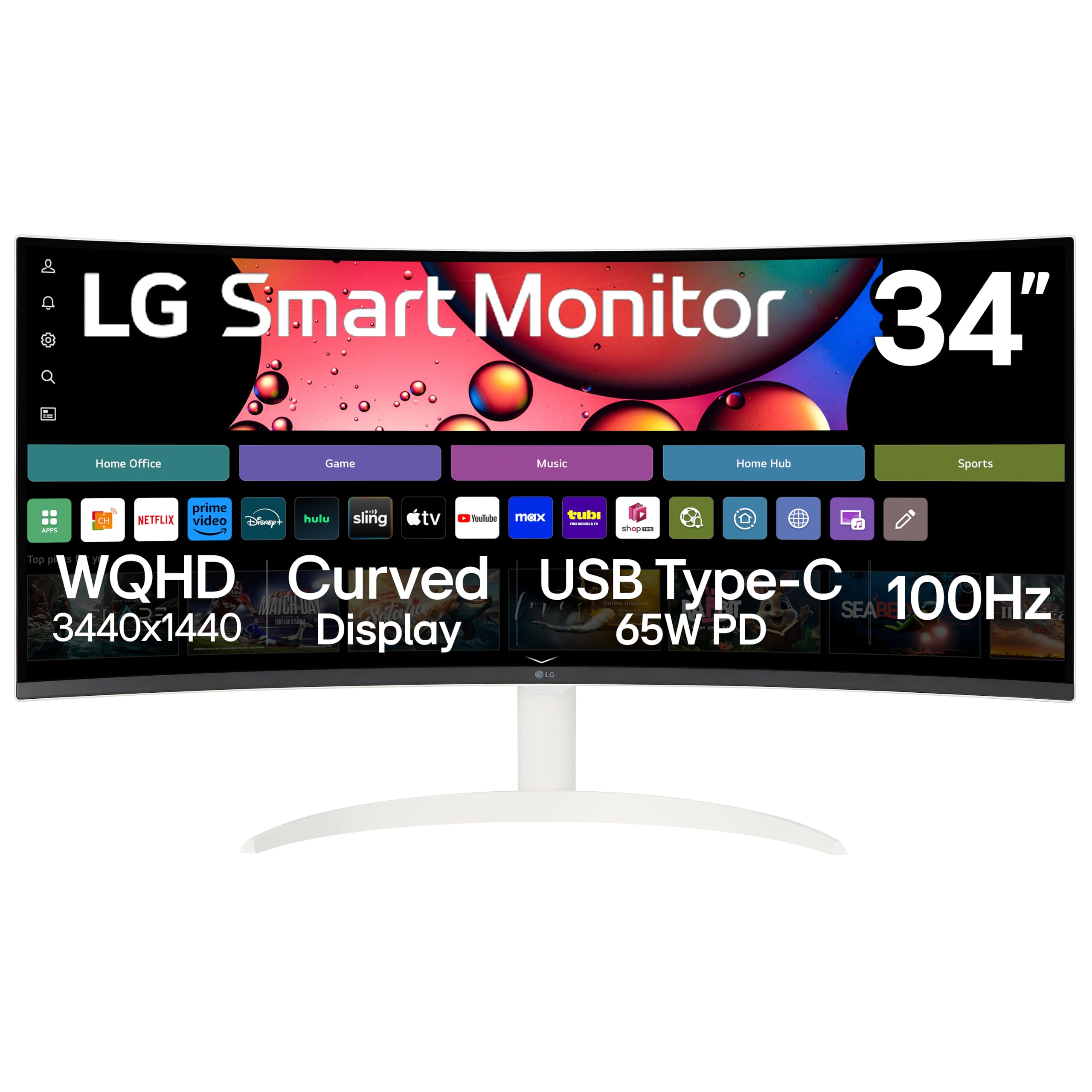
The LG 34SR63QA-W is a hybrid that functions as both a computer monitor and a standalone smart TV thanks to its built-in webOS 23 platform. You get native access to Netflix, Prime Video, Disney+, HBO Max, and over 300 LG Channels without connecting a PC or streaming stick. The 1800R curved VA panel delivers 3440×1440 resolution with HDR10 and 99% sRGB coverage, and the white chassis gives it a distinct aesthetic that stands out from the black monitor crowd.
USB-C connectivity provides 65W power delivery, which is enough to charge most ultrabooks while handling video and data through a single cable. The included remote control makes switching between PC input and streaming apps effortless, and Apple AirPlay 2 support lets you mirror from iOS or Mac devices wirelessly.
The smart TV app interface displays content with black letterbox bars above and below because most streaming video is framed for 16:9, not 21:9. Bluetooth audio pairing has been reported as unstable with some earbuds, cutting in and out during extended listening sessions.
Why it’s great
- Built-in webOS eliminates the need for a separate streaming device
- USB-C 65W PD handles laptop charging and video via single cable
- Distinctive white design with 1800R curve and slim frame
Good to know
- Streaming apps display black bars in 21:9 aspect ratio
- Bluetooth audio connectivity can be unreliable with some earbuds
- Requires high-bandwidth USB-C cable for full resolution support
8. Deco Gear 49” Curved Ultrawide
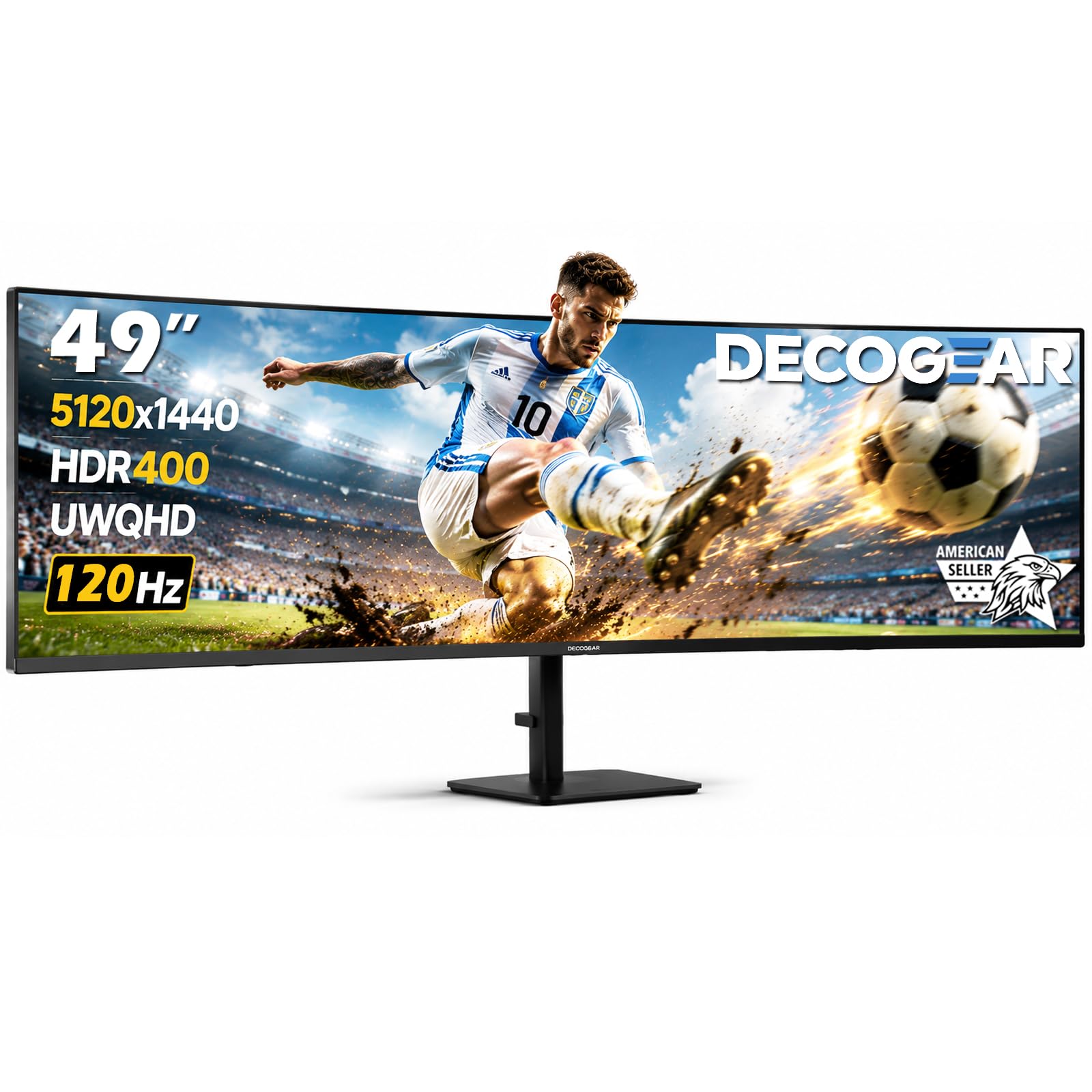
The 49-inch Deco Gear monitor replaces a dual-monitor setup with a single 32:9 panel at 5120×1440 DQHD resolution. The 1500R curve wraps the wide display around your field of view, making it possible to keep four or five application windows open side by side without any bezel gap. The VA panel delivers a 3000:1 contrast ratio with HDR400 certification, and the 120 Hz refresh rate with 1ms MPRT keeps motion smooth for both productivity and gaming.
Connectivity is generous: two HDMI inputs, DisplayPort, USB-C with 65W power delivery, and a built-in KVM switch let you control two computers with one keyboard and mouse. Picture-in-Picture and Picture-by-Picture modes allow simultaneous input viewing, which is useful for monitoring a second system while working on the main PC.
Long-term reliability has been a concern for some owners, with a few reports of screen failure within the first year. The stand offers height, tilt, and swivel adjustment, but the sheer width of the monitor demands a desk at least 30 inches deep to maintain a comfortable viewing distance.
Why it’s great
- 32:9 super-ultrawide replaces dual monitors with seamless real estate
- USB-C 65W PD and built-in KVM for multi-device control
- 120Hz refresh and HDR400 support for smooth, vibrant visuals
Good to know
- Long-term reliability and build quality are inconsistent based on owner reports
- Requires deep desk to view full width comfortably
- No built-in speakers; requires external audio solution
9. Samsung ViewFinity S50GC Series

The Samsung ViewFinity S50GC is a budget-friendly entry point into the ultrawide world, offering a 34-inch VA panel with 3440×1440 resolution and a 100 Hz refresh rate. The 3000:1 contrast ratio gives blacks noticeable depth for a budget panel, and HDR10 support expands the color range to over a billion shades, which makes streaming video and games look richer than standard SDR displays. The ambient light sensor automatically adjusts brightness to match room lighting, reducing eye strain during long sessions.
AMD FreeSync keeps the refresh rate in sync with compatible GPUs to minimize screen tearing, and the Picture-by-Picture mode lets you view input from two sources simultaneously at native resolution. The virtually bezel-free design looks clean in a multi-monitor setup or as a standalone centerpiece.
The built-in speakers are weak and barely adequate for system alerts, and the stand feels wobbly and lacks height adjustment. Setting up the optimal resolution on macOS requires third-party utilities like BetterDisplay to enable HiDPI modes, which adds friction for Apple users.
Why it’s great
- Lowest cost of entry for a 34-inch QHD ultrawide VA panel
- 100Hz refresh rate with FreeSync for smooth everyday motion
- Ambient light sensor auto-adjusts brightness to room conditions
Good to know
- Stand is wobbly and lacks height adjustment
- Built-in speakers are very low quality
- macOS users need third-party software for proper HiDPI resolution scaling
10. ASUS TUF Gaming VG34VQ3B

The ASUS TUF Gaming VG34VQ3B packs a 180 Hz refresh rate and 1ms MPRT response time into a budget-friendly 34-inch VA panel with 1500R curvature. The 4000:1 static contrast ratio is higher than many VA monitors in this tier, producing deep black levels that make dark game environments feel immersive. FreeSync Premium certification ensures variable refresh rate support is enabled by default, reducing stutter and tearing without manual driver tweaking.
The 90% DCI-P3 color gamut provides vibrant color saturation for game art, and the Extreme Low Motion Blur Sync technology works alongside FreeSync to reduce ghosting without sacrificing brightness. The build quality feels solid for the price, and the OSD is controlled through a responsive joystick instead of fiddly buttons.
The stand is short and lacks height adjustment, forcing most users to add a monitor arm or riser. The built-in speakers are exceptionally quiet and tinny, producing sound quality that is below the already low standard for monitor audio. The 180 Hz refresh requires a DisplayPort connection; HDMI tops out at a lower rate.
Why it’s great
- 180Hz and 1ms MPRT deliver excellent motion clarity for the price
- High 4000:1 static contrast ratio with deep black levels
- FreeSync Premium with ELMB Sync for tear-free, blur-reduced gaming
Good to know
- Stand is non-adjustable in height and very short
- Built-in speakers are weak and tinny
- HDMI limited to lower refresh rate than DisplayPort
11. Samsung ViewFinity S65UA

The Samsung ViewFinity S65UA is designed for productivity users who need a single-cable hub. The USB-C port delivers 90W power delivery, enough to charge even a 16-inch MacBook Pro while handling video, data, and peripheral connections. The 1000R curvature is the tightest in this roundup and matches the natural field of vision, which reduces peripheral eye movement and can lower fatigue over an eight-hour workday.
The VA panel covers 72% of the NTSC color gamut (roughly 99% sRGB) and delivers a 4000:1 contrast ratio for readable text with deep black backgrounds. The height-adjustable stand provides ergonomic flexibility, and the auto-source switch feature detects which device is active and switches inputs automatically. The virtually borderless design looks clean in a dual-monitor arrangement.
At 3440×1440 on a 34-inch panel, pixel density is adequate but not exceptionally sharp, and users coming from a 5K iMac or high-DPI display will notice a drop in clarity. Some units have reported failure within the first year, and Samsung’s warranty service has been described as difficult to navigate by several owners.
Why it’s great
- USB-C 90W power delivery charges laptops while running video and data
- 1000R curve matches natural vision for reduced eye strain
- Height-adjustable stand with auto-source switching
Good to know
- Pixel density at 34-inch QHD is not especially sharp; text can look soft
- Some units have reported early failure within the first year
- Samsung warranty support experience has been inconsistent for some customers
FAQ
What curvature radius is best for a 34-inch ultrawide monitor?
Is a VA panel good enough for photo editing on a curved monitor?
Can I connect a MacBook to a curved ultrawide monitor via USB-C?
Will a 34-inch curved ultrawide make my spreadsheet feel cramped?
Final Thoughts: The Verdict
For most users, the best curved ultrawide monitor winner is the Alienware AW3423DWF because its QD-OLED panel delivers stunning contrast and color for both gaming and content consumption at a price that undercuts many premium alternatives. If you want the highest possible refresh rate with the same OLED benefits, grab the Alienware AW3425DW. And for a pure productivity machine with excellent color accuracy and a built-in KVM, nothing beats the LG 34WQ73A-B.

Mo Maruf
I created WellFizz to bridge the gap between vague wellness advice and actionable solutions. My mission is simple: to decode the research and give you practical tools you can actually use.
Beyond the data, I am a passionate traveler. I believe that stepping away from the screen to explore new environments is essential for mental clarity and physical vitality.