Our readers keep the lights on and my smoothie glass nicely filled. As an Amazon Associate, I earn from qualifying purchases.
Counter-Strafing in CS:GO demands split-second precision where a single missed keystroke can cost a round. Between counter-strafing, jiggle-peeking, and bhopping, the difference between a good and great keyboard comes down to switch response, actuation consistency, and polling speed. Mechanical keyboards built for competitive FPS prioritize low-latency inputs and customizable actuation points that match how you actually play.
I’m Mohammad Maruf — the founder and writer behind WellFizz. I’ve spent hundreds of hours researching switch technologies, polling rates, and build quality to understand exactly what makes a keyboard perform at the highest level for CS:GO.
Whether you need lightning-fast rapid trigger for peek advantage or creamy linear switches for smooth movement, finding the right csgo keyboard means matching your playstyle to the hardware that executes it best.
How To Choose The Best CSGO Keyboard
Selecting a keyboard for CS:GO requires understanding what gives you an actual competitive advantage versus what simply looks good on paper. Not every premium-priced board delivers better peeks, and not every budget option holds you back. Focus on the specs that directly impact your movement and shooting.
Switch Type: Mechanical vs. Magnetic (Hall Effect)
Traditional mechanical switches use a physical metal contact to register a keypress, while magnetic Hall Effect switches use a magnet and sensor to detect position without contact. Magnetic switches enable rapid trigger — the ability to reset and re-actuate a key without fully releasing it, which is critical for the quick counter-strafes and peek movements in CS:GO. Magnetic switches also allow adjustable actuation points per key, letting you set WASD to a shallower press than your utility keys.
Polling Rate and Latency
Standard gaming keyboards poll at 1000Hz, meaning they report input to your PC once every millisecond. Premium CS:GO keyboards now reach 8000Hz, polling every 0.125 milliseconds. This translates to measurably faster response in situations where you and an opponent peek the same angle. The difference is most noticeable on high-refresh-rate monitors (240Hz and above) where your display can keep up with the faster input stream.
Layout and Build Quality
Full-size keyboards take up mouse room, while tenkeyless (TKL) and 75% layouts give your mouse hand more space for low-sensitivity flicks. A gasket-mounted or foam-dampened chassis reduces pinging and hollow echo, but the priority for CS:GO should always be switch responsiveness over acoustic satisfaction. Durable PBT keycaps resist shine from heavy use, and a metal or reinforced plastic frame prevents flex during aggressive play.
Quick Comparison
On smaller screens, swipe sideways to see the full table.
| Model | Category | Best For | Key Spec | Amazon |
|---|---|---|---|---|
| Logitech G PRO X TKL Rapid | Premium Analog | Tournament play with rapid trigger | Magnetic analog switches, 35g actuation | Amazon |
| GravaStar Mercury V60 Pro | Premium Compact | Ultra-low latency in 60% layout | True 8000Hz polling, 0.005mm actuation | Amazon |
| ASUS ROG Azoth Wireless | Premium Wireless | Custom build with OLED screen | Gasket mount, pre-lubed NX Snow switches | Amazon |
| ASUS ROG Strix Scope RX | Mid-Range Classic | Durable optical switch performance | ROG RX Red optical switches, 1.5mm actuation | Amazon |
| Redragon K745 HE Rapid Trigger | Mid-Range HE | Affordable magnetic switch entry | UltraMag magnetic switches, 8K polling | Amazon |
| AULA S75 PRO Wireless | Mid-Range Compact | Creamy sound with tri-mode wireless | 75% layout, LCD screen, gasket mount | Amazon |
| RK ROYAL KLUDGE R98 Pro | Budget-Friendly | Full-size with creamy pre-lubed switches | 96% layout, MDA PBT keycaps, volume knob | Amazon |
In‑Depth Reviews
1. Logitech G PRO X TKL Rapid

The Logitech G PRO X TKL Rapid uses magnetic analog Hall Effect switches with a 35g actuation force, making it one of the lightest and most responsive options for CS:GO. Rapid Trigger mode lets you re-activate a key without fully releasing it — meaning your counter-strafes and jiggle peeks become faster because the keyboard tracks your finger’s upward motion, not just the bottom-out point.
Built in a tenkeyless layout, this keyboard frees up mouse space for low-sensitivity flick shots. The KEYCONTROL software allows per-key multi-action binds and layer customization, so you can set WASD to different actuation profiles than your grenade keys. LIGHTSYNC RGB provides dynamic feedback but won’t distract during matches.
The detachable USB-C cable and compact chassis make it tournament-ready, and the lack of a number pad means your mouse hand has maximum swing room. Some users report the included USB-C cable feels fragile, but the build quality of the board itself is solid with minimal flex.
Why it’s great
- Rapid Trigger enables faster peeks and resets
- 35g actuation reduces finger fatigue over long sessions
- Tenkeyless layout prioritizes mouse space
Good to know
- USB-C port and cable durability is a concern
- No wireless option — wired-only connection
2. GravaStar Mercury V60 Pro
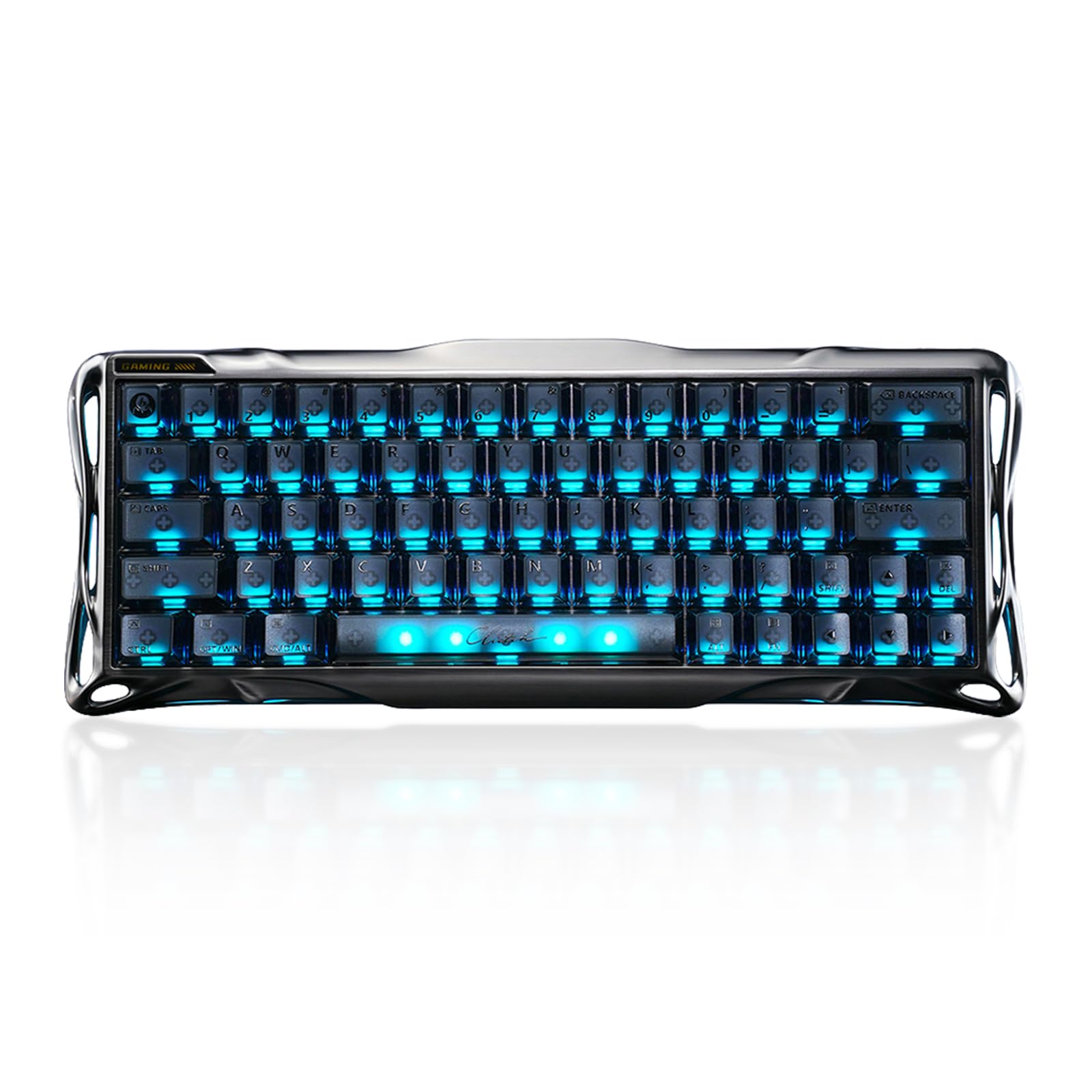
The GravaStar Mercury V60 Pro delivers true 8000Hz polling with an extraordinary 0.005mm adjustable actuation range — from 0.1mm to 4.0mm. This means you can tune each key to register at the slightest brush for WASD movement while keeping utility keys deeper to prevent accidental throws. The Rapid Trigger function resets the key the instant your finger begins lifting, giving you the fastest possible counter-strafing recovery.
Its CNC-machined 6063 aluminum body gives it a dense, premium feel with zero chassis flex during intense play. The 60% layout leaves maximum room for wide mouse swipes, though you sacrifice dedicated arrow and function keys. Frosted PBT keycaps resist shine, and the south-facing RGB ensures legends remain visible even in bright rooms.
The web-based driver eliminates the need for bulky software installations, letting you adjust actuation points and macros from any browser. SOCD and last-key-priority handling make movement in CS:GO feel snappier, especially when executing peeker’s advantage maneuvers. The hefty weight makes it less portable but rock-solid on a desk.
Why it’s great
- 8000Hz polling with 0.125ms latency
- CNC aluminum frame eliminates flex
- Web-based driver for on-the-fly adjustments
Good to know
- 60% layout lacks dedicated arrow and function keys
- Heavier build reduces portability
3. ASUS ROG Azoth Wireless

The ASUS ROG Azoth Wireless is a 75% custom keyboard that brings enthusiast-grade features to competitive CS:GO players. It ships with pre-lubed ROG NX Snow linear switches that feel smooth and thocky out of the box, and the gasket mount with three layers of dampening foam eliminates hollow pinging. The hot-swappable PCB supports 3-pin switches, and the included full lube kit lets you fine-tune every key.
ROG SpeedNova wireless technology delivers sub-1ms latency in 2.4GHz mode, making it viable for tournament use without a cable. Battery life exceeds 2000 hours with OLED and RGB turned off, so you won’t worry about charging mid-session. The 2-inch OLED screen displays CPU/GPU stats or media info, though in competitive play you’ll likely keep it dimmed.
The PBT doubleshot keycaps resist wear from heavy use, and the multi-function knob provides tactile volume control without lifting your hand from WASD. Armoury Crate software allows deep customization but can be resource-heavy. For CS:GO players who also enjoy keyboard modding, this is the most flexible premium option available.
Why it’s great
- Pre-lubed NX Snow switches with thocky sound
- 2000+ hour battery life with OLED/RGB off
- Hot-swappable PCB and included lube station
Good to know
- Armoury Crate software can be resource-heavy
- No magnetic Hall Effect switches for rapid trigger
4. ASUS ROG Strix Scope RX
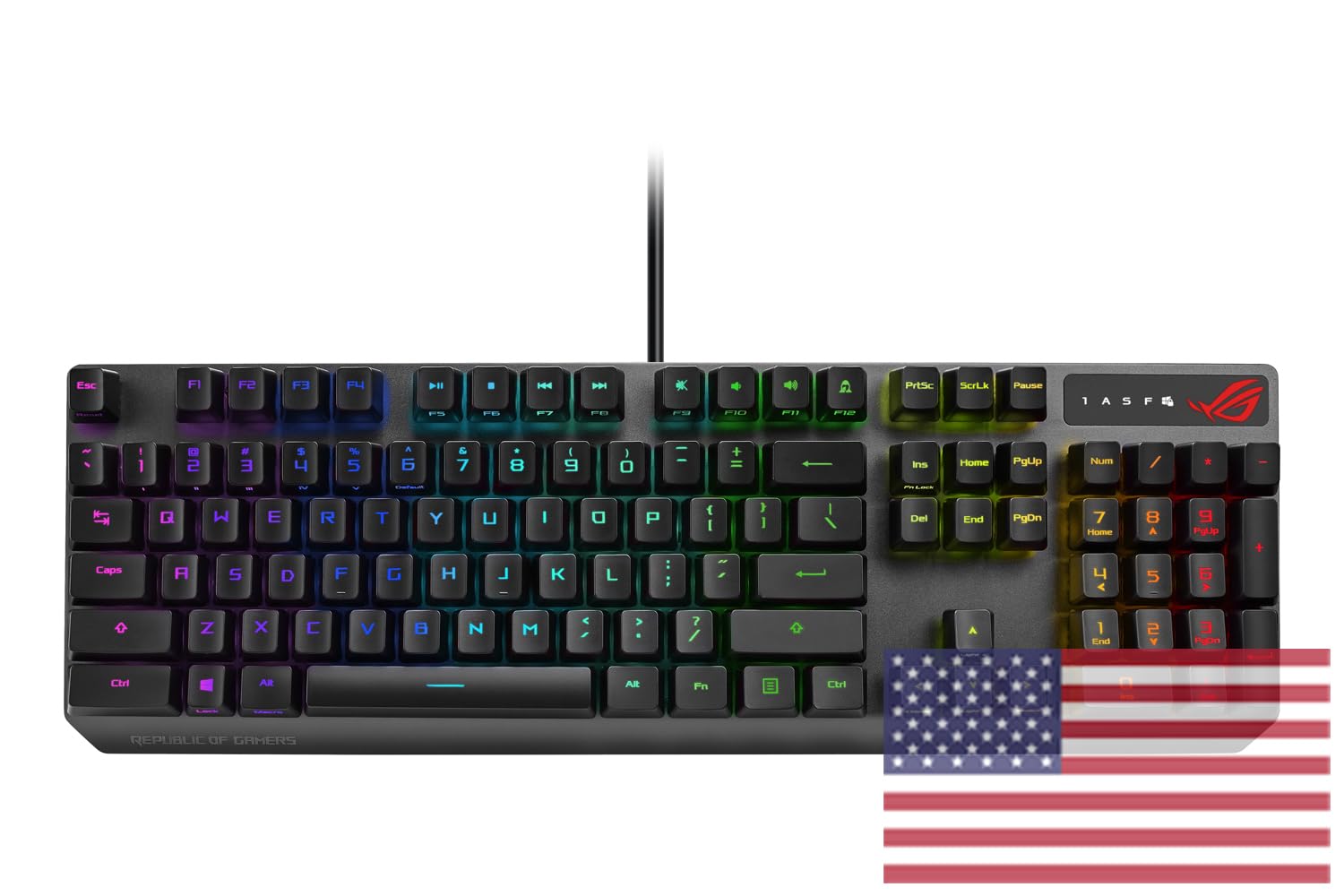
The ASUS ROG Strix Scope RX uses ROG RX Red optical switches with a 1.5mm actuation point and 40g initial force to prevent accidental presses. The optical actuation eliminates debounce delay entirely, meaning every keystroke registers instantly without the mechanical contact lag of traditional switches. The central RGB LED in each switch provides even per-key lighting without dark spots.
The aluminum alloy top plate and IP57 water and dust resistance make this one of the most durable keyboards on the list. The Stealth key instantly hides all apps and mutes audio — useful for quick privacy but not a competitive feature. The wider Ctrl key is specifically designed for CS:GO crouch-spamming, giving your pinky a larger target.
The Quick-Toggle Switch lets you flip the top row between media and function keys without entering software. Armoury Crate enables per-key RGB customization. Some users note that the F5-F12 keys have alternate functions that aren’t recognized in all games, which can be annoying but is manageable with rebinding.
Why it’s great
- Optical switches with zero debounce latency
- IP57 water and dust resistance
- Wider Ctrl key for CS:GO crouch mechanics
Good to know
- F5-F12 alternate functions may not register in games
- Full-size layout restricts mouse space
5. Redragon K745 HE Rapid Trigger
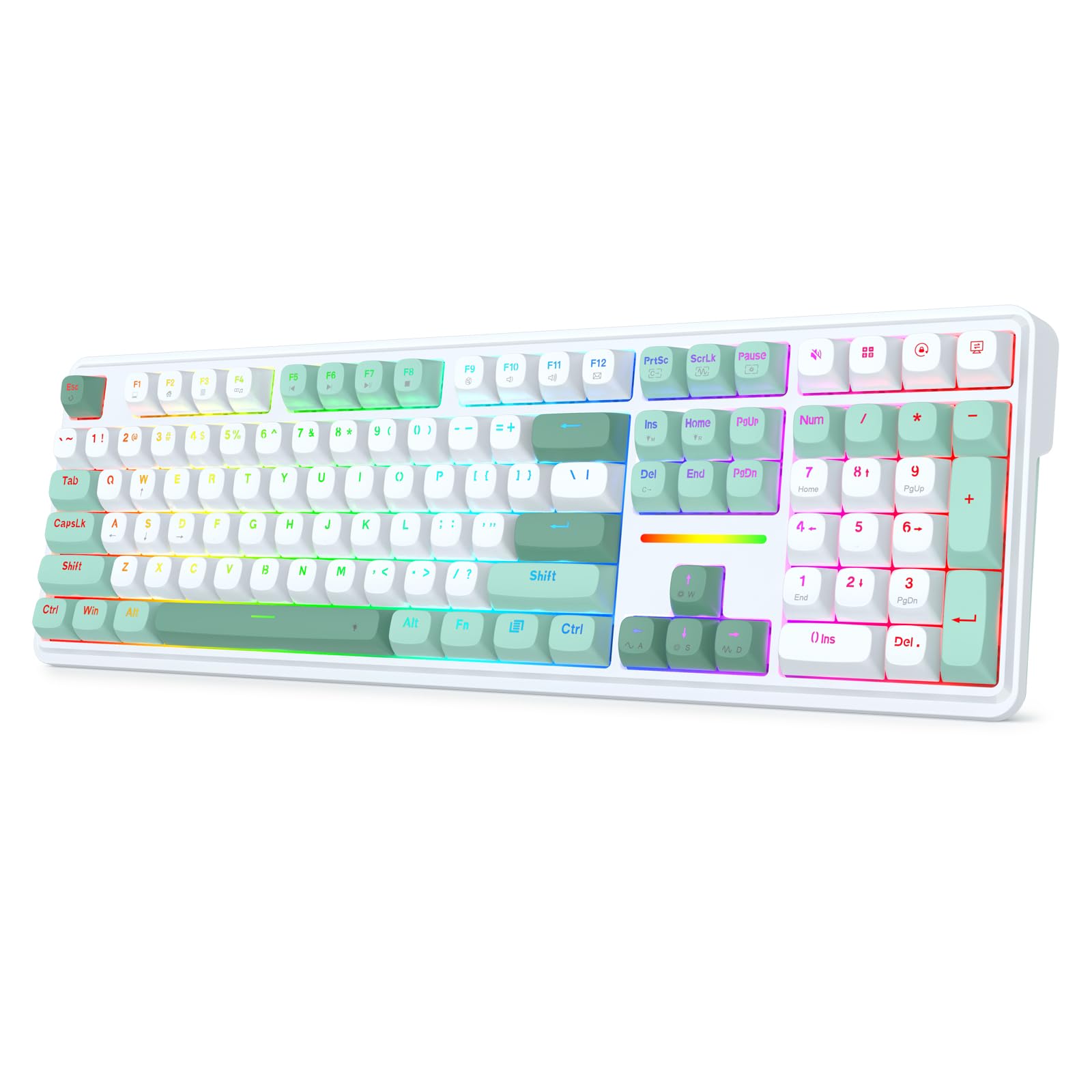
The Redragon K745 HE is the most affordable keyboard on this list to feature magnetic Hall Effect switches and true 8K polling. Next-Gen UltraMag switches with a dual-module floating structure minimize wobble and provide smooth keystrokes with a crisp Hi-Fi sound. The Rapid Trigger function lets you adjust actuation from 0.1mm to 3.4mm per key in 0.1mm increments — matching the adjustability of keyboards costing twice as much.
The five-layer noise dampening (PO foam, IXPE foam, PET pad, socket foam, silicone pad) produces a satisfying muted thock without being distracting on stream or in team comms. The PRCS technology gives you four modes that rival Snap Tap and SOCD functionality, ensuring clean movement inputs with zero ghosting. The 108-key full-size layout includes a number pad, making it suitable for players who also use their keyboard for work or productivity.
Build quality is solid plastic with minimal flex, and the web-based driver support allows customization on non-Windows systems. The included keycap and switch puller makes hot-swapping straightforward. Some users mention that the 0.1-0.2mm actuation range can be affected by component tolerance, but at this price point the performance is remarkable.
Why it’s great
- Magnetic switches with Rapid Trigger at an entry price
- Full 108-key layout with number pad
- Web-based driver works across operating systems
Good to know
- 0.1mm actuation may have tolerance inconsistencies
- Plastic build lacks the heft of aluminum frames
6. AULA S75 PRO Wireless

The AULA S75 PRO is a 75% wireless mechanical keyboard that prioritizes typing acoustics alongside gaming performance. The pre-lubed linear switches and five-layer dampening produce a creamy, thocky sound that is satisfying without being loud enough to disturb teammates. The gasket mount and PCB single-key slotting give the board a soft, bouncy feel that reduces finger fatigue over long practice sessions.
The built-in LCD screen shows battery status, time, date, and custom GIFs, and the multi-function knob lets you adjust volume or switch between the 19 RGB modes without entering software. Triple-mode connectivity (BT 5.0, 2.4GHz, USB-C) gives you flexibility, though 2.4GHz is recommended for CS:GO to avoid Bluetooth latency. South-facing LEDs ensure the side-printed PBT keycaps are readable in low-light conditions.
The hot-swappable PCB supports 3- and 5-pin switches, making future upgrades easy. The 75% layout retains arrow keys and the F-row while saving significant desk space compared to full-size boards. Battery life sits around 20 hours with RGB on — enough for a full day of gaming, but plan to plug in during extended sessions.
Why it’s great
- Creamy, thocky sound out of the box
- 75% layout saves desk space with essential keys
- LCD screen with customizable GIF display
Good to know
- Bluetooth has noticeable latency for competitive play
- Battery lasts only ~20 hours with RGB on
7. RK ROYAL KLUDGE R98 Pro

The RK ROYAL KLUDGE R98 Pro offers a 96% layout that packs a full number pad into a compact footprint, making it ideal for CS:GO players who also use their keyboard for productivity. The pre-lubed cream linear switches produce a creamy, thocky sound that requires no aftermarket modification — the five-layer sound-dampening foam ensures a clean acoustic profile without hollow reverb.
The MDA profile PBT keycaps have a sculpted surface that fits fingers naturally, providing a stronger sense of wrap during extended play. The detachable aluminum CNC volume knob lets you adjust game audio without tabbing out. Hot-swappable support for 3- and 5-pin switches means you can upgrade to magnetic switches later if desired, though the stock switches are smooth enough for most players.
The programmable online driver allows per-key remapping and macro creation on both Windows and macOS. The RGB backlighting includes over 20 modes full of color options, though some users note the backlighting is dimmer than competing keyboards. The 0.8kg weight gives it a solid desk presence without being heavy enough to hinder transport.
Why it’s great
- Creamy switches and gasket mount create excellent out-of-box sound
- 96% layout retains numpad in compact form
- Hot-swappable PCB for future switch upgrades
Good to know
- RGB backlighting is dimmer than some competitors
- Not magnetic — no rapid trigger capability
FAQ
Does rapid trigger actually help in CS:GO?
Should I get a 60% or tenkeyless keyboard for CS:GO?
Are optical switches better than mechanical for CS:GO?
Do I need 8000Hz polling for CS:GO?
Final Thoughts: The Verdict
For most CS:GO players, the csgo keyboard winner is the Logitech G PRO X TKL Rapid because its magnetic analog switches and rapid trigger capability directly improve peek mechanics and movement at a price that undercuts true high-end competitors. If you want the absolute lowest latency with an 8000Hz polling rate and aluminum build, grab the GravaStar Mercury V60 Pro. And for players who value a creamy sound profile and wireless flexibility without sacrificing competitiveness, nothing beats the AULA S75 PRO.

Mo Maruf
I created WellFizz to bridge the gap between vague wellness advice and actionable solutions. My mission is simple: to decode the research and give you practical tools you can actually use.
Beyond the data, I am a passionate traveler. I believe that stepping away from the screen to explore new environments is essential for mental clarity and physical vitality.