Our readers keep the lights on and my smoothie glass nicely filled. As an Amazon Associate, I earn from qualifying purchases.
Gone are the days when accepting card payments meant signing a merchant services contract that locked you in for years. The modern credit card reader for iPhone lets you start selling in under five minutes — no monthly fee, no dedicated phone line, no bulky terminal. Whether you run a weekend pop-up, a food truck, or a growing retail shop, the right reader turns your iPhone into a portable checkout station that handles tap, dip, and swipe.
I’m Mohammad Maruf — the founder and writer behind WellFizz. I spent dozens of hours comparing connectivity protocols, battery life specs, form factors, and onboard processing features across every major credit card reader designed to pair with an iPhone — and synthesized that data into this guide.
If you are tired of clumsy dongles that disconnect mid-transaction or swipers that fail to read the chip, this breakdown of the best credit card reader for iphone gives you a spec-for-spec comparison that cuts through the marketing noise.
How To Choose The Best Credit Card Reader For iPhone
A credit card reader for iPhone is not a complex machine, but the differences in connectivity, power source, and processing ecosystem can make or break your daily selling routine. Here are the criteria that matter most when picking the one that stays in your daily kit.
Bluetooth vs. USB vs. Self-Contained
Readers that rely on Bluetooth pairing, like the Square 2nd Gen, give you freedom of movement — set the reader on a table while you walk around with your iPhone. USB readers such as the Mag-Tek Dynamag Mini plug directly into the Lightning or USB-C port, requiring no battery or pairing but tethering you to the phone. Self-contained terminals like the SumUp Solo or Clover Compact operate independently via Wi-Fi or cellular data and need only the app on your phone for management. For most mobile vendors, Bluetooth is the sweet spot.
Battery Life and the Offline Fallback
A reader that stores transactions temporarily when the internet cuts out is worth its weight. The Square Handheld and Square 2nd Gen both support offline payments for up to 24 hours, meaning customers keep buying even when the fairground Wi-Fi drops. If you work farmers markets or convention centers with spotty signal, verify that your reader specifically lists “offline payments” as a feature — not every model does.
Required Merchant Account vs. Instant Setup
Some readers, like the Clover Compact, demand a new processing account through a specific provider before the device works. Others, such as Square readers, activate instantly via a free app and a quick registration — no contract, no monthly minimum. Determine whether you want lock-in flexibility or plug-and-play freedom before you choose a reader.
Quick Comparison
On smaller screens, swipe sideways to see the full table.
| Model | Category | Best For | Key Spec | Amazon |
|---|---|---|---|---|
| Square Handheld | All-in-One POS | Retail and restaurant tableside service | 7.04 x 3.12 x 0.62 inches, 2.11 oz | Amazon |
| SumUp Solo | Standalone Terminal | Pop-ups needing SIM data independence | OLED touchscreen, includes SIM + mobile data | Amazon |
| Clover Compact | Countertop Terminal | Fixed retail counter with Clover ecosystem | Requires Powering POS account | Amazon |
| Square 2nd Gen | Bluetooth Mobile | Vendors wanting contract-free portability | Bluetooth 5.0, battery lasts all day | Amazon |
| Symcode Multi-Function | Wired USB Reader | KIOSK / checkout lane integration | Reads magstripe, chip, and NFC | Amazon |
| Mag-Tek Dynamag Mini | Swipe Reader | QuickBooks Online swiping on desktop | USB-A, 3-track magnetic stripe | Amazon |
| Encased Dock for Square | Reader Accessory | Countertop station for Square reader | Magnetic dock, TPU protective case | Amazon |
In‑Depth Reviews
1. Square Handheld

The Square Handheld is every inch an all-in-one POS — it accepts payments, scans barcodes, and takes tableside orders without relying on your iPhone’s screen. The slim, pocketable body weighs just over 2 ounces, yet houses a battery designed to power through a full shift plus a fallback offline mode that keeps transactions flowing when the internet drops.
Rated splash- and dust-resistant, this device was built for the chaos of busy restaurants and crowded markets. Users report that storing inventory in the Square app and capturing product photos during checkout simplifies the process significantly. At this premium tier, you get the full Square ecosystem — one flat rate for all taps, dips, and swipes, with no long-term contract.
The only catch is the premium investment required to own a dedicated POS instead of a simple reader. For sellers who process high volume tableside or walk through crowded aisles scanning items, the Handheld justifies its price through speed and professional polish.
Why it’s great
- Self-contained POS: no iPhone tethering required for card processing
- Offline payment support works up to 24 hours
- Barcode scanner built into a slim, water-resistant body
Good to know
- Premium price compared to basic Bluetooth readers
- Screen protector may peel when using certain cases
2. SumUp Solo

The SumUp Solo separates itself from the pack by including a free SIM card with mobile data — meaning you can process payments anywhere without relying on your iPhone’s personal hotspot or venue Wi-Fi. The full-color OLED touchscreen lets you manage sales and tips directly on the reader itself, turning it into a genuinely independent terminal.
SumUp’s processing fees run slightly lower than Square’s standard rates, which adds up for businesses processing dozens of transactions per day. The included charging station ensures the reader stays topped off between shifts, and the setup process takes minutes via the SumUp app. Users praise the compact, sleek design that looks professional on any counter.
However, onboarding can take up to 14 days and requires submission of business documents — so this reader is not for the spontaneous seller. SumUp also lacks the invoicing and payment-link features available on its desktop dashboard, which may frustrate sellers who prefer processing everything from their phone.
Why it’s great
- Free SIM and mobile data for independent connectivity
- OLED touchscreen for standalone transaction management
- Lower per-transaction fees compared to Square
Good to know
- Onboarding can take up to two weeks with business documentation
- No invoicing or payment links available via the app
3. Clover Compact

The Clover Compact is a fixed countertop terminal designed for brick-and-mortar stores committed to the Clover ecosystem. It syncs with the Clover Mini or Station through the cloud-based Clover Dashboard, allowing you to track transactions and sales data across multiple devices seamlessly. It supports tap, dip, and swipe out of the box.
Because this unit requires a new merchant processing account through Powering POS, it is not a plug-and-play device — you must activate it through a specific provider. Users who went through the proper channel report easy setup and reliable daily performance, with customers appreciating the multiple payment options.
The largest risk is that units purchased without verifying activation compatibility may become unusable. The Clover Compact has no internal battery, so it must remain plugged in at a fixed counter — making it unsuitable for mobile selling.
Why it’s great
- Cloud sync across multiple Clover devices for unified data
- Supports swipe, chip, and contactless payments
- Professional form factor for a permanent retail counter
Good to know
- Requires brand-new processing account through Powering POS
- No internal battery — must stay plugged in at all times
4. Square Reader 2nd Generation

The Square Reader for contactless and chip (2nd Gen) is the benchmark for mobile payment acceptance — small enough to drop into a pocket, yet powerful enough to handle a full day of transactions without needing a recharge. It pairs to your iPhone via Bluetooth within seconds and works with the free Square POS app that includes inventory management, invoicing, and real-time sales reports.
There are no monthly fees, no long-term contracts, and the processing rate — one flat percentage for every tap, dip, or swipe — is transparent from the start. Offline payment support covers up to 24 hours of sales, which is vital for vendors working in areas with unreliable cellular signal. Users confirm the connection remains stable and the battery genuinely lasts through a busy festival day.
The simple design means no screen, no receipt printer, and no SIM slot — this is purely a reader that depends on your iPhone. For the vendor who wants a lightweight, contract-free entry into card acceptance, the 2nd Gen Square Reader is the standard.
Why it’s great
- Bluetooth pairing is instant and stays connected all day
- Battery lasts a full day of heavy use
- Offline payment mode for up to 24 hours
Good to know
- Requires iPhone cellular or Wi-Fi for initial transaction processing
- No display or printing features on the reader itself
5. Symcode Multi-Function Magnetic Card Reader
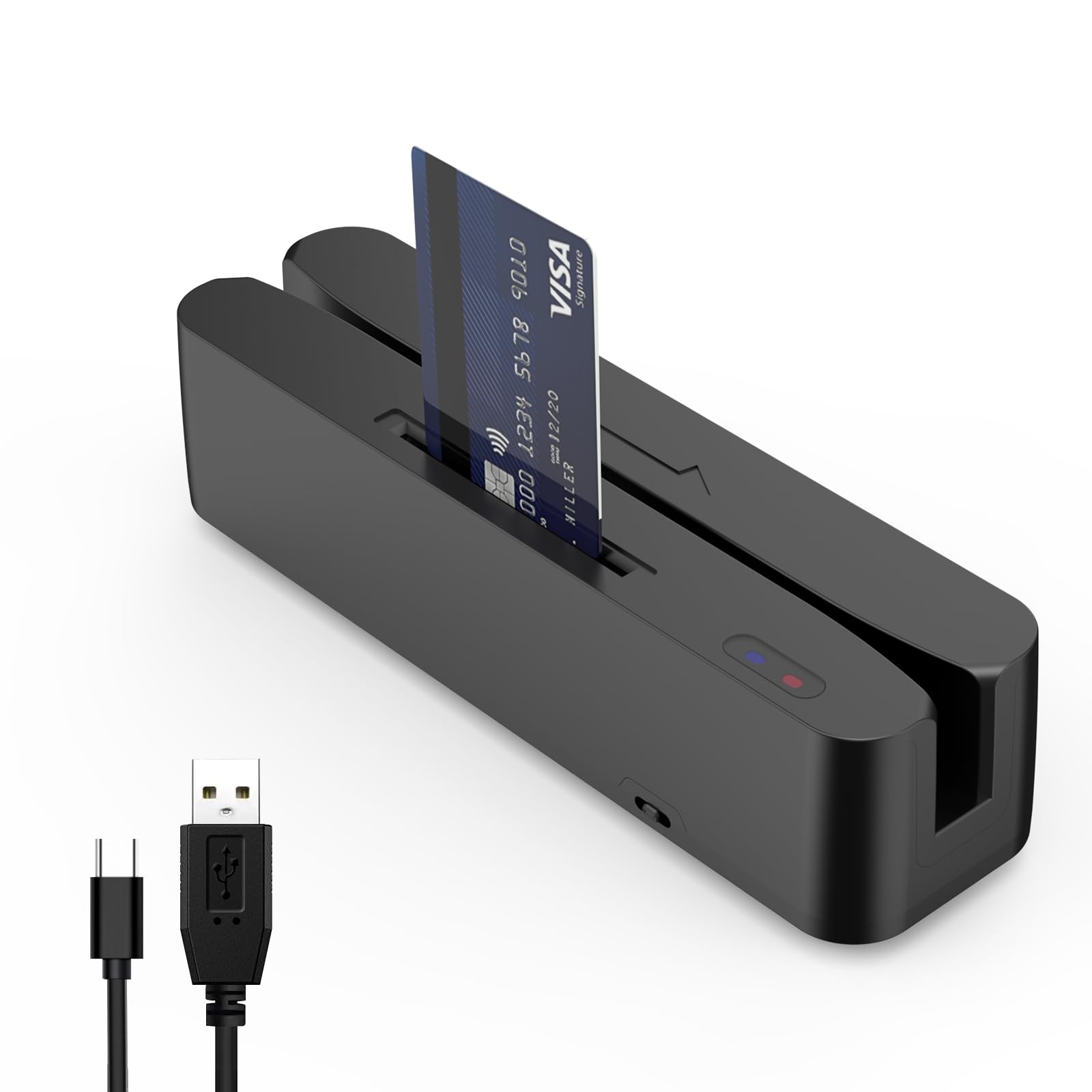
This Symcode reader is built for permanent installation — it plugs into a USB port on a cash register or KIOSK machine and reads magnetic stripe cards, SLE4442 chip cards, CPU chip cards, and NFC tags. The two indicator lights show power and data activity, while a toggle switch controls the NFC sensing mode on or off.
Widely used for membership systems, check-in kiosks, and retail checkout lanes, this reader provides an SDK and USB cable in the box. It reads all three tracks on magnetic stripes but has no encoding or writing function — it is purely a read-only device. Users in small retail shops found it plug-and-play with their existing cash register software.
The main drawback is inconsistency with certain credit card brands — some users report that it fails to read beyond track 2, and two separate units arrived defective. English documentation is minimal, with the online manual accessible only in Chinese, making troubleshooting difficult for non-technical users.
Why it’s great
- Reads magstripe, chip, and NFC in a single USB unit
- SDK included for custom KIOSK or checkout integration
- Indicator lights for quick status monitoring
Good to know
- Read-only device — no encoding functionality
- May fail to read certain credit cards on track 2
6. Mag-Tek Dynamag Mini Magnesafe
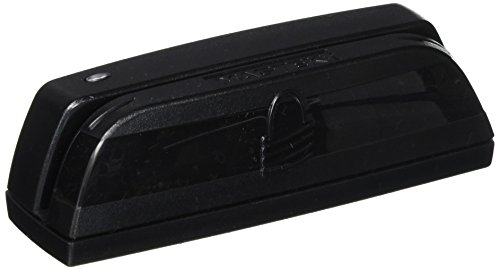
The Mag-Tek Dynamag Mini is a classic magnetic stripe swipe reader designed for desktop point-of-sale systems and QuickBooks Online. It connects via USB-A and reads all three tracks on the magnetic stripe, outputting data as keyboard strokes — which means it works with virtually any software that accepts text input.
Users running QuickBooks Online on Mac found that the reader works with a USB-C adapter even though QuickBooks claimed it would not, as long as a high-end adapter is used. The compact, lightweight body is durable enough for daily countertop use, and the setup requires no drivers — just plug it in and swipe.
Reliability is the biggest concern: multiple reviewers report that the reader stopped working after a few uses or required two to three swipes before reading a card. This is a budget-friendly wired option, but one that may frustrate users who need consistent performance on the first try every time.
Why it’s great
- Plug-and-play USB keyboard emulation — no drivers needed
- Compact desktop design suitable for permanent counter placement
- Works with QuickBooks Online on Mac with a quality adapter
Good to know
- Inconsistent read reliability — may need multiple swipes
- Some units stop functioning after minimal use
7. Encased Dock for Square Card Reader (2nd Gen)
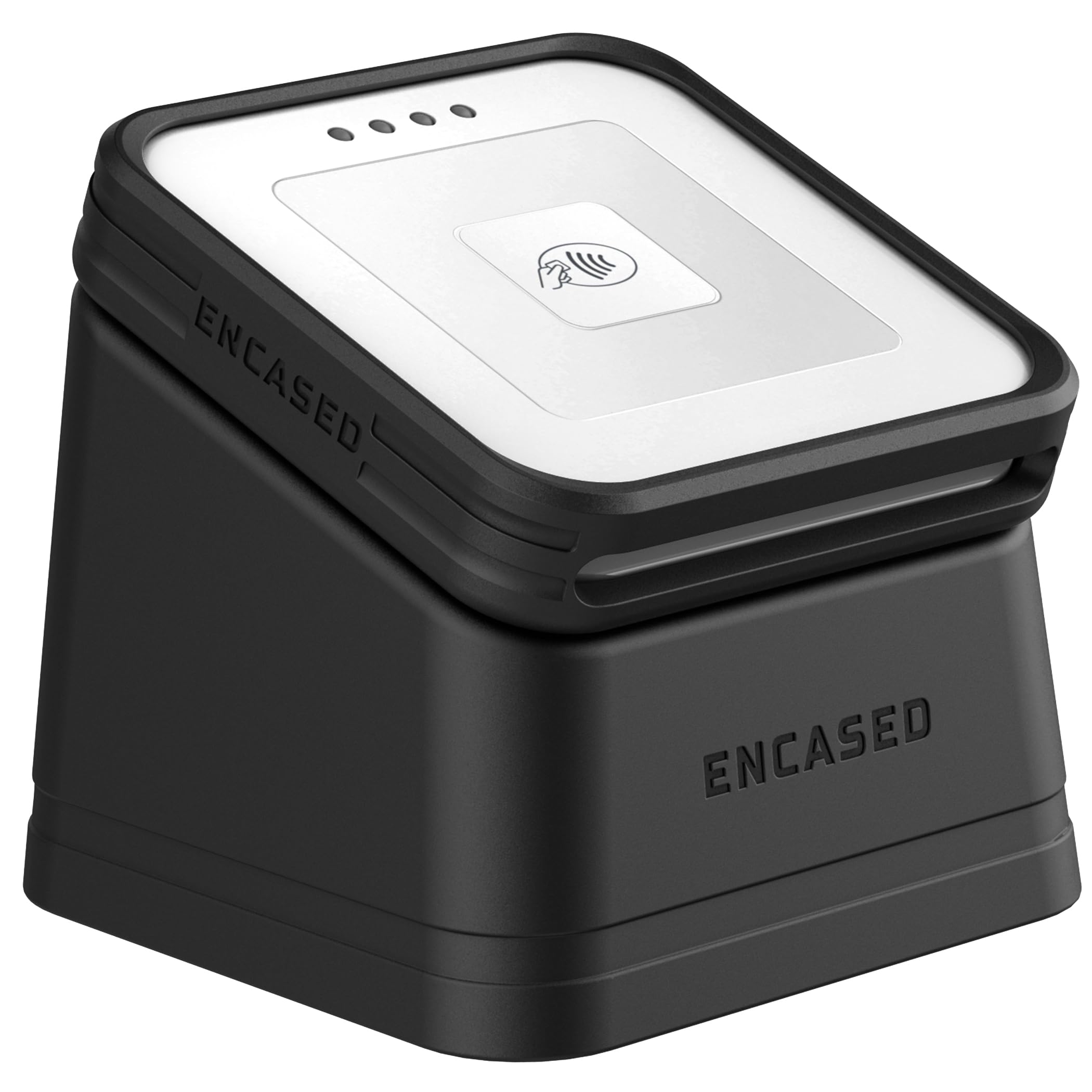
This is not a card reader itself but an accessory that turns your Square 2nd Gen reader into a countertop fixture. The Encased Dock package includes a TPU protective case with a raised lip around the tap surface and a weighted magnetic stand with a non-slip rubber base — keeping the reader stable during busy craft shows and retail checkouts.
The case stays on the reader permanently and snaps on and off the dock via strong magnets. Users report the magnet is heavy-duty enough to hold the reader securely, yet removal is quick when you need to hand the reader to a customer. The dock is also MagSafe-compatible, offering an alternative phone mounting option if needed.
The value is clear if you already own a Square 2nd Gen reader and want a dedicated station instead of fishing it out of a bag every time. But this adds a separate physical point to manage, and one user noted they expected different functionality — so confirm your use case matches a stationary reader holder before buying.
Why it’s great
- Adds a professional, weighted countertop station to your Square reader
- TPU case protects the reader from drops and scratches
- Magnetic dock allows quick removal for handheld use
Good to know
- Only compatible with the Square 2nd Gen reader
- Adds an extra item to pack for mobile vendors
FAQ
Can I use a credit card reader with my iPhone without a monthly fee?
What is the difference between a Bluetooth reader and a self-contained terminal?
Do all card readers for iPhone support chip cards and contactless tap?
Final Thoughts: The Verdict
For most users, the best credit card reader for iphone winner is the Square Reader 2nd Generation because it delivers reliable Bluetooth pairing, all-day battery life, offline payment support, and zero monthly fees in a pocket-sized package. If you want a standalone terminal with its own touchscreen and built-in cellular data, grab the SumUp Solo. And for high-volume tableside service with barcode scanning, nothing beats the Square Handheld.

Mo Maruf
I created WellFizz to bridge the gap between vague wellness advice and actionable solutions. My mission is simple: to decode the research and give you practical tools you can actually use.
Beyond the data, I am a passionate traveler. I believe that stepping away from the screen to explore new environments is essential for mental clarity and physical vitality.