Our readers keep the lights on and my smoothie glass nicely filled. As an Amazon Associate, I earn from qualifying purchases.
The promise of a paperless workflow has always been tempting, but the friction between scribbling a note and having it stored digitally has killed the dream for many. The right tool changes that—bridging the tactile satisfaction of pen on page with the searchability and cloud access of a modern device. Whether you are a student drowning in lecture handouts or a professional who lives by meeting minutes, the hardware you choose defines whether that bridge actually holds.
I’m Mohammad Maruf — the founder and writer behind WellFizz. I have spent hundreds of hours analyzing the hardware specifications, screen technologies, and real-world usability of digital notepads to find the models that actually deliver on their promise.
To save you the legwork, I have evaluated dozens of contenders to bring you this curated guide to the best digital notepad for every lifestyle and budget.
How To Choose The Best Digital Notepad
Choosing a digital notepad isn’t about picking a brand you recognize. It’s about matching the screen technology and note-taking workflow to how you actually think and capture information. The wrong screen can make writing feel like dragging a stone across glass, while the right one disappears completely and leaves only the ink.
Screen Technology: E Ink vs LCD vs Analog Reusable
E Ink screens (found on devices like the Kindle Scribe) mimic the stillness of real paper. They consume zero power to display a static page, offer weeks of battery life, and are readable in direct sunlight. However, they are monochrome or offer limited color, and the refresh rate can feel sluggish for anything other than writing and reading. LCD tablets (like the XPPen Magic Note Pad) offer full color, high refresh rates for smooth scrolling, and app versatility, but battery life is measured in hours, not weeks. The analog-reusable category (Rocketbook) uses real paper that is uploaded to the cloud via a phone camera and then wiped clean, offering the most authentic pen-on-paper feel without any screen glare.
Pen Input: Pressure Sensitivity and Latency
A fundamental spec to check is pressure sensitivity, measured in levels. Budget options offer around 4096 levels, while premium models now push 16,384. Higher sensitivity translates directly to more nuanced line thickness variation based on how hard you press, which is crucial for natural handwriting and light sketching. Latency—the delay between moving the pen and seeing the ink on screen—is equally important. The best E Ink screens have mostly eliminated this gap, making the experience feel instantaneous.
Cloud Sync and Handwriting Recognition
A digital notepad that can’t get your notes off the device and into a searchable format is just an expensive memo pad. Look for direct integration with cloud services like Google Drive, Dropbox, and OneNote. The ability to convert handwritten text into digital text (OCR) adds immense value, allowing you to search for keywords across all your notes. Some advanced models even offer voice-to-text transcription and AI-powered note summarization, effectively acting as your second brain.
Quick Comparison
On smaller screens, swipe sideways to see the full table.
| Model | Category | Best For | Key Spec | Amazon |
|---|---|---|---|---|
| Amazon Kindle Scribe Colorsoft (Latest) | E Ink Tablet | Reading & Writing on a Color E Ink | 11″ Color 300 ppi Display | Amazon |
| iFLYTEK AINOTE Air 2 | E Ink Tablet | AI Meeting Transcription & Note-Taking | 4096 Pressure Levels E Ink | Amazon |
| XPPen Magic Note Pad | LCD Tablet | Full-Color Note-Taking & Android Apps | 16K Pressure Levels / 128GB | Amazon |
| Amazon Kindle Scribe (Refurb) | E Ink Tablet | Affordable E Ink Notebook & Kindle | 10.2″ 300 ppi E Ink Carta | Amazon |
| Ophayapen Smart Sync Pen | Real-Time Sync Pen | Digitizing Paper Notes in Real-Time | Real-Time Sync + OCR + Audio | Amazon |
| Rocketbook Core | Reusable Notebook | Eco-Friendly Reusable Paper Notebook | 36 Reusable Pages / Cloud Scan | Amazon |
| OMXDG 16-Pack LCD Tablet | LCD Doodle Pad | Kids Party Favors & Mess-Free Doodling | 6.5″ Color LCD / 200K+ Erases | Amazon |
In‑Depth Reviews
1. Amazon Kindle Scribe Colorsoft 64GB (Newest Model)
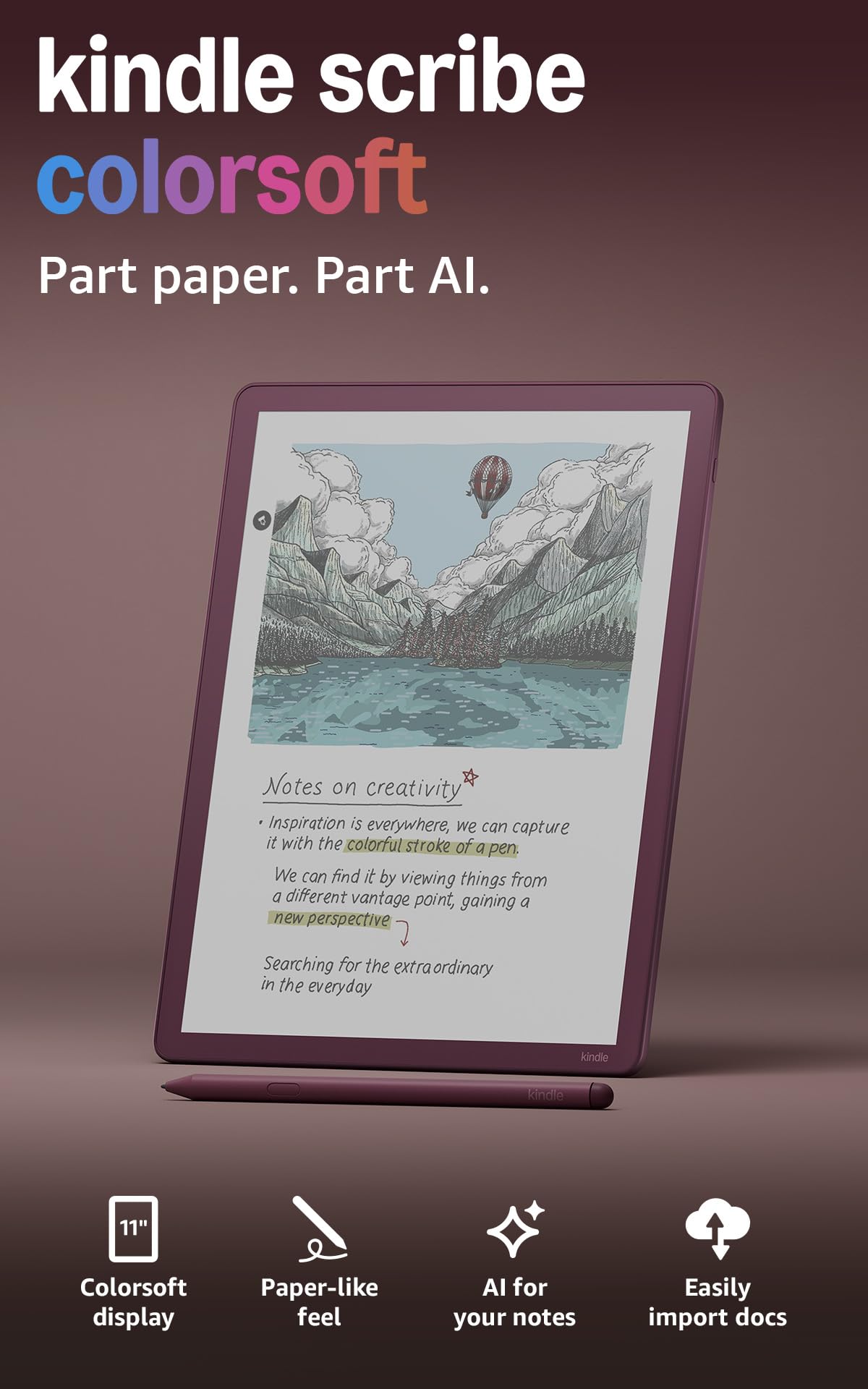
Amazon has finally answered the call of digital notebook enthusiasts with the Colorsoft Scribe. It features a custom-built oxide-based 11″ display that delivers high-contrast, paper-like color without the distracting flashes that plagued earlier attempts at color E Ink. The textured surface provides just the right amount of drag for the included Premium Pen, which requires no charging and attaches magnetically to the side of the device.
Beyond the beautiful color display, the software is the real headliner. AI-powered tools can summarize your handwritten notes, convert them to text, and even answer questions about your notebook content. The device also integrates seamlessly with Google Drive and Microsoft OneDrive for document import, and it supports Active Canvas for writing directly in Kindle books without obstructing the text. At only 400 grams and 5.4mm thin, it is remarkably portable for its screen size.
Battery life remains a hallmark, offering weeks of reading on a single charge, though heavy writing use will reduce that considerably. The color screen is muted compared to an LCD, but it is perfect for color-coded notes, highlighting PDFs, and enjoying graphic novels. If you want a luxury, distraction-free device that combines the best of a Kindle and a notebook, this is the current pinnacle.
Why it’s great
- Vibrant, paper-like color E Ink display with zero distraction
- AI notebook tools for summarization and text conversion
- Ultra-thin, lightweight design with excellent build quality
Good to know
- Premium price point relative to black-and-white E Ink models
- Color gamut is intentionally subdued compared to LCD tablets
- Some library book covers may not display in color
2. iFLYTEK AINOTE Air 2 Bundle

The iFLYTEK AINOTE Air 2 is a specialized tool for anyone who lives in meetings and lectures. Its 8.2-inch E Ink screen with 4096 pressure levels offers a writing feel that many users describe as the best in class, with immediate tactile feedback. The standout feature is the real-time voice-to-text transcription that can capture speech in 17 languages while you write notes, then create searchable meeting summaries.
The pen supports four different shapes, and the software can convert handwritten text to digital text in 83 languages. It also features a unique tagging system—you can mark notes with stars, triangles, and circles to automatically create to-do items. The dual-color front light with 24 brightness levels makes reading comfortable in any lighting condition. The device is slim at just 5mm and has a battery that lasts for days of typical use.
The primary caveat is the locked-down Android ecosystem. The device does not support the Google Play Store out of the box, which limits app availability and cloud integration compared to an open Android tablet. Some users have reported firmware instability. However, if your priority is a world-class writing and transcription tool that doesn’t pretend to be a phone, this device excels.
Why it’s great
- Outstanding AI-powered voice transcription and meeting summaries
- Exceptional paper-like writing feel with 4096 pressure levels
- Extremely slim and lightweight design for an E Ink tablet
Good to know
- Locked Android OS; limited third-party app support
- Voice transcription and handwriting conversion cannot be used simultaneously
- Firmware stability has been a concern for some users
3. XPPen Magic Note Pad 3 in 1

The XPPen Magic Note Pad bridges the gap between a dedicated digital notebook and a full Android tablet. It features a 10.95-inch AG nano-etched LCD screen with TCL NXTpaper 3.0 technology that cuts 95% of ambient glare, offering a surprisingly paper-like visual experience for an LCD. The X3 Pro Pencil 2 boasts an impressive 16,384 pressure sensitivity levels, allowing for incredibly nuanced line width variation that rivals professional drawing tablets.
The device runs on Android 14 with 128GB of storage, meaning you can download note-taking apps, document editors, and even entertainment apps from the Google Play Store. The pre-installed XPPen Notes app supports handwriting-to-text, PDF annotation, and audio recording. A dedicated X-key lets you toggle between monochrome, light color, and nature color modes. The 8000mAh battery provides a full day of heavy use, and the device charges via a 20W adapter.
It is important to note that this is a standard LCD tablet, not E Ink. The screen is comfortable for note-taking but has a narrow optimal viewing angle due to the etched glass, and the battery lasts hours, not weeks. If you want a device that can handle full-color note-taking, run productivity apps, and replace a basic tablet for entertainment, the XPPen offers tremendous value.
Why it’s great
- Industry-leading 16K pressure sensitivity for precise handwriting
- Full Android ecosystem with access to the Google Play Store
- Paper-like anti-glare LCD screen is excellent for outdoor use
Good to know
- LCD screen has a narrow viewing angle compared to conventional tablets
- Battery life is measured in hours, not weeks like E Ink
- Stylus lacks an integrated eraser on the back
4. Amazon Kindle Scribe 16GB (Refurbished)

The refurbished Kindle Scribe offers a compelling entry point into the world of dedicated E Ink note-taking without the premium price of the latest model. It combines a 10.2-inch, 300 ppi Paperwhite display with a built-in notebook. The writing feel is exceptionally paper-like, with a textured screen surface and a responsive Premium Pen that requires no pairing or charging.
This generation introduced Active Canvas, allowing you to write directly in the margins of Kindle books, which then collapses when you want to see the original page. The AI tools are more limited than the newer Colorsoft, but the core note-taking experience—journaling, sketching, meeting notes—is outstanding. Battery life is stellar, offering weeks of use on a single charge, and the device imported from Amazon’s Like-New program arrives in pristine condition.
The main trade-off is the lack of color, which limits its utility for color-coded notes or PDF annotation. The note export process to other platforms is also a bit clunkier than on some competitors. However, for someone who primarily reads and wants to annotate documents or keep a daily journal without distractions, this refurbished model offers incredible value.
Why it’s great
- Exceptional value for a full-size E Ink note-taking device
- Natural, paper-like writing feel with a responsive included pen
- Weeks of battery life and access to the vast Kindle library
Good to know
- Monochrome screen only; no color support for notes or reading
- Exporting notes to other platforms can feel clunky
- AI note features are less advanced than the newer model
5. Ophayapen Smart Sync Pen
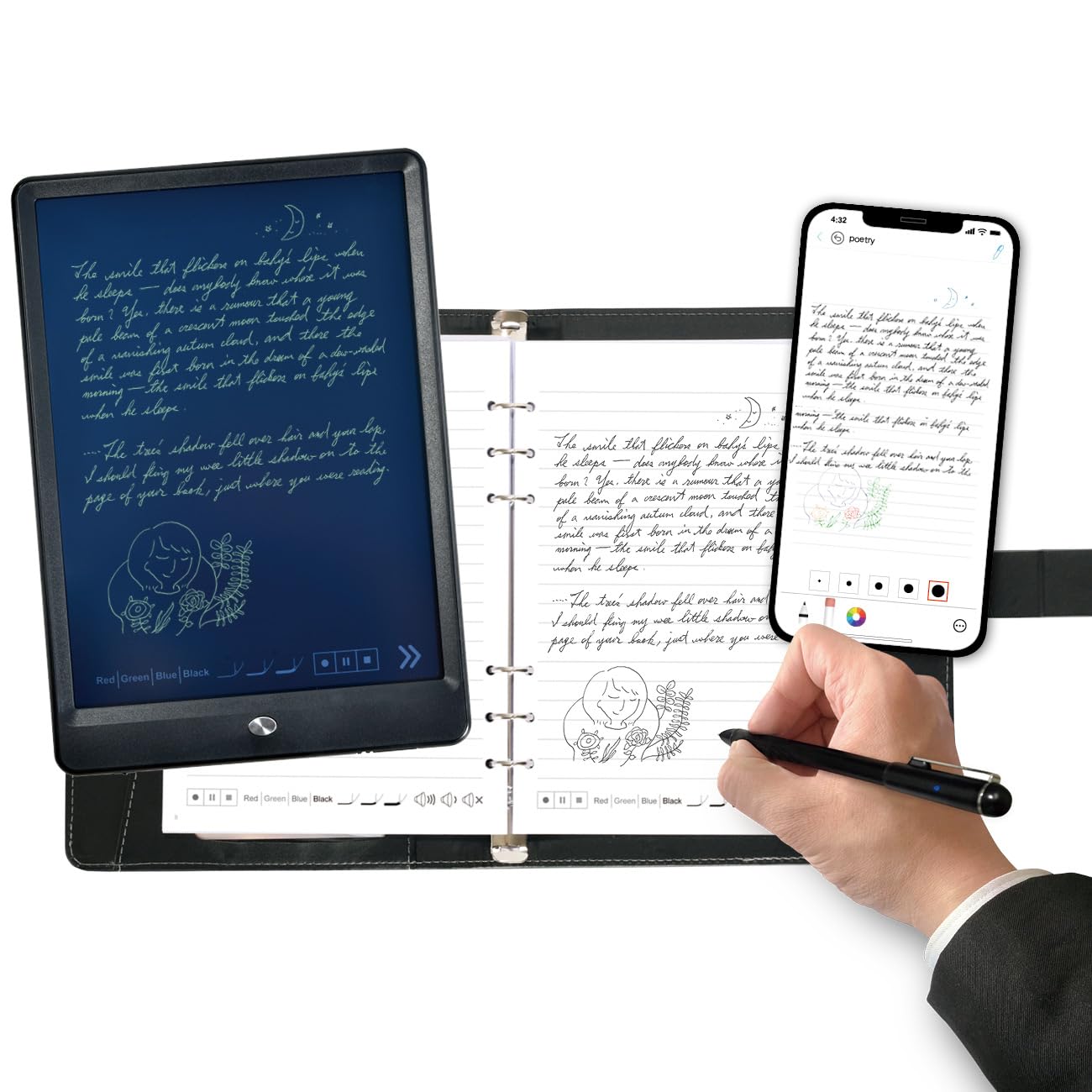
The Ophayapen Smart Sync Pen is for those who absolutely refuse to give up writing on real paper but want the convenience of digital organization. This system uses a special pen that writes on a regular notepad with a micro-dot pattern. The pen’s camera captures every stroke in real-time and transmits it to the Ophaya Pro+ app on your smartphone or tablet. It even supports audio recording synced to your writing, so you can tap on a word later and hear what was being said at that precise moment.
It goes beyond simple digitization. The app includes OCR handwriting recognition that converts your notes into editable text, which can be exported as Word docs or PDFs. Notes can be searched by keyword, tag, or timestamp. The package includes a quality PU notebook with 60 sheets, a writing board for standalone use, and multiple refills. The aluminum body of the pen feels premium, and the USB-C charging is convenient.
The experience is highly dependent on the companion app, which has received mixed reviews for its user interface and functionality. Some users have reported connectivity issues, and the lack of an offline note-management workflow can be a problem. It is a niche product that works brilliantly for people who take tons of paper notes and need them digitized instantly, but it requires a tolerance for buggy software.
Why it’s great
- Preserves the authentic pen-on-paper experience while digitizing
- Audio recording synced to handwriting is a game-changer for meetings
- Strong OCR capabilities for converting handwriting to text
Good to know
- Companion app interface and stability need improvement
- Requires special dot-pattern paper for the pen to work
- Audio recording can pick up phone notifications if not silenced
6. Rocketbook Core Reusable Smart Notebook
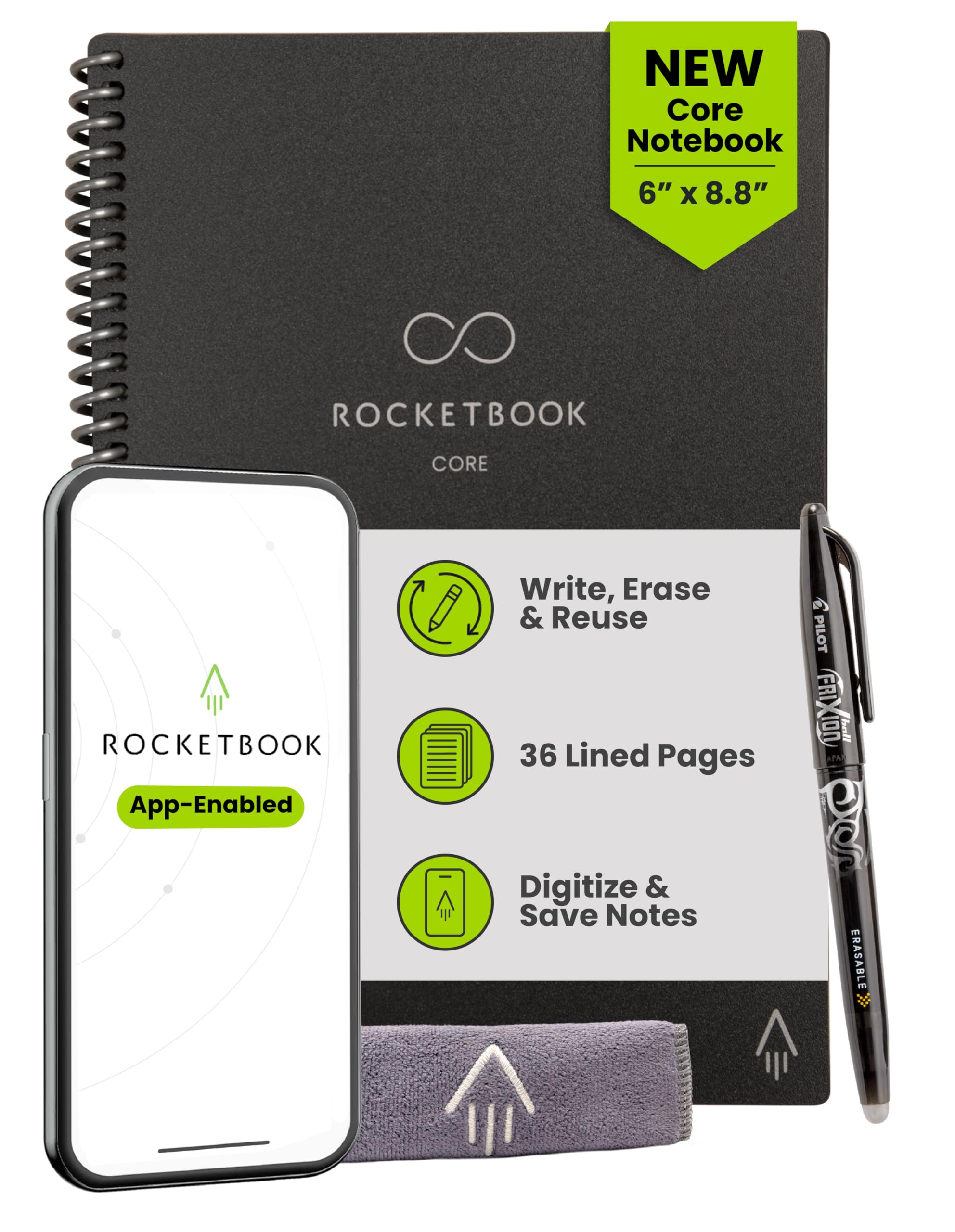
The Rocketbook Core is a brilliantly simple analog solution for digital organization. It uses specially coated, reusable pages that you write on with a Pilot Frixion pen. Once you’ve filled a page, you scan it with the Rocketbook app, which uses the notebook’s seven icon symbols on the bottom of each page to automatically route your scan to a specific cloud destination like Google Drive, Dropbox, or OneNote. Then, you wipe the page clean with a damp cloth and start over.
The new and improved Core features premium paper that feels significantly better than the previous generation. The app now supports Smart Titles and Smart Tags, which use AI to name and organize your files automatically. The spiral binding and scratch-resistant cover make it durable for daily carry. For students, this is particularly powerful—one notebook can serve an entire semester, with the app sorting notes into the right folder for each class.
The downsides are inherent to the analog system. The Frixion ink takes up to 60 seconds to dry, and smudging can occur if pages are turned too quickly. Erasing with a damp cloth is not as instant as pressing a button on an LCD tablet. You also need to keep a cloth and the special pen handy. If you love the feeling of real paper and want a simple, almost zero-cost way to go paperless, this is your answer.
Why it’s great
- Incredibly affordable and eco-friendly reusable paper system
- App reliably routes scans to different cloud folders automatically
- Provides the most authentic pen-on-paper writing experience possible
Good to know
- Ink takes time to dry and can smudge if handled too soon
- Requires a damp cloth to erase, which is less convenient than a button
- Permanent markers or regular ink will ruin the reusable surface
7. OMXDG 16-Pack LCD Writing Tablet
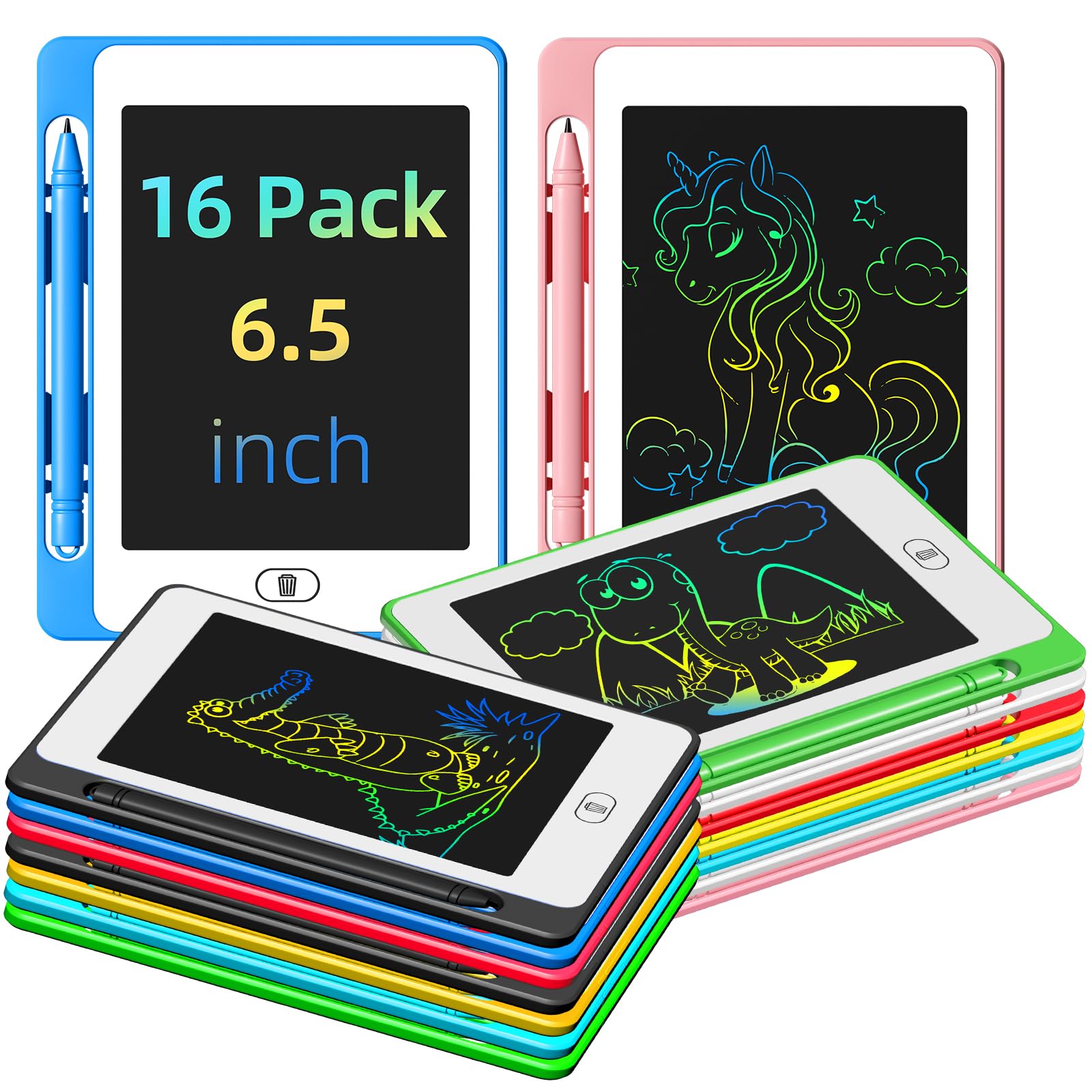
This is not a tool for professional note-taking, but it is a fantastic, mess-free creative outlet for children. The OMXDG 16-pack of LCD writing tablets gives you 16 individual 6.5-inch colorful doodle boards, each with a pressure-sensitive screen that allows drawing lines of different thicknesses. The colors are bright and clear, and the one-touch erase button makes cleanup instant.
Each tablet is lightweight, made from durable ABS plastic, and has a lock switch to prevent accidental erasure of a masterpiece. The built-in button battery is claimed to last through over 200,000 erases. They are the perfect no-mess activity for long car rides, restaurants, or as party favors. Children can doodle, practice letters, or play games without using a single sheet of paper.
The primary drawbacks are that the drawing surface is quite small and not suitable for detailed work. The included stylus is not attached, so it can easily be lost. The screen color is not user-switchable and is more of a pastel rainbow effect rather than a true color display. For its intended purpose—as a quiet, low-cost entertainment and educational tool for kids—it is hard to beat.
Why it’s great
- Exceptional value for a bulk pack of mess-free drawing tablets
- Encourages creativity and learning without paper waste
- Durable construction suitable for young children and travel
Good to know
- Small screen size limits complex drawing or note-taking
- Stylus is not attached and is easy to misplace
- Screen colors are fixed and have a muted, pastel quality
FAQ
What is the difference between a digital notepad and a tablet with a stylus?
Can I convert my handwritten notes to typed text on these devices?
How long does the battery last on an E Ink digital notepad?
Are reusable notebooks like the Rocketbook actually practical for daily use?
What should I look for in a digital notepad for a college student?
Final Thoughts: The Verdict
For most users, the best digital notepad winner is the Amazon Kindle Scribe Colorsoft because it offers the most refined, distraction-free blend of reading and note-taking on a beautiful color E Ink screen. If you need superior AI meeting transcription and voice-to-text capabilities, grab the iFLYTEK AINOTE Air 2. And for a truly budget-friendly, eco-conscious entry into digital note-taking without sacrificing the feel of real paper, nothing beats the simplicity and value of the Rocketbook Core.

Mo Maruf
I created WellFizz to bridge the gap between vague wellness advice and actionable solutions. My mission is simple: to decode the research and give you practical tools you can actually use.
Beyond the data, I am a passionate traveler. I believe that stepping away from the screen to explore new environments is essential for mental clarity and physical vitality.