Our readers keep the lights on and my smoothie glass nicely filled. As an Amazon Associate, I earn from qualifying purchases.
Scaling a custom apparel business means moving beyond heat-press vinyl and into on-demand, full-color production. A direct-to-garment printer eliminates the lengthy screen-printing setup, letting you print a single, high-margin shirt in minutes. The challenge is picking the right machine that balances speed, print quality, and reliability without locking you into a costly service contract.
I’m Mohammad Maruf — the founder and writer behind WellFizz. I’ve spent countless hours comparing printhead technologies, ink systems, and maintenance features across the top-selling DTG and DTF bundles to find the ones that actually hold up in a small business workflow.
After analyzing seven leading models across multiple price tiers, this guide cuts through the marketing fog to present the most reliable direct-to-garment printer for small business operations today.
How To Choose The Best Direct-To-Garment Printer For Small Business
Jumping into DTG or DTF printing without understanding your core workload leads to buying too much machine or, worse, a printer that clogs after a weekend off. Every small-business buyer needs to weigh printhead durability, ink delivery, and maintenance automation before looking at bundle extras.
Printhead Type: The Speed and Clog Equation
The printhead is the heart of your machine. Budget-level DTG printers often use the older Epson L1800 or R1390 printheads, which deliver acceptable quality but print an A3 sheet in 6–8 minutes. Upgraded F1080 printheads (the Gen2 evolution of the XP600) cut that time in half — down to 3–4 minutes per film — with sharper edge definition. For a small business doing 15–20 prints per day, that time saving adds up to an extra production hour per week. The trade-off is that F1080 heads are less common in ultra-budget machines, so expect to pay a premium for the speed.
White Ink Circulation: The Make-or-Break Feature
White ink is the most temperamental fluid in any DTG or DTF workflow. If the white ink settles or gets air bubbles, your prints come out streaky or weak on dark garments. Look for machines with built-in white ink circulation and agitation — these systems cycle the ink automatically, preventing pigment settling and eliminating the need for syringes or manual stirring. Models without this feature require you to shake ink bottles constantly and prime the lines manually, a process that invites contamination and downtime.
Bundle Completeness vs. Hidden Costs
Many DTG printers are sold as “bundles” that include an oven, powder shaker (for DTF), film rolls, and software. A true all-in-one bundle saves you hundreds in separate purchases, but read the fine print — does the bundle include a pre-loaded laptop with RIP software? Is the oven temperature adjustable? Does the warranty cover the printhead for more than 6 months? The best value bundles give you a turnkey setup: plug the machine in, load the ink, and print your first shirt within an hour. Bundles that require you to source your own software or curing setup often end up costing more than the sum of their parts.
Quick Comparison
On smaller screens, swipe sideways to see the full table.
| Model | Category | Best For | Key Spec | Amazon |
|---|---|---|---|---|
| MZK A3 DTF Printer | Premium | High-volume shops needing speed | F1080 printhead, 3‑min A3 film | Amazon |
| Lancelot M1630 Pro | Premium | Turnkey all-in-one DTF studio | Holiday auto‑clean, 6.5 prints/hr | Amazon |
| PLK A3 Plus DTF | Mid-Range | Balanced price vs. dual‑ink system | XP600, 4.5″ touchscreen, auto‑clean | Amazon |
| DSV A3 DTF Printer | Mid-Range | Starter kit with 2‑year ink supply | F1080, 24/7 anti‑clog, dual alarm | Amazon |
| B btransfer M1630 Pro | Mid-Range | Beginners wanting a laptop bundle | F1080, holiday mode, vacuum system | Amazon |
| Cyq A3 DTG & DTF | Value | Printing both DTG directly & DTF film | Suction platform, dual‑use print carriage | Amazon |
| DXZ A3 DTG Printer | Value | Eco‑conscious DTG‑only printing | 2800×1440 DPI, water‑based inks | Amazon |
In‑Depth Reviews
1. MZK A3 DTF Printer with F1080 Printhead
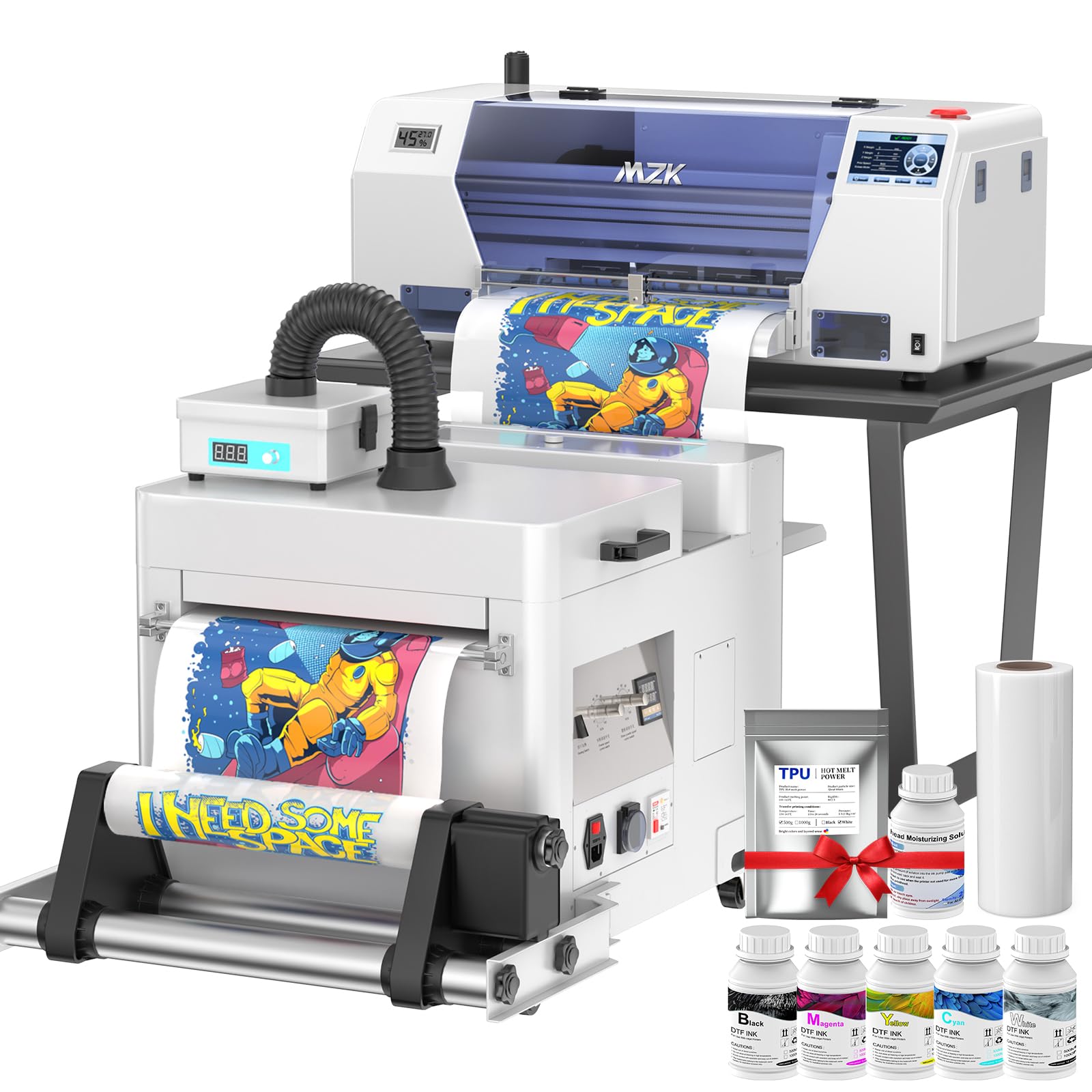
The MZK A3 DTF Printer sits at the top of the mid-range for good reason: its F1080 printhead delivers a full A3 transfer in roughly 3 minutes — twice as fast as older L1800-based machines — with a 1880×1440 dpi resolution that holds sharp detail even on small text. The 5-inch LED touch panel lets you check nozzles and clean heads without opening a computer, a real time-saver when you’re swapping between job files.
Where this machine really earns its keep is the anti-clogging system. The holiday mode automatically cycles white ink and performs timed cleanings during idle periods, preventing the dried-nozzle drama that kills production. The built-in three-in-one black and white ink system continuously mixes, filters, and recirculates white ink, so you don’t have to babysit the pigment settling. Users consistently report no clogs even after leaving the printer unused for a weekend.
The bundle includes a 2-year ink supply (5 bottles of 250ml ink plus 500g powder every two months), which alone saves over a thousand dollars in consumable costs. Customer reviews highlight responsive support from engineers who help with both setup and ongoing troubleshooting. The only catch is that it’s Windows-only (no macOS support), but that’s standard for this class of printer.
Why it’s great
- F1080 printhead cuts A3 print time to ~3 minutes
- Holiday mode auto-clean prevents clogs during downtime
- 2-year free ink and powder program reduces consumable cost
Good to know
- Setup has a learning curve for first-time DTF users
- No macOS software support – Windows 7/10/11 only
2. Lancelot M1630 Pro DTF Printer Bundle

The Lancelot M1630 Pro is the most complete turnkey bundle on this list — it includes the printer, an intelligent powder shaker, a heater dryer, and a mobile workstation cart, so you can roll the entire setup into a corner and start printing within an hour. The XP600 (F1080) printhead outputs at 720×1440 dpi, and while that resolution is slightly lower than the MZK’s, real-world print quality remains vibrant and sharp, especially on dark fabrics.
The standout feature here is the Smart Holiday Mode, which performs automatic white ink circulation, stirring, and printhead cleaning when the machine sits idle. For a small business owner who prints in bursts — three days on, one day off — this maintenance automation saves significant head-cleaning sessions. Users report producing around 6.5 prints per hour on 12×12 sheets, which is strong for a single-head system. The bundle also includes a pre-loaded laptop with RIP software, removing the headache of sourcing your own computer and configuring drivers.
Customer support gets uniform praise across reviews for being responsive, patient, and available 24/7. The downsides are minor but real: the powder refill process can be messy, the lower oven lacks a light for visual checks, and the machine is noisy during operation. For a dedicated print studio, these are acceptable trade-offs for the convenience of an all-in-one mobile station.
Why it’s great
- Complete all-in-one bundle with cart, oven, shaker, and laptop
- Holiday mode prevents clogs automatically
- 24/7 customer support with remote troubleshooting
Good to know
- Noisy during printing – best in a separated workspace
- Powder refill station can be messy if not handled carefully
3. PLK A3 Plus DTF Printer with Powder Shaker Dryer
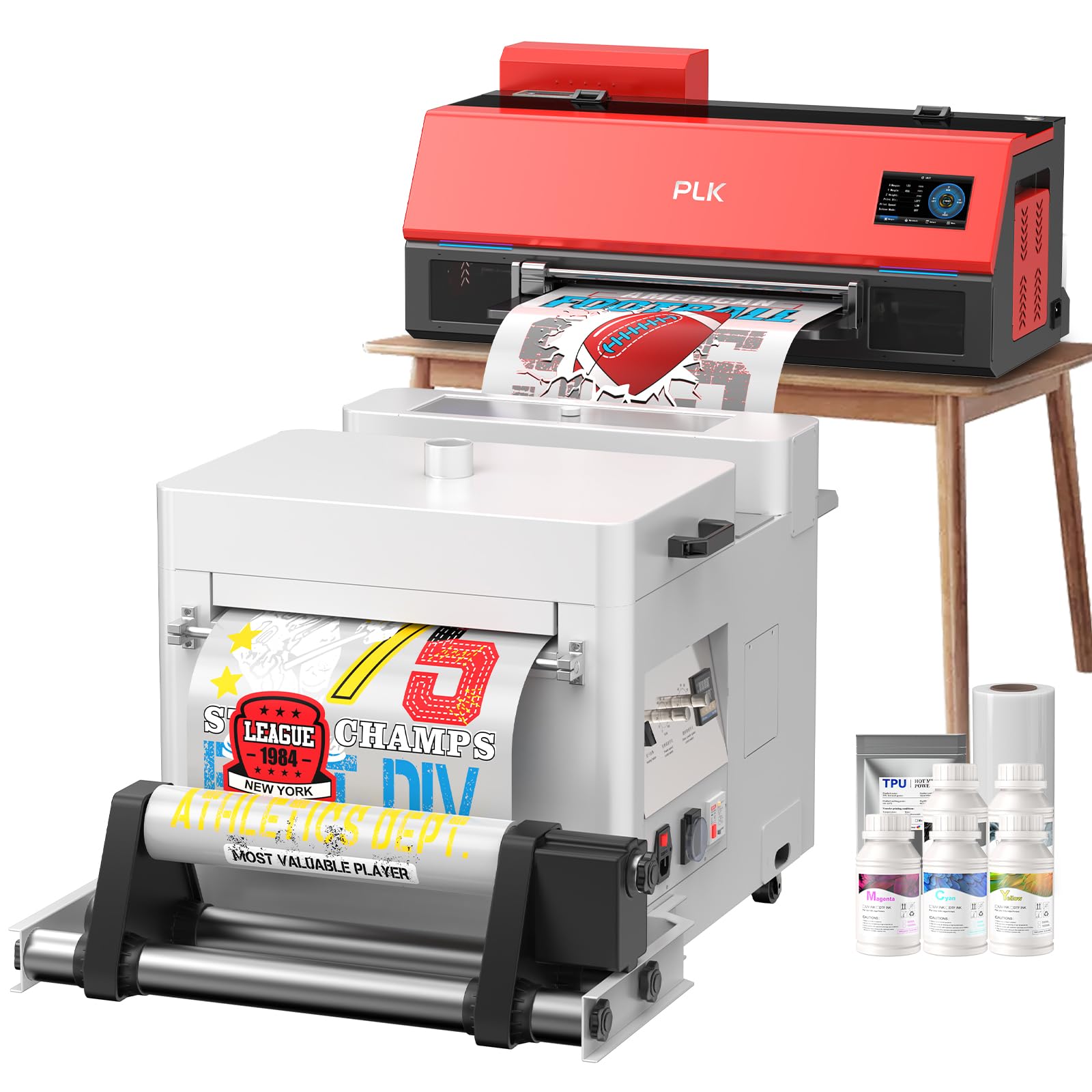
The PLK A3 Plus DTF Printer delivers the core features needed for a small business — XP600 printhead, automatic cleaning, white ink circulation, and a built-in film cutter — at a price that leaves room in the budget for additional consumables or a heat press. The 4.5-inch touchscreen makes on-the-fly adjustments simple, and the one-click ink loading feature eliminates syringe mess during ink changes.
Its key strength is the dual white ink system: continuous stirring and circulation keeps white pigment uniform, which is crucial when you’re printing on dark T‑shirts where any inconsistency shows immediately. The auto-cleaning system runs on a timer, and users report that even after periods of inactivity, the printhead fires cleanly on the first test print. The package includes a powder shaker dryer, 100m of A3 film, 5 × 250ml inks, and 500g of powder — enough to run your first production batch without further shopping.
Customer reviews are overwhelmingly positive, with multiple mentions of outstanding support from technicians like Jeremy and Albert who spent hours walking users through setup and optimization. The only real limitation is that, like most machines in this class, the included software only supports Windows — Mac users will need a separate PC. For a printer that balances capability and cost, the PLK A3 Plus is a strong mid-range contender.
Why it’s great
- One-click ink loading minimizes mess and air bubbles
- Dual white ink circulation prevents settling on dark fabrics
- Exceptional customer support with remote setup assistance
Good to know
- Printhead warranty is 6 months – standard for this tier
- Software is Windows-only; no macOS driver available
4. DSV A3 DTF Printer with Oven & PC
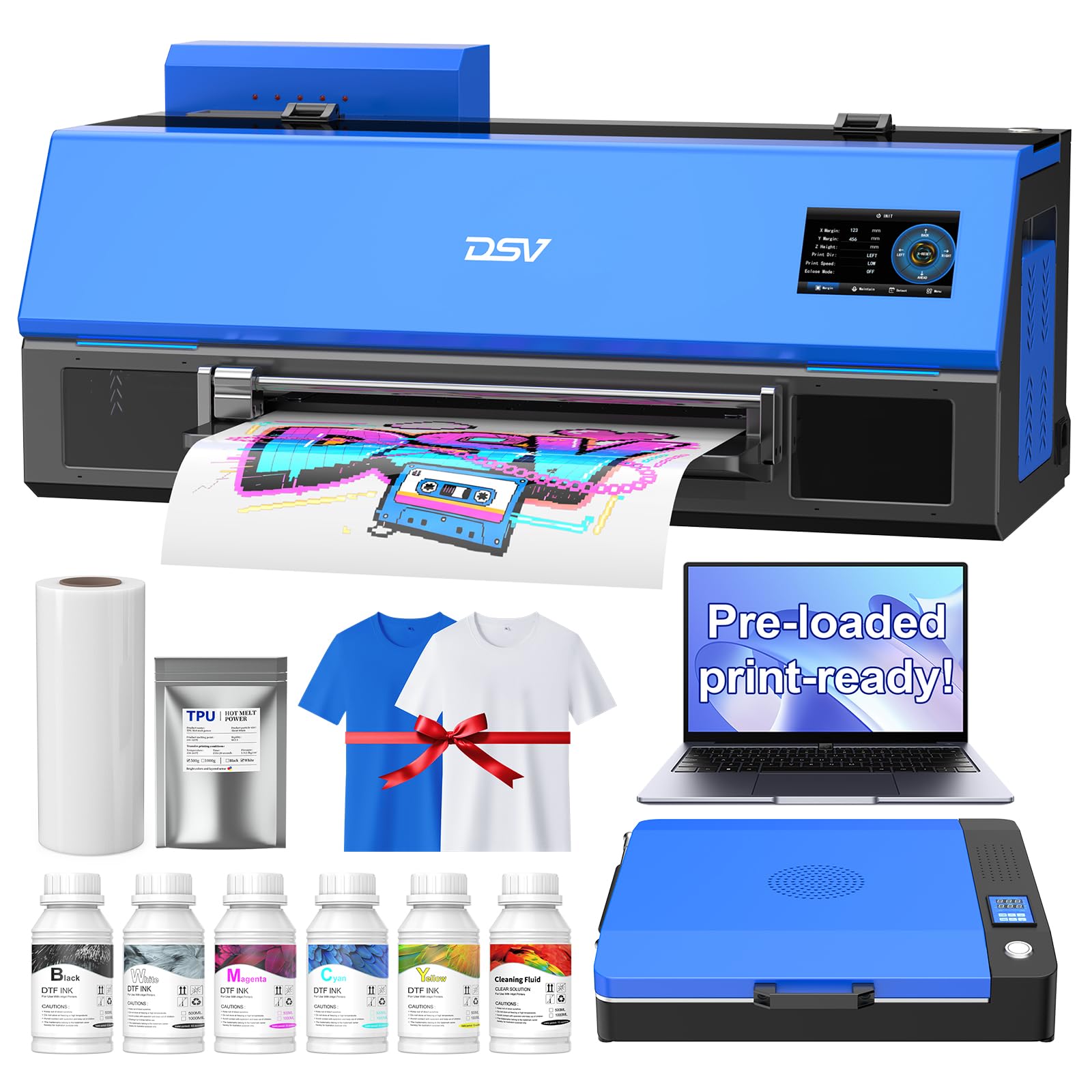
The DSV A3 DTF Printer is the entry-level workhorse for the small business owner who wants an F1080 printhead (2× speed over L1800) without paying a premium for extra bells. It prints a full A3 transfer in 4–5 minutes and supports a roll feeder that pushes throughput to 12–15 prints per hour. The 24/7 auto-maintenance system, controlled via the 5‑inch touchscreen, performs timed cleaning and moisturizing to keep the head ready even after a week of inactivity.
The white ink circulation system is another highlight. It uses a built-in pump to agitate and recirculate white ink continuously, preventing the pigment settling that ruins prints on dark garments. The one-key refill pulls ink automatically — no syringes, no bubbles. The dual alarm system (low ink and waste overflow) gives you visual alerts before a color runs dry, which is a lifesaver during a long print run when you’re focused on pressing shirts.
Reviews are generally very positive, with users praising the vibrant color output and the exceptional customer support from representatives like Daisy. However, one detailed negative review warns of a defective unit and difficulties with return shipping costs, so it’s wise to inspect the machine thoroughly upon arrival and test it within the return window. If you get a good unit, the DSV bundle — which includes a powder shaker, curing oven, air purifier, and 2‑year ink supply — is one of the best values for a starter business.
Why it’s great
- F1080 printhead delivers 2× speed vs. L1800 at this price level
- 2‑year ink supply included – lowers total cost of ownership
- 24/7 auto-maintenance plus dual alarm system
Good to know
- Quality control can vary – test immediately upon arrival
- Setup software installation can be tricky without video guidance
5. B btransfer A3 M1630 Pro DTF Printer
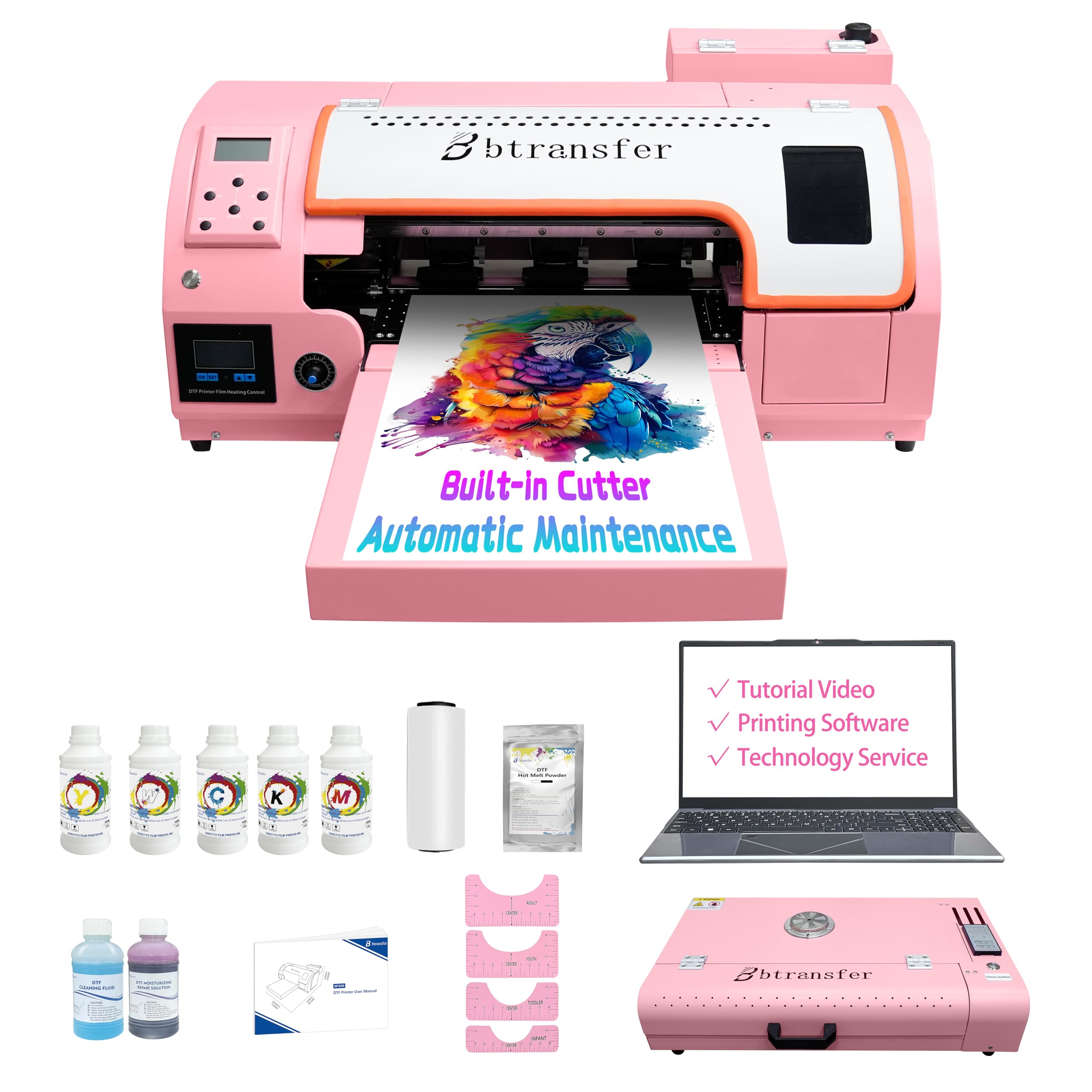
The B btransfer M1630 Pro is designed specifically for beginners who don’t want to spend days configuring a print system. It ships with a dedicated laptop that has all the RIP software, drivers, and tutorials pre-installed. You unbox it, connect the USB cable, follow the video guide, and you’re printing within an hour. The F1080 printhead runs at double the speed of two L1800 printers combined, which is impressive for a machine in this price tier.
Beyond the beginner-friendly setup, the M1630 Pro includes a built-in heating plate and vacuum suction system that keeps film flat during printing, preventing wrinkles that cause misprints. The automatic/manual cutter trims film precisely with zero waste, a feature that saves money over time when you’re printing small batches. The holiday mode automatically circulates white ink and cleans the printhead when the machine is idle, so you don’t have to worry about clogs during breaks.
Customer reviews are unanimous in praising the print quality and the support team, with one user noting that Cheems from tech support resolved a setup snag quickly. The only trade-off is that, while the bundle includes plenty of starter consumables, the ink and film refills are proprietary, so you’ll need to buy from the same brand to maintain print quality. For a first-time DTF buyer who wants the least friction possible, this is a strong pick.
Why it’s great
- Comes with a pre-loaded laptop – zero software setup
- Heating plate and vacuum eliminate film wrinkles
- Holiday mode auto-clean keeps heads ready during breaks
Good to know
- Proprietary consumables may limit future sourcing options
- Designed for Windows only; no support for macOS
6. Cyq A3 DTG & DTF Multifunction Printer

The Cyq A3 Multifunction Printer is the only machine on this list that handles both DTG (direct-to-garment) and DTF (direct-to-film) printing out of the box. It comes with an A3 suction platform for film printing and an A3 garment platen for printing directly onto white cotton shirts. This dual-mode flexibility lets you decide per order whether to print directly or use a film transfer — especially useful if you take jobs on cotton, polyester, leather, or denim.
The print quality is strong for a dual-purpose machine, with vivid color reproduction and the ability to print on both light and dark fabrics (dark requires a pre-treatment step in DTG mode, or powder shaking in DTF mode). The white ink stirring system runs on a timer to reduce clogging, and the printhead and motherboard are standard parts that are cheaper and easier to source than proprietary assemblies. The machine is comparatively compact and lightweight at just over 9 pounds, though it still requires a dedicated workspace.
Customer support, particularly from a representative named Michael, receives stellar reviews for being available late at night and guiding users through setup with step-by-step video instructions. That said, one long-term review reports a clogged ink line after several months that required a possible motherboard and printhead replacement — a risk with any budget DTG machine. This printer is best suited for a hobbyist or very low-volume shop that values flexibility over raw reliability.
Why it’s great
- Prints both DTG directly and DTF film in one unit
- Standard, easier-to-source printhead and motherboard
- Compact footprint and lightweight for small workspaces
Good to know
- Some users report clogs after several months of use
- DTG printing requires a separate pre-treatment spray step
7. DXZ A3 DTG Printer with White Ink Engine

The DXZ A3 DTG Printer targets the shop that wants museum-grade print quality on cotton apparel without the powder-shaking and film-waste of DTF. Its 2800×1440 DPI resolution — the highest on this list — delivers razor-sharp photographic detail and smooth gradients that rival screen printing on small runs. The water-based ink system is non-toxic and safe for sensitive skin, making it an excellent choice for baby clothes and children’s apparel.
The white ink mixing engine is a standout: it automatically stirs and circulates white ink to prevent settling, so you can print on dark, black, and colored garments with consistent opacity. The machine comes with a motorized sprayer for pre-treatment liquid, a print holder, and enough starter ink (5 × 250ml bottles plus 1000ml pre-treatment) to run your first batch of samples. The semi-automatic cleaning system simplifies maintenance, though it’s not as hands-off as the holiday-mode systems found on the top DTF bundles.
Setup and support are generally well-reviewed, with Jack, Daisy, and Jeremy earning praise for patient, detailed guidance. However, one unverified review claims the printer doesn’t use standard RIP software and requires Adobe to manually add a white backing layer — a workflow complication that could frustrate DTG newcomers. The printer is also DTG-only, so you can’t run DTF transfers for non-cotton products. If your business is 100% cotton tees and you value photorealistic output, the DXZ is worth considering, but be ready for a steeper software learning curve.
Why it’s great
- Highest DPI (2800×1440) on this list for ultra-detailed prints
- Water-based, non-toxic inks safe for baby/children’s clothing
- Automatic white ink mixing engine for consistent dark-garment prints
Good to know
- DTG-only – no DTF capability for polyester items
- May require manual white-layer setup in Adobe for some workflows
FAQ
What is the difference between DTG and DTF printing for a small business?
How often do DTG printheads need to be replaced?
Do I need separate software to print white ink on dark shirts?
Final Thoughts: The Verdict
For most users, the direct-to-garment printer for small business winner is the MZK A3 DTF Printer because it combines the fastest F1080 printhead with a reliable anti-clog system and a 2-year free ink program that dramatically lowers your per-print cost. If you want a true all-in-one setup that includes a laptop, cart, and oven — ready to roll out of the box — grab the Lancelot M1630 Pro. And for the budget-conscious starter who still wants an F1080 head and a complete bundle, nothing beats the value of the DSV A3 DTF Printer.

Mo Maruf
I created WellFizz to bridge the gap between vague wellness advice and actionable solutions. My mission is simple: to decode the research and give you practical tools you can actually use.
Beyond the data, I am a passionate traveler. I believe that stepping away from the screen to explore new environments is essential for mental clarity and physical vitality.