Our readers keep the lights on and my smoothie glass nicely filled. As an Amazon Associate, I earn from qualifying purchases.
A photo editor’s monitor is the single most critical link between what your sensor captures and what your client sees. Without a panel that delivers accurate color, consistent brightness, and wide gamut coverage, every hour spent dodging and burning in Lightroom is a gamble against print and web output.
I’m Mohammad Maruf — the founder and writer behind WellFizz. I’ve spent hundreds of hours dissecting the technical specifications, reading through user experiences, and comparing the calibration reports, panel types, and connectivity options that actually matter for critical color work.
From 4K IPS panels to QD-OLED breakthroughs, the options are deeper than ever. This guide cuts through the noise to find the best display monitor for photo editing by focusing on repeatable specs like Delta E ratings, color gamut coverage, and hardware calibration support.
How To Choose The Best Display Monitor For Photo Editing
Photographers often assume a high resolution alone guarantees great images. In reality, color accuracy — measured through Delta E, gamut coverage, and panel uniformity — is far more decisive for consistent edits across devices and prints.
Prioritize Color Gamut and Delta E
Look for monitors that cover at least 99% sRGB and 90% DCI-P3 or Adobe RGB. A factory-calibrated Delta E under 2 ensures minimal color shift out of the box. Many professional models come with a printed calibration report, which adds trust to the initial setup.
Panel Technology: IPS, IPS Black, and QD-OLED
IPS remains the safe standard for photo editing because of its consistent brightness and wide viewing angles. IPS Black panels improve contrast ratios to 2000:1 or higher, making shadows deeper. QD-OLED offers the best contrast and color volume but requires careful burn-in management for static editing interfaces.
Connectivity and Ergonomics
A monitor with USB-C power delivery (60W or higher) reduces cable clutter by charging your laptop and transmitting video over a single wire. An ergonomic stand with height, tilt, swivel, and pivot adjustments is essential for long editing sessions where neck and eye strain accumulate quickly.
Quick Comparison
On smaller screens, swipe sideways to see the full table.
| Model | Category | Best For | Key Spec | Amazon |
|---|---|---|---|---|
| Dell UltraSharp U2725QE | Premium | Professional color work | Delta E < 1.5, 120Hz | Amazon |
| ASUS ProArt PA279CRV | Mid-Range | Wide-gamut editing | 99% DCI-P3/Adobe RGB | Amazon |
| BenQ MA270U | Mid-Range | MacBook ecosystem | Mac Color Match, 90W PD | Amazon |
| ASUS ProArt PA279CV | Mid-Range | Calman-verified accuracy | Delta E < 2, 100% sRGB | Amazon |
| LG 27UP850K-W | Mid-Range | 4K value with USB-C | 95% DCI-P3, 90W PD | Amazon |
| Samsung ViewFinity S8 S80D | Mid-Range | Ergonomic 4K workflow | HDR10, matte screen | Amazon |
| ViewSonic VP2768A | Mid-Range | Pantone-validated editing | 100% sRGB, Delta E<2 | Amazon |
| MSI PRO MAX 271UPXW12G | Premium | QD-OLED HDR editing | QD-OLED, Delta E < 2 | Amazon |
| ViewSonic VP2788-5K | Premium | Mac 5K daisy chain | 5K 5120x2880p, 99% P3 | Amazon |
| Samsung Odyssey OLED G9 | Premium | Ultrawide multitasking | 49″ Dual QHD, QD-OLED | Amazon |
| Dell UltraSharp U4025QW | Premium | Ultrawide 5K2K pro hub | 5K2K 120Hz, IPS Black | Amazon |
In‑Depth Reviews
1. Dell UltraSharp U2725QE

The Dell UltraSharp U2725QE sets a new bar for photo-editing monitors by combining an IPS Black panel with 99% DCI-P3 coverage and a factory calibration guaranteeing Delta E under 1.5. The 120Hz refresh rate is a rare bonus in the color-accurate segment, making cursor movement and layer scrolling noticeably smoother without compromising image fidelity.
Thunderbolt 4 connectivity delivers up to 140W of power delivery, meaning a single cable handles video, data transfer, and laptop charging. The built-in ambient light sensor automatically adjusts brightness to match your room, reducing the risk of editing in a too-bright environment that skews your perception of shadow detail.
Users consistently praise the anti-glare coating, which avoids the grainy texture that plagues some matte panels. The ergonomic stand supports full height, tilt, swivel, and pivot adjustments, and the 178-degree viewing angles ensure that color remains consistent even if you shift position during long editing sessions.
Why it’s great
- Industry-leading Delta E < 1.5 factory calibration
- 120Hz refresh rate for smoother workflow navigation
- Thunderbolt 4 with 140W power delivery
- Excellent anti-glare coating with no graininess
Good to know
- Some Mac users may experience Thunderbolt compatibility prompts
- Premium pricing reflects the pro-grade feature set
2. ASUS ProArt PA279CRV

The ASUS ProArt PA279CRV is a direct upgrade from the already-popular PA279CV, offering 99% DCI-P3 and 99% Adobe RGB coverage — a critical spec for photographers who edit in the wider Adobe RGB space before outputting to print. The factory calibration report shows Delta E under 2, and Calman Verification confirms the accuracy out of the box.
Its USB-C port delivers 96W of power delivery, enough to charge a 16-inch MacBook Pro while driving the 4K display. The monitor also supports daisy chaining via DisplayPort, which keeps a dual-monitor editing setup tidy. The matte finish reduces reflections without introducing the hazy overlay seen on cheaper panels.
Users note that the luminance uniformity is strong, with average Delta E values around 0.4 in center tests. Some units show a slight red or green cast on gray screens, which a basic hardware calibration resolves quickly. The included 3-month Adobe Creative Cloud subscription adds immediate value for new subscribers.
Why it’s great
- 99% Adobe RGB and 99% DCI-P3 coverage
- 96W USB-C power delivery
- Calman Verified with printed calibration report
- 5-year warranty with online registration
Good to know
- Some units may have minor color cast on gray screens
- OSD buttons on bottom edge are less intuitive
3. BenQ MA270U

The BenQ MA270U is engineered specifically for MacBook users, with BenQ’s exclusive color tuning that mirrors the P3 wide color gamut of MacBook Pro and Air displays. Connecting via a single USB-C cable delivers 90W of power delivery while transmitting 4K video, effectively turning the monitor into a dock that also charges your iPad or iPhone at 15W through the second USB-C port.
The standout feature is the integrated Mac keyboard control, allowing you to adjust brightness and volume directly from the MacBook’s function keys — a seamless experience that third-party monitors rarely offer. The matte screen reduces glare without compromising the vibrant color saturation that Mac editors expect.
Users report minimal light bleed and excellent build quality, with some calling it the closest alternative to the Apple Studio Display at roughly two-thirds less investment. The adjustable stand supports height, tilt, swivel, and pivot, and the included Display Pilot 2 software provides advanced color profiling options for fine-tuning the panel to your specific editing environment.
Why it’s great
- Built-in Mac keyboard brightness and volume control
- P3 wide color gamut tuned for MacBook displays
- Dual USB-C with 90W and 15W power delivery
- Strong build quality with minimal light bleed
Good to know
- Built-in speakers are weak and require external speakers
- Reported reliability issues in a small number of units
4. ASUS ProArt PA279CV

The ASUS ProArt PA279CV is the entry point into professional color-accurate monitors without sacrificing essential features. It covers 100% sRGB and 100% Rec. 709, making it a strong choice for web and video-focused photographers. The factory calibration targets Delta E under 2, and the monitor ships with a printed pre-calibration report for verification.
Connectivity includes USB-C with 65W power delivery, along with HDMI, DisplayPort, and a USB 3.1 hub. The matte screen handles reflections well, and the fully adjustable stand — including rotation to portrait mode — makes it easy to review vertical compositions or edit in a layout that reduces scrolling.
Users consistently mention that the panel matches the MacBook Pro screen closely out of the box, with only a slight green tint reported by some that is correctable via a simple tone adjustment. The 5-year warranty (3 years plus 2 with registration) provides long-term confidence, and the included 3-month Adobe Creative Cloud subscription offsets some of the upfront cost.
Why it’s great
- Factory calibrated Delta E under 2
- USB-C with 65W power delivery and USB hub
- Fully ergonomic stand with pivot to portrait
- 5-year warranty with registration
Good to know
- Minor green tint on some units requires manual correction
- Occasional wake-from-sleep flicker with MacBooks
5. LG 27UP850K-W

The LG 27UP850K-W delivers a compelling mix of 4K resolution and wide color coverage at a price point that undercuts many professional monitors. The 27-inch IPS panel covers 95% DCI-P3, which is more than sufficient for most photo editing workflows that don’t require full Adobe RGB coverage. VESA DisplayHDR 400 ensures brighter highlights and deeper dark areas compared to standard monitors.
Its USB-C port provides 90W of power delivery, enough to charge a 14-inch MacBook Pro while maintaining the 4K signal. The stand supports height, tilt, and pivot adjustments, making it easy to find a comfortable editing posture. Black Stabilizer and Dynamic Action Sync features, while designed for gaming, help reveal shadow detail in underexposed photos during review.
Users highlight the sharp image quality and easy USB-C connectivity with M-series Macs as major advantages. The built-in stereo speakers with Waves MaxxAudio are a rare bonus in this tier, though they are best used for system sounds rather than critical audio monitoring.
Why it’s great
- 95% DCI-P3 coverage at a competitive price
- USB-C with 90W power delivery
- DisplayHDR 400 for better dynamic range
- Fully ergonomic stand with pivot
Good to know
- 60Hz refresh rate limits gaming potential
- Some Mac users report minor compatibility quirks
6. Samsung ViewFinity S8 S80D

The Samsung ViewFinity S8 S80D offers a sharp 4K UHD resolution with HDR10 support, providing deeper contrast and more vibrant color representation than standard SDR monitors. The matte screen finish is effective at controlling reflections, which helps maintain consistent color perception in brightly lit rooms or near windows.
The Easy Setup Stand tool-free assembly is a minor convenience, but the real value is in the ergonomic flexibility — height, tilt, swivel, and pivot adjustments are all included. TÜV-certified intelligent eye care automatically adjusts brightness and color temperature based on ambient light, reducing strain during long editing marathons.
Several users praised the screen for Photoshop and Lightroom work, noting that text remains sharp and colors appear natural without aggressive saturation. The lack of built-in speakers and the somewhat unintuitive joystick-based OSD are minor drawbacks in an otherwise strong mid-range package.
Why it’s great
- 4K UHD resolution with HDR10 support
- Excellent non-glare matte screen
- Fully ergonomic tool-less stand
- TÜV-certified eye care with ambient light sensor
Good to know
- No built-in speakers
- OSD controls on the back are unintuitive
7. ViewSonic VP2768A
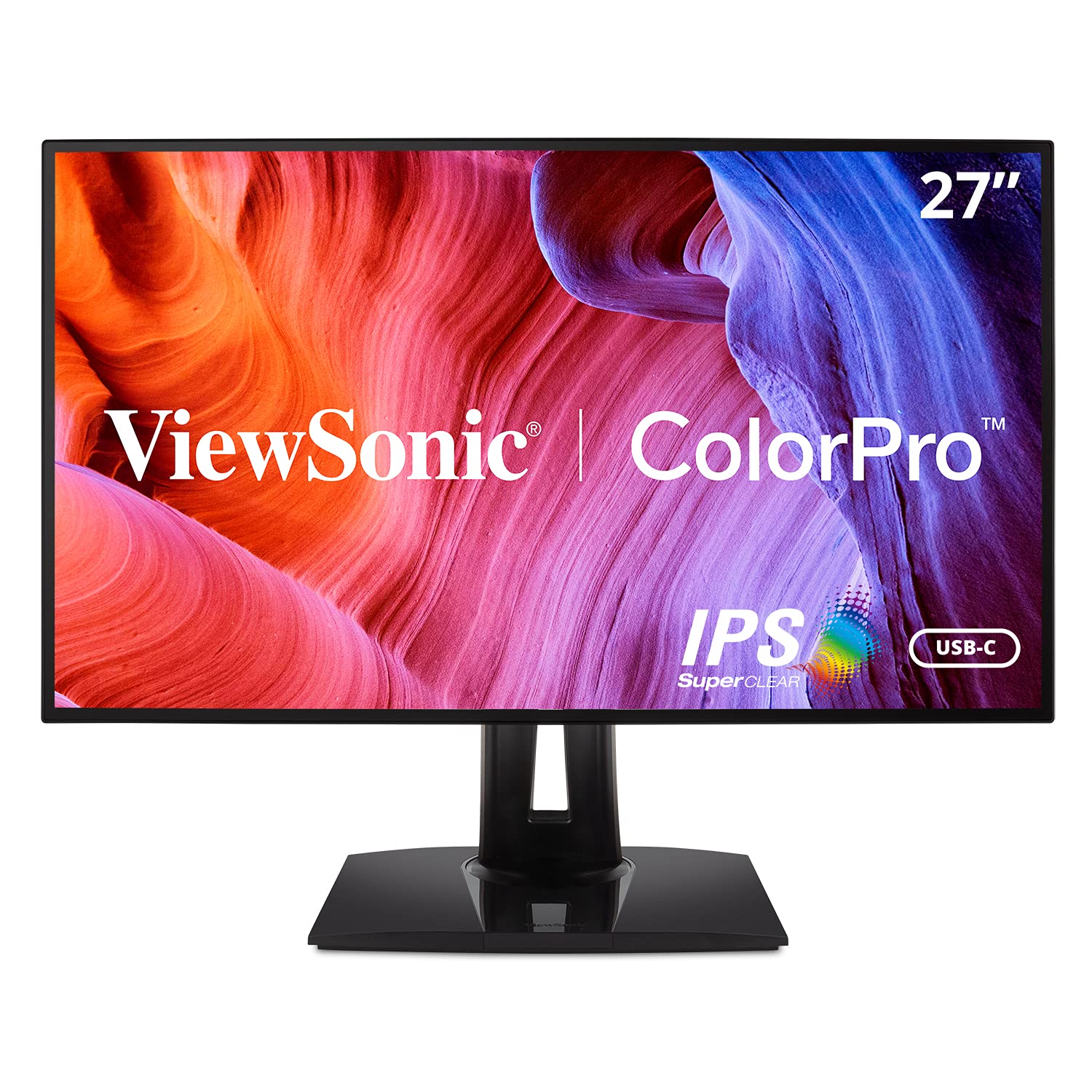
The ViewSonic VP2768A is a Pantone-validated monitor that covers 100% sRGB and supports multiple color spaces including EBU, SMPTE-C, Rec. 709, and DICOM-SIM. The Delta E under 2 accuracy ensures that the monitor can reliably reproduce Pantone Matching System colors, which is critical for photographers who need to match brand colors or print proofs.
Connectivity includes USB-C with 90W power delivery and Ethernet RJ45, which reduces cable clutter in a professional editing setup. The advanced ergonomic stand includes height, swivel, pivot, and tilt adjustments, and the Flicker-Free technology combined with a Blue Light Filter helps maintain eye comfort during extended editing sessions.
Users appreciate the excellent image quality and color accuracy for photo editing, though some have reported early failures with the USB-C port and inconsistent warranty service from ViewSonic. The OSD buttons on the back are functional but awkward to reach without turning the monitor around.
Why it’s great
- Pantone validated with Delta E < 2
- 100% sRGB with multiple color space support
- USB-C with 90W and Ethernet RJ45
- Full ergonomic stand
Good to know
- USB-C port reliability reported as inconsistent
- Warranty policy only 30 days for new replacement
8. MSI PRO MAX 271UPXW12G

The MSI PRO MAX 271UPXW12G brings QD-OLED technology to the photo editing space, offering true blacks and exceptional contrast that IPS panels cannot match. The Delta E under 2 color accuracy and VESA DisplayHDR True Black 400 certification ensure that shadows retain detail without crushing and highlights remain crisp without blooming.
Dual USB-C ports provide up to 98W and 15W of power delivery, allowing you to charge a laptop and a mobile device over a single cable. The 120Hz refresh rate and FreeSync Premium Pro support make this monitor equally capable for editing and casual gaming, though the OLED panel requires careful management of static elements to prevent burn-in.
MSI’s Mac Optimization Software allows macOS color synchronization and keyboard shortcut integration, which eases the transition for Mac-based photographers. Users describe the HDR performance as breathtaking, with colors that pop and blacks that approach infinite depth.
Why it’s great
- QD-OLED with true blacks and infinite contrast
- Delta E < 2 with factory calibration
- Dual USB-C with 98W power delivery
- 120Hz refresh rate with FreeSync Premium Pro
Good to know
- OLED burn-in risk requires careful use with static UIs
- Higher cost than comparable IPS monitors
9. ViewSonic VP2788-5K

The ViewSonic VP2788-5K offers 5K resolution — 5120 x 2880 pixels — giving photo editors an extra layer of pixel density for examining fine details at 100% zoom without scaling artifacts. The 99% DCI-P3 coverage and Pantone validation align closely with Mac color performance, making this a natural companion for Mac Studio or Mac Mini setups.
Thunderbolt 4 connectivity provides up to 40 Gbps data transfer speeds and 100W power delivery, with support for daisy chaining a second 5K monitor. The HDR400 certification adds deeper contrast, and the 75Hz refresh rate offers slightly smoother motion than standard 60Hz panels without pushing into the cooling demands of high-refresh displays.
Users praise the sharp pixel density and strong brightness, which rivals that of premium tablets. However, some have reported USB connection bugs after sleep and weak power delivery triggering macOS warnings, along with coverage that falls short of full Adobe RGB, making it less ideal for print-focused photographers.
Why it’s great
- 5K resolution for pixel-dense detail inspection
- Thunderbolt 4 with 40 Gbps and 100W PD
- Pantone validated with 99% DCI-P3
- Daisy chain support for dual 5K setup
Good to know
- Adobe RGB coverage limited, not ideal for print
- USB connectivity bugs and reliability concerns reported
10. Samsung Odyssey OLED G9

The Samsung Odyssey OLED G9 is a 49-inch ultrawide monitor with Dual QHD resolution (5120 x 1440) and a QD-OLED panel. While primarily marketed for gaming, its pixel density of 110 PPI and QD-OLED’s infinite contrast make it a viable option for photographers who need massive screen real estate for timelines, tool panels, and reference images simultaneously.
The 32:9 aspect ratio effectively replaces two 27-inch monitors without a bezel gap, and the Picture-in-Picture mode allows you to view two input sources side by side. The 0.03ms response time and 144Hz refresh rate provide fluid navigation, and the thermal modulation system helps protect the OLED panel from burn-in by monitoring surface temperature and reducing brightness on static elements like logos and taskbars.
Users report that the color accuracy is excellent after calibration and that HDR content looks phenomenal. The monitor requires a DisplayPort to Thunderbolt cable to reach 144Hz with Mac systems, and some users note that the two 27-inch panels fused together can show a slight brightness mismatch in the center on dim gray gradients.
Why it’s great
- Massive 49-inch ultrawide eliminates bezel gaps
- QD-OLED with infinite contrast and deep blacks
- 144Hz refresh rate for fluid navigation
- Burn-in prevention with logo and taskbar detection
Good to know
- Brightness mismatch possible on dim gray gradients
- Requires specific cables for full Mac compatibility
11. Dell UltraSharp U4025QW

The Dell UltraSharp U4025QW is a 40-inch 5K2K (5120 x 2160) ultrawide with an IPS Black panel — the highest-end color-accurate ultrawide available for photo editing. Its 21:9 aspect ratio provides generous horizontal space for Lightroom filmstrips, Photoshop layer panels, and full-resolution previews without needing a second monitor.
The 120Hz refresh rate and HDR600 certification ensure smooth scrolling and good dynamic range for HDR editing. The built-in hub includes Thunderbolt 4, HDMI 2.1, USB-C, and Ethernet, and the KVM functionality lets you control two computers with a single keyboard and mouse — a major productivity boost for dual-machine workflows.
Users describe the color and clarity as stunning, particularly for spreadsheets and text-heavy work, thanks to the high pixel density. The IPS Black panel delivers a 2000:1 contrast ratio, which produces noticeably deeper blacks than standard IPS monitors. Some users note that the contrast in real-world use feels less impressive than marketing materials suggest, and the plastic build feels slightly less premium than the price suggests.
Why it’s great
- 5K2K resolution with IPS Black for deep contrast
- 120Hz refresh rate and HDR600 certification
- Built-in KVM and Thunderbolt 4 hub
- Massive screen real estate for complex editing layouts
Good to know
- High investment cost for the full feature set
- Real-world contrast may not match OLED levels
FAQ
Is 4K resolution essential for photo editing or is 1440p enough?
Can I use a QD-OLED monitor for photo editing without burn-in risk?
How often should I calibrate my photo editing monitor?
Final Thoughts: The Verdict
For most users, the display monitor for photo editing winner is the Dell UltraSharp U2725QE because it combines Delta E under 1.5 accuracy with a 120Hz refresh rate and Thunderbolt 4 connectivity — a rare trifecta in the color-accurate market. If you want the widest Adobe RGB coverage for print-focused work, grab the ASUS ProArt PA279CRV. And for a seamless MacBook experience with native keyboard control, nothing beats the BenQ MA270U.

Mo Maruf
I created WellFizz to bridge the gap between vague wellness advice and actionable solutions. My mission is simple: to decode the research and give you practical tools you can actually use.
Beyond the data, I am a passionate traveler. I believe that stepping away from the screen to explore new environments is essential for mental clarity and physical vitality.