Our readers keep the lights on and my smoothie glass nicely filled. As an Amazon Associate, I earn from qualifying purchases.
Bars, retail stores, lobbies, and restaurants all face the same problem: a cheap consumer TV running 16 hours a day burns out in months, and the content management software feels stuck in 2010. Digital signage hardware changes that equation entirely by combining commercial-grade panels with purpose-built media players that can run schedules, update content remotely, and stay on for years without a flicker.
I’m Mohammad Maruf — the founder and writer behind WellFizz. I’ve spent hundreds of hours analyzing media player specs, display brightness ratings, processor architectures, and real-world reliability reports to separate the hardware that actually lasts from the stuff that wastes a business budget.
From compact media player appliances to full 65-inch interactive kiosks, this guide breaks down the specific specs that matter for your deployment so you can confidently pick the best digital signage hardware for your commercial space.
How To Choose The Best Digital Signage Hardware
Choosing the right digital signage hardware starts with understanding the physical environment and the content complexity you need. A quick-service restaurant running a looping menu on a single screen has fundamentally different requirements than a hotel lobby wanting an interactive wayfinding kiosk. You need to match three core elements: the display panel’s brightness and durability, the media player’s processing power and OS ecosystem, and the physical form factor that fits your space.
Brightness, Panel Type, and Operating Duration
Consumer TVs typically output 200 to 250 nits of brightness and are rated for 8 to 12 hours of daily use. Commercial-grade signage panels start at 350 nits for indoor use and go up to 600 nits or more for well-lit spaces or direct sunlight. A 16/7 rated display (16 hours a day, 7 days a week) is the baseline for any professional deployment. Below that, thermal stress will cause premature backlight failure and image retention.
Media Player Architecture: Android vs. Proprietary
The media player is the brain. Proprietary systems like BrightSign offer bulletproof reliability and a dedicated OS optimized for signage, but they lock you into their software and cloud ecosystem. Android-based players offer flexibility, lower entry costs, and access to a wide range of CMS apps, but you need a chipset with at least a quad-core Cortex-A53 CPU and 2GB of RAM to handle 4K playback without stuttering. For video walls or interactive touch applications, look for dedicated graphics coprocessors and at least 4GB of RAM.
Form Factor: Standalone Player, All-in-One Kiosk, or Commercial Display
Standalone media players like the BrightSign LS425 let you attach any existing HDMI display, making them ideal for multi-screen deployments or retrofitting. All-in-one kiosks bundle the screen, player, and stand into one unit, which simplifies setup but reduces flexibility. Commercial displays like the Samsung BE series give you a larger, brighter panel with built-in software, sitting between the two extremes. Consider future expansion — if you plan to scale, a player-plus-display approach is cheaper per unit than buying a new kiosk every time.
Quick Comparison
On smaller screens, swipe sideways to see the full table.
| Model | Category | Best For | Key Spec | Amazon |
|---|---|---|---|---|
| Samsung 65 BE65T-H Pro | Commercial Display | Large lobbies and conference rooms | 65-inch 4K UHD, 250 nits, 16/7 operation | Amazon |
| Samsung 43 BE43T-H Pro | Commercial Display | Retail counters and small waiting areas | 43-inch 4K UHD, 250 nits, 16/7 operation | Amazon |
| MWE 65 Inch 4K Kiosk | All-in-One Kiosk | High-traffic corporate lobbies | 65-inch 4K, Android, 3-year warranty | Amazon |
| HARZHI 55 Inch 4K Kiosk | All-in-One Kiosk | Retail and event photo booths | 55-inch 4K, IPS, 178° viewing angle | Amazon |
| 32/55/65 Kiosk Touch | Touchscreen Kiosk | Restaurant self-service and wayfinding | 32-inch touch, 600 nits, Android OS | Amazon |
| 43 Inch 2K Floor Kiosk | All-in-One Kiosk | Mall and store advertising posters | 43-inch 2K, 350 nits, split-screen | Amazon |
| 32 Inch 2K Touch Kiosk | Touchscreen Kiosk | Small retail or boutique interaction | 32-inch 2K, 350 nits, touchscreen | Amazon |
| mediaDROID+ Player | Media Player | Budget-friendly multi-screen setups | Android, 4GB RAM, no subscription fees | Amazon |
| BrightSign LS425 Player | Media Player | Reliable single-screen deployments | 4K 60fps, BrightSign OS, ultra-thin | Amazon |
In‑Depth Reviews
1. Samsung 65-Inch BE65T-H Pro TV

The Samsung BE65T-H is a 65-inch commercial display with a Crystal UHD 4K panel and a dedicated Crystal Processor 4K that upscales lower-resolution content cleanly. It’s rated for 16 hours of continuous operation per day, which is the minimum threshold for any serious business deployment. The 250-nit brightness is enough for indoor environments with controlled lighting, and the 4700:1 contrast ratio delivers deep blacks for media-heavy content.
The integrated Samsung Pro TV app lets you manage content directly from a mobile device, bypassing the need for an external media player for simple use cases. It includes built-in Wi-Fi 5 and Bluetooth 5.0, making network setup straightforward. The display ships with a stand and remote, though several users note that the remote feels undersized and lacks backlighting — a minor gripe in an otherwise well-built professional monitor.
Some customers have reported issues with the Samsung Business TV app failing to load or becoming unresponsive, which can be a deal-breaker for enterprise deployments that rely on that ecosystem. If you plan to use an external media player like a BrightSign or a streaming stick, the panel itself performs flawlessly. For businesses that want a large, reliable screen with decent built-in software, this is the strongest mid-range option in the 65-inch category.
Why it’s great
- Exceptional 4K image quality with wide color accuracy
- 16/7 rating ensures long operational lifespan
- Crystal Processor 4K handles upscaling well
Good to know
- Built-in Business TV app has reported stability problems
- Only 250 nits, not bright enough for direct sunlight
- Remote control is small and unlit
2. MWE 65 Inch 4K Digital Signage Display Kiosk

The MWE 65-inch floor-standing kiosk is a complete, turnkey solution for businesses that want a single, polished unit without piecing together separate components. It runs on an Android OS that supports app installation, USB plug-and-play, and Wi-Fi connectivity, and the 3840×2160 resolution delivers sharp, detailed visuals on the large 65-inch IPS panel. The 1200:1 contrast ratio and 99% color gamut ensure that logos and video content look vibrant even from across a lobby.
Split-screen functionality lets you display video, images, and scrolling text simultaneously, which is especially useful for retail environments running promotions alongside brand messaging. The unit includes a timer on/off feature that automates power management, and the slim bezel design gives it a clean, modern footprint. MWE also offers a lifetime CMS system and custom logo stickers, adding value for businesses wanting branded hardware.
Customer feedback strongly emphasizes the reliability of post-purchase support — users report quick email responses and proactive troubleshooting. The included 3-year warranty and free USB flash drive with setup videos remove much of the friction from deployment. The 65-inch size makes it a substantial investment in floor space, so measure your lobby or retail area carefully before committing.
Why it’s great
- True 4K resolution with 99% color gamut for vibrant visuals
- Lifetime CMS system and 3-year warranty included
- Excellent customer support with fast response times
Good to know
- Large footprint may not suit tight commercial spaces
- Android version may vary; confirm with seller before ordering
- Setup is straightforward but requires two people due to size
3. HARZHI 55 Inch 4K UHD Digital Signage Kiosk
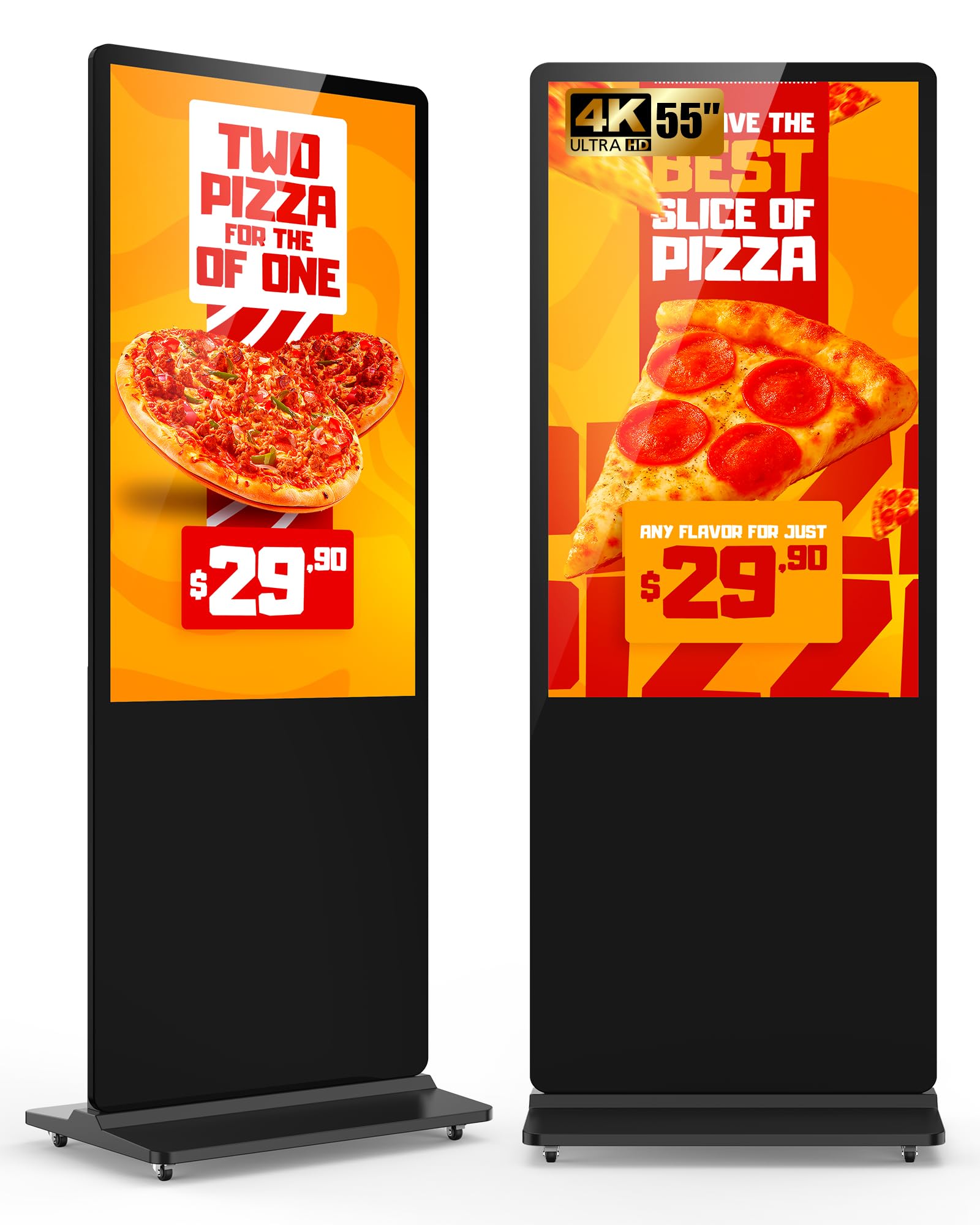
The HARZHI 55-inch kiosk uses a Full HD IPS screen with a 178-degree viewing angle and 2ms response time, making it a strong choice for spaces where foot traffic approaches the display from multiple angles. The Android operating system supports APK installations, timed on/off scheduling, and split-screen layouts that can mix images, video, and scrolling text zones. The 70-kilogram weight and 77-inch height give it a substantial physical presence that feels durable in public settings.
Built-in Wi-Fi and Ethernet connectivity allow remote content management, and the USB port supports plug-and-play playback for quick content swaps. The unit is designed with a lockable interior compartment for storing a media player or PC box, and the integrated power management reduces clutter. Split-screen mode can display brand messaging alongside a product catalog or event schedule simultaneously.
Reviewers highlight the sturdy construction and the ease of setup, with several noting it works well as a photo booth station in addition to advertising. The 55-inch screen strikes a useful middle ground between the compact 32-inch models and the massive 65-inch kiosks. Some users mention that the fan noise is noticeable in very quiet environments, so consider ambient acoustics if placing it in a hushed lobby.
Why it’s great
- IPS panel with 178° viewing angle for wide visibility
- Rock-solid build quality with lockable storage compartment
- Versatile split-screen and scheduling features
Good to know
- Fan noise can be audible in silent rooms
- Resolution is 1920×1080, not 4K on all models
- Heavy and requires careful site planning for installation
4. Samsung 43-Inch BE43T-H Pro TV
The Samsung 43-inch BE43T-H is a scaled-down version of its 65-inch sibling, sharing the same Crystal UHD 4K panel, Crystal Processor 4K, and 16/7 operating rating. It’s a good fit for retail counters, reception desks, or small waiting areas where a 43-inch screen provides enough visibility without overwhelming the space. The 250-nit brightness works best in shaded indoor zones; direct overhead lighting or large windows will wash it out.
The Pro TV app is the main content management tool, and it lets you create and schedule playlists directly from a phone or tablet. Setup is quick — plug in the power, connect to Wi-Fi, and the app walks through the initial configuration. It supports USB, HDMI, and RF inputs, giving you flexibility to add an external media player if you outgrow the built-in software.
Like the larger model, the business TV app has known stability issues that some customers report as a major frustration. If you rely on Samsung’s ecosystem exclusively, test it in your environment before deploying multiple units. For businesses that want a solid commercial-grade monitor and plan to use a separate player, the panel itself is excellent, and the 3-year warranty (confirmed after some paperwork) provides peace of mind.
Why it’s great
- Sharp 4K panel with excellent color reproduction
- Commercial 16/7 rating for continuous operation
- Easy mobile app setup for simple content management
Good to know
- Business TV app has inconsistent reliability
- Limited to 250 nits, not suitable for bright rooms
- Cannot run Netflix or consumer apps without external hardware
5. 32/43/55/65 Inch Digital Signage Display Kiosk Touch
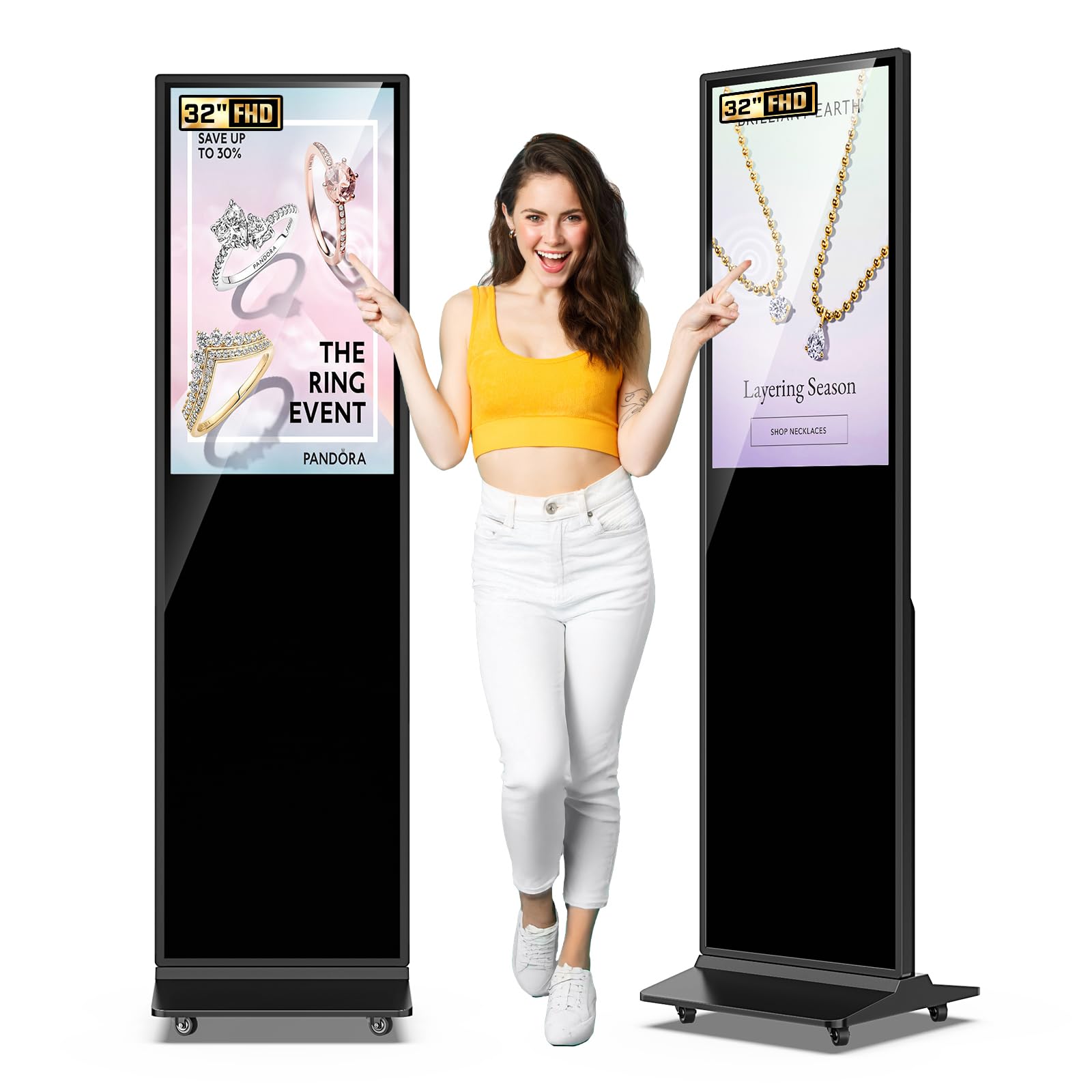
This kiosk stands out for its 600-nit brightness — more than double the typical consumer panel — making it one of the few indoor units that remains readable near windows or under bright recessed lighting. It uses an IPS LCD panel with a 2000:1 contrast ratio and 178-degree viewing angles, so content stays visible from the sides. The 32-inch touchscreen version supports interactive wayfinding, product catalogs, and self-service ordering.
Running on Android OS, it supports USB plug-and-play, HDMI input, and 5G Wi-Fi for content updates. The split-screen function can display video, images, and text in separate zones, which is handy for a restaurant showing a menu alongside daily specials. The freestanding base includes lockable wheels for repositioning, and the unit supports auto on/off scheduling to save power overnight.
Customer reviews consistently praise the build quality and the straightforward setup, with most users reporting it ready to run within 15 minutes of unboxing. The touch sensitivity is responsive, and the internal memory can store content directly, eliminating the need for a constant USB connection. The bundled remote feels a bit flimsy given the premium build of the rest of the unit, but it’s a minor trade-off for the brightness and clarity on offer.
Why it’s great
- 600-nit brightness outperforms most indoor commercial displays
- Responsive touchscreen with internal content storage
- Lockable wheels and auto on/off scheduling included
Good to know
- Included remote control feels low-quality
- Maximum display resolution is 1920×1080
- Limited to Android OS ecosystem for apps
6. 43 Inch 2K Digital Signage Display Floor Kiosk
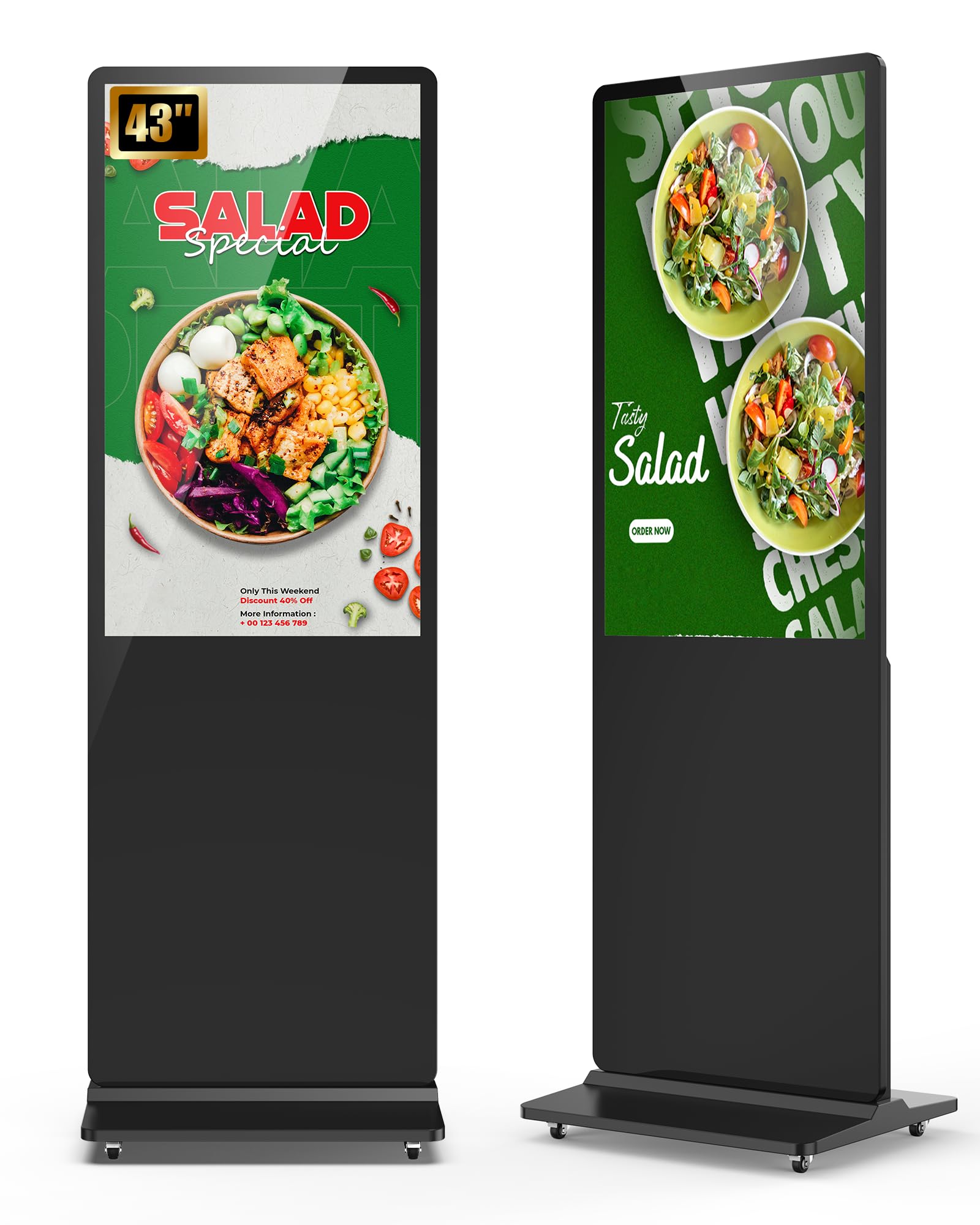
This 43-inch floor-standing kiosk from SIOXCFZ delivers a 2K FHD resolution at 350 nits, which hits the sweet spot for indoor retail spaces that need decent brightness without the premium price tag of 4K panels. The Android 9 operating system underpins a customizable split-screen feature that allows precise control over the size, position, and orientation of each content zone. Dual 8-ohm 5-watt speakers provide built-in audio for video ads or background music.
Connectivity is straightforward — Wi-Fi, HDMI, and USB inputs support plug-and-play content loading, and the timer on/off function automates daily power management. The seller offers a free custom logo sticker, which is a nice touch for businesses wanting branded hardware. The 1000:1 contrast ratio and 178-degree viewing angle ensure readability from a wide arc in front of the display.
User feedback is consistently positive, with buyers mentioning that the kiosk looks professional and runs reliably for continuous daily playback. The unit supports APK installations, giving you the flexibility to install third-party signage apps if you outgrow the default player. The 43-inch size is versatile enough for a medium-sized storefront or a restaurant without dominating the floor plan.
Why it’s great
- Customizable split-screen layout for multi-content display
- Free custom logo sticker available for branding
- Reliable 350-nit brightness for indoor use
Good to know
- Runs Android 9, which may not receive further updates
- 2K resolution, not true 4K
- Speaker quality is adequate but not powerful
7. 32 Inch 2K Touchscreen Floor Standing Kiosk
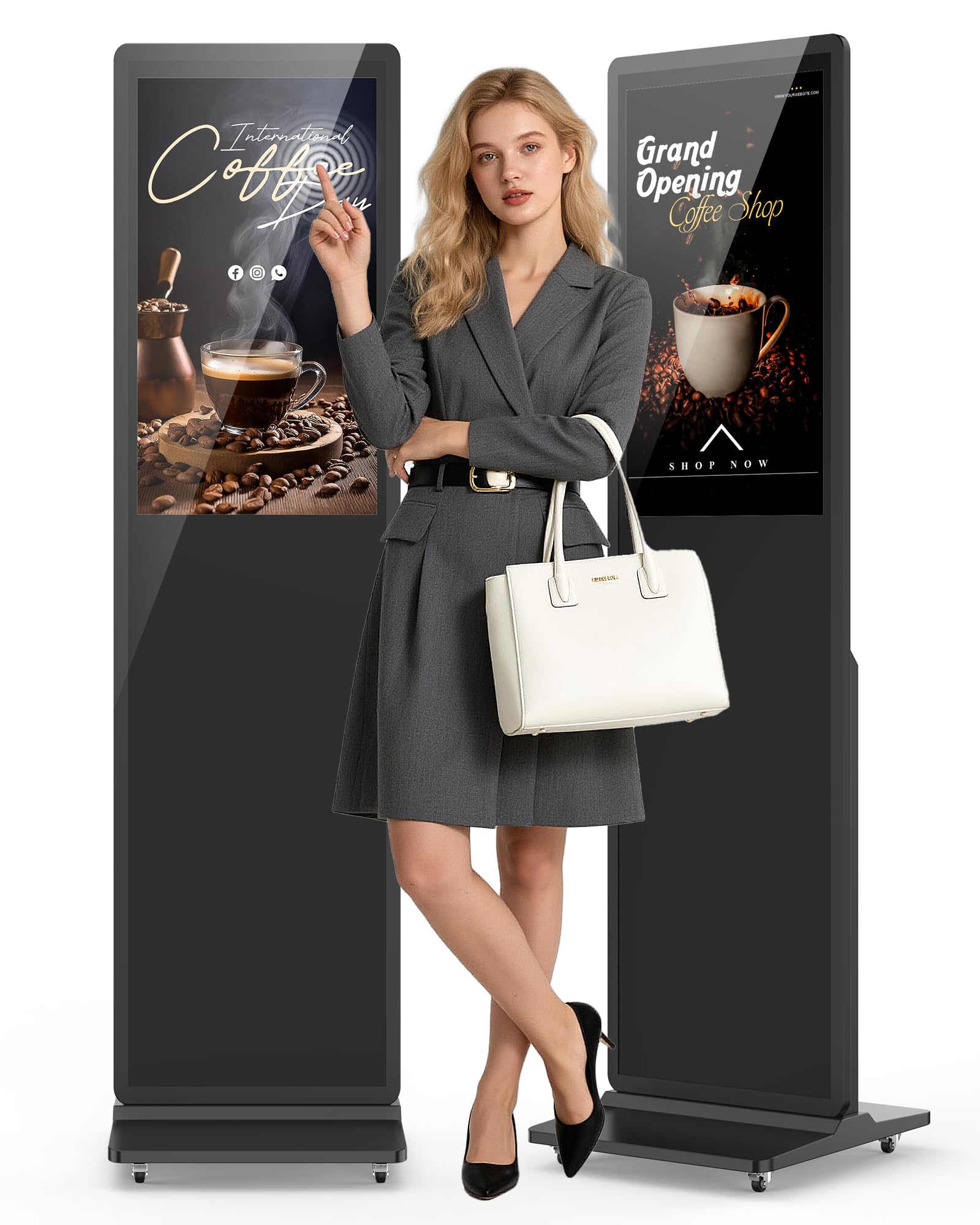
This 32-inch touchscreen kiosk brings interactive capability to a compact, floor-standing form factor. The 2K FHD resolution panel with 350 nits brightness is sharp enough for product browsing and wayfinding, and the multi-touch interface supports gestures like pinch-to-zoom and swipe for intuitive navigation. It’s tailored for boutiques, museums, or reception areas where space is limited but engagement is critical.
Powered by Android 9 with an optional upgrade to Android 14 via a separate player box, it supports Wi-Fi, HDMI, and USB connections. The split-screen feature allows simultaneous display of a video zone and an interactive touch zone, letting users browse a catalog while a promotional reel plays alongside. Timer-based auto on/off and a remote control simplify daily management, and the seller offers an optional custom logo sticker.
Buyers highlight the sturdy floor stand and the responsive touch layer, noting that it works well for both advertising and interactive applications like photo booths. The 32-inch screen size is a trade-off — it fits in tight spaces but won’t command attention in a large lobby. Some users recommend contacting the seller for the upgraded Android 14 box if you need a more modern OS for specific APK compatibility.
Why it’s great
- Multi-touch screen with responsive gesture support
- Compact 32-inch footprint fits small commercial spaces
- Customizable logo and optional Android 14 upgrade available
Good to know
- Default OS is Android 9, not the latest version
- 350 nits limits visibility in very bright rooms
- 32-inch panel is small for high-traffic public areas
8. mediaDROID+ Digital Signage Media Player

The mediaDROID+ is a compact, stick-style digital signage media player that runs on a custom-baked Android OS with a hexa-core CPU (quad-core Cortex-A73 plus dual-core Cortex-A53) and 4GB of RAM. It connects directly to any HDMI display and uses the free cloud-based CMS from DigitalSignage.com — no subscription fees, which makes it a standout for businesses that want to avoid recurring costs. The 16GB of local storage caches content to prevent playback interruptions during network drops.
Setup involves plugging the player into an HDMI port, connecting power via the included USB cable, and linking it to the cloud dashboard through a web browser or mobile app. It supports both vertical and horizontal screen orientations, which is important for portrait-mode digital posters. A built-in watchdog automatically reboots the device if the software freezes, a critical reliability feature for unattended installations.
Customer reviews reflect strong reliability — one business purchased 13 units and continues to expand their fleet. The software has a learning curve, as noted by some users, but the free tier is genuinely functional and well-maintained. The stick form factor means it hides behind the display, making it ideal for retrofitting existing TVs without visible cables or boxes.
Why it’s great
- Completely free cloud CMS with no subscription needed
- Powerful hexa-core processor for smooth 1080p playback
- Watchdog auto-reboot ensures uptime reliability
Good to know
- Streaming app setup has a slight learning curve
- Stick form factor limits wired Ethernet options
- 16GB storage is adequate but not expandable
9. BrightSign LS425 Digital Signage Appliance

The BrightSign LS425 is a dedicated digital signage media player that runs BrightSign OS — a purpose-built operating system optimized for signage reliability, security, and uptime. It supports HD and 4K video playback at 60 frames per second, HTML5 animations, and graphics rendering. The unit measures just 7.1 x 7 x 2.9 inches and weighs 14.1 ounces, making it one of the most space-efficient players on the market for behind-display mounting.
It handles single-touchscreen experiences and can operate in connected or offline environments, caching content locally for uninterrupted playback. The BrightSign ecosystem includes a suite of software tools for content design and device management, though some users report that the video wall configuration software is PC-only and not particularly intuitive. The LS425 lacks a microSD card slot dust cover, a small oversight that could matter in dusty environments.
A note on 4K capability: BrightSign’s official specs list the LS425 as supporting 4K output at 60fps with h.265 encoding, but at least one customer review claims their unit did not play 4K content — they recommend the LS445 for guaranteed 4K playback. This discrepancy means you should verify your specific content resolution requirements before purchasing. For businesses that already use BrightSign’s ecosystem, the LS425 is a bulletproof choice with thousands of units in production.
Why it’s great
- Ultra-thin and lightweight for easy behind-TV mounting
- BrightSign OS offers industry-leading security and reliability
- Supports HTML5, 4K 60fps, and offline playback
Good to know
- Some units may not output 4K; verify LS425 vs LS445
- Device is locked to the buyer’s cloud account on first use
- Video wall software is PC-only and less intuitive than competitors
FAQ
Can I use a regular consumer TV for digital signage?
What is the difference between a media player and a kiosk?
Do I need a subscription for digital signage software?
How bright should my digital signage display be?
Final Thoughts: The Verdict
For most users, the best digital signage hardware winner is the Samsung 65 BE65T-H Pro because it combines a proven commercial-grade 4K panel with 16/7 durability and built-in content management software at a price that undercuts dedicated kiosks. If you want a complete turnkey unit with the highest brightness, grab the 32-Inch Touch Kiosk for its 600-nit panel and interactive capability. And for budget-friendly multi-screen deployments with zero subscription fees, nothing beats the mediaDROID+ player — just supply your own displays and the free CMS handles the rest.

Mo Maruf
I created WellFizz to bridge the gap between vague wellness advice and actionable solutions. My mission is simple: to decode the research and give you practical tools you can actually use.
Beyond the data, I am a passionate traveler. I believe that stepping away from the screen to explore new environments is essential for mental clarity and physical vitality.