Our readers keep the lights on and my smoothie glass nicely filled. As an Amazon Associate, I earn from qualifying purchases.
Modern laptops and desktops have shed optical drives entirely, forcing anyone with a stack of CDs, old software discs, or a favorite DVD to hunt down an external solution. Without a dedicated disk drive, accessing legacy media, backing up data to disc, or installing older programs becomes a hardware puzzle rather than a simple plug-and-play task.
I’m Mohammad Maruf — the founder and writer behind WellFizz. My research into external drives focuses on real-world transfer speeds, format compatibility, and the small build details that separate a drive used weekly from one that collects dust after a single session.
Whether you need to rip a music CD, burn a DVD, or watch Blu-ray movies on a laptop without an internal bay, the right external drive bridges the gap between old media and new hardware. This guide spotlights the best disk drive options for every use case, from budget readers to multi-format burners.
How To Choose The Best Disk Drive
Selecting an external disk drive means matching your media collection to the drive’s read/write capabilities. A DVD-only drive will leave Blu-ray discs unread, while a Blu-ray drive costs more but future-proofs your setup. Consider your primary use — occasional file access versus regular burning — to decide between budget and premium tiers.
Format Support: DVD vs. Blu-ray vs. CD
Not all external drives read every disc size. Standard DVD drives handle CD±R/RW and DVD±R/RW, but cannot read Blu-ray media. Blu-ray drives read all three formats, but typically cap playback at 1080p and do not support 4K Ultra HD discs unless specifically stated. For maximum versatility, a Blu-ray drive is worth the premium.
Connection Speed: USB 2.0 vs. USB 3.0
USB 3.0 delivers data transfer rates up to 5 Gbps, roughly ten times faster than USB 2.0. This speed advantage becomes noticeable when ripping large video files or burning dual-layer DVDs. USB 3.0 drives are backward compatible with older ports, so a USB 3.0 model is the smarter choice even for older laptops.
Portability and Build Quality
A slim, lightweight drive with a built-in cable and protective carrying case is ideal for travel. Look for rubber anti-slip pads, a metal or durable plastic enclosure, and a cable management slot on the bottom. Drives that require an external power cable only need it for certain high-power devices, but models with a separate power supply option offer more reliability on underpowered USB ports.
Quick Comparison
On smaller screens, swipe sideways to see the full table.
| Model | Category | Best For | Key Spec | Amazon |
|---|---|---|---|---|
| BUNUD External Blu Ray Drive | Blu-ray Burner | Full Blu-ray reading and burning | USB 3.0 Type-C, 5 Gbps | Amazon |
| 8-in-1 External Blu-ray Drive | Blu-ray + Hub | Multi-port hub with Blu-ray support | 6x BD read, 5 Gbps hub | Amazon |
| ORIGBELIE External CD DVD Drive | DVD + USB Hub | Adding ports while reading DVDs | 4 USB ports, 2 card slots | Amazon |
| ROOFULL External CD DVD Drive | DVD Reader/Burner | Reliable DVD/CD reading and burning | USB 3.0, 5 Gbps, dual connectors | Amazon |
| BPAKDU External CD DVD Drive | DVD + Hub | Budget-friendly multi-port drive | 4 USB-A ports, 2 card slots | Amazon |
| ASUS LITE DVD Burner | Slim DVD Burner | Compact design for compact PCs | USB 2.0, 8x DVD write | Amazon |
| Dell Slim DW316 | DVD Reader/Burner | OEM-compatible reliability | USB 2.0, slim form factor | Amazon |
In‑Depth Reviews
1. BUNUD External Blu Ray CD DVD Drive

The BUNUD drive handles Blu-ray, DVD, and CD formats with USB 3.0 Type-C connectivity, offering 24x CD read speed and 8x DVD write speed. Its 5-in-1 hub includes two USB ports and an SD/TF card slot, solving the port shortage on modern Ultrabooks. The slim form factor and embedded cable design make it easy to pack without losing accessories.
Users consistently report plug-and-play operation on Windows 11 and macOS, with no driver installation required. The dual USB-A and Type-C cables ensure compatibility with both older and latest laptops. Some reviews note the instruction booklet is minimal, but customer service is responsive for troubleshooting.
This is the strongest option for anyone who needs Blu-ray reading and burning alongside everyday DVD/CD tasks in a single compact unit. The integrated hub reduces desk clutter, and the quiet tray mechanism makes it suitable for both office and home use.
Why it’s great
- Reads and writes Blu-ray, DVD, and CD discs
- Built-in USB hub and card reader expand connectivity
- Quiet operation with solid build quality
Good to know
- Does not support 4K Ultra HD disc playback
- Instruction manual could be clearer
2. 8-in-1 External Blu-ray Drive
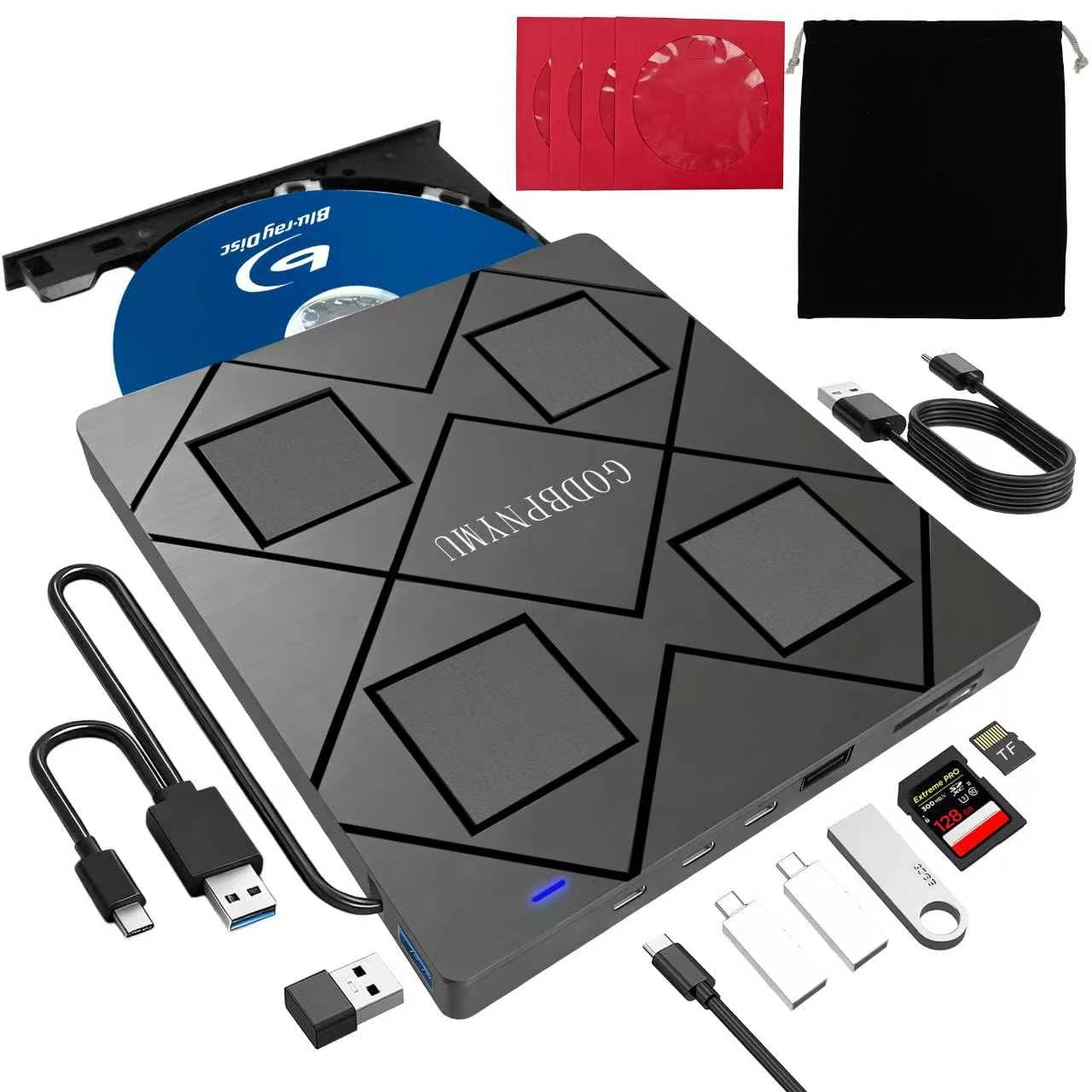
This 8-in-1 drive from GODBPNYMU supports Blu-ray reading at 6x, DVD at 8x, and CD at 24x, along with dual USB-C and USB 3.0/2.0 ports and TF/SD card slots. The drive functions as a USB hub, allowing simultaneous connection of peripherals. It ships with a carrying case and four disc sleeves for organized storage.
The slim 5.5 x 5.5 x 0.35-inch chassis weighs just 300 grams, making it highly portable. Users confirm plug-and-play compatibility with Windows 11 and macOS, though Blu-ray playback requires third-party software like PowerDVD. The drive supports M-Disc for archival-grade burning, a feature rare at this tier.
For professionals or media enthusiasts who need Blu-ray capability plus extra USB ports, this drive eliminates the need for a separate hub. The included power cable resolves underpowered USB ports, ensuring stable reading even on older laptops.
Why it’s great
- 8-in-1 design with USB hub and card reader
- Supports M-Disc for long-term data storage
- Ultra-slim and portable with carrying case
Good to know
- No 4K Ultra HD playback support
- Blu-ray playback needs third-party software
3. ORIGBELIE External CD DVD Drive

The ORIGBELIE drive combines a DVD reader/burner with a 6-in-1 USB hub featuring four USB ports (including Type-C) and two card slots. Its RGB LED gradient lighting adds a visual accent that cycles through colors during use. USB 3.0 technology delivers 5 Gbps transfer, and the built-in dual-connector cable supports both Type-A and Type-C hosts.
User feedback highlights the convenience of the integrated card reader for camera transfers and the velvet storage bag included in the package. Some users experienced issues with thin paper-labeled discs, but the drive handles standard pressed and burned media reliably. The separate power cable ensures stable operation on computers with weaker USB output.
This drive is a solid mid-range pick for users who want DVD reading/writing plus a functional hub for peripherals. The RGB lighting is purely aesthetic but adds personality to a utilitarian device.
Why it’s great
- 6-in-1 hub with USB-A, USB-C, SD, and TF slots
- RGB LED lighting for visual feedback
- Plug-and-play on Windows and Mac
Good to know
- May struggle with thin paper-labeled CDs
- Not compatible with Chromebooks or Surface devices
4. ROOFULL External CD DVD Drive

With over 1.5 million units sold, the ROOFULL ECD829-Y is a proven DVD/CD drive that supports 8x DVD read/write and 24x CD read/write over USB 3.0. It includes both Type-A and Type-C connectors built into the base, eliminating the need for adapters. A durable carrying case protects the drive during travel.
Real-world reviews confirm immediate recognition on Windows 11 and macOS without driver installation. The drive works reliably with Dell, Lenovo, HP, and Apple laptops. On Mac, the eject function requires a right-click since the tray button is disabled by macOS — a minor workflow adjustment. The 2-year warranty adds long-term confidence.
This is the best value pick for simple DVD and CD tasks. It lacks Blu-ray support and extra ports, but its straightforward design, protective case, and proven sales track record make it the safe choice for most households.
Why it’s great
- Plug-and-play with dual USB-A and USB-C connectors
- Includes protective carrying case for travel
- 2-year warranty and excellent customer support
Good to know
- No Blu-ray support
- Mac eject requires desktop right-click
5. BPAKDU External CD DVD Drive

The BPAKDU drive provides DVD/CD reading and burning alongside four USB-A ports, one Type-C port, and two card slots, all in a slim 6 x 5.6 x 0.63-inch chassis. It uses USB 3.0 for 5 Gbps data transfer and has slip-resistant rubber pads to stay in place on a desk. The embedded cable design prevents loss, and the unit weighs only 9 ounces.
Users praise its ability to read old data CDs and burn DVDs quickly. The built-in hub makes it a practical tool for computers with limited I/O. Some Windows 10/11 users needed to connect the extra power cable for the drive to be recognized — a known workaround documented by the seller. The 1-year warranty covers defects.
For budget-conscious shoppers who need a DVD drive plus extra ports, this entry-level model delivers solid functionality. The compact size and carrying case make it easy to integrate into a mobile workstation.
Why it’s great
- Integrated hub with 4 USB-A ports and card slots
- Lightweight and portable with embedded cable
- Plug-and-play for most Windows and Mac systems
Good to know
- May require extra power cable on some PCs
- No Blu-ray or 4K support
6. ASUS LITE Portable DVD Burner
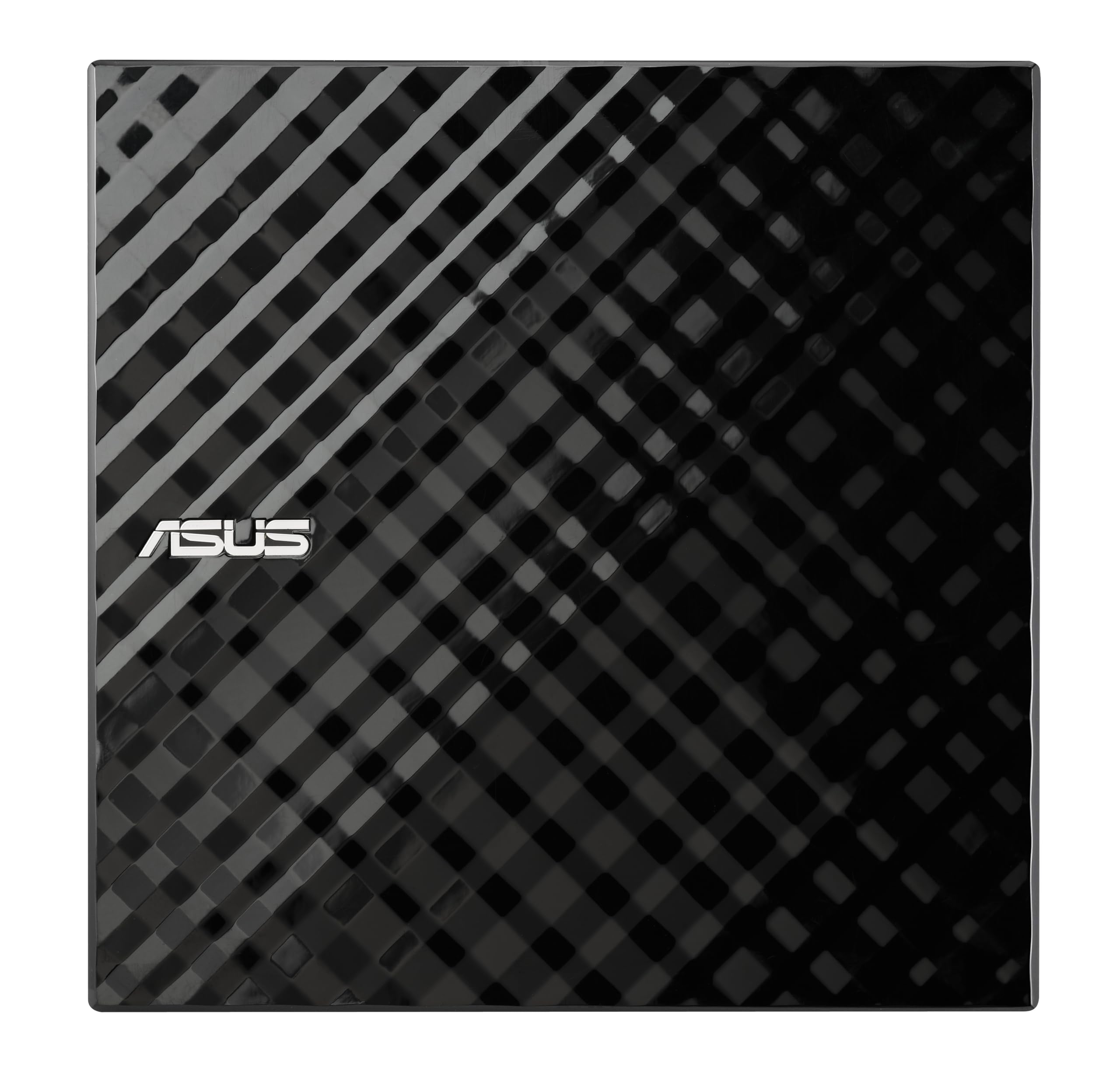
The ASUS SDRW-08D2S-U Lite is a slim USB 2.0 DVD burner with an 8x write speed for DVDs and 24x for CDs. Its diamond-cut design gives it a polished look, and the drag-and-burn software simplifies disc creation. Disc Encryption adds password-protected and hidden-file security, a feature not common in entry-level drives.
Users appreciate the straightforward plug-and-play experience on Windows 11, though the short Y-cable (approximately 24 inches) and two-USB-port requirement for full power are common complaints. The plastic enclosure feels lightweight, and the drive is slightly audible during operation. It fits well in compact ITX builds for OS installation.
This model is best for users who prioritize small footprint and basic burning over speed or extra ports. The encryption software is a bonus for securing sensitive data on burned discs.
Why it’s great
- Compact size fits tight desktop setups
- Drag-and-burn software with disc encryption
- Reliable plug-and-play on Windows and Mac
Good to know
- Short USB cable may require an extender
- Only USB 2.0 speeds
7. Dell Slim DW316 DVD Burner

The Dell DW316 is a first-party slim DVD burner designed to complement Dell Inspiron, OptiPlex, Vostro, and XPS systems. It operates over USB 2.0 with a data transfer rate of 60 Mbps, sufficient for standard DVD and CD tasks. The plastic enclosure keeps weight low at 200 grams, and the compact form factor slides easily into a laptop bag.
Customer feedback highlights easy installation and included software for disc burning and playback. The drive works out of the box with both Windows and Mac OS, though USB 2.0 limits ripping speed compared to USB 3.0 alternatives. It lacks extra ports or a carrying case, keeping the design simple and focused.
This is a no-frills option for Dell users who want guaranteed OEM compatibility. The straightforward design and reliable performance make it suitable for occasional disc access, but users needing faster transfers or Blu-ray support should look at the premium picks above.
Why it’s great
- OEM compatibility with Dell systems
- Includes software for burning and playback
- Lightweight and compact for travel
Good to know
- USB 2.0 limits transfer speed
- No Blu-ray support
FAQ
Can an external disk drive play Blu-ray movies on my laptop?
Why is my external CD/DVD drive not recognized when I plug it in?
Final Thoughts: The Verdict
For most users, the best disk drive winner is the BUNUD External Blu Ray Drive because it reads every disc format, adds a built-in USB hub, and uses USB 3.0 Type-C for fast transfers. If you want a compact DVD-only solution with extra ports, grab the ORIGBELIE External DVD Drive. And for reliable everyday DVD and CD tasks at a friendly starting point, nothing beats the ROOFULL External CD DVD Drive with its protective case and proven track record.

Mo Maruf
I created WellFizz to bridge the gap between vague wellness advice and actionable solutions. My mission is simple: to decode the research and give you practical tools you can actually use.
Beyond the data, I am a passionate traveler. I believe that stepping away from the screen to explore new environments is essential for mental clarity and physical vitality.