Our readers keep the lights on and my smoothie glass nicely filled. As an Amazon Associate, I earn from qualifying purchases.
A home network that stutters during a video call, drops signal in the backyard, or bottlenecks a multi-gig fiber plan isn’t just an inconvenience — it’s a barrier to how modern homes function. Choosing the wrong hardware means dead zones, buffering, and frustrating lag that no internet plan can fix on its own.
I’m Mohammad Maruf — the founder and writer behind WellFizz. I’ve spent hundreds of hours analyzing router chipset architectures, mesh handoff protocols, and real-world throughput data for this guide to cut through the marketing noise.
Whether you’re equipping a sprawling house or a device-dense apartment, finding the right devices for high speed internet home setup is the single most impactful decision for your online experience.
How To Choose The Best Devices For High Speed Internet Home Setup
Selecting the right networking gear involves more than just buying the fastest number on the box. The most important factors are coverage, wired port speed, and the specific Wi-Fi generation that matches your device ecosystem. A misstep in any of these categories can leave you paying for bandwidth you can’t actually use.
Coverage vs. Material Density
Square footage ratings are optimistic baselines. Real-world performance depends heavily on wall construction (drywall vs. concrete vs. brick), floor plans with multiple levels, and the placement of large metal appliances. A mesh system with multiple nodes is generally the solution for homes over 2,500 square feet or with challenging layouts, as it can physically place access points closer to devices.
Wired Port Speeds Is the Real Bottleneck
The single most overlooked spec is the WAN port speed. If you subscribe to a 1 Gbps or faster internet plan and your router only has a 1 Gbps WAN port, you will never see speeds above that cap on any device. For multi-gig plans (2 Gbps and above), look for routers with at least one 2.5 Gbps WAN port. For future-proofing, 10 Gbps ports are ideal but currently found only on premium models.
Wi-Fi Generation Matching Your Devices
Wi-Fi 7 is backward compatible and provides the highest peak speeds and lowest latency, but its full benefits (like Multi-Link Operation) require Wi-Fi 7 clients. Wi-Fi 6E introduces the uncongested 6 GHz band, which is excellent for high-bandwidth tasks like VR and large file transfers. For a mixed household of older smartphones, laptops, and smart home devices, Wi-Fi 6 remains an extremely capable and budget-friendly sweet spot.
Quick Comparison
On smaller screens, swipe sideways to see the full table.
| Model | Category | Best For | Key Spec | Amazon |
|---|---|---|---|---|
| ASUS ROG Rapture GT-AXE16000 | Premium Gaming Router | Enthusiast & Multi-Gig Users | Dual 10G ports, Quad-Band | Amazon |
| ASUS RT-BE88U | Premium Wi-Fi 7 Router | Wired Network Density | 34G WAN/LAN capacity | Amazon |
| NETGEAR Orbi 770 Series | Premium Wi-Fi 7 Mesh | Coverage & Reliability | 11 Gbps tri-band | Amazon |
| Linksys Velop Micro 7 | Mid-range Wi-Fi 7 Mesh | Privacy & Easy Setup | 6600 sq. ft coverage | Amazon |
| GL.iNet Flint 3e (GL-BE6500) | Mid-range Wi-Fi 7 Router | VPN & Ad Blocking | 680 Mbps VPN speed | Amazon |
| TP-Link Deco X55 Pro | Mid-range Wi-Fi 6 Mesh | Whole Home Wi-Fi 6 | 2x 2.5G ports per unit | Amazon |
| TP-Link Archer AX80 | Mid-range Wi-Fi 6 Router | Range & Value | 4804 Mbps 5 GHz speed | Amazon |
| Cudy M11000 | Value Wi-Fi 7 Mesh | Early Wi-Fi 7 Adoption | 4x 2.5G ports | Amazon |
| ASUS RT-BE58U | Value Wi-Fi 7 Router | Affordable Future-Proofing | 3.6 Gbps speed | Amazon |
In‑Depth Reviews
1. ASUS ROG Rapture GT-AXE16000

The ASUS ROG Rapture GT-AXE16000 is a quad-band powerhouse designed for the absolute highest wired and wireless throughput possible at its price tier. With two 10 Gbps ports and one 2.5 Gbps WAN port, this router is built to never be the bottleneck, even for multi-gig fiber plans. The inclusion of the 6 GHz band via Wi-Fi 6E provides a clean channel for low-latency gaming and VR, completely separate from the crowded 2.4 and 5 GHz spectrums.
Real-world performance from verified users shows exceptional signal penetration through two-story homes and wall materials that stump lesser routers. One review highlighted sustained wired speeds of 2125 Mbps down, which is remarkable. The router also features a comprehensive security suite with AiProtection Pro and granular client management, though some users report that the 6 GHz range is limited and that the unit can run warm under heavy load.
The form factor is massive — it requires significant shelf space. A two-year owner noted that while it performs flawlessly initially, a 3-year protection plan is a smart buy as some units have exhibited instability over time. For light to moderate gaming and a high device count, it is a top-tier choice, but it may be overkill for homes without multi-gig internet or demanding application needs.
Why it’s great
- Dual 10G ports provide unmatched wired throughput for NAS and gaming PCs.
- Quad-band architecture dedicates a 6 GHz channel for interference-free high-bandwidth tasks.
- Comprehensive security and VPN features included without a subscription fee.
Good to know
- Large physical footprint requires dedicated shelf space.
- Some units have reported overheating and instability after extended heavy use (2+ years).
- AiMesh implementation has been reported as finicky with older ASUS routers for wired backhaul.
2. ASUS RT-BE88U

The ASUS RT-BE88U is a wired connectivity monster that stands apart from its peers. It offers a 10G SFP+ port, a standard 10G WAN/LAN port, four 2.5G ports, and four standard 1G ports, for a total wired capacity of 34 Gbps. This makes it the ideal router for homes with a multi-gig plan, a NAS device, and several wired gaming PCs or workstations. It supports Wi-Fi 7 with 4K-QAM and Multi-Link Operation, though it lacks a native 6 GHz band, operating as a dual-band router instead.
User reports confirm exceptional coverage, with one user covering 3100 square feet and half an acre of yard from a single unit while managing over 30 devices. The built-in AdGuard DNS feature is a highlight for users who want network-wide ad blocking without a separate device. Several long-term users reported that the router worked perfectly for weeks before requiring a firmware update that fixed a red light connectivity issue, suggesting some early firmware instability.
This device is not for the average household. It is specifically for power users who need high port density and total control over their network. The price reflects that, and the lack of a 6 GHz band might be a dealbreaker for those with many Wi-Fi 6E clients. However, for a wired-first network with a few Wi-Fi 7 devices, it has few equals.
Why it’s great
- Unrivaled wired port count and speed (34G total capacity) for multi-device, multi-gig networks.
- Integrated AdGuard DNS for network-wide ad and tracker blocking without extra hardware.
- Excellent single-unit coverage, eliminating the need for mesh extenders in many homes.
Good to know
- Lacks a dedicated 6 GHz band, making it less future-proof for Wi-Fi 6E devices.
- Initial firmware issues (red light errors) required manual updates reported by some users.
- Premium price point aimed at wired networking enthusiasts, not general consumers.
3. NETGEAR Orbi 770 Series (RBE773)

The NETGEAR Orbi 770 Series is a tri-band Wi-Fi 7 mesh system engineered for the largest and most demanding homes. With a combined speed of 11 Gbps and a coverage area rating of 8,000 square feet, this three-pack can blanket a substantial property with consistent signal. Its dedicated tri-band backhaul ensures that the communication between the router and satellites doesn’t steal bandwidth from your devices, a key differentiator from cheaper dual-band extenders.
Verified users with over 100 devices, including IoTs, TVs, and computers on a large property, report that the system handles the load perfectly with no disconnections. The 2.5G WAN and LAN ports on each unit allow for wired backhaul and support for multi-gig internet plans. The setup process is app-based and relatively smooth, though the satellites can take a few minutes to synchronize initially.
While performance is top-tier, the price is the highest on this list. Some users note that for the cost, they would appreciate more detailed network management features like per-device bandwidth prioritization. It is a “set it and forget it” system — ideal for those who value reliability over extensive customization.
Why it’s great
- Massive 8,000 sq. ft. coverage eliminates dead zones in sprawling homes with yards.
- Dedicated tri-band backhaul ensures satellites don’t reduce device speeds.
- Handles 100+ devices with rock-solid stability, as reported by real owners.
Good to know
- High price point makes it a major investment for most households.
- Limited advanced customization options compared to standard routers.
- Wired backhaul can be unstable with older Cat 5e cabling; Cat 6 recommended.
4. Linksys Velop Micro 7
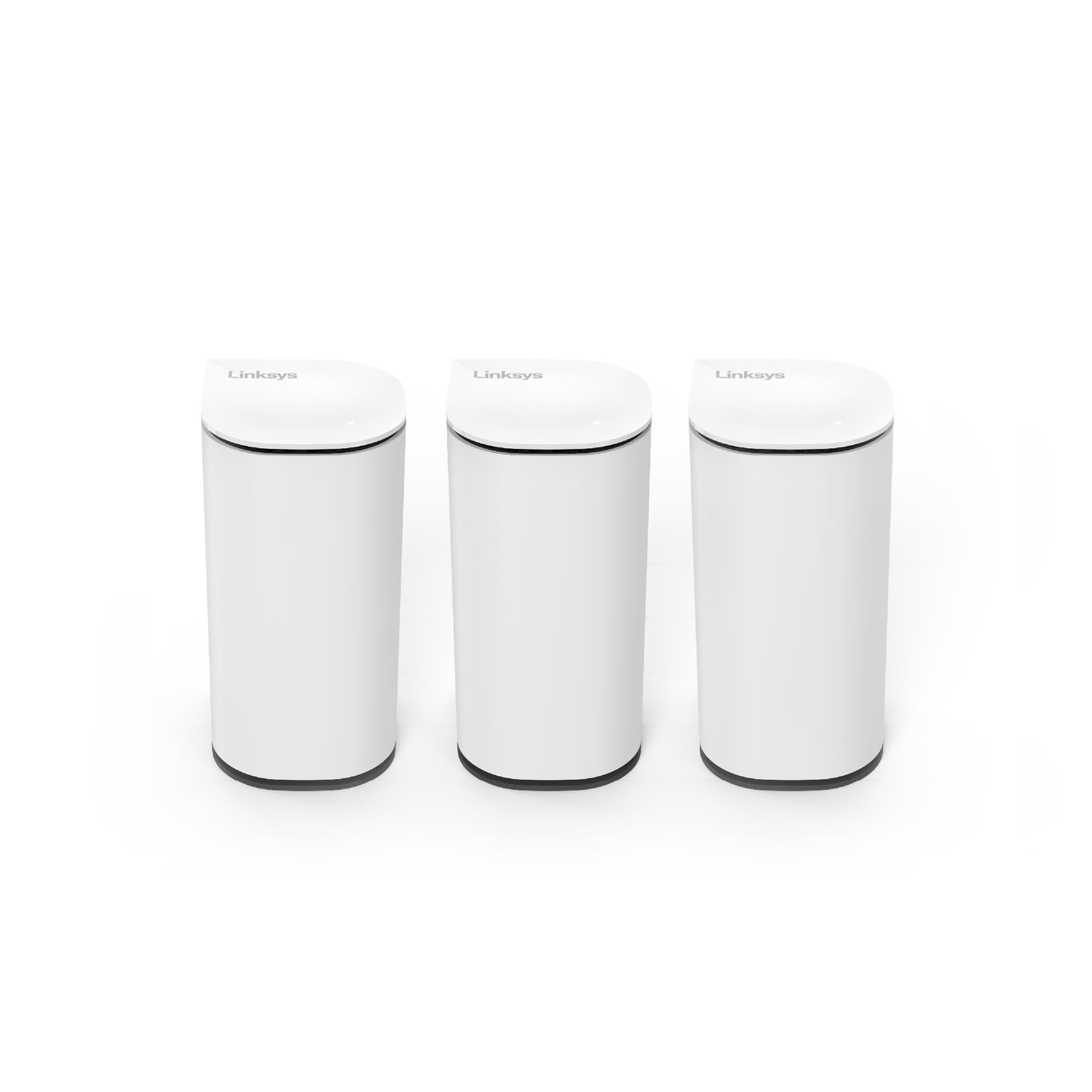
The Linksys Velop Micro 7 distinguishes itself with a unique privacy-focused design. It requires no app and no account for setup — you simply press the Instant-Pair button on the router and satellite. This approach eliminates the data collection that plagues many modern networking products. It is a dual-band BE5000 Wi-Fi 7 mesh system covering up to 6,600 square feet with a 3-pack, making it a strong competitor in the mid-range mesh market.
User reviews are overwhelmingly positive regarding its simplicity and stability. One user who migrated from an older Velop 6 system reported better range and seamless coverage throughout a 2,200 square foot house and yard. The system also works well in bridge mode with advanced firewalls like pfSense, providing flexibility for complex network designs. The industrial design is notably compact and uses recycled plastics.
The main drawbacks are related to quality control. A few reports indicate defective units that would not sync with the modem, and customer support was described as unhelpful. While the performance and privacy are excellent, the reliability lottery is a concern for a product at this price point. For users who prioritize privacy and ease, it is a compelling but slightly risky option.
Why it’s great
- Setup without an app or account is a genuine privacy advantage over competitors.
- Instant-Pair button makes adding new nodes incredibly straightforward.
- Compact, sustainable design fits well in any room decor.
Good to know
- Reports of defective units and unhelpful customer support are concerning.
- Dual-band setup may not handle multi-gig backhaul as effectively as tri-band options.
- Mid-range performance for the price; not the absolute fastest mesh available.
5. GL.iNet Flint 3e (GL-BE6500)

The GL.iNet Flint 3e is a purpose-built machine for users who require network-wide VPN protection without sacrificing speed. It claims VPN throughput of up to 680 Mbps on both WireGuard and OpenVPN protocols, which is a massive differentiator from typical routers where VPN speeds drop to a fraction of the base throughput. It is a dual-band Wi-Fi 7 router with 5 x 2.5G Ethernet ports, making it a strong wired contender as well.
User feedback strongly validates its VPN capabilities. One review praised its integration with SurfShark, noting that the router maintains a stable connection to the VPN service, allowing all connected devices to be protected simultaneously. Another power user highlighted its built-in AdGuard Home support, which blocks tracking and ads at the network level. The open-source nature of its firmware appeals to DIY users who want to install additional plugins.
The downsides are its complexity and potentially faulty hardware. One reviewer spent over a day troubleshooting a defective unit with non-working Ethernet ports and described customer service as poor. It is not a beginner-friendly device. Setup requires some networking knowledge, and the web interface, while powerful, can be overwhelming. It is a fantastic specialized tool, but a risky general-purpose router.
Why it’s great
- Industry-leading VPN throughput (680 Mbps) for fast, network-wide protection.
- Built-in AdGuard Home for network-level ad blocking without a subscription.
- Open-source firmware with plugin support for advanced customization.
Good to know
- Not beginner-friendly; setup and troubleshooting require technical networking skills.
- Reports of defective hardware and poor customer service are a significant risk.
- Dual-band design limits the raw wireless bandwidth compared to tri-band or quad-band options.
6. TP-Link Deco X55 Pro

The TP-Link Deco X55 Pro is a Wi-Fi 6 mesh system that delivers exceptional value for homes with multi-gig internet plans. The key differentiator here is that each of the three units features two 2.5 Gbps ports, allowing for a dedicated wired backhaul that can handle multi-gig speeds. This is a rare feature at this price point, as many similarly priced mesh systems are stuck with 1 Gbps ports that create a bottleneck.
Users consistently praise the system’s stability and coverage. A user with a 4,000 square foot home reported that switching the system to Access Point mode and using Ethernet backhaul completely eliminated the handoff issues they had with their old non-mesh setup. The AI-driven mesh function is also a plus, as it intelligently learns the network environment. The app-based management is user-friendly, making it suitable for non-technical households.
The primary limitation is that it is Wi-Fi 6, not 6E or 7. While this is perfectly adequate for most current devices, it lacks the 6 GHz band for future-proofing. It also struggles in environments with extremely high interference, though this is rare. For the price, it is arguably the best balanced mesh system for large homes.
Why it’s great
- Outstanding value with 2.5G ports on each node, supporting multi-gig wired backhaul.
- Easy setup and management through the Deco app, suitable for all users.
- Reliable whole-home coverage for up to 6,500 sq. ft. with a 3-pack.
Good to know
- Lacks Wi-Fi 6E (6 GHz) support, limiting its future-proofing capability.
- Performance may degrade in very high-interference radio environments.
- Some users report minor connectivity hiccups after long periods of uptime.
7. TP-Link Archer AX80

The TP-Link Archer AX80 is a dual-band Wi-Fi 6 router that focuses on range and reliability over bleeding-edge speeds. With eight high-gain antennas and Beamforming technology, it is designed to cover large homes without the need for mesh extenders. It offers a 2.5 Gbps WAN port, which is crucial for users with internet plans above 1 Gbps who want to avoid a wired bottleneck.
User reviews strongly corroborate its range claims. One user replaced an older TP-Link router that had dead zones and found that the AX80 covered all rooms and the yard without issue. Another user, transitioning from a previous Archer model, reported a noticeable speed boost on the 5 GHz band for streaming. The web interface is straightforward, and the router supports OneMesh for optional future expansion.
The major drawback is its very limited QoS functionality. A user reported that enabling QoS caused dropouts and had to disable it. For heavy multi-device usage, this could be an issue. Additionally, it lacks a dedicated 6 GHz band and is not a mesh system by default. It is an excellent choice for the price if your main concern is covering a large area with a single, powerful unit.
Why it’s great
- Exceptional range that can cover large homes and yards with a single router.
- 2.5 Gbps WAN port ensures the router is not a bottleneck for multi-gig plans.
- OneMesh compatibility offers a simple upgrade path if you need more coverage.
Good to know
- QoS functionality is reportedly buggy and can cause network dropouts.
- Not a mesh system; requires an extender for full whole-home coverage in complex layouts.
- Lacks Wi-Fi 6E/7 features, making it less future-proof for new devices.
8. Cudy M11000
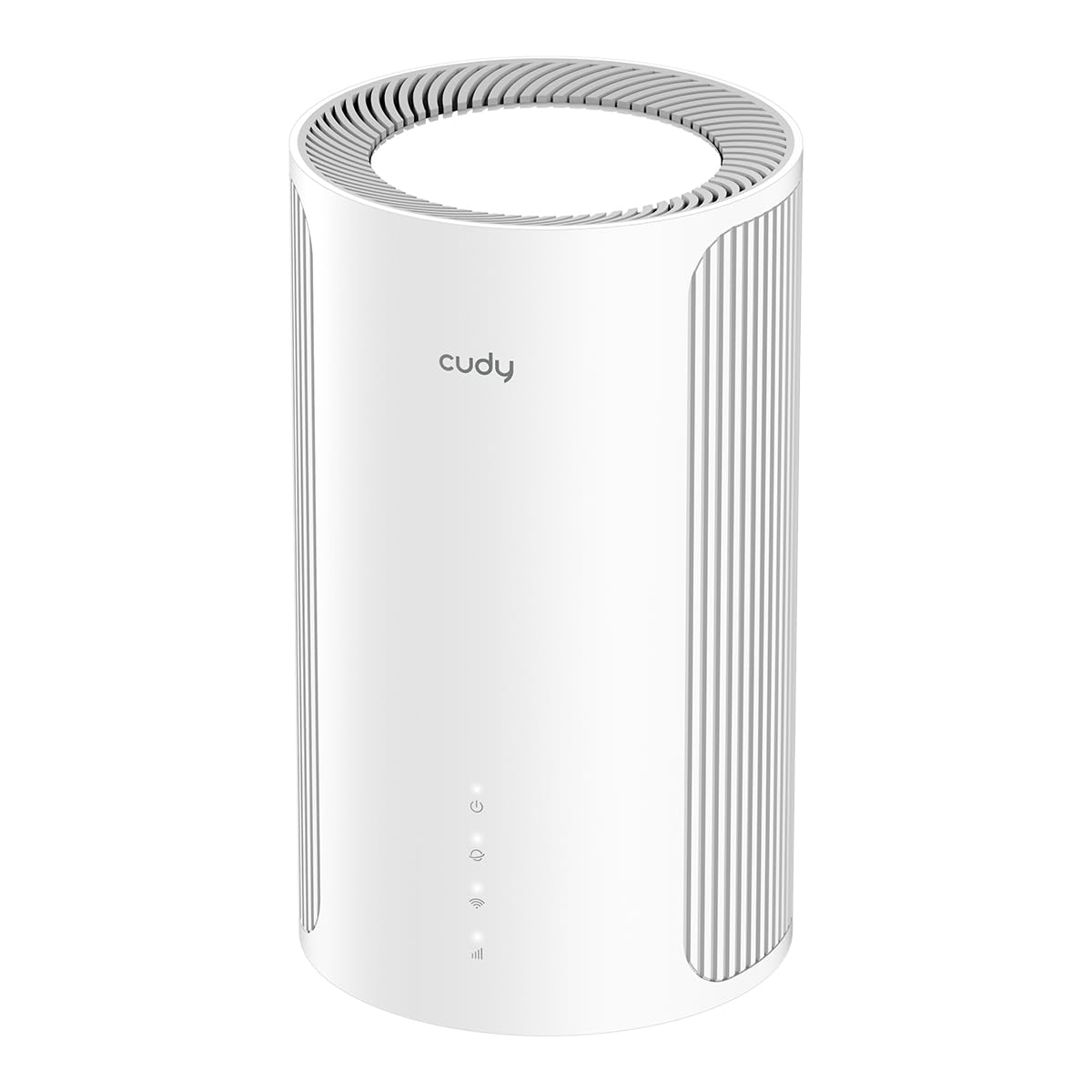
The Cudy M11000 is a budget-friendly entry point into the Wi-Fi 7 ecosystem, offering tri-band speeds up to 11,000 Mbps and four 2.5 Gbps ports. It is a mesh system that can be expanded, but users report it performs excellently as a single powerful router. It is a compelling option for early adopters who want Wi-Fi 7’s 320 MHz bandwidth capabilities without the premium price tag.
Reviews from users who have set it up praise its raw speed and stability once configured. The system supports AI-Roaming to adapt to user movement, and its Multi-VPN support allows for flexible remote access. A reviewer with a technical background noted that the web interface is powerful, offering advanced QoS, VLAN, and VPN controls, though the basic app is somewhat limited.
The main trade-off is its learning curve. Multiple reviews mention that the setup and interface can be overwhelming for non-experts. One user reported a “learning curve” as a negative, and the lack of intuitive guidance in the app is a common complaint. For a power user or tech enthusiast, this is a feature, not a bug, but it makes it a poor choice for a family member who just wants it to work out of the box.
Why it’s great
- Excellent value as one of the most affordable Wi-Fi 7 mesh systems available.
- Four 2.5G ports provide ample wired capacity for multi-gig devices and backhaul.
- Advanced web interface offers deep control over QoS, VLAN, and VPN.
Good to know
- Setup and web interface are not beginner-friendly, requiring some networking know-how.
- The basic Cudy app lacks some configuration options found in the web interface.
- Long-term reliability data is limited as it is a newer product in the market.
9. ASUS RT-BE58U

The ASUS RT-BE58U is a dual-band Wi-Fi 7 router designed to be a budget-friendly entry point into the new standard without sacrificing core security. It offers speeds up to 3.6 Gbps and supports Multi-Link Operation (MLO) for improved stability. It also includes ASUS’ commercial-grade AiProtection Pro, a feature typically reserved for their more expensive models, providing robust network security for free.
User feedback highlights its ease of setup and reliable performance for smaller spaces. One reviewer with a 1,200 square foot apartment reported excellent coverage and the ability to set up separate SSIDs for IoT devices and guest networks. Another user praised the fact that no account is required to use the router, with a dark GUI and a fast quad-core processor with 1GB of RAM. It delivers 890 Mbps on a 1 Gbps plan wirelessly.
The biggest limitation is its lack of 6 GHz support, as it is a dual-band Wi-Fi 7 router. This means you won’t get the full uncongested channel benefits of Wi-Fi 7. Also, a few users reported defective units with WAN issues, though this appears to be a manufacturing lottery issue rather than a design flaw. It is a solid, affordable choice for those wanting the very latest Wi-Fi standard on a budget.
Why it’s great
- Affordable entry into Wi-Fi 7 technology with MLO support for stable connections.
- Commercial-grade AiProtection Pro network security is included for free, no subscription.
- Easy setup process with a responsive, no-account-required interface.
Good to know
- Dual-band design lacks the 6 GHz band, limiting Wi-Fi 7’s full potential.
- Some user reports of defective hardware with WAN connectivity issues.
- Coverage is best for smaller spaces (under 1,500 sq. ft.) and may not suit large homes.
FAQ
Do I need a Wi-Fi 7 router for a 1 Gbps internet plan?
What is the difference between a mesh system and a range extender?
Is it better to use wired backhaul or wireless backhaul for a mesh network?
Final Thoughts: The Verdict
For most users, the devices for high speed internet home setup winner is the NETGEAR Orbi 770 Series because it combines massive tri-band Wi-Fi 7 coverage with the rock-solid reliability required for a family home. If you want a multi-gig wired network with total control, grab the ASUS RT-BE88U. And for the best value in whole-home Wi-Fi 6, nothing beats the TP-Link Deco X55 Pro.

Mo Maruf
I created WellFizz to bridge the gap between vague wellness advice and actionable solutions. My mission is simple: to decode the research and give you practical tools you can actually use.
Beyond the data, I am a passionate traveler. I believe that stepping away from the screen to explore new environments is essential for mental clarity and physical vitality.