Our readers keep the lights on and my smoothie glass nicely filled. As an Amazon Associate, I earn from qualifying purchases.
Fumbling for keys in the dark or juggling grocery bags while searching for the right house key is a daily frustration that a smart lock eliminates entirely. A digital deadbolt replaces that metal key with your fingerprint, a unique code, or a tap on your phone, turning a moment of friction into a seamless, hands-free entry.
I’m Mohammad Maruf — the founder and writer behind WellFizz. I’ve spent countless hours analyzing the hardware specs, connectivity protocols, and real-world user feedback for dozens of digital deadbolts to identify which models deliver reliable performance without the security trade-offs.
This guide breaks down the top picks to help you find a best digital deadbolt that matches your home’s needs and your lifestyle habits.
How To Choose The Best Digital Deadbolt
Picking the right digital deadbolt comes down to three core pillars: how you want to unlock the door, how you want to manage access remotely, and how much physical security the lock body provides. Each decision point directly impacts daily convenience and long-term peace of mind.
Unlocking Methods: Biometric Speed vs. Keypad Reliability
Fingerprint sensors rated at 0.3 seconds or faster deliver near-instant access and are ideal for hands-free entry when your arms are full. Keypads with anti-peep protection — where you can enter random digits before and after your real code — prevent code theft via shoulder surfing. Some premium models now offer facial recognition, which works in total darkness thanks to dual infrared sensors.
Remote Access: Built-in Wi-Fi vs. Gateway Dependence
Built-in Wi-Fi lets you lock, unlock, and check door status from anywhere without extra hardware. Models that rely on a separate Bluetooth-to-Wi-Fi gateway (often sold separately) can achieve the same remote functionality but add a layer of complexity and an additional purchase. Check whether the lock supports only 2.4 GHz networks, as most smart locks do not connect to 5 GHz bands.
Physical Security: BHMA Grade and Material Composition
The Builders Hardware Manufacturers Association (BHMA) grades locks from 1 to 3, with Grade 1 offering the highest residential security. A zinc alloy or aluminum body resists physical tampering better than plastic-heavy construction. The latch throw — ideally 1 inch — prevents shimming by locking firmly into the strike plate. Vacation modes that disable all digital unlock methods except the master code add another layer of protection when you’re away.
Quick Comparison
On smaller screens, swipe sideways to see the full table.
| Model | Category | Best For | Key Spec | Amazon |
|---|---|---|---|---|
| Lockly Visage Zeno | Premium | Facial recognition & Apple Home | Dual IR + 10,000 mAh battery | Amazon |
| Philips 4200 Series | Premium | Built-in Wi-Fi with handle set | 0.3 second fingerprint | Amazon |
| Veise VE07-H | Mid-Range | Fingerprint speed & app control | 8-in-1 unlock, 0.3 sec sensor | Amazon |
| Philips DDL242X-1HW | Mid-Range | All-in-one entry-level smart lock | Built-in Wi-Fi, 100 passcodes | Amazon |
| Sifely Model O | Mid-Range | Biometric + app for rentals | 100+ prints, 100 codes | Amazon |
| Kwikset SmartCode 270 | Budget | Simple keypad-only replacement | Grade 2 BHMA, SmartKey | Amazon |
| Veise VE06-L | Budget | Handle set with IC card access | IP54 weatherproof, 250+ codes | Amazon |
In‑Depth Reviews
1. Lockly Visage Zeno Series Smart Lock
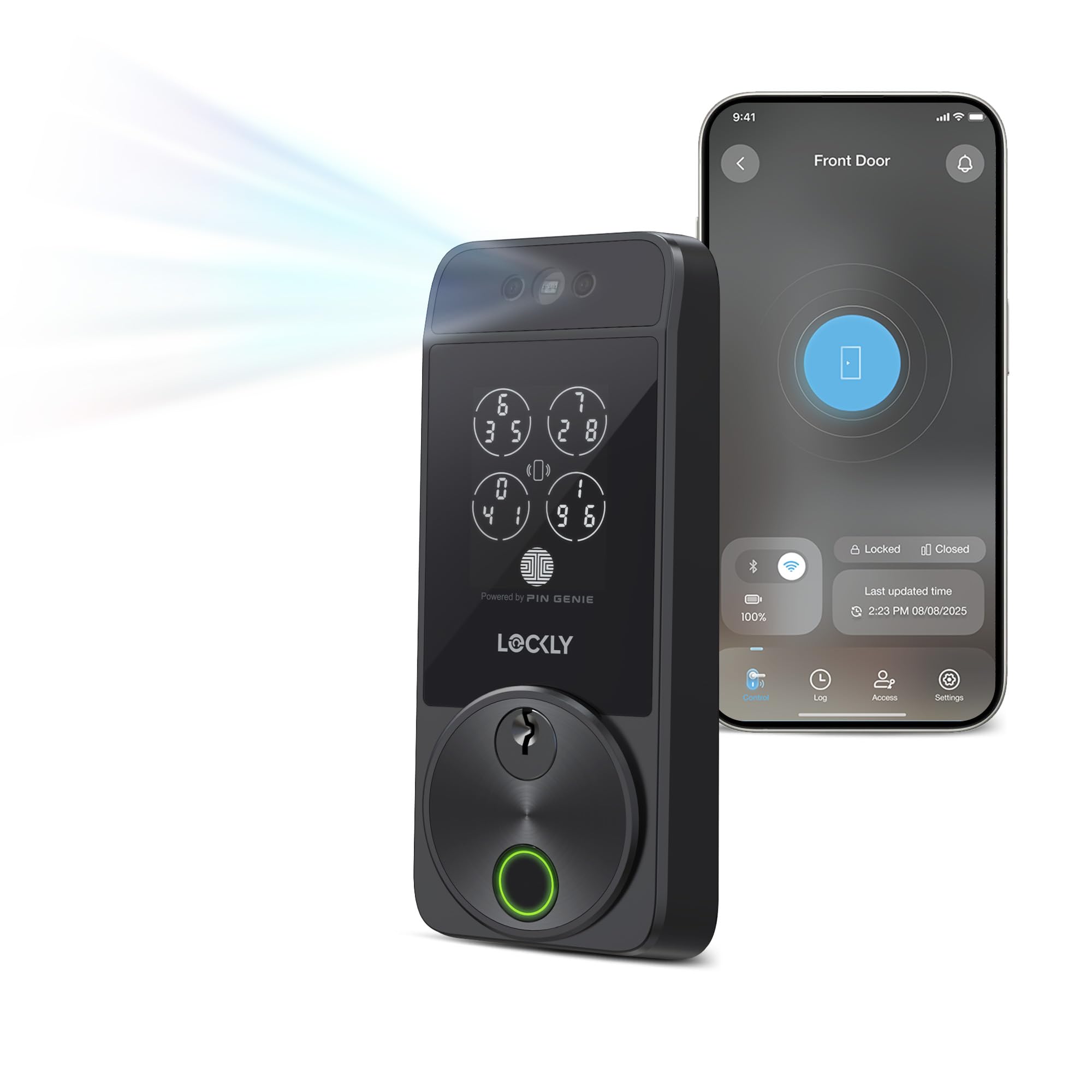
The Lockly Visage Zeno is the most advanced digital deadbolt in this lineup, offering dual infrared facial recognition that works in complete darkness without needing Bluetooth or Wi-Fi to unlock. The self-learning AI fingerprint sensor claims a 0.2-second recognition time and stores up to 99 prints, while the integrated Apple Home Key allows tap-to-unlock with an iPhone or Apple Watch even when the device battery is dead.
Built-in Wi-Fi eliminates the need for a separate hub, enabling remote lock/unlock and access sharing through the Lockly Home app. The package includes two 10,000mAh rechargeable lithium batteries rated for up to six months of normal use, plus a Type-C backup power socket for emergencies. Users report facial unlock in one to two seconds consistently, with battery life exceeding nine months under moderate daily use.
Some users experienced unstable Wi-Fi connectivity on one of three units installed, which disabled remote guest code management. The installation takes about 30 minutes with common tools, and the lock fits doors 1 3/8 to 3 1/8 inches thick. The PIN Genie keypad shuffles number positions on each use to prevent code theft from fingerprint residue.
Why it’s great
- Instant facial unlock in any light without network dependency
- Apple Home Key support works even with a dead iPhone
- Long-lasting 10,000mAh rechargeable batteries reduce waste
Good to know
- Wi-Fi connectivity can be inconsistent on some units
- Premium price positions it above all other models here
- Rechargeable battery replacement takes 10+ hours to recharge
2. Philips 4200 Series WiFi Smart Lock

The Philips 4200 Series stands out for bundling a matching lever handle set with the deadbolt, creating a cohesive front-door lock set without needing to buy handles separately. It connects directly to a 2.4 GHz Wi-Fi network without a hub, and the Philips Home Access App allows remote locking, unlocking, user code management, and real-time access history — all from your phone.
The fingerprint sensor reads in 0.3 seconds, and the keypad supports permanent, one-time, periodic, and recurring PIN codes for family members, housekeepers, or short-term rental guests. Auto-lock timing is adjustable from 0 to 180 seconds via the app, and voice commands work with Alexa or Google Assistant. The deadbolt is compatible with doors 1 3/8 to 1 3/4 inches thick and installs with just a screwdriver — a 73-year-old reviewer with arthritis reported finishing the install solo.
Battery life is rated for up to six months using eight standard 1.5V alkaline AA batteries (not included), and the app sends low-battery alerts before you get locked out. The matte black finish matches a coastal farmhouse or modern aesthetic. Some users note the auto-lock feature is disabled by default and must be turned on manually in the app.
Why it’s great
- Complete handle set eliminates extra hardware shopping
- True hub-free direct Wi-Fi for remote access
- Fast 0.3-second fingerprint sensor with multiple print storage
Good to know
- Auto-lock must be manually enabled in the app
- Only 2.4 GHz Wi-Fi supported
- Eight AA batteries not included
3. Veise VE07-H Fingerprint Smart Lock

The Veise VE07-H delivers eight unlocking methods — app, fingerprint, Apple Watch, web portal, codes, eKeys, fobs, and mechanical key — making it one of the most versatile mid-range options available. The biometric sensor uses 3D technology with 99.99% accuracy and can store up to 50 fingerprints, with the ability to add or delete prints directly through the app without keypad programming.
Code management supports over 250 access codes across permanent, timed, recurring, custom, and one-time categories. Auto-lock is adjustable from 5 to 900 seconds, and one-touch locking works by pressing and holding the lock icon in the app or the # key on the keypad. The included handle set integrates with the deadbolt for a clean single-unit look on the door.
The lock requires the G2 gateway for remote access and voice control with Alexa or Google Assistant, which is sold separately. User reviews highlight the fast fingerprint read speed and easy app navigation, though no long-term battery data was available at the time of review. The solid zinc alloy construction and weather-resistant design make it suitable for exterior doors exposed to the elements.
Why it’s great
- Exceptional 0.3-second fingerprint read speed
- Multiple unlocking options including Apple Watch and fobs
- Zinc alloy body for durable weather resistance
Good to know
- Remote access requires separate G2 gateway purchase
- Bluetooth range limits app control to near proximity
- Limited user reviews for long-term reliability
4. Philips Wi-Fi Door Lock DDL242X-1HW

The Philips DDL242X-1HW is the best all-around digital deadbolt for most households because it packs built-in Wi-Fi, fingerprint scanning, a backlit keypad, and voice control into a single unit at a mid-range price point. No separate hub or gateway is required — the lock connects directly to a 2.4 GHz network, and the Philips Home Access App provides remote lock/unlock, real-time notifications, and a full access history log.
You can create up to 100 custom passcodes for family members, guests, or service providers, and share unlimited one-time or scheduled codes without being home. The fingerprint sensor instantly unlocks with one touch, and review data shows the sensor works consistently and reliably in daily use. Auto-lock is adjustable from 10 to 180 seconds, and an Away Mode disables all digital unlock methods except the master code when you travel.
Installation takes roughly 20 minutes with a Phillips #2 screwdriver, and the lock fits doors 1 3/8 to 2 inches thick. The aluminum construction feels solid, and the hidden backup keyhole under the fingerprint reader keeps the aesthetic clean. The lock requires eight AA alkaline batteries (not included), and users report strong battery life with early low-battery warnings.
Why it’s great
- Built-in Wi-Fi remote access with no extra hub
- Fast, reliable fingerprint sensor praised in multiple reviews
- Versatile code management with up to 100 user codes
Good to know
- No door sensor to confirm lock status
- Only 2.4 GHz Wi-Fi supported
- Requires eight AA batteries not included
5. Sifely Model O Deadbolt
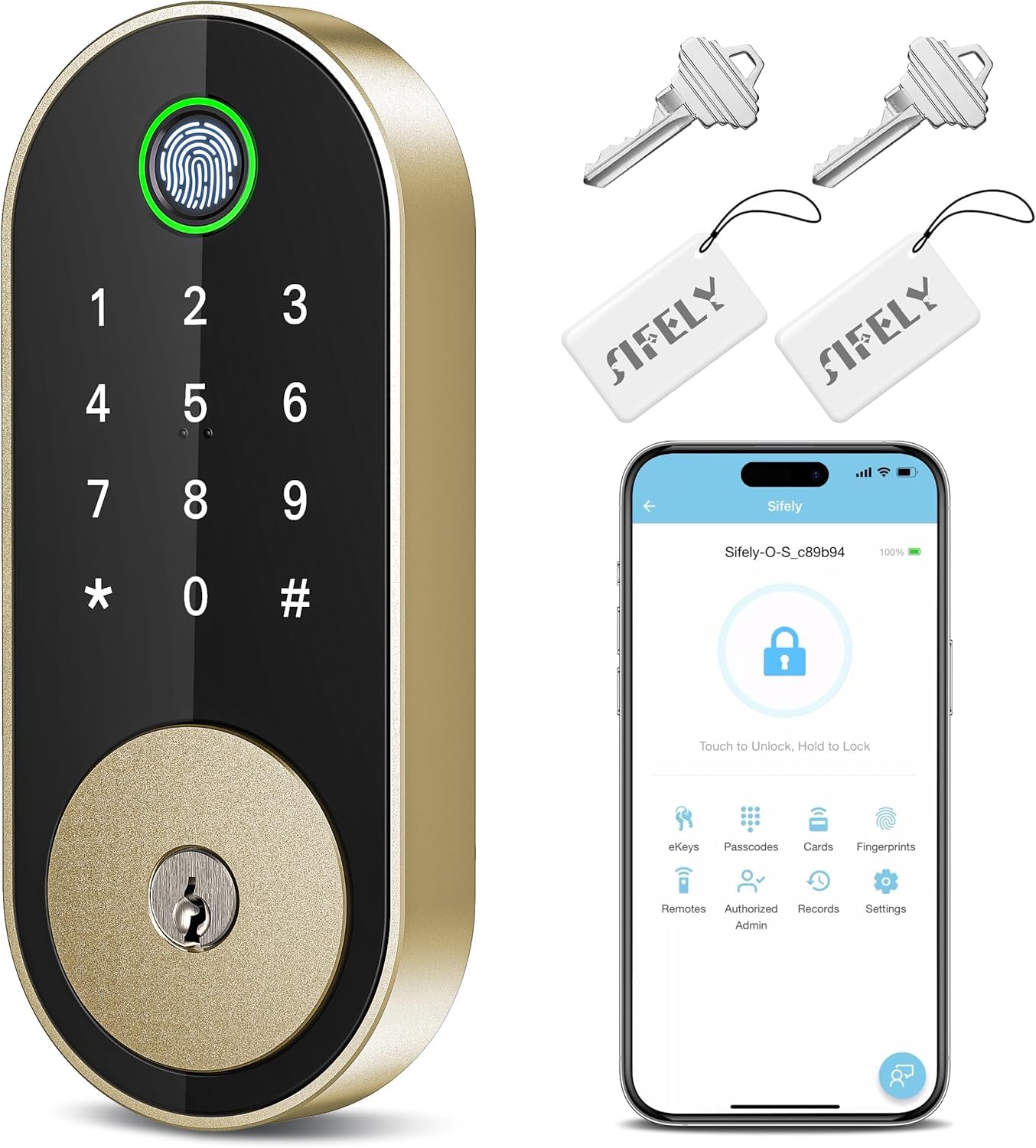
The Sifely Model O delivers five unlocking methods — fingerprint, keypad code, fob, app, and physical key — and supports up to 100 fingerprints and 100 access codes, making it a strong contender for rental properties and families with multiple residents. The free app and web portal allow code management, access logs, eKey sharing, and schedule settings, though remote access requires the Sifely Gateway (sold separately).
User reviews consistently praise the easy 15- to 20-minute DIY install and the sturdy aluminum and zinc construction. The auto-lock feature engages after each entry, and privacy mode and passage mode provide flexibility for different daily scenarios. The backlit keypad and anti-peep code entry add practical security that works in low light.
One common observation is that the fingerprint sensor sometimes requires a second attempt if your finger placement is off — recording multiple prints of the same finger solves this. The lock is compatible with Alexa and Google Assistant when paired with the gateway, and the sleek modern design fits standard single-family homes and apartments alike.
Why it’s great
- High fingerprint capacity ideal for large families or rentals
- Quick 15-minute installation with basic tools
- Sturdy aluminum and zinc alloy build quality
Good to know
- Remote access requires separate gateway purchase
- Fingerprint sensor may need precise placement
- Voice control also requires gateway
6. Kwikset SmartCode 270

The Kwikset SmartCode 270 is a straightforward keypad-only deadbolt that skips biometrics and app connectivity entirely, focusing instead on robust physical security and simple code management. It carries a Grade 2 BHMA certification, which is up to 2.5 times stronger than Grade 3 locks, and features SmartKey technology that lets you re-key the lock to any KW1 key in seconds without removing the lock from the door.
Code management supports up to 50 user codes plus 10 one-time-use codes, all programmed directly on the keypad without a phone or internet connection. Auto-lock timing is adjustable at 30 seconds, 1, 3, 5, or 10 minutes, and an intrusion alert sounds an alarm after three incorrect code entries, disabling the keypad for one minute. The backlit keypad illuminates with a simple tap for easy use at night.
User feedback is overwhelmingly positive, with many citing easy installation and reliable auto-lock operation. Some complaints include intermittent failure where the lock flashes red five times and refuses to operate, though this issue appears related to overtightened mounting screws rather than a systemic defect. The metal, plastic, and zinc construction feels solid for its price point, and the 12-month battery life using four AA batteries reduces maintenance frequency.
Why it’s great
- Grade 2 BHMA certification for superior physical security
- SmartKey re-keying for quick tenant turnover
- 12-month battery life with basic four AA cells
Good to know
- No fingerprint sensor or app control
- Mechanical lock mechanism can fail if screws are overtightened
- Auto-lock delay options are presets, not fully customizable
7. Veise VE06-L Smart Lock with Handle Set

The Veise VE06-L is a budget-friendly entry-level digital deadbolt that includes a full handle set and multiple unlocking methods — app, code, IC cards (over 1,000 capacity), e-key, admin authorization, and mechanical key. The DDlock app and web portal offer code management, access logs, and e-key sharing without any subscription fees, making it a low-cost solution for landlords managing multiple properties.
Auto-lock timing ranges from 5 to 900 seconds, and one-touch locking works by pressing and holding the # key for two seconds. The lock carries IP54 weatherproof certification and BHMA/ANSI Grade 3 certification, with a claimed lifespan exceeding 10 years in ideal conditions. All data — access records, user info, and codes — is encrypted locally via AES and stored on the lock’s chip, eliminating cloud-based data leakage risks.
Customer support is a key strength, with multiple reviews mentioning exceptional service from the US-based team, particularly representatives Aaron and Isabella. Remote access and voice control with Alexa or Google Assistant require the G2 gateway (sold separately), and the lock lacks a fingerprint sensor. The aluminum and zinc construction feels durable for the price, and installation takes under an hour with provided video guides.
Why it’s great
- Included handle set at a competitive entry-level price
- IC card support for convenient tap-and-go entry
- Local AES encryption ensures no cloud data leaks
Good to know
- No fingerprint sensor — relies on codes and IC cards
- Remote access requires separate G2 gateway
- Grade 3 BHMA certification is the lowest security tier
FAQ
How do I prevent lockouts if my digital deadbolt battery dies?
Can I use a digital deadbolt with a smart home system like Alexa or Google Assistant?
Are digital deadbolts secure against lock bumping or picking?
What door thickness and preparation do I need to install a digital deadbolt?
Final Thoughts: The Verdict
For most users, the best digital deadbolt winner is the Philips Wi-Fi Door Lock DDL242X-1HW because it combines built-in Wi-Fi, fast fingerprint scanning, and versatile code management at a mid-range price point without requiring a separate hub. If you want hands-free facial recognition and Apple Home Key integration, grab the Lockly Visage Zeno. And for a simple keypad-only replacement with outstanding physical security, nothing beats the Kwikset SmartCode 270.

Mo Maruf
I created WellFizz to bridge the gap between vague wellness advice and actionable solutions. My mission is simple: to decode the research and give you practical tools you can actually use.
Beyond the data, I am a passionate traveler. I believe that stepping away from the screen to explore new environments is essential for mental clarity and physical vitality.