Our readers keep the lights on and my smoothie glass nicely filled. As an Amazon Associate, I earn from qualifying purchases.
Forgetting appointments and managing scattered paper schedules is a daily friction point for busy households. A dedicated digital calendar device replaces that chaos with a centralized, always-updated touchscreen hub that every family member can see and interact with at a glance.
I’m Mohammad Maruf — the founder and writer behind WellFizz. I’ve spent countless hours analyzing screen resolutions, processor speeds, calendar-sync protocols, and subscription models across the current market to build a guide that cuts through the marketing noise.
This guide walks through the top models, explains how to match screen size and sync capabilities to your routine, and concludes with my pick for the best digital calendar device for most families.
How To Choose The Best Digital Calendar Device
A digital calendar looks simple, but the right choice depends on screen format, sync depth, and the features your family actually uses daily. Focus on these three factors before comparing models.
Screen Size and Mounting
Screen size determines how much information fits on one view. A 10-inch model works on a desk or narrow counter, while a 15- or 16-inch display is better for a kitchen wall where the whole family passes by. Check whether the device supports both portrait and landscape orientation and whether VESA or frame-mount hardware is included. A wall-mounted unit should have a sleep mode that dims at night to avoid glare in bedrooms or hallways.
Calendar Sync Method
Two-way sync (Google, iCloud, Outlook) means an event added on your phone appears on the device instantly and vice versa. One-way push only downloads changes from the cloud but does not send local edits back. For a shared family calendar, two-way sync is essential. Also review whether the device requires a companion app on your phone — most do — and whether that app is free or requires a subscription for features like automation or unlimited family members.
Family and Productivity Features
Beyond the calendar view, consider chore charts with reward systems, meal plan displays, shared grocery lists, and photo screensaver modes. These extras turn the device from a passive display into an active family command center. Check if the chore system is customizable (custom rewards, points per task) and whether the meal planner includes a recipe library or just a text field. Avoid paying a subscription for basic features like task tracking or photo uploads when many models include those at no extra cost.
Quick Comparison
On smaller screens, swipe sideways to see the full table.
| Model | Category | Best For | Key Spec | Amazon |
|---|---|---|---|---|
| ApoloSign 15.6-inch | Premium | Android app flexibility | 15.6-inch, Google Gemini, dual-mode | Amazon |
| Airzeen 15.6 Inch | Premium | No-subscription full feature set | 15.6-inch, 1080P, customizable widgets | Amazon |
| Westsee 15.6-inch | Premium | 32GB storage and no subscription | 15.6-inch, 32GB, Zical App | Amazon |
| Dragon Touch TM15 | Mid-Range | Larger screen at a mid-tier price | 15.6-inch, FHD, eCalendar App | Amazon |
| Anyuse 16-Inch | Mid-Range | Largest display with 4-level font | 16-inch, 4 font sizes, Whale Framely | Amazon |
| LiviNGPAi 10.1 Inch | Mid-Range | Small footprint and chore rewards | 10.1-inch, chore chart, meal planning | Amazon |
| Dragon Touch TM10 | Budget | Entry-level value with photo frame | 10.1-inch, chore chart, digital frame | Amazon |
In‑Depth Reviews
1. Apolosign 15.6-inch Digital Family Calendar
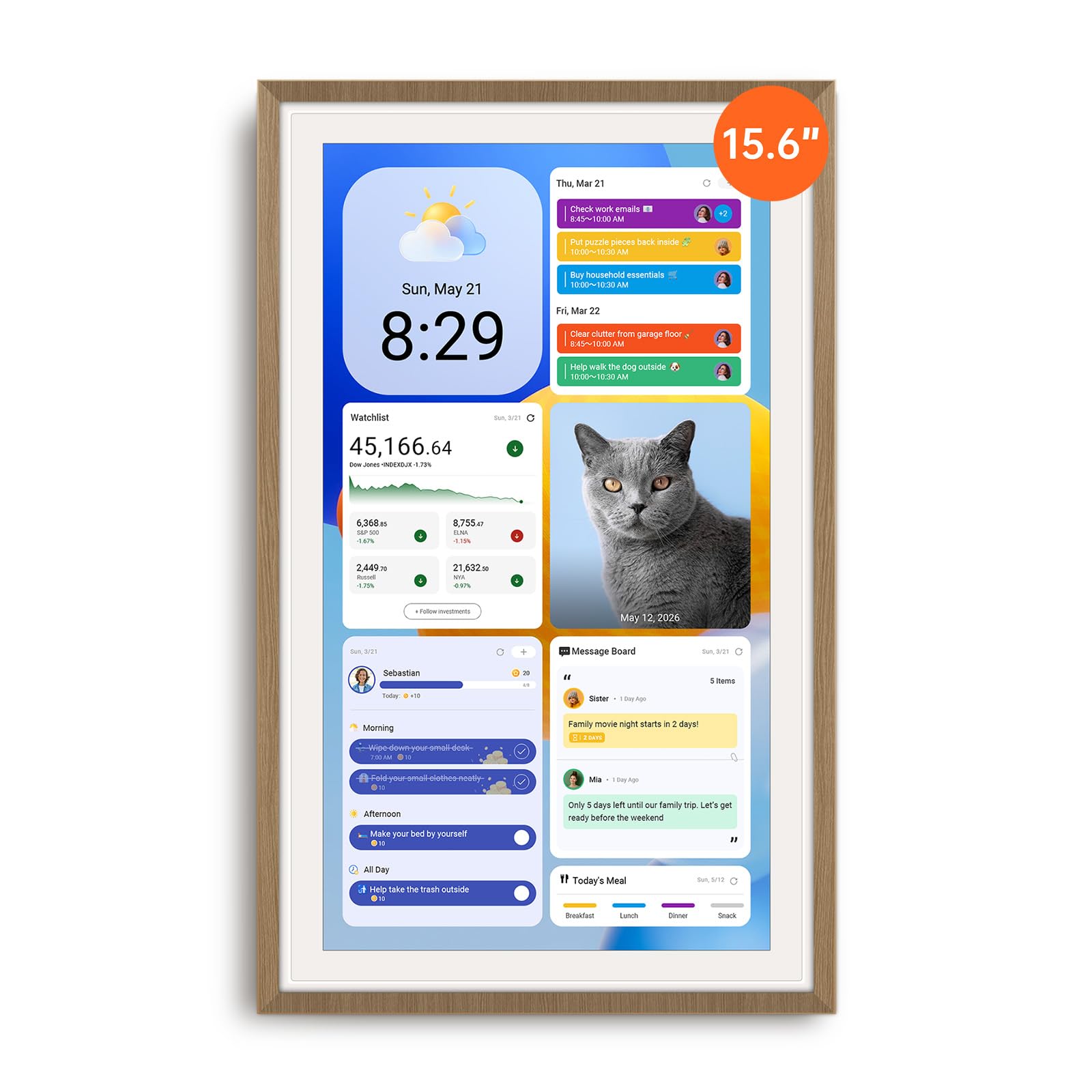
The Apolosign is the most versatile digital calendar on this list because it runs a full Android OS alongside a dedicated Calendar Mode. You can switch between a simple family calendar interface and a full Android tablet environment with access to Google Play apps — Netflix, YouTube, smart home controls, and even live security camera feeds. The 15.6-inch IPS touchscreen delivers clear wide-angle viewing, and the built-in Google Gemini voice assistant adds hands-free control for checking schedules or setting reminders.
Two-way sync works smoothly with Google Calendar, iCloud, and Outlook, and the interactive chore chart includes a color-coded reward system with a prize wheel that keeps kids engaged. The unit ships with both a desk stand and a wall-mount kit, and the sturdy build survived a 4-foot drop in one owner’s account. The anti-glare coating and auto-brightness adjustment make it comfortable in bright kitchens or dim hallways.
The main limitation is the lack of a battery — it must stay plugged in at all times. The speaker quality is adequate for alerts but not great for media. Some users note the power cable exits from the bottom or left side in portrait mode, which can affect wall placement. Despite those quirks, the combination of calendar functionality plus full Android access makes this the category leader.
Why it’s great
- Full Android mode unlocks apps like YouTube and Netflix
- Two-way calendar sync with Google, iCloud, Outlook
- Built-in Google Gemini voice assistant
Good to know
- No battery; must stay plugged in
- Speaker quality is average for media playback
- Power cable placement limits some wall orientations
2. Airzeen 15.6 Inch Digital Calendar
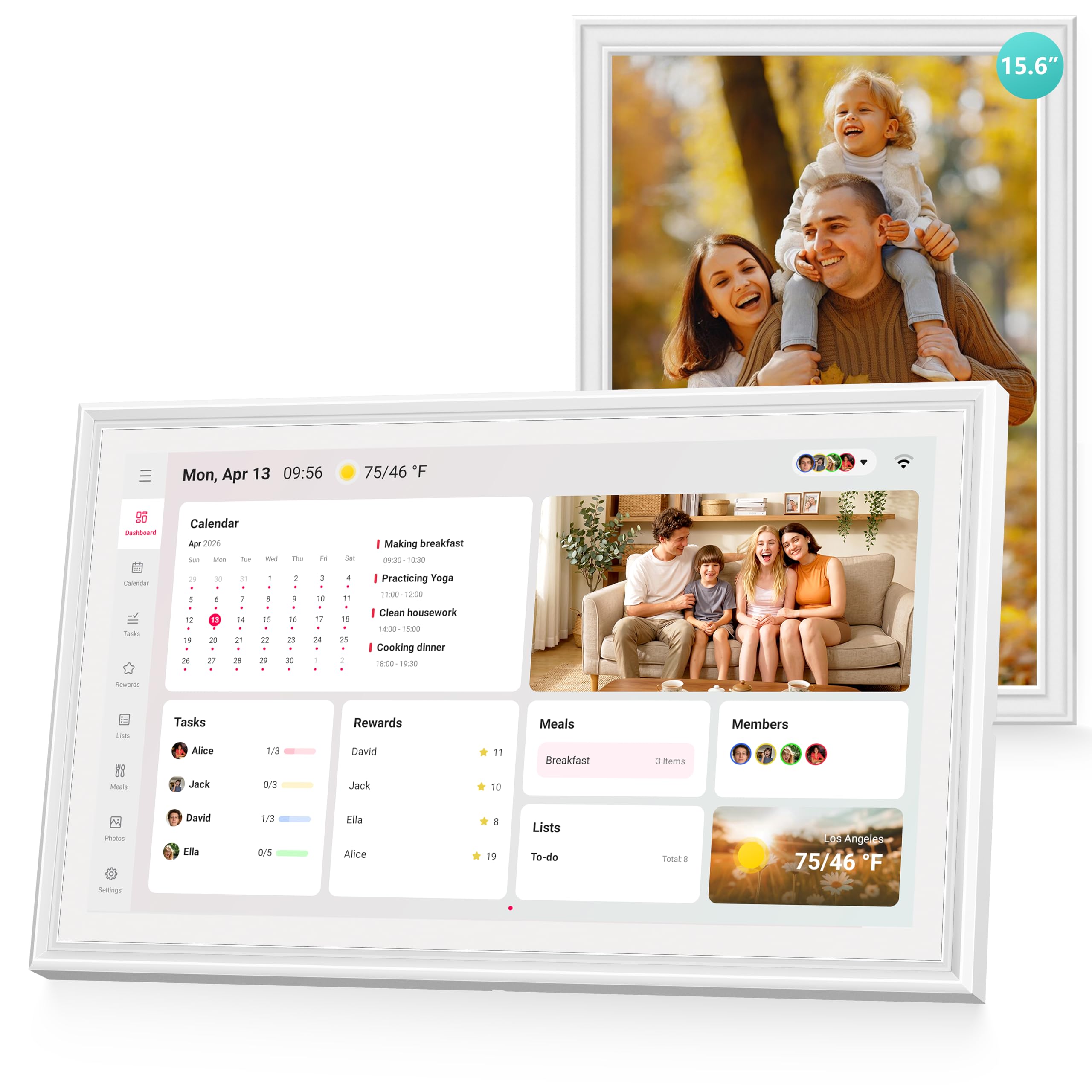
The Airzeen 15.6-inch model focuses on delivering a complete family management dashboard without any subscription fees. Every feature — tasks, rewards, meal planning, to-do lists, weather, and photo frame — is included out of the box. The 1080P HD touchscreen renders colors accurately, and the customizable dashboard lets you build multi-page layouts with widgets for the information your family checks most often.
Two-way syncing works with Google, iCloud, Outlook, Cozi, and Yahoo, with changes appearing on the device and phone nearly instantly. The task and reward system is flexible enough for both young children and teenagers, and the meal planner reduces the daily “what’s for dinner?” friction by displaying the weekly menu on the home screen. The sleep mode adjusts brightness automatically, and the unit supports both portrait and landscape orientations with included mounting hardware.
The build quality is good, though the plastic bezel is thicker than some competing models. The companion app is free, and some users mention that assigning shared tasks to multiple people requires a few extra taps. Overall, for a family that wants every feature without worrying about monthly bills, the Airzeen is the most straightforward choice.
Why it’s great
- Zero subscription fees for all core features
- Customizable multi-page dashboard with widgets
- Wide calendar sync support (Google, iCloud, Outlook, Cozi)
Good to know
- Plastic bezel is thicker than some competitors
- Assigning shared tasks can require extra manual steps
- No Android app store for third-party apps
3. Westsee 15.6-inch Digital Calendar
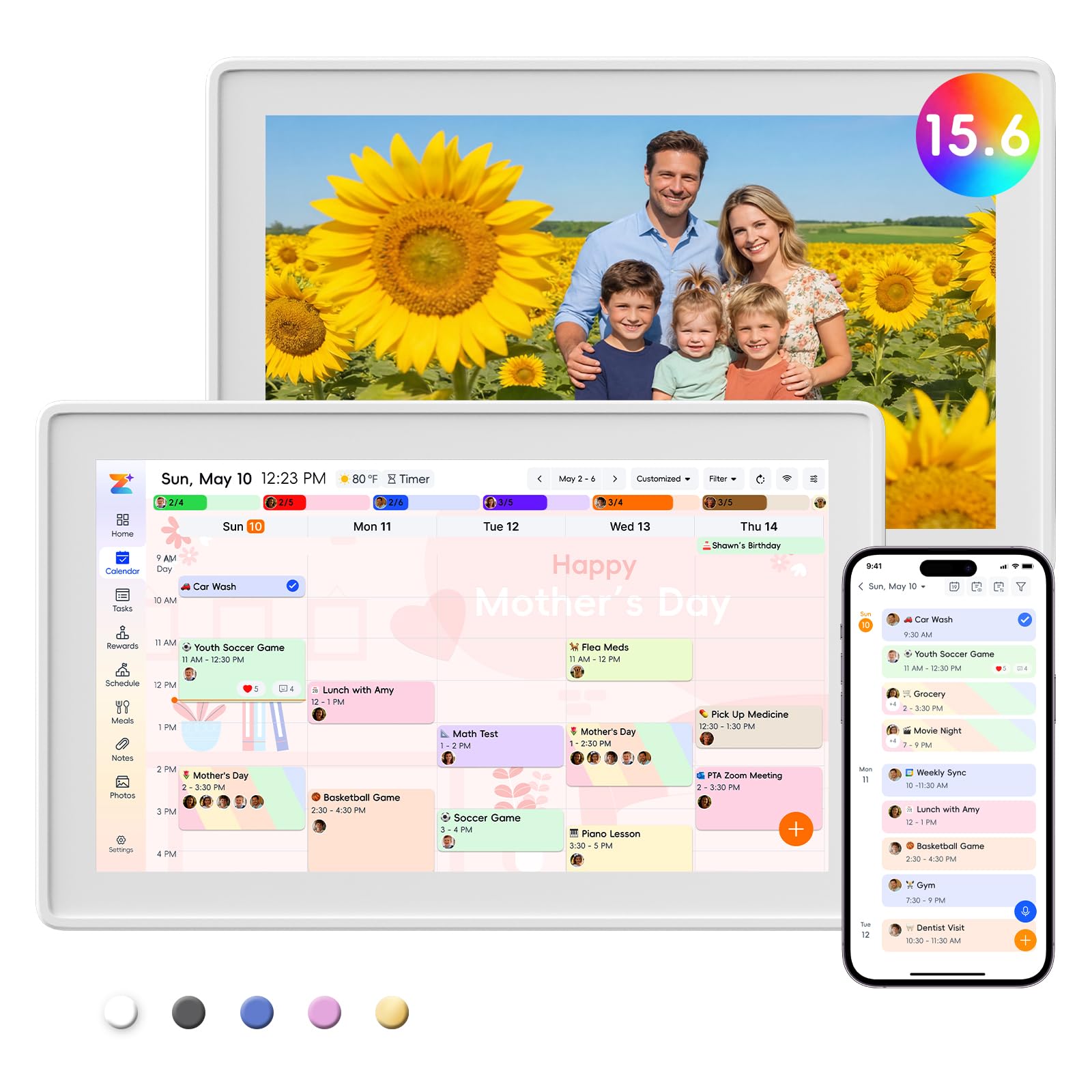
The Westsee 15.6-inch unit stands out with 32GB of built-in storage, which lets you store thousands of photos and short videos directly on the device without relying on cloud storage. The Zical companion app handles calendar sync with Google, iCloud, and Outlook, and the touchscreen interface supports Day, Week, Month, and Custom views. The color-coded task system makes it easy to see who is responsible for which chore at a glance.
There is no subscription required for the main functions — schedules, tasks, rewards, meal plans, and photo display are all free. An AI Assistant feature may require a future subscription, but the core experience is fully functional without it. The device includes both a table stand and a wall-mount display kit, and the sleep mode can be programmed to automatically dim at night. Owners consistently praise the crisp 15.6-inch display and the quick setup process.
The frame separates easily from the mount if lifted from the bottom, which can be a minor annoyance on a wall install. The sleep mode (default 10 PM to 6 AM) hides appointments unless you tap the Calendar icon, which some users find inconvenient. The audio quality from the built-in speaker is sufficient for alerts but not for music. Despite those small trade-offs, the generous local storage and no-subscription policy make this a strong contender.
Why it’s great
- 32GB internal storage for photos and videos
- No subscription for core scheduling and task features
- Multiple calendar views and color-coded tasks
Good to know
- Frame can separate from mount when lifted
- Sleep mode hides calendar unless Calendar icon is tapped
- Speaker is adequate for alerts, not music
4. Dragon Touch 15.6″ Smart Family Calendar

The Dragon Touch TM15 brings a 15.6-inch Full HD touchscreen to the mid-range price bracket. The eCalendar app handles calendar syncing with iOS and Google calendars, and the interactive chore chart with star rewards and a celebratory chime has proven to be a hit with families raising young children. The display doubles as a digital picture frame with customizable slideshows when not in calendar mode.
Setup is straightforward — plug in, connect to Wi-Fi, and scan a QR code to link the app. The color-coded events system allows each family member to have their own profile, and the meal planner removes the daily dinner guesswork. The device can be wall-mounted or placed on a desk with the included kickstand, and the touchscreen is responsive even with slightly wet fingers from the kitchen.
The app syncs slowly compared to native iOS/Google calendar integration, and some users report that shared tasks require manual editing for each person. There is no automated phone reminder for calendar events, so you still need your phone for time-sensitive alerts. The value proposition is strong: you get a large-screen experience for less than many 10-inch competitors, but the slower sync may frustrate power users.
Why it’s great
- Large 15.6-inch FHD display at a mid-range price
- Chore chart with star rewards and celebratory chime
- Doubles as a digital photo frame
Good to know
- App sync is slower than native calendar integration
- No automated phone reminders for events
- Shared task assignments require manual edits
5. Anyuse 16-Inch Smart Digital Calendar

The Anyuse 16-inch model offers the largest screen on this list, and the extra inch of diagonal space makes a noticeable difference when displaying a full month view with event bubbles. The HD touchscreen includes four adjustable font sizes and brightness levels, which helps seniors or users with visual impairments read the schedule without squinting. The unit supports four placement modes: wall, desk, horizontal, and vertical, with all mounting accessories included.
Calendar syncing covers Google (two-way), iCloud, Outlook, Cozi, Yahoo, and TeamSnap, and changes from third-party calendars appear on the device within seconds. The chore and reward system lets you assign age-appropriate tasks with color labels and star rewards that kids can redeem for preset prizes. The built-in recipe library integrates with the meal planner, and the photo screensaver can display up to 50 pictures at once with a maximum 60-second video clip per upload.
The Whale Framely app is required for photo uploads, and some users find the limited photo size adjustment options frustrating. Virtual family members (for children without email addresses) are supported via QR code, but account protection is needed to prevent accidental event deletion by younger kids. The 16-inch panel draws more power, and the sleep mode consumes a small amount of standby energy. For families who prioritize an oversized, readable display, this is the top choice.
Why it’s great
- Largest 16-inch display with adjustable font sizes
- Four placement modes with included mounting hardware
- Two-way Google Calendar sync and TeamSnap support
Good to know
- Photo size adjustment options are limited in the app
- Virtual family member setup requires QR code process
- Higher power draw than 10-inch models
6. LiviNGPAi 10.1 Inch Smart Digital Calendar
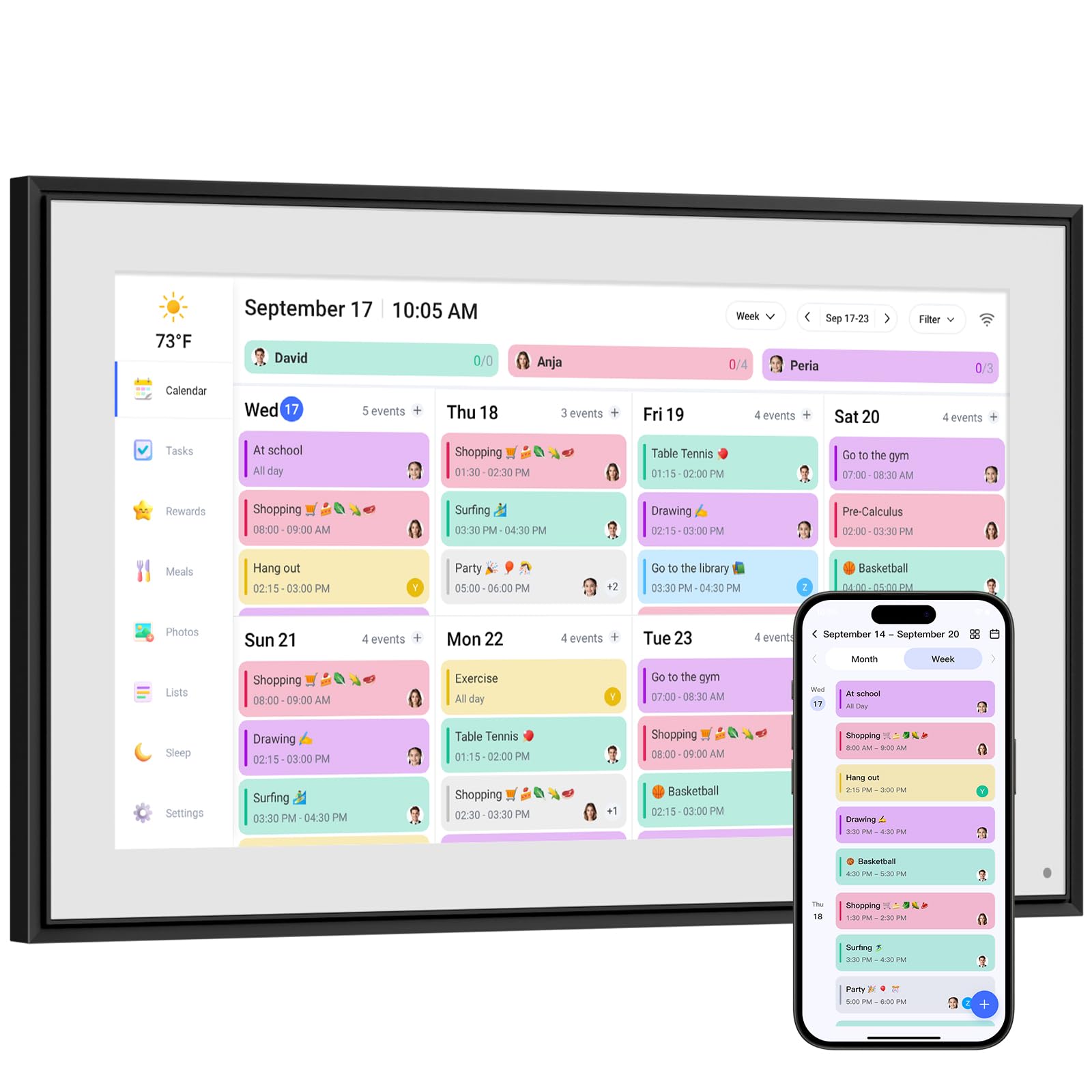
The LiviNGPAi 10.1-inch model proves that a smaller screen can still pack a complete feature set. The HD touchscreen supports both touch and app-based control, and the built-in chore chart with reward mechanisms is designed to motivate children through customizable tasks and achievement stars. The meal planner lets you pre-arrange special menus for holidays and anniversaries, and the photo frame function cycles through family memories when the calendar is idle.
Calendar syncing works with Google, iCloud, Outlook, Cozi, and Yahoo, and the device supports automatic updates across all connected accounts. The sleep mode automatically dims at night, making it suitable for bedrooms or shared spaces without intrusive light. The dual mounting option (horizontal or vertical) and the included stand allow flexible placement on a countertop, desk, or wall. Owners with elderly relatives have found the large-font views and color-coded profiles helpful for dementia orientation.
Some users report that Google Calendar sync does not work over a home network without the phone app acting as an intermediary. Customer service is chatbot-driven, which can be frustrating if you encounter a setup issue. The 10.1-inch screen is fine for a desk or small kitchen, but a family of five or more may find the text cramped in month view. The one-year warranty provides some peace of mind, but the app-dependent sync is a real limitation for households expecting direct desktop integration.
Why it’s great
- Full feature set in a compact 10.1-inch size
- Interactive chore chart with reward system
- Automatic sleep mode with dimming display
Good to know
- Google Calendar sync requires phone app as intermediary
- Customer support is chatbot-driven with limited human contact
- Smaller screen may feel cramped for large families
7. Dragon Touch 10.1 Inch Interactive Touchscreen Family Planner
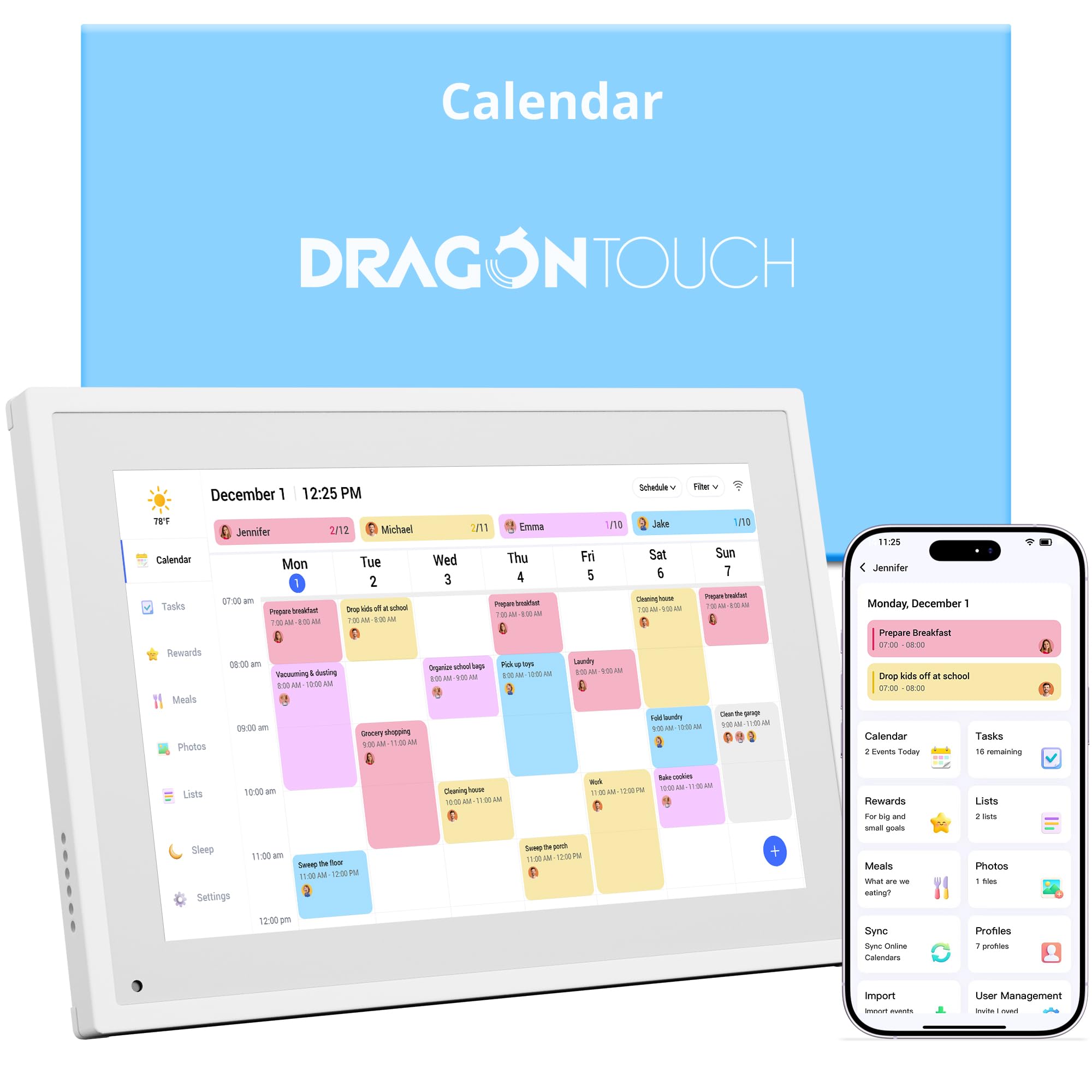
The Dragon Touch TM10 is the most budget-friendly entry point into the digital calendar category, and it delivers a surprisingly complete experience for the price. The 10.1-inch touchscreen is responsive, and the eCalendar app integrates with iOS and Google calendars after a quick QR code setup. The interactive chore chart with star rewards and a chime alert has been widely praised by parents as a simple way to motivate children to complete daily tasks.
The device also functions as a digital picture frame when not displaying the calendar, and the 10-inch size fits neatly on a desk, nightstand, or kitchen counter. The meal planner, grocery list, and task management features are all included in the free app tier, with paid add-ons like Magic Import available for users who need advanced automation. The two-year manufacturer warranty is longer than most competitors in this price range.
The smaller screen means calendar text can be hard to read from across the room, and the app sync speed is noticeably slower than premium models. There is no phone call reminder for calendar events, so you need to rely on the device’s own chime alerts. Some users report that the initial setup takes a while because the app requires several permissions. For a first-time buyer or a household with modest scheduling needs, the TM10 delivers solid value without breaking the bank.
Why it’s great
- Lowest entry price for a full-featured digital calendar
- Interactive chore chart with star rewards and chime
- Two-year manufacturer warranty
Good to know
- Smaller screen is hard to read from across the room
- App sync speed is slower than premium models
- No phone reminders for calendar events
FAQ
Will a digital calendar device sync with my existing Google Calendar?
Do I need a subscription to use chore charts and meal planning features?
Can I mount a digital calendar on the wall without damaging the paint?
What happens to my data if the manufacturer discontinues the app?
Final Thoughts: The Verdict
For most users, the digital calendar device winner is the ApoloSign 15.6-inch because its dual Android/Calendar mode offers unmatched flexibility, two-way sync, and no subscription fees for core features. If you want a subscription-free dashboard with extensive widget customization, grab the Airzeen 15.6 Inch. And for the largest screen with adjustable font sizes for seniors, nothing beats the Anyuse 16-Inch.

Mo Maruf
I created WellFizz to bridge the gap between vague wellness advice and actionable solutions. My mission is simple: to decode the research and give you practical tools you can actually use.
Beyond the data, I am a passionate traveler. I believe that stepping away from the screen to explore new environments is essential for mental clarity and physical vitality.