Our readers keep the lights on and my smoothie glass nicely filled. As an Amazon Associate, I earn from qualifying purchases.
Reaching for your phone to check a single definition inevitably pulls you into notifications, messages, and apps — a distraction that pulls you away from reading, studying, or writing. A dedicated digital dictionary removes that friction, giving you instant word lookups without the glow and buzz of a smartphone.
I’m Mohammad Maruf — the founder and writer behind WellFizz. I’ve spent countless hours analyzing the hardware specs, build materials, display quality, and battery configurations of dedicated electronic dictionaries to determine which devices actually deliver on their promise of focused, distraction-free reference.
Whether you are a language learner, a crossword enthusiast, or a parent wanting to limit screen time during homework, choosing the right device requires understanding what each model actually offers under the plastic shell. This guide breaks down the best options currently available for the best digital dictionary to match your specific use case and budget.
How To Choose The Best Digital Dictionary
Not all electronic dictionaries are built alike. A pocket spellchecker built for a third-grader has a completely different feature set than a bilingual device meant for a college student or a traveler. Understanding a few key differentiators will help you pick the right tool for your actual workflow.
Word Count and Dictionary Depth
The number of words a device holds matters less than the quality of the definitions and the breadth of its thesaurus. Some budget models top out around 38,000 words with minimal definitions, while premium units approach 380,000 words and deliver up to six definitions per entry, along with usage examples and grammatical notes. If you need serious academic support, prioritize dictionary depth over sheer word count.
Phonetic Spell Correction Versus Exact Entry
The core job of a digital dictionary is to find the word you mean even when you spell it wrong. Phonetic spell correction uses fuzzy logic to match your misspelling to the correct dictionary entry. Low-end devices often fail at this — typing “cood” should lead to “could,” not a blank screen. Higher-end models invest significantly in this algorithm, making them far more useful for young readers or non-native speakers.
Battery Type and Replacement Convenience
Coin-cell batteries like the CR2032 offer long standby life but can be difficult to source or replace in a pinch. AAA or AA batteries are universally available and easier to swap, but the device will be thicker and heavier as a result. Check what battery type a model uses and whether replacements are included — some budget units ship with a lithium cell already installed, while others require you to purchase separately.
Quick Comparison
On smaller screens, swipe sideways to see the full table.
| Model | Category | Best For | Key Spec | Amazon |
|---|---|---|---|---|
| Franklin Merriam-Webster Speaking Spanish-English Dictionary | Premium | Serious bilingual study | 600 recorded travel phrases | Amazon |
| LEXiBOOK D650EN The English Dictionary | Mid-Range | Comprehensive academic support | 380,000 words / 78,000 synonyms | Amazon |
| Franklin Spelling Ace with Thesaurus | Mid-Range | Crossword puzzles and homophones | 500,000+ synonyms/antonyms | Amazon |
| Lexibook DC753EN Electronic Pocket Spellchecker | Budget | Portable spelling and games | Crossword/Anagram/Word Builder solvers | Amazon |
| IF Electronic Dictionary Bookmark | Budget | Ultra-portable reading companion | 38,000 word definitions | Amazon |
In‑Depth Reviews
1. Franklin Merriam-Webster Speaking Spanish-English Dictionary (BES-1850)

This is the gold standard for bilingual electronic dictionaries. The Franklin BES-1850 draws from Merriam-Webster’s authoritative database, giving you full definitions, advanced verb conjugation across both English and Spanish, and an audio feature that pronounces words in a recorded human voice — not a synthesizer. The 600 travel phrases cover real-world scenarios from ordering food to asking for directions.
The clamshell design protects the screen and keys when closed, and the curved edges make it comfortable to slide into a pocket. Users report reliable daily use over multiple years, though the LCD is noticeably low-contrast by modern standards, making reading in dim light a challenge. Batteries last roughly two weeks of heavy use, which is acceptable for a device this capable.
If you are learning Spanish or English as a second language and want a tool that keeps you off your phone, this unit delivers the deepest feature set for the investment. The conjugation engine alone justifies the upgrade over cheaper models, as it handles irregular verbs that pocket spellers miss entirely.
Why it’s great
- Full Merriam-Webster definitions with audio pronunciation
- Conjugates English and Spanish verbs across all tenses
- 600 recorded travel phrases for practical use
- Covered screen protects against pocket wear
Good to know
- Screen contrast is poor — hard to read in low light
- Does not include profane or slang vocabulary
- Battery life under heavy use is roughly two weeks
2. LEXiBOOK D650EN The English Dictionary
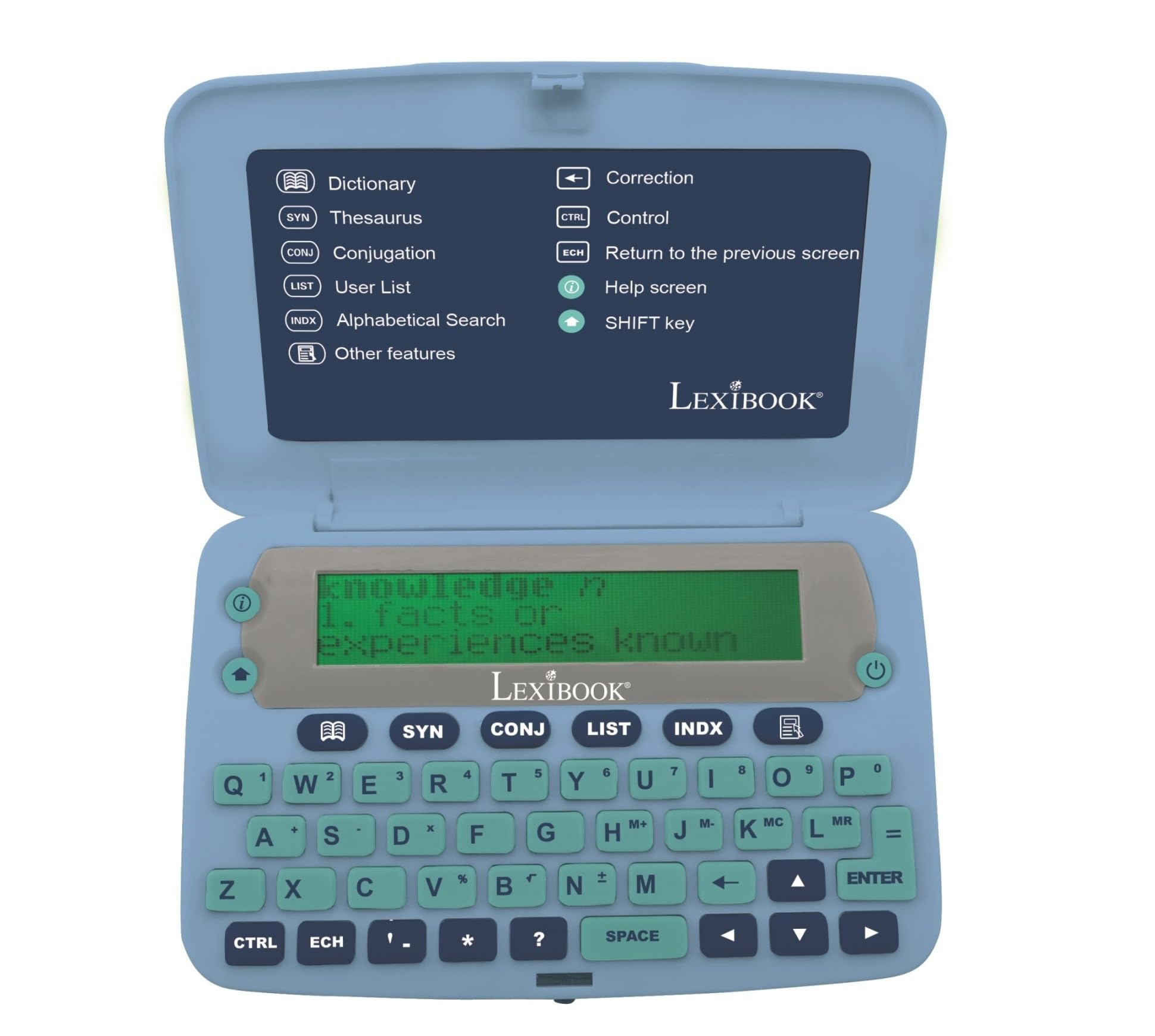
The D650EN is a mid-range monolingual English dictionary that punches well above its tier. With 380,000 words, 78,000 synonyms, and 8,000 conjugated verbs across four tenses, it rivals desktop dictionary software in depth. Each word can display up to six separate definitions, which is a significant upgrade over the one-or-two-line entries found on cheaper spellers.
The large three-line screen and ergonomic button layout make extended lookup sessions more comfortable. A magnifying function can enlarge portions of the display — a genuinely useful feature for older readers or those with visual fatigue. The device also includes a crossword solver, anagram solver, Hangman, and a memory list for saving words to review later.
One caveat: the phonetic spell correction is not perfect. Users report that creative misspellings like “tho” for “though” do not always produce the intended result, so young children who struggle with spelling may find it frustrating. This is a dictionary for someone who knows approximately how a word is spelled and needs the exact entry and definition, not for a struggling speller.
Why it’s great
- Very large word bank with up to six definitions per entry
- Magnifying function helps readers with visual strain
- Includes calculator, memo list, and unit converter
- Ergonomic buttons and large three-line screen
Good to know
- Phonetic spell correction is inconsistent with extreme misspellings
- No built-in backlight for reading in the dark
- Plastic casing feels light but not premium
3. Franklin Spelling Ace with Thesaurus (SA-206S)

The Franklin Spelling Ace line has been a trusted classroom companion for years, and the SA-206S remains one of the most popular models. It holds over 110,000 words for phonetic spell correction and a massive 500,000-plus synonym and antonym database — larger than many modern competitors. The Confusables feature helps users distinguish homophones like “hear” and “here,” which is a genuine learning aid that most dictionaries omit.
The large keys and screen are a standout feature for older users or anyone who struggles with tiny membrane buttons. The crossword puzzle solver fills in blanks based on known letters, making it a practical tool for daily puzzle solvers. At just over three ounces with four AAA batteries installed, it is heavier than coin-cell models but still pocketable.
The phonetic correction engine works well for typical misspellings but can struggle with highly phonetic or invented spellings, as some special education teachers have noted. For general use, homework help, and word games, this is one of the most versatile and durable options in its segment.
Why it’s great
- Very large synonym/antonym bank — excellent for writers
- Large, readable keys and display
- Confusables feature teaches homophone differentiation
- Crossword puzzle solver works well for fill-in-the-blank clues
Good to know
- Heavier than coin-cell alternatives at over 3 ounces
- Occasional misses with creative phonetic spellings
- Uses 4 AAA batteries — more expensive to maintain
4. Lexibook DC753EN Electronic Pocket Spellchecker
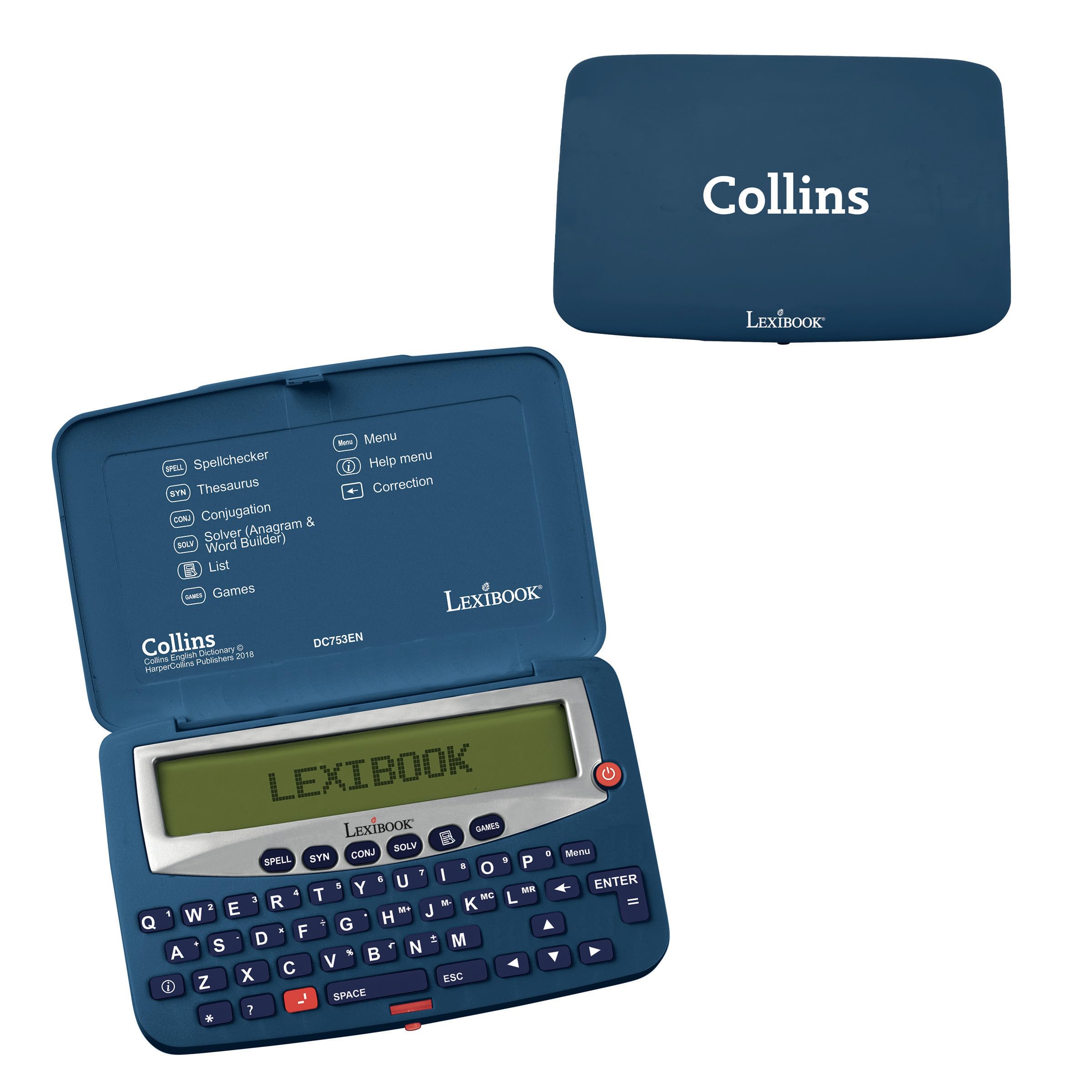
This Lexibook model targets a younger or more casual audience with its colorful design and game-focused features. Beyond spell checking and thesaurus lookups, it includes a crossword solver, an anagram solver, a word builder, and three word games: Hangman, Word Jumble, and Anagram. The phonetic spell check uses a pattern-matching algorithm that suggests words when you type a close approximation, and the conjugation engine covers present, past, and past perfect tenses.
The ultra-slim form factor is only 0.55 inches thick and weighs under 0.1 kilograms, making it one of the most portable options on this list. The blue and white color scheme is distinctly playful rather than academic, which may appeal to young readers but look out of place in a professional office. The keys require a firm press to register — users report that the tactile feedback is stiff compared to Franklin or Sharp keyboards.
The thesaurus depth is limited compared to the Franklin options, and some synonyms are missing for common words. If the primary use is occasional spelling checks and casual word games during travel or downtime, this device offers good value. For serious academic writing or deep vocabulary study, the limited synonym bank may become a bottleneck.
Why it’s great
- Slim and very lightweight — disappears in a pocket
- Includes Hangman, Word Jumble, and Anagram games
- Crossword solver and word builder for puzzles
- Phonetic spell checking with conjugation support
Good to know
- Keys are stiff and require firm pressure
- Synonym database is not as extensive as Franklin models
- Uses CR2032 coin battery — less common than AAA
5. IF Electronic Dictionary Bookmark Single Language Definitions – Spanish, Grey

The IF Electronic Dictionary Bookmark is the most portable entry-level device you can buy. Weighing only 54 grams and designed to double as an actual bookmark, it slips into a paperback without adding noticeable bulk. The Spanish monolingual version contains 38,000 word definitions — enough for intermediate readers who encounter unfamiliar words during leisure reading.
The design won a Gift of the Year award from the UK Giftware Association, and the slim resin body is genuinely elegant. It comes with a lithium battery pre-installed, so it is ready to use out of the box. The simplicity is both its strength and its limitation: there is no thesaurus, no conjugation engine, no games, and no backlight. It is a single-purpose tool for one thing — looking up a word while reading.
Customer feedback highlights a significant drawback: the dictionary database is not comprehensive. Users report that many words they search for are simply not in the database, and the device sometimes defaults to French definitions when the Spanish entry is missing. For a dedicated dictionary, this is a frustrating limitation that reduces its reliability as a primary reference tool.
Why it’s great
- Extremely lightweight and pocket-friendly at 54 grams
- Unique bookmark form factor fits inside a book
- Award-winning design with pre-installed battery
- Available in multiple language versions
Good to know
- Limited 38,000 word database — many words missing
- Occasionally returns French definitions instead of Spanish
- No thesaurus, conjugation, or backlight
FAQ
Why would I buy a digital dictionary instead of using a free app on my phone?
How many words should a good digital dictionary contain for academic use?
Can a digital dictionary help with crossword puzzles and word games?
Are bilingual digital dictionaries good for learning a new language?
Final Thoughts: The Verdict
For most users, the best digital dictionary winner is the Franklin Merriam-Webster Speaking Spanish-English Dictionary because it combines authoritative dictionary content, human-voice pronunciation, and deep verb conjugation in a durable clamshell body. If you want the largest English-only database for academic writing, grab the LEXiBOOK D650EN. And for crossword enthusiasts who need a huge synonym bank and homophone helper, nothing beats the Franklin Spelling Ace SA-206S.

Mo Maruf
I created WellFizz to bridge the gap between vague wellness advice and actionable solutions. My mission is simple: to decode the research and give you practical tools you can actually use.
Beyond the data, I am a passionate traveler. I believe that stepping away from the screen to explore new environments is essential for mental clarity and physical vitality.