Our readers keep the lights on and my smoothie glass nicely filled. As an Amazon Associate, I earn from qualifying purchases.
Staring at a washed-out, flickering 60Hz panel for eight hours a day isn’t just a productivity killer—it’s a direct path to eye fatigue, neck strain, and the kind of dull headache that makes you close the laptop at 3 PM. The wrong monitor turns spreadsheet work into a blurry guessing game and leaves color-accurate tasks feeling off. The right one makes text razor-sharp, scrolling butter-smooth, and your entire desk setup feel intentional rather than slapped together.
I’m Mohammad Maruf — the founder and writer behind WellFizz. I’ve spent hundreds of hours combing through panel specs, refresh rate benchmarks, ergonomic data, and real user experiences to isolate the monitors that actually deliver for a full workday without draining your wallet.
These picks balance color fidelity, eye-care certifications, and smooth motion at a refresh rate that actually matters for office tasks. Whether you’re managing spreadsheets, writing code, or hopping between Zoom calls, this guide to the best cheap monitor for office work will help you upgrade your setup without second-guessing your purchase.
How To Choose The Best Cheap Monitor For Office Work
Picking an office monitor on a budget means ignoring marketing fluff and focusing on the specs that actually affect your comfort and productivity. Refresh rate, panel type, and connectivity matter far more than flashy gaming features.
Refresh Rate and Motion Clarity
Standard 60Hz monitors introduce visible flicker and motion blur that your eyes fight all day. A 100Hz or 120Hz panel eliminates that subtle stutter during scrolling, reducing eye fatigue and making text easier to read over long sessions. Look for at least 100Hz for any office-focused display.
Panel Technology and Viewing Angles
IPS panels deliver consistent brightness and color from side angles, which is critical if you use a dual-monitor setup or share your screen during meetings. TN panels wash out when viewed off-axis, while VA panels have slower pixel response times that can make text look slightly soft.
Eye Comfort and Blue Light Filtration
Look for monitors with TÜV Rheinland-certified flicker-free backlighting and low-blue light modes. These features reduce long-term eye strain without forcing you to manually tweak color settings every morning. Built-in blue light filters that don’t tint the screen orange are a premium advantage.
Connectivity and Desk Setup Flexibility
HDMI and VGA ports are standard, but DisplayPort support or USB-C is increasingly valuable for modern laptops. A VESA mount pattern (100x100mm) lets you attach the monitor to an arm, freeing desk space and improving ergonomics—an often-overlooked feature at this price tier.
Quick Comparison
On smaller screens, swipe sideways to see the full table.
| Model | Category | Best For | Key Spec | Amazon |
|---|---|---|---|---|
| Sceptre 24″ Prime | Mid-Range | Color-accurate work | 99% sRGB, up to 100Hz | Amazon |
| ViewSonic VS2747-H | Mid-Range | Home office versatility | 27″ IPS, 100Hz | Amazon |
| Samsung Essential S3 | Mid-Range | Immersive single-monitor work | 27″ curved, 1800R | Amazon |
| Dell SE2725HM | Premium | Enterprise comfort | 27″ IPS, ComfortView Plus | Amazon |
| ASUS VA279HG | Premium | Hybrid work & gaming | 27″ IPS, 120Hz, 1ms | Amazon |
| Acer KB242Y | Premium | Compact dual-monitor setup | 23.8″ IPS, 120Hz | Amazon |
| Amazon Basics 27″ | Budget | Frameless multi-monitor | 27″ IPS, 120Hz, speakers | Amazon |
In‑Depth Reviews
1. Sceptre 24-inch Prime Monitor

For office users who handle any visual work—presentations, design mockups, spreadsheet color coding—this panel delivers deeper, more accurate colors than typical budget monitors. The 24-inch size hits the sweet spot for a single monitor or a dual setup without overwhelming a standard desk depth.
Two HDMI ports plus VGA give you flexibility to keep a desktop and a laptop connected simultaneously, while the built-in speakers save desk space even if they lack bass for music. The Blue Light Shift feature reduces eye strain during long sessions without washing out the image, and the 100Hz refresh rate makes spreadsheet scrolling feel noticeably smoother than a 60Hz panel.
Reviewers consistently praise the color quality after minor calibration and note that the monitor works well with both Xbox and PC setups for occasional gaming. The stand is functional but basic—wobbles if you bump the desk—so mounting on a VESA arm is a smart upgrade for a stable setup.
Why it’s great
- Wide 99% sRGB color gamut for accurate visuals
- Dual HDMI ports for multi-device workflows
- Blue Light Shift reduces eye fatigue
Good to know
- Built-in speakers are quiet with minimal bass
- Stand can wobble on uneven surfaces
- Buttons on the back are awkward to reach
2. ViewSonic VS2747-H 27 Inch Monitor

The ViewSonic VS2747-H offers a 27-inch IPS panel with 100Hz refresh rate at a price that undercuts most similarly specced competitors. IPS technology ensures that colors stay accurate and brightness remains consistent when you shift your viewing angle—essential for collaborative desk work or a dual-monitor arrangement where you’re not dead-center. The matte screen finish cuts down on reflections, making it practical for brightly lit home offices.
Flicker-Free technology and a Blue Light Filter are built right into the display presets, so you can toggle between “Web,” “Text,” and “Movie” modes depending on your task. The 27-inch size, combined with thin bezels, gives you plenty of real estate for side-by-side documents without feeling bulky. HDMI and VGA inputs cover both modern laptops and older desktop towers.
Customer reviews repeatedly highlight “easy setup” and “great picture quality for the price,” with several buyers using it as their primary home office monitor after upgrading from a laptop screen. The lack of a height-adjustable stand is the main compromise at this price, but VESA compatibility solves that if you pair it with a monitor arm.
Why it’s great
- IPS panel with wide viewing angles
- Integrated flicker-free and blue light filter
- Thin bezels suited for multi-monitor setups
Good to know
- Stand does not offer height adjustment
- No built-in speakers
- Only HDMI and VGA—no DisplayPort
3. Samsung 27″ Essential S3 (S36GD)

Samsung’s 27-inch Essential S3 wraps an 1800R curved display around your field of vision, reducing the eye movement needed to scan across the full screen. For single-monitor office setups, that curvature helps you maintain focus longer and minimizes the neck strain that flat panels can cause when you’re glancing between the left and right edges. The 100Hz refresh rate handles smooth scrolling through long documents without the motion blur common in cheaper 60Hz curved panels.
The 3,000:1 contrast ratio delivers deeper blacks than IPS competitors, making text and interface elements pop with more definition. Samsung’s Advanced Eye Comfort technology is TÜV-certified and reduces blue light emission without casting a harsh yellow tint. Game Mode enhances contrast for media consumption, but the monitor’s real strength is keeping your eyes fresh during a full workday.
Buyers note that the stand is non-adjustable in height but feels stable once set up, and the curve makes a noticeable difference in immersion for programming or spreadsheet work. The slim profile and clean aesthetic fit well in a home office without looking like a gaming rig. One reviewer who switched from a flat Samsung model reported better color saturation and deeper blacks immediately.
Why it’s great
- 1800R curve reduces eye and neck fatigue
- 3,000:1 contrast ratio for deep blacks
- TÜV-certified eye comfort technology
Good to know
- Stand lacks height and tilt adjustment
- No built-in speakers
- VGA connection instead of DisplayPort
4. Dell 27 Monitor SE2725HM

The Dell SE2725HM delivers enterprise-grade comfort engineering at a consumer-friendly price, headlined by ComfortView Plus—a built-in, always-on filter that reduces harmful blue light without distorting color accuracy. TÜV Rheinland 3-star certification backs up the eye-care claims, making this monitor a strong choice for anyone who spends eight-plus hours daily in front of a screen. The 100Hz refresh rate ensures smooth scrolling with less flicker than standard office monitors.
Dell’s design choices reflect decades of office hardware experience: a built-in power supply cuts down on brick clutter, a cable holder keeps the desk tidy, and the small footprint means you reclaim desk space. The anti-glare matte coating is particularly effective in bright rooms, and dead-center VESA mount placement makes it simple to attach a monitor arm without balance issues.
Reviewers highlight the uniform color temperature across multiple units, making it easy to pair two for a consistent dual-monitor experience. The main omissions are a USB hub and USB-C power delivery, but for pure office-focused panel performance at this price, the Dell SE2725HM is hard to beat.
Why it’s great
- ComfortView Plus reduces blue light without color shift
- Built-in power supply saves desk space
- Dead-center VESA mount for balanced arm mounting
Good to know
- No built-in speakers
- Lacks USB hub or USB-C input
- Only HDMI and VGA ports
5. ASUS 27″ VA279HG

The ASUS VA279HG boosts refresh rate to 120Hz with a 1ms MPRT response time, making it the smoothest panel in this lineup for mixed-use scenarios where office work occasionally gives way to gaming. The 27-inch IPS display delivers vivid colors and wide viewing angles, while Adaptive-Sync (VRR) technology eliminates screen tearing during any fast-moving content. That same smoothness translates to buttery desktop navigation and zero judder when dragging windows between monitors.
ASUS Eye Care technology is TÜV Rheinland-certified and includes flicker-free backlighting plus a blue light filter that doesn’t drain the vibrancy out of your spreadsheets. The frameless edge-to-edge design looks clean on a desk and works well in a multi-monitor wall. ASUS DisplayWidget Center software lets you tweak brightness and presets with a mouse, avoiding the finicky joystick on the back.
Customer feedback emphasizes “great quality for the price” and “easy plug-and-play setup,” with several users using it as both a work monitor and a gaming display. The main trade-off is connectivity—HDMI and VGA only, no DisplayPort—but the 120Hz refresh rate at this price point makes it a standout performer for office users who also game.
Why it’s great
- 120Hz refresh rate with 1ms response time
- Adaptive-Sync eliminates tearing in games and video
- Frameless design ideal for multi-monitor
Good to know
- No DisplayPort—only HDMI and VGA
- Joystick control can be fiddly at first
- Speakers are not included
6. Acer KB242Y 23.8″ Monitor

The Acer KB242Y proves that 23.8 inches is still a highly productive screen size, especially for users who need a secondary monitor or work in a tighter desk footprint. The IPS zero-frame design gives maximum edge-to-edge visibility, and the 120Hz refresh rate with 1ms VRB response time delivers fluid motion that rivals much more expensive panels. With 99% sRGB coverage, colors are punchy and accurate enough for light photo editing or design work.
Adaptive-Sync support (FreeSync compatible) ensures tear-free performance whether you’re running Excel or watching training videos, and the tilt-adjustable stand offers basic ergonomic flexibility. The 16:9 Full HD resolution at this size produces a crisp pixel density that makes text look sharp without scaling issues in Windows or macOS. HDMI and VGA inputs provide straightforward connectivity for both new and legacy devices.
Buyers consistently describe it as “great for daily use or gaming” and note the “easy setup and good picture.” Several reviewers use it as a secondary monitor alongside a larger primary display, praising the consistent color reproduction. The absence of built-in audio is the only functional gap, easily solved with a cheap pair of speakers or headphones.
Why it’s great
- 120Hz with 1ms VRB for smooth motion
- 99% sRGB for accurate color reproduction
- Zero-frame design for multi-monitor arrays
Good to know
- No built-in speakers
- Stand only offers tilt adjustment
- No DisplayPort input
7. Amazon Basics 27-inch Computer Monitor
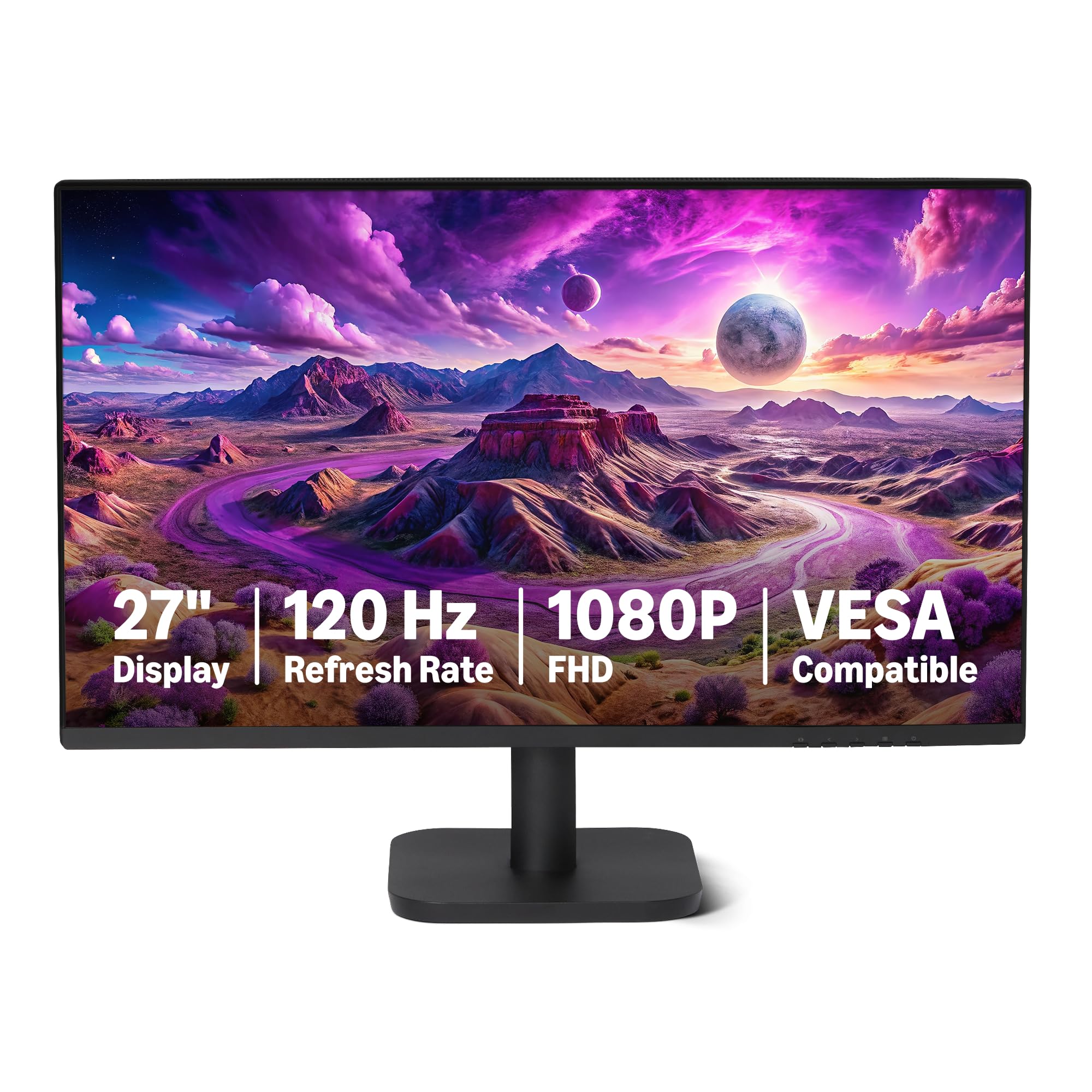
The Amazon Basics 27-inch monitor is the entry-level champion for office users who want big screen real estate without any complexity. The 27-inch IPS panel delivers 1080p resolution with 99% sRGB coverage, and the 120Hz refresh rate with Adaptive Sync keeps scrolling and window transitions smooth. Built-in 2W stereo speakers save you from buying separate audio hardware, making this a true all-in-one desk solution.
The four-sided narrow bezel design is virtually frameless, creating a seamless look whether you run a single screen or pair two side by side. Connectivity includes HDMI 1.4, DisplayPort 1.2, and a 3.5mm audio-out port, so you have modern options for laptops and desktops. LowBlue Light and Flicker-Free technologies are baked in to reduce eye strain during long sessions.
Reviewers highlight the “clear, crisp display” and “plug-and-play” simplicity, with several noting that the default settings work great straight out of the box. A few users mention that achieving the full 120Hz refresh rate requires checking your graphics card settings and using a certified cable, but most find the default 60Hz already beats their old monitor. The speakers are adequate for system sounds and calls, though music lovers will want external audio.
Why it’s great
- Large 27-inch IPS with 120Hz refresh rate
- Built-in 2W speakers for all-in-one setup
- Frameless design with HDMI and DisplayPort
Good to know
- Must configure system settings to reach 120Hz
- Built-in speakers lack bass for music
- Stand has limited ergonomic adjustment
FAQ
Is 100Hz really necessary for office work or is 60Hz fine?
Can I use a cheap office monitor for occasional gaming?
Do I need VESA mount compatibility for my home office?
Final Thoughts: The Verdict
For most users, the best cheap monitor for office work winner is the Sceptre 24-inch Prime Monitor because it delivers genuine 99% sRGB color accuracy and a smooth 100Hz panel at a price that leaves room for a monitor arm or a second unit. If you want a larger 27-inch IPS display with enterprise-grade eye comfort, grab the Dell SE2725HM. And for a compact secondary screen that punches above its weight class, nothing beats the Acer KB242Y.

Mo Maruf
I created WellFizz to bridge the gap between vague wellness advice and actionable solutions. My mission is simple: to decode the research and give you practical tools you can actually use.
Beyond the data, I am a passionate traveler. I believe that stepping away from the screen to explore new environments is essential for mental clarity and physical vitality.