Our readers keep the lights on and my smoothie glass nicely filled. As an Amazon Associate, I earn from qualifying purchases.
Choosing the right backup drive often means deciding between raw capacity for archiving years of data or blistering speed for active project files—two very different jobs that a single device rarely tackles well. The real challenge is matching the drive’s interface and spindle speed to your workflow so you aren’t waiting on transfers or running out of room mid-project.
I’m Mohammad Maruf — the founder and writer behind WellFizz. I’ve spent hundreds of hours analyzing hardware specifications, transfer protocols, and real-world endurance data to determine which backup drives actually deliver on their performance claims.
Whether you need a network-attached vault for a small office or a pocket-sized SSD for on-location edits, this guide cuts through the confusion to help you find the best drive for backup tailored to your specific storage demands and daily workflow.
How To Choose The Best Drive For Backup
Selecting a backup drive isn’t just about the biggest number on the box. You need to balance transfer speed, capacity, physical durability, and network connectivity to match how you actually create and access your data.
Interface Speed and Connection Type
USB 3.2 Gen 2 offers up to 10Gbps (roughly 1,000MB/s real-world), which is ideal for SSDs handling large video or raw photo files. For a traditional HDD, USB 3.0 (5Gbps) is more than adequate because the drive itself can’t saturate that bandwidth. If you need network access, look for a 2.5GbE or 1GbE port—2.5GbE quadruples the speed of standard gigabit Ethernet without requiring special cabling.
Capacity Versus Redundancy
Single-drive external HDDs are the most cost-effective per terabyte, but they offer no protection against drive failure. A two-bay or four-bay NAS with RAID 1 or RAID 5 sacrifices some usable capacity to keep your data accessible if one drive dies. For critical archives, a multi-bay enclosure with RAID 6 can survive two simultaneous drive failures.
Form Factor and Portability
Desktop HDDs (3.5-inch) need a wall outlet and stay on a desk, making them ideal for scheduled backups and large media libraries. Portable SSDs (2.5-inch or M.2-based) are bus-powered and fit in a pocket, perfect for photographers and remote workers who need to carry active project files between locations.
Quick Comparison
On smaller screens, swipe sideways to see the full table.
| Model | Category | Best For | Key Spec | Amazon |
|---|---|---|---|---|
| UGREEN NAS DH2300 | Mid-Range NAS | Entry-level network backup | Max 64TB capacity (RAID 0) | Amazon |
| ORICO 2TB Magnetic SSD | Premium Portable SSD | Phone video recording & editing | 2000MB/s read speed | Amazon |
| Seagate One Touch 8TB HDD | Mid-Range Desktop HDD | General file archiving, college use | 8TB, 7200 RPM | Amazon |
| SanDisk 2TB Portable SSD | Premium Portable SSD | Rugged on-the-go backups | 800MB/s read, 2m drop protection | Amazon |
| Lexar ES3 2TB SSD | Premium Portable SSD | Cross-platform fast transfers | 1050MB/s read, 1000MB/s write | Amazon |
| WD 24TB Elements Desktop HDD | Premium Desktop HDD | Massive cold storage archive | 24TB, USB 3.2 Gen 1 | Amazon |
| BUFFALO TeraStation 32TB NAS | Premium NAS | Small office professional backup | 32TB (4x8TB), 2.5GbE port | Amazon |
In‑Depth Reviews
1. UGREEN NAS DH2300 2‑Bay Desktop NAS

The UGREEN DH2300 delivers entry-level NAS performance without the complexity typical of network storage. Its dual-bay design supports up to 64TB with RAID 0, 1, or JBOD configurations, giving beginners a painless way to consolidate scattered files from PCs, phones, and tablets into one private hub. File transfers hit roughly 125MB/s over the 1GbE port, which means a 1GB file moves in about eight seconds.
AI-powered photo tagging and duplicate detection are genuinely useful for organizing large media libraries, and the TÜV SÜD security certification adds a layer of trust for privacy-conscious users. The onboard 4GB RAM is adequate for file serving and media streaming, though the unit intentionally skips Docker and virtual machine support to keep the interface clean and beginner-friendly.
Setup takes minutes via the browser or mobile app, and the system runs quietly enough for a living room shelf. The main trade-off is that drives are not included, so you need to budget for separate 3.5-inch HDDs or SSDs. For anyone moving away from cloud subscriptions, this is the most cost-effective network backup solution in the mid-range tier.
Why it’s great
- Intuitive interface ideal for first-time NAS users
- AI photo organization and duplicate cleanup
- Supports up to 64TB raw capacity in a compact chassis
Good to know
- Drives not shipped with the enclosure
- No Docker or virtual machine support
- Wired Ethernet only; Wi-Fi requires a separate USB adapter
2. ORICO 2TB Magnetic External SSD
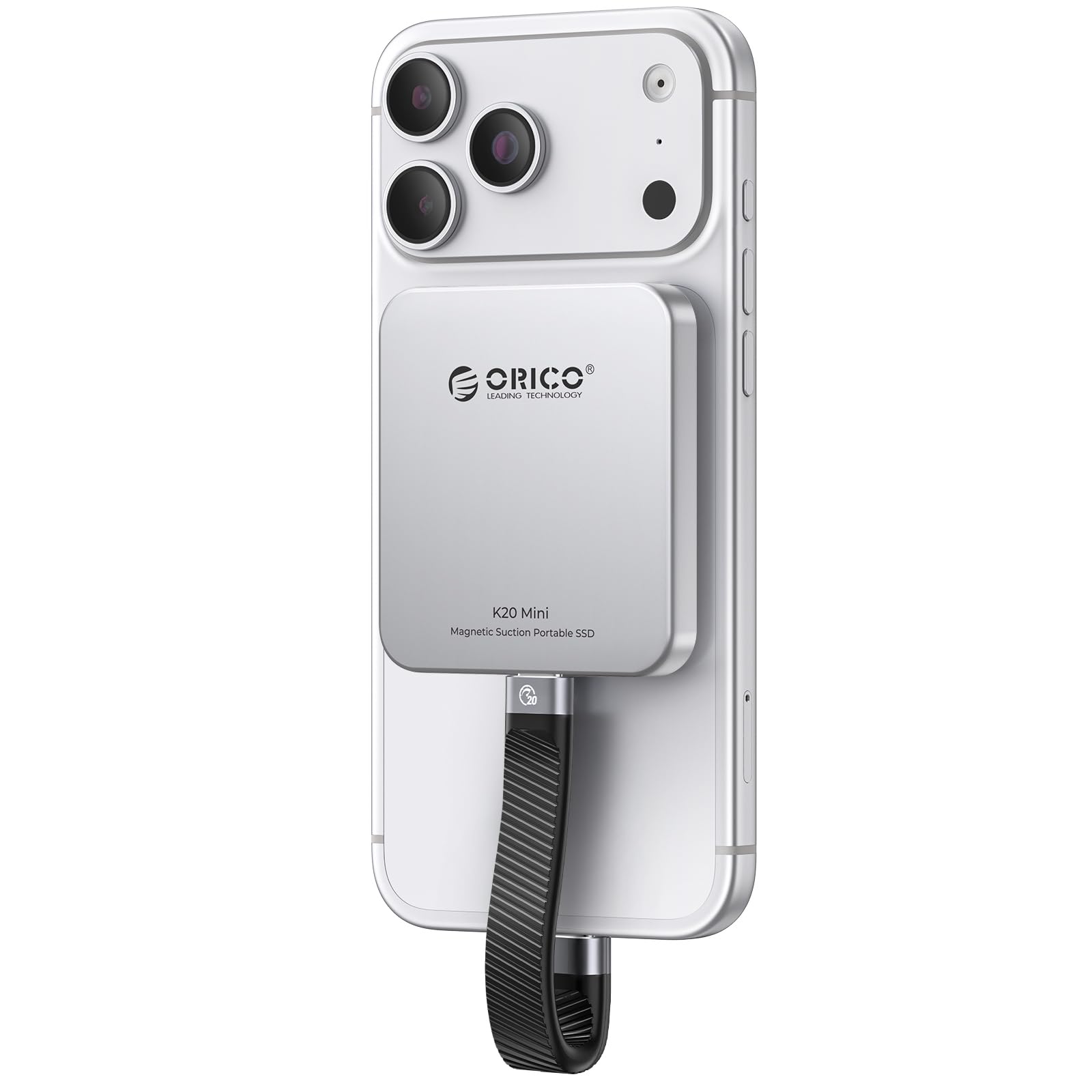
The ORICO K20MINI is built for mobile content creators who need to offload and edit 4K ProRes video directly from a phone. With read speeds up to 2000MB/s over USB 3.2 Gen 2, this 2TB SSD can handle 4K 120fps HDR recording in real time without stuttering—a critical advantage for iPhone 17 Pro Max users shooting on location.
The integrated magnetic ring attaches firmly to MagSafe-compatible phones, and the aluminum alloy body dissipates heat efficiently during sustained write operations. At just 0.09 pounds, it’s essentially weightless in a pocket, yet the metal enclosure offers solid shock resistance for daily carry.
Compatibility extends beyond phones to laptops, tablets, and gaming handhelds like the Steam Deck, though the included cable is short. Some users reported initial recognition hiccups with certain adapters, but once formatted, the drive delivers consistent near-advertised speeds.
Why it’s great
- 2000MB/s sequential reads for instant 4K ProRes editing
- Strong magnetic attachment for phone use
- Ultra-lightweight aluminum body stays cool under load
Good to know
- Short included cable may limit positioning
- Adapter needed for iPhone 14 and older models
- Some devices require initial reformatting for recognition
3. Lexar ES3 2TB External SSD
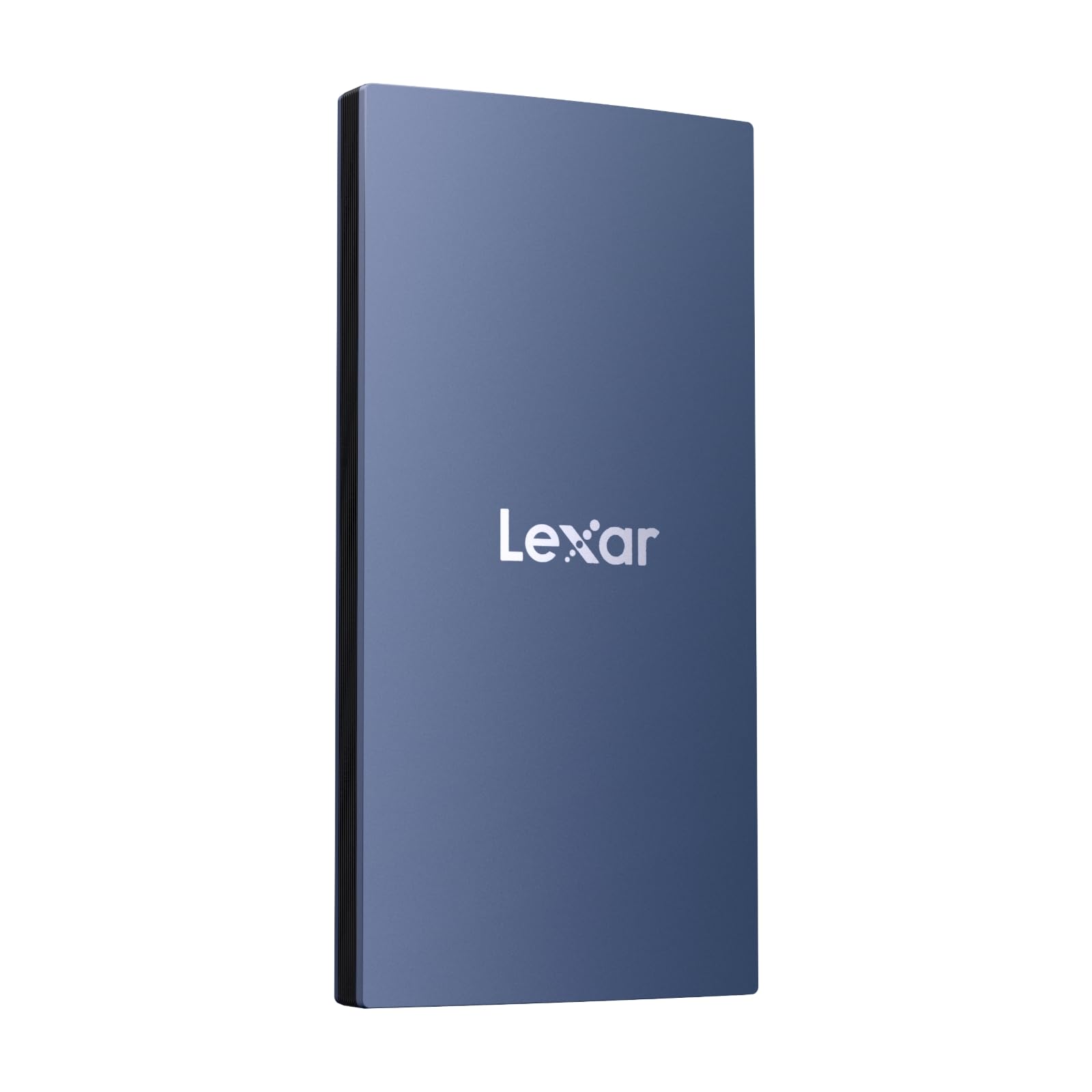
The Lexar ES3 strikes a refined balance between speed and portability. Its USB 3.2 Gen 2 interface delivers up to 1,050MB/s reads and 1,000MB/s writes, making it fast enough to serve as a working drive for video timelines and large photo catalogs. The drive is exceptionally thin at 10.5mm and weighs just 42 grams, slipping into a card pocket with zero bulk.
Cross-platform support is a standout feature—it works out of the box with Mac, PC, iPhone 17 series, Android devices, PS5, and Xbox Series X|S. The included Lexar DataShield software adds 256-bit AES encryption, so sensitive project files remain protected if the drive is misplaced.
Users consistently praise its immediate compatibility with Time Machine on macOS and the snappy transfer speeds for daily backups. The plastic shell feels durable enough for everyday handling, though it lacks the full metal chassis of some competitors. For a lightweight, broadly compatible SSD with built-in encryption, this is a strong premium choice.
Why it’s great
- Nearly 1,050MB/s reads suit real-time editing workflows
- Instant plug-and-play with Mac, PC, consoles, and phones
- 256-bit AES encryption via included DataShield app
Good to know
- Plastic housing, not premium metal
- MagSafe not supported on this version
- Full speed requires USB 3.2 Gen 2 port on host device
4. SanDisk 2TB Portable SSD

The SanDisk Portable SSD is the go-to option for users who need a drive that survives real-world abuse. Rated for up to two-meter drops and featuring a tough rubber hook for attaching to a backpack, this 2TB external SSD pairs 800MB/s reads with genuine durability. The soft-touch exterior absorbs impacts that would crack a metal enclosure.
It’s bus-powered via USB-C (USB 3.2 Gen 2), so no wall adapter is needed—just plug into a laptop or phone and start transferring. The compact footprint is smaller than a deck of cards, yet it holds enough capacity for an entire photo library and active project folders. Professional photographers often trust SanDisk for field backups, and the brand’s reputation for reliability is well-earned here.
Performance is consistent under sustained writes, and the drive stays cool enough to handle prolonged transfers without throttling. The main concession is speed compared to higher-end SSDs with 1,000MB/s+ read rates. For most daily backups and media transfers, 800MB/s is plenty fast, and the extra ruggedness justifies the premium positioning.
Why it’s great
- 2-meter drop rated with rubber protective shell
- Bus-powered USB-C for cable-free operation
- Trusted by professionals for field reliability
Good to know
- Read speed capped at 800MB/s—slower than Gen 2×2 drives
- Soft exterior can attract dust and lint
- Carrying loop is fixed, not removable
5. Seagate One Touch 8TB External HDD

The Seagate One Touch 8TB is a rare find in desktop HDDs: it runs entirely off USB bus power, eliminating the need for a wall outlet. This is a significant convenience for students and remote workers who move between desks or need to plug into a laptop without hunting for an AC adapter. The 7200 RPM spindle speed keeps transfer rates respectable for a mechanical drive.
Setup is genuinely plug-and-play on both Windows and macOS, though Mac users will need to reformat via Disk Utility for APFS or ExFAT. The compact 3.5-inch enclosure fits easily into a backpack, and the included Rescue Data Recovery Service provides peace of mind for irreplaceable school projects or family photos.
Some systems with weaker USB ports may struggle to supply enough power, causing intermittent disconnects, and the drive lacks SMART monitoring support out of the box. Despite those quirks, the combination of bus-powered operation and 8TB of reliable spindle storage makes this a versatile mid-range desktop backup option.
Why it’s great
- 8TB capacity without a wall outlet
- 7200 RPM for reasonable HDD transfer speeds
- Includes Rescue Data Recovery Service
Good to know
- No SMART support reported on some systems
- Power-hungry; may need powered hub on some PCs
- Requires reformatting for Time Machine on macOS
6. Western Digital 24TB Elements Desktop HDD

The WD Elements 24TB is a pure cold-storage workhorse designed for users who need to archive massive media collections or historical documents on a single volume. The 3.5-inch 7200 RPM drive connects via USB 3.2 Gen 1 (5Gbps), which is more than enough for sequential reads and writes at typical HDD speeds. Setup is truly plug-and-play on Windows 11 and older systems alike.
The upright desktop form factor has a small footprint and feels stable on a desk—it won’t tip over easily during cable adjustments. WD’s reputation for reliability is a core selling point; many professional users consider the Elements line to be among the most dependable consumer-grade HDDs for long-term storage.
Active transfers produce noticeable seek noise and a spinning hum, so this isn’t a drive you want on your desk during quiet work if it’s constantly running. The price per terabyte is competitive, but the 24TB capacity demands a serious investment. For users who prioritize data integrity and sheer volume over silence, this is a top-tier archive solution.
Why it’s great
- Massive 24TB single-volume capacity
- Plug-and-play USB 3.0 with wide OS compatibility
- Trusted WD reliability for long-term archiving
Good to know
- Audible seek noise during active transfers
- Requires AC power adapter (not bus-powered)
- Slower transfer speeds compared to any SSD
7. BUFFALO TeraStation Essentials 4‑Bay NAS 32TB

The BUFFALO TeraStation Essentials delivers professional-grade network storage with an unusually straightforward setup. Four 8TB drives come pre-installed and pre-configured in RAID 5 for 24TB of usable capacity out of the box—users can switch to RAID 6 for extra redundancy or RAID 0 to unlock the full 32TB. The native 2.5GbE port provides significantly faster network transfers than standard gigabit without requiring cable upgrades.
This NAS is built for small offices that need centralized file sharing, automated backups, and cloud integration with services like Dropbox and Azure. 256-bit drive encryption and a closed system design keep data secure, while the 3-year warranty with 24/7 US-based support and included data recovery service reduces long-term risk.
Users report rock-solid stability over months of continuous operation with minimal latency. The main downsides are the large desktop footprint and the fact that the manual is online-only. For a business or power user who wants a turnkey multi-bay NAS with drives included and a fast Ethernet port, this is the most complete premium solution in the list.
Why it’s great
- 4 pre-installed 8TB drives in RAID 5, ready to use
- Native 2.5GbE for faster network file transfers
- 3-year warranty with data recovery service included
Good to know
- Large chassis requires dedicated shelf space
- Manual is only accessible online
- Initial RAID sync takes time for full 24TB usable volume
FAQ
Should I buy an SSD or HDD for backup?
How much hard drive space do I actually need for backups?
What is the difference between a NAS and a direct-attached external drive?
Do I need to worry about drive encryption for my backup drive?
Final Thoughts: The Verdict
For most users, the best drive for backup is the UGREEN NAS DH2300 because it combines beginner-friendly network storage with AI photo management and the flexibility to configure up to 64TB. If you need pocket-sized speed for editing 4K video on a phone, grab the ORICO 2TB Magnetic SSD. And for a small office that demands a pre-configured, multi-bay NAS with 2.5GbE networking and drives included, nothing beats the BUFFALO TeraStation Essentials.

Mo Maruf
I created WellFizz to bridge the gap between vague wellness advice and actionable solutions. My mission is simple: to decode the research and give you practical tools you can actually use.
Beyond the data, I am a passionate traveler. I believe that stepping away from the screen to explore new environments is essential for mental clarity and physical vitality.