Our readers keep the lights on and my smoothie glass nicely filled. As an Amazon Associate, I earn from qualifying purchases.
Waiting for a 100GB batch of RAW files to transfer is a productivity killer that every professional photographer and videographer knows too well. The bottleneck is almost never the memory card itself, but the reader gatekeeping your workflow.
I’m Mohammad Maruf — the founder and writer behind WellFizz. My research for this guide involved analyzing sustained read speeds, thermal management under load, and connector integrity across five top-tier CFexpress readers to separate genuine performance from spec-sheet hype.
Whether you shoot with a Sony A1, Canon R5, or Nikon Z9, choosing the right cfexpress card reader means the difference between seamless edits and constant downtime.
How To Choose The Best CFexpress Card Reader
With multiple USB generations and competing card formats, picking the right reader involves more than just matching the brand on your memory card. The wrong choice can leave you stuck with transfer speeds that feel no faster than a standard SD card reader.
Interface Bandwidth: USB 3.2 Gen 2 vs USB4
The USB version your reader supports directly caps your real-world transfer speeds. A USB 3.2 Gen 2 reader tops out at 10Gbps (roughly 1000MB/s), while a USB4 reader can handle up to 40Gbps. If you own CFexpress 4.0 cards that can read at over 3000MB/s, a USB4 reader is the only way to unlock that full potential.
Card Format Compatibility
CFexpress comes in two primary physical sizes: Type A (smaller, used in Sony cameras) and Type B (larger, used in Canon, Nikon, and many others). Some readers handle only one format, while dual-slot models accommodate both. Check your camera’s card slot before buying — a Type A card will not physically fit into a Type B slot and vice versa.
Thermal Management
Sustained high-speed transfers generate significant heat inside a reader’s chassis. Without proper thermal design — such as aluminum housings or fanless heat dissipation — a reader can throttle its speeds after a few minutes of continuous use. In extreme cases, excessive heat can damage your memory card. Look for readers with positive reviews about cool operation during large file transfers.
Quick Comparison
On smaller screens, swipe sideways to see the full table.
| Model | Category | Best For | Key Spec | Amazon |
|---|---|---|---|---|
| OWC Atlas USB4 CFexpress 4.0 Type B | Premium | Fastest offloads with CFexpress 4.0 | Up to 5000MB/s (40Gbps USB4) | Amazon |
| Lexar LRW550U (1700MB/s) | Mid-Range | Dedicated CFexpress Type B workflows | Up to 1700MB/s (USB 3.2 2×2) | Amazon |
| Lexar LRW520U (Dual-Slot) | Mid-Range | Simultaneous CFexpress + SD transfers | Up to 10Gbps (USB 3.2 Gen 2) | Amazon |
| ProGrade Digital PG09 | Premium | Sony A1 / FX6 CFexpress Type A shooters | Up to 900MB/s CFexpress Type A | Amazon |
| Lexar LRW530U (Type A) | Mid-Range | Sony shooters on a budget | Up to 900MB/s CFexpress Type A | Amazon |
In‑Depth Reviews
1. OWC Atlas USB4 CFexpress 4.0 Type B Card Reader

The OWC Atlas is the only reader in this roundup built for CFexpress 4.0’s full bandwidth potential. Its USB4 interface delivers real-world sustained speeds over 3300MB/s with compatible 4.0 cards, making it the obvious choice for anyone shooting massive 8K RAW sequences who hates waiting for card ingestion.
Bus-powered through a single USB-C cable, the Atlas runs completely fanless thanks to its thermally efficient design. The non-skid rubber feet and included OWC ClingOn keep the cable locked in place during fast-paced sessions. A dedicated LED confirms active transfer status at a glance.
Reviewers consistently praise its cool operation even under heavy loads — a stark contrast to cheaper readers that overheat and throttle. The included USB4 cable is high-quality, but users note that speed drops significantly with standard USB-C cables, so stick with the supplied one for peak performance.
Why it’s great
- Unlocks full CFexpress 4.0 speeds with 40Gbps USB4 interface
- Stays cool during sustained multi-gigabyte transfers
- Compact design with non-slip rubber base and cable anchor
Good to know
- Premium investment — built for those who genuinely need 4.0 speeds
- Requires high-quality USB4 cable (included) to avoid bottlenecks
2. Lexar Professional CFexpress Type B USB 3.2 Gen 2×2 Reader (LRW550U)

This Lexar single-slot reader is built exclusively for CFexpress Type B cards and leverages USB 3.2 Gen 2×2 technology to deliver read speeds up to 1700MB/s. For photographers using Canon R5 or Nikon Z9 bodies, this translates to offloading hundreds of 45MP RAW files in seconds rather than minutes.
The compact chassis — barely larger than the card itself — makes it ideal for field workflows where desk space is scarce. It comes with a versatile 2-in-1 cable that converts between USB-C and USB-A, ensuring compatibility with older laptops and desktops alike.
User feedback is overwhelmingly positive regarding reliability and speed, though a small number of reports mention file corruption after multiple transfers. Lexar’s two-year warranty provides a safety net, but backing up critical shoots directly from camera remains a prudent practice.
Why it’s great
- Blazing 1700MB/s reads for CFexpress Type B cards
- Ultra-portable form factor with minimal footprint
- Included USB-C to USB-A adapter for broad compatibility
Good to know
- Single slot only — no SD or Type A support
- Isolated reports of file corruption over extended use
3. Lexar Professional CFexpress Type B / SD USB 3.2 Gen 2 Reader (LRW520U)
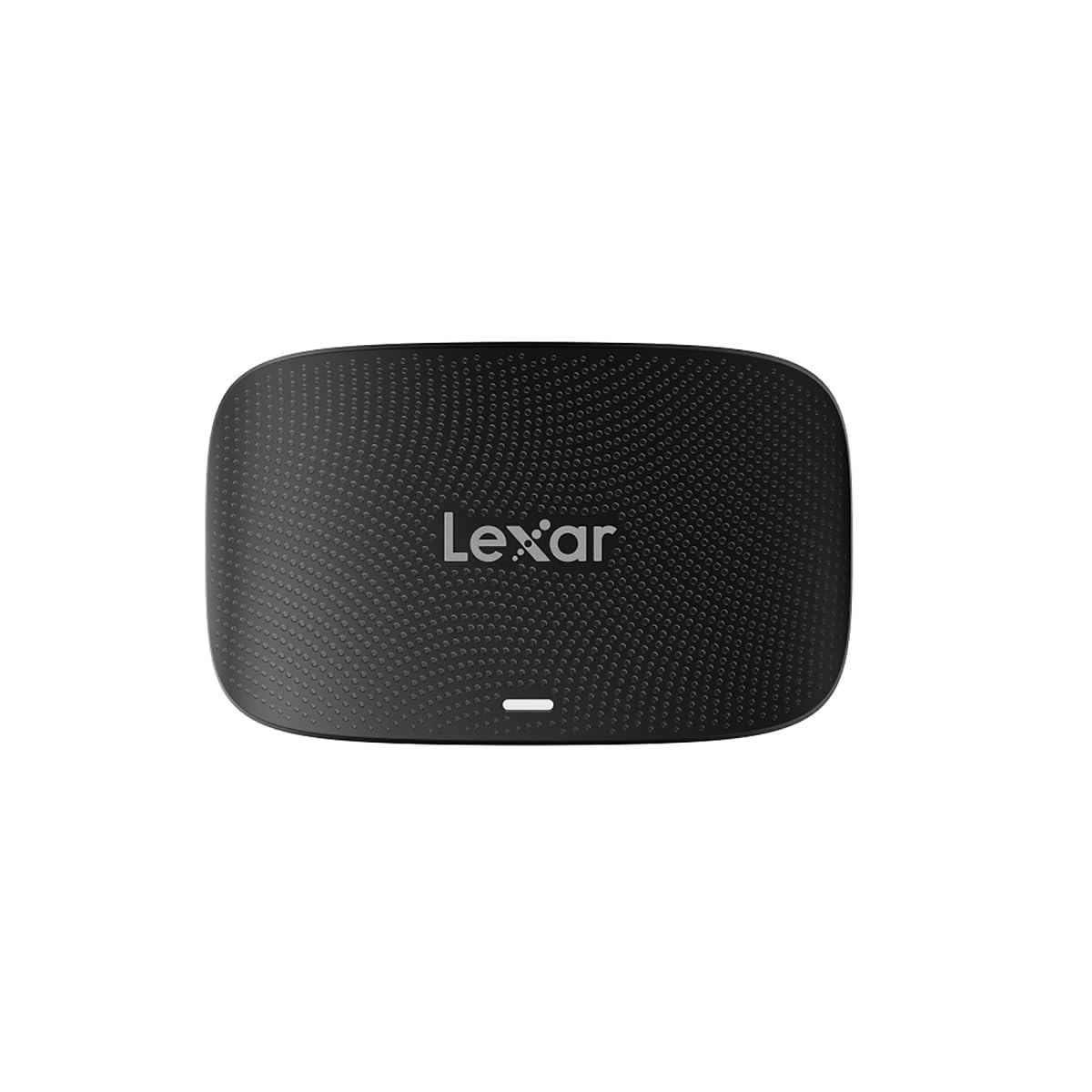
The Lexar LRW520U solves a common studio pain point: juggling two different card formats. With one slot for CFexpress Type B and a second for SD cards, this reader allows simultaneous offloads — a massive time-saver for hybrid shooters who use SD as a backup in cameras like the Canon R5.
Transfer speeds reach up to 10Gbps via USB 3.2 Gen 2, which is more than enough for CFexpress 2.0 cards and absolutely saturates any UHS-II SD card. The included 2-in-1 cable (Type-C to Type-C with a Type-A adapter) keeps setup simple across different host devices.
A professional photographer noted this reader solved a critical issue where cheaper alternatives failed to recognize 8K video files from a Canon R5 Mark II, showing 0 KB instead. The solid build and Lexar’s two-year warranty add peace of mind for daily professional use.
Why it’s great
- Two slots for simultaneous CFexpress Type B and SD offloads
- Reliable recognition of 8K video files where cheaper readers fail
- Compact design with useful 2-in-1 cable set
Good to know
- Requires a 10Gbps-rated USB-C cable for full speed
- SD slot shares bandwidth with CFexpress slot during simultaneous use
4. ProGrade Digital CFexpress Type A and SD UHS-II Card Reader (PG09)

Designed specifically for Sony shooters using CFexpress Type A cards, the ProGrade PG09 pairs a Type A slot with a UHS-II SD slot in a dual-reader format. Its standout feature is the magnetic backplate that attaches securely to a laptop or metal surface — a genuine asset for mobile editing setups on location.
Real-world transfer speeds hit 700-850MB/s from CFexpress Type A and 240-300MB/s from SD UHS-II cards, meaning a 100GB project transfers in roughly two minutes from the CF slot. The aluminum construction feels premium and stays reasonably cool during sustained use.
Some users report that the SD write speed is very poor (under 5MB/s), so this reader is best treated as a read-only device for SD cards. The magnetic mount is strong enough to keep the reader from sliding during cable insertions, which adds welcome stability in tight workspaces.
Why it’s great
- Excellent read speeds for CFexpress Type A (700-850MB/s)
- Magnetic mounting plate secures reader to laptop or metal stands
- Premium aluminum build with clean aesthetics
Good to know
- SD write performance is essentially unusable
- Shared bandwidth between slots can slow simultaneous transfers
5. Lexar Professional CFexpress Type A / SD USB 3.2 Gen 2 Reader (LRW530U)

Built for the Sony ecosystem, this Lexar reader handles both CFexpress Type A cards (up to 900MB/s) and SD UHS-II cards (up to 312MB/s) through a single USB-C 3.2 Gen 2 connection. For photographers moving from older SD-only workflows, this dual-format support smooths the transition without needing multiple readers.
The reader is notably compact at just 3.9 x 2.4 x 0.75 inches and weighs only 77 grams, making it a true pocket companion for location shoots. The included 2-in-1 cable with Type-A and Type-C adapters ensures compatibility with nearly any computer out of the box.
While most users report fast and reliable transfers, a recurring complaint involves significant heat buildup — both in the reader body and the memory card itself during extended use. Photographers transferring large volumes of footage should consider pausing between batches to let the unit cool down proactively.
Why it’s great
- Dedicated CFexpress Type A support with 900MB/s reads
- Very lightweight and portable for field use
- Dual-format slot works with SD UHS-II cards
Good to know
- Generates noticeable heat during sustained transfers
- Some users report the heat reaches the memory card itself
FAQ
Can I use a CFexpress Type B card in a reader designed for Type A?
Why does my CFexpress reader feel hot during transfers?
Will a USB-C to USB-C cable affect my transfer speed?
Final Thoughts: The Verdict
For most users, the cfexpress card reader winner is the Lexar LRW520U because its dual-slot design and reliable 10Gbps performance cover CFexpress Type B and SD simultaneously without breaking the bank. If you need maximum throughput for CFexpress 4.0 cards, grab the OWC Atlas USB4. And for Sony shooters wanting a premium build with a magnetic field workstation, nothing beats the ProGrade Digital PG09.

Mo Maruf
I created WellFizz to bridge the gap between vague wellness advice and actionable solutions. My mission is simple: to decode the research and give you practical tools you can actually use.
Beyond the data, I am a passionate traveler. I believe that stepping away from the screen to explore new environments is essential for mental clarity and physical vitality.