Our readers keep the lights on and my smoothie glass nicely filled. As an Amazon Associate, I earn from qualifying purchases.
An office with weak cell signal wastes hours in dropped calls, frozen video conferences, and delayed messages. A booster transforms that dead zone into a reliable workspace, letting every device connect without frustration.
I’m Mohammad Maruf — the founder and writer behind WellFizz. I spent many hours analyzing the coverage specs, gain ratings, and antenna designs of today’s top signal boosters to find which ones actually deliver for office environments.
Whether your office struggles inside a metal building, on a low floor, or far from a tower, the right setup fixes it. After deep research, I’ve built this guide to the best cell phone booster for office to help you pick the model that matches your space.
How To Choose The Best Cell Phone Booster For Office
Office environments come with unique challenges — concrete walls, metal shelving, multiple rooms, and many devices competing for signal. The right booster compensates for all of these. Focus on three core specs: gain level, carrier band support, and antenna configuration. Gain, measured in decibels (dB), determines how much the booster amplifies the weak outside signal. A higher dB rating means stronger amplification, but only if the outdoor antenna can actually reach a usable signal. Carrier band support (the specific frequencies your carrier uses) decides whether the booster works at all — a model that lacks your carrier’s primary band is useless. Antenna configuration (directional vs. omnidirectional, number of indoor antennas) dictates how evenly the boosted signal spreads across your office floor plan.
Coverage Area vs. Actual Office Layout
Manufacturers list coverage in square feet, but that number assumes perfect conditions — open space, drywall, and strong outdoor signal. An office with cubicle walls, concrete floors, or metal studs reduces real-world coverage by 30 to 50 percent. For a 2,000-square-foot open office, a booster rated for 6,000 square feet often delivers adequate coverage. For multi-room or multi-floor offices, consider a model with two indoor antennas to distribute the signal more evenly.
Gain (dB) and Signal Quality
Gain is the booster’s amplification power. Entry-level models offer around 50 to 60 dB, which works for small offices with fair outdoor signal. Mid-range units deliver 65 to 72 dB, covering larger spaces with moderate outside signal. Premium units reach 100 dB, capable of pulling a weak signal from far away and covering an entire building. Higher gain also requires more careful antenna separation — at least 20 feet vertical and 30 feet horizontal — to prevent oscillation, which degrades performance.
Carrier and Band Compatibility
Not all boosters support every carrier’s frequencies. In the U.S., the critical bands are Band 12/17 (700 MHz) and Band 13 (700 MHz) for Verizon, Band 2/25 (1900 MHz) and Band 4 (1700/2100 MHz) for AT&T and T-Mobile, and Band 5 (850 MHz) for all three. If your team uses multiple carriers, choose a booster that supports all four major frequency ranges. Without band 12 or 13, Verizon users will see little to no improvement. T-Mobile users also benefit from band 71 (600 MHz), though not all boosters include it — check before buying.
Installation Complexity
Office installations often require running cables through ceilings, mounting the outdoor antenna on a roof or exterior wall, and placing the indoor antenna where it covers the most desks. Some boosters include an app with a signal meter and step-by-step guidance, which cuts installation time significantly. Models with a built-in LCD display let you see gain levels and adjust without needing a phone. If you lack line of sight to a cell tower, a directional antenna with a higher-gain rating (10 dBi or more) helps capture the faint signal.
Quick Comparison
On smaller screens, swipe sideways to see the full table.
| Model | Category | Best For | Key Spec | Amazon |
|---|---|---|---|---|
| HiBoost 15K Mate | Multi‑Room | Large offices with 2 indoor antennas | 72 dB max gain, 12,000 sq ft | Amazon |
| HiBoost 15K 2.0 SL | Professional | Two-story offices needing dual panel antennas | 72 dB gain, 12,000 sq ft | Amazon |
| HiBoost 10K SL | App‑Guided | Mid‑sized offices with LCD display | 5,500 sq ft coverage | Amazon |
| HiBoost 8K | Multi‑User | 5‑6 room offices up to 8,000 sq ft | 70 dB gain, 2 indoor antennas | Amazon |
| weBoost Home Complete | Whole‑Building | Open‑plan offices up to 7,500 sq ft | FCC‑max power, 100x boost | Amazon |
| weBoost Home MultiRoom | Top Seller | 3‑4 room offices (proven reliability) | 5,000 sq ft, 5G ready | Amazon |
| SureCall Flare 3.0 | Compact Setup | Small offices with strong outdoor signal | Up to 3,500 sq ft | Amazon |
| ZORIDA 5S Pro | Budget‑Friendly | Small offices on a tight budget | 72 dB gain, 4,000 sq ft | Amazon |
| CEL-FI GO G41 | Premium Power | Large buildings with very weak outdoor signal | 100 dB gain, 15,000 sq ft | Amazon |
In‑Depth Reviews
1. HiBoost 15K Mate (B0DHFRYCN5)
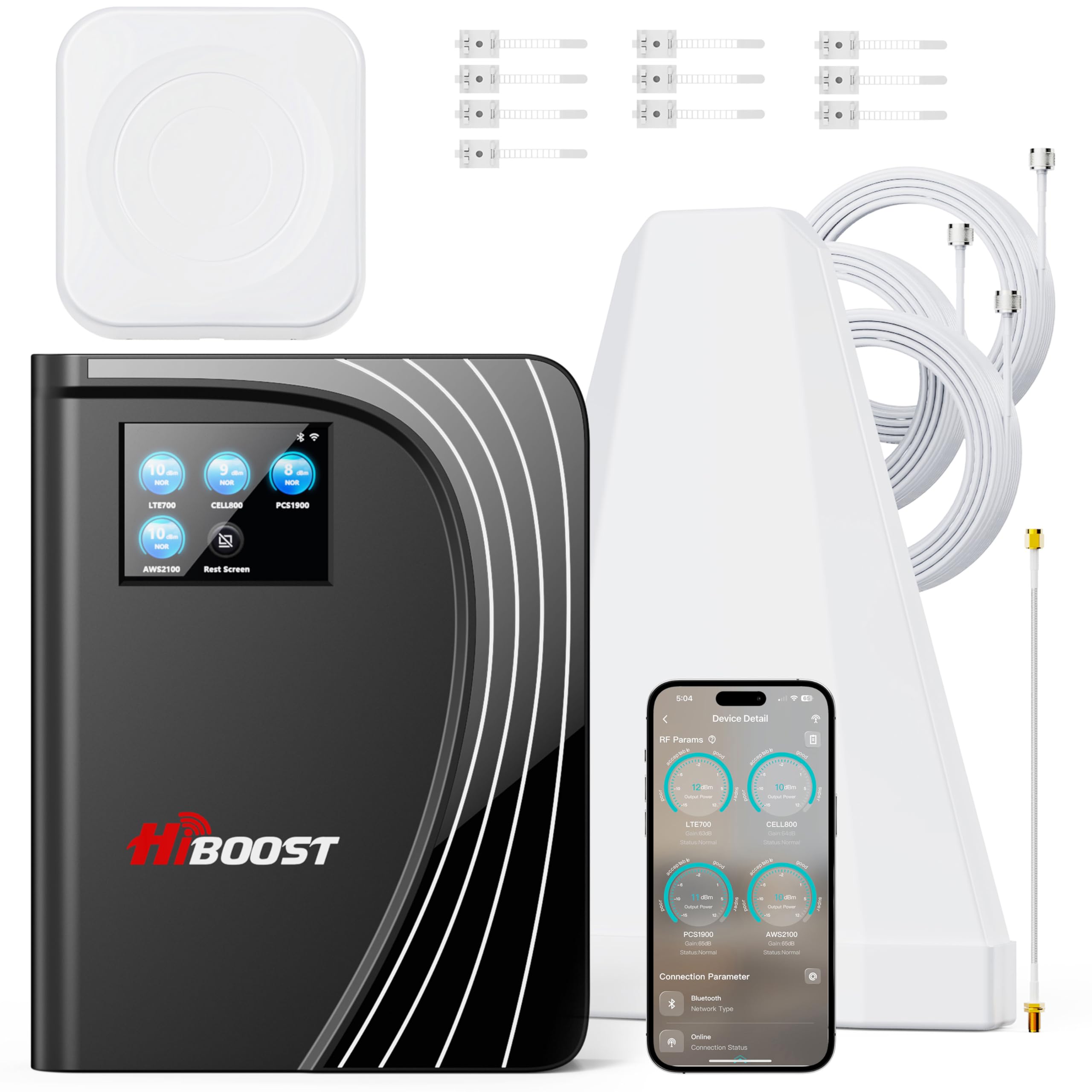
The HiBoost 15K Mate delivers 72 dB of gain and covers up to 12,000 square feet, making it a strong candidate for large office floors. Its built-in antenna design removes the need for a second separate panel in many layouts, while the included extra indoor antenna lets you extend coverage further. The color touchscreen provides real-time gain monitoring and adjustments without needing a phone.
In a 2,000-square-foot mountain home with zero outdoor signal, users reported consistent 4-bar 4G LTE on Verizon after positioning the outdoor antenna correctly. The SignalSupervisor app simplifies antenna alignment using real-time signal readings. For offices with a steel roof or metal walls, Bluetooth connectivity may drop, but the WiFi-based app refresh still works reliably.
User feedback highlights that actual coverage depends heavily on building materials — a metal-walled office may see less than half the rated square footage. The 3-year warranty and responsive US-based tech support offer peace of mind for office deployments. If your office has weak but existing outdoor signal, this booster is a top-tier choice.
Why it’s great
- 72 dB max gain covers large open-plan offices
- Color touchscreen simplifies gain adjustment
- Built-in antenna plus one separate panel for flexible placement
- App-assisted installation with live signal meter
Good to know
- Requires at least a weak outdoor signal to work
- Bluetooth antenna positioning may drop on metal roofs
- Actual coverage varies with building construction
2. HiBoost 15K 2.0 SL (B09YD7WGMT)

The HiBoost 15K 2.0 SL builds on the same 72 dB gain platform but includes two separate indoor panel antennas for more even distribution across multi-room or two-story office layouts. Rated for up to 12,000 square feet, this model uses thicker 400-type outdoor cable to minimize signal loss over longer runs — a key advantage when the outdoor antenna must be mounted far from the booster.
In a rural wooded office without line-of-sight to a tower, the 15K 2.0 SL eliminated dropped calls across a 4,500-square-foot, three-floor building. Users report that the LCD display paired with the SignalSupervisor app makes fine-tuning antenna alignment straightforward. The AGC (Automatic Gain Control) adjusts output power in real time to prevent oscillation, even when signal conditions fluctuate.
Some users noted that the claimed coverage area is optimistic for complex layouts — a three-floor office with concrete slabs may require the second antenna placed on a different floor for optimal results. The unit lacks band 71 (600 MHz) support, so T-Mobile users in rural areas should verify their carrier’s primary band before buying.
Why it’s great
- Two separate indoor panel antennas for multi-room offices
- Thicker 400-type outdoor cable reduces signal loss
- AGC technology automatically adjusts gain
- App and LCD display guide installation
Good to know
- Does not support band 71 (600 MHz)
- Actual coverage depends on building materials and layout
- Higher price point reflects professional-grade components
3. HiBoost 10K SL (B09LCVM15S)

The HiBoost 10K SL offers 5,500 square feet of coverage with a built-in LCD screen and the SignalSupervisor app for real-time monitoring. It works with all major US carriers and supports bands 2, 4, 5, 12, 13, 17, and 25. The directional outdoor antenna reaches distant towers, and the kit includes through-window cabling to avoid drilling.
In a 2,700-square-foot office with zero data connection before installation, users measured 50+ Mbps on Verizon 5G and 15+ Mbps on T-Mobile after setup. The app’s live signal meter helps aim the outdoor antenna precisely, reducing trial and error. AGC technology ensures the booster doesn’t oscillate, which can degrade performance in tight spaces.
Users consistently mention that the app and LCD make installation far easier than competing models without displays. However, the 5,500 sq ft rating assumes open construction — a dense office with cubicles and concrete walls will see less effective range. The 3-year warranty and lifetime support from US-based techs provide strong backup.
Why it’s great
- LCD screen and app provide real-time signal monitoring
- Works with all major US carriers across key bands
- AGC technology prevents oscillation
- Includes through-window cable for no-drill installation
Good to know
- 5,500 sq ft rating assumes open construction
- Requires at least 1 bar of outdoor signal
- Lacks band 71 for T-Mobile
4. HiBoost 8K (B07VT2FHLP)

The HiBoost 8K covers up to 8,000 square feet with a 70 dB gain amplifier and two indoor antennas — one built into the main unit and one separate panel. This configuration suits offices with 5 to 6 rooms or open layouts where a single antenna would leave weak spots. It supports all major carriers and bands 2, 4, 5, 12, 13, 17, and 25.
In a 4,500-square-foot, three-floor rural office, users eliminated dropped calls on both Verizon and AT&T after installing the unit with a 50-foot outdoor cable. The built-in antenna covers the room where the booster sits, while the separate panel extends signal to adjacent spaces. The AGC feature automatically optimizes gain as outdoor signal strength varies throughout the day.
User feedback indicates that while the 8,000 sq ft rating is achievable in open spaces, multi-floor offices may need the panel antenna placed on a different level to reach full coverage. The unit lacks band 71, but covers all other primary US bands. The 3-year warranty and lifetime support add value for long-term office use.
Why it’s great
- Two indoor antennas (one built-in, one separate) for better distribution
- 70 dB gain covers up to 8,000 sq ft open space
- AGC adjusts gain automatically
- Supports all major US carriers
Good to know
- Multi-floor offices may need careful antenna placement
- No band 71 support for T-Mobile
- Coverage varies with building materials
5. weBoost Home Complete (B07RQVVVQG)

The weBoost Home Complete is designed as the strongest booster FCC regulations allow, amplifying weak signals up to 100 times. It covers up to 7,500 square feet and works with all major US carriers. The kit includes a directional outdoor antenna, an indoor panel antenna with a drill-free wall mount bracket, and the weBoost app for step-by-step installation guidance.
In a rural office with zero cell service before installation, users reported achieving 3 bars of LTE with signal readings as low as -90 dBm. The directional antenna must be precisely aimed at the nearest tower — the app’s signal meter helps find the optimal orientation. Users with clear line of sight to a tower 12 to 15 miles away saw constant, stable signal.
Some users note that the booster’s effect is strongest within 15 to 20 feet of the indoor antenna, so placement is critical in larger offices. If the office has multiple rooms, the single indoor antenna may leave distant desks with only marginal improvement. The weBoost app works for both iOS and Android, and the unit carries a 3-year warranty with US-based support.
Why it’s great
- FCC-maximum amplification for weak signal areas
- Works with all major US carriers
- App provides installation guidance and signal meter
- Drill-free wall mount bracket included
Good to know
- Coverage drops significantly beyond 20 feet from indoor antenna
- Requires precise antenna aiming at cell tower
- Single indoor antenna may not cover multi-room offices evenly
6. weBoost Home MultiRoom (B07VG9ZZMV)
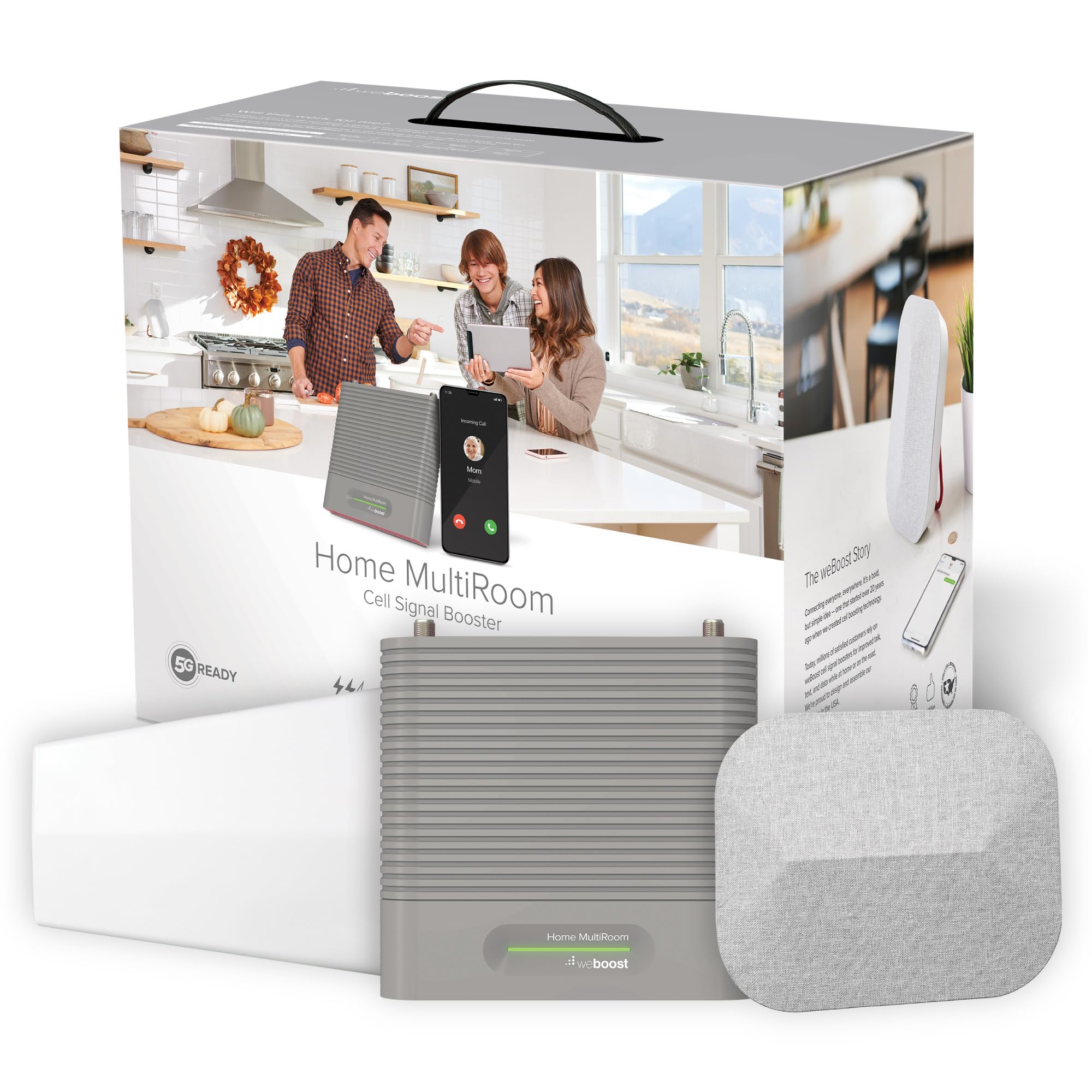
The weBoost Home MultiRoom covers up to 5,000 square feet and supports 5G on existing 4G bands via DSS technology. It includes a fabric indoor panel antenna, a directional outdoor antenna with pole-mount bracket, and multiple cable lengths for flexible installation. This model is one of the most widely reviewed office boosters on the market.
Users transitioning from a previous weBoost model saw improvements from 1-bar 3G to 3-4 bar LTE with 16 Mbps download speeds in a 2,100-square-foot office. The app helps locate the nearest tower and measure signal strength before and after installation. For offices with weak but usable outdoor signal, the Home MultiRoom reliably fills 3 to 4 rooms.
Critiques include the lack of an LCD display and the single indoor antenna, which limits coverage in long or irregularly shaped offices. The price sits in the mid-range, and some users find the installation finicky — antenna aiming must be within 1 to 2 degrees of the tower for best results. The 3-year warranty and strong US-based support offset these concerns for many buyers.
Why it’s great
- Proven reliability with thousands of positive reviews
- 5G compatible via DSS technology
- App provides tower location and signal measurement
- Includes multiple cable lengths for flexible setup
Good to know
- No LCD display for in-person gain monitoring
- Single indoor antenna limits coverage in irregular layouts
- Requires precise antenna alignment (within 1-2 degrees)
7. SureCall Flare 3.0 (B07KBKYV1C)
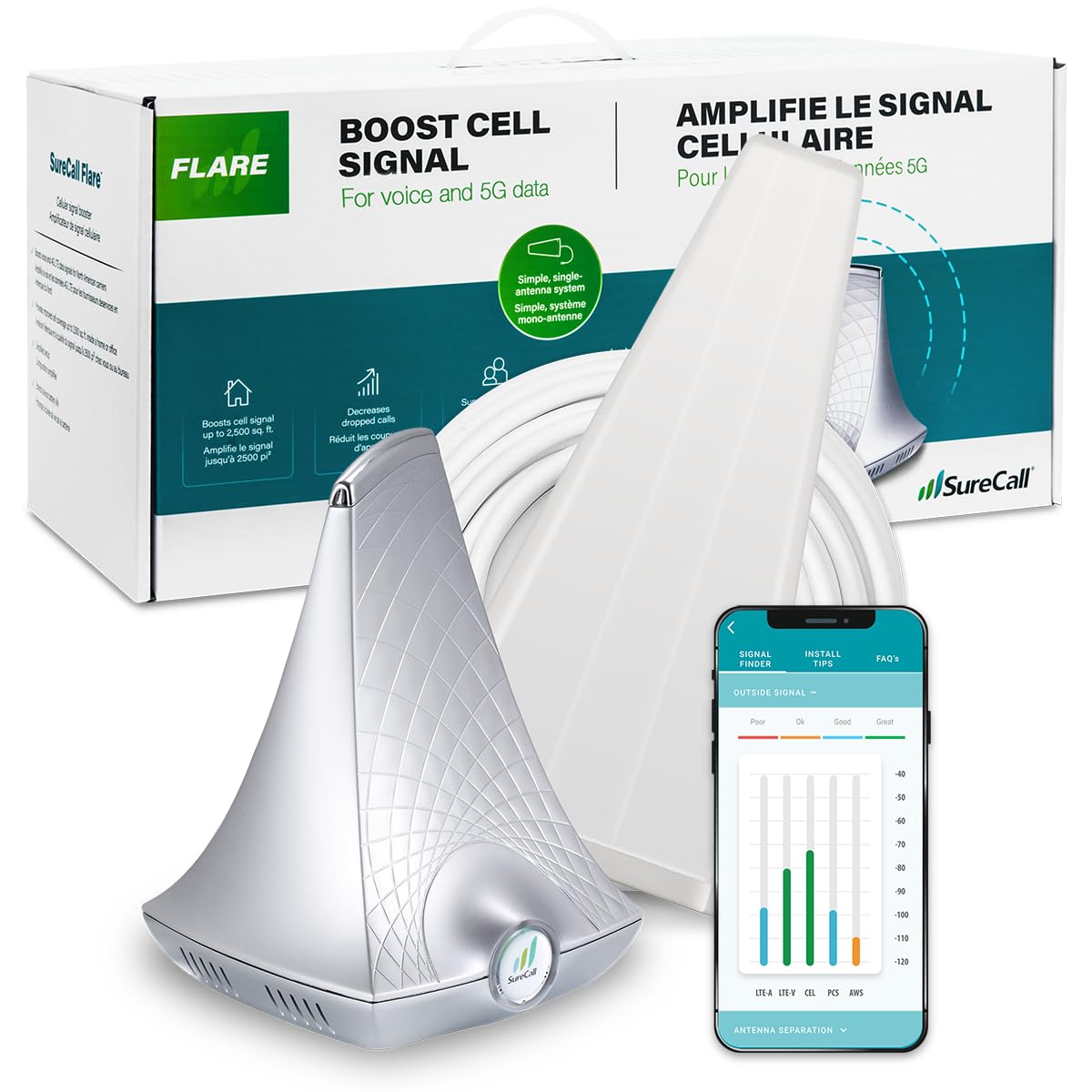
The SureCall Flare 3.0 is a compact booster designed for small offices up to 3,500 square feet. It works with all major US carriers and includes a Yagi directional outdoor antenna, coax cable, and the SureCall app for antenna alignment. The unit is designed, assembled, and tested in the USA.
Real-world performance depends heavily on outdoor signal strength — users with 1 to 2 bars outside saw coverage up to 500 square feet inside, while those with 5 bars outside reached the full 3,500 sq ft. In a small office with borderline signal, the Flare 3.0 boosted AT&T from spotty to robust throughout the space. The app helps aim the Yagi antenna at the nearest tower.
Some users report oscillation issues (yellow light) when the indoor and outdoor antennas lack 25 feet of vertical separation. Others note that the booster improved AT&T but left Verizon unchanged if no Verizon signal existed outdoors. The 3-year warranty and lifetime US-based support provide good backup for a mid-range investment.
Why it’s great
- Compact form factor suits small offices
- Yagi directional antenna captures distant signals
- App guides antenna alignment
- Designed and assembled in the USA
Good to know
- Coverage varies greatly with outdoor signal strength
- Requires 25+ feet vertical antenna separation
- May not improve carriers with no outdoor signal
8. ZORIDA 5S Pro (B0FGXS9G14)
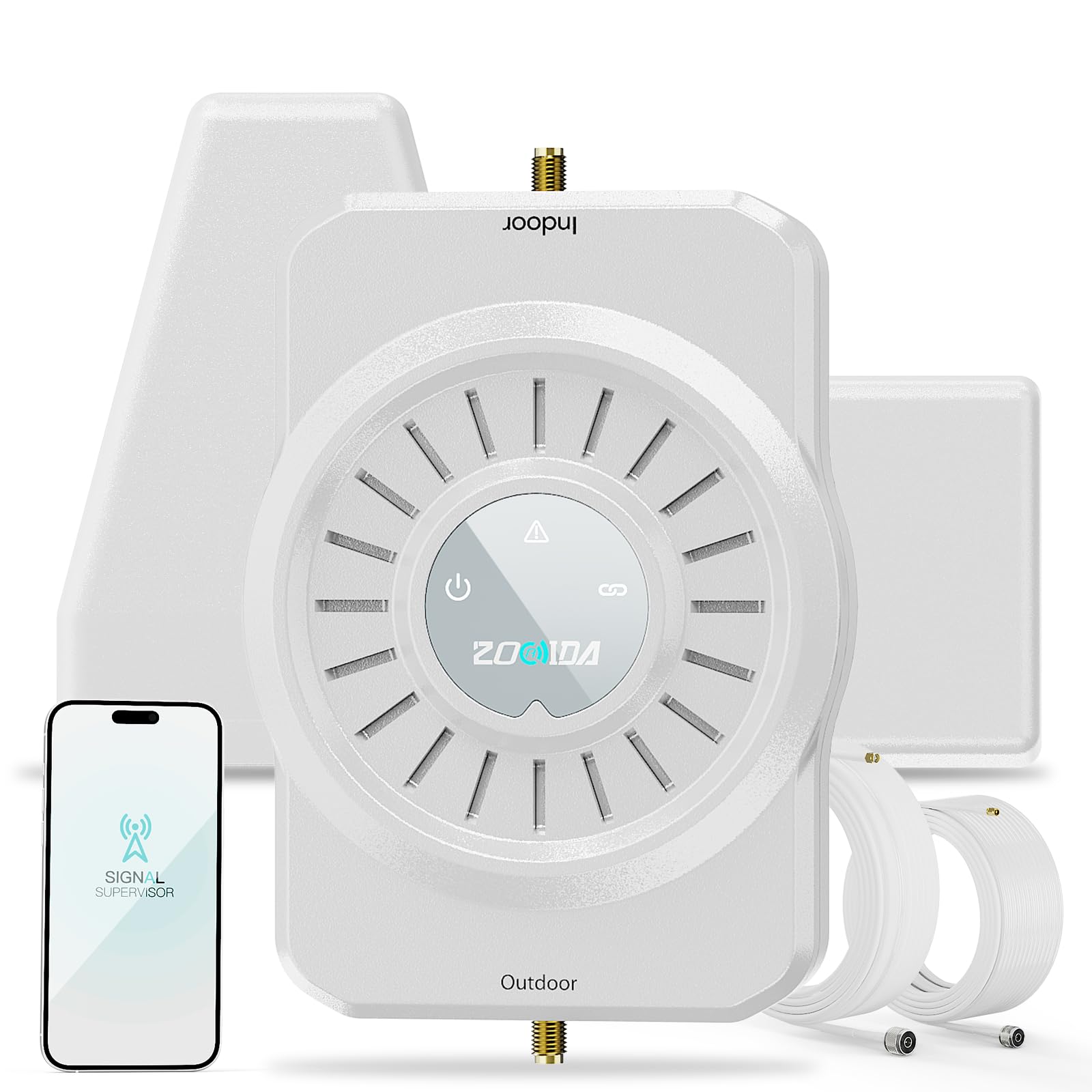
The ZORIDA 5S Pro delivers 72 dB of gain for up to 4,000 square feet at a budget-friendly price point. It supports all US carriers across 2G, 3G, 4G, and 5G bands, and includes an app for step-by-step installation guidance. The kit comes with high-gain antennas and a 3-year warranty.
In offices with weak but present outdoor signal, users reported going from 1-2 bars to 5 solid bars of LTE after proper antenna alignment. The app provides real-time signal measurements, making it easier to find the best placement for the outdoor antenna. The universal carrier compatibility means mixed-carrier teams all benefit from the same booster.
Some users mention that the app can have connectivity issues, and the physical build quality feels less robust than premium competitors. Antenna separation — at least 20 feet vertical and 30 feet horizontal — is critical to avoid feedback loops. Despite these quirks, the ZORIDA 5S Pro offers strong amplification for offices on a tighter budget.
Why it’s great
- 72 dB gain rivals premium models at a lower price
- App provides real-time signal measurements
- Supports all US carriers and 5G bands
- 3-year warranty and lifetime US-based support
Good to know
- App connectivity can be unreliable
- Build quality feels less premium than higher-priced options
- Requires careful antenna separation to avoid feedback
9. CEL-FI GO G41 (B0CNTZQ1DB)

The CEL-FI GO G41 is a 4th-generation booster with a 100 dB gain rating, the highest allowed by the FCC. It covers up to 15,000 square feet and uses Nextivity’s IntelliBoost chipset to support 4G LTE, 5G-DSS, and 5G NR. The kit includes a single dome and a panel antenna — you choose which works best for your office layout.
In a rural office with zero cell service and a metal roof, the GO G41 pulled a usable signal from -108 dBm to -75 dBm, delivering full bars throughout the building. Users report that it consistently outperformed previous boosters, including weBoost models, in the same location. The app-guided installation uses a signal meter to help dial in the outdoor antenna direction.
The 100 dB gain requires careful installation — the outdoor and indoor antennas must be separated by at least 50 feet vertically and 30 feet horizontally to prevent oscillation. Some users note that the unit only amplifies two bands at a time, which can cause issues in areas served by multiple base stations with different frequencies. The premium price reflects professional-grade performance and a 3-year warranty.
Why it’s great
- 100 dB gain — the highest FCC-allowed boost
- 4th-gen IntelliBoost chipset supports 5G NR
- Covers up to 15,000 sq ft in open buildings
- Includes both dome and panel antenna options
Good to know
- Requires 50+ feet antenna separation to avoid oscillation
- Only amplifies two bands simultaneously
- Premium price may be overkill for small offices
FAQ
Will a cell booster work if there is zero signal outside the office?
How many devices can a cell booster support at once?
Do I need professional installation for an office booster?
What is the difference between a directional and omnidirectional outdoor antenna?
Final Thoughts: The Verdict
For most users, the cell phone booster for office winner is the HiBoost 15K Mate because it combines 72 dB gain, a color touchscreen, app guidance, and two indoor antennas in one package — covering large offices without requiring professional installation. If you want the absolute maximum power for a building with very weak outdoor signal, grab the CEL-FI GO G41. And for a mid-sized office on a tighter budget, nothing beats the reliable coverage of the weBoost Home MultiRoom.

Mo Maruf
I created WellFizz to bridge the gap between vague wellness advice and actionable solutions. My mission is simple: to decode the research and give you practical tools you can actually use.
Beyond the data, I am a passionate traveler. I believe that stepping away from the screen to explore new environments is essential for mental clarity and physical vitality.