Our readers keep the lights on and my smoothie glass nicely filled. As an Amazon Associate, I earn from qualifying purchases.
Finding a phone you can actually see, navigate, and hear without struggle isn’t just an inconvenience—it’s a daily barrier to independence. Mainstream models hide essential controls behind tiny text and low-contrast interfaces, forcing you to hunt for a magnifying glass or rely on others for help.
I’m Mohammad Maruf — the founder and writer behind WellFizz. I’ve spent countless hours dissecting the hardware specifications, display technologies, audio output levels, and accessibility features across dozens of models to identify which ones genuinely serve those with low vision or hearing challenges.
Whether you need a simplified button layout, a speaker that cuts through background noise, or a screen that mimics the sharpness of printed paper, this guide cuts through the clutter to pinpoint the best cell phone for visually impaired users across every budget and lifestyle.
How To Choose The Best Cell Phone For Visually Impaired
Selecting a phone when your vision is compromised requires shifting focus away from flashy specs like megapixel counts or processor speed and toward the physical and sensory details that determine daily usability: text legibility, button tactility, audio clarity, and interface simplicity. Below are the critical factors to evaluate.
Display Size and Contrast Ratio
A larger display helps, but what truly matters is contrast. Look for screens with high static contrast ratios and anti-glare finishes. LCD panels with deep blacks and bright whites reduce eye strain and make text pop even at smaller scaling. Phones with a dedicated “paper-like” or e-ink mode, such as the NXTPAPER technology from TCL, soften backlight harshness and mimic the readability of a printed book, which is ideal for extended reading.
Audio Output and Volume Boost
Good hearing often accompanies vision loss. A phone with a dedicated volume boost function—measured in +dB gain—can transform call clarity. The FOSSiBOT F101P, for instance, uses a 36mm waterproof speaker that hits 123 dB, while the Panasonic KX-TGU432W amplifies audio by +12 dB. Also check for Hearing Aid Compatibility (HAC) ratings, which reduce electromagnetic interference and ensure clear coupling with assistive devices.
Button Layout and User Interface Simplicity
Physical buttons that are large, backlit, and spaced apart reduce misdials. For smartphones, a list-based menu system (like the Jitterbug Smart3) replaces cluttered grids with large text options you scroll through one at a time. Features like a flashing favorites key, a flashlight button, and talking caller ID—which announces the caller’s name aloud—eliminate the need to squint at a screen to see who’s calling.
Battery Life and Charging Convenience
If recharging is a chore, you want a battery that lasts multiple days. The 10,600 mAh cell in the FOSSiBOT F101P provides up to 94 hours of talk time and supports OTG reverse charging, letting it double as a power bank. For home cordless systems, look for handsets with at least 6 days of standby time so you aren’t constantly docking the phone.
Quick Comparison
On smaller screens, swipe sideways to see the full table.
| Model | Category | Best For | Key Spec | Amazon |
|---|---|---|---|---|
| Samsung Galaxy Z Fold7 | Premium Foldable | Massive multi-window screen for close-up reading | 8″ main display, 200MP camera | Amazon |
| Google Pixel 10 | Premium Smartphone | AI-enhanced call screening and voice commands | 3,000-nit Actua display | Amazon |
| Samsung Galaxy S25 FE | Mid-Range Smartphone | Large 6.7″ screen with long battery life | 4,900 mAh battery, 6.7″ display | Amazon |
| Nothing Phone (3a) Pro | Mid-Range Smartphone | Sunlight-proof display and alert notifications | 3,000-nit AMOLED, 120Hz | Amazon |
| TCL 60 XE NXTPAPER | Mid-Range Smartphone | Paper-like eye-care display for reading | NXTPAPER 3.0 anti-glare screen | Amazon |
| LIVELY Jitterbug Smart3 | Simplified Smartphone | Caregiver-supported list-based interface | List-based menu, voice typing | Amazon |
| FOSSiBOT F101P | Rugged Smartphone | Extreme loud speaker and huge battery | 123 dB speaker, 10,600 mAh battery | Amazon |
| AT&T DECT 6.0 BL108-2 | Cordless Home Phone | Smart call blocking + large keypad for home | 2.4″ color display, Audio Assist | Amazon |
| Panasonic KX-TGU432W | Cordless Home Phone | Volume boost and flashing favorites key | +12 dB boost, 2.1″ display | Amazon |
In‑Depth Reviews
1. Samsung Galaxy Z Fold7
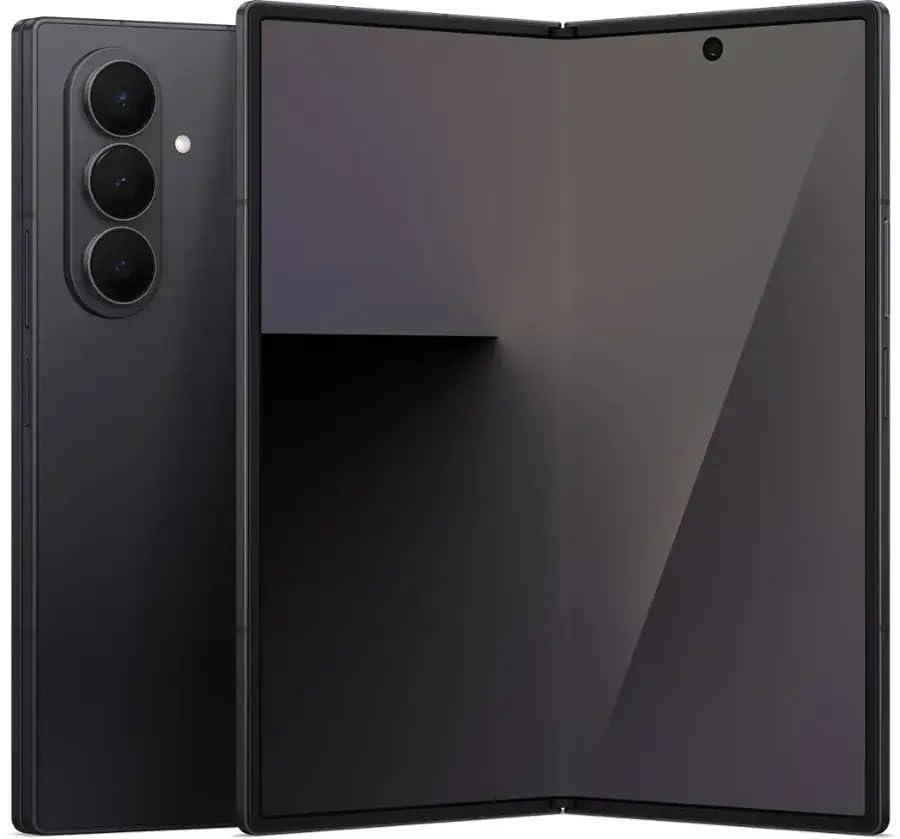
The Galaxy Z Fold7 offers an 8-inch foldable main screen that transforms how you view content with low vision. When unfolded, the expansive display renders text at a size that even sensitive eyes can read without constant zooming. The 200MP camera with Pro-Visual Engine captures extreme detail, letting you snap a photo of a prescription label or menu and then pinch-zoom to read the fine print—something standard phones struggle with.
Its refined, lighter design feels like a traditional smartphone when folded, so you carry a familiar shape in your pocket but gain a tablet-sized window when needed. The Snapdragon 8 Elite processor ensures that accessibility features like Google TalkBack and live transcribe run without lag, and the 4,400 mAh battery comfortably handles a full day of heavy reading or navigation assistance.
The advanced Armor Aluminum frame and Gorilla Glass Ceramic 2 provide durability that gives confidence for everyday handling. While the learning curve for the foldable form factor is real, the payoff in screen real estate is unmatched for anyone who relies on sheer display size to see clearly.
Why it’s great
- Huge 8″ screen reduces need for constant zooming
- High-resolution camera acts as a magnifier for small text
- Slimmer and lighter than previous foldables
Good to know
- Unfolding adds a step before using the full screen
- Premium investment compared to slab phones
2. Google Pixel 10
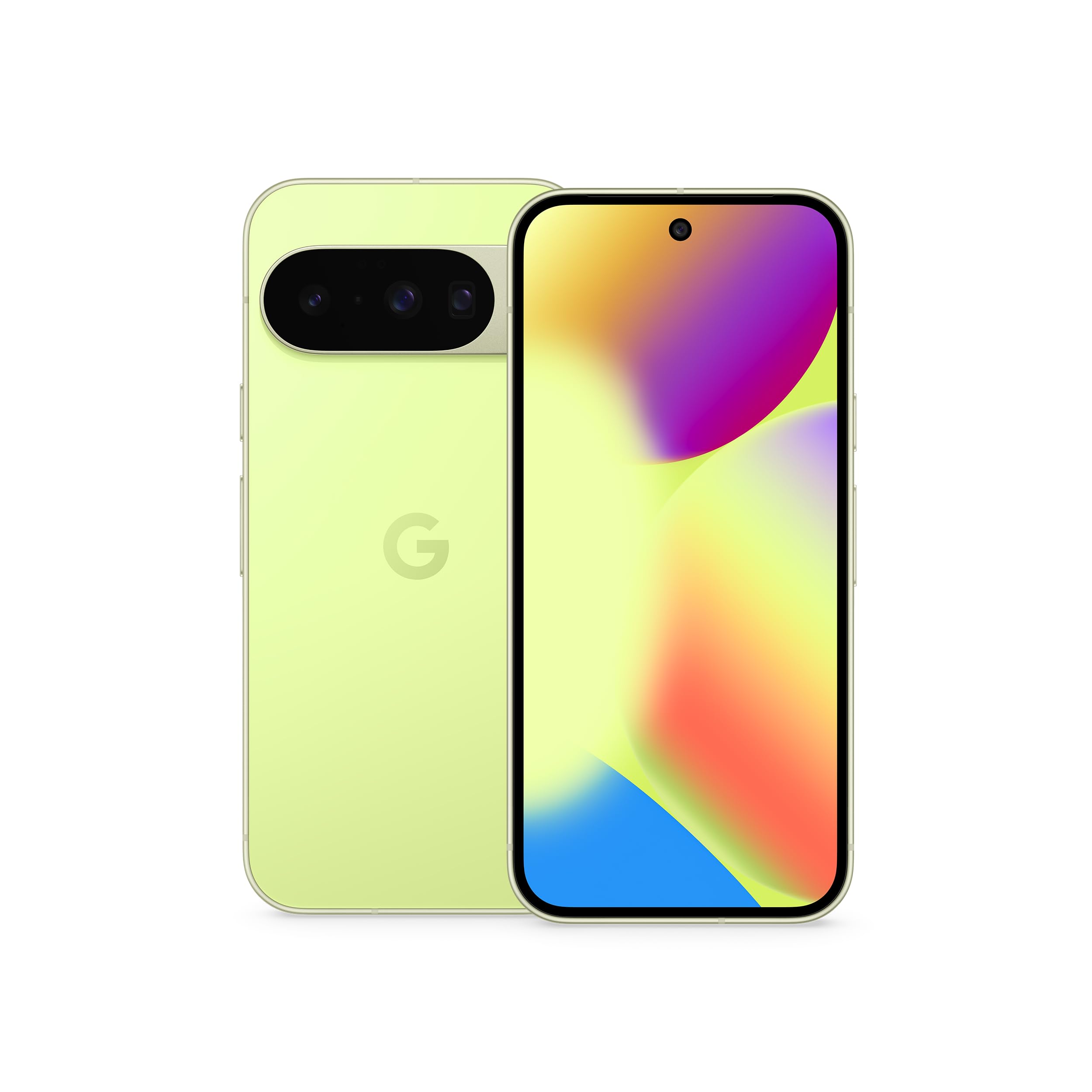
The Pixel 10’s 6.3-inch Actua display reaches a peak brightness of 3,000 nits, making it exceptionally easy to read outdoors even under direct sunlight. For visually impaired users who rely on high contrast to distinguish text and icons, this brightness capability dramatically reduces squinting. The 5x optical telephoto lens with up to 20x Super Res Zoom effectively turns the camera into a long-range magnifier for reading distant signs or chalkboard menus.
Google’s Gemini AI assistant integrates deeply with the operating system, supporting hands-free voice commands for texting, calling, and navigation. The Camera Coach feature verbally guides you to frame a shot properly—useful for snapping a photo of a document without needing to see the viewfinder clearly. The Pixel 10 also features Corning Gorilla Glass Victus 2 and an IP68 rating for accidental drops and spills.
The pure Android interface is clean and consistent, with large, easy-to-read notification tiles and a unified settings menu that’s simpler to navigate than heavily skinned alternatives. Battery life reaches a full 24 hours even with screen brightness cranked up, and the USB-C port supports fast charging that gets you through a busy day.
Why it’s great
- Extremely bright display for outdoor readability
- AI voice commands reduce reliance on screen
- 5x telephoto camera doubles as a digital magnifier
Good to know
- Only eSIM, no physical SIM slot
- No wall adapter included in the box
3. Samsung Galaxy S25 FE
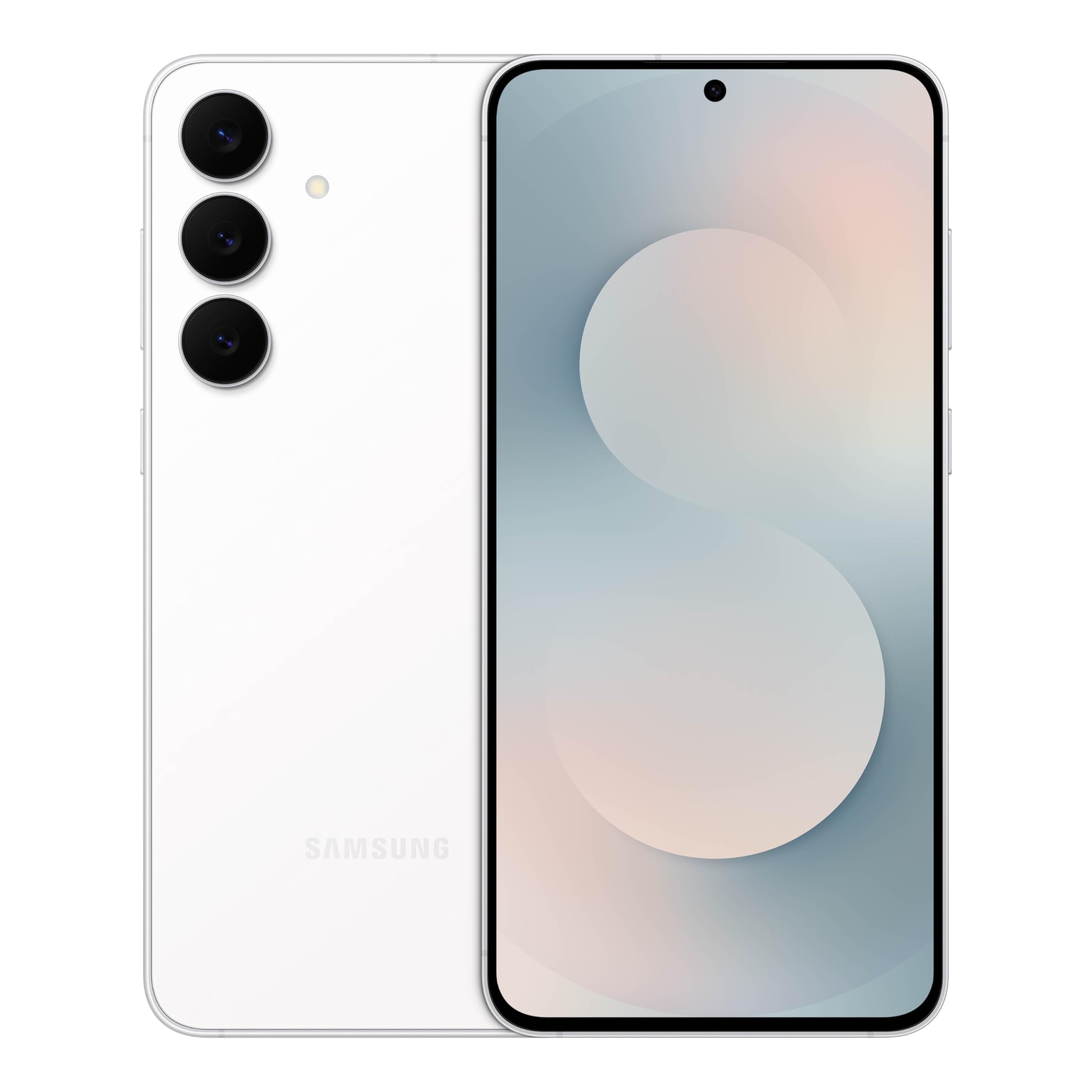
The Galaxy S25 FE delivers a generous 6.7-inch display with a smooth 120Hz refresh rate, making scrolling through menus and reading text feel fluid and less jarring. The phone’s ProVisual Engine enhances contrast and sharpness in real time, which helps low-vision users distinguish between similar-looking icons and read web pages without needing to constantly increase font size to maximum.
Generative Edit tools let you move or remove distracting elements from photos, so if you take a picture of a sign or a recipe card, you can clean it up and enlarge just the important text. The 4,900 mAh battery easily stretches into a second day of moderate use, which means fewer anxious moments searching for a charger. The phone also supports Super Fast Charging 2.0 for a quick top-up.
Its lightweight aluminum frame and slim profile are comfortable to hold during extended reading sessions. The in-screen fingerprint sensor and face unlock mean you don’t need to fumble with a password on a tiny keyboard. The stereo speakers with Dolby Atmos produce clear, directional sound that improves speech intelligibility during calls and podcasts.
Why it’s great
- Large high-refresh-rate screen for smooth reading
- Long battery life for all-day reassurance
- Lightweight and comfortable to hold
Good to know
- Samsung Messages app phased out
- Minor Google ads in default apps can be distracting
4. Nothing Phone (3a) Pro

The Nothing Phone (3a) Pro uses a 6.77-inch flexible AMOLED panel with a 3,000-nit peak brightness and 2,160Hz PWM dimming. This combination delivers a flicker-free experience that significantly reduces eye strain compared to standard OLED screens, making it a strong choice for users sensitive to screen pulsing. The 120Hz adaptive refresh rate keeps scrolling smooth without wasting battery.
Its physical Essential Key can be programmed to launch accessibility shortcuts, like instantly opening TalkBack or the magnifier tool, bypassing the need to navigate through touch menus. The 50MP periscope camera with 3x optical zoom and 60x ultra zoom acts as a powerful far-field magnifier for reading street signs or whiteboards across a room.
The Glyph interface uses a series of LED lights on the back to indicate incoming calls or notifications without needing to check the screen. For someone with low vision, this visual cue paired with a distinct ringtone reduces the cognitive load of identifying who is calling. The 5,000 mAh battery and 50W charging ensure you spend more time using the phone and less time tethered to an outlet.
Why it’s great
- Flicker-free AMOLED with eye-friendly PWM dimming
- Physical Essential Key for instant accessibility
- Glyph lights provide visual notification cues
Good to know
- No wireless charging coil
- Essential Key not remappable without risking warranty
5. TCL 60 XE NXTPAPER 5G

The TCL 60 XE NXTPAPER 5G is the only mainstream smartphone with a dedicated paper-like display. The NXTPAPER 3.0 technology uses an anti-glare surface that reduces blue light by up to 61%, creating a texture that mimics printed paper rather than a glass screen. This is a game-changer for visually impaired users who suffer from eye fatigue with traditional backlit LCDs.
Users can toggle between four display modes on the fly: Standard, Ink Paper (black-and-white e-reader), Color Paper (vibrant but soft), and Max Ink (maximum paper feel plus extra battery saving). The large 6.8-inch FHD+ screen and 120Hz refresh rate ensure text is sharp, and scrolling feels fluid. The 5,010 mAh battery easily lasts a full day with the eye-care features active.
The phone also includes dual speakers with DTS audio, which delivers clear, room-filling sound for calls and media. The 50MP main camera is adequate for document scanning, and the side-mounted fingerprint sensor makes unlocking intuitive without needing to look at the screen. It works with major U.S. carriers, including AT&T, T-Mobile, and Verizon.
Why it’s great
- Anti-glare paper-like screen reduces eye strain
- Four distinct display modes for different lighting
- Large battery with 5W reverse charging
Good to know
- Touch sensitivity can misread taps as swipes
- Limited case and accessory availability
6. LIVELY Jitterbug Smart3

The Jitterbug Smart3 is purpose-built for seniors and visually impaired users who find standard smartphone interfaces overwhelming. Instead of a dense grid of apps, it uses a large, list-based menu with high-contrast text and simple choices like “Call,” “Text,” “Camera,” and “Voicemail.” You scroll up and down through options with clear, oversized buttons that eliminate the confusion of tapping the wrong icon.
Voice typing lets you dictate messages without staring at the keyboard, and the powerful speaker makes calls audible even in noisy environments. The 3,500 mAh battery provides up to 6 hours of talk time, which is sufficient for daily conversations. The phone includes a dedicated 24/7 Lively team that can assist with phone setup, health questions, or emergency help—adding a human safety net that no other phone offers.
However, the Jitterbug Smart3 is locked to Lively’s own phone service, so you cannot use it with other carriers. The camera is basic, and the app selection is limited compared to a full Android smartphone. For users who prioritize simplicity and caregiver support over app diversity, this trade-off is worth it.
Why it’s great
- Large, simple list-based menu reduces confusion
- Voice typing eliminates keyboard visual challenges
- 24/7 access to a caring support team
Good to know
- Locked to Lively service, no carrier switching
- Limited app selection compared to standard Android
7. FOSSiBOT F101P Rugged Phone
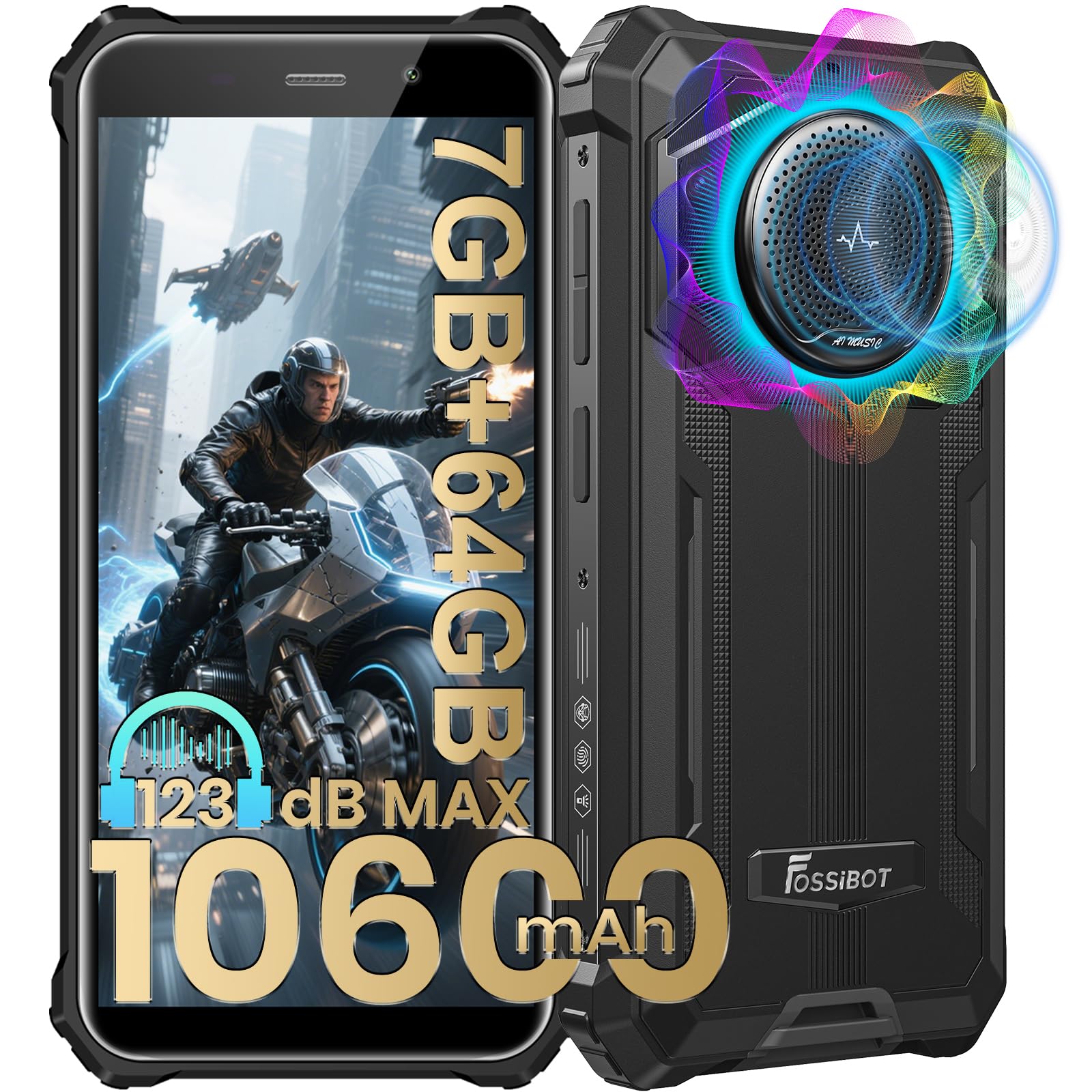
The FOSSiBOT F101P is the phone for users whose primary challenge is hearing rather than seeing. Its 36mm waterproof speaker delivers a staggering 123 dB of volume, which can fill a room or cut through outdoor noise effortlessly. The speaker also supports Hearing Aid Compatibility (HAC), ensuring clean coupling with hearing aids without interference.
The 10,600 mAh battery provides up to 94 hours of talk time and 1,050 hours of standby—meaning you can go a week or more without worrying about charging. It also supports OTG reverse charging, letting it power other devices. The 5.45-inch HD+ display is compact enough to hold with one hand, and the Android 13 operating system supports all major accessibility apps.
The phone is IP68/IP69K and MIL-STD-810H certified, so it can survive drops, dust, and immersion in water. The 24MP main camera is adequate for basic photography. The main downsides: it is physically heavy and chunky, and some users report the screen occasionally returns to the home screen unexpectedly, which can be frustrating during long typing sessions.
Why it’s great
- Extremely loud 123 dB speaker for hearing-impaired users
- Massive battery lasts over a week between charges
- Rugged construction resists drops and water
Good to know
- Heavy and bulky compared to standard smartphones
- UI random screen-return issue reported
8. AT&T DECT 6.0 BL108-2
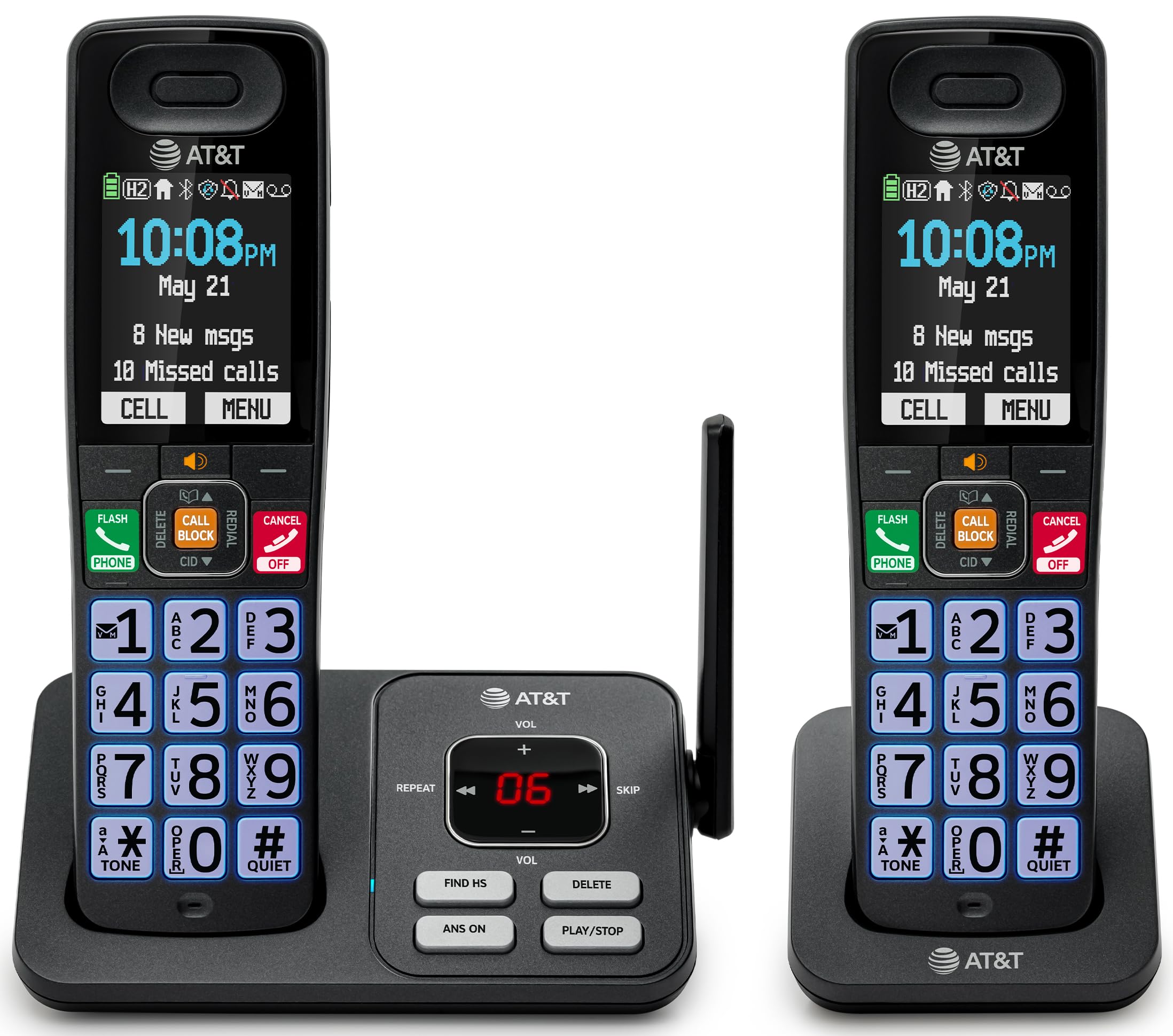
If you prefer a traditional landline experience with modern upgrades, the AT&T BL108-2 delivers a 2.4-inch color display with high-contrast text, a lighted keypad, and large, easy-to-read status icons. The screen and buttons are noticeably more legible than older cordless phones, and the Audio Assist feature boosts call volume while reducing background noise—making conversations crystal clear even for moderate hearing loss.
The smart call blocker automatically stops robocalls before they ever ring, which is a major relief if unwanted calls are a daily annoyance. Bluetooth connectivity lets you pair your smartphone and route mobile calls through the base, effectively eliminating cellular dead zones inside your home. The handset also reads caller ID aloud, so you know who’s calling without looking down at the screen.
The DECT 6.0 technology provides a range of up to 1,000 feet through walls and floors, and the digital answering machine records up to 22 minutes of messages. The 6-day standby time means you rarely need to think about charging. The only limitation is that it supports a maximum of 3 handsets, which is fine for most households.
Why it’s great
- Large, high-contrast color display with lighted keys
- Audio Assist boosts volume and reduces noise
- Smart call blocker eliminates robocalls
Good to know
- Limited to 3 handsets per system
- Requires a landline jack to function
9. Panasonic KX-TGU432W

The Panasonic KX-TGU432W combines a 2.1-inch display with large backlit buttons that are easy to distinguish by touch. Its standout feature is the Volume Boost that amplifies audio by up to +12 dB, making it an excellent choice for users with significant hearing loss. The flashing Favorites Key lights up to alert you to incoming or missed calls from up to three pre-programmed contacts, reducing the need to check the display constantly.
A built-in flashlight on the handset is useful for nighttime trips to the bathroom or finding your way in the dark. The advanced call blocking system automatically pre-blocks robocalls, and you can add up to 1,000 numbers to a block list with a single touch. The handset can support up to 6 additional handsets, making it scalable for larger homes.
Users praise the combination of straightforward setup and reliable performance. The phone works with standard PSTN landlines and supports 3-way conferencing. Some users note that the cordless operation can be confusing for seniors with dementia (the OFF button must be pressed to end a call), and the boost volume may still feel insufficient for extremely severe hearing loss. That said, for most users, it offers the best balance of loud audio and big-button simplicity.
Why it’s great
- +12 dB volume boost for clear conversation
- Flashing favorites key for easy contact identification
- Built-in flashlight for dark environments
Good to know
- Two-step dialing and OFF button can confuse some users
- Boost may still be insufficient for severe hearing loss
FAQ
What display size is best for a visually impaired user?
How loud should the ringer and speaker be for someone with hearing loss?
Does a simplified interface really help if I already know how to use a smartphone?
Can I use a home cordless phone instead of a smartphone?
Final Thoughts: The Verdict
For most users, the best cell phone for visually impaired individuals is the Samsung Galaxy S25 FE because it strikes a nearly perfect balance between a large, bright 6.7-inch display, long battery life, and advanced AI tools that enhance contrast and photo detail—all within a lightweight frame that’s comfortable for extended use. If you need a truly eye-strain-free reading experience, grab the TCL 60 XE NXTPAPER, whose paper-like screen reduces blue light and glare better than any other smartphone on the market. And for those who prioritize extreme volume and weeks-long battery life, nothing beats the FOSSiBOT F101P with its 123 dB speaker and 10,600 mAh battery.

Mo Maruf
I created WellFizz to bridge the gap between vague wellness advice and actionable solutions. My mission is simple: to decode the research and give you practical tools you can actually use.
Beyond the data, I am a passionate traveler. I believe that stepping away from the screen to explore new environments is essential for mental clarity and physical vitality.