Our readers keep the lights on and my smoothie glass nicely filled. As an Amazon Associate, I earn from qualifying purchases.
Metal buildings — from workshops and warehouses to steel-sided homes and barns — effectively create a Faraday cage around your phone. The structure reflects, absorbs, and blocks radio waves, making reliable cellular connectivity inside feel impossible. Calls drop, texts fail to send, and mobile data becomes unusable, even when you can see a cell tower from the driveway.
I’m Mohammad Maruf — the founder and writer behind WellFizz. My research focuses on understanding how building materials, antenna placement, and signal gain interact in challenging RF environments like metal structures.
This guide breaks down the engineering, installation realities, and real-world performance of the best cell phone booster for metal building solutions, drawing from customer experiences across dozens of installations inside steel-framed homes and workshops.
How To Choose The Best Cell Phone Booster For Metal Building
Standard home boosters often fail in metal buildings because the steel envelope reflects RF energy, creating oscillation loops that cause the amplifier to shut down. Choosing the right booster requires understanding how gain, antenna isolation, and frequency band support interact with your specific structure.
Gain and Coverage Area Limits
Higher gain (measured in dB) is critical for metal buildings because you need to punch through RF-reflective surfaces. Look for boosters with at least 65 dB of gain for a modest workshop or single-room metal space. For multi-room steel buildings or two-story metal structures, 70 dB or more is recommended. Be skeptical of coverage claims — metal buildings typically cut usable area by 30-50% compared to wood-frame homes.
Antenna Type and Placement Strategy
Directional Yagi antennas are almost mandatory for metal buildings. They focus signal acquisition at a specific cell tower, which maximizes the weak signal entering the building. Omni-directional antennas often underperform because they pick up noise from multiple directions. The outdoor antenna must be mounted above the roofline — ideally on a mast extending 5-10 feet above the metal surface — to capture usable signal before the building envelope attenuates it.
Isolation and Oscillation Prevention
Metal buildings create a unique challenge: the structure itself can couple the outside and inside antennas, causing oscillation (the booster’s automatic shutdown). You need at least 20-25 feet of vertical separation between the outdoor and indoor antennas. Placing the booster unit directly under the antenna location, with the indoor panel antenna on the opposite side of a wall, often works. Some metal building owners report needing 30-50 feet of horizontal separation plus a full wall between antennas to stop oscillation.
Carrier Compatibility and Band Support
Not all boosters handle every carrier equally. Verizon and AT&T rely heavily on Band 13 (700 MHz) and Band 5 (850 MHz), respectively, while T-Mobile uses Band 71 (600 MHz) and Band 2/25 (1900 MHz). If your carrier operates on a band your booster doesn’t support, you get no improvement. Check the booster’s supported frequency list and compare it to your carrier’s primary bands in your area using apps like CellMapper or OpenSignal.
Quick Comparison
On smaller screens, swipe sideways to see the full table.
| Model | Category | Best For | Key Spec | Amazon |
|---|---|---|---|---|
| HiBoost 4K Mate Pro | Premium | Metal buildings up to 4,000 sq ft | 70 dB gain, LCD touchscreen | Amazon |
| SureCall Fusion4Home Yagi/Panel | Premium | Targeted directional boosting in steel | 72 dB gain, 5,000 sq ft | Amazon |
| weBoost Home Complete (470145) | Premium | Whole-home coverage in steel structures | Up to 100x signal, 7,500 sq ft | Amazon |
| HiBoost 15K Mate | Premium | Large multiroom metal buildings | 72 dB gain, 12,000 sq ft | Amazon |
| HiBoost 8K (B07VT2FHLP) | Mid-Range | Large metal buildings with 2 indoor antennas | 70 dB gain, 8,000 sq ft | Amazon |
| SureCall Flare 3.0 | Mid-Range | Smaller steel buildings with existing signal | Up to 3,500 sq ft, app-guided | Amazon |
| weBoost Home Studio Omni | Mid-Range | Single-room coverage in metal structures | 2,000 sq ft, omni antenna | Amazon |
| weBoost Destination RV | Premium | Stationary RVs and metal-roof campers | 25 ft collapsible mast, 100x | Amazon |
| CEL-FI GO G41 | Premium | Extreme metal building conditions | 100 dB gain, 15,000 sq ft | Amazon |
In‑Depth Reviews
1. HiBoost 4K Mate Pro
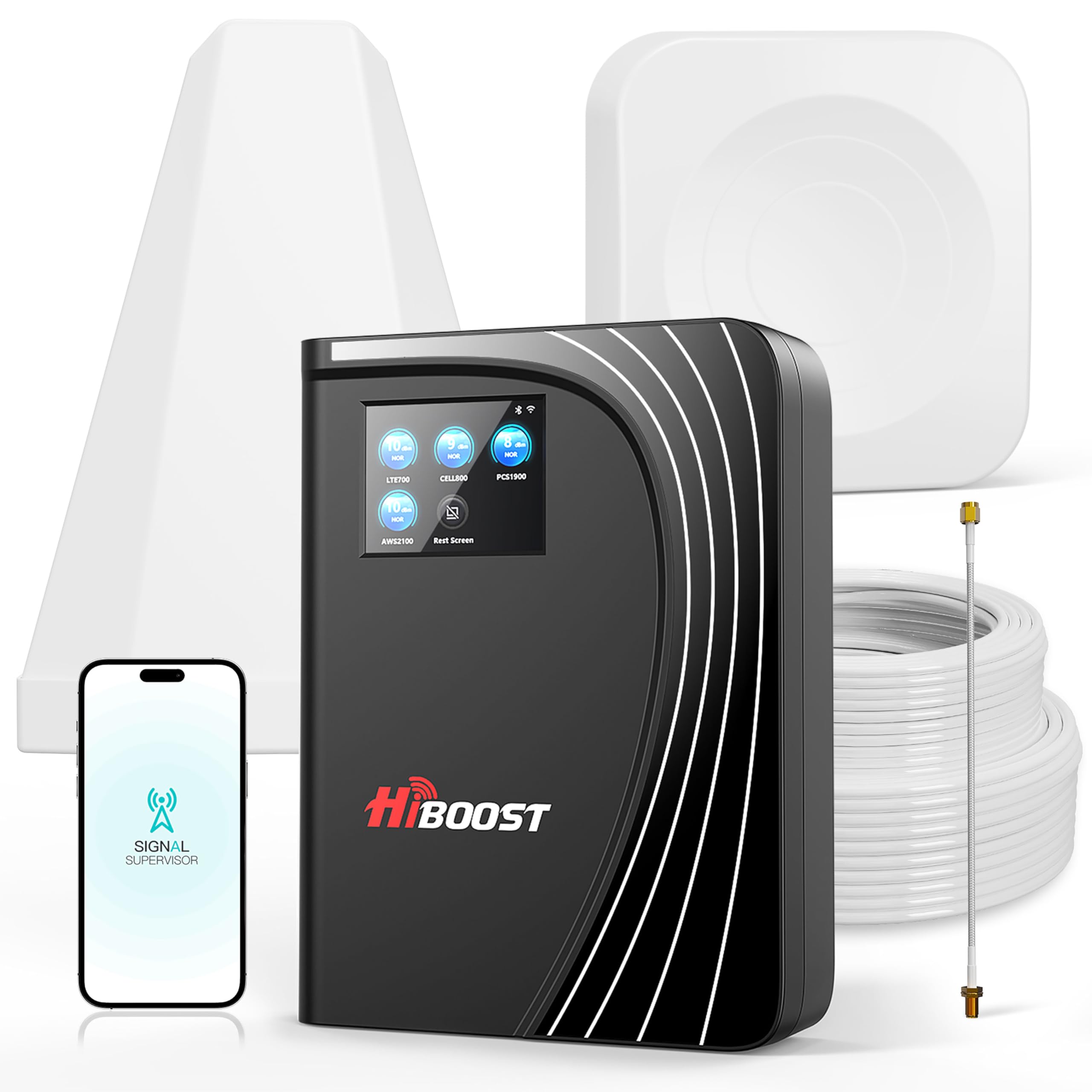
The HiBoost 4K Mate Pro is specifically designed for challenging RF environments, and metal building users consistently report it transforms unusable signal into functional service. Its 70 dB maximum gain, paired with Automatic Gain Control (AGC) that intelligently adjusts to prevent oscillation, makes it a strong contender for steel structures. The built-in LCD touchscreen lets you monitor signal strength and gain levels in real-time without needing a phone app.
One metal building owner in a 2-bar area reported the booster took their signal from a single bar of low-data to five bars of 5G service. Another installed it in a steel building in Houston and found that after dialing in the antenna direction, Verizon and T-Mobile delivered full bars while AT&T remained stubborn. The included Signal Supervisor app helps with aiming the outdoor antenna and troubleshooting, though some users note the Bluetooth can drop out on steel roofs.
For metal buildings under 4,000 square feet where you have at least one bar of outdoor signal, the 4K Mate Pro offers the best balance of installation ease and real-world performance. The expandable design also allows adding a second indoor antenna kit if your building requires more coverage. The 2-year warranty and US-based support provide peace of mind for what is a significant up-front investment.
Why it’s great
- AGC intelligently prevents oscillation inside metal envelopes
- Touchscreen and app provide real-time signal monitoring
- Expandable with extra indoor antenna kits
Good to know
- Bluetooth connection can drop on steel roofs
- App refresh rate can be slow
2. SureCall Fusion4Home Yagi/Panel

The SureCall Fusion4Home Yagi/Panel kit is a serious tool for metal building owners who need to pull signal from a distant tower. With 72 dB of gain and a patented extended range technology that amplifies the signal at its strongest point outside the building, this system excels where the nearest cell tower is miles away. One user in a steel building reported their signal improved from -120 dBm to -85 dBm — a 35 dB gain that made calls usable again.
Installing the Yagi directional antenna at 36 feet on a mast above the metal roofline was the key for one reviewer. Their LTE phones showed only 2 bars, but calls went through reliably for the first time. Another user carefully aimed the antenna 30 degrees off the direct tower bearing (23 miles away) and achieved near-perfect signal except during hot afternoons. The kit includes both Yagi (outdoor) and panel (indoor) antennas, giving you maximum flexibility for separation.
The installation requires patience — precise antenna aiming is critical, and you may need RG-11 cable and a grounding block for long runs. But for metal building owners with distant towers, this is one of the most effective options available.
Why it’s great
- Extremely long-range signal pull from distant towers
- Yagi antenna focuses on single carrier for maximum gain
- Works well with metal building installation at height
Good to know
- Coverage less than claimed in metal buildings
- Precise antenna aiming is critical for performance
3. weBoost Home Complete (470145)

weBoost’s Home Complete is the strongest consumer booster the FCC allows, and it earns its reputation in metal building environments. With the ability to amplify signal by up to 100 times, it’s particularly effective when paired with a directional outdoor antenna mounted above a steel roof. One user in a deep hollow with zero service went to 3 LTE bars at -90 dBm after installation, enabling clear calls and photo texts.
However, this unit has a critical limitation: it requires the device to be within roughly 15-20 feet of the indoor panel antenna for full effect. Several metal building owners reported 4 bars near the antenna dropping to 1 bar 20 feet away, especially when starting with weak outside signal around -120 dBm. The directional antenna also only hits one carrier at a time — you need to align it specifically for Verizon, AT&T, or T-Mobile.
For metal buildings with a strong existing outdoor signal (3 bars or better outside), the Home Complete delivers impressive whole-home coverage. But if your outdoor signal is weak, the coverage area shrinks dramatically. The included weBoost app helps find the nearest cell tower and shows your signal strength before and after, which is useful for optimizing antenna placement on your metal building’s roofline.
Why it’s great
- Maximum FCC-allowed amplification for tough cases
- Significant dB improvement in moderate outdoor signal areas
- App shows signal before/after for placement tuning
Good to know
- Coverage drops quickly beyond 15-20 feet of indoor antenna
- Directional antenna only boosts one carrier at a time
4. HiBoost 15K Mate
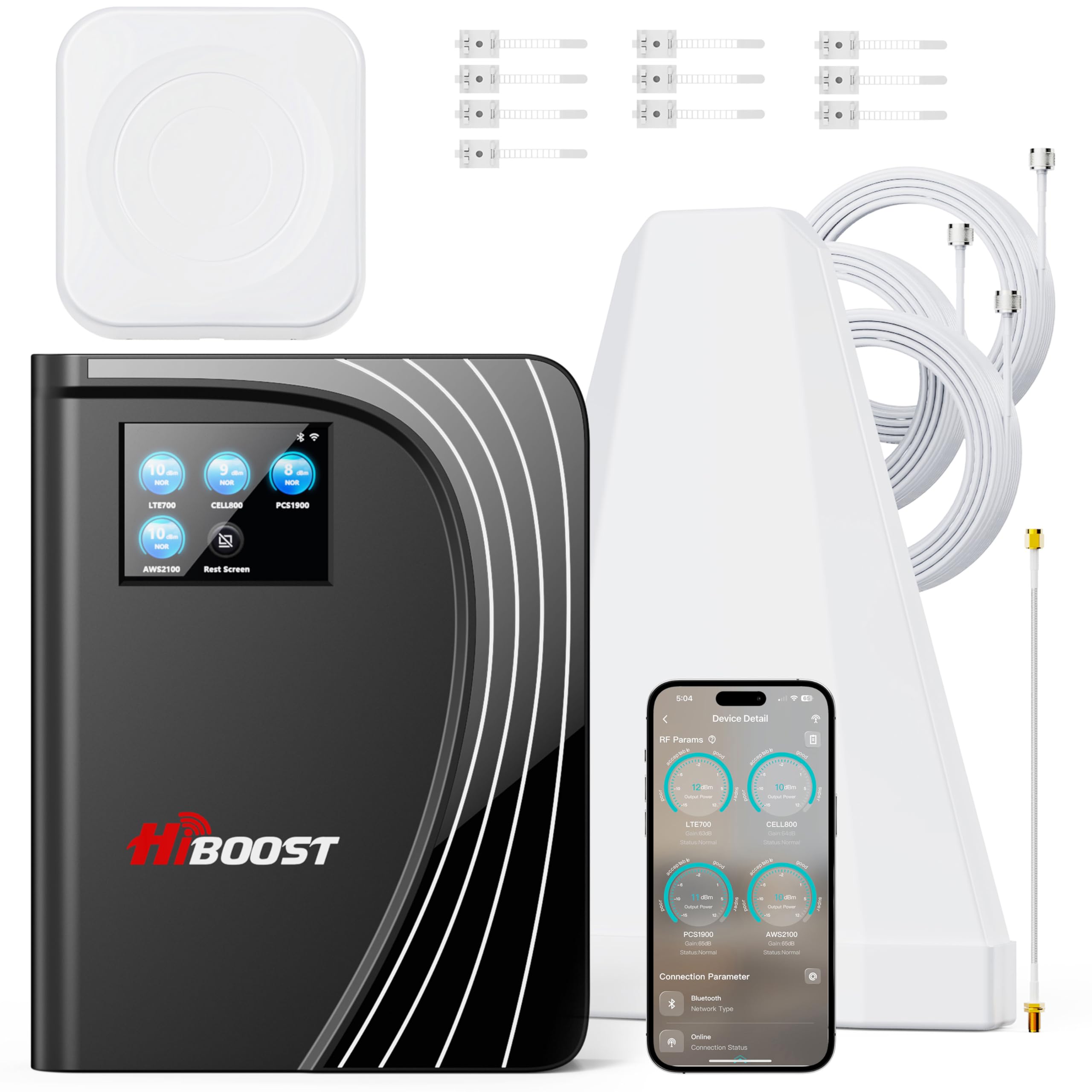
The HiBoost 15K Mate represents the next tier of coverage for large metal buildings — think big workshops, warehouses, or two-story steel structures. With 72 dB maximum gain and a built-in antenna plus a separate indoor panel, it’s designed to cover up to 12,000 square feet in ideal conditions. In real-world metal buildings, users report solid coverage across 2,000-4,000 square feet depending on outdoor signal strength.
One metal building owner in Houston reported the unit went from 1 bar of low data to 5 bars of 5G on most carriers after fine-tuning the antenna direction. Another user in a 2,000 square foot mountain home with no cell signal achieved 4 bars of Verizon 4G LTE across most rooms after adding a second antenna kit. The color LCD touchscreen provides real-time gain monitoring, and the Signal Supervisor app helps with initial setup and antenna aiming.
The unit includes AGC that intelligently adjusts gain to prevent oscillation — a critical feature for metal envelopes. However, the Bluetooth connection can be unreliable through steel roofs, and the WiFi-based app refresh can feel slow. For very large metal structures where you can achieve good antenna separation and have at least one bar of outdoor signal, the 15K Mate provides the coverage footprint needed.
Why it’s great
- Highest coverage rating for large steel buildings
- Built-in plus separate indoor antenna for flexible layout
- AGC prevents oscillation in metal environments
Good to know
- Bluetooth struggles through steel roofs
- Real-world coverage less than stated in metal buildings
5. HiBoost 8K (B07VT2FHLP)

The HiBoost 8K is a strong mid-range option for metal building owners who need multiroom coverage without jumping to premium pricing. With 70 dB gain and two indoor antennas (one built-in, one separate), it’s designed to cover up to 8,000 square feet. In real-world metal building use, users report coverage in the 2,500-4,500 square foot range, depending on outdoor signal and antenna placement.
One user in a forested cabin reported going from 1 bar to 3-4 bars, with download speeds jumping from 1 Mbps to 25 Mbps. Another installed it in a metal building for hurricane prep and saw 50+ Mbps on Verizon 5G and 15+ Mbps on T-Mobile 5G inside a 2,700 square foot space. The AGC feature automatically adjusts gain to prevent oscillation, which is crucial for metal buildings where the structure can cause feedback loops.
The included LCD display and HiBoost app provide real-time signal monitoring and help with antenna aiming. The kit comes with extensive cabling (including a through-window cable), waterproof tape for outdoor connections, and mounting accessories. One limitation is that it lacks support for T-Mobile’s Band 71 (600 MHz), which could be an issue in rural areas where T-Mobile relies heavily on that frequency.
Why it’s great
- Two indoor antenna design for multiroom metal buildings
- AGC prevents oscillation automatically
- Comprehensive installation kit included
Good to know
- No support for T-Mobile Band 71 (600 MHz)
- Coverage drops in very remote areas
6. SureCall Flare 3.0
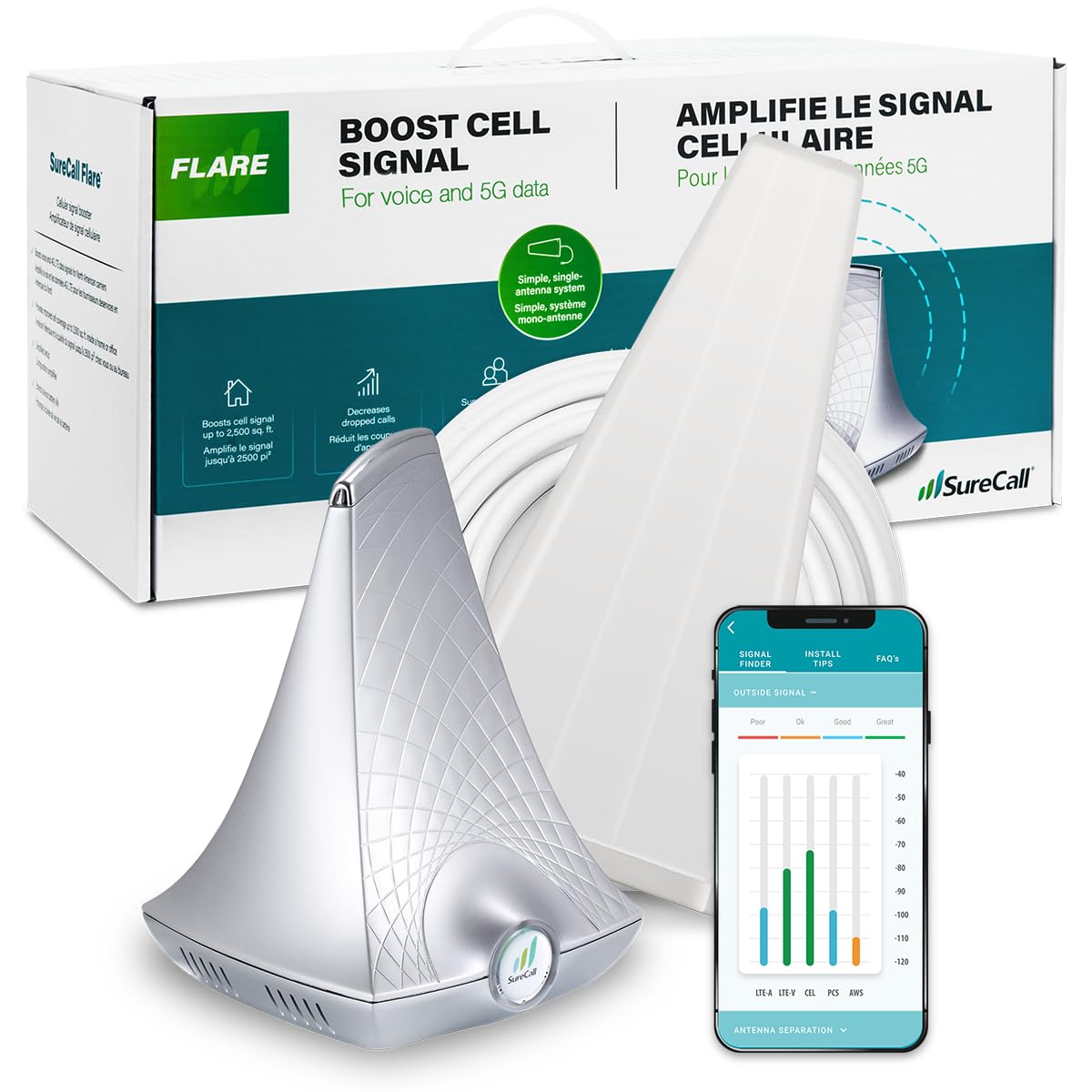
The SureCall Flare 3.0 is a balanced mid-range option for smaller metal buildings like a steel shed, workshop, or single-room structure. It uses a directional Yagi outdoor antenna (included) and an indoor panel antenna, with the free SureCall app helping you aim the outdoor antenna at the nearest cell tower. Coverage realistically maxes out around 1,500 square feet in a metal building when outdoor signal is at 3-4 bars.
One user with a 950 square foot cabin went from virtually no signal to 5 bars in the main room, though reception didn’t reach the bedroom. Another with a weak 1-bar signal outside found the booster made web browsing and calls usable after mounting the Yagi antenna on a pole and using the OpenSignal app for tower alignment. The 25-foot vertical separation between antenna and modem is critical — one reviewer noted 18-20 feet was “good enough” to prevent the yellow oscillation light.
The Flare 3.0 is FCC approved and built in the USA with a 3-year warranty. Installation is genuinely DIY-friendly compared to higher-end units, but metal building owners should expect to spend time finding the right antenna position. The unit supports all major carriers, but some users report it doesn’t work well with Verizon in very weak signal areas — the booster needs at least some outside signal to amplify.
Why it’s great
- Easy DIY installation with app antenna aiming
- Small footprint for metal sheds and workshops
- Good value for single-room metal buildings
Good to know
- Requires at least 25 ft vertical antenna separation
- Coverage limited to one room in metal structures
7. weBoost Home Studio Omni
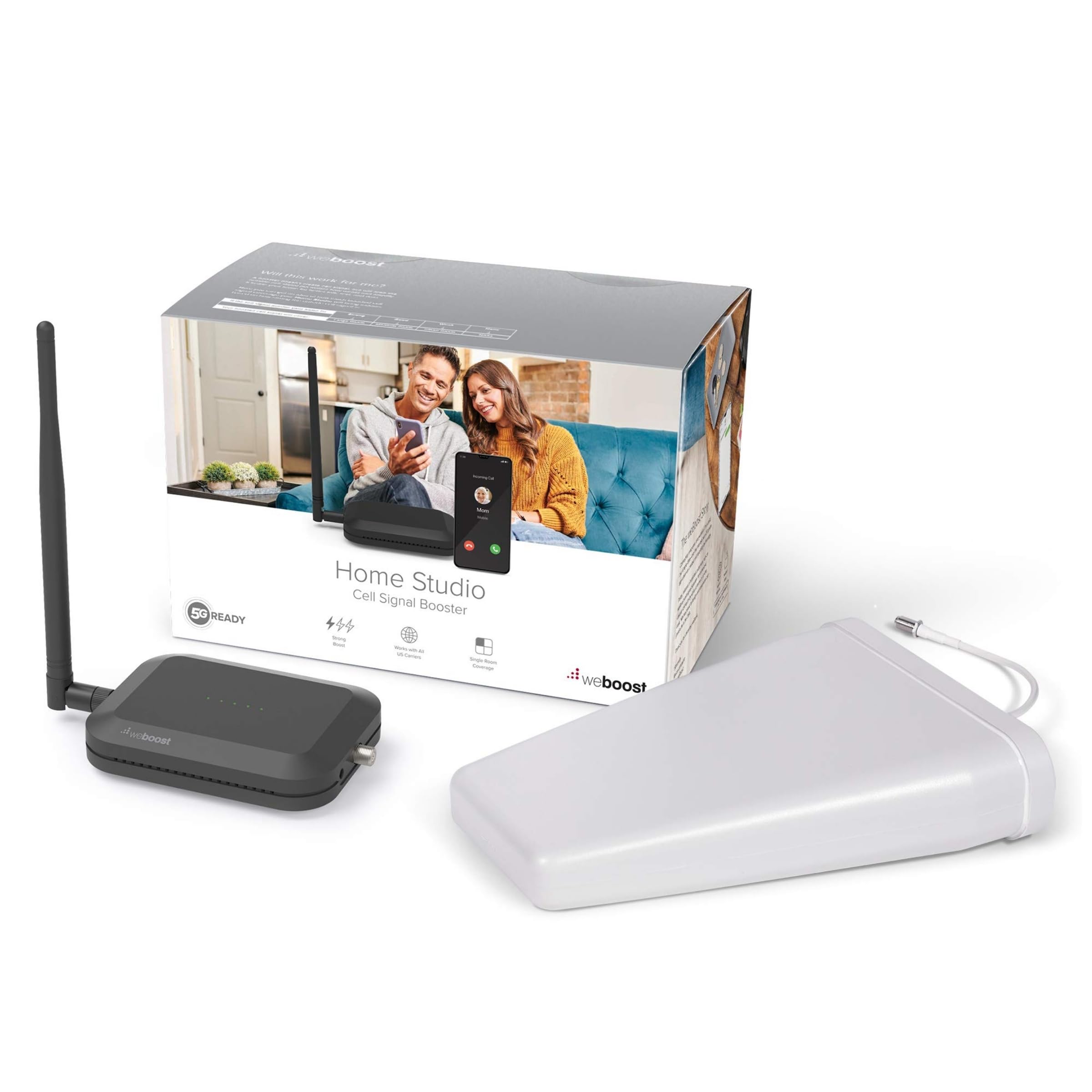
The weBoost Home Studio Omni is an entry-level option for metal building owners who have relatively strong outdoor signal and need only a single room boosted. Its omni-directional outdoor antenna picks up signal from all directions, which can be a liability in metal buildings — it also picks up more noise than a Yagi antenna. Coverage is realistically around 950 square feet in a metal structure, based on user reports from cabin installations.
One reviewer in a cabin achieved 5 bars in the main room but no reception in the bedroom, highlighting the limited range. Another user with a Verizon home internet setup saw download speeds jump from 1.8 Mbps to 122.6 Mbps after mounting the antenna on the roof edge where signal was strongest. The unit is made in the USA, FCC approved, and supports all major US carriers including Verizon, AT&T, and T-Mobile.
The Home Studio Omni is best suited for small metal buildings where you can place the indoor antenna near where you work or relax. It won’t cover large workshops or multiroom steel structures. The setup is straightforward, but the omni antenna’s inability to focus on a single tower means it underperforms compared to directional systems in marginal signal conditions.
Why it’s great
- Simple installation with omni-directional antenna
- Made in the USA with FCC certification
- Works well when outdoor signal is moderate
Good to know
- Omni antenna picks up more noise in metal buildings
- Limited to single-room coverage
8. weBoost Destination RV

The weBoost Destination RV is optimized for stationary use in vehicles with metal roofs — think RVs, campers, and trailers. Its key differentiator is the included 25-foot collapsible mast that gets the directional antenna above the vehicle’s metal surface. In a metal building context, this same principle applies: get the antenna above the steel envelope. One user reported boosting Verizon from 0.5 Mbps to 4-9 Mbps inside their camper.
The directional antenna requires aiming at the nearest cell tower using a compass and tower map. Users emphasize ignoring phone signal bars and relying on speed tests instead. The unit works best with Verizon; T-Mobile performance can be considerably slower at under 0.2 Mbps. One critical note: the Destination RV is not suited for metal-free roofs (vinyl, plywood, fiberglass) as these lack the RF-reflective surface needed for proper antenna separation.
For metal building owners with a small workshop or garage who already use an RV booster, this can serve dual purpose. However, it’s not designed for whole-home metal building coverage — its range is limited to the interior of a camper or small space. The take-down and setup time (about 10 minutes) makes it more suitable for temporary or seasonal use than permanent installation.
Why it’s great
- 25 ft mast gets antenna above metal surfaces
- Directional antenna focuses on distant towers
- Portable design for seasonal metal buildings
Good to know
- Not for permanent whole-building installation
- Weak on T-Mobile compared to Verizon
9. CEL-FI GO G41
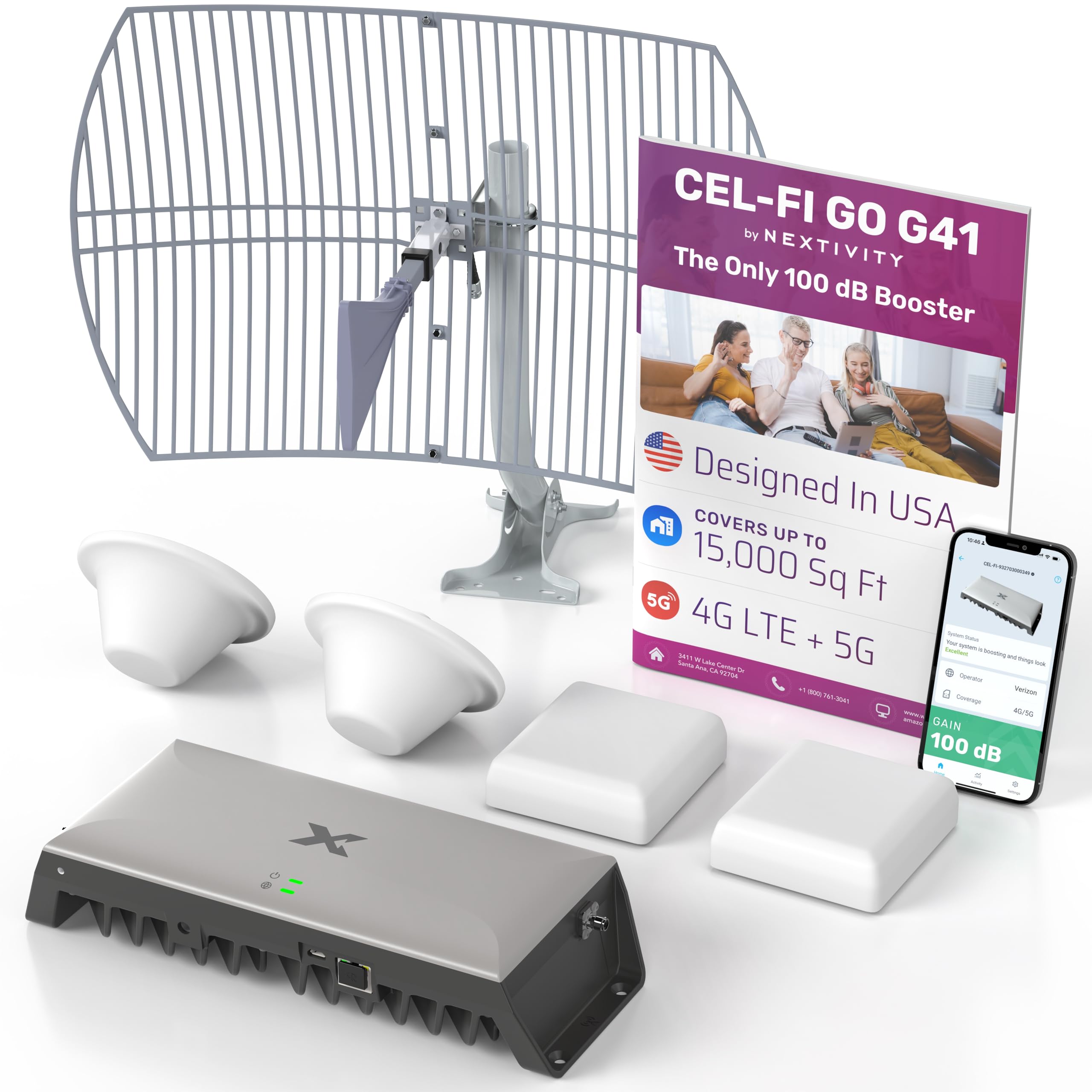
The CEL-FI GO G41 is the most powerful consumer cell booster available, and it’s the go-to solution for metal building owners who have failed with other systems. With 100 dB gain — 30 dB more than most competing boosters — it can pull signal from cell towers that are miles away and push it through steel walls. One user with a metal roof and zero signal reported improvement from -108 dBm to -75 dBm, achieving full bars throughout their house.
Users in rural, hilly, and forested areas report the G41 works where weBoost and SureCall units have failed. One reviewer in a remote area with weak AT&T signal went from 1-2 bars of 4G to 4 bars of LTE, enabling reliable streaming and hotspot use. The 4th generation IntelliBoost chipset uses software to find the best cell tower, and the kit includes both dome and panel indoor antennas for flexible placement.
However, the G41 has a limitation: it only amplifies 2 bands (typically Band 12 and Band 2). In areas where your phone sees multiple bands (like 30 and 66), the phone may prefer those despite weaker signal, causing inconsistent performance. The installation is involved — expect to spend a full day running cables, mounting the outdoor antenna, and configuring the system. The 3-year warranty and exceptional US-based customer support (often reaching CEO-level responsiveness) help offset the complexity.
Why it’s great
- 100 dB gain handles extreme metal building conditions
- Works where other boosters have failed
- Excellent US-based customer support
Good to know
- Only amplifies 2 bands — may conflict with carrier aggregation
- Full-day installation required
FAQ
Can I install a cell booster myself on a metal building?
Why does my phone show full bars but still have no data inside a metal building?
Will a cell booster work if I have zero outdoor signal near my metal building?
Final Thoughts: The Verdict
For most metal building owners, the best cell phone booster for metal building winner is the HiBoost 4K Mate Pro because it combines 70 dB gain, AGC oscillation prevention, and an LCD touchscreen at a reasonable investment. If you need to pull signal from a distant tower through a steel envelope, grab the SureCall Fusion4Home Yagi/Panel. And for extreme situations where other boosters have failed, nothing beats the CEL-FI GO G41.

Mo Maruf
I created WellFizz to bridge the gap between vague wellness advice and actionable solutions. My mission is simple: to decode the research and give you practical tools you can actually use.
Beyond the data, I am a passionate traveler. I believe that stepping away from the screen to explore new environments is essential for mental clarity and physical vitality.