Our readers keep the lights on and my smoothie glass nicely filled. As an Amazon Associate, I earn from qualifying purchases.
A cluttered desk with two monitors sitting on their stock stands forces you to hunch forward, craning your neck to see the bottom bezel. That daily postural compromise creates a nagging tension that builds through every work session. The right mounting solution lifts both screens into a neutral viewing position, frees your entire desktop surface, and transforms your workflow into something fluid rather than physically punishing.
I’m Mohammad Maruf — the founder and writer behind WellFizz. I’ve spent hundreds of hours cross-referencing VESA patterns, gas spring tolerances, and load-test data across market offerings to build this guide around real mechanical performance rather than marketing claims.
This guide breaks down the mechanical specs, ergonomic range, and workload suitability of seven distinct models to help you identify the right best dual monitor stand for your specific desk configuration and monitor weight.
How To Choose The Best Dual Monitor Stand
Choosing a dual monitor stand comes down to three mechanical decisions: how the arm tensions against the load, how the base attaches to your desk, and how much vertical or horizontal swing your monitors need. Ignoring any one of these will produce a setup that sags, wobbles, or simply can’t reach the position you need.
Mounting Style: Clamp, Grommet, or Freestanding
C-clamp mounts grip the desk edge and are the most stable option for standard wooden desks with a lip. Grommet mounts pass through a pre-drilled hole in the desk, which works well for glass tops or thin surfaces where a clamp could crack the edge. Freestanding bases sit directly on the desk with no attachment, making them ideal for cubicles, standing desks with unstable surfaces, or rental spaces where you cannot modify furniture.
Weight Capacity and Gas Spring vs. Mechanical Tension
Every monitor arm has a weight rating per screen, and exceeding that limit causes the arm to droop or fail to hold position. Gas spring arms use pressurized cylinders to counterbalance the monitor weight, allowing tool-free height adjustment with a light touch. Mechanical tension arms rely on hex-key adjustments at each joint and hold position via friction — they are generally cheaper but require more effort when repositioning. If you plan to adjust screen height multiple times per day, a gas spring design is worth the premium.
VESA Pattern and Monitor Size Range
The standard mounting hole pattern on the back of most monitors is 75x75mm or 100x100mm. Always confirm your monitor’s VESA pattern before buying. The minimum and maximum screen sizes listed by the stand matter less than the weight per arm — a lightweight 32-inch display is fine, but a heavy 27-inch professional monitor may exceed the arm rating even though the size is technically supported.
Quick Comparison
On smaller screens, swipe sideways to see the full table.
| Model | Category | Best For | Key Spec | Amazon |
|---|---|---|---|---|
| Fellowes Everyday Plus Dual | Gas Spring | Daily ergonomic adjustment | 9.84″ tool-free height range | Amazon |
| MOUNTUP Stacked Vertical | Vertical Gas Spring | Stacked vertical setup | 28″ pole, extends to 36.3″ height | Amazon |
| HUANUO Dual (HNDS18) | Dual Arm | Mid-weight side-by-side setup | 22 lbs per arm, aerospace aluminum | Amazon |
| Mount-It! Freestanding | Freestanding | Glass or fragile desk tops | 16.5″ center pole height | Amazon |
| MOUNTUP Freelift | Mechanical Tension | Budget side-by-side value | 70° tilt range | Amazon |
| HUANUO Vertical Stacked | Freestanding Vertical | Heavy vertical stacking | 44 lbs total capacity | Amazon |
| Fenge Acrylic Riser | Stationary Riser | Aesthetic two-tier storage | 99 lbs load capacity | Amazon |
In‑Depth Reviews
1. Fellowes Everyday Plus Dual Gas Spring Monitor Arm
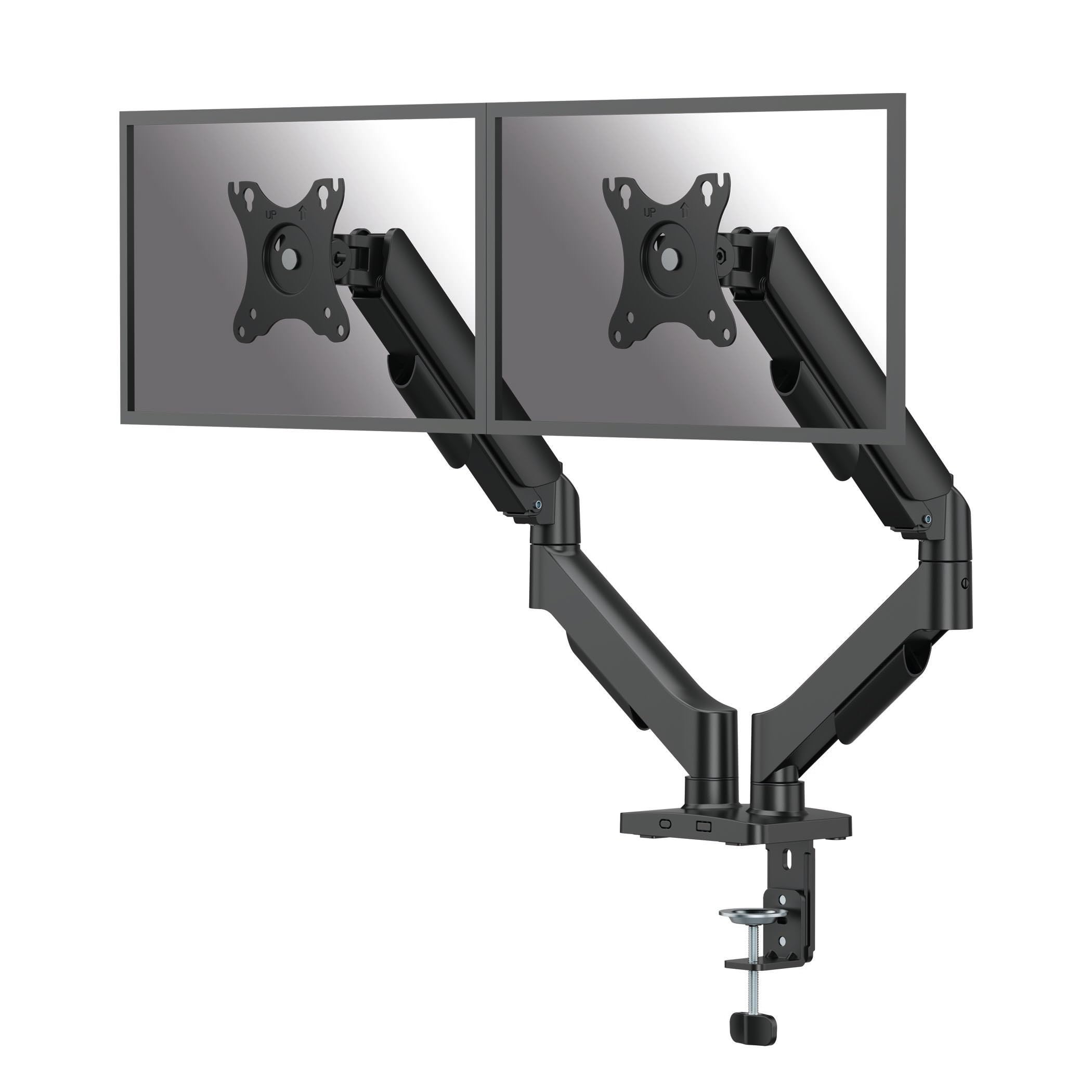
The Fellowes Everyday Plus delivers the smoothest tool-free height adjustment in this lineup thanks to its dedicated gas spring mechanism that provides 9.84 inches of vertical travel. Each arm supports monitors between 4.4 and 19.84 pounds, covering the weight range of most 24- to 32-inch screens with room to spare. The arm extends to a maximum reach of 19.92 inches from the pole, which offers generous depth for pulling screens closer during focused work.
Build quality is excellent — the alloy steel construction feels dense, and the clamp and grommet mounting options accommodate desk thicknesses from 0.39 to 3.15 inches. The VESA plate detaches with a single screw, making monitor attachment far less fiddly than designs that require holding the plate against the back of the screen. Full 360-degree rotation and +/-90-degree tilt give you landscape-to-portrait switching without any hex-key adjustments mid-task.
Cable management channels run internally through the arms, though the plastic covers require some patience to snap into place cleanly. The gas spring holds position reliably across months of daily use with zero sag, which is the primary failure point on cheaper mechanical arms. For anyone who adjusts monitor height multiple times per day, this is the most fluid experience available at this price tier.
Why it’s great
- Smooth gas spring with tool-free 9.84″ height range
- Detachable VESA plate simplifies monitor installation
- Alloy steel construction with no sag over time
Good to know
- Cable management covers are finicky to snap on
- Heavier 19.84+ lb screens may exceed the gas spring capacity
2. MOUNTUP Vertical Dual Monitor Mount

This MOUNTUP model is purpose-built for the vertical stack configuration, with a 28-inch center pole that raises the top monitor as high as 36.3 inches above the desk. Each gas spring arm handles monitors weighing 4.4 to 17.6 pounds, and the arm extends 20.5 inches forward, providing solid reach for pulling the bottom screen closer to eye level without tilting your neck downward.
The gas springs themselves are smooth and hold position without drift, which is critical in a stacked setup where weight distribution between the top and bottom arms must remain independent. The clamp and grommet base options support desks up to 3.15 inches thick, and the installation is straightforward with clearly labeled hardware. Users consistently report zero wobble or sag, even with two 32-inch screens mounted.
The tilt mechanism is the weaker link — some units exhibit a slightly jerky motion when adjusting the vertical angle, and the cable management channels are narrow, making it tricky to route thicker display cables cleanly. The design also uses plastic covers that feel less robust than the metal arm structure. Still, for a dedicated vertical mount, this is the most stable option in its class and a clear winner for anyone who needs one screen above the other.
Why it’s great
- 28″ pole provides industry-leading vertical stacking height
- Gas springs hold position without sag at max extension
- Stable base with zero wobble on two 32″ monitors
Good to know
- Tilt motion can feel jerky on some units
- Narrow cable management channels for larger cables
3. HUANUO Dual Monitor Mount (HNDS18)

The HUANUO HNDS18 uses aerospace-grade aluminum alloy construction that keeps the arms rigid while staying lighter than steel alternatives. Each arm supports up to 22 pounds, which is one of the highest per-arm ratings in this tier, and the mechanical tension joints hold position securely after you dial in the hex-key tension during setup. The arms extend 17.5 inches from the pole and rise 17.5 inches above the desktop, covering the ergonomic range for most sitting-height desk configurations.
Swivel range is +/-90 degrees, tilt spans +90 to -35 degrees, and rotation is a full 360 degrees, giving you portrait-landscape flexibility without any obstructions. The C-clamp and grommet base options fit desk thicknesses from 0.39 to 2.56 inches, and the included tools let you complete the assembly in roughly ten minutes. Several users noted that the clear instruction pamphlet and labeled hardware bags make this one of the easiest mechanical-tension arms to set up from scratch.
The cable management cover uses a single screw that can strip if overtightened, which a small number of users experienced. Monitors with recessed VESA mounts — particularly some LG models — may require longer aftermarket screws for proper clearance. Despite these minor hardware quirks, the overall stability and load capacity make this the strongest mechanical-tension option for mid-weight monitors in the budget-friendly tier.
Why it’s great
- 22 lbs per arm capacity with aerospace aluminum build
- Quick 10-minute assembly with clear instructions
- Full 360-degree rotation for portrait mode
Good to know
- Cable management screw can strip if overtightened
- Recessed VESA mounts may need longer screws separately
4. Mount-It! Dual Monitor Stand Freestanding
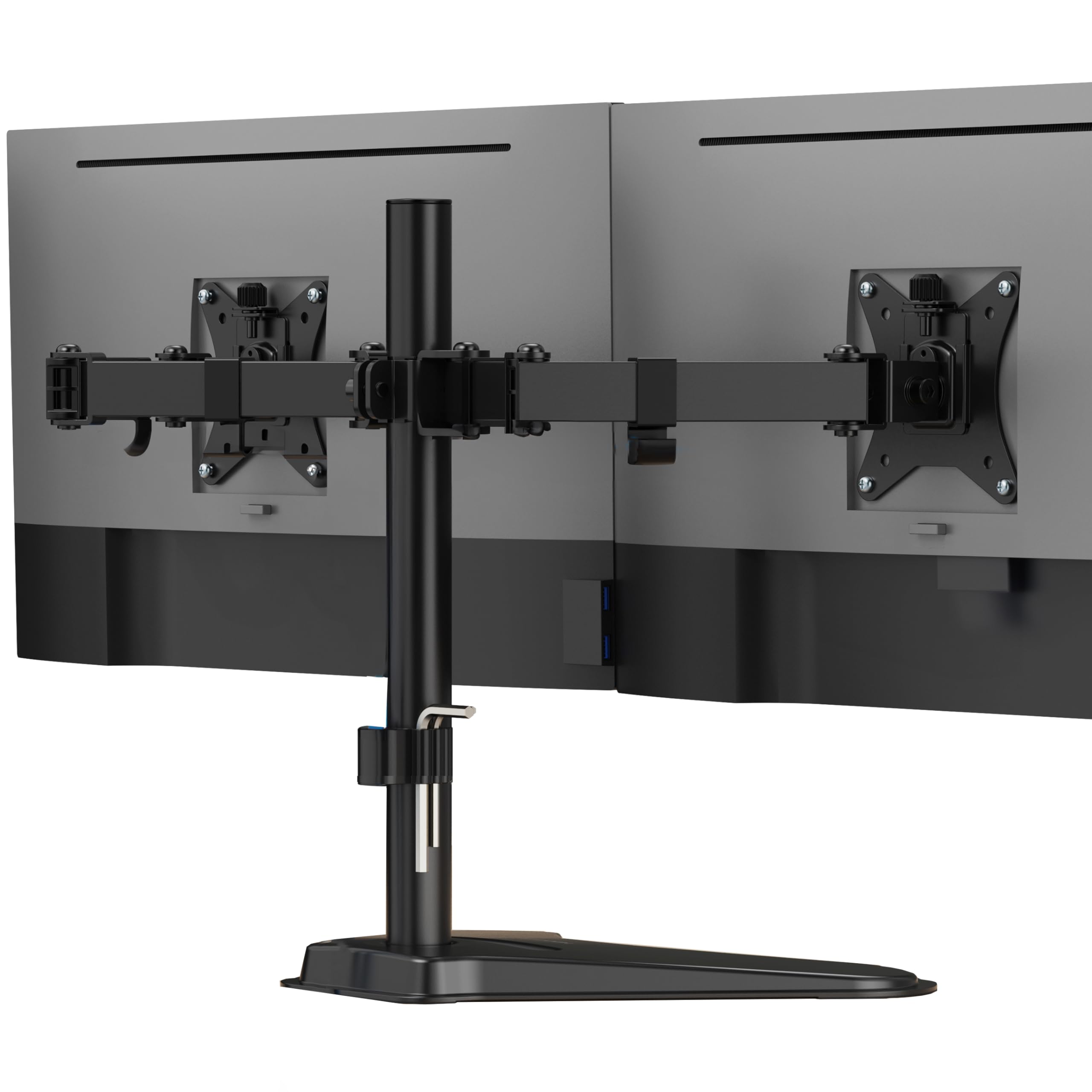
The Mount-It! dual monitor stand uses a heavy freestanding base instead of clamps or grommets, making it the go-to choice for glass desktops, thin surfaces, or desks where drilling is not allowed. The center pole measures 16.5 inches tall, and each arm supports monitors up to 32 inches wide and 19.8 pounds. The freestanding footprint is larger than clamp-mounted designs, so you will need roughly 12 inches of depth behind the pole for the base to sit without crowding your keyboard area.
Each arm offers 45 degrees of tilt, 360-degree rotation, and full swivel articulation, which gives enough range for most side-by-side configurations. The VESA plates detach for easy mounting, and the built-in cable routing channels keep wires organized. Users consistently mention that assembly is straightforward once you figure out the tension adjustments at each joint, though the joints arrive stiff and require some force to break in during the first few adjustments.
The weight of the base provides stability even with two 27-inch monitors fully extended. However, the base itself is wide and sits deep on the desk, which can conflict with low-profile keyboard trays or deep monitor arms on adjacent setups. If you need a no-drill solution and have enough desk real estate, this is the most practical freestanding option for two screens up to 32 inches.
Why it’s great
- No clamp or grommet required — works on glass tops
- Heavy base prevents tipping with large monitors
- Full articulation range with detachable VESA plates
Good to know
- Freestanding base consumes significant desk depth
- Joints arrive stiff and need break-in adjustment
5. MOUNTUP Freelift Dual Monitor Stand

The MOUNTUP Freelift delivers a 70-degree tilt range that is noticeably wider than most mechanical-tension arms at this level, allowing you to angle screens significantly upward or downward without losing stability. Each arm supports monitors between 4.4 and 22 pounds with VESA patterns of 75x75mm and 100x100mm, and the arm extends 19.3 inches with a height range of 17.3 inches. The gas spring mechanism is absent here — tension is set at each joint using a hex key, which means repositioning requires more deliberate effort than a pneumatic arm.
The unit includes both C-clamp and grommet base options, with desk thickness compatibility ranging from 0.39 to 2.76 inches. Assembly is quick once you watch a short video — the printed instruction manual is minimal and not particularly helpful. The arms are tested for 20,000 adjustment cycles, and the alloy steel construction feels solid for the weight class. Users report excellent stability after the tension is dialed in, even with budget monitors that are lighter than the recommended minimum weight.
One notable limitation is the stiff 360-degree rotation joint, which can make portrait-landscape switching more awkward than on premium arms. The cable management system is also less refined than pricier models, with thin channels that struggle to hide thicker power bricks and display cables. For budget-conscious shoppers who don’t need daily height adjustment, this is a sturdy, reliable option with excellent tilt flexibility.
Why it’s great
- Wide 70° tilt range for flexible glare reduction
- 20,000-cycle tested joints for long-term durability
- Includes both C-clamp and grommet mounting
Good to know
- Rotation joint is stiff, making portrait mode changes harder
- Cable management channels are narrow for large cables
6. HUANUO Vertical Dual Monitor Stand
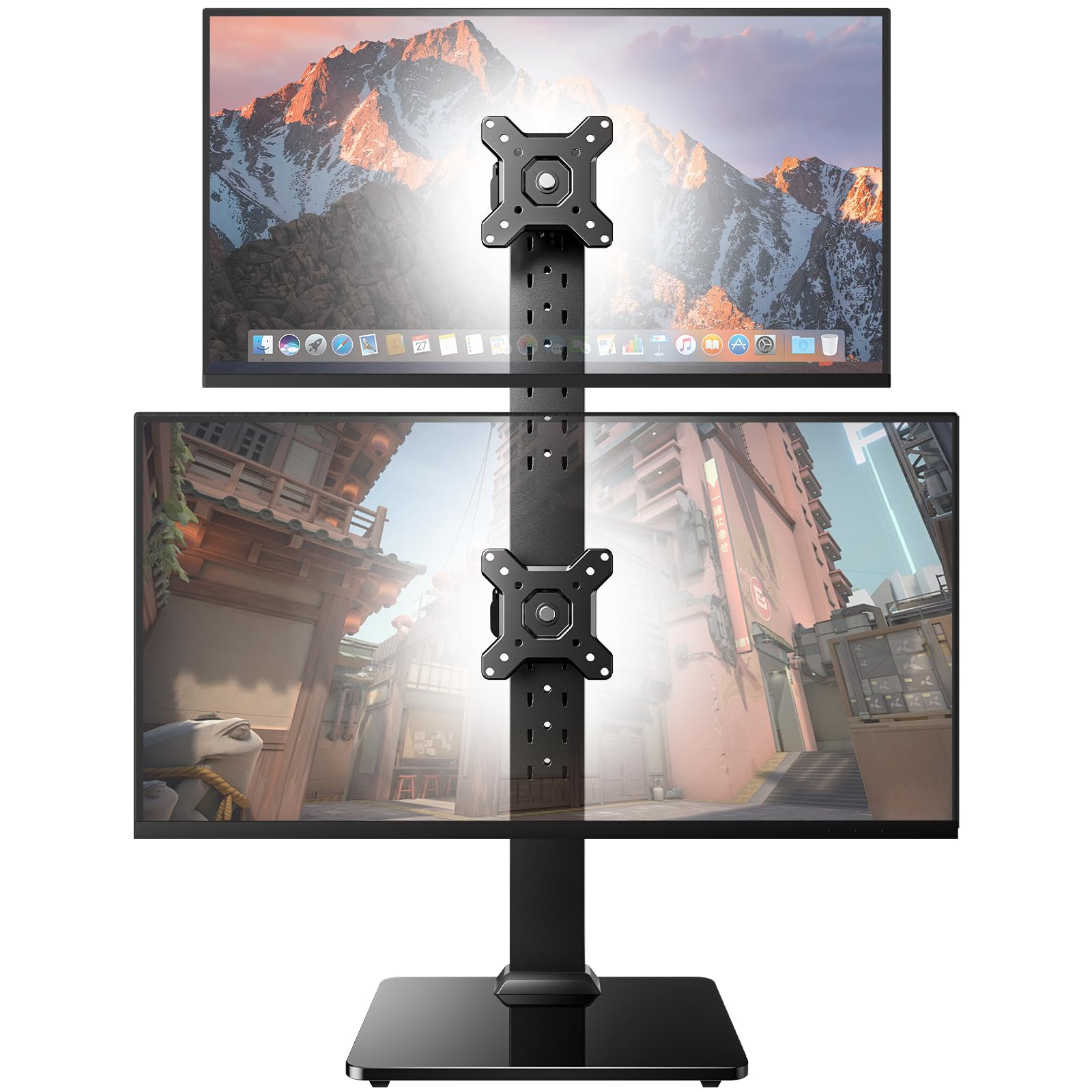
The HUANUO vertical stand is built around a cold-rolled steel pole and a tempered glass base, giving it a combined total capacity of 44 pounds — enough to stack two 34-inch ultrawide monitors or heavy professional displays. Unlike arm-based stands, this is a fixed-pole system where each monitor mounts at preset height slots along the pole. You get 13 height settings ranging from 9.5 to 32.3 inches, allowing fine-grained vertical positioning without the drift risk of gas springs.
The tool-free tilt range spans -15 to +10 degrees, and each mount provides +/-50 degrees of swivel. Rotation is supported for monitors up to a certain size, but large ultrawide screens may not clear the pole when rotating to portrait. The freestanding design means you can place the stand anywhere on your desk without clamp hardware, and the steel pole includes cable clips that route wires neatly along the back.
The fixed-slot design is the main ergonomic trade-off — you cannot continuously adjust height like an articulated arm, and you cannot bring the monitors as close together as side-by-side arm mounts allow. Users with low ceiling clearance also noted that the total height can conflict with overhead cabinets or sloped ceilings. For vertical stacking with heavy monitors where maximum stability is the priority, this stand outperforms most arm-based vertical solutions.
Why it’s great
- 44 lbs total capacity handles heavy or oversized monitors
- 13 preset height settings for precise vertical stacking
- Tempered glass base provides rock-solid freestanding stability
Good to know
- Fixed slots prevent continuous height adjustment
- Total height may conflict with low ceilings or shelves
7. Fenge Acrylic Monitor Stand Riser
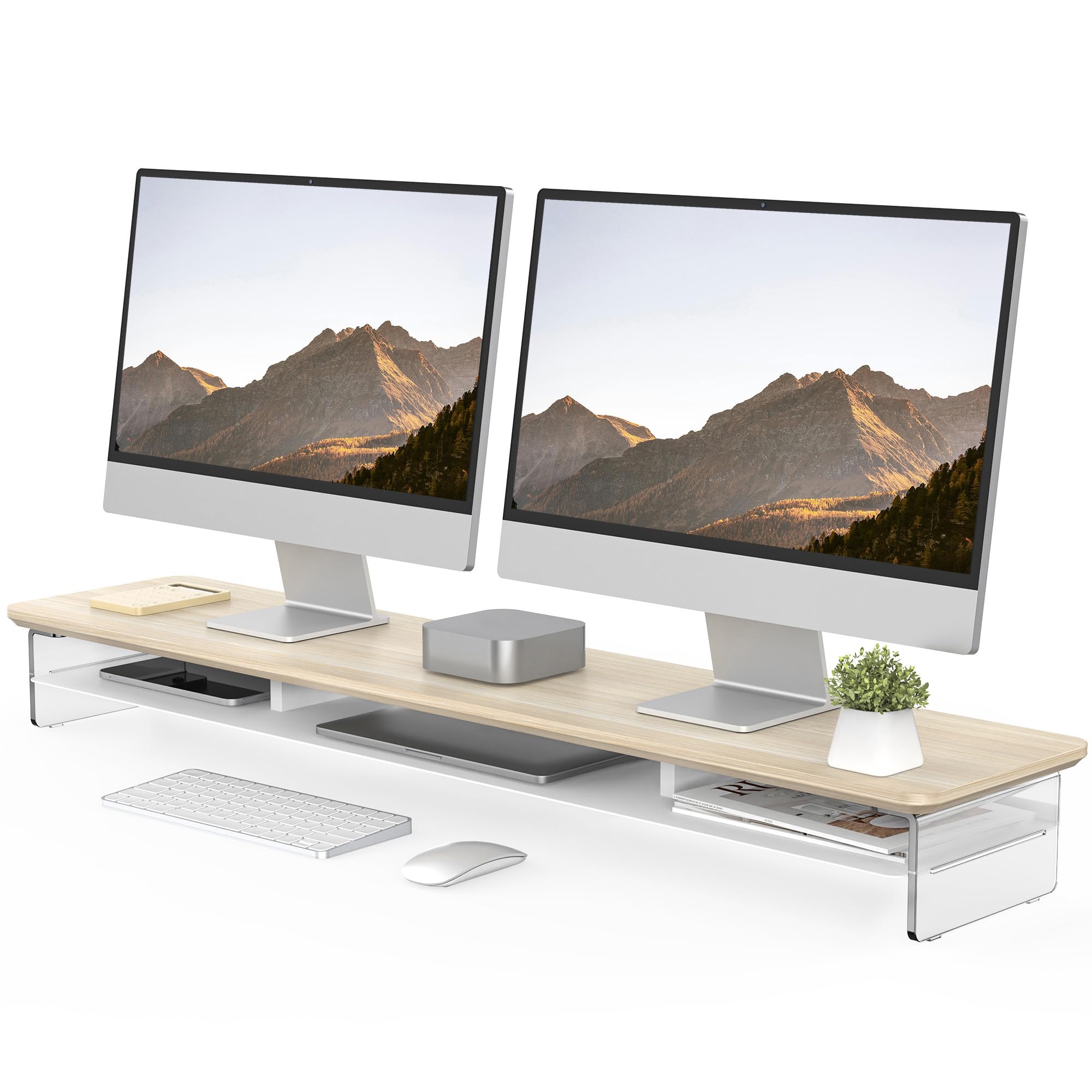
The Fenge acrylic riser takes a completely different approach — instead of articulated arms, this is a 42.5-inch-wide stationary platform that lifts both monitors 4.7 inches off the desk. The construction uses 18mm-thick acrylic legs with a steel plate embedded in the middle tier, giving it a rated load capacity of 99 pounds. That rating is far beyond what any arm-based stand offers, making this the safest choice for heavy all-in-one displays, large format monitors, or even a printer on top.
The two-tier design adds real storage utility: the bottom layer provides a clear 40.3-inch wide cavity for keyboards and mice, while the middle shelf includes three compartments for notebooks, tablets, or small peripherals. Assembly takes roughly ten minutes with no complex tools, and the polished acrylic finish gives the desk a clean, modern aesthetic that opaque metal stands cannot match. Users consistently praise the build quality — the thick acrylic legs show no flex even under heavy loads.
The major ergonomic limitation is the fixed 4.7-inch height. You cannot tilt, swivel, or rotate individual monitors, and the riser does nothing for neck strain if your eye level requires more or less lift. Cable management is also less refined than dedicated arms — you simply tuck wires underneath the open cavity. This stand is ideal for users who prioritize desk organization and aesthetics over per-screen adjustability, and it pairs well with monitor arms if you need both lift and articulation.
Why it’s great
- 99 lbs load capacity handles the heaviest monitors safely
- Two-tier design with three storage compartments
- Polished acrylic finish with modern desk aesthetic
Good to know
- Fixed 4.7″ height offers no per-screen adjustment
- No integrated cable routing for clean wire management
FAQ
Can I use a dual monitor arm with a standing desk that moves up and down?
Will a dual monitor stand work with two different monitor sizes and weights?
How do I handle monitors with recessed VESA mounts that require longer screws?
Does a gas spring arm lose lift pressure over time and start sagging?
What is the minimum monitor weight a gas spring arm can support?
Final Thoughts: The Verdict
For most users, the best dual monitor stand winner is the Fellowes Everyday Plus because its gas spring mechanism delivers the smoothest daily height adjustments and the alloy steel build eliminates sag concerns. If you need a vertical stacked setup to reclaim horizontal desk space, grab the MOUNTUP Vertical Mount with its 28-inch pole and stable gas spring arms. And for a no-drill solution on fragile desktops with heavy monitors, nothing beats the Mount-It! Freestanding for sheer load capacity and installation flexibility.

Mo Maruf
I created WellFizz to bridge the gap between vague wellness advice and actionable solutions. My mission is simple: to decode the research and give you practical tools you can actually use.
Beyond the data, I am a passionate traveler. I believe that stepping away from the screen to explore new environments is essential for mental clarity and physical vitality.