Our readers keep the lights on and my smoothie glass nicely filled. As an Amazon Associate, I earn from qualifying purchases.
Turning a smartphone snapshot into a physical, peel-and-stick keepsake no longer requires a full-size desktop printer or a trip to the drugstore. A dedicated 2×3 photo printer sits in your bag, connects via Bluetooth, and delivers a finished print in under a minute — perfect for bullet journals, scrapbooks, party favors, or travel diaries.
I’m Mohammad Maruf — the founder and writer behind WellFizz. I’ve analyzed dozens of spec sheets, app ecosystems, and real-world print samples to separate the pocket-sized performers from the paper-wasting duds in this narrow category.
If you are looking for a reliable way to print sticky-backed mini photos directly from your phone without messing with cartridges or complex drivers, the best 2×3 photo printer will save you time, space, and frustration.
How To Choose The Best 2×3 Photo Printer
The main differentiator in this category isn’t print speed or brand — it’s the underlying print technology. Zink (zero-ink) printers embed dye crystals inside the paper itself, meaning you never replace a cartridge, but color vibrancy can be slightly muted. Dye-sub (thermal dye transfer) printers use a ribbon to layer colors for richer, more archival-quality results, though each print costs a bit more per sheet. Newer inkjet mini printers, like the Nelko PP01, use tiny cartridges to produce vivid, smudge-resistant prints on adhesive-backed paper. Choosing the right engine determines your long-term cost per print and the look you get.
App Ecosystem & Editing Tools
Every 2×3 printer relies on a companion smartphone app. The depth of editing matters — look for apps that offer borders, filters, text overlays, collage modes, and AI-powered enhancement. A glitchy or login-gated app can ruin an otherwise capable printer. Most premium apps allow you to print directly from social media or camera roll without forcing account creation.
Battery Life & Charging Standard
Portability means nothing if the battery dies mid-session. Expect 25–80 prints per full charge depending on technology. USB-C charging is now the modern standard, but some budget-friendly models still use micro-USB. A printer that recharges fully in under two hours is ideal for travel and event use.
Quick Comparison
On smaller screens, swipe sideways to see the full table.
| Model | Category | Best For | Key Spec | Amazon |
|---|---|---|---|---|
| Nelko PP01 | Inkjet | Vivid color & sticker projects | 603 DPI, 80 prints per cartridge | Amazon |
| Polaroid Hi-Print 2nd Gen | Dye-Sub | Vibrant, pro-like print quality | Dye-sub, <50 sec per print | Amazon |
| HP Sprocket 2nd Edition | Zink | AR features & zero-ink convenience | Zink, 2×3″ sticky-back paper | Amazon |
| KODAK Step | Zink | Budget-friendly & reliable | Zink, 25 prints per charge | Amazon |
| Fujifilm Instax Mini Link 3 | Instax Film | Classic Instax look & party fun | Instax Mini film, USB-C | Amazon |
In‑Depth Reviews
1. Nelko PP01 Portable Photo Printer

The Nelko PP01 uses advanced inkjet technology to deliver a class-leading 603 DPI resolution, producing vivid, full-color 2×3 prints that are smudge-proof, water-resistant, and tear-resistant. Unlike Zink printers that embed dye in the paper, this unit relies on a replaceable ink cartridge capable of 80 full-color prints per cartridge — translating to a lower per-print cost for frequent users. The pocket-sized body weighs just 0.6 pounds, making it genuinely portable for school, travel, and field trips.
Setup is Bluetooth-based via the Nelko app, which includes a full editing suite: filters, borders, stickers, text, graffiti, collage creation, and even AI image enhancement. Prints emerge in under 63 seconds, and each photo comes with adhesive backing perfect for scrapbooking, planners, and custom labels. The printer ships with 20 sheets of sticky-backed paper and a USB charging cable (adapter not included).
Real-world user feedback consistently praises the quick Bluetooth pairing, sharp natural color reproduction, and the convenience of a printer that actually dries instantly without smudging. The inkjet engine avoids the pastel-like softness sometimes seen in Zink prints, giving you richer contrast and more detail especially in skin tones and fine text.
Why it’s great
- 603 DPI inkjet surpasses typical Zink clarity
- 80 prints per cartridge lowers cost per sheet
- Adhesive backing sticks firmly to paper, plastic, and walls
Good to know
- Requires periodic cartridge replacement
- App is required for all printing
2. Polaroid Hi-Print 2nd Generation

The Polaroid Hi-Print 2nd Generation takes a different route from the Zink competition by employing dye-sub (thermal dye transfer) technology. This approach layers cyan, magenta, yellow, and a protective overcoat onto the paper, producing vibrant, continuous-tone prints that resist fading and fingerprints. Each 2×3 business-card-sized print takes under 50 seconds and comes out flat, with deep color saturation and a protective finish that rivals professional photo-lab output.
Bluetooth connectivity pairs with the Polaroid Hi-Print mobile app, which offers frames, filters, text, and emoticons for personalization. The printer uses a replaceable cartridge that contains both the dye ribbon and the paper, simplifying reloads. A rechargeable lithium-ion battery and USB-C port make it easy to top up from a laptop charger or power bank — a welcome upgrade over the micro-USB ports found on some older competitors.
Customer reports highlight the crisp, vibrant prints that look closer to a traditional darkroom print than the slightly muted Zink output. Early units had occasional jams, but the second generation has improved reliability substantially. The initial purchase does not include paper — you must buy a separate cartridge pack — so factor that into your first-use cost.
Why it’s great
- Dye-sub delivers professional-grade color and sharpness
- USB-C charging for modern device compatibility
- Protective overcoat resists smudges and fading
Good to know
- Paper cartridge sold separately
- Slightly higher cost per print than inkjet
3. Fujifilm Instax Mini Link 3

The Fujifilm Instax Mini Link 3 prints onto genuine Instax Mini film — not Zink paper or inkjet sheets — delivering the iconic white-bordered, slightly retro look that has made Instax a cultural staple. Each print measures roughly credit-card size (about 2.4 x 3.9 inches) with the familiar Fujifilm color science that tends toward warm, nostalgic tones rather than clinical accuracy. The printer connects via Bluetooth to the Instax Mini app, which includes editing tools, collage templates, a “Click to Collage” feature, and direct social media printing.
Build quality is noticeably robust, with a premium-feeling matte finish in Clay White. USB-C charging is standard, and the battery delivers enough juice for a full party or travel session. The printer is slightly larger than a smartphone (about three times as thick) but still slips easily into a bag. The app is straightforward to set up and doesn’t require a forced account login.
User reviews consistently praise the print quality, describing it as “not too phone-ish” — meaning the final print has a tangible, film-like charm that digital filters can’t replicate. The main trade-off is the cost per print: Instax film packs are pricier than Zink or inkjet alternatives. Also, the printer does not ship with a starter pack of film, so you’ll need to buy a separate twin-pack before your first use.
Why it’s great
- Authentic Instax film look with classic border
- USB-C charging with long battery life
- High-quality build and intuitive app
Good to know
- Film packs are expensive per print
- No starter film included in the box
4. HP Sprocket 2nd Edition

The HP Sprocket 2nd Edition is a Zink-based printer that eliminates the need for ink cartridges or toner — the color crystals are embedded directly in the glossy, sticky-backed paper. This means zero maintenance, no dried-out print heads, and a lower upfront hassle factor. The printer connects to iOS and Android devices via Bluetooth 5.5 and prints 2×3 photos that are resistant to water, smudges, and tears.
The HP Sprocket app offers editing tools, filters, frames, borders, emojis, and a unique augmented reality (AR) feature that lets you hide videos or messages behind the printed photo. Friends can scan the print with the app to unlock the hidden AR content — a fun party trick that sets this printer apart from more utilitarian competitors. The bundle includes a deluxe carrying case and a starter pack of 20 sheets.
Some users report a subtle orange tint in prints, likely caused by app color profiles rather than a hardware defect, and the micro-USB charging port feels dated compared to USB-C alternatives. But for a low-mess, cartridge-free experience with a creative twist, the Sprocket remains a reliable choice for scrapbookers and event hosts alike.
Why it’s great
- Zero-ink operation — no cartridges to replace
- Augmented reality feature adds hidden video content
- Bundle includes case and 20-sheet starter pack
Good to know
- Micro-USB charging instead of USB-C
- Occasional orange tint reported in prints
5. KODAK Step Instant Smartphone Printer
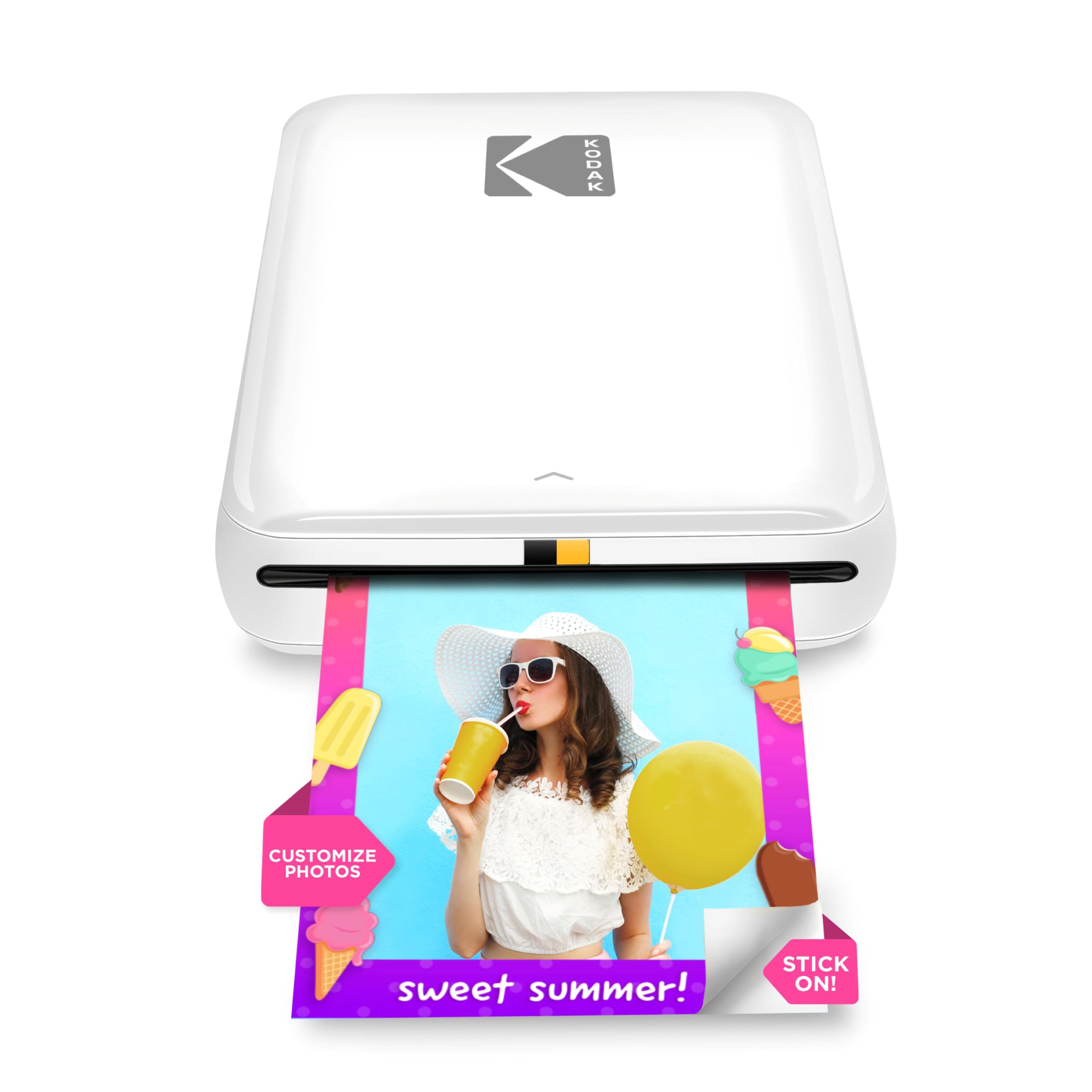
The KODAK Step uses the same Zink zero-ink technology as the HP Sprocket but at a lower entry point. It connects via Bluetooth or NFC to iOS and Android devices and produces 2×3 sticky-back prints with embedded dye crystals that resist moisture, rips, and smudges.
The KODAK app provides the expected editing suite — collages, filters, borders, stickers, and text — and the printer includes a starter pack of five sheets of Zink paper. A full charge delivers about 25 prints, which is lower than the Nelko’s 80-print cartridge but typical for Zink pocket printers. The micro-USB charging port is functional but not future-proof.
Users consistently highlight the ease of setup, lack of paper jams, and the convenience of never buying ink cartridges. A few note that solid color areas can show faint streaks, and the app occasionally requires a relaunch to select new photos. For anyone on a tight budget who wants an instant sticker-photo experience, the KODAK Step delivers reliable performance without the premium price tag.
Why it’s great
- No ink or toner — Zink paper is all you need
- Smooth operation with minimal jams
- Very compact and travel-friendly
Good to know
- Only 5 starter sheets included
- App can glitch and require relaunch
FAQ
How many prints can I expect per cartridge or paper pack?
Can I print without using the dedicated app?
Final Thoughts: The Verdict
For most users, the best 2×3 photo printer winner is the Nelko PP01 because its inkjet engine delivers 603 DPI clarity with vivid colors and a low per-print cost — all in a pocket-sized body. If you prefer cartridge-free convenience and fun AR features, grab the HP Sprocket 2nd Edition. And for that classic Instax film aesthetic that guests love at parties, nothing beats the Fujifilm Instax Mini Link 3.

Mo Maruf
I created WellFizz to bridge the gap between vague wellness advice and actionable solutions. My mission is simple: to decode the research and give you practical tools you can actually use.
Beyond the data, I am a passionate traveler. I believe that stepping away from the screen to explore new environments is essential for mental clarity and physical vitality.