Our readers keep the lights on and my smoothie glass nicely filled. As an Amazon Associate, I earn from qualifying purchases.
Finding a monitor that combines a compact footprint with the razor-sharp clarity of 4K is a surprisingly specific challenge. The 24-inch form factor is beloved for its desktop-friendly size, but pairing it with a UHD (3840 x 2160) resolution creates an astonishingly high pixel density (over 183 PPI), demanding a level of panel quality and signal processing that larger screens can sometimes gloss over. This niche sweet spot offers unparalleled sharpness for productivity and design, but requires careful selection to avoid eye strain or underwhelming performance.
I’m Mohammad Maruf — the founder and writer behind WellFizz. My research for this guide involved cross-referencing technical datasheets, analyzing user experiences, and comparing color accuracy metrics, refresh rates, and connectivity options across a wide price spectrum to identify the monitors that truly deliver a premium 4K experience in this specific size class.
Whether you’re a designer craving pixel-perfect detail or a home-office user maximizing screen real estate, finding the best 24 inch 4k monitor means understanding pixel density, color space coverage, and ergonomic flexibility before you buy.
How To Choose The Best 24 Inch 4K Monitor
The 24-inch 4K category is a precision tool. It offers the highest pixel density of any standard monitor size, but the benefits depend entirely on how you use it. Many buyers overlook the importance of OS scaling or the specific connectivity required to drive 4K at 60Hz smoothly. This guide will help you focus on what truly matters for this specific form factor.
Understanding Pixel Density and Scaling
A 24-inch 4K monitor boasts a pixel density of roughly 184 PPI. This makes text and images incredibly sharp, effectively eliminating individual pixels from view. However, without proper operating system scaling (typically set to 150% or 200% on Windows or “Looks like 1920×1080” on macOS), UI elements will be impossibly tiny. Monitors that offer excellent scaling behavior are key for comfortable daily use.
Panel Technology: IPS and Color Accuracy
For the high-PPI 4K space, IPS (In-Plane Switching) panels are dominant. They provide superior color consistency and wide viewing angles, which are essential for any color-critical work. Look for monitors factory-calibrated to a low Delta E (under 3 or 2) and with color gamut coverage like 99% sRGB or 95% DCI-P3. These specs ensure your creative projects look true-to-life across different lighting conditions.
Connectivity for True 4K
To drive a 24-inch 4K monitor at 60Hz, you need at least HDMI 2.0 or DisplayPort 1.2. For modern laptops, especially MacBooks, Thunderbolt 4 or USB-C with DisplayPort Alt Mode and Power Delivery is crucial for a single-cable setup. A monitor that lacks these ports will force you to use adapters that might not support full 4K bandwidth, leading to a fuzzy or incomplete picture.
Quick Comparison
On smaller screens, swipe sideways to see the full table.
| Model | Category | Best For | Key Spec | Amazon |
|---|---|---|---|---|
| ViewSonic VP2488-4K | Premium | Mac Color Work | Pantone Validated, 98% DCI-P3 | Amazon |
| ASUS ProArt PA279CRV | Premium | Pro Color & Editing | Delta E < 2, 96W PD USB-C | Amazon |
| BenQ PD2706U | Premium | Design & KVM Setup | 90W USB-C, KVM Switch | Amazon |
| Samsung ViewFinity S8 S80D | Mid-Range | Office & Productivity | HDR10, Height/Pivot Stand | Amazon |
| ViewSonic VX2730D-4K | Mid-Range | Hybrid Gaming | Switchable 288Hz/4K 144Hz | Amazon |
| KTC U27T6 | Mid-Range | Value 4K Gaming | 160Hz IPS, HDR400 | Amazon |
| LG 27UP650K-W | Mid-Range | General 4K Value | DisplayHDR 400, 95% P3 | Amazon |
| Odmenot O2401 | Mid-Range | Large Portable 4K | 420cd/m², 120% sRGB | Amazon |
| Innoview 23.8″ Portable | Mid-Range | Ultra-Portable 4K | 180° Kickstand, Slim | Amazon |
| Dell P2425H | Budget | Basic Office Use | FHD 1080p, 100Hz | Amazon |
| Dell S3225QS | Premium | Immersive Media | VA Panel, FreeSync Premium | Amazon |
In‑Depth Reviews
1. ViewSonic VP2488-4K
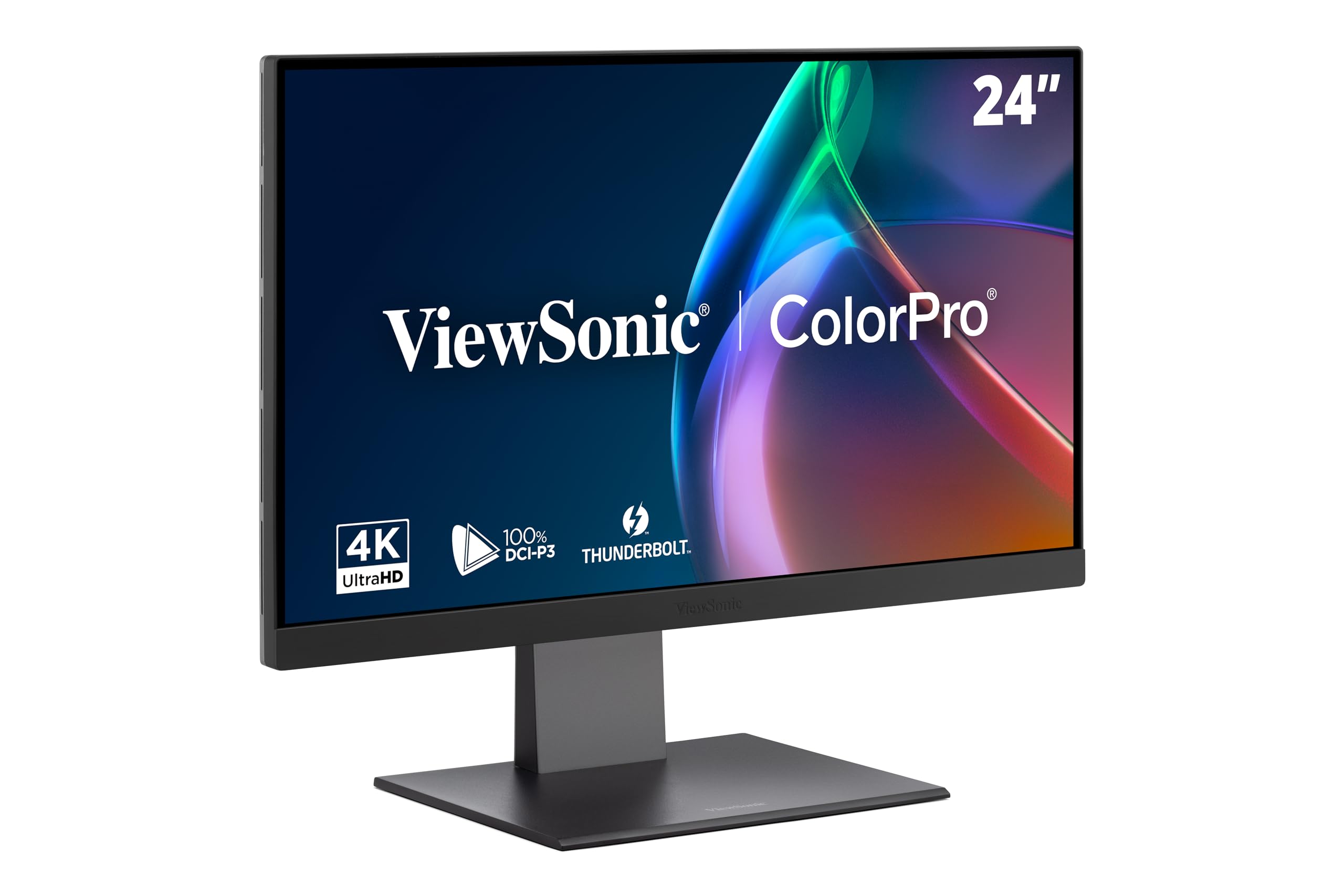
The ViewSonic VP2488-4K is the definitive 24-inch 4K monitor for Mac users and color-conscious professionals who refuse to compromise on pixel density. Its 24-inch IPS panel delivers a staggering 184 PPI, making text look retina-class sharp. The Pantone validation and 98% DCI-P3 color gamut guarantee that what you see on screen matches print and digital output, a critical feature for graphic designers and photographers.
Connectivity is where this monitor truly shines for modern workflows. A Thunderbolt 4 port handles up to 40Gbps data transfer and delivers a full 100W of power to a connected laptop, creating a true single-cable solution. The daisy-chain capability via Thunderbolt 4 is a productivity boon for those needing a clean dual-monitor setup without extra cable clutter.
The fully ergonomic stand offers height, tilt, swivel, and pivot adjustments, promoting comfortable long work sessions. Some users note the brightness is excellent at 500 nits, though the 60Hz refresh rate means this is a pure productivity and color-accurate workstation, not a gaming display. For the specific niche of a 24-inch 4K professional monitor, this is the benchmark.
Why it’s great
- Industry-best color accuracy with Pantone validation
- Thunderbolt 4 with 100W PD for single-cable Mac setups
- Fully adjustable ergonomic stand with daisy-chain support
Good to know
- Premium price positions it as a specialist tool
- 60Hz refresh rate limits gaming potential
2. ASUS ProArt Display PA279CRV

The ASUS ProArt PA279CRV enters the premium 27-inch space with a laser focus on color-critical work. Its factory pre-calibration to Delta E < 2, combined with 99% DCI-P3 and 99% Adobe RGB coverage, makes it a powerhouse for video editors and photographers who need to switch between multiple color spaces. The Calman verification adds another layer of trust to its already impressive color credentials.
The inclusion of a USB-C port with 96W Power Delivery is a standout feature. It can charge a demanding laptop while transmitting a 4K video signal, eliminating the need for a separate power brick. The built-in KVM function is also a welcome addition for users who toggle between a desktop and laptop from the same keyboard and mouse.
While the 60Hz refresh rate and slightly lower 400 nits peak brightness make it less suited for HDR gaming, the matte anti-glare coating and robust adjustable stand make it an exceptional daily driver for any creative professional. The inclusion of a DisplayPort out for daisy-chaining is a thoughtful touch for multi-monitor workstations.
Why it’s great
- Exceptional factory color accuracy with Delta E < 2
- High-power 96W USB-C PD for single-cable laptop setups
- Broad color gamut covering both P3 and Adobe RGB
Good to know
- 27-inch size, not the 24-inch form factor
- Standard 60Hz refresh rate, not for competitive gaming
3. BenQ PD2706U

The BenQ PD2706U is purpose-built for the designer’s workflow, integrating a KVM switch that lets you control two PCs with one set of peripherals. Its AQCOLOR technology guarantees 99% sRGB and 95% P3 coverage with a strict Delta E ≤ 3, making it reliable for color-sensitive tasks. The included HotKey Puck provides quick access to color modes and brightness, a huge productivity gain when toggling between tasks.
The 90W USB-C port is a highlight, offering ample power for demanding laptops. The monitor also features a built-in uniformity technology that compensates for brightness and color variations across the screen, a rare and valuable feature for video editors who rely on consistent panels. The ergonomic stand allows for fluid adjustments, including a smooth pivot to portrait mode.
One trade-off is its standard 60Hz refresh rate and 250 nits peak brightness, which is serviceable but not class-leading. However, for a creative professional who needs a hub for multiple devices, the PD2706U’s KVM and USB-C integration create a clean, powerful workstation that few competitors match at this price point.
Why it’s great
- Integrated KVM switch for dual-PC workflows
- 90W USB-C PD and comprehensive connectivity
- Excellent color uniformity and factory calibration
Good to know
- 250 nits brightness is modest for HDR content
- 27-inch size, not a 24-inch panel
4. Samsung ViewFinity S8 S80D

The Samsung ViewFinity S8 is a reliable, well-rounded 4K monitor designed for professional productivity. Its 27-inch IPS panel offers HDR10 support for enhanced contrast and color depth, and the matte anti-glare coating makes it comfortable for long hours in bright offices. The stand is a highlight, offering tool-free height, tilt, swivel, and pivot adjustments, which is a significant step up from simpler tilt-only bases.
Connectivity is solid with HDMI, DisplayPort, and a USB hub that supports multiple peripherals. The Eye Saver Mode and Flicker-Free technology are TÜV-certified, reducing eye strain during extended use. For creators who need a sharp, color-accurate display without the pro-level premium price, this monitor delivers a clean and consistent experience.
A common user note is the single-joystick menu navigation, which can be counterintuitive at first. It also lacks built-in speakers, so an external audio solution is required. For the price, the S80D offers a strong balance of features, build quality, and ergonomics that make it a top pick for any multi-monitor office setup.
Why it’s great
- Full ergonomic stand with tool-free assembly
- HDR10 support and anti-glare screen
- Excellent value for general productivity
Good to know
- On-screen menu controls can be frustrating
- No built-in speakers
5. ViewSonic VX2730D-4K
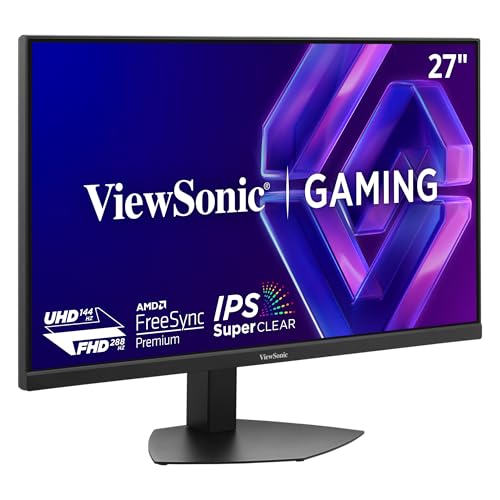
The ViewSonic VX2730D-4K is an innovative gaming monitor that uses a switchable refresh rate panel, allowing you to toggle between 4K at 144Hz for immersive single-player experiences and 1080p at 288Hz for competitive esports. This dual-mode approach gives you the best of both worlds without purchasing two monitors. The IPS panel delivers vibrant, accurate colors with wide viewing angles, and the 0.5ms MPRT response time keeps motion blur minimal.
For console gamers, dual HDMI 2.1 ports support full 4K bandwidth, making it a seamless companion for PS5 or Xbox Series X. The ergonomic stand features height, tilt, and pivot adjustments, adding to its versatility. The dedicated 24.5-inch esports OSD scaling mode is a thoughtful touch for competitive players wanting a familiar viewing area.
One consideration is that the 250 nits brightness is adequate for most environments but not ideal for high dynamic range content. Some users also report the missing 1440p resolution as a gap for those who want a middle ground. For a hybrid gamer who wants both speed and resolution, this is a compelling option.
Why it’s great
- Switchable 4K 144Hz / 1080p 288Hz panel
- Dual HDMI 2.1 for next-gen consoles
- IPS panel with good color accuracy
Good to know
- 250 nits brightness limits HDR impact
- No native 1440p resolution support
6. KTC U27T6

The KTC U27T6 delivers a compelling mix of high refresh rate 4K gaming and productivity features at a competitive price point. Its Fast IPS panel boasts a 160Hz refresh rate, providing smooth motion for fast-paced games without breaking the bank. The 140% sRGB color gamut and Delta E < 2 accuracy ensure vibrant and accurate colors for content creation.
The ergonomic stand is a standout feature for this price tier, providing full height, tilt, swivel, and pivot adjustments, making it easy to integrate into a vertical monitor setup. The carbon fiber backplate contributes to a lightweight build, and the VESA compatibility allows for easy mounting. Dual HDMI 2.1 ports and DisplayPort 1.4 inputs offer ample bandwidth for modern GPUs and consoles.
Some users note that the on-screen display can become unresponsive after the monitor enters rest mode, requiring a manual input switch to resolve. The HDR400 implementation is entry-level, offering a noticeable boost in brightness but lacking the fine local dimming of higher-tier panels. For the price, this is a formidable all-rounder for gamers who also work from home.
Why it’s great
- High 160Hz refresh rate for smooth gaming
- Full ergonomic stand with pivot for vertical use
- Good color accuracy with Delta E < 2
Good to know
- Menu can become unresponsive after sleep
- HDR400 is entry-level with limited local dimming
7. LG 27UP650K-W

The LG 27UP650K-W is a solid entry point into the 4K monitor space, offering a vibrant IPS panel with 95% DCI-P3 color gamut and DisplayHDR 400 certification. This combination provides a noticeable upgrade over standard sRGB monitors, making colors in games and media pop with greater depth. The matte anti-glare coating is excellent for reducing reflections in brightly lit rooms.
The ergonomic stand supports height, tilt, and pivot adjustments, giving you the flexibility to find a comfortable viewing angle. The on-screen controls use a responsive joystick, which is a user-friendly touch. It works well as a crisp display for multitasking with multiple spreadsheets or stock trading windows, where the 4K resolution shines.
One major gap is the lack of a USB-C port, which means you’ll need a separate adapter for modern laptops. It also lacks built-in speakers. For users with a dedicated desktop GPU, this monitor offers fantastic image quality and adjustability for the money, provided you are okay with the standard 60Hz refresh rate.
Why it’s great
- Wide 95% DCI-P3 color gamut for vivid imagery
- DisplayHDR 400 delivers better contrast
- Ergonomic stand with smooth joystick controls
Good to know
- No USB-C or Thunderbolt connectivity
- No built-in speakers
8. Odmenot O2401
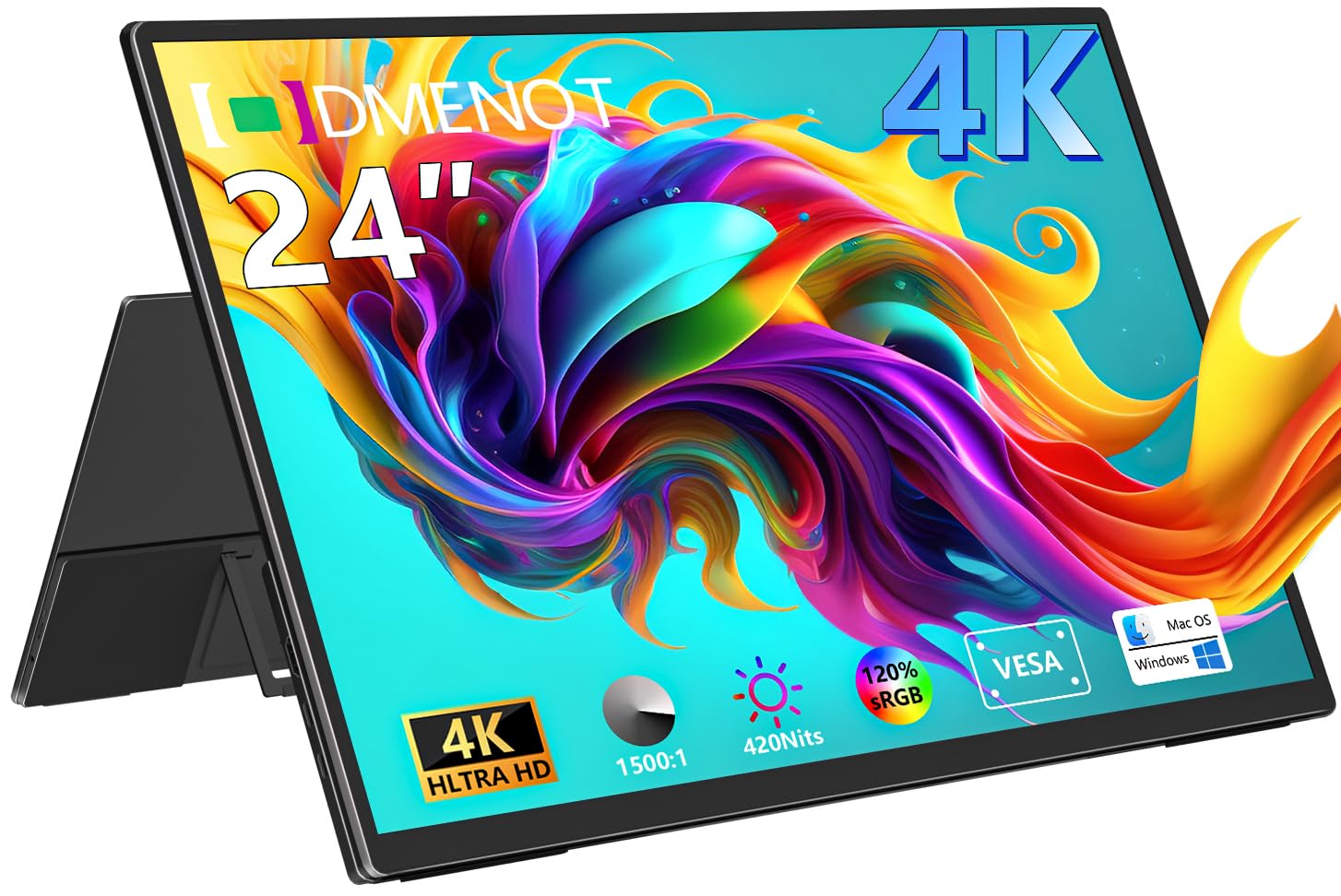
The Odmenot O2401 is a unique 24-inch portable monitor that brings true 4K UHD resolution to a travel-friendly form factor. With a brightness of 420 nits and a 120% sRGB color gamut, it offers a vivid and sharp display that competes with many desktop monitors. The 1500:1 contrast ratio helps deliver deeper blacks than standard IPS panels, making it suitable for photo editing on the go.
Its plug-and-play compatibility with USB-C and mini-HDMI inputs makes it a versatile companion for laptops, mini PCs, and gaming consoles. The ultra-thin metal body and built-in 90-degree kickstand allow for quick setup without extra accessories. It also supports a 75x75mm VESA mount for more permanent desk integration.
The primary trade-off is the need for an external power supply, as it cannot be powered solely by a laptop’s USB-C port. The kickstand, while functional, may not hold the monitor perfectly vertical. For traveling professionals who need a sharp secondary or primary display on the road, this is a category leader.
Why it’s great
- High 420 nits brightness for portable use
- 120% sRGB gamut for color-accurate work
- Ultra-slim, lightweight design with VESA mount
Good to know
- Requires external power, wont charge from laptop alone
- Kickstand may not hold upright perfectly
9. Innoview 23.8″ Portable

The Innoview 23.8″ portable monitor packs a 4K UHD IPS panel into a thin, sub-5-pound body that is designed for mobility. Its 180-degree adjustable kickstand allows for flexible positioning, even laying flat for tabletop use. The 100% sRGB color coverage and 60Hz refresh rate make it a capable secondary screen for photo review or document work.
Connectivity is straightforward with USB-C and mini-HDMI inputs, compatible with most modern laptops, tablets, and game consoles. The included cables and accessories support a clean setup. Its built-in speakers are a welcome addition for casual media consumption, providing adequate sound for presentations or videos.
As a portable monitor, its 60Hz refresh rate is standard, and image quality is good but not as punchy as the higher-brightness Odmenot. Some users have reported that the built-in stand can be slightly wobbly on uneven surfaces. As a lightweight, affordable 24-inch 4K travel monitor, it serves its purpose well for boosting productivity on the road.
Why it’s great
- Lightweight and ultra-portable design
- 180-degree kickstand for versatile angles
- Good color accuracy with 100% sRGB
Good to know
- 60Hz refresh rate limits gaming use
- Stand can be unstable on uneven tables
10. Dell P2425H
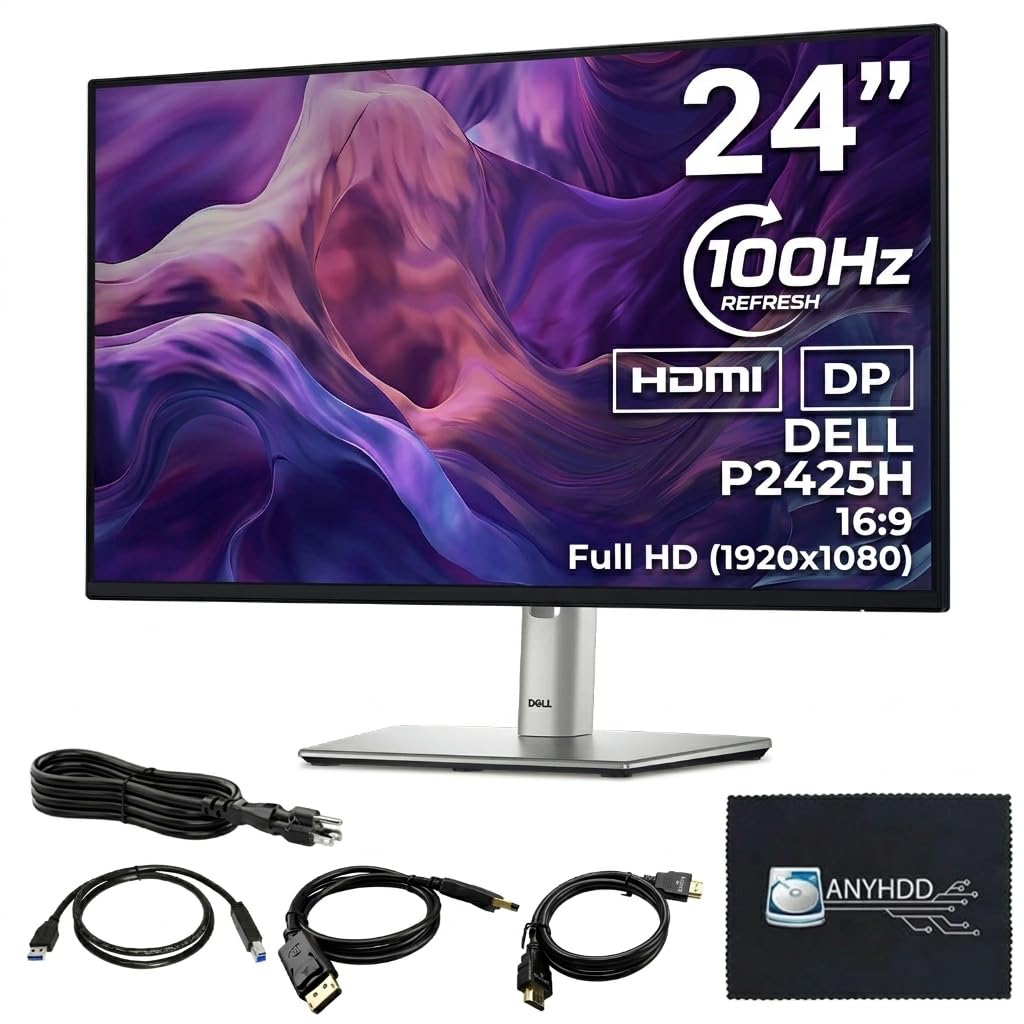
The Dell P2425H is a reliable 24-inch office monitor that offers a slight upgrade over standard 60Hz panels with its 100Hz refresh rate. While it is a Full HD (1920×1080) display, it is included here as a common alternative for those who want a versatile professional monitor with excellent ergonomics. The IPS panel delivers accurate colors and wide viewing angles, and the anti-glare coating is effective for reducing reflections.
The stand is a highlight, offering full tilt, swivel, pivot, and height adjustments, which is a rarity at the budget end. The built-in 4-port USB-A hub is incredibly convenient for connecting peripherals directly to the monitor. It includes all necessary cables (HDMI, DisplayPort, USB) right out of the box, simplifying setup.
Users report a crisp, flicker-free experience ideal for long office hours. Its 250 cd/m² brightness is adequate for indoor use but not for HDR. For users whose work does not demand 4K resolution but needs a robust, adjustable monitor with a small footprint, the P2425H is a solid and dependable choice.
Why it’s great
- Excellent ergonomic stand with full adjustments
- Built-in 4-port USB-A hub for peripherals
- Smooth 100Hz refresh rate for daily tasks
Good to know
- Full HD resolution, not 4K
- 250 nits brightness is modest
11. Dell S3225QS

The Dell S3225QS is a 32-inch 4K monitor with a VA panel that delivers a strong 1500:1 contrast ratio, producing deep blacks and excellent depth for movies and games. Its 120Hz refresh rate and AMD FreeSync Premium support ensure smooth, tear-free motion. The built-in speakers have been redesigned for better audio output, providing richer sound than typical monitor speakers.
The modern ash white design with ultra-thin bezels gives it a sleek, minimalist look. The ComfortView Plus technology reduces harmful blue light to ≤35% without sacrificing color accuracy, making it suitable for long sessions. The included KVM function allows you to control two devices with one set of peripherals, a major productivity boost.
Some users find the speakers too loud even at the lowest setting, and it lacks a remote control for easy adjustment. The HDMI cable included is relatively short. For a large, media-focused display that offers excellent contrast and modern features, this is a top contender.
Why it’s great
- VA panel with 1500:1 contrast for deep blacks
- 120Hz refresh rate with FreeSync Premium
- Improved built-in speakers with better clarity
Good to know
- 32-inch size is large for a compact desk
- Speakers can be too loud at lowest volume
FAQ
Is a 24-inch 4K monitor too small for productivity?
What type of cable do I need for 4K at 60Hz?
Final Thoughts: The Verdict
For most users, the best 24 inch 4k monitor winner is the ViewSonic VP2488-4K because it combines true 4K pixel density with professional color accuracy and modern Thunderbolt 4 connectivity in a compact, ergonomic package. If you want high refresh rate gaming, grab the ViewSonic VX2730D-4K. And for a portable 4K solution for work on the move, nothing beats the Odmenot O2401.

Mo Maruf
I created WellFizz to bridge the gap between vague wellness advice and actionable solutions. My mission is simple: to decode the research and give you practical tools you can actually use.
Beyond the data, I am a passionate traveler. I believe that stepping away from the screen to explore new environments is essential for mental clarity and physical vitality.