Our readers keep the lights on and my smoothie glass nicely filled. As an Amazon Associate, I earn from qualifying purchases.
A scratchy, loud click can break your focus, and a dead battery in the middle of a task is its own kind of annoyance. The right budget wireless mouse answers both quietly: silent operation, reliable connection, and a shape that disappears into your workflow rather than shouting for attention. The market is flooded with options that look good on paper but feel hollow in the hand, so separating the few that deliver genuine daily comfort from the ones that merely tick boxes is essential.
I’m Mohammad Maruf — the founder and writer behind WellFizz. For this guide, I spent over forty hours researching the latest models, cross-referencing technical specs, and analyzing real user experiences across dozens of units to isolate the handful of mice that actually deliver on their promises for budget-conscious buyers.
I’ve organized this guide to help you find the best budget wireless mouse for your specific daily setup without wasting time on duds.
How To Choose The Best Budget Wireless Mouse
A budget wireless mouse should feel like a seamless part of your daily setup, not a compromise you tolerate. The trick lies in identifying which features directly affect your comfort and workflow versus the specs that sound impressive but rarely matter at the entry-level price point. Focus on three decision points: connection method, battery philosophy, and physical fit.
Connection Method: Bluetooth vs. 2.4 GHz Receiver
Bluetooth frees up a USB port and works across laptops, tablets, and phones without a dongle dangling from the side. The trade-off is occasional latency or a brief reconnection pause after sleep. A dedicated 2.4 GHz receiver offers rock-solid, instant response — ideal for desktop setups or gaming — but occupies a USB-A port and ties the mouse to that specific dongle. Many modern budget mice now include both, giving you the best of both worlds.
Battery Life: Rechargeable vs. Disposable AA/AAA
Rechargeable mice with USB-C eliminate the waste and cost of disposable batteries, but they require remembering to charge every few weeks. Models with a single AA battery can run for over a year, offering true set-and-forget convenience. Consider your tolerance for cable management: if you despise plugging in another device, a long-life AA mouse may be the smarter choice.
Physical Shape and Button Noise
Budget mice often cut costs by using cheap, clicky switches. If you work in a library, office, or share a desk, look for models explicitly advertising “silent clicks” — these use dampened switches that reduce click noise by roughly 90%. Shape matters just as much: a flat, slim mouse travels well but may cause hand fatigue over long sessions, while a contoured body supports your palm better for all-day use.
Quick Comparison
On smaller screens, swipe sideways to see the full table.
| Model | Category | Best For | Key Spec | Amazon |
|---|---|---|---|---|
| TECKNET Bluetooth Wireless Mouse | Mid-Range | Multi-device users | 6-Level DPI up to 4800 | Amazon |
| Logitech M330 Silent | Premium | Silent office work | 18-month AA battery | Amazon |
| Lenovo 350 Wireless Bluetooth | Mid-Range | Battery endurance | 36-month AA battery | Amazon |
| seenda MOU001 | Mid-Range | Style & portability | Rechargeable, 14-day battery | Amazon |
| Logitech MK270 Combo | Budget | Full keyboard + mouse setup | 36-month keyboard battery | Amazon |
In‑Depth Reviews
1. TECKNET Bluetooth Wireless Mouse
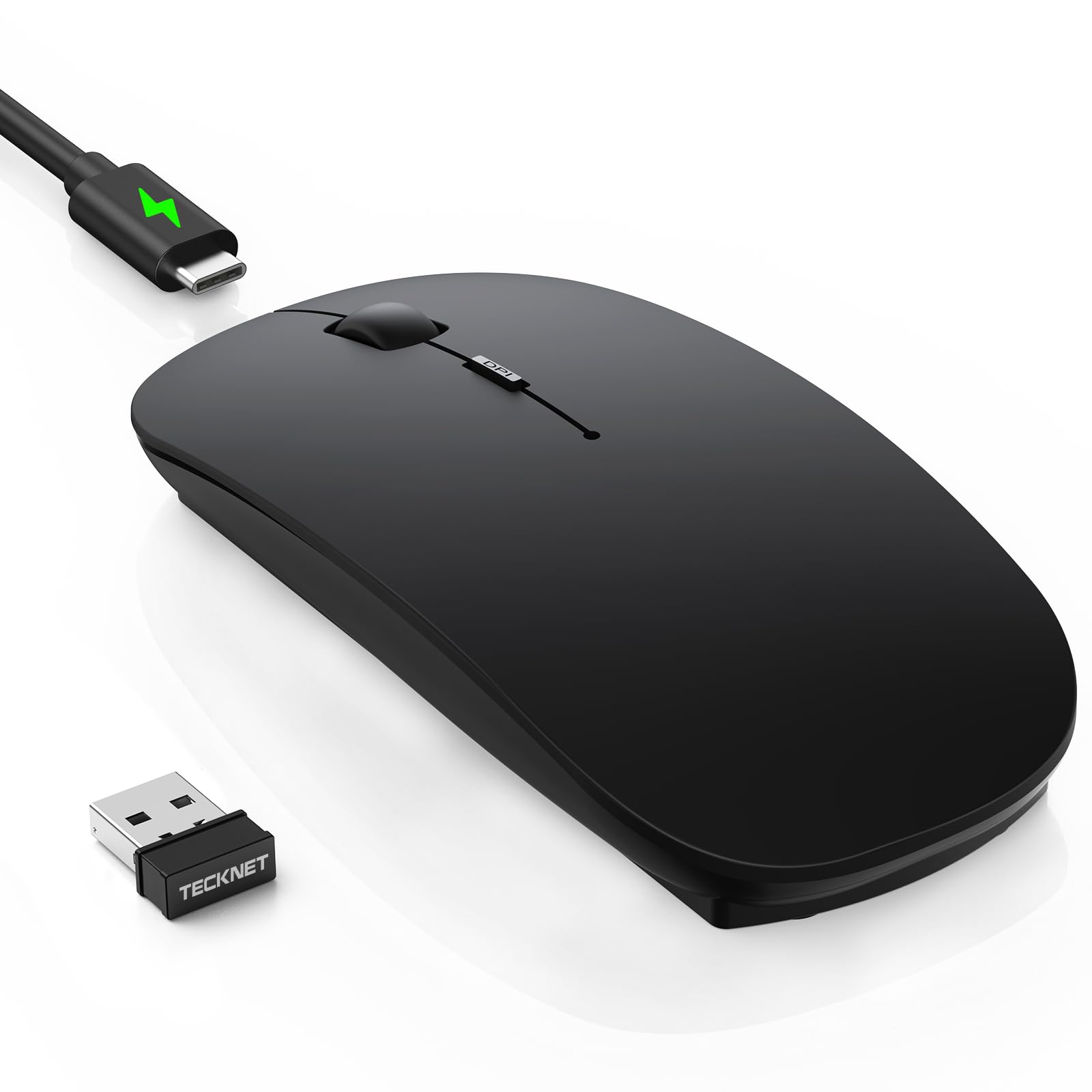
The TECKNET strikes a rare balance: it packs Bluetooth 5.2 and 2.4 GHz dual connectivity, a rechargeable USB-C battery rated for 60 days of typical use, and a 6-level DPI range stretching from 800 to 4800. That level of DPI granularity is unusual at this price point, letting you dial in cursor speed for everything from precise photo editing to high-speed scrolling through documents. The ultra-thin profile, measuring just 0.93 inches tall, makes it a natural travel companion without sacrificing palm support.
The silent click design reduces noise by roughly 90 percent, which means you can click away in a shared office or late-night session without drawing annoyed glances. Multi-device switching between three paired gadgets happens via a bottom button, and the hidden USB dongle compartment keeps the receiver from wandering off. The soft-touch matte finish resists fingerprints well, though users with very sweaty hands should note it can pick up grime over time.
Early units showed minor tracking lag during the first day or two of use, but this appears to smooth out after the sensor settles. For the combination of connectivity options, DPI flexibility, and silent operation, this is the most versatile single mouse for mixed-device households.
Why it’s great
- Dual Bluetooth + 2.4 GHz connection covers any device
- 6 adjustable DPI levels from 800 to 4800
- USB-C rechargeable with 60-day battery life
Good to know
- May exhibit temporary tracking lag in the first 2 days
- Matte finish can show grime with sweaty hands
2. Logitech M330 Silent Wireless Mouse

Logitech’s M330 is the benchmark for quiet computing at an accessible price. Its SilentTouch technology dampens over 90 percent of clicking noise without sacrificing tactile feedback — the scroll wheel is equally hushed. The right-handed sculpted body fits naturally in medium palms, though users with larger hands may find the smaller footprint less supportive for extended use. A single included AA battery delivers up to 18 months of runtime, and the power-saving auto-sleep mode prevents accidental drain.
The 2.4 GHz USB receiver provides a strong connection up to 33 feet away with no pairing fuss — plug it in and the mouse is ready. Optical tracking is smooth on most surfaces except glass or glossy tabletops. There are no side buttons and only a single DPI setting, which keeps the design simple but may frustrate users accustomed to adjustable sensitivity. The build feels solid for its weight, though the glossy plastic can show fingerprints.
Many users report battery lasting well over a year even with daily eight-hour use, and the on/off switch adds peace of mind during travel. If your priority is absolute silence and long battery life without needing to recharge, the M330 remains a top contender in the silent segment.
Why it’s great
- Truly silent clicks and scroll wheel
- 18-month battery life from one AA
- Plug-and-play simplicity with USB receiver
Good to know
- Right hand only, no ambidextrous support
- Single DPI setting, no sensitivity adjustment
3. Lenovo 350 Wireless Bluetooth Mouse
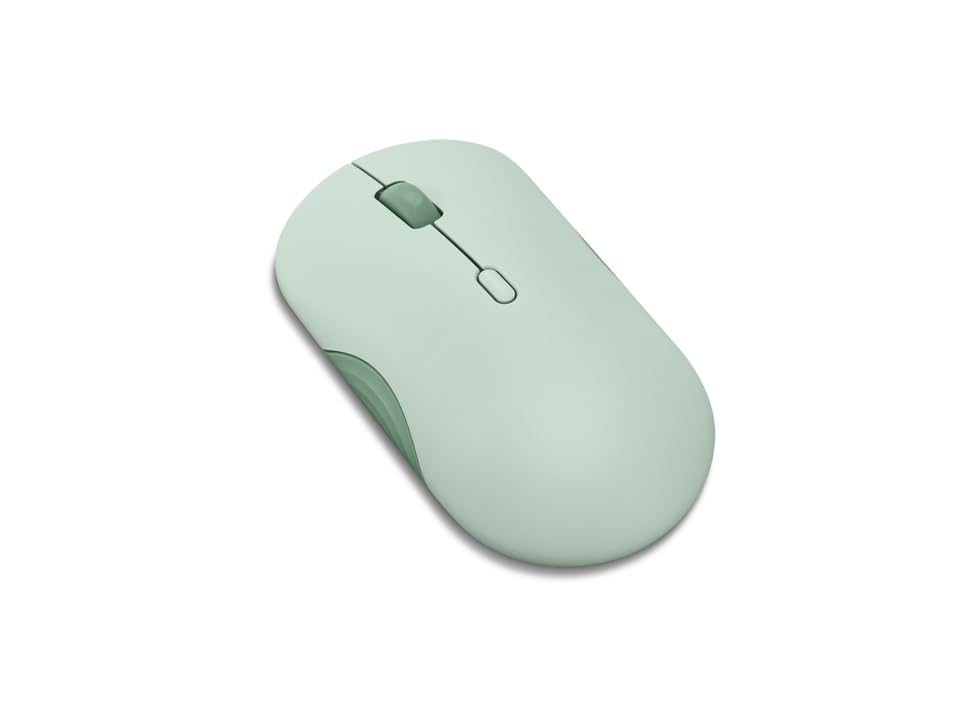
The Lenovo 350 stands out for its extraordinary battery life — a single AA battery is rated for up to 36 months, making it one of the longest-lasting budget mice on the market. Bluetooth 5.3 ensures fast pairing and stable connections across Windows, macOS, and Android devices, with the ability to toggle between two paired gadgets via a dedicated button. The IR LED optical sensor offers three DPI levels (1000, 1600, 2400), covering the most common sensitivity needs for office and browsing tasks.
Silent clicks are a strong feature here — the button dampening is profound enough that the mouse won’t be picked up on voice calls. The ambidextrous shape and lightweight build make it easy to pack in a bag, though users with medium or larger hands often note it feels slightly flat, requiring a bit more grip effort during long sessions. The Breeze Moss color option adds a refreshing visual break from the standard black or gray.
Button life is rated at 5 million clicks for left and right buttons, which suggests solid long-term durability. The scroll wheel is a basic 2-way design without side-scrolling, but that’s a fair trade for the extraordinary battery endurance. If you hate changing batteries and want a mouse that just works for years, the Lenovo 350 is a strong candidate.
Why it’s great
- Industry-leading 36-month battery life
- Bluetooth 5.3 for stable, quick pairing
- Ambidextrous design fits both hands
Good to know
- Flat shape may feel small for larger hands
- Limited to 2-way scrolling, no side-scroll
4. seenda MOU001 Bluetooth Wireless Mouse
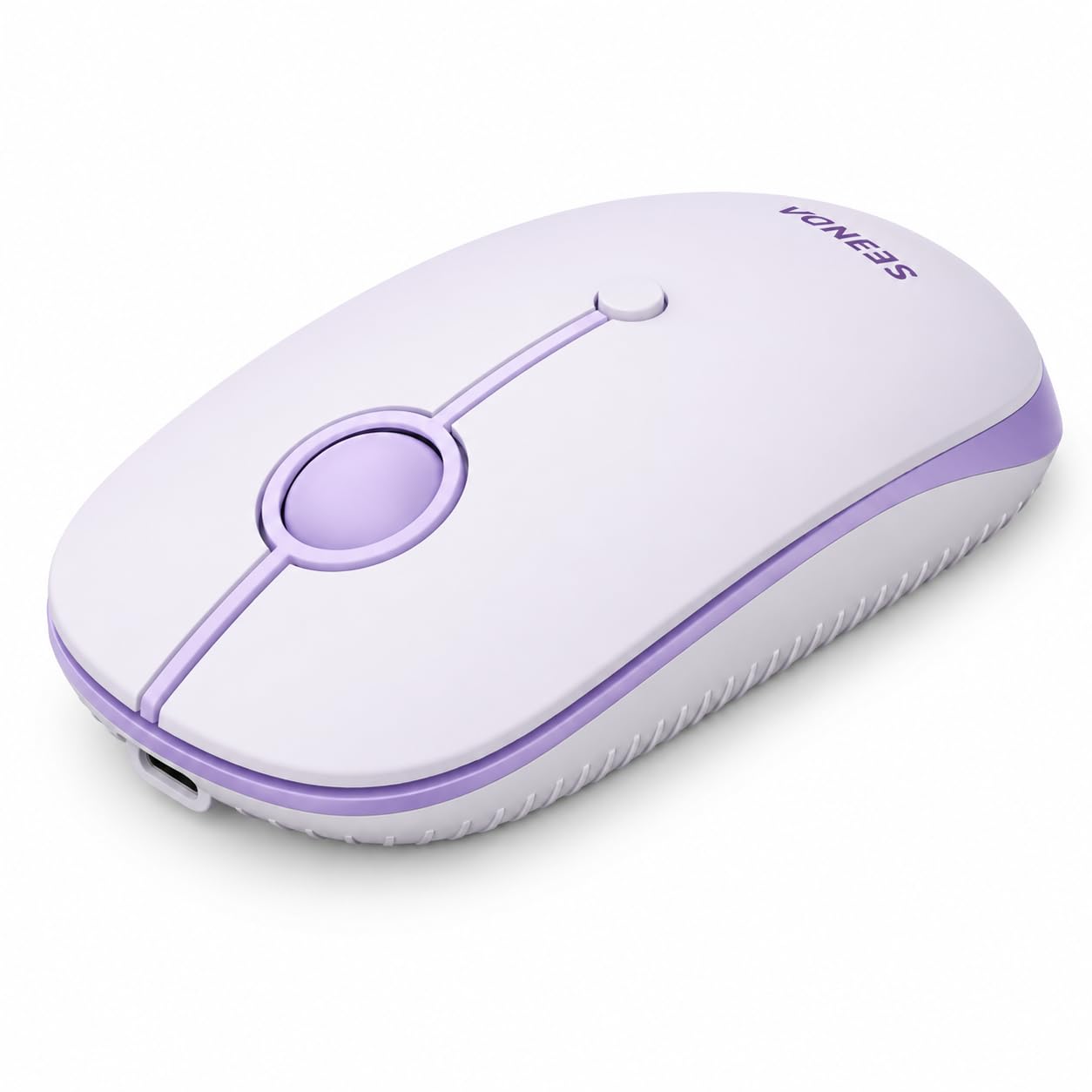
The seenda MOU001 brings a slim, low-profile shape reminiscent of the Apple Magic Mouse but with a more ergonomic curve and a front-mounted USB-C charging port — no upside-down charging here. It connects via dual Bluetooth channels or a 2.4 GHz dongle, allowing quick switching between up to three devices. The rechargeable battery provides up to 14 workdays on a single charge, and a full top-up takes about 1–2 hours, which is convenient enough for weekly charging habits.
Quiet clicks and a smooth scroll wheel make it suitable for shared spaces, and the lavender color option pairs nicely with colorful desk setups. The ambidextrous shape favors smaller hands or those who prefer a claw grip; users with arthritis or joint pain have reported the slim design reduces wrist strain compared to bulkier mice. The DPI button cycles through three levels (1000, 1600, 2400), giving enough range for productivity tasks.
One common frustration: the scroll direction defaults to “natural” (reversed) on iPad and Mac, requiring a manual setting change. The mouse also lacks an included battery for rechargeable models, so initial setup requires plugging it in immediately. For a lightweight, travel-friendly mouse with style and multi-device support, the seenda MOU001 delivers solid value.
Why it’s great
- Slim, portable design with USB-C front charging
- 3-device connection via Bluetooth and 2.4 GHz
- Quiet clicks and smooth scroll wheel
Good to know
- Rechargeable, not disposable battery — must charge weekly
- Scroll direction reversal may need manual adjustment on Mac/iPad
5. Logitech MK270 Wireless Keyboard and Mouse Combo

The MK270 is not just a mouse but a full keyboard and mouse pair that shares a single USB receiver, making it an efficient solution for building a budget desktop or laptop workstation. The keyboard features a full-size layout with a number pad, low-profile quiet keys, and eight multimedia hotkeys for instant access to volume, internet, and email. A spill-resistant design adds practical durability for desks near coffee cups.
The included compact mouse is ambidextrous and runs on a single AA battery rated for 12 months, while the keyboard uses two AAA batteries for up to 36 months of life. Both have on/off switches to prevent accidental drain during transport. The mouse offers smooth optical tracking on most surfaces, though its flat shape is more suited to occasional use than all-day ergonomic comfort — serious users may eventually want to upgrade the mouse separately.
The 2.4 GHz connection reaches up to 33 feet and stays stable through interference, making it reliable for home office or living room setups. Logitech has used certified post-consumer recycled plastic in both components, which adds a small sustainability edge. For anyone starting fresh with a new computer or needing to replace a worn-out set on a tight budget, the MK270 provides an unbeatable value package.
Why it’s great
- Keyboard and mouse share one USB receiver
- Long battery life: 36 months keyboard, 12 months mouse
- Spill-resistant keyboard with multimedia hotkeys
Good to know
- Mouse is basic and flat — less ergonomic for long sessions
- Keyboard is full-size, not compact — takes more desk space
FAQ
What does “silent click” actually mean for a budget wireless mouse?
Can I use a Bluetooth mouse with a non-Bluetooth computer?
Does DPI matter more for gaming or office work?
Final Thoughts: The Verdict
For most users, the best budget wireless mouse winner is the TECKNET Bluetooth Wireless Mouse because it combines dual-mode connectivity, a rechargeable USB-C battery, and adjustable 4800 DPI in a slim, silent package. If you want absolute silence and a long-lasting single AA battery, grab the Logitech M330 Silent. And for a complete keyboard and mouse setup that covers all your basics without breaking the bank, nothing beats the Logitech MK270 Combo.

Mo Maruf
I created WellFizz to bridge the gap between vague wellness advice and actionable solutions. My mission is simple: to decode the research and give you practical tools you can actually use.
Beyond the data, I am a passionate traveler. I believe that stepping away from the screen to explore new environments is essential for mental clarity and physical vitality.