Our readers keep the lights on and my smoothie glass nicely filled. As an Amazon Associate, I earn from qualifying purchases.
A squeaky, clunky keyboard and an unresponsive mouse can ruin focus faster than any distraction. The right affordable wireless combo doesn’t just clear the cable clutter; it delivers the tactile feedback and cursor control that makes every hour at the desk feel less like a chore.
I’m Mohammad Maruf — the founder and writer behind WellFizz. This guide is built on hundreds of hours cross-referencing user reports, reviewing technical spec sheets, and analyzing real-world durability feedback to separate long-lasting combos from disappointing ones.
Whether you are setting up a home office or outfitting a team, the best affordable wireless keyboard and mouse must balance battery life, keystroke feel, and cursor precision without breaking your budget.
How To Choose The Best Affordable Wireless Keyboard And Mouse
Not every cheap combo is a steal. The real value lies in how long the keyboard lasts, how quiet the switches are, and whether the mouse keeps up with your workflow. Focus on these three factors to avoid replacements within a year.
Keystroke Feel and Acoustic Profile
Membrane keyboards dominate this price tier because they are cheap to manufacture, but not all membranes feel the same. Look for models that mention “quiet” or “silent” keycaps and have a low-profile design. A 30dB rating means the typing sound will barely register in an open office. If you prefer a tactile bump, wave-shaped keys with scissor-like travel offer a compromise without moving to expensive mechanical switches.
Wireless Connection Stability
A 2.4GHz USB receiver provides the most stable connection at this price point because it avoids Bluetooth interference from other peripherals. The best combos use a single receiver for both devices, saving a USB port. Check that the receiver stores inside the mouse for travel. Bluetooth can be convenient for multi-device switching, but in this category, 2.4GHz with plug-and-play simplicity is the safer choice for lag-free work.
Ergonomics and Wrist Support
Long typing sessions punish flat keyboards. Combo sets that include a cushioned or leather palm rest reduce wrist pressure significantly. Wave-shaped key layouts align with natural finger arcs, cutting down on fatigue. For the mouse, look for a contoured shape with at least three DPI settings so you can adjust cursor speed between detailed editing and general browsing. A thumb rest adds stability without raising the price much.
Quick Comparison
On smaller screens, swipe sideways to see the full table.
| Model | Category | Best For | Key Spec | Amazon |
|---|---|---|---|---|
| Logitech MK370 Combo for Business | Premium | IT teams and secure environments | Logi Bolt encryption + Bluetooth dual mode | Amazon |
| Sablute MA31 | Premium | Professionals wanting luxury wrist rest | 10M keystroke life, faux lambskin palm rest | Amazon |
| Logitech MK345 | Mid-Range | Reliable full-size with palm rest | 3-year keyboard battery life | Amazon |
| SABLUTE MA41 | Mid-Range | Quiet wave typing with leather wrist pad | 30dB noise level, 10M keystroke | Amazon |
| VEILZOR RGB Rechargeable | Mid-Range | Gamers and night workers needing backlighting | USB-C rechargeable, 9 RGB effects | Amazon |
| MEETION Wave Keys | Mid-Range | Ergonomic replacement for Logitech K350 | Wave-shaped keys, hard plastic wrist rest | Amazon |
| wegeer Full-Size | Budget | First-time buyers wanting maximum features | 5-level DPI up to 4000, 8 multimedia keys | Amazon |
In‑Depth Reviews
1. Logitech MK370 Combo for Business

The MK370 uses Logi Bolt technology — a fully encrypted, Secured Connections Only mode that blocks unauthorized access. The full-size keyboard retains the classic, reliable K120 keystroke feel that office workers have trusted for years, while adding a spill-resistant design and sturdy tilt legs with adjustable height.
The mouse features Silent Touch technology that reduces click noise by 90%, making it ideal for shared workspaces. It is ambidextrous, so left-handed users will find it comfortable. The pre-paired USB receiver connects both devices out of the box, and you can also pair via Bluetooth for devices without a Type-A port. This combo ships with batteries included — a rare convenience that reduces the initial setup friction to zero.
Some Mac users report that dedicated copy/paste shortcuts are missing, but the overall build quality and wireless stability exceed what most budget combos deliver. The keyboard lacks a backlight, but the quiet operation and enterprise-grade security make it the smartest choice for corporate deployments and privacy-conscious professionals.
Why it’s great
- Encrypted Logi Bolt connection meets corporate security standards
- Dual-mode Bluetooth and USB receiver for flexible pairing
- Spill-resistant keyboard with adjustable tilt legs
Good to know
- No dedicated Mac modifier key labels
- Mouse is compact, may feel small for users with larger hands
2. Sablute MA31 Ergonomic Wireless Combo
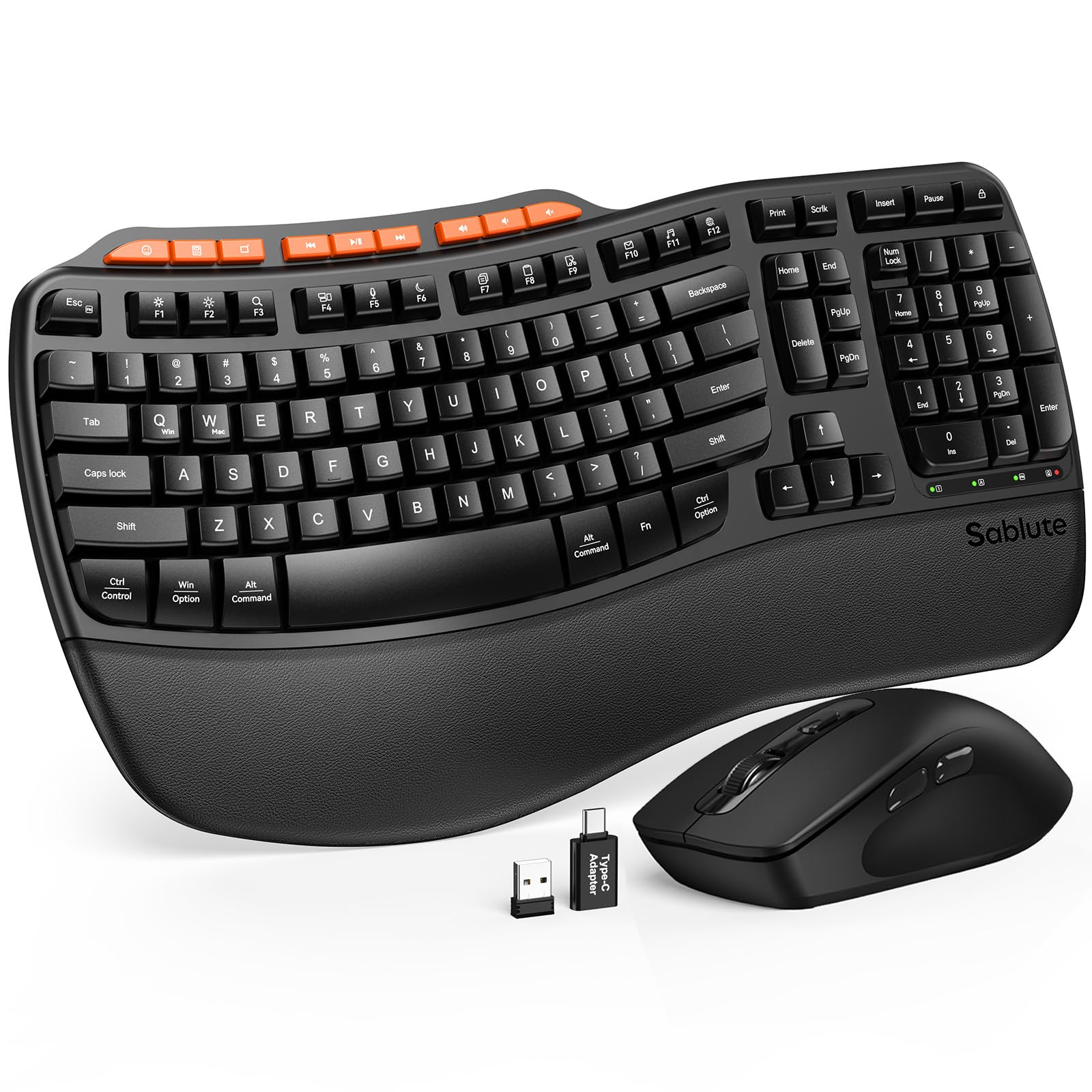
The Sablute MA31 stands out for its premium surface materials at a mid-range price. The palm rest uses a silky-soft faux lambskin that resists sweat and staining, unlike standard fabric rests that degrade quickly. The wave-shaped keys follow natural finger curvature, and dual-angle tilt legs let you switch between a 4-degree and 8-degree slope to match your sitting or standing desk height.
With a rated lifespan of 10 million keystrokes — twice that of many competitors — this keyboard is built for daily-heavy typing. The mouse offers three DPI settings (800/1200/1600) and nine shortcut keys for media control and app launching. It uses a single 2.4GHz USB receiver with both Type-A and Type-C adapters, so it works with modern laptops and tablets alike.
A few early units shipped with defective mice, but the manufacturer responded by proactively sending full replacement sets. Build quality after the fix is solid, and the typing feel is quiet and balanced. For someone who values a refined desk aesthetic and long-term durability, the MA31 is a clear frontrunner in this price bracket.
Why it’s great
- Faux lambskin palm rest stays clean and comfortable
- 10 million keystroke rated lifespan for long service
- Includes USB-C adapter for modern devices
Good to know
- Mouse scroll wheel can feel slightly stiff initially
- Keyboard only connects to one device at a time
3. Logitech MK345 Wireless Combo

The MK345 is a testament to Logitech’s ability to deliver consistent, no-nonsense performance year after year. The full-size keyboard includes a comfortable palm rest, dedicated media keys, and a spill-resistant frame — all running on a single set of batteries that lasts up to three years. The right-handed mouse offers a contoured shape with smooth, precise tracking that works reliably on most surfaces.
Setup is exactly as advertised: plug the 2.4GHz USB receiver into any Windows, macOS, or ChromeOS device, and both devices work instantly. The typing feel is quiet with a standard membrane action — not as cushioned as wave-shaped ergonomic boards, but familiar and efficient for anyone used to office keyboards. The wireless range reaches 33 feet, giving you flexibility in larger rooms.
The mouse is on the smaller side, which may bother users with larger palms, and the top function row uses icons that can require a quick manual reference. But the battery life alone makes this set the most maintenance-free option in the mid-range. If you want a combo you can set up and forget for years, the MK345 earns its place here.
Why it’s great
- Keyboard battery rated for three years of use
- Spill-resistant body protects against common accidents
- Plug-and-play compatibility with all major OS platforms
Good to know
- Mouse is smaller than average, less ergonomic for big hands
- Top row function keys have non-standard shortcut labels
4. SABLUTE MA41 Quiet Ergonomic Wave Set
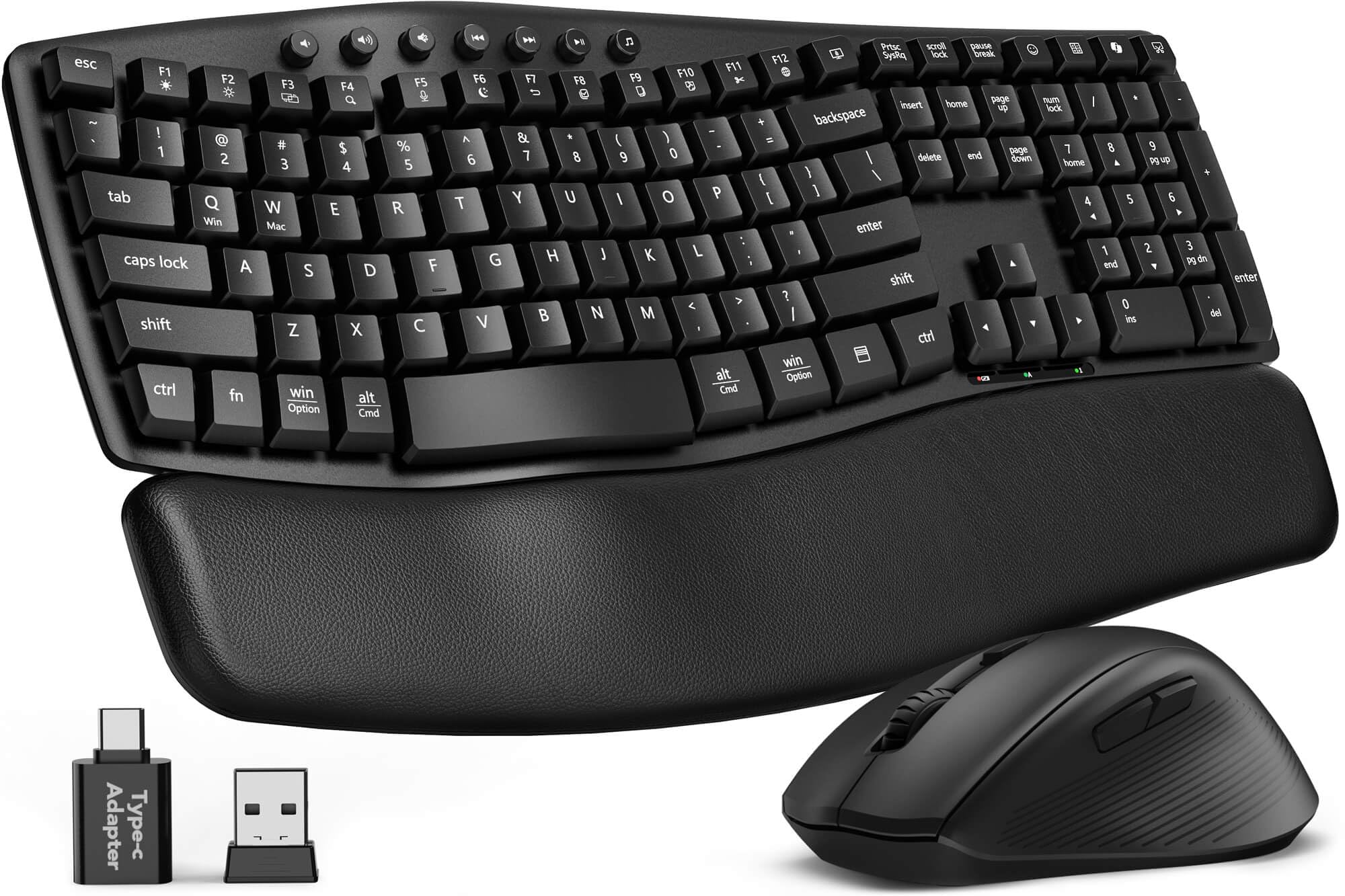
The MA41 targets the two biggest complaints in budget combos: noise and wrist fatigue. Its wave-shaped keys and cushioned leather palm rest provide a typing experience that feels closer to premium ergonomic boards than the price suggests. The keys are rated at 30dB — quieter than most office chatter — making this set suitable for shared workspaces and late-night sessions.
Twelve productivity shortcuts on the top row give you instant access to screenshots, media controls, calculator, and even an AI assistant key. The single 2.4GHz receiver connects both devices and includes a USB-C adapter for modern laptops. The spill-resistant membrane and 10 million keystroke durability rating suggest this combo will hold up well under daily office use.
A few users noted the mouse’s scroll wheel produces a sandy sound initially, but that tends to fade with use. The keyboard’s auto-sleep extends battery life to 6-12 months, and the two AAA batteries are easy to replace. For professionals who want ergonomic wave shaping without the premium price tag, the MA41 offers exceptional value.
Why it’s great
- Leather cushioned wrist rest reduces pressure during long sessions
- 30dB quiet keystrokes for open offices
- 12 dedicated shortcuts for workflow efficiency
Good to know
- Mouse scroll wheel can be sandy-sounding at first
- Not all shortcut keys function on macOS
5. VEILZOR RGB Rechargeable Combo

The VEILZOR combo is the only set in this roundup with rechargeable batteries, eliminating the need for AA/AAA replacements. A USB-C cable charges both the keyboard and mouse, with battery life lasting weeks between charges depending on lighting usage. The full-size keyboard features nine RGB backlit effects across three lighting modes and three brightness levels, making it easier to type in dim environments.
The keyboard includes a built-in phone holder at the top edge and a detachable wrist rest for sustained comfort. The ergonomic mouse follows a contoured shape with a thumb rest for better control, plus three DPI settings (800/1200/1600). The 2.4GHz receiver is a 2-in-1 USB-A/C design stored on the keyboard’s underside, and it pairs to both devices instantly.
Customer reports indicate the backlight is bright but illuminates around the keys rather than through legends, which may reduce visibility for some typists. A few early units had mouse wheel issues, but the manufacturer’s customer support was responsive in sending replacements. For users who want ambient desk lighting and rechargeable convenience, this set is a compelling pick.
Why it’s great
- Rechargeable via USB-C, no batteries needed
- 9 RGB effects with adjustable brightness
- Built-in phone holder frees up desk space
Good to know
- Backlight shines around keys, not through legends
- Mouse wheel may need service in rare cases
6. MEETION Ergonomic Wave Keys Combo
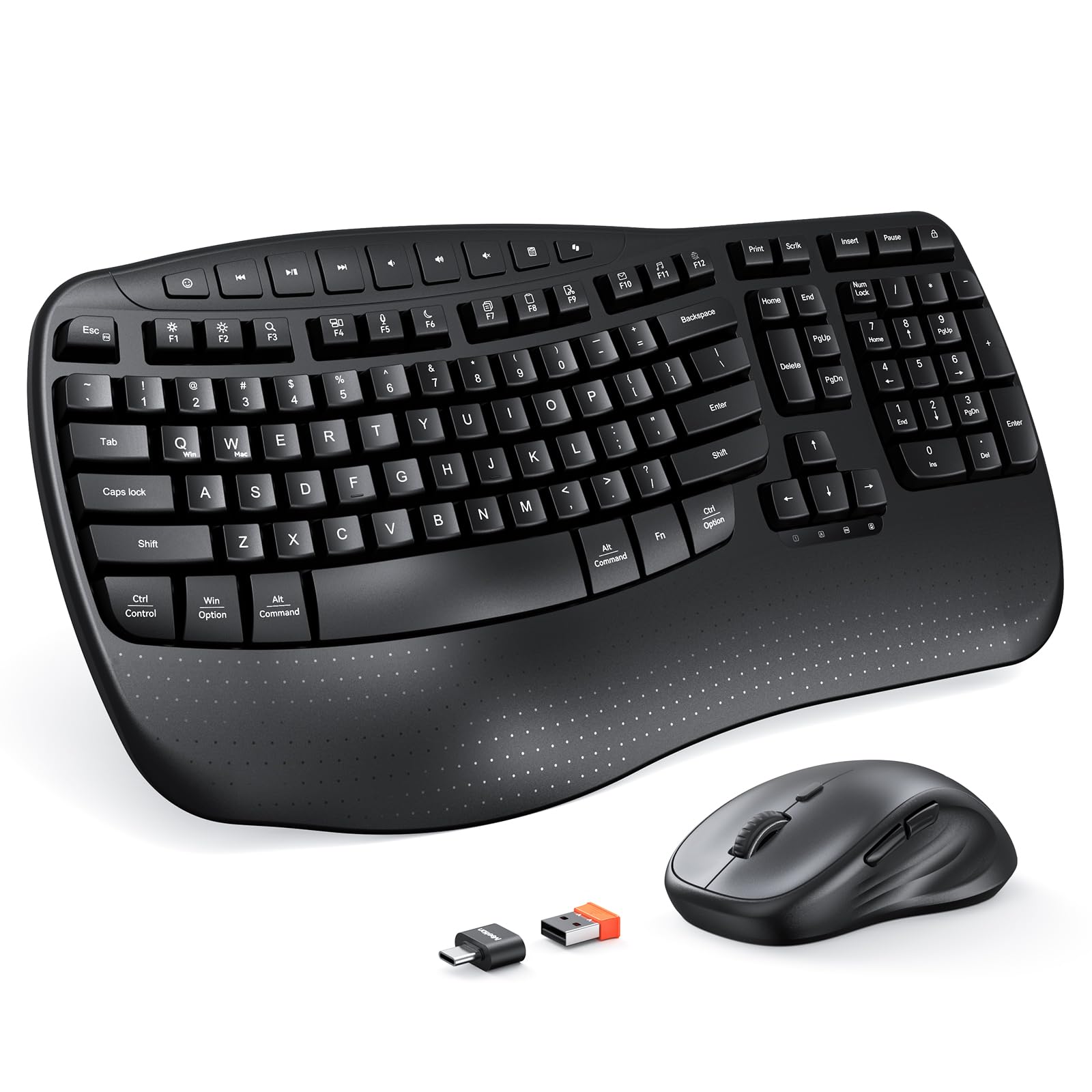
MEETION designed this combo as a direct alternative to discontinued ergonomic boards like the Logitech K350. The wave-shaped keywell curves inward to match the natural spread of your fingers, reducing the stretch required to reach outer keys. The wrist rest is made of sturdy, smooth plastic — it is firm rather than padded, but the contour offers stable support for palm placement.
The mouse provides four adjustable DPI levels and a comfortable right-handed shape with side buttons for forward/back navigation. The 2.4GHz connection uses a single USB receiver and includes a USB-C adapter for modern ports. Compatibility is limited to Windows 10/11 and macOS 10.12 and above — older systems are not supported. The devices run on disposable batteries (AA for mouse, AAA for keyboard) and are not rechargeable.
Typing feel is quiet with a cushioned bottom-out, and the pink color variant has been praised for its aesthetic appeal. Some users noted the keyboard can feel oversensitive or unresponsive on rare startups, but overall feedback points to a solid ergonomic option for those who need wave-shaped keys without spending over fifty dollars.
Why it’s great
- Wave keywell aligns fingers naturally, reduces reaching
- Compact footprint saves desk space
- Includes USB-C adapter for flexible connectivity
Good to know
- Not compatible with Windows 8.1 or older macOS versions
- Wrist rest is hard plastic, not cushioned
7. wegear Full-Size Wireless Combo
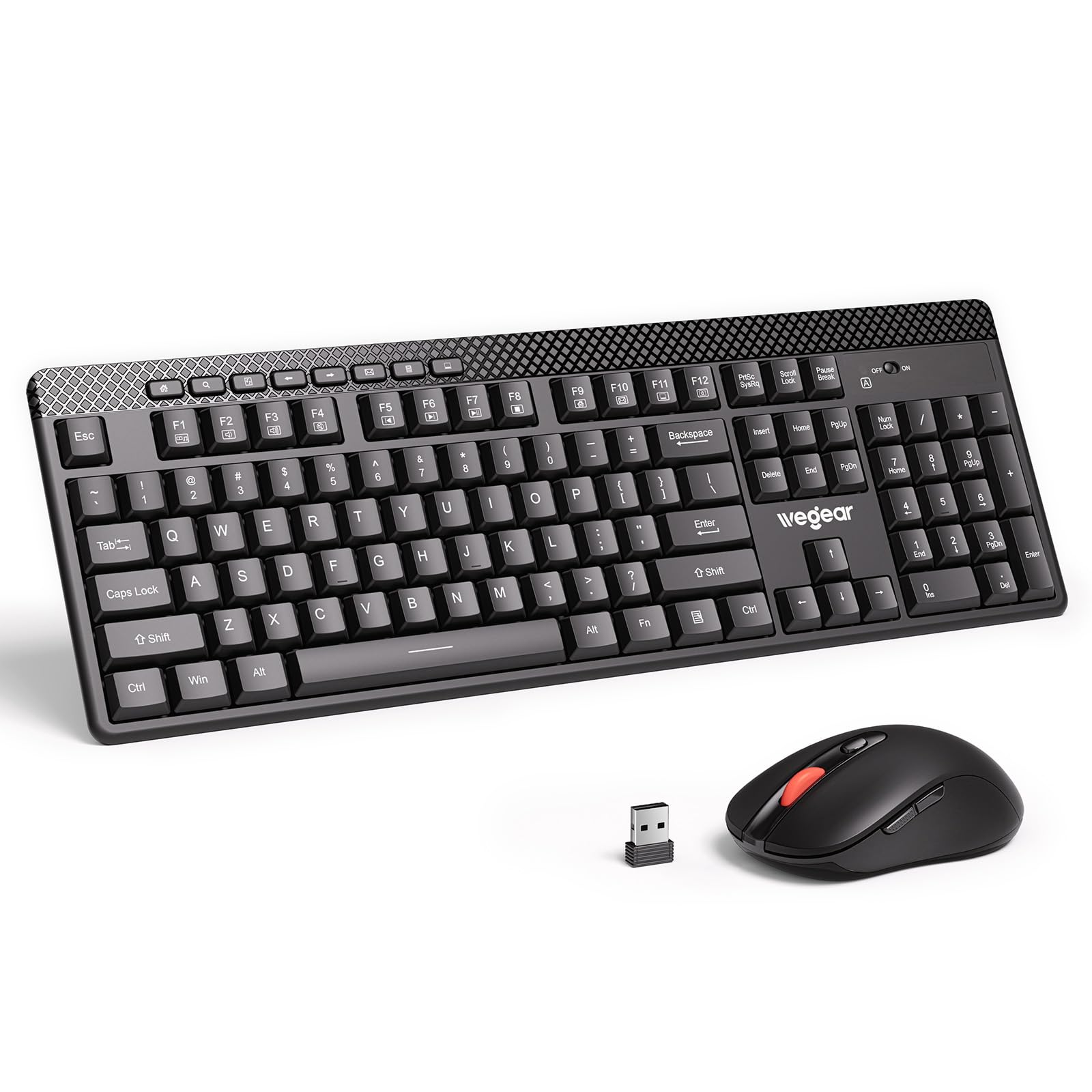
The wegear combo packs an unusually high feature set at its price point. The mouse supports five adjustable DPI levels, climbing to 4000 — the highest sensitivity in this roundup — with forward/back buttons for efficient web browsing. The full-size keyboard includes eight multimedia shortcut keys and a foldable stand that lifts the rear for a more natural typing angle.
The 2.4GHz receiver stores inside the mouse and works with both devices out of the box. The keyboard claims to reduce typing noise by 90% through low-profile keycaps, and our review analysis confirms the keys feel soft and quiet under pressure. Auto-sleep activates after 10 minutes of inactivity on the keyboard and 8 minutes on the mouse, with instant wake-up on any key press.
A few units shipped with non-functional keys, though Amazon’s warranty replacement process resolved those issues quickly. Battery life is rated up to one year with standard alkaline cells (2x AAA for keyboard, 1x AA for mouse). For budget-conscious buyers who want the broadest spec list — especially high DPI range and multimedia controls — the wegear combo delivers surprising depth for its tier.
Why it’s great
- 4000 DPI mouse with five sensitivity levels
- 8 multimedia shortcuts for faster workflow
- Foldable keyboard stand improves typing angle
Good to know
- Quality control can vary — verify on arrival
- Mouse clicks are standard rather than silent
FAQ
Can I use an affordable wireless combo for gaming?
How do I pair a single USB receiver to both keyboard and mouse?
What does a wave-shaped keyboard actually do for my wrists?
How long should I expect the batteries to last?
Final Thoughts: The Verdict
For most users, the best affordable wireless keyboard and mouse winner is the Sablute MA31 because it combines a luxurious faux lambskin wrist rest with 10 million keystroke durability and wave-shaped ergonomics at a mid-range price. If you want enterprise-grade wireless security and ambidextrous design, grab the Logitech MK370 Combo for Business. And for budget-conscious shoppers who need the highest DPI range and multimedia shortcuts, nothing beats the wegeer Full-Size Combo.

Mo Maruf
I created WellFizz to bridge the gap between vague wellness advice and actionable solutions. My mission is simple: to decode the research and give you practical tools you can actually use.
Beyond the data, I am a passionate traveler. I believe that stepping away from the screen to explore new environments is essential for mental clarity and physical vitality.