Our readers keep the lights on and my smoothie glass nicely filled. As an Amazon Associate, I earn from qualifying purchases.
Choosing between the raw power of a laptop and the effortless portability of a tablet used to mean compromising on one or the other. A 2-in-1 tablet bridges that gap, letting you sketch an idea in tablet mode one minute and type a full report in laptop mode the next. The trick is finding a device where neither mode feels like an afterthought, which is where this guide comes in.
I’m Mohammad Maruf — the founder and writer behind WellFizz. I’ve spent countless hours analyzing processor benchmarks, display technologies, build materials, and real-world user reports to separate the genuinely capable 2-in-1s from the gimmicky ones. This guide focuses on the specs and build decisions that actually determine whether a hybrid device earns its keep on your desk or in your bag.
Whether you need a device for note-taking, media editing, or juggling spreadsheets on the go, understanding the trade-offs between screen quality, battery life, and processing power is crucial. That’s exactly what this review of the best 2-in-1 tablet options on the market today is designed to help you do.
How To Choose The Best 2-in-1 Tablet
The best 2-in-1 for a graphic designer looks very different from one built for a student taking notes in lectures. Before you get lost in spec sheets, focus on the three factors that define your daily experience: form factor, processing muscle, and display quality.
Form Factor: Detachable vs. Convertible
A detachable 2-in-1, like the Microsoft Surface Pro, has a keyboard that physically separates from the screen. This makes the tablet mode truly thin and light, but the keyboard often requires a stable surface and adds an extra purchase. A convertible 2-in-1, like the Lenovo Yoga 7i, uses a 360-degree hinge that keeps keyboard and screen permanently attached. This means a thicker tablet mode but zero chance of misplacing the keyboard. Your choice depends on whether you plan to use tablet mode for long stretches or just occasionally flip the screen around for media consumption.
Processor Architecture and Performance Tier
The biggest dividing line in 2-in-1s today is the processor architecture. Intel Core i3/i5/i7 and Core Ultra chips offer broad software compatibility and strong single-core performance. The new Snapdragon X Plus and Elite (ARM-based) processors, found in the Surface Pro, deliver incredible battery life and fanless designs but may have compatibility quirks with legacy x86 applications. Apple’s M-series chips (M5 in the latest iPad Pro) provide class-leading performance and efficiency but lock you into iPadOS, which handles file management differently than Windows. Match the architecture to the software you cannot live without.
Display Panel and Stylus Support
For drawing, note-taking, or photo editing, the display panel type is critical. IPS panels are the common standard, offering good color and viewing angles at a reasonable price. OLED and AMOLED panels, like the one in the Samsung Galaxy Tab S11, deliver true blacks, infinite contrast, and richer colors. You should also check for active stylus support—some devices include a pen in the box, others require a separate purchase. If you plan to write or draw daily, the pressure sensitivity and latency of the stylus system (Microsoft Pen Protocol, Apple Pencil, Wacom EMR) will make or break the experience.
Quick Comparison
On smaller screens, swipe sideways to see the full table.
| Model | Category | Best For | Key Spec | Amazon |
|---|---|---|---|---|
| Apple iPad Pro 13-inch (M5) | Detachable | Creative professionals & power users | Apple M5 chip, 16GB RAM, 1TB SSD | Amazon |
| Microsoft Surface Pro (2024) | Detachable | Mobile productivity & AI workflow | Snapdragon X Plus, 16GB RAM, 512GB SSD | Amazon |
| Lenovo Yoga 7i 16″ | Convertible | Multimedia & large-screen work | Core Ultra 7 155U, 16GB DDR5, 2TB SSD | Amazon |
| Samsung Galaxy Tab S11 | Detachable | Android productivity & media consumption | MediaTek MT6991, 12GB RAM, 512GB storage | Amazon |
| HP OmniBook 5 Flip 14″ | Convertible | Everyday users needing a bundled stylus | Intel Core 5 120U, 8GB RAM DDR5, 512GB SSD | Amazon |
| Lenovo IdeaPad 5 Flex 14″ | Convertible | Budget-conscious students & light productivity | Intel Ultra 5 225U, 8GB RAM, 512GB SSD | Amazon |
| Acer Chromebook Plus 515 | Convertible | ChromeOS users needing a large touch display | Intel Core i3-1305U, 8GB LPDDR5X, 256GB SSD | Amazon |
| ASUS Chromebook Flip CX1 | Convertible | Durable entry-level Chromebook | Intel Celeron N4500, 8GB RAM, 128GB eMMC | Amazon |
| KOOFORWAY 8″ Mini Laptop | Convertible | Ultra-portable travel PC with stylus | Intel N100, 12GB LPDDR5, 512GB SSD | Amazon |
| 11 inch 2-in-1 Laptop (BNCF) | Detachable | Budget-friendly detachable tablet | Intel N150, 12GB DDR5, 512GB SSD | Amazon |
| CHUWI MiniBook X | Convertible | Compact laptop with high-res 2K display | Intel N150, 16GB LPDDR5, 512GB SSD | Amazon |
In‑Depth Reviews
1. Apple iPad Pro 13-inch (M5)

The Apple iPad Pro with the M5 chip redefines what a slate can do, packing desktop-class performance into a chassis just 5.1mm thin. The 13-inch Ultra Retina XDR display with ProMotion 120Hz refresh rate makes scrolling feel instantaneous while delivering perfect blacks and exceptional brightness for HDR content. With 16GB of unified memory and 1TB of storage, this device handles 4K video timelines, complex 3D models, and massive layered Photoshop files without breaking a sweat.
The landscape 12MP Center Stage camera and four-speaker audio system with Dolby Atmos make video calls feel immersive, while the LiDAR scanner enables precise AR experiences. Battery life stretches across two to three days of mixed use, which is remarkable given the display’s pixel density. The Magic Keyboard and Apple Pencil Pro are sold separately, but together they transform the iPad Pro into a laptop alternative that rivals many traditional ultrabooks in typing comfort and creative input.
iPadOS 26 introduces a more flexible windowing system that finally reduces the friction of multitasking across multiple apps. The M5 chip’s Neural Accelerators also bring local AI processing to tasks like background removal and real-time audio transcription, a feature set that becomes more valuable with each software update. For professionals who need a powerful, portable canvas and can work within the iPadOS ecosystem, this is the most refined 2-in-1 experience available.
Why it’s great
- Stunning Ultra Retina XDR display with ProMotion
- Extremely thin and light design for a 13-inch device
- Exceptional battery life for its power class
Good to know
- Magic Keyboard and Apple Pencil are pricey add-ons
- iPadOS file management still differs from a full desktop OS
- Premium pricing puts it out of reach for casual users
2. Microsoft Surface Pro (2024)

The latest Surface Pro ushers in the Snapdragon X Plus era, delivering a fanless, cool-running design that still offers 14 hours of battery life on a single charge. The 13-inch touchscreen display is crisp and responsive, and the built-in kickstand provides a wide range of angles for typing, drawing, or presenting. Whether you choose the Flex Keyboard (sold separately), the experience shifts seamlessly from laptop to tablet to sketchbook without compromising on stability.
With 16GB of RAM and a 512GB SSD, this machine handles Microsoft 365, Adobe Lightroom, and even some light video editing with ease. The ARM-based Snapdragon processor runs Windows 11 Pro smoothly, and the integrated NPU accelerates Windows Studio Effects and local AI features like real-time voice focus and background blur. The 5MP IR camera with HDR switch keeps you looking sharp on video calls, and the dual USB-C ports with Thunderbolt 4 support fast charging and external displays.
Users upgrading from older Surface models will notice the dramatic improvement in thermal management and noise levels—this machine stays silent and cool even during extended workloads. The main consideration is software compatibility: while most modern apps run natively or through emulation, some niche x86 utilities may behave unexpectedly. For anyone who wants a true Windows tablet that doubles as a competent laptop, the Surface Pro sets the standard for the post-Intel era.
Why it’s great
- Excellent all-day battery life of 14 hours
- Silent, cool-running Snapdragon X Plus chip
- Versatile built-in kickstand for multiple modes
Good to know
- Flex Keyboard is a separate purchase
- Some legacy x86 apps may have compatibility issues
- Only two USB-C ports, no USB-A
3. Lenovo Yoga 7i 2-in-1 16″

The Lenovo Yoga 7i delivers a massive 16-inch 2K IPS touchscreen that provides ample real estate for side-by-side windows and creative work. The Core Ultra 7 155U processor, paired with 16GB of DDR5 RAM and a massive 2TB PCIe 4.0 SSD, makes this one of the most powerful convertible laptops on the market. The 360-degree hinge feels sturdy and allows smooth transitions between laptop, tent, stand, and tablet modes without any wobble.
The build quality is excellent, with an aluminum chassis that feels premium without being overly heavy. The backlit keyboard is comfortable for long typing sessions, and the integrated fingerprint reader on the power button offers quick, secure logins. Connectivity is a strong point here, with two USB-A ports, two USB-C ports with Thunderbolt 4, an HDMI 2.1 port, and a microSD card reader—enough to keep most users from needing a dongle.
Where the Yoga 7i truly shines is in battery life relative to its screen size and processing power. The Core Ultra 7 is remarkably efficient for an Intel H-series chip, allowing for a full workday of mixed productivity on a single charge. The included Lenovo Transition software also helps adjust window layouts as you flip between modes, a thoughtful touch. For power users who need a large, high-resolution canvas and refuse to compromise on storage or ports, this is the convertible to beat.
Why it’s great
- Expansive 16-inch 2K touchscreen
- Massive 2TB SSD storage
- Excellent port selection including Thunderbolt 4
Good to know
- Tablet mode is heavy at 16 inches
- Fans can be audible under heavy load
- Premium tier price point
4. Samsung Galaxy Tab S11

The Samsung Galaxy Tab S11 is the flagship Android 2-in-1, featuring a stunning 11-inch Dynamic AMOLED 2X display with Vision Booster for excellent outdoor visibility. The 3nm MediaTek processor and 12GB of RAM handle multitasking across Android apps with fluidity, and the included S Pen provides a silky-smooth writing and drawing experience with near-zero latency. The device itself is only 5.5mm thin and weighs just over a pound, making it exceptionally portable.
Galaxy AI features like Note Assist and Drawing Assist use on-device intelligence to tidy up handwritten notes and transform rough sketches into polished visuals. The IP68 rating means you can use this tablet by the pool or in a dusty workshop without worry, a rarity among premium tablets. Battery life is rated at 18 hours for video playback, and the 8,400 mAh cell supports fast charging to get you back to full power quickly.
The tablet runs Android 14 out of the box with Samsung’s One UI skin, which integrates smoothly with other Galaxy devices through Samsung Flow. The microSD slot supports storage expansion up to 1TB, which is a significant advantage over the iPad Pro for users who keep large media libraries locally. If you prefer Android’s open ecosystem and want a premium display that makes movies and photos look their absolute best, the Galaxy Tab S11 is a compelling choice.
Why it’s great
- Spectacular Dynamic AMOLED 2X display
- Included S Pen with excellent drawing feel
- IP68 water and dust resistance
Good to know
- Separate keyboard cover required for laptop mode
- Android tablet app optimization still lags behind iPad
- Takes a long time to charge fully
5. HP OmniBook 5 Flip 14″

The HP OmniBook 5 Flip brings a polished convertible experience to the mid-range segment with a 14-inch 2K IPS touchscreen that offers 1920 x 1200 resolution and wide viewing angles. The Intel Core 5 120U processor delivers solid performance for daily productivity tasks, and the included capacitive stylus lets you jump straight into note-taking or sketching without an extra purchase. The 360-degree hinge feels well-engineered, holding firm at any angle without play.
The 8GB of DDR5 RAM paired with a 512GB SSD is a balanced configuration for users who juggle browser tabs, Office apps, and light creative tools. The 5MP IR camera with HDR switch provides sharp video call quality, and the HP Audio Boost speakers deliver clear, loud sound for media consumption. The aluminum chassis keeps the weight manageable, and the edge-to-edge glass gives the display a modern, immersive look.
What sets the OmniBook apart at its price point is the bundled stylus, which is often a second purchase with competing models. The magnetic cap on the stylus is a small but thoughtful detail that prevents it from rolling off your desk. Battery life is respectable for a mid-range Intel chip, and Windows 11 Copilot integration is ready out of the box. For students or remote workers who need a reliable 2-in-1 with no hidden accessory costs, this is a well-rounded option.
Why it’s great
- Free capacitive stylus included in the box
- Aluminum build with good build quality
- Sharp 2K display with wide viewing angles
Good to know
- Only 8GB of RAM limits heavy multitasking
- Battery life is average for the category
- Boot process can be slow on first setup
6. Lenovo IdeaPad 5 Flex 14″

The Lenovo IdeaPad 5 Flex packs the Intel Core Ultra 5 225U, a 12-core processor that brings 8 efficiency cores and 2 performance cores to the table. This architecture allows it to balance burst performance for demanding tasks with sustained efficiency for everyday use. The 14-inch 1920×1200 LED touchscreen offers a 16:10 aspect ratio, giving you more vertical space for reading documents and web pages compared to standard 16:9 screens.
The 8GB of soldered LPDDR5x-8000 RAM is fast but not upgradeable, so consider your long-term multitasking needs carefully. The 512GB PCIe 4.0 NVMe SSD is user-upgradable, a feature that is becoming rarer in this price tier. The backlit keyboard is comfortable for long typing sessions, and the convertible hinge allows smooth transitions into tent and tablet modes. The included stylus is a nice bonus for note-takers.
Where the IdeaPad 5 Flex stands out is its value proposition: you get a modern Core Ultra processor with good single-core performance, a responsive touchscreen, and Windows 11 Pro at a price that significantly undercuts premium convertibles. The build quality is surprisingly solid for its class, with minimal flex in the lid and base. If you want the latest Intel architecture without the premium price tag, this Lenovo delivers the best bang for your buck.
Why it’s great
- Powerful Core Ultra 5 processor
- User-upgradable M.2 SSD
- Includes a stylus for note-taking
Good to know
- 8GB RAM is non-upgradeable and may limit heavy users
- No SD card reader
- Battery life is moderate under load
7. Acer Chromebook Plus 515

The Acer Chromebook Plus 515 brings a 15.6-inch Full HD IPS touchscreen to the ChromeOS ecosystem, offering a large canvas for split-screen productivity and media consumption. The Intel Core i3-1305U processor (up to 4.5GHz) provides more than enough grunt for web apps, Google Workspace, and Android apps from the Play Store. The 8GB of LPDDR5X memory and 256GB PCIe Gen4 SSD ensure snappy boot times and smooth multitasking across multiple tabs.
Battery life is rated at up to 10 hours, which is competitive for a 15.6-inch touchscreen device. The Chromebook Plus designation means you get built-in Google AI features like Gemini, which can help summarize articles, remove photo backgrounds, and convert handwriting to text. The FHD webcam with privacy shutter is a welcome feature for privacy-conscious users, and the Wi-Fi 6E support ensures fast, low-latency connections in congested networks.
ChromeOS is known for its security and simplicity, and this device makes no compromises on build quality. The hinge feels sturdy, and the 360-degree design allows it to convert into a large, awkward tablet that serves well for presentations or recipe viewing in the kitchen. If your workflow lives entirely in the browser and you value a large, clear display for less than many smaller Windows laptops, the Acer Chromebook Plus 515 is a smart buy.
Why it’s great
- Large 15.6-inch touchscreen for productivity
- Fast Core i3 processor with 8GB RAM
- Includes 12 months of Google AI Pro subscription
Good to know
- No backlit keyboard
- ChromeOS has limited offline app support
- Not suitable for demanding local software
8. ASUS Chromebook Flip CX1

The ASUS Chromebook Flip CX1 is built for durability, passing the US Military Grade MIL-STD-810H standard for resistance to drops, vibration, and temperature extremes. Despite this toughness, it weighs just 3.59 pounds and features a 14-inch Full HD NanoEdge touchscreen with a 360-degree hinge. The Intel Celeron N4500 processor is modest, but paired with 8GB of RAM and ChromeOS, it handles web browsing, document editing, and Android apps without major slowdowns.
The long battery life—up to 11 hours—means you can leave the charger at home for a full day of classes or meetings. Connectivity is generous for a budget device, with two USB-C ports (supporting display and power delivery), two USB-A ports, a microSD reader, and a headphone jack. The included Google One AI Premium Plan trial adds value, giving you Gemini Advanced and 2TB of cloud storage for three months.
The Celeron N4500 will not handle heavy multitasking or gaming, but for light productivity, web research, and media streaming, the CX1 is impressively smooth. The keyboard is spacious and responsive, and the touchscreen tracks well for quick taps and swipes. For students or budget-conscious users who want a convertible that can survive a few knocks, this Chromebook offers excellent peace of mind.
Why it’s great
- Rugged MIL-STD-810H military-grade build
- Excellent 11-hour battery life
- Lightweight at 3.59 pounds
Good to know
- Celeron processor is limited for heavy tasks
- Not ideal for gaming or video editing
- eMMC storage is slower than SSD
9. KOOFORWAY 8″ Mini Laptop

The KOOFORWAY 8-inch mini laptop is designed for maximum portability, weighing just 1.72 pounds with its all-metal CNC-machined chassis. The 8-inch HD display supports touch and stylus input, making it a pocketable companion for quick notes or diagram sketches. The Intel N100 processor, paired with 12GB of LPDDR5 RAM and a 512GB M.2 SSD, provides a surprising amount of performance for such a small device, handling Windows 11 Pro with multiple apps open.
The 180-degree rotating screen transforms it into a tablet, and the included rechargeable stylus pen works without Bluetooth pairing. Connectivity includes USB 3.0, USB-C, HDMI, and a headphone jack, which is excellent for its size. The battery lasts around 4-5 hours, which is acceptable for a device this compact, and fast charging gets you back to 80% in about two hours.
Where the KOOFORWAY excels is in niche scenarios: field work, quick note capture, or as a secondary device for professionals who need a full Windows PC that fits in a coat pocket. The keyboard is usable for short bursts but cramped for extended typing. If you need a full desktop OS in the smallest possible package and are willing to accept the trade-offs in screen size and battery life, this mini laptop is a unique and capable tool.
Why it’s great
- Extremely portable at 1.72 pounds
- Full Windows 11 Pro in a compact form
- Includes a rechargeable stylus
Good to know
- Small 8-inch screen limits productivity
- Keyboard is cramped for touch typing
- Battery life is only 4-5 hours
10. BNCF 11 inch 2-in-1 Laptop

The BNCF 11-inch 2-in-1 offers a budget-friendly entry into the detachable form factor, with a tablet that connects to a magnetic keyboard and kickstand cover. The 11-inch FHD IPS touchscreen (1920×1200) delivers sharp colors for its price, and the Twin Lake N150 processor with 12GB of DDR5 RAM provides enough power for web browsing, office work, and light media consumption. The advanced cooling system with a large fan and dual-copper heat pipe prevents thermal throttling during extended use.
The aluminum chassis is only 9.6mm thick and weighs 635g as a tablet (1,106g with the keyboard and case), making it genuinely portable. The dual cameras (5MP + 8MP) are adequate for video calls, and the 34.2Wh battery supports Type-C fast charging. Connectivity is surprisingly complete with two USB-C ports, USB 3.0, micro HDMI, and a 3.5mm headphone jack.
Build quality is acceptable for the price point, though the magnetic keyboard connection can be finicky, and some users report ghosting issues with the keyboard. The Kickstand is sturdy enough for lap use, but the detachable nature means you’ll want a stable surface for serious typing. For users on a tight budget who need a true detachable 2-in-1 experience, the BNCF offers a functional starting point.
Why it’s great
- Affordable detachable design with included keyboard
- Lightweight tablet at 635g
- Good display resolution for the price
Good to know
- Keyboard connection can be unreliable
- No HDMI cable included as advertised
- Customer support response can be inconsistent
11. CHUWI MiniBook X
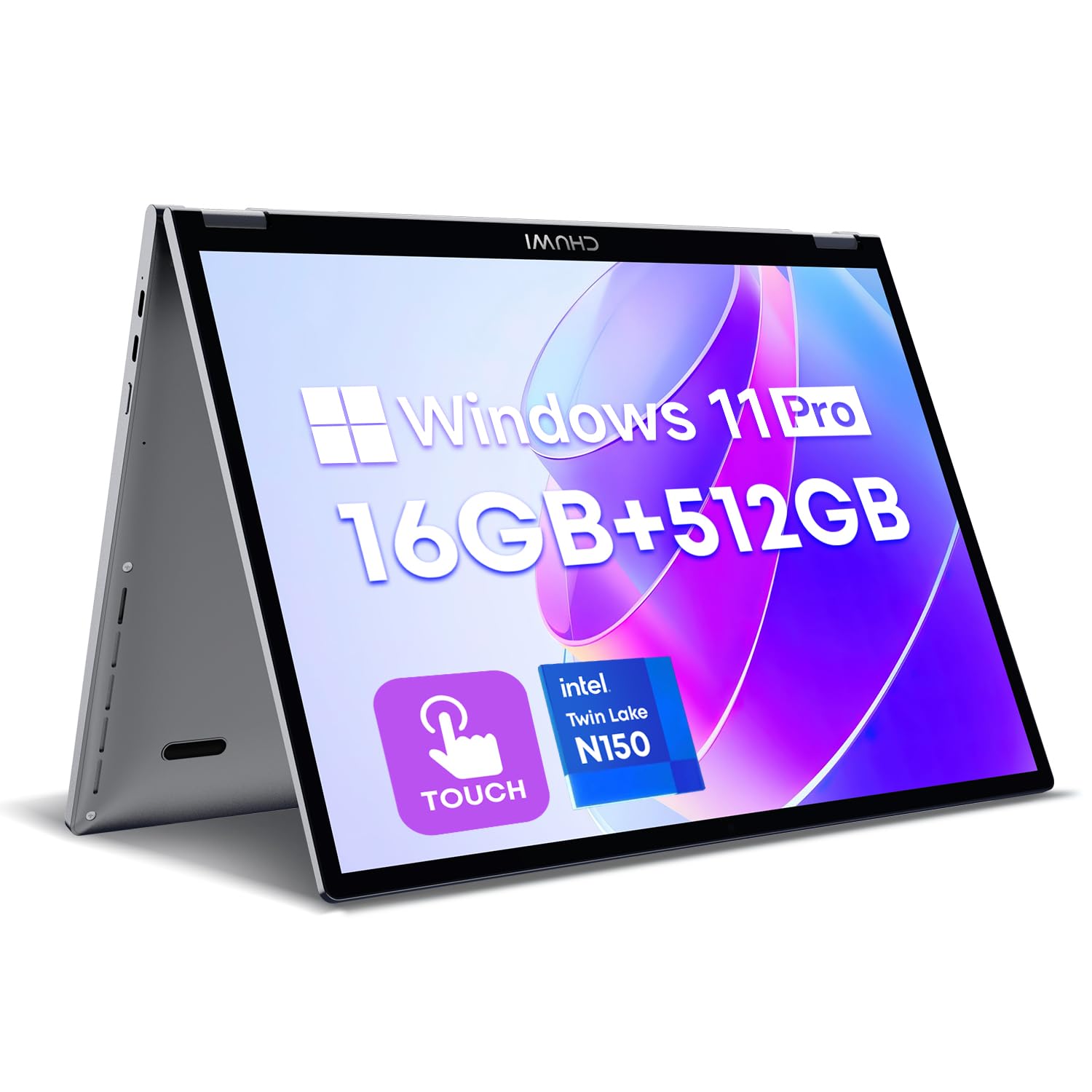
The CHUWI MiniBook X packs a surprisingly sharp 10.51-inch 2K IPS touchscreen (1920×1200, 100% sRGB) into a compact chassis that weighs just 1.96 pounds. The Intel N150 processor with 16GB of LPDDR5 RAM and a 512GB NVMe SSD provides enough memory bandwidth for heavy multitasking, easily handling dozens of browser tabs alongside Office apps. The 360-degree hinge and backlit keyboard make it a versatile companion for both work and entertainment.
The all-metal build with a well-matched plastic lid (for better WiFi signal) feels premium, and the cooling fan keeps temperatures in check without being overly loud. Battery life hovers around 6 hours with light use, which is decent for a device this size. The dual USB-C ports support power delivery and display output, though the included charger is a 12V non-PD unit, so using a standard USB-C PD charger is recommended for the second port.
Where the MiniBook X truly impresses is in its balance of size and performance. It is one of the few sub-11-inch Windows laptops that feels genuinely usable for real work, thanks to the crisp 2K display and ample 16GB of RAM. The keyboard, while a bit cramped for large hands, is surprisingly comfortable for its size. For travelers or digital nomads who want a full Windows experience in a bag-friendly package, the MiniBook X is a standout choice.
Why it’s great
- Sharp 2K display with wide color gamut
- Generous 16GB RAM and 512GB SSD
- Premium all-metal construction
Good to know
- Non-PD charger can damage other electronics
- Small trackpad and cramped keyboard
- Can get warm under sustained load
FAQ
How much RAM do I really need in a 2-in-1 tablet?
Are detachable keyboards better than 360-degree hinges?
Can I use a 2-in-1 tablet for video editing or 3D modeling?
Final Thoughts: The Verdict
For most users, the best 2-in-1 tablet winner is the Apple iPad Pro 13-inch (M5) because it combines the most advanced display technology with class-leading performance and an ever-improving software ecosystem that handles creative and productivity tasks with equal grace. If you need a full desktop OS that still excels in tablet mode, grab the Microsoft Surface Pro (2024) for its silent Snapdragon performance and incredible battery life. And for a large-screen powerhouse that offers unbeatable storage and port selection, nothing beats the Lenovo Yoga 7i 16″.

Mo Maruf
I created WellFizz to bridge the gap between vague wellness advice and actionable solutions. My mission is simple: to decode the research and give you practical tools you can actually use.
Beyond the data, I am a passionate traveler. I believe that stepping away from the screen to explore new environments is essential for mental clarity and physical vitality.