Our readers keep the lights on and my smoothie glass nicely filled. As an Amazon Associate, I earn from qualifying purchases.
Forget messy handwritten labels and expensive pre-printed sticker sheets. A Bluetooth label maker puts a complete custom-label printing press in your hand, letting you design and print crisp, durable labels straight from your phone or computer for every drawer, jar, cable, and file folder that needs taming.
I’m Mohammad Maruf — the founder and writer behind WellFizz. This guide is built from hours of comparing thermal print engines, tape ecosystems, app feature sets, and battery performance across the current market to save you the research time.
Whether you are organizing a home kitchen, running a small business, or managing inventory, finding the best bluetooth label maker for your specific needs comes down to tape width, resolution, and app flexibility.
How To Choose The Best Bluetooth Label Maker
Choosing the right Bluetooth label maker means looking past the sticker price and focusing on how the device fits your actual labeling volume, label size needs, and preferred design workflow. Here are the critical factors to weigh.
Print Technology: Thermal vs. Thermal Transfer
Most portable Bluetooth label makers use direct thermal printing, which is ink-free and low-maintenance but produces labels that can fade over time if exposed to heat or direct sunlight. Thermal transfer models use a ribbon to bond the ink to the label, creating waterproof, oil-proof, and scratch-resistant labels that last much longer. If your labels go on items stored in harsh conditions — garage toolboxes, food containers, outdoor gear — a thermal transfer model like the NIIMBOT M2 is worth the upgrade.
Label Tape Compatibility and Width
The biggest physical limitation is tape width. Many compact label makers max out at half an inch (12mm), which is ideal for file folder tabs and small jar labels. For shipping labels, cable wraps, or bin labels, you will need a wider printer, such as the Arrvel A42BT which handles up to 4.3 inches. Also decide between continuous tape (where you choose the length for each label) versus pre-sized die-cut labels, which are common in the SUPVAN E12 and NIIMBOT B1.
App Ecosystem and On-Device Controls
A powerful app turns a basic printer into a design tool. Look for an app that offers barcode and QR code generation, batch printing, Excel import, and a large library of templates and icons without requiring a paid subscription. If you prefer not to use a phone, models like the Brother PT-N25BT and SUPVAN E12 include a full QWERTY keyboard and LCD screen for standalone operation.
Quick Comparison
On smaller screens, swipe sideways to see the full table.
| Model | Category | Best For | Key Spec | Amazon |
|---|---|---|---|---|
| NIIMBOT M2 | Thermal Transfer | Durable, long-lasting labels | 300 DPI, waterproof/oil-proof | Amazon |
| Brother PT-D460BT | Business Grade | Spreadsheet integration | TZe tapes up to 3/4 inch | Amazon |
| Arrvel A42BT | Shipping Labels | 4×6 shipping label printing | 150mm/s, 203 DPI, 4.3 inch max | Amazon |
| SUPVAN E12 | Standalone Keyboard | Dual keyboard + app control | 1200mAh battery, 0.2 inch margin | Amazon |
| Brother PT-N25BT | Entry-Level Standalone | Simple on-device labeling | QWERTY keyboard, 12mm tape | Amazon |
| Nelko P21 | Ultra-Portable | Pocket-sized design | 203 DPI, 0.36 kg weight | Amazon |
| NIIMBOT B1 | Value All-Rounder | Large app template library | Auto-identify label size | Amazon |
In‑Depth Reviews
1. NIIMBOT M2 Label Maker
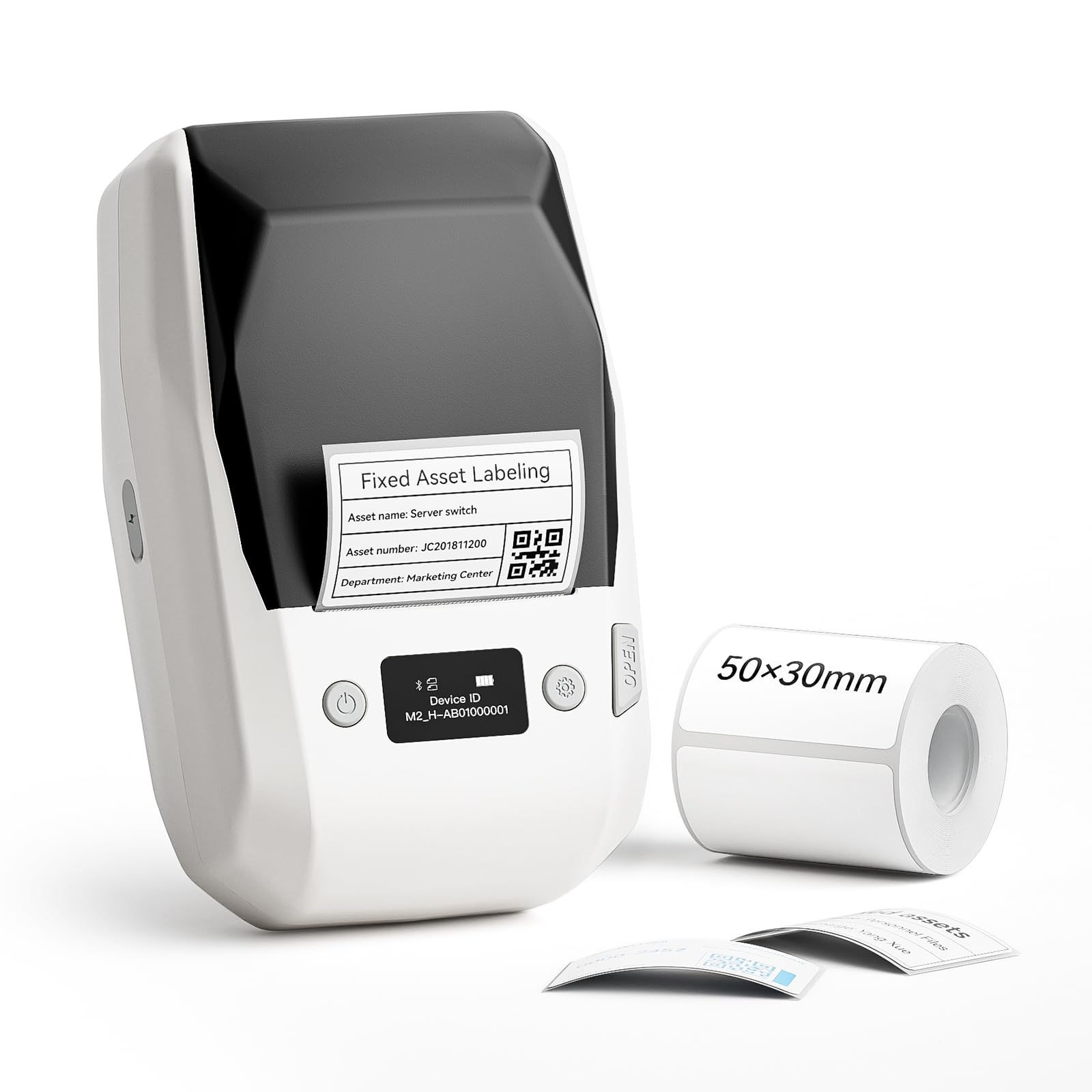
The NIIMBOT M2 stands apart by using thermal transfer technology rather than direct thermal, which means the labels it produces are waterproof, oil-proof, alcohol-proof, and scratch-resistant. At a sharp 300 DPI resolution, this model delivers crisp text and detailed QR codes that hold up under tough conditions, making it an excellent choice for labeling laboratory vials, outdoor gear, or refrigerated items. The ability to use color ribbons (sold separately) adds a branding dimension most portable label makers lack.
The companion NIIMBOT app gives access to templates, barcodes, and batch printing, and the printer can be connected simultaneously to up to ten phones. Setup via Bluetooth is straightforward, though the app has a slight learning curve when designing custom labels from scratch. The build feels solid and compact, and the internal battery lasts through multiple heavy print sessions without needing a recharge.
One trade-off is that the M2 uses proprietary M2-series label rolls and ribbons, not the standard thermal paper used by the NIIMBOT B1 family. This lock-in is balanced by the enormous gain in label durability. For anyone whose labels face moisture, chemicals, or abrasion, this is the clear premium pick.
Why it’s great
- 300 DPI thermal transfer for waterproof, oil-proof labels
- Supports single-color ribbon printing for colorful designs
- Connects simultaneously with 10 phones
Good to know
- Uses proprietary M2-series consumables, not standard thermal rolls
- App has a learning curve for advanced custom label creation
- Color ribbons require separate purchase
2. Brother P-Touch PT-D460BT

The Brother PT-D460BT is a business-class label maker that bridges the gap between simple portable printers and dedicated desktop systems. It accepts the full range of Brother TZe laminated tapes up to three-quarters of an inch wide, giving you access to a vast selection of colors and widths for everything from cable wraps to bin labels. The standout feature is its ability to import and link Excel and CSV files via the P-Touch Editor software, enabling batch printing from spreadsheets with live data linking.
Bluetooth connectivity works reliably with both the free Design&Print 2 mobile app and the desktop software for Mac and PC. The LCD screen shows a 16-character preview before printing, which reduces tape waste. The build quality is classic Brother — the printer feels substantial and durable, with a satisfyingly smooth label cutter. Many reviewers highlight the backlit display and the sheer versatility of tape sizes as the reasons this machine earns top marks for organization fanatics and office managers.
Wi-Fi setup was noted by some users as more involved than expected, and the TZe tape cartridges are pricier than generic alternatives. However, for users who need professional laminated labels and the ability to automate label production from existing data, the PT-D460BT remains the benchmark in the mid-range.
Why it’s great
- Excel/CSV live data linking for batch label printing
- Supports wide 3/4 inch TZe laminated tapes
- Durable build with backlit LCD display
Good to know
- Wi-Fi initial setup can be tricky
- Genuine TZe tape cartridges are relatively expensive
- Runs on 6 AAA batteries or optional AC adapter
3. Arrvel A42BT Thermal Label Printer
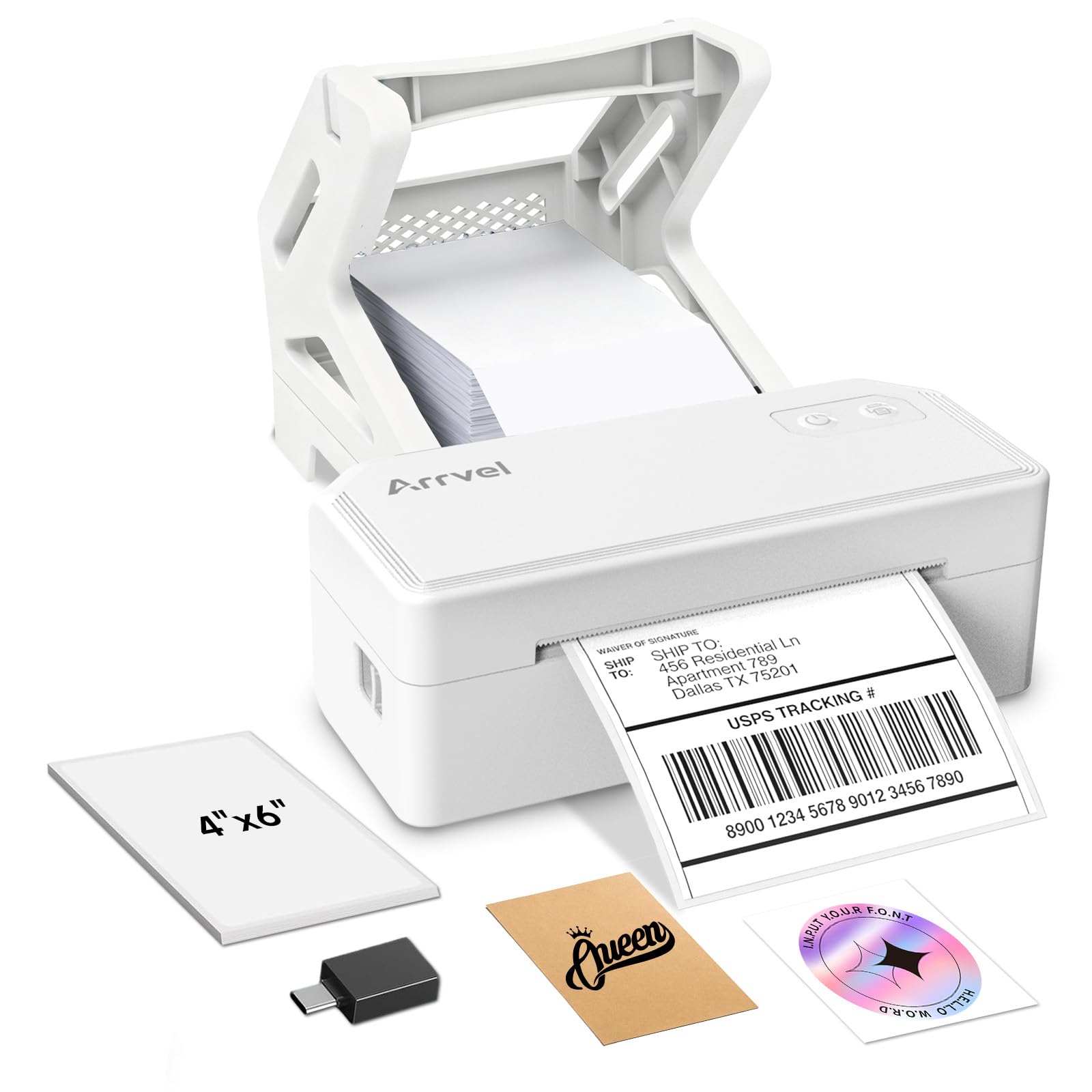
The Arrvel A42BT is a dedicated 4×6 shipping label printer that brings wireless Bluetooth convenience to the small business shipping workflow. It uses direct thermal technology to print at a rapid 150mm per second, churning out up to 72 labels per minute. The included stand holds a full roll of 4×6 labels securely, and the FlashLabel Pro app includes AI Smart Cropping that automatically converts full-size logistics PDFs into optimized label dimensions for Amazon, eBay, Shopify, and Etsy.
Setup is refreshingly simple: the printer works via Bluetooth with the FlashLabel Pro app on iOS and Android, and also supports USB connection to Windows and Mac with an auto-pop-up driver installer. The 203 DPI resolution is standard for shipping labels and produces clear barcodes and addresses. Reviewers consistently praise the compact footprint and the fact that it requires no ink or toner — just thermal labels and power.
The major constraint is that this printer is purpose-built for wide-format labels (1.57 to 4.3 inches), so it is not suitable for small jar or folder tab labeling. The app is also primarily designed for logistics rather than decorative or creative labels. For anyone fulfilling orders from home, this is a fast and cost-effective wireless upgrade.
Why it’s great
- 150mm/s fast printing for large shipping volumes
- AI auto-crop for 4×6 labels from logistics PDFs
- Inkless thermal with easy Bluetooth + USB connectivity
Good to know
- Designed for wide labels only, not for small office labels
- App limited to logistics-focused features
- Requires USB-C adapter for Mac connectivity
4. SUPVAN E12 Bluetooth Label Maker
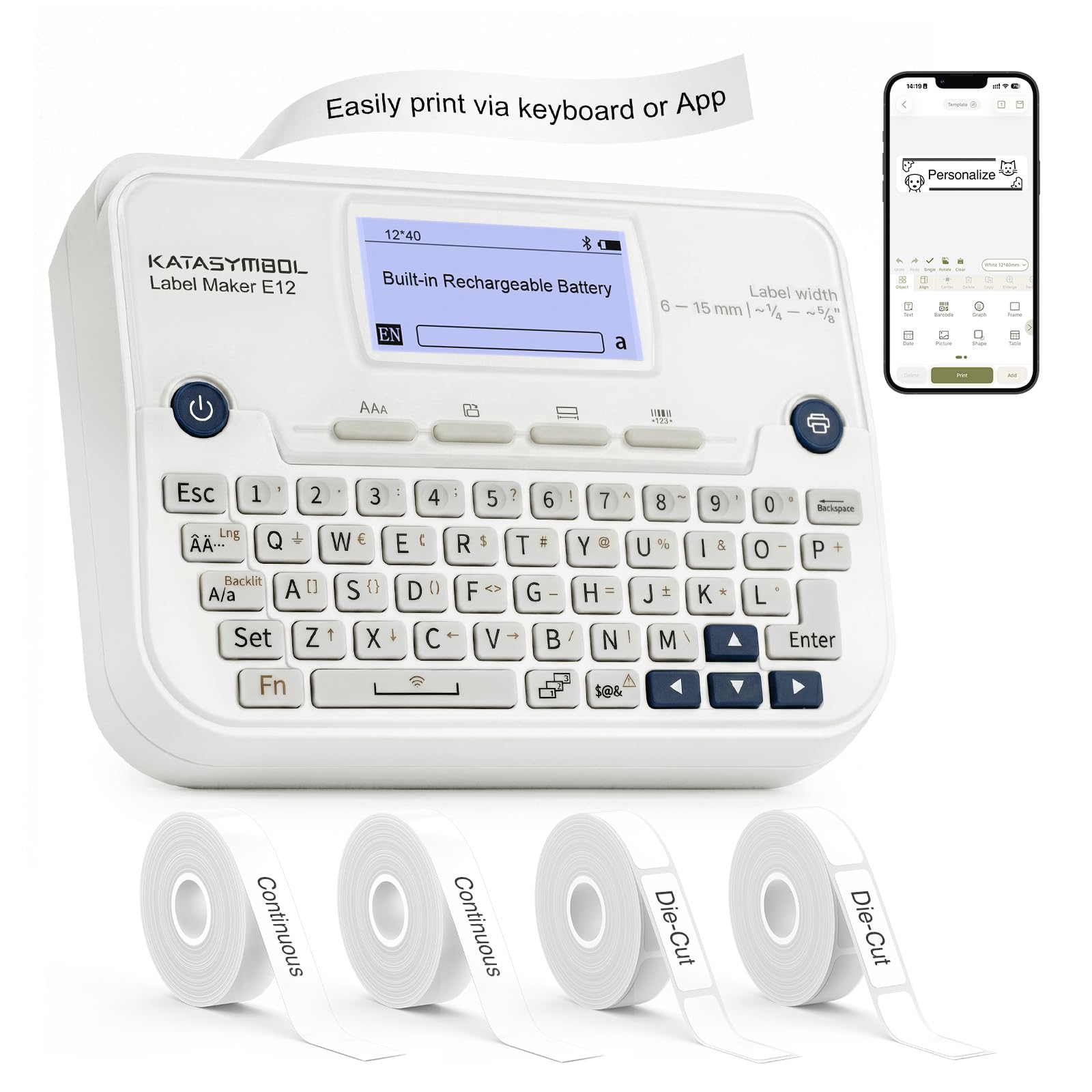
The SUPVAN E12 is one of the most flexible Bluetooth label makers on the market because it offers a full QWERTY keyboard for standalone operation alongside a full-featured Bluetooth app. This means you can quickly knock out a simple label without pulling out your phone, then switch to the Katasymbol app for advanced designs with over 30 fonts, 660 icons, and custom image uploads. The built-in 1200mAh rechargeable battery lasts about a month of regular use on a single charge.
The 0.2-inch minimal margin printing is a clever engineering detail that saves a noticeable amount of label tape over the life of the device. It comes with four tape rolls — two die-cut and two continuous — stored neatly inside the back compartment. The backlit LCD screen makes it easy to read in dim workshop lighting, and the automatic font-size adjustment on die-cut labels ensures long text fits without manual tweaking.
The trade-off is that the maximum tape width is about half an inch, which limits its use to smaller labels. Some users also noted that the auto-cut feature leaves a short tail on each label. For home organizers, teachers, and crafters who want the speed of a keyboard and the power of an app, the E12 delivers exceptional value.
Why it’s great
- Dual keyboard + app operation for maximum flexibility
- Long-lasting 1200mAh rechargeable battery
- Low 0.2-inch margin saves tape material
Good to know
- Maximum tape width limited to about 0.5 inches
- Auto-cut leaves a small tape tail
- App requires initial setup to access all features
5. Brother P-Touch PT-N25BT
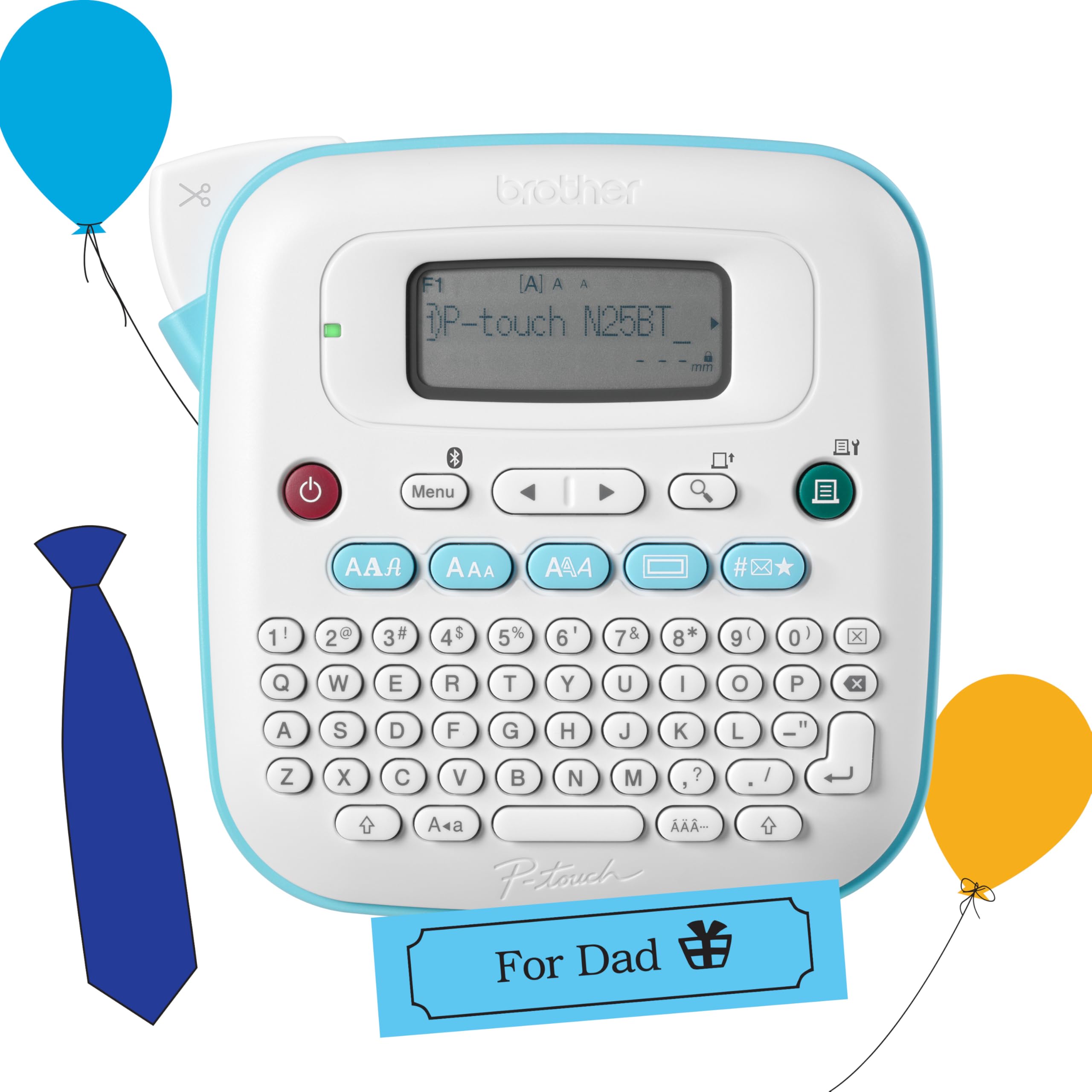
The Brother PT-N25BT brings the classic P-Touch form factor into the Bluetooth era. It features a physical QWERTY keyboard that makes typing labels feel like using a tiny typewriter, and the 16-character LCD display lets you preview your label before committing to a print. The Bluetooth connection to the free Design&Print 2 app unlocks additional fonts, frames, and symbols beyond the 3 fonts, 15 frames, and 250 symbols already stored on the device.
This model uses Brother Btag cartridges (half-inch wide, 12mm), which have split, easy-peel backings that make application effortless. The built-in cutter delivers clean edges every time. For users who want to print labels without relying on a smartphone at all, the N25BT is an excellent pick — just load batteries, type, and print. Many buyers love it for quick organization tasks around the home and dorm room.
The catch is that Btag cartridges are less widely available than the older TZe line, and the device requires six AAA batteries (not included) or a separate AC adapter. The tape lacks the lamination of TZe, so it is less durable in harsh environments. For straightforward, no-app-required labeling of folders, storage bins, and pantry jars, the N25BT is a proven entry-level performer.
Why it’s great
- Full QWERTY keyboard for standalone labeling
- Easy-peel Btag cartridges with split backing
- Compact and portable design
Good to know
- Requires 6 AAA batteries or AC adapter (neither included)
- Btag tapes are non-laminated and less durable than TZe
- Only supports 12mm wide tape
6. Nelko P21 Bluetooth Label Printer

The Nelko P21 is designed for ultra-portability, weighing just 0.36 kilograms and slipping easily into a pocket or the included carrying case. It uses direct thermal technology with 203 DPI resolution and a high-speed chip that delivers sharp monochrome prints instantly. The Nelko app is well-stocked with over 3,600 icons, 750 templates, and 5500 materials, making it incredibly easy to create custom labels for school supplies, kitchen jars, and office binders.
Bluetooth pairing is quick, and the app guides you through the initial setup step by step. The printer comes with three rolls of 14x40mm die-cut labels, which is enough for a generous first batch of projects. The built-in rechargeable battery lasts for extended use, though the charging adapter is not included — you will need your own USB power brick. The compact form factor means the P21 is a natural grab-and-go companion for teachers, students, and anyone organizing multiple locations.
The limitation is label size: the P21 only supports fixed-length die-cut labels (14x40mm, 14x50mm, 14x75mm) and does not accept continuous tape reels. This makes it less suitable for custom-length labels or wider applications. For quick, consistent-sized labels printed from a phone, however, the P21 is impressively light and easy.
Why it’s great
- Extremely lightweight and pocketable design
- App includes 3,600+ icons and 750+ templates
- Comes with 3 tape rolls and a carrying case
Good to know
- Only supports fixed-length die-cut labels, no continuous tape
- Charging adapter not included
- Not compatible with computers, phone-only
7. NIIMBOT B1 Label Maker
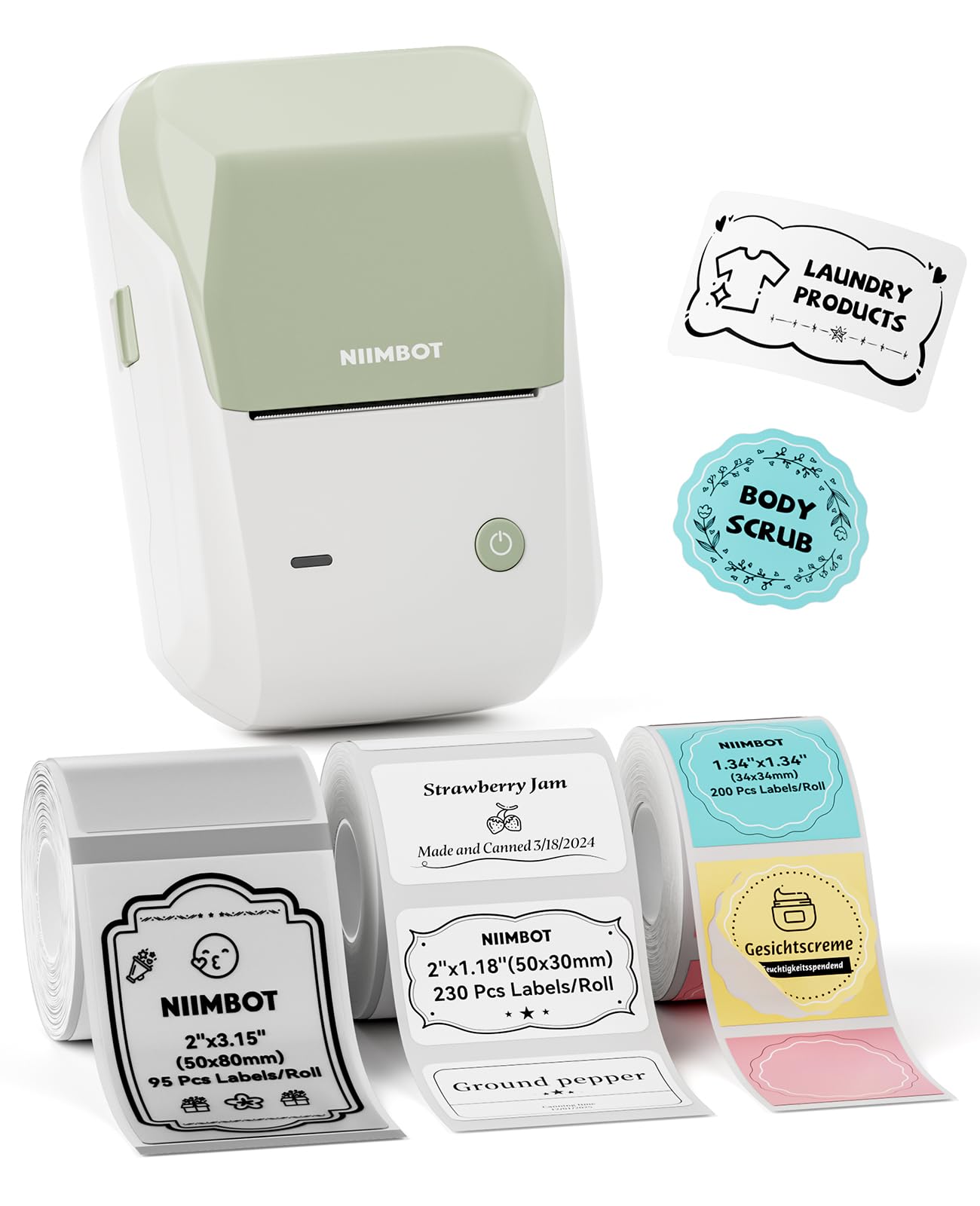
The NIIMBOT B1 is a well-rounded entry-level Bluetooth label maker with a strong emphasis on app-based customization. It includes three rolls of label paper out of the box — white, transparent, and colorful round — giving you immediate variety for different projects. The NIIMBOT app features over 30 fonts, 100 borders, and 1500 symbols, and the auto-identify functionality detects the label size you loaded, so you do not have to manually select templates each time.
Setup is quick on both iOS and Android, and the printer also supports USB connection to a PC with a driver download for desktop editing. The print speed is impressive for a device in this price tier, and the battery life has received consistent praise from users who run multiple print sessions without charging. Reviewers frequently mention using the B1 for labeling spice jars, pill organizers, and small business packaging with fast, consistent results.
The main drawbacks are that certain premium app templates require a monthly subscription, and the printer is not suggested for use with tablets. The build quality is good but feels slightly lighter than the Brother options. For users who prioritize a powerful app and large template library over standalone keyboard controls, the B1 offers excellent value.
Why it’s great
- Auto-identifies label size for quick printing
- 3 diverse label rolls included (white, transparent, round)
- Bluetooth and USB dual connectivity
Good to know
- Some app templates require a monthly subscription
- Not recommended for use with tablets
- PC driver installation needed for desktop use
FAQ
Can I print barcodes and QR codes with a Bluetooth label maker?
Do I need an internet connection to use the label maker app?
What is the difference between Btag, TZe, and generic thermal tape?
Can I use my Bluetooth label maker with a Windows or Mac computer?
Final Thoughts: The Verdict
For most users, the best bluetooth label maker winner is the Brother PT-D460BT because it combines wide TZe tape compatibility, spreadsheet integration for batch printing, and a durable build that justifies its price for both home and business use. If you need labels that survive moisture and rough handling, grab the NIIMBOT M2 with its thermal transfer 300 DPI printing. And for small business shipping, nothing beats the Arrvel A42BT with its fast 4×6 label printing and AI-powered logistics features.

Mo Maruf
I created WellFizz to bridge the gap between vague wellness advice and actionable solutions. My mission is simple: to decode the research and give you practical tools you can actually use.
Beyond the data, I am a passionate traveler. I believe that stepping away from the screen to explore new environments is essential for mental clarity and physical vitality.