Our readers keep the lights on and my smoothie glass nicely filled. As an Amazon Associate, I earn from qualifying purchases.
Nothing kills a movie night, a critical Zoom call, or an online game quite like the loading spinner — that spinning wheel of doom that appears when your router’s signal just can’t punch through a wall or reach the back bedroom. A dedicated signal booster is the cure, acting as a middleman to catch your router’s weak signal, amplify it, and beam it into the dead zones your main box can’t touch.
I’m Mohammad Maruf — the founder and writer behind WellFizz. I’ve spent hundreds of hours analyzing Wi-Fi extender specs, cross-referencing real customer performance data against marketing claims, and sorting through the noise of exaggerated coverage numbers to find the units that actually deliver on their promises.
This guide breaks down the models that earned their spot through stable throughput, honest range, and usable features so you can buy with real confidence the next best wi-fi booster for your home or office.
How To Choose The Best Wi-Fi Booster
Buying a Wi-Fi booster feels straightforward, but the spec sheet is full of traps designed to make cheap units look like whole-home solutions. Before you click “add to cart,” focus on three factors that define real-world performance.
Range vs. Real-World Throughput
The biggest lie in this category is the coverage number printed on the box. A unit claiming 12,880 sq. ft. of range is almost certainly tested in an open field with zero interference. In a typical home with drywall, furniture, and appliances, expect about 15–20% of that number in usable coverage. Look for models that advertise a specific number of devices supported and a realistic square footage—anything under 2,000 sq. ft. of honest range is more likely to match what you actually get.
Dual-Band vs. Tri-Band and WiFi Generation
Dual-band boosters (2.4 GHz + 5 GHz) are the standard for most homes. The 2.4 GHz band travels farther but caps out around 300–600 Mbps, while the 5 GHz band is faster but shorter-ranged. A WiFi 6 (802.11ax) extender offers better efficiency when handling many devices simultaneously, but only if your router also supports WiFi 6. If you have an older router, a premium WiFi 5 (AC) extender will often outperform a budget WiFi 6 unit because the bottleneck is your router, not the extender.
Ethernet Port and Mesh Compatibility
A Gigabit Ethernet port is not optional—it gives you a wired backhaul option for the most stable connection possible, and it lets you connect a gaming console or smart TV directly for lag-free performance. Mesh compatibility (like EasyMesh or AiMesh) allows the extender to share the same network name (SSID) as your router, so your phone automatically switches to the strongest signal as you walk through the house—no manual reconnection required.
Quick Comparison
On smaller screens, swipe sideways to see the full table.
| Model | Category | Best For | Key Spec | Amazon |
|---|---|---|---|---|
| TP-Link RE615X | WiFi 6 Extender | Whole-home coverage + streaming | 1800 Mbps total bandwidth / 2100 sq. ft. | Amazon |
| ASUS RP-AX58 | AiMesh Extender | Seamless roaming with ASUS routers | 3000 Mbps / lifetime AiProtection Pro | Amazon |
| TP-Link Deco S4 (3-Pack) | Mesh System | Dead-zone elimination in large homes | 5500 sq. ft. / AC1900 / 100 devices | Amazon |
| NETGEAR EXS27 | WiFi 7 Extender | Future-proof speeds + multi-gig wired | 5 Gbps / 2.5 Gig Ethernet port | Amazon |
| WAVLINK AX1800 Outdoor | Outdoor WiFi 6 | Yards, farms, RV, outbuildings | IP67 weatherproof / PoE / 8dBi antennas | Amazon |
| AllTough 1200Mbps Extender | Dual-Band | Budget-friendly multi-room coverage | 867 Mbps 5 GHz / tri-mode (AP/Bridge/Boost) | Amazon |
| Generic XL-Q2ProMax-4 | Entry-Level | Quick fix for a small dead zone | 1200 Mbps / 2 x RJ45 ports | Amazon |
In‑Depth Reviews
1. TP-Link RE615X

The TP-Link RE615X is our top pick because it delivers honest, measurable coverage—2100 sq. ft.—rather than the fantasy numbers found on cheaper units. It uses WiFi 6 technology with a total bandwidth of 1800 Mbps (1201 Mbps on 5 GHz and 574 Mbps on 2.4 GHz), which means it handles multiple 4K streams and gaming sessions without choking. Two high-gain directional antennas with beamforming focus the signal exactly where you need it, not just in a vague bubble around the extender.
The Gigabit Ethernet port is a standout feature at this level: you can hardwire a PC, game console, or smart TV directly into the extender for maximum speed and stability, bypassing wireless interference entirely. It also supports EasyMesh, allowing it to share the same SSID as your router for seamless roaming—your phone, laptop, or tablet switches to the strongest signal automatically as you move through the house.
Setup is handled through the TP-Link Tether app, which includes an intelligent signal indicator that helps you find the optimal placement for the extender. Users report that the app-based setup is intuitive, and the unit eliminates dead zones even in homes with lath-and-plaster walls, which are notoriously hard on Wi-Fi signals. Just note that the extender is larger than most plug-in units—its two antennas protrude noticeably, so plan your outlet location accordingly.
Why it’s great
- Realistic 2100 sq. ft. coverage with directional antennas
- Gigabit Ethernet port for wired backhaul or direct device connection
- EasyMesh compatible for seamless roaming
- Simple app-based setup with signal indicator
Good to know
- Physically large with two prominent antennas
- Cannot be configured via Ethernet during initial setup—must start wirelessly
- No wired backhaul option for EasyMesh (only wireless backhaul)
2. ASUS RP-AX58

The ASUS RP-AX58 is the best choice for anyone who already owns an ASUS router, because it integrates seamlessly into the AiMesh ecosystem. With a dual-band WiFi 6 design delivering up to 3000 Mbps, this extender is built for high-bandwidth activities like 4K streaming and competitive gaming. It also includes lifetime free AiProtection Pro, powered by Trend Micro, which adds enterprise-grade network security and WPA3 encryption—a feature set that’s rare at this price.
One of its most valuable features is Instant Guard, which gives you one-click secure internet access when you’re away from home, effectively turning your home network into a private VPN. The extender is tested to punch through brick walls and aluminum-backed insulation, making it a solid option for homes with challenging construction materials. Users who pair it with an ASUS AX router report seamless roaming with a single SSID throughout the house and backyard.
The main downside is that setup can be finicky—some users report needing to unplug and replug the unit multiple times before it connects properly, and the extender works best within the ASUS ecosystem. If you have a non-ASUS router, you may encounter connection drops and limited features. Also, the dual-blade design blocks the second outlet on a standard wall receptacle, so you’ll want a dedicated outlet or a short extension cord.
Why it’s great
- Deep AiMesh integration for seamless roaming with ASUS routers
- Lifetime free AiProtection Pro with WPA3 security
- Instant Guard VPN for secure remote access
- Strong signal penetration through brick and insulation
Good to know
- Setup can be temperamental and may require multiple attempts
- Not ideal for non-ASUS routers—features and stability suffer
- Blocks the second outlet on a standard wall receptacle
- A separate SSID may be required in Extender mode on some networks
3. TP-Link Deco S4 (3-Pack)

If you’re dealing with a large home—4,000 to 5,500 square feet—a single extender won’t cut it. That’s where the TP-Link Deco S4 three-pack comes in as a true mesh system that replaces your router and extenders with three nodes that create one unified network. With AC1900 speeds and support for up to 100 devices, it’s designed for families with multiple 4K TVs, gaming consoles, smart home gadgets, and heavy Zoom usage all running simultaneously.
The three Deco units communicate with each other to create a single SSID across your entire property, so you walk from room to room—and even into the backyard—without ever losing connection or needing to manually swap networks. Each unit has two Gigabit Ethernet ports, giving you six total ports across the three-pack, and the system supports wired Ethernet backhaul for even better speeds if you can run a cable between nodes. Setup is done entirely through the Deco app, which guides you through placing each node for optimal coverage.
Real-world performance is excellent: users report full bars in every room of a 4,800 sq. ft. brick home, with speeds of 450–550 Mbps near a node and 220–300 Mbps in the farthest corners on a 500 Mbps fiber connection. The parental controls are robust—you can create profiles for each family member, limit online time, and block inappropriate content. The trade-off is that the Deco S4 uses AC1900 (WiFi 5) technology, so it lacks the raw speed potential of WiFi 6 units, and there is no dedicated backhaul band, which means performance in very dense interference environments may be lower than a tri-band mesh system.
Why it’s great
- Covers up to 5,500 sq. ft. with seamless roaming via single SSID
- Handles 100 devices without buffering
- Each unit has dual Gigabit Ethernet ports (6 total)
- Excellent parental controls and easy app setup
Good to know
- WiFi 5 (AC1900) technology—not as fast as WiFi 6 options
- No dedicated wireless backhaul band
- App-centric management only—no robust web UI for advanced users
- Some firmware update quirks and feature requests get ignored
4. NETGEAR EXS27
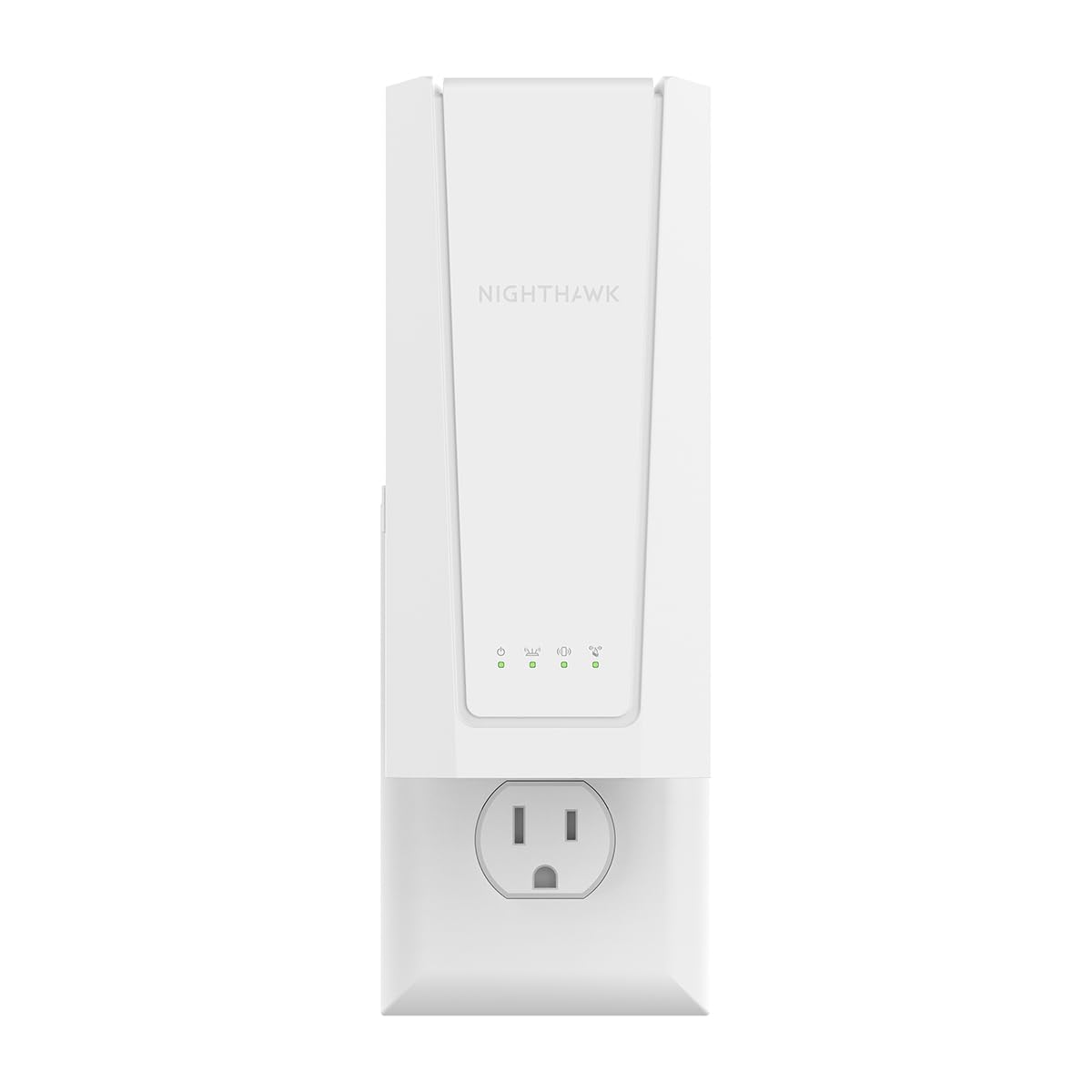
The NETGEAR EXS27 is a premium-range extender that uses the latest WiFi 7 (BE5000) standard to deliver speeds up to 5 Gbps—roughly 2.7x the performance of WiFi 6 units. It’s designed for homes that already have or plan to upgrade to a WiFi 7 router, and it adds up to 1,500 sq. ft. of coverage for up to 45 devices. The unit has a 2.5 Gigabit Ethernet port, which is significantly faster than the standard Gigabit port, making it ideal for wired connections to gaming PCs or NAS drives that need multi-gig throughput.
Smart Roaming allows the extender to use your existing network SSID name, so devices switch automatically to the extender as you move through the house without any manual intervention. The extender also supports WPA3 security for the latest encryption standard. While 1,500 sq. ft. sounds modest compared to some budget units that claim 12,000+ sq. ft., this is an honest coverage number—real users will get precisely this range in a typical home with standard wall construction.
The obvious consideration is that WiFi 7 is still in its early adoption phase, so you need a WiFi 7 router to unlock the full speed potential. The EXS27 is backward compatible with WiFi 6 and older routers, but if your router is WiFi 5 or WiFi 6, you won’t see the headline 5 Gbps speeds. Also, at the premium end of the market, there is no detailed specification sheet available from the manufacturer, which makes it harder to verify channel width, MIMO configuration, and other technical details before buying.
Why it’s great
- WiFi 7 speeds up to 5 Gbps for future-proof networking
- 2.5 Gigabit Ethernet port for multi-gig wired connections
- Smart Roaming with existing network SSID
- WPA3 security and compatibility with any router
Good to know
- WiFi 7 benefits require a WiFi 7 router to realize
- No detailed spec sheet available for technical verification
- Modest 1,500 sq. ft. honest coverage—not for huge homes
- Limited to 45 devices, which may be low for very smart homes
5. WAVLINK AX1800 Outdoor

For homes with a large yard, farm, detached garage, or RV parking area, the WAVLINK AX1800 Outdoor is the right tool. This WiFi 6 extender is built into an IP67-rated weatherproof enclosure that can handle heavy rain, snow, dust, and extreme temperatures, and it comes with four custom-engineered 8dBi fiberglass omnidirectional antennas that focus the signal horizontally for long-range outdoor coverage. It supports multiple operating modes including Access Point, Router, Repeater, and WISP, giving you flexibility for different network configurations.
The extender is compatible with 802.3af/at PoE (Power over Ethernet) and Passive PoE, meaning you can run a single Ethernet cable to the unit for both power and data—ideal for mounting on a pole, under an eave, or on the side of a building. Users report reliable coverage across 2–3 acre properties, with 4 bars of signal at 600 feet from the unit when mounted on a 12-foot pole. It’s also Starlink compatible, making it a strong choice for rural and off-grid internet setups.
Setup is the weakest point: the included instructions are sparse and some users report needing multiple factory resets plus online support to get the unit working properly. Additionally, when used as an AP, the extender may create a separate subnet rather than extending the main network, which can cause issues with IP cameras and other networked devices that expect to be on the same subnet. The 8dbi antennas are excellent for open outdoor spaces but produce disappointing indoor coverage, so this is strictly an outdoor-first solution.
Why it’s great
- True IP67 weatherproofing for year-round outdoor use
- Four 8dbi fiberglass antennas for long-range directional coverage
- PoE support for single-cable installation
- Starlink compatible and covers large acreage properties
Good to know
- Setup procedure is confusing with poor documentation
- May create a separate subnet in AP mode, breaking local network discovery
- 8dbi antennas are poor for indoor use—outdoor only
- Some users report security concerns with Chinese-manufactured router
6. AllTough 1200Mbps Extender
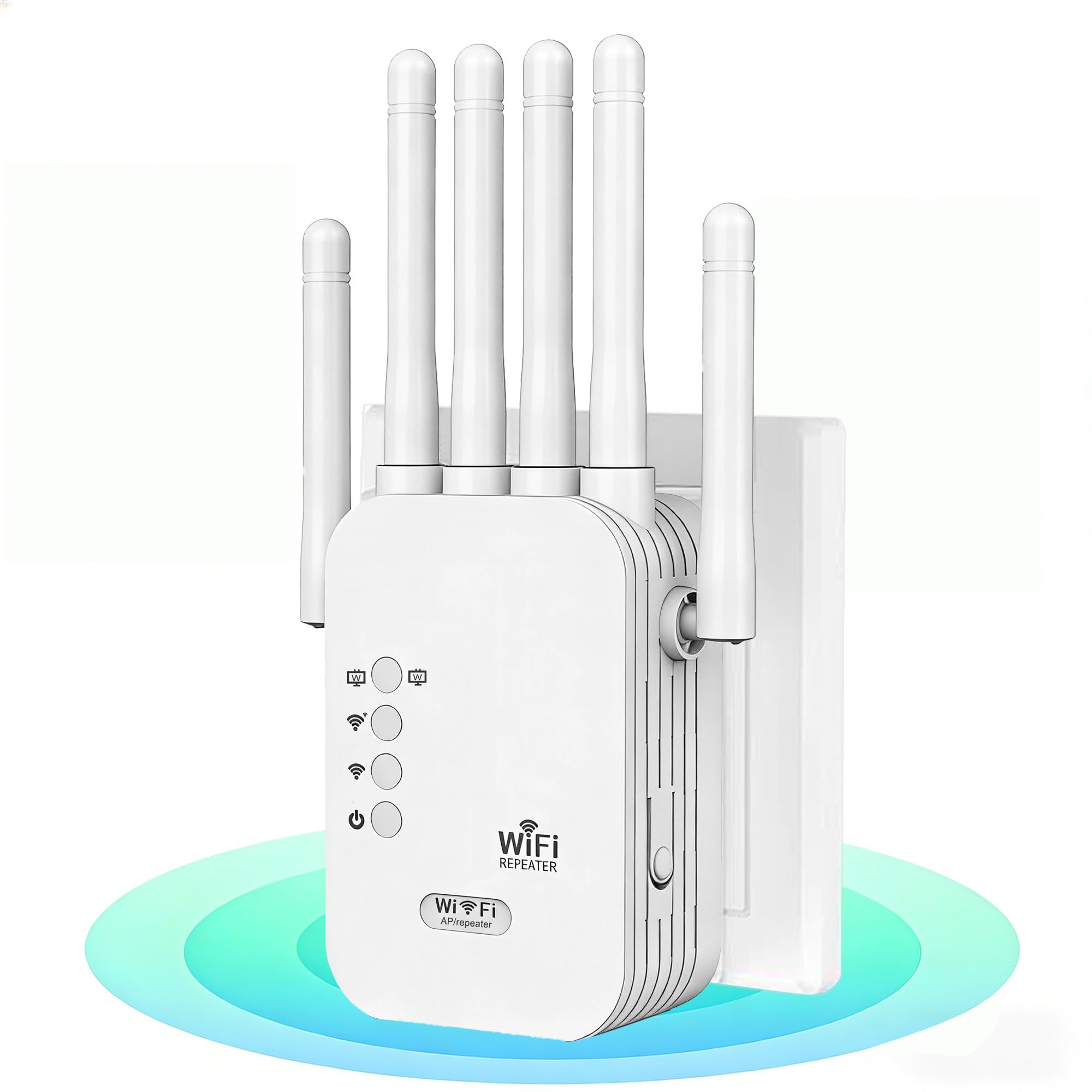
The AllTough 1200Mbps Extender strikes a strong balance between price and performance. It offers dual-band speeds of 867 Mbps on 5 GHz and 300 Mbps on 2.4 GHz, with a tri-mode system that lets you switch between Boost mode (amplifies existing router signal by 300%), AP mode (creates a new high-speed network), and Bridge mode (uses dual Gigabit ports for wired-speed connections). This flexibility means you can tailor the unit to your specific home layout and router setup.
Real users report that this extender replaces units from bigger brands like TP-Link, delivering 5-bar signal in previously dead zones and allowing streaming services to upgrade from standard 5.1 audio to Dolby Atmos. It supports up to 108 devices simultaneously, which is impressive for this price tier, and the dual-band auto-switching helps ensure that bandwidth-heavy tasks like 8K streaming and gaming get routed to the faster 5 GHz band while IoT devices stay on the 2.4 GHz band.
The extender includes enterprise-level WPA2/WPA3 encryption and a bionic encryption module for additional privacy, plus automatic firmware updates to patch security vulnerabilities. Setup is done via WPS button or browser interface. The main downsides are that the coverage claims of 12,880 sq. ft. are vastly overblown—expect more like 2,000–3,000 sq. ft. of usable range—and some users report needing occasional resets after firmware updates. The build quality also feels slightly less robust than premium brands.
Why it’s great
- Tri-mode operation (Boost, AP, Bridge) for flexible deployment
- Dual Gigabit Ethernet ports for wired connections
- Supports up to 108 devices simultaneously
- Enterprise security encryption with auto firmware updates
Good to know
- 12,880 sq. ft. coverage claim is wildly unrealistic—expect 2,000–3,000 sq. ft.
- May need occasional resets after firmware updates
- Build quality feels less premium than name-brand competitors
- Setup instructions could be clearer for non-technical users
7. Generic XL-Q2ProMax-4
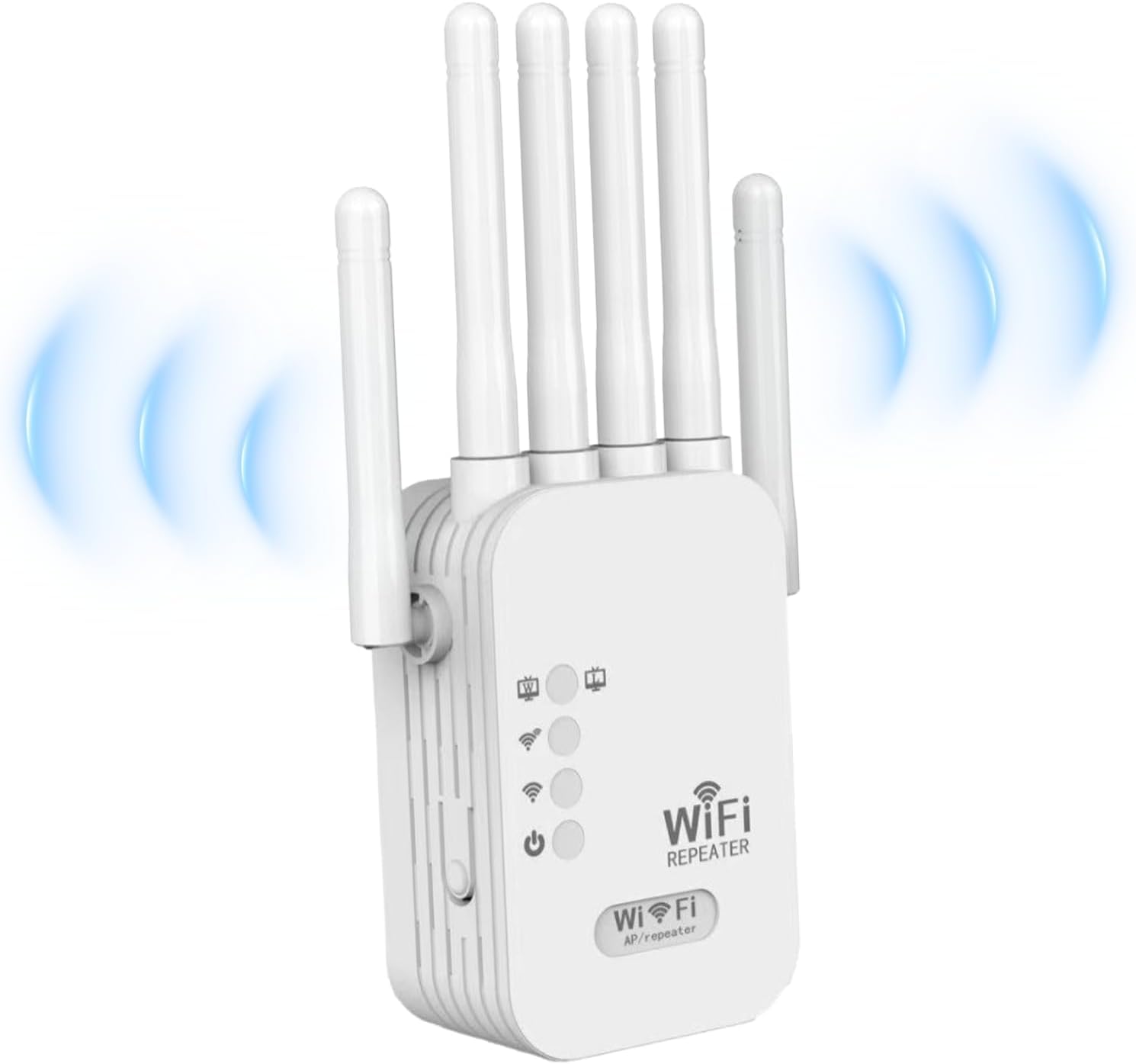
The Generic XL-Q2ProMax-4 is an entry-level dual-band extender that delivers 1200 Mbps total throughput (combined 2.4 GHz and 5 GHz). It includes two RJ45 ports—which is rare at this price point—allowing you to hardwire a couple of devices directly to the extender for a more stable connection. The unit supports up to 55 devices and uses WEP/WPA/WPA2 security protocols to protect your network from unauthorized access.
Setup is advertised as one-tap via WPS, and many users confirm that the plug-and-play experience works well: you press the WPS button on your router and then on the extender, and it connects automatically. Real-world feedback shows that this extender eliminates drops in small-to-medium homes, particularly extending signal to a bedroom, office, or garage that was previously a dead zone. Multiple users report stable connections after setup with no recurring disconnections.
The major red flag is the coverage claim: 12,880 sq. ft. is pure marketing fiction. Critical user reviews point out that the real usable range is closer to 2,000 sq. ft., and the 5 GHz band can be weak and inconsistent. Speeds on the 2.4 GHz band often drop to single-digit Mbps under load, and the extender is not suitable as a whole-home solution. It’s best thought of as a cheap fix for one specific dead zone—not a replacement for a proper mesh system or a premium extender.
Why it’s great
- Two RJ45 Ethernet ports for wired device connection
- Easy one-tap WPS setup for quick installation
- Compact and lightweight design
- Supports up to 55 devices
Good to know
- 12,880 sq. ft. coverage claim is grossly misleading
- 5 GHz band is weak and inconsistent in real use
- 2.4 GHz speeds can drop to single-digit Mbps under load
- Not suitable as a whole-home solution—best for one dead zone
FAQ
Does a Wi-Fi booster reduce internet speed?
Should I get a Wi-Fi extender or a mesh system?
Do I need WiFi 6 for my extender?
Final Thoughts: The Verdict
For most users, the best wi-fi booster winner is the TP-Link RE615X because it offers honest 2100 sq. ft. coverage, a Gigabit Ethernet port, EasyMesh compatibility, and true WiFi 6 performance at a mid-range price. If you want seamless whole-home coverage with a single SSID and no dead zones, grab the TP-Link Deco S4 three-pack. And for outdoor coverage across a large yard or farm, nothing beats the WAVLINK AX1800 Outdoor.

Mo Maruf
I created WellFizz to bridge the gap between vague wellness advice and actionable solutions. My mission is simple: to decode the research and give you practical tools you can actually use.
Beyond the data, I am a passionate traveler. I believe that stepping away from the screen to explore new environments is essential for mental clarity and physical vitality.