Our readers keep the lights on and my smoothie glass nicely filled. As an Amazon Associate, I earn from qualifying purchases.
Moving from a standard 1080p display to a 1440p panel is one of the most noticeable visual upgrades you can make to your desk. The extra pixel density sharpens text, brings out finer details in game worlds, and still keeps the GPU load manageable compared to 4K, making it the resolution sweet spot for both productivity and high-frame-rate gaming.
I’m Mohammad Maruf — the founder and writer behind WellFizz. I’ve spent years dissecting display specifications, comparing backlight technologies, and analyzing real-world performance metrics across hundreds of monitors to help buyers cut through the marketing noise.
Whether you need a fast IPS panel for competitive shooters or a QD-OLED for HDR movies and deep contrast, this guide breaks down the top contenders to help you find the right 2k monitor for your specific setup and budget.
How To Choose The Best 2K Monitor
Selecting a QHD monitor involves more than just picking the highest refresh rate. You need to match the panel type, connectivity, and ergonomic adjustments to your specific use case, whether that’s competitive esports, creative work, or immersive single-player gaming.
Panel Technology: IPS vs OLED vs VA
IPS panels offer wide viewing angles and consistent color reproduction, making them a solid all-around choice for gaming and productivity. QD-OLED technology delivers perfect black levels and eye-popping contrast, but comes at a higher price and requires some care to avoid burn-in. VA panels offer good contrast but slower response times, making them less ideal for fast-paced gaming.
Refresh Rate and Response Time
For competitive shooters and racing games, a 240Hz or higher refresh rate with a 1ms or faster response time significantly reduces motion blur and input lag. A 144Hz or 180Hz panel is more than enough for slower-paced titles, mixed use, and general desktop work, and it demands less from your graphics card.
Connectivity and Ergonomics
Check for HDMI 2.1 or DisplayPort 1.4 if you plan to run the monitor at its maximum refresh rate. A fully adjustable stand—with height, tilt, swivel, and pivot—can prevent neck strain during long sessions. Features like USB-C with power delivery are a nice bonus for laptop users who want a single-cable desk setup.
Quick Comparison
On smaller screens, swipe sideways to see the full table.
| Model | Category | Best For | Key Spec | Amazon |
|---|---|---|---|---|
| Samsung Odyssey G5 G53F | Mid-Range | Balanced Gaming & Work | 200Hz / 1ms MPRT / IPS | Amazon |
| Alienware AW2725DM | Mid-Range | Sturdy Build & Color | 180Hz / 1ms GtG / IPS | Amazon |
| Dell S2725DC | Mid-Range | Productivity & USB-C Hub | 144Hz / 1ms MPRT / IPS | Amazon |
| ViewSonic VG2748A-2K | Mid-Range | Office & Ergonomic Comfort | 100Hz / IPS / Smart Sensing | Amazon |
| ASUS TUF VG27AQM5A | Premium | High-FPS Competitive Gaming | 300Hz / 0.3ms GtG / Fast IPS | Amazon |
| LG 27GR83Q-B | Premium | Console & PC Hybrid Use | 240Hz / 1ms GtG / IPS | Amazon |
| AOC Q27GAZD | Premium | Entry-Level QD-OLED | 240Hz / 0.03ms GtG / QD OLED | Amazon |
| Acer Predator X27U | Premium | Vivid HDR & Color Accuracy | 240Hz / 0.03ms GtG / QD-OLED | Amazon |
| Samsung Odyssey OLED G5 | Premium | Stunning OLED on a Budget | 180Hz / 0.03ms GtG / QD-OLED | Amazon |
In‑Depth Reviews
1. Samsung 27” Odyssey G5 G53F

The Samsung Odyssey G5 G53F strikes a near-perfect balance between gaming performance and everyday usability. Its 27-inch IPS panel delivers QHD resolution with a 200Hz refresh rate and 1ms MPRT, which is fast enough for most competitive titles while keeping the price accessible. The 300 cd/m² brightness and HDR10 support add punch to in-game highlights without washing out darker scenes.
FreeSync Premium compatibility ensures smooth, tear-free gameplay when paired with an AMD graphics card, and the Black Equalizer feature lifts shadows for better visibility in dark corners. The Auto Source Switch+ is a practical addition for anyone juggling a PC and a console on the same screen, automatically detecting which device is active.
The stand only offers tilt adjustment, which is the main compromise at this price point. Buyers who need height or swivel versatility will want to budget for a VESA arm. Overall, this is a strong mid-range performer that covers the essentials without unnecessary frills.
Why it’s great
- 200Hz refresh rate and 1ms MPRT for fluid motion
- Black Equalizer improves visibility in dark game scenes
- Auto Source Switch+ simplifies multi-device setups
Good to know
- Stand only supports tilt; no height or swivel adjustment
- Contrast ratio of 1000:1 is typical for IPS
2. Alienware 27 Gaming Monitor AW2725DM

The Alienware AW2725DM is a well-rounded QHD monitor that feels more premium than its price suggests. The 27-inch IPS panel covers 95% of the DCI-P3 color gamut and carries VESA DisplayHDR 400 certification, delivering vibrant colors and decent highlight detail out of the box. The 180Hz refresh rate, combined with both G-Sync and FreeSync compatibility, makes it flexible for any GPU ecosystem.
Build quality is a standout feature here. The stand offers full ergonomic adjustment—height, tilt, swivel, and pivot—which is rare at this tier. The anti-glare screen coating helps reduce reflections in bright rooms, and the hardware-based low blue light solution cuts eye strain without shifting the color temperature to a warm yellow.
The HDMI port is limited to 144Hz; you need DisplayPort to unlock the full 180Hz. The monitor also lacks built-in speakers and a USB-C port, so factor that into your setup planning if you rely on a laptop for daily work.
Why it’s great
- Full ergonomic stand with height, tilt, swivel, and pivot
- 95% DCI-P3 coverage with DisplayHDR 400
- Works with both G-Sync and FreeSync
Good to know
- HDMI limited to 144Hz; use DisplayPort for 180Hz
- No built-in speakers or USB-C connectivity
3. Dell 27 Plus QHD USB-C Monitor S2725DC
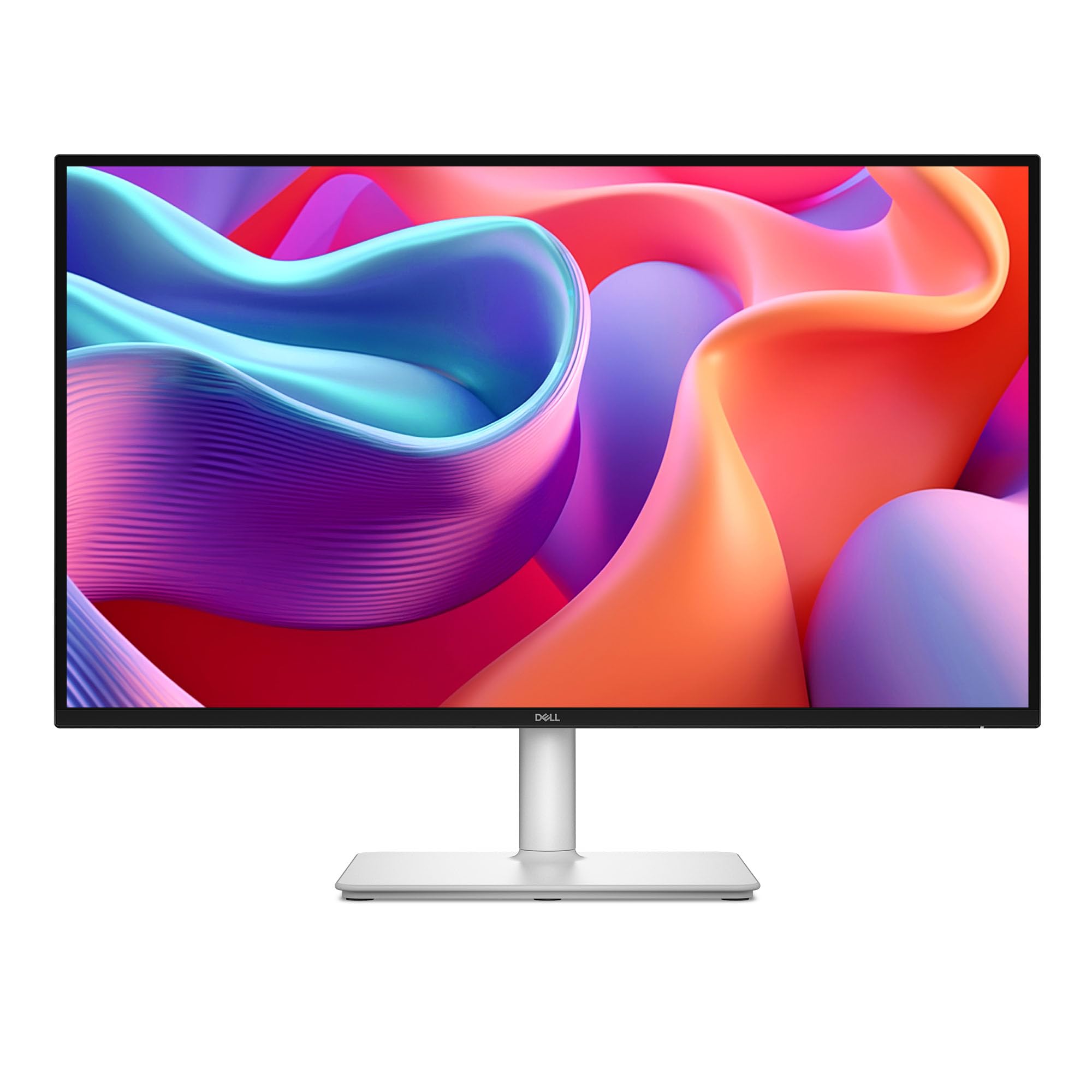
The Dell S2725DC is built for the productivity user who values a clean, single-cable desk setup. The USB-C port delivers up to 65W of power delivery, which is enough to charge a typical ultrabook while transmitting video data. The 27-inch IPS panel offers a 1500:1 contrast ratio—higher than the usual 1000:1—giving text and spreadsheets deeper black levels that reduce eye fatigue during long work hours.
A 144Hz refresh rate and 1ms MPRT make this monitor surprisingly capable for casual gaming despite its office-focused styling. The integrated dual 3W speakers produce clear dialogue for video calls and media playback, so you can skip the external speakers for general use. The four-star TÜV certification for low blue light is a genuine benefit for anyone staring at screens all day.
The joystick control for navigating the on-screen display can feel a bit fragile, and the height adjustment range is less generous than some competitors. The ash-white color scheme is a nice departure from the usual black, but it may not suit every desk aesthetic.
Why it’s great
- USB-C with 65W power delivery for simple laptop setups
- 1500:1 contrast ratio for deeper blacks than typical IPS
- Built-in dual 3W speakers reduce desktop clutter
Good to know
- Joystick control feels a bit delicate
- Limited height adjustment range
4. ViewSonic VG2748A-2K
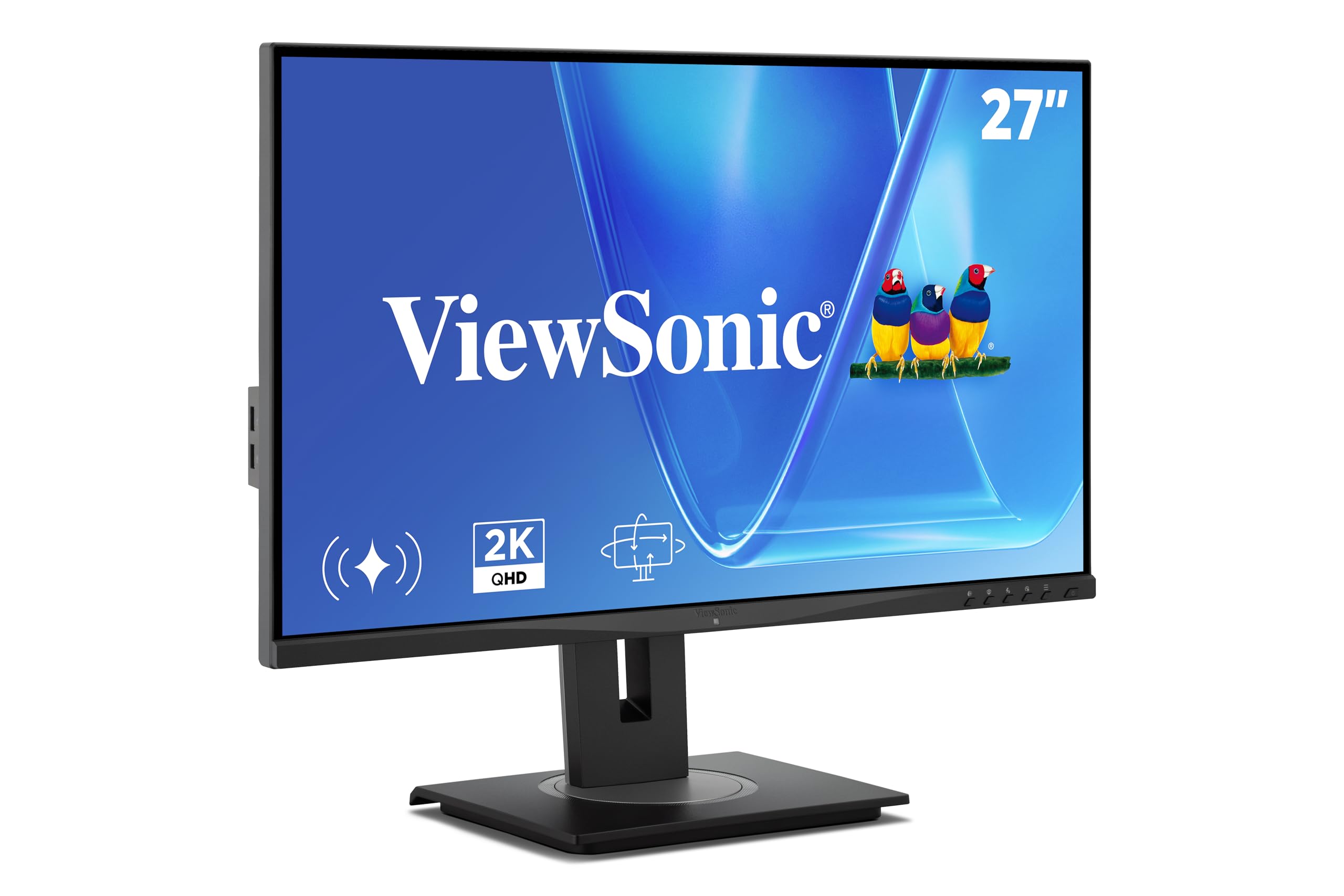
The ViewSonic VG2748A-2K is tailored for the workplace, with a feature set that prioritizes comfort and wellness over raw gaming speed. The 27-inch IPS panel runs at 100Hz, which is fine for office tasks and light media consumption, but the real focus is on the intelligent sensing modes. The ambient light sensor automatically adjusts brightness, while the posture check and break reminders help combat the physical strain of long desk sessions.
Ergonomics are exceptional here. The advanced stand includes tilt, swivel, rotate, and height adjustment, plus a carrying handle and a quick-release mechanism for easy VESA mounting. The privacy alert mode notifies you when someone is looking over your shoulder, which is a thoughtful addition for open-office environments. Connectivity is generous, with HDMI, DisplayPort, mini DP, USB hub, and even VGA for legacy devices.
The 100Hz refresh rate rules out serious competitive gaming, and the stand, while fully adjustable, is bulky and takes up significant desk space. For a pure productivity monitor with smart health features, this is a solid choice.
Why it’s great
- Full ergonomic stand with tilt, swivel, rotate, and height
- Smart sensing modes for auto brightness and posture checks
- Broad connectivity including USB hub and VGA
Good to know
- 100Hz refresh rate limits competitive gaming potential
- Stand is quite large and may crowd smaller desks
5. ASUS TUF Gaming VG27AQM5A

The ASUS TUF Gaming VG27AQM5A is engineered for esports athletes who prioritize raw frame rates. The 27-inch Fast IPS panel pushes a 300Hz refresh rate with a 0.3ms GtG response time, which is among the fastest you can get at this resolution without moving to OLED. Motion clarity is exceptional, especially when ELMB Sync is enabled, allowing variable refresh rate and backlight strobing to work in tandem to eliminate ghosting.
Color performance is also strong, with 95% DCI-P3 coverage and a Shadow Boost feature that lifts dark areas without overexposing highlights. The DisplayWidget Center software lets you adjust settings with a mouse instead of fumbling with the on-screen display joystick. Built-in speakers are present, though they are basic and fine for system sounds but not serious media consumption.
The brightness maxes out around 400 nits, which is sufficient for indoor play but not HDR-class. Some units have reported occasional coil whine or a single dead pixel, so inspect the panel immediately upon arrival. For pure competitive speed, this Monitor delivers excellent value.
Why it’s great
- 300Hz refresh rate with 0.3ms GtG response for elite motion clarity
- ELMB Sync combines strobing with VRR for sharp gameplay
- 95% DCI-P3 coverage with Shadow Boost for balanced HDR
Good to know
- Built-in speakers are adequate only for basic audio
- Peak brightness is modest for HDR content
6. LG 27GR83Q-B UltraGear

The LG 27GR83Q-B is a versatile 27-inch IPS monitor that handles PC and console gaming equally well. The 240Hz refresh rate and 1ms GtG response time are augmented by HDMI 2.1 ports, which support full 4K 120Hz on PS5 or Xbox Series X at the monitor’s native QHD resolution. G-Sync compatibility and FreeSync Premium ensure a stutter-free experience regardless of your GPU brand.
Color accuracy is a strong suit, with 95% DCI-P3 coverage and DisplayHDR 400 certification. The DTS Headphone:X support and 4-pole headphone jack provide a spatial audio solution for immersive gaming without an external DAC. The stand offers tilt, height, and pivot adjustments, and the on-screen control software is clean and responsive.
The main concern with this model is quality control on the pixel level—several user reports mention dead or stuck pixels out of the box. The matte finish is also less vibrant than glossy alternatives, though it cuts reflections effectively. If you get a clean unit, this is a top-tier hybrid performer.
Why it’s great
- HDMI 2.1 supports full 240Hz and console features
- 95% DCI-P3 coverage with DisplayHDR 400
- DTS Headphone:X for spatial audio over headphones
Good to know
- Some units have reported dead or stuck pixels
- Matte coating reduces vibrancy compared to glossy panels
7. AOC 27″ QD OLED Q27GAZD

The AOC Q27GAZD brings QD-OLED technology to a more accessible price point, offering the core benefits of infinite contrast and near-instantaneous response times. The 240Hz refresh rate and 0.03ms GtG response time make motion look impossibly clean, with zero ghosting or smearing. The HDR400 True Black certification ensures deep, inky blacks that make small light sources in game worlds pop with startling realism.
Color gamut coverage is extensive, with 147.6% sRGB and 110.2% DCI-P3, which means oversaturated colors out of the box that look vivid but may require calibration for color-critical work. The glossy screen finish delivers excellent contrast in controlled lighting but picks up reflections in brighter rooms. Adaptive-Sync compatibility works smoothly with both AMD and NVIDIA GPUs to prevent tearing.
The included stand is basic and lacks height adjustment, so a monitor arm is almost a necessity. The HDMI port is capped at 165Hz—you’ll need DisplayPort to reach the full 240Hz. Text clarity is good for an OLED, with minimal fringing visible on small fonts.
Why it’s great
- QD-OLED panel with infinite contrast and 0.03ms response
- 240Hz refresh rate for buttery-smooth motion
- HDR400 True Black for realistic shadow detail
Good to know
- Basic stand lacks height and swivel adjustments
- Glossy screen shows reflections in bright environments
8. Acer Predator X27U W1bmiipprx

The Acer Predator X27U is a 26.5-inch QD-OLED monitor that delivers some of the best color accuracy you can get in this class. The 99% DCI-P3 coverage with Delta E<2 ensures colors are not only vivid but also true to the source material, making this a strong option for anyone who does light photo or video editing alongside gaming. The 240Hz refresh rate and 0.03ms GtG response time handle fast-paced gameplay with flawless clarity.
Connectivity is a highlight, with two HDMI 2.1 ports and two DisplayPort 1.4 inputs, giving you plenty of bandwidth for high refresh rate gaming on PC and the latest consoles simultaneously. The stand offers full ergonomic adjustment—height, tilt, swivel, and pivot—and the ZeroFrame design minimizes bezel distractions for multi-monitor setups. The built-in speakers are a nice bonus for casual use, though they lack low-end punch.
The monitor has a glossy display that can show fingerprints, and the on-screen display joystick feels a bit cheap for a premium product. Brightness is adequate for a standard room but may feel dim in very bright environments. The anti-reflective coating is not mirrored, so glare is manageable.
Why it’s great
- 99% DCI-P3 with Delta E<2 for exceptional color accuracy
- Two HDMI 2.1 ports for high-refresh console gaming
- Full ergonomic stand with height, tilt, swivel, and pivot
Good to know
- Glossy screen finish attracts fingerprints easily
- On-screen display controls feel less premium than the panel
9. Samsung 27” Odyssey OLED G5 G50SF

The Samsung Odyssey OLED G5 brings a QD-OLED panel to a very competitive price, making it one of the most accessible entry points into OLED gaming. The 27-inch display delivers the signature infinite contrast and hyper-saturated colors that make HDR movies and games look transformative. The 180Hz refresh rate and 0.03ms GtG response time provide fluid motion without any perceptible ghosting, while G-Sync compatibility and FreeSync keep tearing at bay.
Glare Free technology is a standout feature, using a special coating that significantly cuts reflections without making the image look hazy. The Pantone Validation means the monitor reproduces over 2,100 colors accurately, which is reassuring for creative professionals on a budget. The OLED Safeguard system with a Thermal Modulation Sensor actively manages heat to prevent burn-in, a common concern with OLED panels.
The build quality leans toward the budget end—the stand is non-adjustable (tilt only) and the chassis is mostly plastic. Connectivity is also limited, with only one HDMI and one DisplayPort, and no HDMI 2.1 support. Peak brightness is on the lower side for HDR, so brighter scenes won’t punch as hard as on premium OLEDs.
Why it’s great
- QD-OLED panel with perfect blacks and vibrant HDR colors
- Glare Free coating handles reflections effectively
- OLED Safeguard system helps prevent burn-in
Good to know
- Stand is tilt-only; no height, swivel, or pivot adjustments
- Peak brightness is modest for impactful HDR
FAQ
What is the difference between QHD and 2K resolution?
Do I need HDMI 2.1 for a 1440p 240Hz monitor?
Is QD-OLED better than IPS for a 2K Monitor?
Final Thoughts: The Verdict
For most users, the 2k monitor winner is the Samsung Odyssey G5 G53F because it delivers a fast 200Hz IPS panel with solid features at a mid-range price that doesn’t compromise on gaming or daily use. If you want the best color accuracy and infinite contrast for HDR gaming, grab the Acer Predator X27U. And for pure competitive speed with a 300Hz refresh rate, nothing beats the ASUS TUF Gaming VG27AQM5A.

Mo Maruf
I created WellFizz to bridge the gap between vague wellness advice and actionable solutions. My mission is simple: to decode the research and give you practical tools you can actually use.
Beyond the data, I am a passionate traveler. I believe that stepping away from the screen to explore new environments is essential for mental clarity and physical vitality.