Our readers keep the lights on and my smoothie glass nicely filled. As an Amazon Associate, I earn from qualifying purchases.
The promise of an all-in-one PC is a clean, cable-free desk, but the affordable end of the market often delivers underpowered processors, skimpy RAM, and screens that strain your eyes after an hour. You want the desk-space savings without the performance compromises that make budget AIOs feel obsolete before you finish the setup.
I’m Mohammad Maruf — the founder and writer behind WellFizz. For years I’ve analyzed processor benchmarks, RAM configurations, and display specs across hundreds of models to separate genuine value from marketing hype in the integrated desktop space.
This guide takes a close look at the hardware that actually matters for daily productivity, media streaming, and light creative work, helping you find the best affordable all in one pc for your specific setup without wasting money on components that won’t keep up.
How To Choose The Best Affordable All In One PC
The affordable all-in-one market is crowded with similar-looking machines that hide very different internals. The right choice comes down to matching the processor tier, memory capacity, and storage type to your actual workload. Here are the three specs that separate a smart buy from a regret.
Processor Generation Matters More Than Core Count
The CPU is the heart of an AIO, and you can’t upgrade it later. Budget models often use Intel N-series chips like the N100 or N200, which are fine for light web browsing and document editing but struggle with multiple applications or video calls. Look for at least an Intel Core i5 processor (12th generation or newer) if you want smooth multitasking. The Core i5-1235U and i5-13420H found in the premium-tier picks offer six to eight cores and significantly better turbo speeds for under .
16GB RAM Is The New Baseline For Real-World Use
Many entry-level AIOs ship with 4GB or 8GB of RAM, which feels sluggish the moment you open a dozen browser tabs alongside a video call and a spreadsheet. 8GB is the absolute minimum for tolerable performance today. 16GB DDR4 or DDR5 gives you headroom for years of use. Memory in AIOs is often soldered or non-upgradeable, so buying the right amount from the start is critical.
IPS Panels And Storage Speed
A 1080p IPS display offers much better viewing angles and color accuracy than a basic VA or TN panel at the same price point, which makes a real difference for photo sharing, streaming, and long reading sessions. On the storage side, a PCIe NVMe SSD is non-negotiable — it makes boot times and app loading feel instantaneous compared to a traditional hard drive. 256GB is a usable minimum, but 512GB gives comfortable space for documents, photos, and software without constant file management.
Quick Comparison
On smaller screens, swipe sideways to see the full table.
| Model | Category | Best For | Key Spec | Amazon |
|---|---|---|---|---|
| Lenovo IdeaCentre 24″ | Mid-Range | Value & Performance Balance | 16GB DDR4 / 512GB SSD | Amazon |
| ASUS V470 27″ | Premium | Touchscreen & Large Display | 16GB DDR5 / 1TB SSD | Amazon |
| Dell 24 Touch | Premium | Touchscreen & Onsite Service | 16GB DDR5 / 512GB SSD | Amazon |
| Lenovo ThinkCentre 27″ | Premium | Business & Professional Use | 16GB DDR5 / 512GB SSD | Amazon |
| Acer Aspire C27 | Premium | Home Office & Light Creative | 16GB DDR4 / 512GB SSD | Amazon |
| HP 23.8″ Core i5 | Premium | Fast Everyday Multitasking | 16GB DDR4 / 512GB SSD | Amazon |
| HP 21.45″ N200 | Mid-Range | Basic Home & Student Use | 8GB DDR4 / 512GB SSD | Amazon |
| HP 22″ N100 | Mid-Range | Non-Tech Users & Simplicity | 8GB DDR5 / 128GB SSD | Amazon |
| SAINTDISE 23.8″ Core i7 | Budget | High Specs On A Tight Budget | 16GB DDR4 / 512GB SSD | Amazon |
| Lenovo IdeaCentre 24″ N100 | Budget | Everyday Tasks & Web Browsing | 8GB DDR4 / 256GB SSD | Amazon |
| Core Innovations 24″ | Entry-Level | Absolute Minimum Spend | 4GB RAM / 128GB Storage | Amazon |
In‑Depth Reviews
1. Lenovo IdeaCentre All-in-One Desktop (24″ FHD IPS, 16GB RAM, 512GB SSD)

This Lenovo hits the sweet spot of the affordable AIO market by pairing the Intel N100 processor with 16GB of DDR4 RAM and a 512GB PCIe SSD — a memory and storage configuration that most competitors in this price tier reserve for premium models. The 23.8-inch FHD IPS anti-glare display delivers sharp visuals with 99% sRGB color coverage, which is noticeably better than the VA panels found on many budget alternatives. The anti-glare coating makes it comfortable for reading and working under typical home office lighting without reflections washing out the screen.
The all-in-one design keeps the desk tidy, and the included wired keyboard and mouse means you can start working right out of the box. Connectivity is modern with Wi-Fi 6 and Bluetooth 5.2, plus a USB-C port that supports 10Gbps data transfers for fast external drive access. The HD camera and dual 2W speakers handle video calls competently, though the camera lacks an IR sensor for Windows Hello facial recognition — a minor omission at this price.
Where this system stands out is the balance of memory and storage for daily workflows. Most AIOs in the sub- range skimp to 8GB RAM or a smaller 256GB SSD, but this Lenovo gives you headroom to keep dozens of browser tabs open alongside office applications without stuttering. The N100 processor does cap out for heavy video editing or modern gaming, but for web work, streaming, and office productivity, this machine delivers a genuinely smooth experience that justifies its position as the top pick.
Why it’s great
- 16GB DDR4 RAM handles heavy multitasking with ease
- Anti-glare IPS display with wide viewing angles
- Wi-Fi 6 and Bluetooth 5.2 for modern wireless connections
Good to know
- Processor is an N-series chip, not a Core i5 — limits advanced tasks
- No height adjustment on the stand
- Camera lacks an IR sensor for Windows Hello login
2. ASUS V470 All-in-One (27″ FHD Touch, 16GB DDR5, 1TB SSD)

The ASUS V470 brings a powerful 8-core Core i5-13420H processor into the all-in-one space, making it one of the few truly capable machines for multitasking and light content creation in this price bracket. The 27-inch Full HD anti-glare touchscreen adds an intuitive layer for navigating documents, scrolling web pages, or interacting with Windows 11, and the IPS panel maintains strong color fidelity across wide viewing angles. The 1TB PCIe SSD is also double the storage capacity of most comparably priced AIOs, giving you breathing room for large media libraries.
Audio performance is a highlight here — the Dolby Atmos-tuned speakers deliver noticeably richer sound than the thin speakers found on most all-in-ones, which makes a real difference for video calls, streaming movies, or casual music listening. The 1080p Full HD camera with a built-in array microphone is paired with AI noise-canceling technology that filters out background sounds effectively during meetings. The camera retracts into the chassis when not in use, a privacy feature that eliminates the need for a physical shutter.
Connectivity is future-proof with Wi-Fi 6E support and Bluetooth 5.3, while the rear ports include three USB 3.2 Gen 1 Type-A ports, a USB-C port, and HDMI-out for connecting a second display. The wired keyboard and mouse are serviceable out of the box, but the machine really shines with a wireless setup for a cleaner desk. The screen does not offer height adjustment, which may require a riser or stand for ergonomic alignment, and ASUS loads some bloatware that you will want to remove on first boot.
Why it’s great
- Core i5-13420H is a genuine 8-core processor for demanding workloads
- 27-inch touchscreen with anti-glare coating
- 1TB SSD and 16GB DDR5 RAM provide premium specs
Good to know
- No height adjustment on the stand
- Some pre-installed bloatware to uninstall
- Touchscreen adds cost you may not need
3. Dell 24 All-in-One Desktop (23.8″ FHD Touch, Core 5 120U, 16GB DDR5)

The Dell 24 All-in-One delivers a refined package with a responsive touchscreen on the 23.8-inch FHD IPS display, which makes navigation feel fluid for anyone used to a tablet or smartphone. The Intel Core 5 processor 120U provides solid performance for daily multitasking, and the 16GB of DDR5 RAM ensures that even with numerous applications open, the system stays responsive. Dell’s 1 Year Onsite Service is a major selling point — if an issue can’t be resolved remotely, a technician comes to your home, which adds peace of mind that few manufacturers offer in this tier.
The display features Dell ComfortView Plus, which reduces harmful blue light emissions without washing out colors, making it a strong choice for long work sessions. The 5MP+IR camera supports Windows Hello facial recognition for instant logins and uses HDR technology to keep you looking clear even in tricky lighting. The camera is tiltable, which helps frame the shot properly. Dual Bluetooth speakers tuned with Dolby Atmos provide loud, spatial audio for video calls and media consumption.
Storage comes in at 512GB on a PCIe SSD, which is fast but slightly less roomy than the 1TB found on the ASUS V470. The all-white design looks clean and modern, though it may show smudges more readily than darker finishes. The touchscreen adds convenience but also increases the price, so if you don’t need touch, a non-touch model could save money. The included keyboard and mouse are basic but functional for immediate setup.
Why it’s great
- Responsive touchscreen with comfortable blue light filtering
- 1 Year Onsite Service provides real warranty support
- Fast DDR5 RAM and a modern Core processor
Good to know
- Touchscreen increases the price
- White finish shows smudges and dust easily
- 512GB SSD is adequate but not generous
4. Lenovo ThinkCentre All-in-One (27″ FHD IPS, Core i5-13420H, 16GB DDR5)

The ThinkCentre line from Lenovo is built with business and professional environments in mind, and this 27-inch model delivers on that promise. The 100Hz refresh rate on the FHD IPS display is a noticeable upgrade from the standard 60Hz panels found on most AIOs — scrolling through documents and web pages feels significantly smoother, reducing eye strain over long sessions. The Core i5-13420H processor provides 8 cores and 12 threads with a top turbo speed of 4.6 GHz, making this one of the most capable affordable AIOs for handling spreadsheets, databases, and light programming workloads.
Memory and storage come in at 16GB of DDR5 RAM and a 512GB PCIe SSD, which is a balanced configuration for professional use. The inclusion of Windows 11 Pro instead of Home gives you access to BitLocker encryption, Remote Desktop, and Group Policy management — features that matter for anyone using the machine for work. The port selection includes HDMI-in and HDMI-out, allowing you to both extend to an external monitor and use the AIO itself as a secondary display for a laptop, a rare and genuinely useful feature.
The anti-glare coating on the 27-inch display works well in bright rooms, and the 300-nit brightness is adequate for most indoor settings. The wired keyboard and mouse are included but feel a bit utilitarian. One caution from user reviews: some sellers activate the warranty at their warehouse, which can void Lenovo’s coverage if the machine fails later — it is worth verifying the warranty status immediately after unboxing.
Why it’s great
- 100Hz display makes scrolling and navigation feel ultra smooth
- HDMI-in lets you use the AIO as a monitor for another device
- Windows 11 Pro for business-grade security features
Good to know
- Warranty activation by sellers can be problematic — verify immediately
- Included keyboard and mouse are basic
- No touchscreen option at this price
5. Acer Aspire C27-1700-UA91 (27″ FHD IPS, Core i5-1235U, 16GB DDR4)

The Acer Aspire C27 stands out for its slim, modern design and the expansive 27-inch Full HD IPS display that commands a 91% screen-to-body ratio. The near-bezel-less look makes the screen feel larger than its diagonal suggests, and the tiltable stand (-5 to 25 degrees) allows some ergonomic adjustment. The 12th Gen Core i5-1235U processor with Intel Iris Xe graphics provides enough power for smooth streaming, photo editing, and even light gaming — user reports confirm it handles Roblox, Valorant, and Overwatch at full graphics settings without major stuttering.
The integrated 5.0 MP webcam comes with a physical privacy cover and is paired with two stereo microphones, making video calls clearer than most AIO cameras in this range. The built-in speakers are adequate but not exceptional — external speakers or headphones are recommended for music or movies. Connectivity is comprehensive with Wi-Fi 6, Bluetooth 5.2, and a USB 3.2 Type-C Gen 2 port on the rear that supports up to 10 Gbps data transfers.
Memory is 16GB of DDR4 RAM, which is sufficient for the vast majority of home office tasks, and the 512GB NVMe SSD provides fast storage. The wireless keyboard and mouse included in the box are decent for immediate use, though serious typists may want to upgrade. The only real drawback is the fan noise under load, which several users noted is noticeable but not intrusive. For a home office machine that handles both productivity and casual gaming, this Acer is a strong contender.
Why it’s great
- Near-bezel-less 27-inch display gives a premium, immersive look
- Intel Iris Xe graphics handle light gaming well
- 5MP webcam with privacy shutter and stereo mics
Good to know
- Fan noise is audible during heavier tasks
- Built-in speakers are only average
- No touchscreen option
6. HP 23.8″ All-in-One Desktop (FHD Display, Core i5-1334U, 16GB RAM)
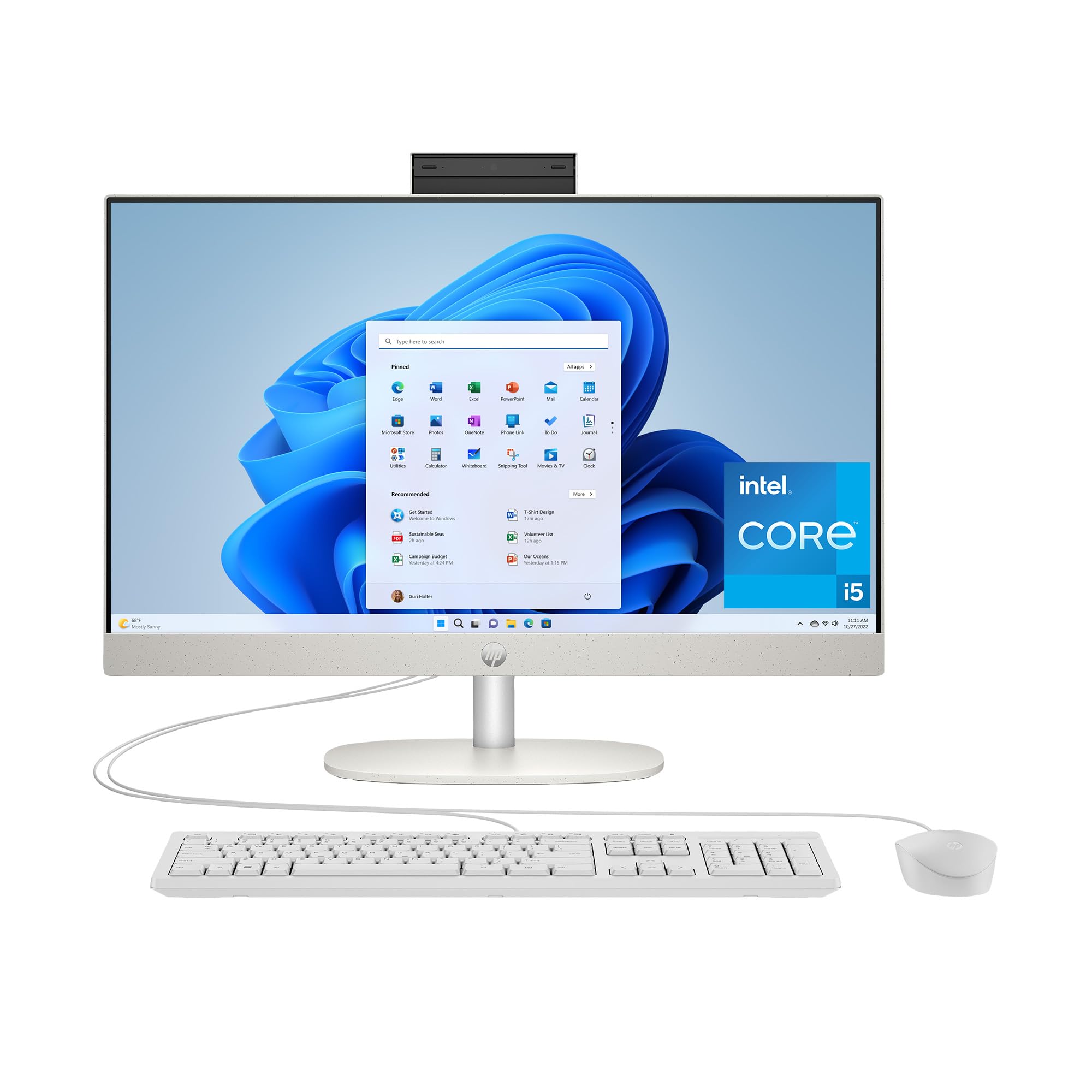
The HP 23.8-inch AIO uses a 13th Generation Intel Core i5-1334U processor, which is a genuine step up from the N-series chips found in budget models, providing enough power for smooth multitasking, 4K content streaming, and even 720p gaming via the integrated Intel UHD Graphics. The ultra-slim three-sided micro-edge FHD display achieves an 89% screen-to-body ratio, which reduces the physical footprint on your desk despite the 23.8-inch screen size. The Shell White finish and clean lines make it an attractive centerpiece for a home office.
With 16GB of RAM and a 512GB SSD, this HP is well equipped for demanding daily use — running multiple office applications, video conferencing platforms, and a dozen browser tabs simultaneously feels responsive. The included wired keyboard and mouse are standard, but the machine’s strong performance makes it easy to recommend. The port selection includes USB-C, HDMI, and RJ-45 Ethernet, giving you flexibility for connecting peripherals and wired networking.
The FHD IPS display delivers good color and viewing angles, though the brightness is average at around 250 nits, which can feel dim in very bright rooms. The built-in speakers are sufficient for system sounds and casual video calls but lack the richness for immersive music or movie playback. For users seeking a reliable, fast AIO with a proven processor and solid 16GB memory configuration, this HP is one of the most balanced options available.
Why it’s great
- 13th Gen Core i5 is a genuine performance processor
- Micro-edge bezel keeps the overall footprint small
- 16GB RAM handles heavy multitasking easily
Good to know
- Display brightness is modest for bright rooms
- Speakers are adequate but not impressive
- No touchscreen option
7. HP 21.45″ All-in-One Desktop (FHD Display, Intel N200, 8GB RAM, 512GB SSD)
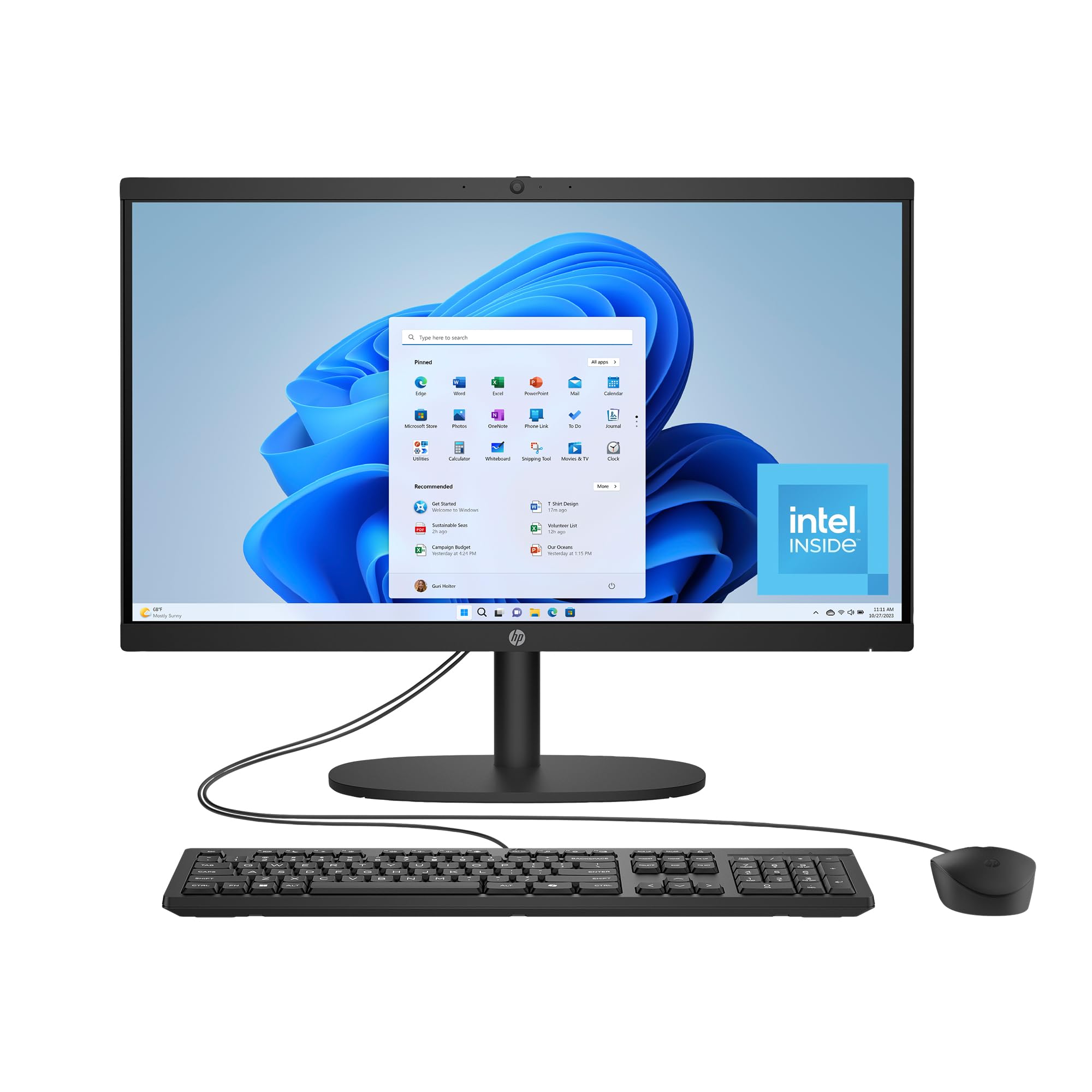
This HP model targets the budget-conscious user who does not want to sacrifice storage capacity. The 512GB SSD is generous for this price tier, giving you room for a large document archive, family photos, and software installations without constantly worrying about space. The Intel N200 processor is a modest quad-core chip with a maximum turbo speed of 3.7 GHz, well suited for web browsing, email, office documents, and streaming video. The 21.45-inch FHD VA display features DC Dimming technology that eliminates screen flicker, reducing eye fatigue during long sessions.
The all-in-one design eliminates the desktop tower, and the included keyboard and mouse get you started immediately. HP uses post-consumer recycled and ocean-bound plastics in the chassis, and the system is EPEAT Gold Registered and ENERGY STAR Certified, which may appeal to environmentally conscious buyers. The manual camera shutter provides physical privacy protection without needing to remember software settings.
The main limitation is the 8GB of RAM, which will feel tight if you tend to keep many browser tabs open alongside productivity apps. Unlike the Lenovo N100 model that offers 16GB, this HP sticks with 8GB, and with the N-series processor, the RAM is likely soldered and non-upgradeable. For a single user with light computing needs, this machine delivers excellent value, but power users should consider spending a bit more for the 16GB configuration.
Why it’s great
- 512GB SSD provides generous storage at a low price
- Flicker-free DC Dimming display reduces eye strain
- Environmentally conscious materials and certifications
Good to know
- 8GB RAM limits heavy multitasking
- N200 processor is not meant for demanding tasks
- VA panel has narrower viewing angles than IPS
8. HP 2025 22″ All-in-One Desktop (FHD, N100, 8GB DDR5, 128GB SSD)

The HP 2025 22-inch AIO stands out for packing Windows 11 Pro into an entry-level price bracket, giving business users access to features like BitLocker encryption and Remote Desktop without paying enterprise prices. The 13th Gen Intel N100 processor is modest but efficient, handling basic office tasks, web browsing, and email smoothly. The 21.5-inch FHD IPS display with an anti-glare coating delivers sharp text and comfortable viewing, even in rooms with overhead lighting. The compact 22-inch size makes it a good fit for smaller desks, dorm rooms, or reception areas.
Memory is 8GB of DDR5 RAM, which is faster than the DDR4 found in many budget AIOs, though the 128GB SSD is the tightest storage in this lineup. For users who rely heavily on cloud storage or work with minimal local files, 128GB may be workable, but anyone dealing with photo libraries, large downloads, or multiple software installs will find the space restrictive quickly. The port selection is good for the size, including USB-C, HDMI-out, and RJ-45 Ethernet.
The integrated HD webcam with a privacy shutter and dual stereo speakers cover video calling needs adequately. Setup is straightforward — users report being up and running within minutes. The main compromise is the storage capacity, which is significantly smaller than every other model in this guide. For basic home use or as a dedicated machine for a single web-based application, this is a fine choice, but the 128GB limit makes it a niche pick rather than a general recommendation.
Why it’s great
- Windows 11 Pro included at a budget-friendly price
- IPS anti-glare display with good viewing angles
- Very easy setup, even for less tech-savvy users
Good to know
- 128GB SSD fills up fast with modern applications
- 8GB RAM limits multitasking headroom
- N100 processor is not suitable for heavy workloads
9. SAINTDISE 23.8″ All-in-One Computer (Core i7, 16GB DDR, 512GB SSD)
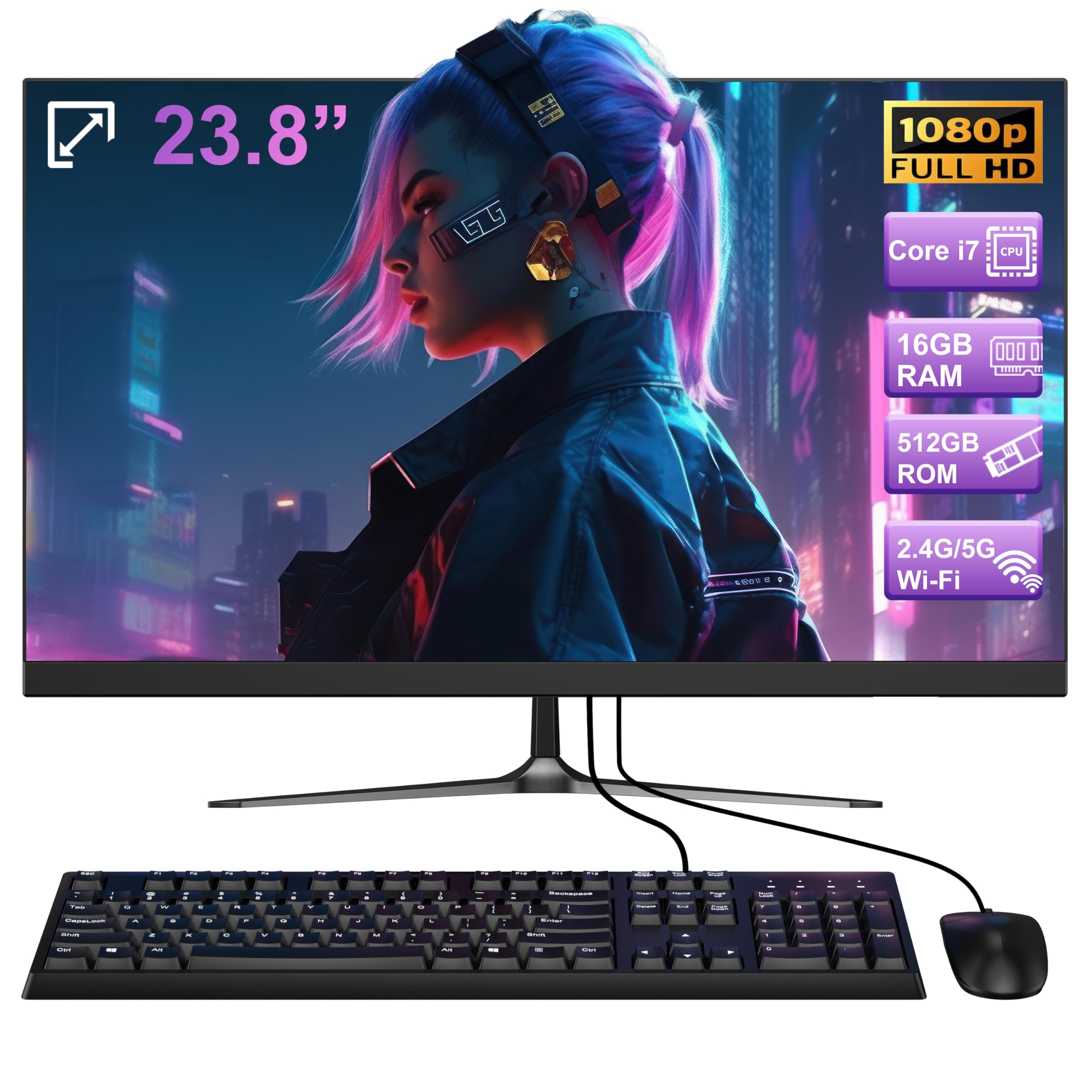
The SAINTDISE AIO offers a specification sheet that reads like a premium machine at a budget price — a Core i7 processor, 16GB of RAM, and a 512GB SSD are rare to find together in this tier. The 23.8-inch FHD display uses an LCD panel that is adequate for daily work but lacks the color accuracy and viewing angles of an IPS screen. The Core i7 branding sounds impressive, but the processor is an older model with a maximum speed of 3.0 GHz, which in real-world tasks performs closer to a modern Core i5 than a high-end i7.
Connectivity is a strong point with Bluetooth 5.3 and Wi-Fi 6, ensuring fast and stable wireless connections. The port selection is generous, with four USB 3.0 ports, two USB 2.0 ports, HDMI, VGA, and an RJ-45 Ethernet port, making this one of the most versatile AIOs for connecting legacy peripherals alongside modern devices. The built-in speakers are present but not described as high quality — sufficient for system alerts and basic audio.
User reviews are overwhelmingly positive for this machine’s performance in everyday tasks like email, schoolwork, and web browsing. One potential concern is the unknown long-term reliability and customer support from a less established brand compared to HP, Dell, or Lenovo. If you prioritize high specs on paper over brand familiarity and want a well-rounded configuration at a low price, this SAINTDISE model delivers impressive raw value, but you should read warranty terms carefully.
Why it’s great
- 16GB RAM and 512GB SSD is a premium configuration
- Bluetooth 5.3 and Wi-Fi 6 for modern connectivity
- Extensive port selection including VGA and HDMI
Good to know
- LCD panel is not as good as IPS for colors and angles
- Processor is an older-generation Core i7
- Long-term reliability and support from the brand are unproven
10. Lenovo IdeaCentre 24″ All-in-One (FHD Display, N100, 8GB RAM, 256GB SSD)

This Lenovo IdeaCentre model brings some genuinely premium features to a budget price point. The 5MP AI camera with IR support enables Windows Hello facial recognition, which is rare at this level, and the AI noise suppression improves video call clarity. The Harman audio-enhanced speakers deliver noticeably fuller sound than typical AIO built-in speakers, making it a more enjoyable machine for streaming video or listening to music without external speakers. The 24-inch FHD display with low blue light technology is easy on the eyes during extended use.
Under the hood, the Intel N100 processor with 8GB of RAM and a 256GB SSD is a modest configuration suited for web browsing, office work, and media consumption. The RAM may be upgradeable, but users looking for more multitasking headroom should consider the 16GB model. The storage is also on the smaller side — 256GB fills up quickly with modern software, though it is sufficient for cloud-centric workflows. The included wired keyboard and mouse are functional but basic.
The HDMI input port is a standout feature, allowing you to connect a laptop or game console and use the AIO’s display as a monitor. This flexibility makes the IdeaCentre a smart choice for a shared family desk where one machine serves both computing and display duties. For users who prioritize video call quality and audio over raw processing power, this Lenovo offers unique value not found in other budget AIOs.
Why it’s great
- 5MP AI camera with IR for Windows Hello login
- Harman speakers sound better than most built-in audio
- HDMI-in lets you use it as a monitor for other devices
Good to know
- 8GB RAM and 256GB SSD limit heavy multitasking and storage
- N100 processor is not meant for demanding applications
- Stand does not offer height adjustment
11. Core Innovations 24″ All-in-One Desktop (Windows 11, Intel Celeron N5095)

The Core Innovations 24-inch AIO is the most budget-friendly option in this lineup, and it serves a very specific niche: users who need the absolute lowest entry cost for a basic computing machine. The 24-inch FHD IPS display is genuinely decent for the price, providing sharp text and reasonable color, and the white all-in-one design looks modern on a desk. The included keyboard and mouse mean nothing else is needed to start, and the 128GB of storage, while small, is enough for a user who mainly accesses web applications and cloud services.
The Intel Celeron N5095 processor and 4GB of RAM are the weakest configuration in this guide — they will handle one or two applications at a time, but the system will quickly show slowdowns when multitasking or opening larger web pages. The RAM is likely not upgradeable, making this a machine with a hard performance ceiling. User reviews mention that four units were defective within eight months, with no manufacturer warranty support, which is a significant reliability concern.
For a very light user — perhaps a senior who checks email and browses a single website — this machine can function acceptably. The screen does not tilt or adjust height, which may cause ergonomic discomfort. This is the definition of an entry-level compromise.
Why it’s great
- Lowest price for a functional all-in-one with an IPS screen
- 24-inch FHD display is decent for the price point
- Complete with keyboard and mouse out of the box
Good to know
- 4GB RAM creates serious multitasking limitations
- Reports of defects and poor warranty support are concerning
- Screen stand does not adjust for ergonomic positioning
FAQ
Can I upgrade the RAM on most affordable all-in-one PCs?
Is an all-in-one PC good for light gaming?
How important is the display type in an affordable AIO?
What is the real-world difference between an N100 and a Core i5 processor in daily use?
Do affordable all-in-one PCs come with a keyboard and mouse?
Final Thoughts: The Verdict
For most users, the best affordable all in one pc winner is the Lenovo IdeaCentre 24″ because it offers the critical 16GB RAM and 512GB SSD configuration at a price that undercuts competitors with the same specs, wrapped in a quality IPS display. If you want a larger touchscreen display with premium storage, grab the ASUS V470 27″. And for a professional environment that demands business-grade security and the smoothness of a 100Hz display, nothing beats the Lenovo ThinkCentre 27″.

Mo Maruf
I created WellFizz to bridge the gap between vague wellness advice and actionable solutions. My mission is simple: to decode the research and give you practical tools you can actually use.
Beyond the data, I am a passionate traveler. I believe that stepping away from the screen to explore new environments is essential for mental clarity and physical vitality.