Our readers keep the lights on and my smoothie glass nicely filled. As an Amazon Associate, I earn from qualifying purchases.
The jump to a 3440×1440 ultrawide monitor transforms how you interact with a computer. You trade two separate displays for one seamless, curved canvas that wraps into your peripheral vision, whether you are editing a timeline, running a trading desk, or orbiting a planet in a sim racer. The format delivers roughly 30 percent more horizontal pixels than standard 1440p, which means deeper immersion without the GPU-taxing demands of a full 4K panel.
I’m Mohammad Maruf — the founder and writer behind WellFizz. I’ve spent years tracking panel technology shifts across VA, IPS, and OLED architectures, measuring measurable specs like contrast ratios, refresh rate ceilings, color volume coverage, and real-world burn-in mitigation to separate marketing claims from usable hardware.
After analyzing eleven models ranging from value-oriented VA panels to flagship QD-OLED displays with 240Hz refresh rates, the best 3440×1440 monitor for most buyers balances pixel response, color accuracy, and connectivity into one cohesive package that earns its place on a desk for years.
How To Choose The Best 3440×1440 Monitor
Choosing between VA, IPS, and OLED panels for a 3440×1440 ultrawide is the single most consequential decision you will make. The panel type dictates every visual characteristic you care about — black depth, viewing angle stability, motion clarity, and burn-in risk — and determines whether the monitor suits gaming, creative work, or mixed use.
Panel Technology — Contrast vs. Color vs. Caution
VA panels deliver excellent native contrast ratios around 3000:1, producing deep blacks without local dimming zones. The trade-off is narrower viewing angles and slower pixel response in dark transitions, which can show dark-level smearing in high-contrast games. IPS panels offer superior off-angle color stability and faster response overall, but native contrast sits near 1000:1 — blacks appear gray in a dim room if no local dimming is active. OLED panels, especially QD-OLED and WOLED, produce per-pixel infinite contrast with true black levels, sub-millisecond response, and wide color gamut coverage. The trade-off is burn-in risk from static UI elements, automatic pixel refresher cycles that briefly interrupt work, and potentially shorter lifespan at high brightness in office use.
Refresh Rate and Adaptive Sync
Refresh rate determines how many frames per second the panel can display before visual tearing begins. A 100Hz panel is adequate for productivity and casual gaming. 144Hz to 175Hz is the sweet spot for competitive and immersive gaming, provided your GPU can drive it. 240Hz panels exist in this resolution, but they command a premium and require a top-tier graphics card to exploit fully. Adaptive sync technologies — FreeSync and G-Sync — eliminate tearing by synchronizing the monitor’s refresh window to the GPU’s frame delivery. FreeSync Premium and G-Sync Compatible are common; native G-Sync modules add variable overdrive but are rare in the ultrawide 3440×1440 space.
Color Accuracy and Gamut
For photo and video editing, look for factory calibration reports showing Delta E under 2, combined with at least 99% sRGB coverage. Professional monitors also target 100% Rec.709 and high DCI-P3 coverage — 95% or better — for HDR grading. Gamers benefit from wide DCI-P3 coverage because many modern titles are mastered in that space. Beware of monitors that list sRGB coverage only: they will look dull in HDR content. Color volume matters as much as gamut — an OLED panel at 1000 nits peak brightness renders specular highlights without crushing shadow detail, while a 300-nit VA panel washes out in bright-room HDR.
Connectivity and Power Delivery
USB-C with power delivery simplifies a clean desk by carrying video, data, and laptop charging through a single cable. Look for at least 65W delivery to charge a standard ultrabook; 96W handles larger workstations. Integrated KVM switches let you control two computers with one keyboard and mouse, switching inputs without cable swapping. HDMI 2.1 is essential for console gaming at high refresh rates. DisplayPort 1.4 is standard for PC, but cheaper monitors still ship with HDMI 2.0, which caps refresh at lower rates. Daisy-chaining via DisplayPort MST lets you connect multiple monitors with fewer cables, a feature worth seeking for productivity setups.
Quick Comparison
On smaller screens, swipe sideways to see the full table.
| Model | Category | Best For | Key Spec | Amazon |
|---|---|---|---|---|
| LG 34WR55QK-B | VA | Value productivity | 100Hz, 3000:1 contrast | Amazon |
| Dell S3425DW | VA | All-day office + casual gaming | 120Hz, 3000:1, USB-C 65W | Amazon |
| Deco Gear 49″ | VA 32:9 | Sim racing / multi-window | 144Hz, 3840×1080 | Amazon |
| ASUS ProArt PA34VCNV | IPS | Color-critical creative work | ΔE <2, 96W USB-C | Amazon |
| ASUS ROG Strix XG34WCDG | QD-OLED | Premium gaming + HDR | 175Hz, 0.03ms, 1500000:1 | Amazon |
| Philips Evnia 34M2C6500 | QD-OLED | Gaming with deep blacks | 175Hz, 1000 nits peak | Amazon |
| AOC Agon PRO AG346UCD | QD-OLED | Fluid 175Hz gaming | 0.03ms, 1500000:1 | Amazon |
| Acer Predator X34 | OLED | High-refresh OLED + console | 240Hz, 0.01ms, 800R curve | Amazon |
| Dell UltraSharp U3425WE | IPS | Professional productivity | 300 cd/m², USB-C hub | Amazon |
| Alienware AW3423DW | QD-OLED | HDR gaming + creator mode | 175Hz, G-Sync Ultimate | Amazon |
| LG 34GX90SA-W | OLED | 240Hz gaming + smart TV | 240Hz, 800R, webOS | Amazon |
In-Depth Reviews
1. AOC Agon PRO AG346UCD

The AOC Agon PRO AG346UCD strikes an exceptional balance of performance and value in the 3440×1440 QD-OLED space. Its 175Hz refresh rate pairs with a 0.03ms gray-to-gray response time that eliminates motion blur in fast-paced shooters, while the 1500000:1 native contrast ratio delivers per-pixel black levels that VA and IPS panels cannot touch. G-Sync Compatibility ensures smooth frame delivery without tearing, and the DisplayHDR True Black 400 certification maintains highlight detail without washing out shadows.
The ergonomic stand supports 150mm of height adjustment, 16 degrees of swivel, and 21 degrees of tilt — a range that accommodates most desk setups without requiring an aftermarket arm. Color out of the box leans slightly warm, which suits SDR content and reduces eye strain during long sessions. The screen protector can be difficult to remove without leaving adhesive residue on the bezel, so patience during unboxing is advised.
Text clarity is sharp for a QD-OLED thanks to the sub-pixel layout, and the matte coating tames reflections without crushing specular detail. The OSD joystick is responsive, and the RGB backlight adds aesthetic value without compromising performance. For most buyers looking for a single high-end panel that does not sacrifice gaming fluidity or daily productivity readability, this is the anchor pick.
Why it’s great
- True black performance with zero blooming typical of high-contrast scenes
- Fast 175Hz refresh plus G-Sync Compatible for tear-free competitive gaming
- Full ergonomic stand with generous height and swivel range
Good to know
- Screen protector removal can leave sticky residue around the bezel
- Factory color calibration runs slightly warm out of the box
- No built-in speakers for console or media use without external audio
2. Acer Predator X34

The Acer Predator X34 pushes the refresh rate ceiling for 3440×1440 OLED panels to 240Hz, paired with a 0.01ms pixel response that makes motion virtually instantaneous. The 800R curvature is more aggressive than the standard 1800R panels — it wraps tightly around your field of view, creating an immersive shell that benefits sim racing, flight sims, and first-person shooters without distorting desktop productivity windows.
AMD FreeSync Premium Pro certification ensures tear-free, low-latency gameplay across both PC and console via the dual HDMI 2.1 ports, a rare feature in ultrawide monitors that natively supports high refresh rates with the PS5 and Xbox Series X. The built-in KVM switch lets you toggle between a laptop and desktop using a single keyboard and mouse, and the USB-C port delivers 90W of power delivery to charge a notebook over a single cable run.
The OLED image retention refresh function triggers automatically after roughly four hours of cumulative use, performing a 5-7 minute pixel cleaning cycle. Some users report that the pop-up prompt appears during gaming sessions and cannot be deferred indefinitely, which can interrupt immersive play. For users who want the highest frame rate ceiling in the category and value the steep curve, this is a top contender despite the periodic maintenance interruption.
Why it’s great
- 240Hz refresh with 0.01ms response for elite competitive fluidity
- Dual HDMI 2.1 supports full bandwidth console gaming at high refresh
- Integrated KVM switch and 90W USB-C simplify multi-device desk setup
Good to know
- OLED pixel refresh pop-up appears every few hours and cannot be skipped
- Headphone output carries digital noise in some configurations
- Aggressive 800R curve may feel unnatural for side-by-side window layouts
3. ASUS ROG Strix XG34WCDG

The ASUS ROG Strix XG34WCDG combines a 3440×1440 QD-OLED panel with a 175Hz refresh rate and VESA DisplayHDR 400 True Black support. It covers 99.3% of the DCI-P3 color space, and factory calibration targets Delta E under 2, making it viable for photo and video editing alongside gaming. The Neo Proximity Sensor detects when the user walks away and dims the screen to reduce burn-in risk, a practical feature for mixed-use environments where static content is common.
Exclusive ASUS DisplayWidget Center software allows mouse-driven access to OLED Care functions and monitor settings, reducing reliance on the OSD joystick. ROG Gaming A.I. technology adjusts settings based on on-screen content. The stand offers 110mm height adjustment and 25-degree swivel range, though the lack of built-in speakers means external audio is required for console or media use.
Some users report that the Neo Proximity Sensor can trigger random shutdowns if the user sits still for extended periods, and the 3.5mm audio output can introduce static noise depending on cable quality. The 3-year warranty covers burn-in, providing peace of mind for those concerned about OLED longevity. Overall, this is a polished, feature-rich QD-OLED that serves both creative professionals and serious gamers.
Why it’s great
- Factory-calibrated color with sub-2 Delta E for creative work
- Neo Proximity Sensor reduces burn-in by dimming when user leaves
- DisplayWidget Center software for easy monitor settings adjustments
Good to know
- Proximity sensor may cause random blackouts during stationary use
- No built-in speakers — external audio required for console or media
- 3.5mm headphone output can introduce static in some setups
4. ASUS ProArt PA34VCNV

The ASUS ProArt PA34VCNV is built for color-critical workflows. Its 34-inch 3800R curved IPS panel covers 100% of sRGB and 100% of Rec.709 color spaces, with factory calibration targeting Delta E under 2 and Calman Verification providing independent validation. The curvature is gentler than gaming-focused panels so straight lines stay straight during photo retouching and video timeline editing.
Extensive connectivity includes DisplayPort over USB-C with 96W power delivery, enough to charge a 16-inch MacBook Pro while feeding video and enabling the integrated USB hub. DisplayPort daisy-chaining lets you connect a second monitor without extra cables. The built-in RJ45 Ethernet port provides a stable wired network connection for workstations where Wi-Fi is unreliable.
The internal speaker is thin and lacks bass — useful only for system alerts. The stand supports tilt, swivel, and height adjustments, though assembly requires attention to ensure all panels are present in the box. For creative professionals who prioritize color accuracy and a clean single-cable connection over gaming refresh rates, this is the most capable tool in the category.
Why it’s great
- Calman Verified with Delta E <2 for accurate color reproduction
- 96W USB-C Power Delivery charges large laptops over a single cable
- RJ45 Ethernet and DisplayPort daisy-chaining for professional setup
Good to know
- Built-in speaker is too thin for any audio work or media consumption
- Some units have arrived with missing panels in refurbished stock
- Gentle 3800R curve is less immersive for gaming than 1800R panels
5. Dell UltraSharp U3425WE
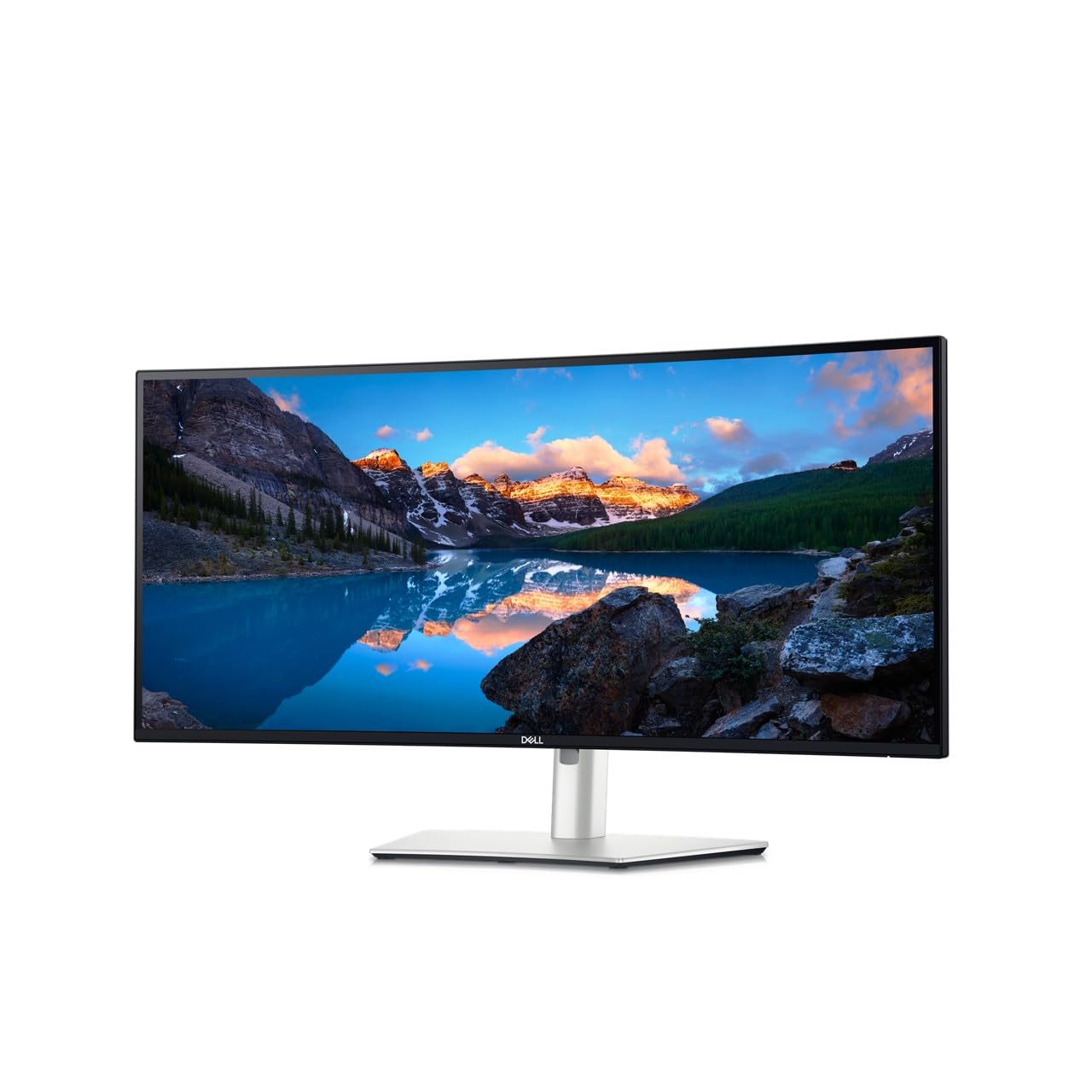
The Dell UltraSharp U3425WE focuses on productivity ergonomics and long-session comfort. The 34-inch IPS panel delivers 300 cd/m² brightness and 2000:1 contrast ratio — higher than typical IPS thanks to IPS Black technology — with anti-glare coating that reduces reflections in brightly lit offices. The ambient light sensor automatically adjusts brightness to match room conditions, reducing eye fatigue during extended workdays.
Built-in multi-stream transport (MST) enables DisplayPort daisy-chaining up to two additional monitors, and the built-in USB-C dock provides upstream data, video, and up to 90W power delivery. The USB-A ports on the bottom edge are easily accessible for plugging in flash drives or peripherals. ComfortView Plus reduces blue light emissions to below 35% without shifting the screen into a yellow tint, preserving color accuracy for design work.
The stand is bulky and takes up significant desk depth, and the on-screen display menu is less intuitive than competitors. The 60Hz refresh rate limits gaming appeal, but the panel is ideal for coding, spreadsheets, and document work where clarity and comfort matter more than frame rate.
Why it’s great
- IPS Black technology delivers 2000:1 contrast, better than standard IPS
- Ambient light sensor and ComfortView Plus reduce eye strain naturally
- Integrated USB-C hub with 90W PD and daisy-chaining for clean desks
Good to know
- 60Hz refresh rate is not suitable for competitive gaming
- Stand is bulky and consumes significant desk surface area
- OSD menu system is less responsive than some competitors
6. LG 34GX90SA-W

The LG 34GX90SA-W is a 3440×1440 OLED with an 800R curve and a 240Hz refresh rate, wrapped in a white chassis that stands out from the black monitor crowd. It includes webOS smart TV functionality, giving direct access to Netflix, Prime Video, Apple TV, and cloud gaming services like NVIDIA GeForce NOW and Amazon Luna without needing a PC or console connected. This makes it a versatile screen that serves double duty as a workstation display and a living-room-style media screen.
Connectivity is comprehensive with HDMI 2.1, DisplayPort 1.4, and USB-C with 65W power delivery. OLED Care tools include pixel cleaning and a 2-year limited warranty covering the panel. The built-in speakers are loud enough for casual media consumption, with decent clarity for a monitor. The anti-glare surface minimizes reflections, and the steep curve creates a genuinely immersive shell for gaming.
Firmware update processes are cumbersome and the USB-A ports only function when the USB-C upstream cable is connected. Some users report sleep-wake issues that require disabling the deep sleep setting. For users who want a multi-purpose OLED that handles both high-refresh PC gaming and streaming without a separate TV, this is a compelling all-in-one.
Why it’s great
- 240Hz OLED with 0.03ms response for ultra-smooth gaming
- Built-in webOS streams media and cloud games without a PC
- Aggressive 800R curve provides deep immersive field of view
Good to know
- USB-A ports only work when USB-C upstream cable is connected
- Firmware updates are more complex than typical monitor procedures
- Sleep-wake issues may require disabling the deep sleep setting
7. Alienware AW3423DW

The Alienware AW3423DW was one of the first QD-OLED ultrawide monitors to reach the market and remains a benchmark for image quality. The 34.18-inch 3440×1440 panel with 1800R curvature delivers a 175Hz refresh rate, 0.1ms gray-to-gray response, and 1,000,000:1 contrast ratio. NVIDIA G-Sync Ultimate certification ensures tear-free performance with variable overdrive for optimal response across the entire refresh rate range.
Creator Mode offers native DCI-P3 and sRGB color space selection with gamma adjustment, supporting color-critical work directly in the OSD. The AlienFX stadium-loop lighting adds customizable LED effects. The stand is large and heavy but stable, and cable management routes wires through the center column. The anti-glare coating reduces reflections effectively in bright rooms.
The automatic pixel refresh runs every four hours of cumulative use and takes roughly five minutes, and a panel refresh is required after 1000 hours — both routines can interrupt workflow. HDMI 2.0 ports cap console refresh rates at lower levels than the newer HDMI 2.1 competition. For users willing to manage OLED maintenance schedules in exchange for stunning HDR and color performance, this remains a strong choice.
Why it’s great
- G-Sync Ultimate with variable overdrive ensures clean motion at all frame rates
- Creator Mode allows sRGB and DCI-P3 selection with gamma adjustment
- Outstanding HDR highlights and deep blacks for gaming and media
Good to know
- HDMI 2.0 limits console to lower bandwidth than HDMI 2.1 models
- Pixel refresh runs every 4 hours and interrupts work for 5 minutes
- Panel refresh after 1000 hours requires longer downtime
8. Philips Evnia 34M2C6500

The Philips Evnia 34M2C6500 brings QD-OLED visuals to a lower price point without cutting critical corner features. The 3440×1440 panel reaches 175Hz with Adaptive Sync support and VESA DisplayHDR TrueBlack 400 certification, producing deep blacks and 1000-nit peak brightness in small highlight areas. The 1800R curvature is moderate enough for comfortable desktop use while still delivering immersion in supported games.
Color saturation is vibrant out of the box, with whites appearing neutral compared to some competitors that skew warm. The stand is entirely plastic but functional, with VESA mount compatibility for aftermarket arms. The 4-year advance replacement warranty is better than the industry standard, providing direct replacement if a defect occurs, which reduces downtime significantly for buyers who rely on the display daily.
The Ambiglow backlight system adds ambient bias lighting but lacks bottom LEDs, so the light distribution feels uneven. The OSD menu is basic and cheap-feeling compared to ASUS or Dell interfaces. Some users report that the pixel refresh feature cannot be turned off and triggers during use, causing brief interruptions. For the price, this is a strong entry point into QD-OLED with good warranty support.
Why it’s great
- 4-year advance replacement warranty provides direct swap if defective
- Vibrant QD-OLED colors with neutral white balance out of the box
- 1000-nit peak brightness delivers impactful HDR specular highlights
Good to know
- Plastic stand feels less premium than aluminum competitors
- Ambiglow backlight lacks bottom LEDs, creating uneven light distribution
- Pixel refresh cannot be disabled and may briefly interrupt sessions
9. Dell 34 Plus S3425DW

The Dell 34 Plus S3425DW is a well-rounded VA ultrawide that balances office productivity with light gaming. The 3440×1440 panel runs at 120Hz with AMD FreeSync Premium, providing smooth scrolling and tear-free casual play. The VA panel’s 3000:1 contrast ratio produces noticeably deeper blacks than IPS alternatives, which improves readability in dark-themed applications and IDE environments.
Improved ComfortView Plus reduces harmful blue light emissions below 35% without shifting the screen into a yellow tint, preserving color accuracy for photo editing. The re-engineered speakers deliver fuller sound than typical monitor audio — sufficient for conference calls and YouTube without external speakers. The single USB-C cable carries video and 65W power delivery for a clean laptop connection.
Port selection is limited: one HDMI, one USB-C, and one USB-A port, with no DisplayPort. The included USB-C cable is rated for 100W bandwidth but the monitor itself only delivers 65W. The VESA mount is recessed about a quarter inch, requiring longer screws or bracket spacers to attach third-party arms. For buyers who want a reliable VA ultrawide with USB-C convenience, this is a solid mid-range pick.
Why it’s great
- Excellent 3000:1 VA contrast delivers deep blacks for dark-mode work
- ComfortView Plus reduces eye strain without yellow color shift
- Built-in speakers are louder and clearer than average monitor audio
Good to know
- Limited to one HDMI, one USB-C, one USB-A — no DisplayPort
- VESA mount is recessed, requiring bracket spacers for some arms
- Color accuracy is inferior to Dell’s older premium models
10. Deco Gear White 49-inch
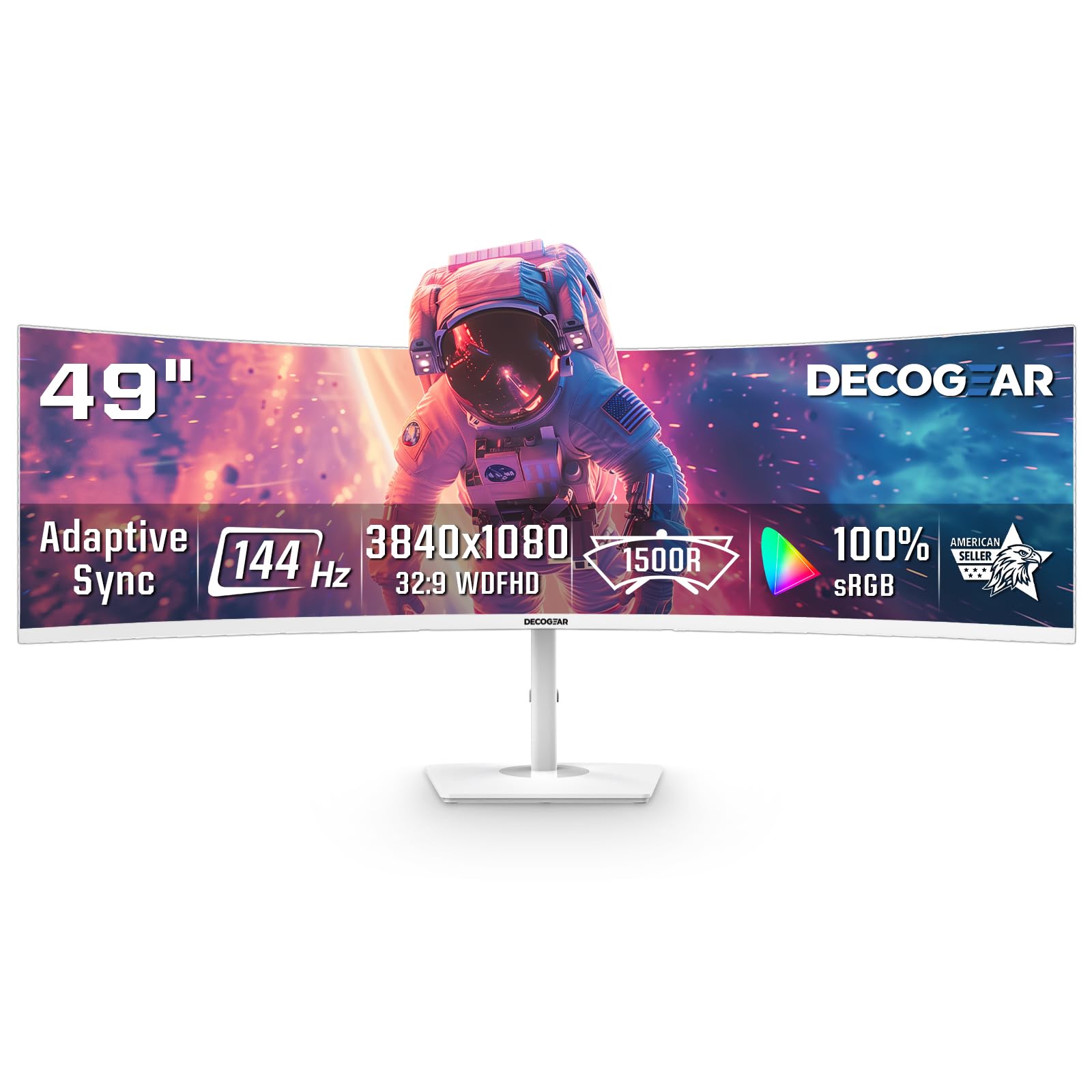
The Deco Gear White 49-inch monitor reaches wider than standard 3440×1440 panels, offering a 32:9 aspect ratio at 3840×1080 resolution. The 1800R curve wraps around a single user to create a cockpit-like field of view that works well for sim racing and flight simulators. The 144Hz refresh rate with 1ms response time and Adaptive Sync prevents tearing in fast-moving games.
The white chassis and clean aesthetic appeal to buyers building a minimalist all-white battlestation. Picture-in-Picture and Picture-by-Picture modes let you view multiple inputs simultaneously — useful for monitoring stream chats, OBS, and gameplay on the same panel. Dual HDMI 2.1 ports support the full bandwidth of modern gaming consoles and GPUs.
The effective horizontal resolution equals two 1080p monitors side by side, which means lower pixel density than true 3440×1440 panels. Fine text and UI elements appear less sharp, and the vertical height is noticeably shorter than a standard 1440p ultrawide. The stand offers tilt-only adjustment with no height or swivel, and the included power button placement on the back can be awkward to reach.
Why it’s great
- Immersive 32:9 cockpit view with 1800R curve for sim games
- Dual HDMI 2.1 ports support high-bandwidth console connections
- PIP/PBP modes run multiple inputs on one screen simultaneously
Good to know
- 3840×1080 resolution matches two 1080p monitors — softer text than 1440p
- Stand offers tilt only — no height or swivel adjustments available
- Power button is located on the back, making daily access difficult
11. LG 34WR55QK-B

The LG 34WR55QK-B is a no-frills VA ultrawide that prioritizes essential features and a low entry barrier. The 3440×1440 100Hz panel uses a VA layer with 3000:1 contrast ratio for solid black levels in dim environments, and 99% sRGB coverage keeps colors accurate for everyday office tasks. USB-C with 65W power delivery charges a laptop over a single cable, keeping the desk uncluttered.
OnScreen Control software lets you split the display into custom zones and adjust settings with mouse clicks rather than OSD buttons. Picture-by-Picture mode displays content from two input sources simultaneously — useful for referencing documents on one side while working on the other. The three-sided virtually borderless design looks cleaner on a desk than thick-bezel alternatives.
There are no built-in speakers, which means external audio is mandatory for media or calls. The 5ms response time is slower than gaming-oriented panels, creating visible ghosting in fast-paced games. Brightness peaks at 300 nits, which can feel dim in brightly lit rooms. For budget-conscious buyers who need a reliable ultrawide for productivity and light use, this delivers core functionality at a low entry point.
Why it’s great
- USB-C with 65W PD charges a laptop while carrying video signal
- OnScreen Control software provides easy zone splitting and adjustments
- VA panel delivers 3000:1 contrast for deep blacks in dim rooms
Good to know
- No built-in speakers — external audio required for calls or media
- 5ms response time produces visible ghosting in fast games
- 300-nit peak brightness feels underwhelming in bright rooms
FAQ
Will a 3440×1440 monitor reduce my GPU performance compared to standard 1440p?
Can I connect a PS5 or Xbox Series X to a 3440×1440 ultrawide monitor?
How often do OLED ultrawide monitors require pixel refresh cycles?
What is the difference between 1800R and 800R curvature on a 34-inch ultrawide?
Does a 3440×1440 monitor support text clarity for coding and reading?
Final Thoughts: The Verdict
For most users, the best 3440×1440 monitor is the AOC Agon PRO AG346UCD because it combines 175Hz QD-OLED performance with G-Sync Compatibility and a full ergonomic stand at a compelling value — a package that serves both gaming and productivity without major compromises. If you want the highest refresh rate available at 240Hz with a steep 800R curve for immersive play, grab the Acer Predator X34. And for color-critical creative work with Calman Verified accuracy and 96W USB-C docking, nothing beats the ASUS ProArt PA34VCNV.

Mo Maruf
I created WellFizz to bridge the gap between vague wellness advice and actionable solutions. My mission is simple: to decode the research and give you practical tools you can actually use.
Beyond the data, I am a passionate traveler. I believe that stepping away from the screen to explore new environments is essential for mental clarity and physical vitality.