Our readers keep the lights on and my smoothie glass nicely filled. As an Amazon Associate, I earn from qualifying purchases.
A 27-inch touch screen monitor promises direct interaction with your content, but the market is flooded with options that prioritize either resolution or touch responsiveness, rarely both. The real challenge is finding a display that delivers crisp visuals without the frustrating latency or ghosting that plagues cheaper touch panels.
I’m Mohammad Maruf — the founder and writer behind WellFizz. I’ve spent years analyzing monitor specifications, digging into panel types, touch controller quality, and real-world compatibility across thousands of reviews.
This guide breaks down the top contenders to help you find the best 27 inch touch screen monitor for your workflow, gaming, or commercial application.
How To Choose The Best 27 Inch Touch Screen Monitor
Choosing a touch screen monitor involves more than just picking the highest resolution or the lowest price. You need to balance touch technology, panel quality, connectivity, and build materials for your intended environment.
Touch Technology: PCAP vs. Resistive
Projected Capacitive (PCAP) touch screens support true 10-point multi-touch, respond to light finger swipes, and support gestures like pinch-to-zoom and two-finger scrolling. Resistive touch screens are pressure-based, often single-touch, and require a stylus or fingernail for input. For any modern interactive task—whether you are editing photos, running a point-of-sale system, or managing a golf simulator—PCAP is the standard you want. Every monitor on this list uses PCAP technology, ensuring a responsive, tablet-like experience.
Panel Type and Color Accuracy
IPS (In-Plane Switching) panels deliver consistent colors and contrast across a 178° viewing angle, which is critical when the monitor is used by multiple people or mounted at varying angles. TN panels wash out quickly off-angle, and VA panels can shift color hue under pressure. Look for IPS panels with at least 99% sRGB coverage for design work or media consumption. The contrast ratio should sit near 1000:1 for solid black levels without crushing shadow detail.
Connectivity and Compatibility
Touch input requires a separate USB cable in addition to the video cable (HDMI, DisplayPort, or USB-C). Some monitors integrate touch signals over a single USB-C cable with DP Alt Mode, simplifying setup. Verify that the monitor is compatible with your operating system—most PCAP monitors work natively with Windows and Android, while macOS may require a driver (like ViewSonic’s vTouch) for gesture support. Avoid using powered USB hubs for the touch cable; plug it directly into the motherboard USB port to prevent dropouts.
Environmental Durability and Mounting
If the monitor will live in a public-facing environment like a retail kiosk, gym, or restaurant, look for an open-frame design with an IP65-rated front bezel and vandal-proof glass. These monitors are sealed against dust and liquid splashes and can withstand heavy use. For home or office use, a standard VESA 100x100mm mount is sufficient. Ensure the stand includes tilt, height, and pivot adjustment for ergonomic comfort during long sessions.
Quick Comparison
On smaller screens, swipe sideways to see the full table.
| Model | Category | Best For | Key Spec | Amazon |
|---|---|---|---|---|
| LG 27UP850K-W | 4K USB-C | Design & Productivity | 400 cd/m², 95% DCI-P3 | Amazon |
| Samsung ViewFinity S8 | 4K Ergonomic | Office & Color Work | 3840×2160, 350 cd/m² | Amazon |
| ViewSonic TD2760 | PCAP Touch | POS & Kiosk | 10-point, 50M:1 DCR | Amazon |
| GreenTouch Open Frame | Industrial Vandal-Proof | Kiosk & Commercial | IP65 front, IK08 glass | Amazon |
| Elo 2702L | Commercial Premium | Retail & Hospitality | Edge Connect, 10-touch | Amazon |
| Pisichen 2K Curved Touch | 2K Curved | Demos & Immersion | 2560×1440, 85Hz | Amazon |
| Pisichen 2K 100Hz Touch | 2K 100Hz | Gaming & SBC Projects | 100Hz, 400 cd/m² | Amazon |
| FYHXele 1080p Touch | Entry-Level Touch | Budget & SBC Setup | 75Hz, FHD 1080p | Amazon |
| LG 27US500-W | 4K Budget | General 4K Viewing | 4K UHD, 300 cd/m² | Amazon |
In‑Depth Reviews
1. LG 27UP850K-W

The LG 27UP850K-W is the reference standard for a 27-inch 4K touch-capable display. Its IPS panel delivers a 95% DCI-P3 color gamut and 400 cd/m² brightness, earning VESA DisplayHDR 400 certification. This combination means you get vivid, accurate colors straight out of the box, suitable for photo editing, video work, and detailed spreadsheets without needing a separate calibration tool.
Connectivity is a standout feature: a single USB-C cable handles video, audio, data, and 90W power delivery to your laptop. This one-cable setup eliminates desk clutter and keeps your machine charged during long work sessions. The stand offers height, tilt, and pivot adjustment, giving you full ergonomic control. The built-in stereo speakers with Waves MaxxAudio deliver serviceable sound for calls and media, further reducing desktop hardware.
While the 60Hz refresh rate is fine for productivity and casual gaming, competitive players may want higher frame rates. The white finish and sleek borderless design look modern but show smudges easily. For professionals who prioritize color accuracy and a clean, powerful workstation hub, this monitor is the complete package.
Why it’s great
- USB-C with 90W power delivery
- VESA DisplayHDR 400 and 95% DCI-P3
- Fully adjustable ergonomic stand
Good to know
- 60Hz refresh rate limits gaming
- White finish shows fingerprints
2. Samsung ViewFinity S8 (S80D)

The Samsung ViewFinity S8 (S80D) is a 27-inch 4K UHD monitor built for long days at a desk. The 3840×2160 resolution on a 27-inch panel produces a pixel density of 163 PPI, making text razor-sharp for reading code, documents, or spreadsheets. The IPS panel covers HDR10 with a 350 cd/m² peak brightness, and the matte coating cuts glare effectively in brightly lit offices. The stand is a tool-less design that allows height, tilt, swivel, and pivot adjustments, including a 90-degree portrait rotation.
The I/O panel includes HDMI, DisplayPort, and multiple USB-A ports with a hub function, plus a USB-B upstream port for connecting to your PC. The monitor includes a headphone jack but has no built-in speakers, so you will need external audio. The OSD menu uses a five-way joystick on the back that can be confusing at first but is functional. The Eye Saver Mode and Flicker-Free backlight reduce fatigue during extended sessions.
The ViewFinity S8 lacks native touch input — it is a high-resolution productivity monitor, not a touch screen. If touch is essential, this is not the right pick. However, for users who want the sharpest 4K text clarity with a superior ergonomic stand at a reasonable price, this monitor is a top contender.
Why it’s great
- Excellent 4K text sharpness
- Tool-less ergonomic stand with pivot
- Built-in USB hub
Good to know
- No touch screen
- No built-in speakers
3. ViewSonic TD2760

The ViewSonic TD2760 is a purpose-built point-of-sale and kiosk monitor that prioritizes reliable touch input. It uses a robust 10-point projected capacitive touch panel with a pressure-sensing surface that works with fingers, gloved hands, or a stylus. The 1920×1080 resolution on a 27-inch panel results in a comfortable 82 PPI, which is perfectly suitable for POS interfaces, inventory management, or hospitality ordering systems.
Connectivity is tailored for commercial environments: it includes HDMI, DisplayPort, VGA, and RS232 serial ports, plus USB for touch data. The RS232 port is critical for integrating with legacy POS systems and cash drawers. The ergonomic dual-hinge stand provides tilt and height adjustment but does not support pivot or swivel. The large base takes up significant desk space, so factor that into your layout.
The MVA panel delivers a 50M:1 dynamic contrast ratio, producing deep blacks and good shadow detail. The anti-glare coating reduces reflections under harsh retail lighting. Some users have reported that touch stability improves when using USB 2.0 ports instead of USB 3.x. This is a commercial-grade tool — for heavy daily use in a retail environment, it justifies its premium.
Why it’s great
- RS232 serial port for legacy POS
- Robust 10-point PCAP touch
- Anti-glare coating
Good to know
- Large base consumes desk space
- No swivel or pivot adjustment
4. Pisichen 27″ 2K 100Hz Touch
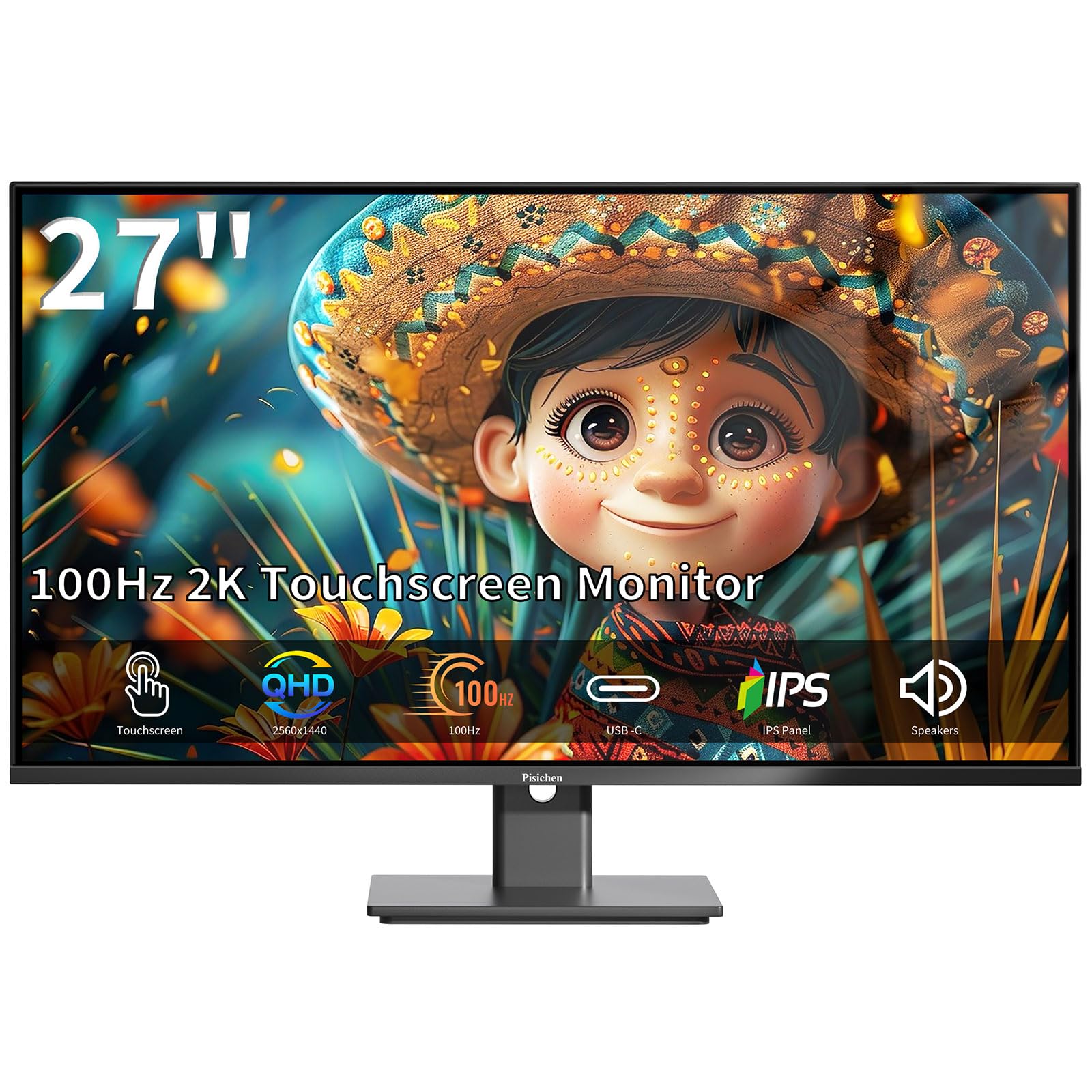
The Pisichen 27-inch 2K touch monitor delivers a rare combination: QHD resolution (2560×1440), a 100Hz refresh rate, and 10-point PCAP touch. The IPS panel hits 400 cd/m² peak brightness and covers 99% sRGB, resulting in punchy colors and sufficient brightness for well-lit rooms. The 100Hz refresh rate makes UI interactions feel fluid, and the FreeSync support reduces judder during light gaming.
Connectivity covers all bases: HDMI, DisplayPort, USB-C 3.1 for video and touch, and standard USB-A for touch passthrough. It includes built-in speakers that are adequate for system sounds but lack bass and volume for media consumption. The VESA 100x100mm mount supports arm mounting, but the basic stand only offers -5° to 15° tilt with no height adjustment — plan for an aftermarket arm if you need ergonomic range.
The bezel is ultra-thin, giving a nearly frameless look. The glossy screen produces reflections in bright rooms and collects fingerprints quickly when using touch. For single-board computer projects, home automation dashboards, or mixed-use scenarios where you want both high resolution and touch, this monitor offers the best spec-per-dollar ratio of any model reviewed.
Why it’s great
- QHD resolution with 100Hz refresh
- 400 cd/m² brightness with 99% sRGB
- USB-C with DP Alt Mode
Good to know
- Basic stand lacks height adjustment
- Glossy screen shows reflections
5. Pisichen 27″ Curved 2K Touch
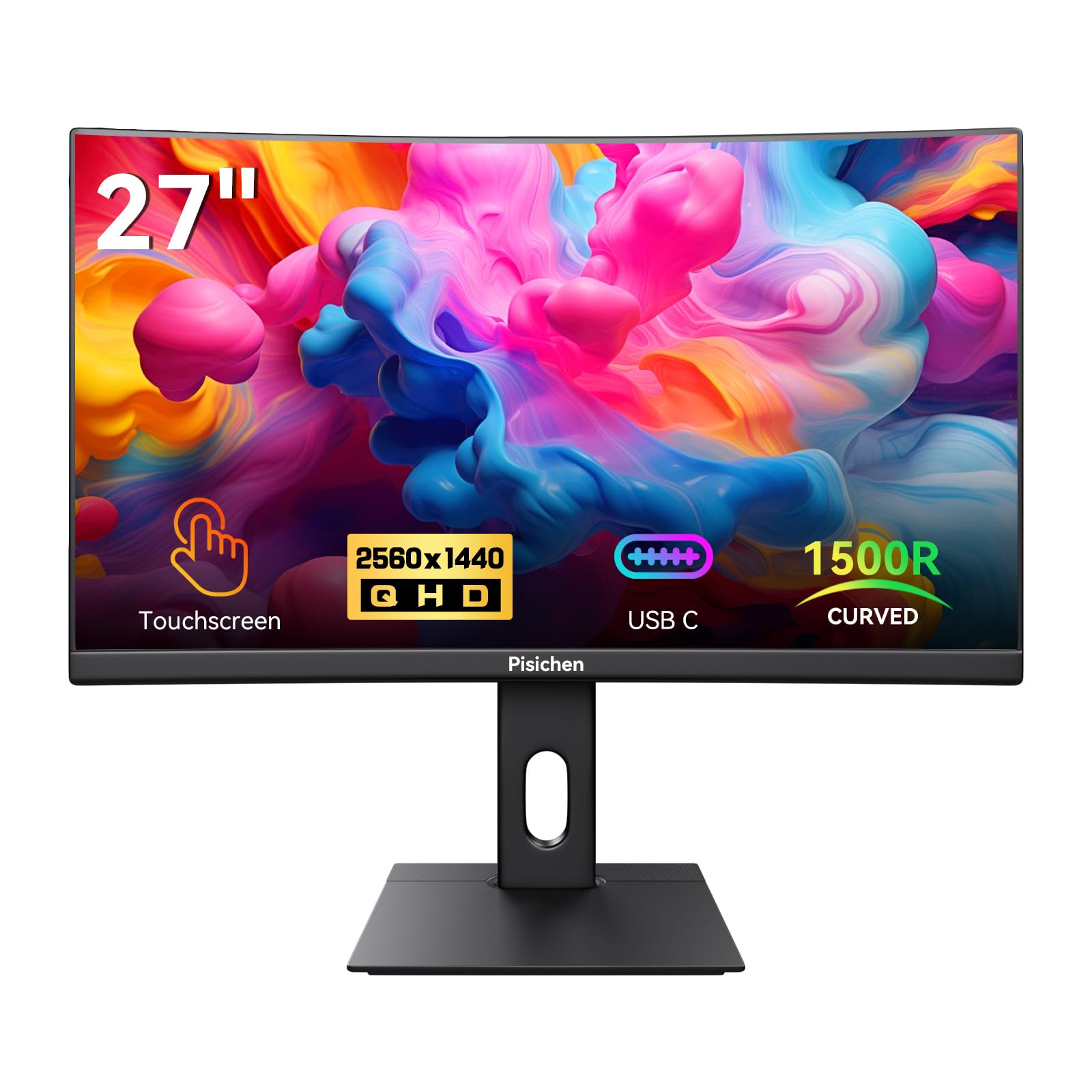
The Pisichen curved 27-inch touch monitor wraps your field of view with a 1500R curvature, creating a natural focal point that reduces eye movement. The QHD 2560×1440 resolution and 85Hz refresh rate balance sharpness and smoothness, suitable for interactive demos, convention floors, and casual gaming. The VA panel delivers a 1500:1 contrast ratio, producing deeper blacks and better dark-room performance than standard IPS.
Touch implementation uses 10-point PCAP with solid responsiveness, and the monitor works out of the box with Windows, Android, and Raspberry Pi. The connectivity suite includes HDMI, DisplayPort, and USB-C, plus a 3.5mm audio jack. The stand is short and does not allow height adjustment, which can be an ergonomic issue if you need the screen at eye level. The VESA mount uses 75x75mm pattern instead of the more common 100x100mm, so verify compatibility with your mount.
Mixed reports on reliability — some units have defective USB-C DP-Alt inputs, and the glowing LED ring on the back complicates flush VESA mounting. The curved form factor also means reflections from overhead lights bend across the screen in a line. For demonstration kiosks or immersive setups where the curve adds value, this monitor is a reasonable mid-range option.
Why it’s great
- 1500R curve for immersive interaction
- 1500:1 contrast ratio for deep blacks
- 85Hz refresh with FreeSync
Good to know
- VESA mount is 75x75mm
- Short stand with no height adjustment
6. GreenTouch 27″ Open Frame

The GreenTouch 27-inch open frame display is built for commercial kiosk and industrial environments. It uses a projected capacitive touch sensor with 10-point touch capability, bonded to a 3mm tempered glass cover that meets IK08 vandal-proof and IP65 water-resistant standards. The frame is sealed to block dust and liquid ingress, making it suitable for factory floors, outdoor terminals, and high-traffic retail kiosks.
The 1920×1080 resolution output is native, though the panel can accept a 4K signal and downscale it — useful if you are running a 4K video source. Brightness sits at 300 cd/m² with a 1000:1 contrast ratio, delivering readable content even in ambient light. The open frame design includes mounting brackets and VESA compatibility for integration into custom enclosures. All controls and ports are on the rear, so plan your installation with OSD access in mind.
The included wired remote control has been reported to have non-functional buttons on some units, though the monitor itself performs flawlessly. The MTBF rating of 50,000 hours and over 20 reliability tests confirm its durability. For any application where the monitor will be touched thousands of times a day in a public space, the GreenTouch provides the ruggedness that consumer monitors cannot match.
Why it’s great
- IP65 front seal and IK08 glass
- Commercial-grade 50,000 hr MTBF
- Vandal-proof open frame design
Good to know
- Remote control buttons may be faulty
- No front-panel controls
7. FYHXele 27″ 1080p Touch
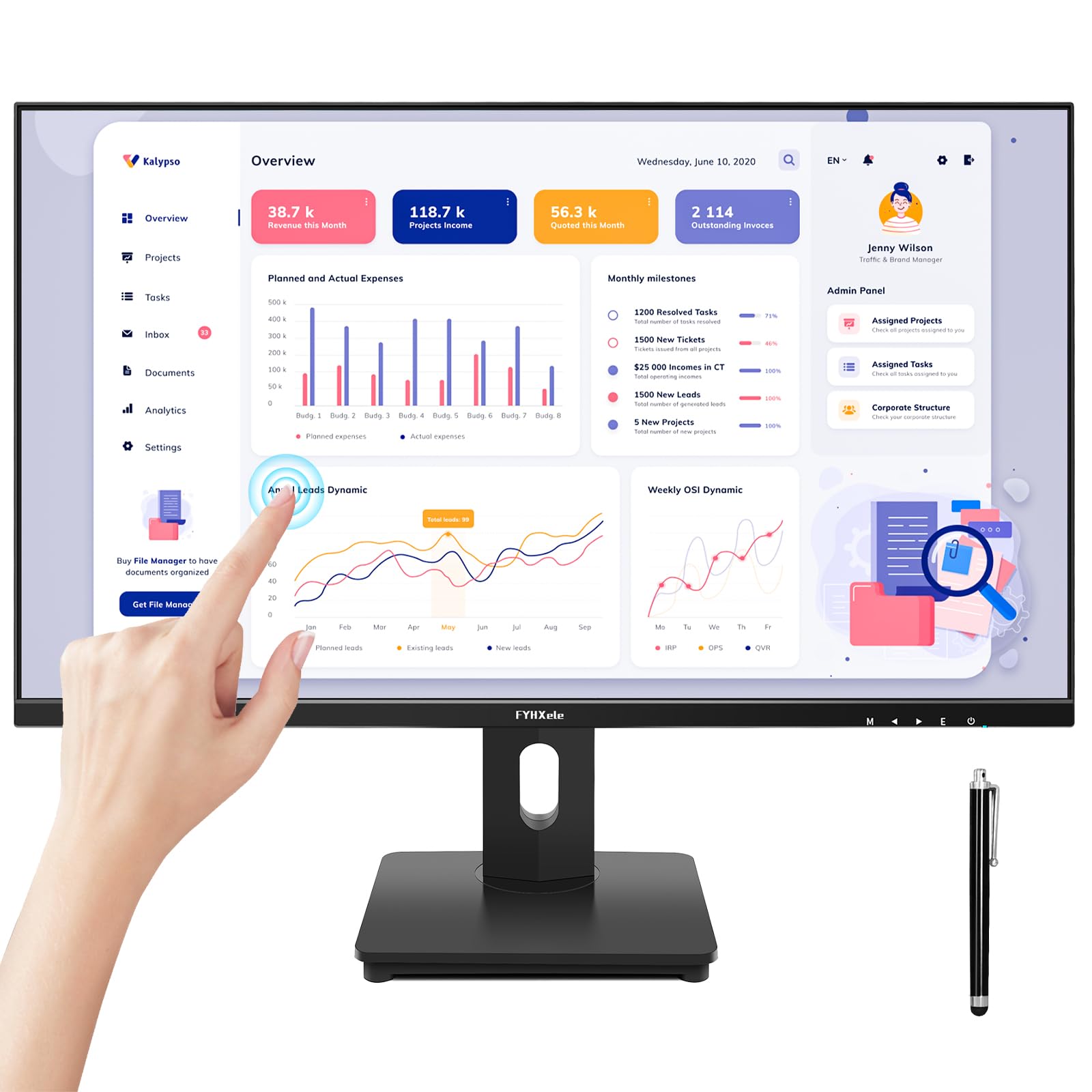
The FYHXele 27-inch touch monitor is the most accessible entry point for adding touch interactivity to a desktop. The 1920×1080 IPS panel delivers clear, consistent color with 100% sRGB coverage and a 178° viewing angle, making it suitable for office documents, classroom presentations, and light media consumption. The 75Hz refresh rate is an upgrade over standard 60Hz panels, providing slightly smoother scrolling and cursor movement.
Touch performance uses 10-point PCAP that works plug-and-play with Windows, Android, and Linux (including Raspberry Pi). The monitor includes HDMI, DisplayPort, VGA, and USB-A cables for touch. A built-in speaker adds convenience for system sounds, though audio quality is basic. The stand allows only tilt adjustment, and the glossy screen surface shows fingerprints and reflections. VESA 100x100mm mounting is supported for arm upgrades.
The black plastic build feels standard for its price tier, and the unusual USB-A connector for the touch cable may cause confusion during setup. It is not compatible with game consoles or Apple devices for touch input. For a budget-friendly secondary touch display for a single-board computer, home automation hub, or office annotation setup, this monitor gets the job done without overspending.
Why it’s great
- 10-point PCAP touch at low cost
- IPS panel with 100% sRGB
- Works with Raspberry Pi and Linux
Good to know
- No touch on game consoles or Apple
- Glossy screen shows fingerprints
8. LG 27US500-W Ultrafine

The LG 27US500-W is an excellent 4K UHD monitor for general-purpose use, offering crisp text and vivid colors through its IPS panel. The 3840×2160 resolution provides ample screen real estate for multitasking, and the HDR10 support with up to 90% DCI-P3 color gamut makes media look vibrant. The 300 cd/m² brightness is adequate for most indoor settings, and the 1000:1 contrast ratio maintains solid black levels.
The borderless design gives a clean, modern look, and the stand offers tilt adjustment. An ergonomic upgrade to a VESA arm would be welcome, as the included stand lacks height and pivot options. Connectivity includes HDMI and DisplayPort, but there is no USB-C port, so connecting a modern laptop requires an adapter. The FreeSync compatibility reduces stutter during light gaming.
This monitor is not a touch screen — it is an ultra-fine 4K display for users who prioritize resolution and image quality above all else. The white finish and white cables stand out on a dark desk, so plan your aesthetic accordingly. For users who need a high-resolution primary display and do not require touch input, this LG model delivers exceptional value at its price point.
Why it’s great
- Sharp 4K UHD resolution for text
- 90% DCI-P3 color gamut
- FreeSync support
Good to know
- No USB-C input
- White finish and cables
9. Elo 2702L

The Elo 2702L is the gold standard for commercial touch monitors in retail, hospitality, and rental environments. Elo’s TouchPro PCAP technology provides a true tablet-like experience with 10-point multi-touch support, wide viewing angles, and excellent light transmission for accurate touch registration. The 1920×1080 resolution is sufficient for POS software, menu boards, and customer interaction points.
A unique feature of the Elo 2702L is the Edge Connect peripheral system, which allows you to attach accessories like a fingerprint scanner, magnetic stripe reader (MSR), or barcode scanner directly to the monitor’s frame. This keeps your checkout counter organized without a separate dock or spare USB ports. The VESA mount supports standard integration, and the included stand is a commercial-grade solution with stability in mind.
The build quality is exceptional, with a sturdy metal chassis that withstands constant handling. The anti-glare coating reduces reflections in bright retail spaces. The price reflects the commercial warranty and field-tested reliability — for a business where a monitor failure means lost revenue, the Elo 2702L justifies every dollar of its premium. If your environment demands non-stop uptime and peripheral integration, this is the monitor to buy.
Why it’s great
- Edge Connect for integrated peripherals
- Commercial build reliability
- Excellent touch accuracy and clarity
Good to know
- Premium price bracket
- 1080p only, no QHD/4K
FAQ
Does a touch monitor work with a Mac?
Can I use a gaming console with a touch monitor?
Why does my touch monitor not work immediately?
Final Thoughts: The Verdict
For most users, the best 27 inch touch screen monitor winner is the Pisichen 2K 100Hz Touch because it delivers QHD resolution, a fluid 100Hz refresh rate, and reliable 10-point PCAP touch at a reasonable price. If you need a workstation-grade display for color-critical work with an integrated hub, grab the LG 27UP850K-W. And for a commercial retail environment where durability and peripheral integration matter most, nothing beats the Elo 2702L.

Mo Maruf
I created WellFizz to bridge the gap between vague wellness advice and actionable solutions. My mission is simple: to decode the research and give you practical tools you can actually use.
Beyond the data, I am a passionate traveler. I believe that stepping away from the screen to explore new environments is essential for mental clarity and physical vitality.