Our readers keep the lights on and my smoothie glass nicely filled. As an Amazon Associate, I earn from qualifying purchases.
Stepping up to a 4K monitor means confronting a wall of specs, panel types, and price points that blur together. The real challenge is finding a screen that delivers genuine UHD sharpness and color accuracy without forcing you to compromise on critical features like refresh rate, ergonomic adjustment, or port selection. Settling for a panel that looks good in a product photo but fails on your desk is a waste of time and desk space.
I’m Mohammad Maruf — the founder and writer behind WellFizz. I spend my days deep in display market data, analyzing panel specifications and real-world quality metrics so you don’t have to guess what matters in a affordable 4k monitor.
This guide breaks down nine carefully selected models, comparing measurable specs like color gamut coverage, refresh rate capabilities, and ergonomic ranges to help you find the screen that truly fits your workflow or gaming setup.
How To Choose The Best Affordable 4K Monitor
Finding an affordable 4K monitor means balancing resolution, panel technology, and feature sets within a tight budget. The right choice depends on your primary use case — productivity, gaming, or creative work — and understanding which specifications truly impact your daily experience.
Panel Technology: IPS vs VA
IPS (In-Plane Switching) panels deliver superior color accuracy and wider viewing angles, making them ideal for photo editing, design work, and general productivity where color consistency matters. VA (Vertical Alignment) panels provide deeper black levels and higher contrast ratios, which excel for media consumption and dark-room gaming. IPS dominates the affordable 4K segment for versatility, while VA offers better cinematic contrast at similar price points.
Refresh Rate: Beyond the 60Hz Standard
Most budget-friendly 4K monitors settle at 60Hz, which is perfectly usable for office tasks, coding, and media. However, models with 120Hz or 160Hz refresh rates dramatically improve cursor smoothness, reduce motion blur during scrolling, and unlock a much better gaming experience. If your workflow involves rapid window switching or any gaming, prioritize a 120Hz+ panel — the added fluidity transforms daily use in a way that’s hard to go back from.
Color Gamut and Brightness
Look for at least 90% DCI-P3 coverage for decent HDR impact and color vibrancy. sRGB 99% is sufficient for standard web work. Brightness above 350 nits is important for comfortable HDR viewing and use in well-lit rooms. Lower-brightness panels (250 nits) can feel dim and washed out, especially for HDR content.
Quick Comparison
On smaller screens, swipe sideways to see the full table.
| Model | Category | Best For | Key Spec | Amazon |
|---|---|---|---|---|
| ASUS ProArt Display PA279CRV | Premium | Professional color work | 99% DCI-P3 / ΔE < 2 | Amazon |
| ASUS TUF Gaming VG27UQ1A | Mid-Range | Competitive PC gaming | 160Hz / 1ms GTG | Amazon |
| Samsung ViewFinity S8 S80D | Mid-Range | Mac ecosystem / productivity | USB-C / Height adjustable | Amazon |
| Dell 27 Plus S2725QS | Mid-Range | All-day comfort & casual gaming | 120Hz / 1500:1 contrast | Amazon |
| Acer Nitro VG270K | Mid-Range | High-refresh gaming | 160Hz (4K) / HDMI 2.1 | Amazon |
| CRUA 32″ Curved | Budget | Immersive media & casual gaming | 160Hz / 1500R VA | Amazon |
| LG 27UP650K-W | Budget | Home office & multi-tasking | 95% DCI-P3 / HDR400 | Amazon |
| INNOCN 27C1U-D | Budget | USB-C laptop connectivity | USB-C 65W PD / ΔE < 2 | Amazon |
| LG 32UR500K-B | Budget | Large screen productivity | 32″ size / VA panel | Amazon |
In‑Depth Reviews
1. ASUS ProArt Display PA279CRV

For creative professionals who demand on-screen accuracy, the ProArt PA279CRV sets a high bar with factory pre-calibration achieving Delta E < 2 and covering 99% of both DCI-P3 and Adobe RGB color spaces. This 27-inch IPS panel delivers the color fidelity required for photo editing, video grading, and print-matching tasks — straight out of the box. The USB-C connection with 96-watt Power Delivery simplifies a laptop desk setup to a single cable, charging and driving the display simultaneously.
The ergonomic stand offers full adjustability including height, tilt, swivel, and pivot rotation into portrait mode. Connectivity is generous with DisplayPort In and Out for daisy-chaining, dual HDMI ports, and a built-in USB hub. Calman Verification adds professional credibility, and the included calibration report confirms each unit’s pre-set accuracy. The built-in speakers are a convenient addition for non-critical audio.
The 60Hz refresh rate means this is not a gaming monitor, and the on-screen menu navigation relies on a small joystick that some find fiddly. The panel is also relatively heavy for its size, requiring a sturdy desk arm if you choose to VESA mount. For workstations where color truth is non-negotiable, this is the premier choice in the affordable 4K space.
Why it’s great
- Factory Delta E < 2 accuracy for critical color work
- USB-C with 96W Power Delivery simplifies laptop connection
- Full ergonomic stand with height, tilt, swivel, and pivot
Good to know
- 60Hz refresh rate limits gaming or high-motion use
- Menu joystick can be unintuitive during initial setup
2. ASUS TUF Gaming VG27UQ1A
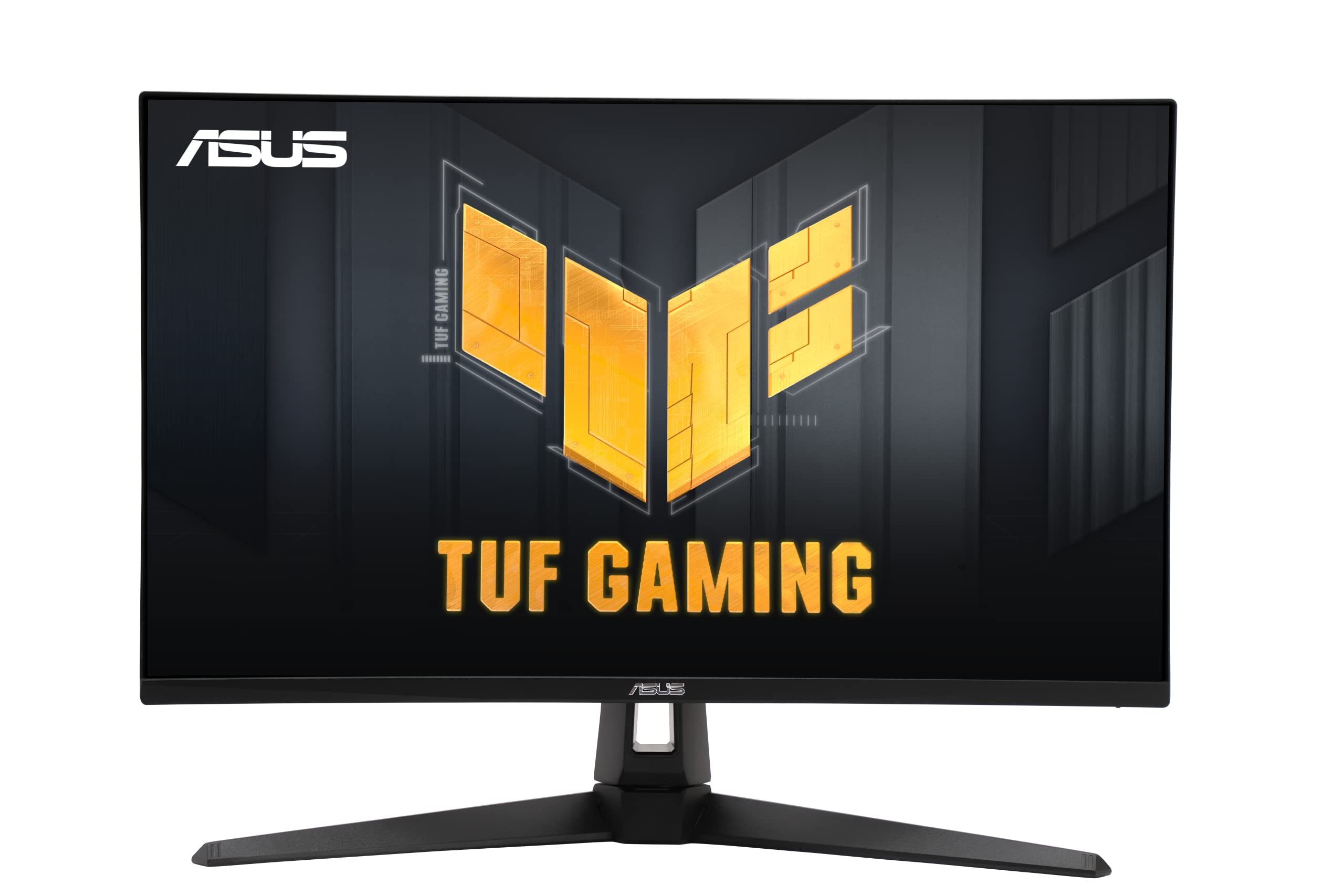
The VG27UQ1A strikes an exceptional balance between resolution and motion performance. The 27-inch 4K IPS panel runs at 160Hz with a 1ms response time, eliminating motion blur in fast-paced titles while maintaining crisp text for desktop use. ASUS Extreme Low Motion Blur Sync (ELMB Sync) pairs with G-Sync Compatible and FreeSync Premium to eliminate tearing without sacrificing clarity — a rare combination at this price tier.
Color performance is strong with 95% DCI-P3 coverage, providing vibrant HDR gaming and content consumption. The stand offers height, tilt, and swivel adjustment, though it lacks full 90-degree pivot rotation. Connectivity includes dual HDMI 2.1 ports and DisplayPort 1.4 with DSC, enabling full 4K 160Hz bandwidth over a single cable. Built-in speakers provide usable audio for casual sessions, reducing the need for external speakers.
The on-screen DisplayWidget software allows quick profile switching between preset color modes, and the 3-year warranty adds peace of mind. Some users report the HDR peak brightness is moderate rather than striking, and the plastic build feels utilitarian compared to premium counterparts. For gamers who want 4K resolution without dropping to 60Hz, this monitor delivers incredible value.
Why it’s great
- 160Hz refresh rate with 1ms response for competitive gaming
- G-Sync Compatible and FreeSync Premium for tear-free play
- 95% DCI-P3 color gamut for vivid visuals
Good to know
- HDR peak brightness is adequate but not high-end
- Stand lacks full 90-degree pivot rotation
3. Samsung ViewFinity S8 S80D

The ViewFinity S8 is engineered for the Mac ecosystem and professional productivity. Its 4K UHD IPS panel delivers sharp text and consistent color, while the matte anti-glare coating reduces reflections in brightly lit offices. HDR10 support brings deeper contrast to compatible content, though peak brightness sits at 350 nits — sufficient for office use but not for vibrant HDR gaming.
The standout feature is the fully adjustable ergonomic stand that requires no tools for assembly. Height, tilt, swivel, and a 90-degree pivot rotation are all included, making it easy to switch between landscape and portrait orientation for coding or document review. Connectivity is well-rounded with HDMI, DisplayPort, multiple USB-A ports, and a USB-B upstream port that effectively turns the monitor into a USB hub for peripherals.
The monitor lacks built-in speakers and the on-screen menu navigation buttons are located on the rear, which can be frustrating during initial setup. Some users note the stand sits higher than expected, potentially causing ergonomic issues for shorter desks. For a clean, professional 4K display built for extended work sessions, the ViewFinity S8 is a reliable choice.
Why it’s great
- Tool-free, fully adjustable ergonomic stand with 90° pivot
- Matte anti-glare coating for bright room use
- Built-in USB hub simplifies peripheral connectivity
Good to know
- No built-in speakers included
- Rear-mounted menu buttons are unintuitive
4. Dell 27 Plus S2725QS

The Dell S2725QS brings a 120Hz refresh rate to the productivity monitor segment, a significant upgrade from the standard 60Hz. The 27-inch IPS panel offers a 1500:1 contrast ratio — higher than typical IPS monitors — resulting in deeper blacks and better shadow detail. ComfortView Plus technology reduces harmful blue light emissions to ≤35% without washing out colors, making this an excellent choice for all-day work sessions.
Re-engineered built-in speakers deliver improved frequency response and volume compared to the previous generation, providing decent audio for video calls and background media. The ultra-thin bezel design in an ash white finish gives the monitor a modern, minimalist aesthetic. AMD FreeSync Premium support ensures tear-free motion during casual gaming or video playback.
The 350-nit peak brightness is adequate for indoor use, and the stand offers height, tilt, swivel, and pivot adjustments. Some users report slight vignetting on the right side of the panel, and the 120Hz refresh rate, while a big upgrade from 60Hz, is not as fluid as 160Hz monitors for competitive gaming. For a near-perfect blend of office productivity and casual play, this is a standout option.
Why it’s great
- 120Hz refresh rate for smooth daily use
- 1500:1 contrast ratio for deeper blacks
- Blue light reduction without color distortion
Good to know
- Not ideal for competitive high-refresh gaming
- Minor vignetting reported on some units
5. Acer Nitro VG270K V4bmiipx

The Acer Nitro VG270K delivers high-end gaming specs at a mid-range price point. Its 27-inch 4K IPS panel offers a 160Hz native refresh rate that can dynamically switch to 320Hz at 1080p resolution via DFR (Dynamic Frequency Resolution) technology, giving competitive gamers flexibility between resolution and speed. The 1ms response time (up to 0.5ms GTG) ensures minimal ghosting during fast transitions.
HDR10 support with up to 90% DCI-P3 color gamut coverage makes games look vibrant, while AMD FreeSync Premium prevents screen tearing without introducing stutter. The bezel-less ZeroFrame design is perfect for multi-monitor setups, providing a nearly seamless transition between screens. Connectivity includes two HDMI 2.1 ports and one DisplayPort 1.4, supporting full 4K 160Hz bandwidth.
The stand only offers tilt adjustment, lacking height or swivel capabilities, which may require a VESA arm for proper ergonomic positioning. Built-in speakers are weak and best used as a fallback. A minority of users report reliability issues with HDMI ports over extended use. For pure gaming performance per dollar, this Acer model is hard to beat.
Why it’s great
- 160Hz native refresh with DFR to FHD 320Hz
- HDMI 2.1 ports support full bandwidth
- Near bezel-less design for multi-monitor setups
Good to know
- Stand only offers tilt adjustment
- Built-in speakers are underwhelming
6. CRUA 32″ Curved Gaming Monitor

The CRUA 32-inch curved monitor offers a unique combination of 4K UHD resolution and a 160Hz refresh rate on a VA panel with a 1500R curvature. The VA technology provides a 3000:1 contrast ratio, delivering deep blacks and excellent shadow detail that enhances immersion in movies and darker games. The 120% sRGB color gamut produces vibrant colors, though not as precisely as premium IPS panels.
The large 32-inch size and gentle curve wrap around your field of view, making it feel more engaging than flat panels of the same size. AMD FreeSync support helps smooth out frame rate fluctuations. Built-in speakers provide convenient audio, and the RGB lighting adds aesthetic flair to gaming setups. Connectivity includes HDMI 2.1 and DisplayPort 1.4.
The maximum brightness of 320 nits is lower than some competitors, making it harder to use in brightly lit rooms. The stand assembly is more complicated than average, and some users report reliability issues after several months of use. For a budget-friendly large-screen 4K experience with high refresh, the CRUA delivers but comes with compromises on build consistency.
Why it’s great
- 3000:1 VA contrast ratio for deep blacks
- 32-inch 1500R curved design enhances immersion
- 160Hz refresh rate for smooth motion
Good to know
- 320-nit brightness is low for bright rooms
- Reliability concerns reported over long-term use
7. LG 27UP650K-W Ultrafine

The LG 27UP650K-W combines strong color accuracy with a well-implemented ergonomic stand. The 27-inch IPS panel covers 95% DCI-P3 and supports VESA DisplayHDR 400, delivering bright highlights and good color volume for HDR content. The 60Hz refresh rate is standard for productivity, but the panel’s sharp text rendering and wide viewing angles make it excellent for spreadsheet work, coding, and general office tasks.
The ergonomic stand offers height, tilt, and pivot adjustments, allowing you to find a comfortable viewing position without an aftermarket arm. The white color finish matches well with light-colored setups. OnScreen Control software enables easy screen splitting into up to six sections for efficient multi-tasking. Black Stabilizer and Dynamic Action Sync are included for casual gaming.
The monitor lacks built-in speakers and USB-C connectivity, which is a drawback for laptop users who prefer single-cable setups. The response time is adequate but not suited for competitive gaming. For a well-rounded, color-accurate 4K monitor with a premium adjustable stand, this LG model is a solid value.
Why it’s great
- 95% DCI-P3 with DisplayHDR 400 certification
- Full ergonomic stand with height, tilt, and pivot
- OnScreen Control for efficient multi-tasking
Good to know
- No USB-C connectivity for laptop users
- 60Hz refresh rate limits gaming potential
8. INNOCN 27C1U-D

The INNOCN 27C1U-D is a dedicated USB-C monitor designed for laptop users who want a single-cable solution. The USB-C port delivers 65 watts of Power Delivery, charging your laptop while transmitting the 4K 60Hz video signal. The IPS panel covers a wide color gamut with a factory-calibrated Delta E < 2, making it a capable budget option for photo editing and design work.
The monitor supports HDR400 and offers a frameless design that looks clean on any desk. The ergonomic stand includes height, tilt, swivel, and pivot adjustments, plus VESA 75×75 mount compatibility. G-Sync Compatible support helps reduce tearing in casual gaming. The 27-inch 4K resolution provides ample screen real estate for productivity.
The built-in speakers are notably poor, and the on-screen menu buttons are difficult to navigate without a remote. Some users report that HDMI color output can appear slightly off compared to the USB-C or DisplayPort inputs. For a budget-friendly USB-C monitor that works seamlessly with MacBooks and modern laptops, the INNOCN delivers where it counts.
Why it’s great
- USB-C with 65W Power Delivery for single-cable laptops
- Factory-calibrated Delta E < 2 for decent color accuracy
- Full ergonomic stand with pivot rotation
Good to know
- Built-in speakers are very weak
- Menu buttons are unintuitive to use
9. LG 32UR500K-B Ultrafine

The LG 32UR500K-B offers a generous 32-inch 4K VA panel as an entry point into large-screen UHD computing. The VA technology provides a 1000:1 contrast ratio with decent black levels, and the 90% DCI-P3 color gamut adds vibrancy to movies and photos. HDR10 support works well for streaming content, though the 250-nit peak brightness is a limiting factor for true HDR impact.
Built-in stereo speakers with Waves MaxxAudio deliver surprisingly good sound quality for a monitor, making it viable for video calls and casual media without external speakers. The OnScreen Control software allows easy screen splitting and adjustment of display settings via mouse clicks instead of buttons. The borderless design looks modern on any desk.
The 60Hz refresh rate and 5ms response time are standard for productivity, but the VA panel’s 250-nit brightness is notably low compared to IPS competitors. The stand only offers tilt adjustment, lacking height or swivel options. For users who prioritize screen size over peak brightness and ergonomic flexibility, this LG is a practical large-format choice.
Why it’s great
- 32-inch 4K VA panel offers a large workspace
- Built-in speakers with MaxxAudio provide decent sound
- 90% DCI-P3 color gamut for vibrant visuals
Good to know
- 250-nit peak brightness is dim for HDR
- Stand only offers tilt adjustment
FAQ
Is a 60Hz 4K monitor good enough for productivity?
What does 95% DCI-P3 mean for a 4K monitor?
Can my computer run a 4K 160Hz monitor?
Final Thoughts: The Verdict
For most users seeking the best value in an affordable 4k monitor, the winner is the ASUS TUF Gaming VG27UQ1A because it delivers a 160Hz 4K IPS panel with G-Sync Compatibility and strong color performance at a price that undercuts competitors. If your priority is professional color accuracy for photo and video work, the ASUS ProArt Display PA279CRV with 99% DCI-P3 and factory calibration is the clear choice. And for a large-screen immersive experience without breaking the bank, the CRUA 32″ Curved offers a unique 4K 160Hz VA panel with deep contrast for media lovers.

Mo Maruf
I created WellFizz to bridge the gap between vague wellness advice and actionable solutions. My mission is simple: to decode the research and give you practical tools you can actually use.
Beyond the data, I am a passionate traveler. I believe that stepping away from the screen to explore new environments is essential for mental clarity and physical vitality.