Our readers keep the lights on and my smoothie glass nicely filled. As an Amazon Associate, I earn from qualifying purchases.
A massive 65-inch screen used to be a luxury reserved for home theaters with price tags to match. Today, the sweet spot sits below that former floor — where Mini-LED backlighting, QLED quantum dots, and smart platforms like Roku and Fire TV deliver a genuine premium viewing experience without requiring a second mortgage.
I’m Mohammad Maruf — the founder and writer behind WellFizz. I’ve spent years analyzing the actual panel specs, processor capabilities, and real-world customer feedback across dozens of models to separate the truly worthwhile budget 65-inch TVs from the ones that cut corners you’ll notice every night.
This guide breaks down the eleven strongest contenders in the 65 inch budget tv category, including QLED and Mini-LED options that rival sets costing twice as much.
How To Choose The Best 65 Inch Budget TV
Finding the right 65-inch TV on a budget requires navigating panel types, processor power, and smart platform ecosystems. Here are the core areas to focus on so you don’t get lost in marketing hype.
Panel Technology: QLED vs. Standard LED
The biggest quality leap you can make without paying for OLED is choosing a TV with a QLED (Quantum Dot) panel. QLED layers a film of quantum dots between the backlight and the LCD panel, which boosts color volume and brightness significantly compared to standard LED-backlit screens. In a bright room, a QLED set will look punchier and more vibrant. If the budget absolutely forces a standard LED, look for one with full-array backlighting rather than edge-lit, as it provides better contrast and fewer bright spots.
Smart TV Platform: Roku, Fire TV, or Google TV
Each platform has a distinct personality. Roku is the gold standard for simplicity — it’s fast, uncluttered, and gets out of your way. Fire TV (Amazon) offers deep Alexa integration and a massive app library, but its interface can feel slower on lower-end processors. Google TV provides the most personalized recommendations and strong Chromecast/AirPlay support, but its home screen is busier. Choose the platform that matches your preferred streaming ecosystem — if you live in Prime Video, Fire TV is natural; if you value pure speed, Roku wins.
Refresh Rate & Motion Handling
Most budget 65-inch sets top out at a 60Hz native refresh rate, which is perfectly fine for movies and standard TV. However, if you game on a PlayStation 5 or Xbox Series X, or if you watch a lot of live sports, a 120Hz (or higher) native panel makes a dramatic difference in motion clarity. Some sets use motion smoothing or MEMC frame insertion to simulate higher refresh rates — these can look good but aren’t a substitute for real 120Hz hardware.
HDR Support & Brightness
HDR (High Dynamic Range) is only as good as the TV’s ability to produce bright highlights and deep blacks. Look for support of multiple HDR formats — Dolby Vision, HDR10+, and HLG. Dolby Vision is dynamic and adjusts scene-by-scene, while HDR10+ is a strong competitor. But without sufficient peak brightness (measured in nits), even the best HDR metadata won’t look impressive. Budget TVs typically offer 300–500 nits; models that go beyond 600 nits will deliver a much more convincing HDR experience.
Quick Comparison
On smaller screens, swipe sideways to see the full table.
| Model | Category | Best For | Key Spec | Amazon |
|---|---|---|---|---|
| TCL T7 Series | Premium | Gaming & High-Frame-Rate Content | 144Hz native refresh rate | Amazon |
| Roku Plus Series Mini-LED | Premium | Best Picture Value | Mini-LED + QLED panel | Amazon |
| Samsung M70H Mini LED | Premium | Color Accuracy & Brightness | Mini-LED with 1B colors | Amazon |
| Amazon Ember QLED | Premium | Alexa Ecosystem Integration | QLED + Dolby Vision + Atmos | Amazon |
| Hisense E6 Cinema Series | Mid-Range | Cinematic HDR & Sound | Dolby Vision + Dolby Atmos | Amazon |
| Sony BRAVIA 2 II | Mid-Range | PS5 Gaming & Upscaling | 4K Processor X1 + Motionflow | Amazon |
| Roku Select Series | Mid-Range | User-Friendly Interface | QLED + Roku Smart Picture | Amazon |
| Panasonic W70 Series | Mid-Range | Fire TV + HDMI 2.1 | MEMC + HDR Bright Panel | Amazon |
| Samsung Crystal UHD | Entry-Level | Solid Value with Samsung Build | 60Hz Crystal Processor 4K | Amazon |
| Hisense R6 Series | Entry-Level | Lowest Cost Roku TV | 60Hz Dolby Vision + HDR10 | Amazon |
| VIZIO V-Series | Entry-Level | SmartCast Chromecast Integration | 60Hz IQ Active 4K Processor | Amazon |
In‑Depth Reviews
1. TCL T7 Series (65T7)

The TCL T7 Series is the budget segment’s most aggressive spec contender. Its 144Hz native refresh rate is unprecedented at this price tier, making it a top choice for PlayStation 5 and PC gamers who want fluid motion without spending on an OLED. The QLED panel covers nearly the entire DCI-P3 color space, delivering rich, punchy colors that hold up well in moderate lighting. The AIPQ Pro processor handles 4K upscaling capably, though it won’t match Sony’s X1 in handling highly compressed low-res sources.
The FullView 360 bezel-less design gives it a modern, high-end look that won’t look dated on a wall mount. The Google TV platform is responsive and supports Chromecast and AirPlay 2 out of the box. With four HDMI inputs including one eARC port, it offers solid connectivity for a multi-device setup. The built-in Dolby Atmos speakers are clear and loud enough for a living room, though purists will want a dedicated soundbar for truly immersive audio.
One quirk noted by users: waking from power-saving mode when connected to a PC requires unplugging and re-plugging the HDMI cable. It’s a minor inconvenience for an otherwise stellar gaming-centric experience. For anyone who prioritizes smooth frame rates and vibrant colors without crossing into luxury pricing, the T7 delivers a rare combination of value and performance.
Why it’s great
- Industry-leading 144Hz native refresh rate at this price
- Excellent QLED color volume and brightness
- Sleek, bezel-less design with height-adjustable feet
Good to know
- Requires internet/Google setup before using HDMI inputs
- PC wake-from-sleep HDMI handshake can be glitchy
2. Roku Plus Series Mini-LED (65-Inch)

The Roku Plus Series brings Mini-LED backlighting to a price point that previously only offered standard full-array or edge-lit panels. The result is substantially better contrast — deeper blacks without the halo effect common on traditional LED sets — and vibrant highlights that make HDR10 and Dolby Vision content truly pop. The QLED quantum dot layer ensures color saturation stays punchy even from wide viewing angles, a common weak point for budget TVs.
Roku’s operating system remains the benchmark for simplicity. It boots quickly, apps load without stutter, and the home screen is clean enough that even a technophobe feels at home. The Enhanced Voice Remote includes lost remote finder and programmable shortcut buttons. Dolby Atmos audio processing, combined with a built-in subwoofer, delivers sound that is surprisingly full-bodied for a flat panel — dialogue stays crisp, and action scenes carry weight without distortion.
The Roku Smart Picture Max AI system continuously optimizes brightness, color, and sharpness based on the content you’re watching. During sports, it enhances grass and skin tones; in dark movies, it preserves shadow detail without crushing blacks. For movie nights, live sports, and family streaming, this set offers the most balanced premium experience in the budget range.
Why it’s great
- Mini-LED backlight provides best-in-class contrast
- Roku OS is fast, simple, and constantly updated
- Strong built-in audio with subwoofer
Good to know
- No full USB 3.0 port (USB-C only for service)
- Roku platform offers fewer advanced picture settings than competitors
3. Samsung M70H Mini LED (65M70H)

Samsung’s M70H leverages Mini-LED technology with the company’s Pure Spectrum Color engine to produce one billion color shades — a spec normally reserved for far more expensive sets. The advanced Mini LED dimming zones create impressive contrast for both brightly lit living rooms and dim home theater setups. HDR highlights are notably bright, making explosions, sunsets, and bright clothing textures look three-dimensional.
The Motion Xcelerator with DLG 120Hz mode is a clever addition that boosts perceived motion clarity for sports and fast-paced action sequences. While it’s not a true native 120Hz panel, the interpolation is smooth enough that most viewers won’t notice the difference. The Gaming Hub aggregates cloud gaming services (Xbox, GeForce Now, Amazon Luna) directly on the home screen, eliminating the need for a console for casual gaming.
The remote, while stylish, requires line-of-sight aiming, which can be frustrating from an angled seat. Some users also report a brief delay between pressing the remote button and the TV responding. Those issues aside, the picture quality competes with sets that cost hundreds more, and Samsung’s free TV Plus library (2,700+ channels) adds genuine value for cord-cutters.
Why it’s great
- Mini-LED produces exceptional brightness and black levels
- One billion color spectrum for incredibly rich HDR
- Bundled Samsung TV Plus with huge free content library
Good to know
- Remote requires direct line-of-sight, feels finicky
- On-screen menu system can be slow to navigate
4. Amazon Ember 65″ QLED Series

The Amazon Ember QLED Series is the tightest integration of Fire TV software and hardware available. The new quad-core processor paired with Wi-Fi 6 makes app loading nearly instantaneous and 4K streaming buffer-free even on busy networks. The QLED panel with full-array local dimming delivers Dolby Vision and HDR10+ Adaptive content with impressive contrast — deep blacks and bright highlights that make HDR content look genuinely premium.
The real differentiator is Alexa+: hands-free voice control works even when the screen is off, letting you check weather, set timers, or control smart lights without reaching for the remote. The Omnisense sensors wake the display when you enter the room, showing artwork or pausing content — a convenience feature that feels futuristic. For gamers, Amazon Luna and Xbox Game Pass integrate directly without requiring a console, making this a strong pick for cloud-focused players.
Audio out of the box is decent but benefits from a soundbar for fuller sound, especially given the default 5.1 audio setting can cause dialogue echo in stereo setups. Some units have reported occasional stutter or audio sync issues on Prime Video content, though updates seem to be addressing these. As a complete smart home hub with a genuinely excellent panel, the Ember is the best choice for deep Amazon ecosystem users.
Why it’s great
- Wi-Fi 6 and quad-core processor for blazing-fast interface
- Full-array local dimming on a QLED panel at this tier is rare
- Hands-free Alexa+ works even with screen off
Good to know
- Audio may need manual stereo setting adjustment
- Minor stutter and sync issues reported on some streaming apps
5. Hisense E6 Cinema Series (65E6QF)
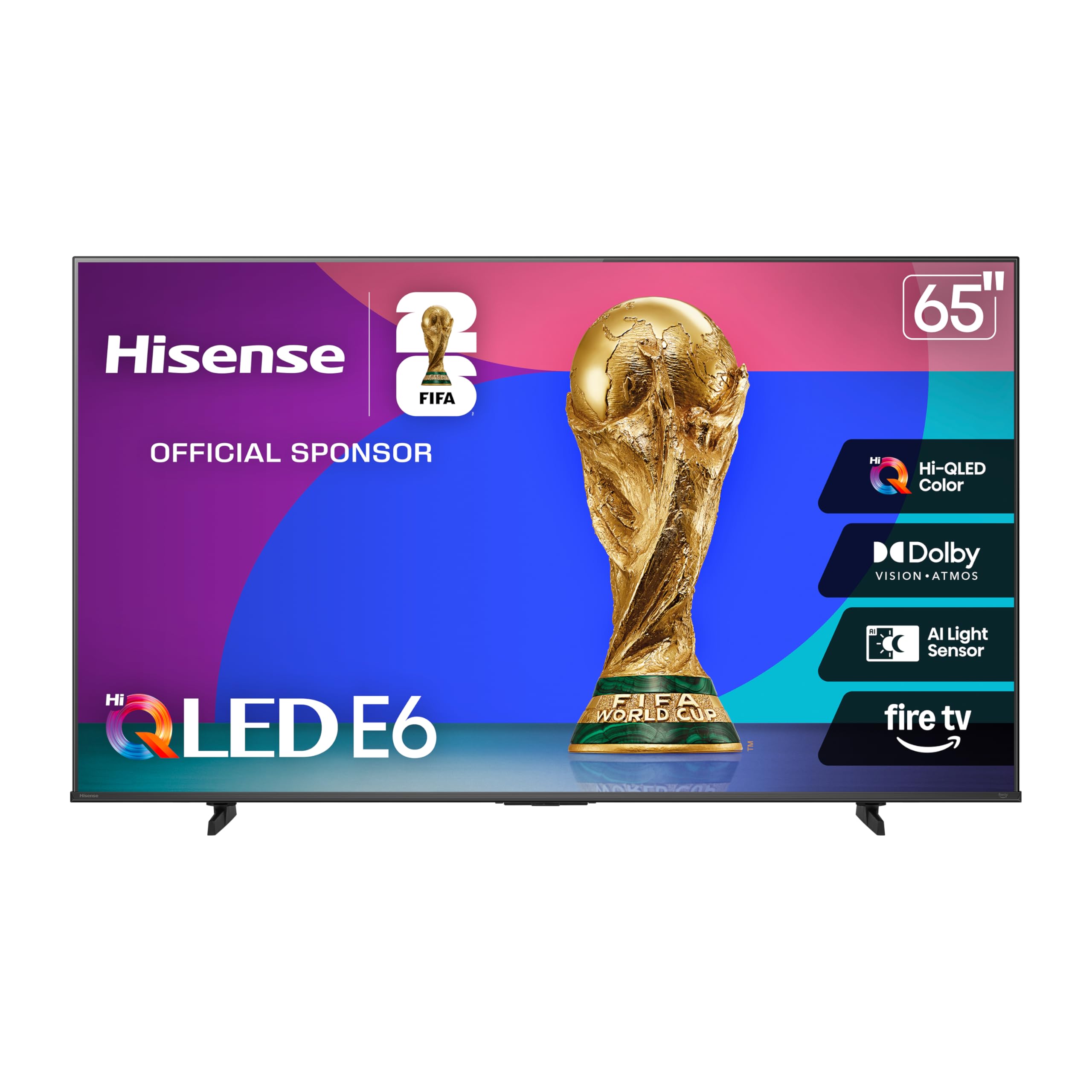
Hisense’s E6 Cinema Series uses its proprietary Hi-QLED panel to deliver color saturation that goes beyond standard QLED implementations. Reds are richer, greens are more natural, and skin tones avoid the overly cool cast that plagues some budget panels. Dolby Vision and HDR10+ Adaptive work together with the Total HDR Solution to handle scene-by-scene brightness and contrast adjustments, which makes dark movies like Blade Runner 2049 look properly cinematic rather than muddy.
The Fire TV platform integration is solid, with support for Alexa voice commands and Apple AirPlay. The Motion Rate 120 processing reduces judder in fast-moving sports, though some users may notice slight soap opera effect if motion smoothing is set too high. The Game Mode Plus reduces input lag for casual console gaming, though hardcore players will want the TCL T7’s higher refresh rate.
Build quality is a step above entry-level — the stand is sturdy and the bezels are thin. Some customers report that the Fire TV interface can feel sluggish during boot (60-90 seconds), and app switching occasionally lags. Those quibbles aside, for pure picture quality in a cinema-focused package, the E6 punches well above its tier.
Why it’s great
- Hi-QLED panel produces standout color vibrancy
- Full Dolby Vision + HDR10+ Adaptive support
- Solid build with thin bezels
Good to know
- Fire TV interface can be slow to boot
- App switching lag may annoy impatient users
6. Sony BRAVIA 2 II (K-65S20M2)

Sony’s BRAVIA 2 II brings the company’s renowned 4K Processor X1 — the same engine used in higher-end models — into a more accessible package. The processor excels at upscaling: 1080p and 720p content looks surprisingly clean and detailed, with fewer artifacts and better noise reduction than competing budget processors. For anyone watching a mix of cable TV, YouTube, and old DVDs alongside 4K streams, the X1 makes a tangible difference.
Exclusive PlayStation 5 features are the headline: Auto HDR Tone Mapping and Auto Genre Picture Mode communicate directly with the PS5 to optimize picture settings for games and streaming content. Motionflow XR ensures blur-free action in racing games and fast-paced shooters. The Google TV platform is responsive and integrates well with Sony’s remote design, which is widely considered the most comfortable in the industry.
The panel itself is a standard LED with good but not great contrast — it can’t compete with Mini-LED or QLED sets on deep blacks or peak HDR highlights. Some users have reported occasional freezing that requires a hard power cycle, though this appears to be a software issue that could be patched. For PS5 owners who prioritize upscaling quality and seamless console integration, the BRAVIA 2 II is the smartest choice.
Why it’s great
- 4K Processor X1 delivers best-in-class upscaling
- Exclusive PS5 features for automatic HDR and picture optimization
- Excellent ergonomic remote and Google TV integration
Good to know
- Standard LED backlight can’t match QLED/Mini-LED contrast
- Occasional freezing requires power cycle in some units
7. Roku Select Series 65″ QLED
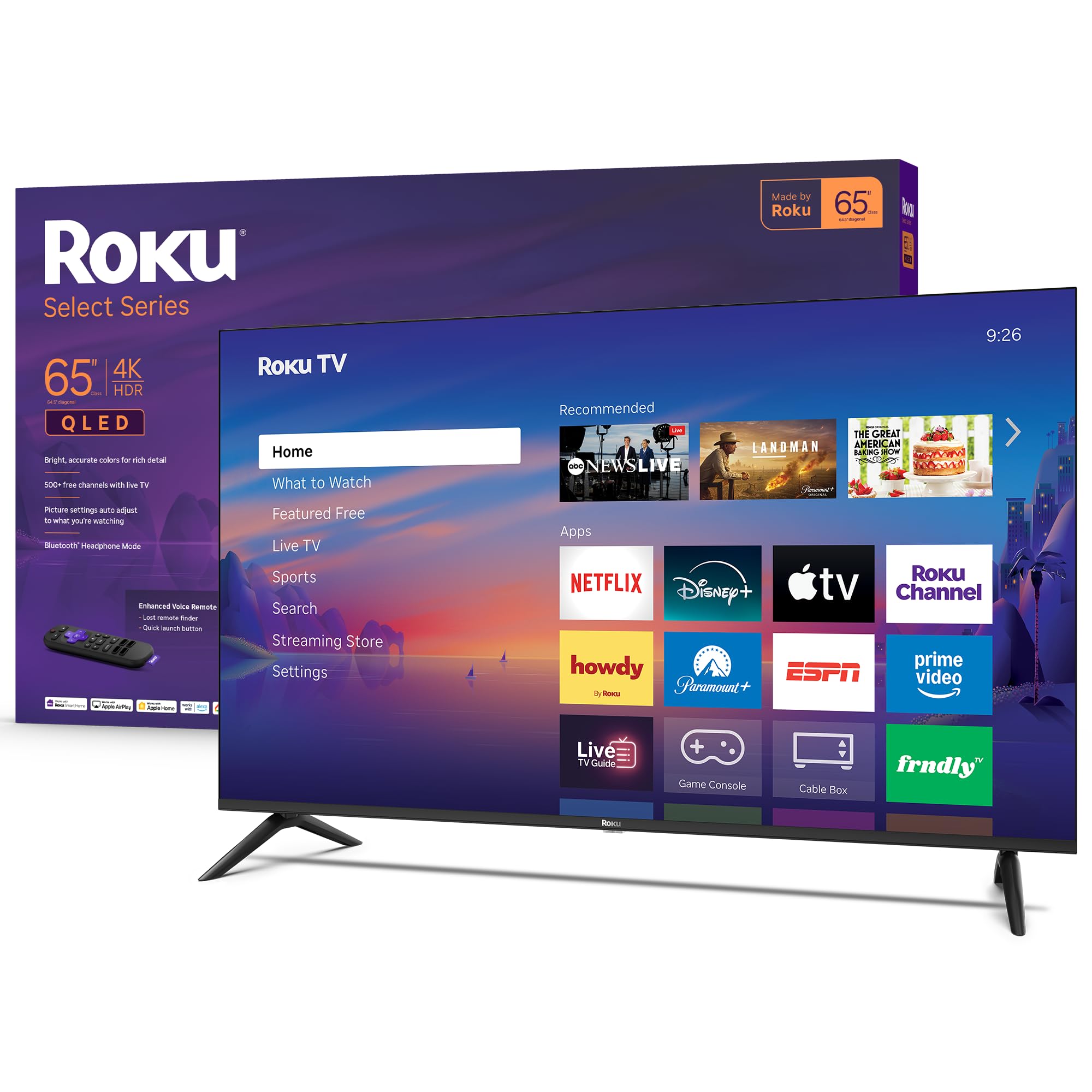
The Roku Select Series is a QLED upgrade to Roku’s standard lineup, and it focuses on what the brand does best: delivering a frictionless, fast, and clean user experience. The 4K QLED panel combined with Roku Smart Picture processing automatically optimizes brightness, color, and sharpness for whatever you’re watching — no manual calibration necessary for most viewers. HDR10 support ensures compatible content looks vibrant, though it lacks Dolby Vision found on pricier models.
The Bluetooth Headphone Mode is a standout family-friendly feature: pair wireless headphones directly to the TV for late-night viewing without disturbing anyone. The frameless design gives the screen a modern floating look that fits well in contemporary living rooms. Setup is genuinely simple — plug in, connect to Wi-Fi, and log into your streaming services within minutes.
Sound quality from the built-in speakers is clear and loud enough for most rooms, though bass is limited, and dialogue can get slightly buried during action scenes. The lack of Dolby Vision is the biggest compromise versus the Hisense R6 at a similar tier, but if you prioritize interface speed and simplicity above absolute HDR spec superiority, the Select Series delivers a stress-free experience.
Why it’s great
- Roku OS is the fastest and most intuitive smart platform
- Bluetooth Headphone Mode for private listening
- Frameless QLED design looks premium
Good to know
- No Dolby Vision support (HDR10 only)
- Built-in speakers lack bass and can struggle with action scenes
8. Panasonic W70 Series (65W70BP)

Panasonic’s W70 Series brings the brand’s reputation for reliable hardware into the Fire TV ecosystem. The HDR Bright Panel is engineered to produce higher peak brightness than typical budget LED screens, which helps HDR10+ content retain detail in bright highlights. The 4K Studio Color Engine combined with MEMC motion interpolation keeps sports and fast-paced movies looking smooth with less stutter than non-MEMC sets.
The four HDMI ports include one HDMI 2.1 input, a welcome addition for next-gen console gamers who want lower latency and higher bandwidth. Bluetooth 5.0 support allows wireless speaker pairing for better audio, and the Fire TV platform responds well to Alexa voice commands for content search and smart home control. The aluminum stand gives it a sturdier feel than plastic alternatives, and setup via QR code is quick for existing Fire TV users.
The panel’s viewing angles are average — colors wash out if you sit far off-center. The processor can feel underpowered during heavy multitasking, with some lag when switching between apps. A small number of customers reported unit defects (black screen, freezing), though these appear to be quality-control variations rather than a design flaw. For a reliable, well-connected Fire TV with decent HDR brightness, the W70 is a strong mid-range option.
Why it’s great
- HDMI 2.1 port for modern gaming consoles
- MEMC motion handling keeps sports smooth
- Solid build with aluminum stand
Good to know
- Processor is on the slower side for app switching
- Viewing angles are narrower than average
9. Samsung Crystal UHD (65U8000H)

The Samsung Crystal UHD U8000H is the most recognizable name in the entry-level tier, and it earns its spot through reliable build quality and a well-optimized Tizen smart platform. The Crystal Processor 4K handles 4K upscaling competently for a 60Hz panel, and the Color Booster feature pushes saturation higher than standard LED panels, making content look punchy despite the lack of QLED quantum dots. Samsung TV Plus includes over 2,700 free streaming channels, adding genuine value for cord-cutters.
Motion Xcelerator smooths sports and action scenes without introducing obvious artifacts — not quite as fluid as a 120Hz panel, but respectable for a 60Hz set. The remote is compact but can be tricky for those with larger hands; an older Samsung remote works as a backup. Setup requires a Samsung account and internet connection, which may frustrate users who just want to plug and play.
Picture quality is good but not great — blacks are more gray than deep, and HDR support lacks the dynamism of Dolby Vision-enabled competitors. For a secondary bedroom TV, a guest room, or a primary set for a non-enthusiast, the Samsung delivers dependable performance with strong brand reliability. It won’t win any spec sheet battles, but it will work reliably for years.
Why it’s great
- Trusted Samsung build quality and reliability
- Color Booster enhances saturation for a punchy image
- Samsung TV Plus offers huge free channel selection
Good to know
- Standard LED backlight produces gray blacks
- Setup requires Samsung account and internet
10. Hisense R6 Series (65R6G)

The Hisense R6 Series is the budget king for the Roku faithful. It combines Dolby Vision HDR and DTS Studio Sound with the Roku TV platform — a rare combination at this entry price point. The full array LED backlight produces more even brightness than edge-lit alternatives, and the Motion Rate 120 technology smooths fast action better than most basic 60Hz panels. For under , you get the best streaming OS and a genuine HDR format in one package.
Color accuracy out of the box is decent but benefits from manual calibration — the reds can oversaturate and skin tones lean warm. Several customers share their preferred picture settings online, which is a minor inconvenience for a substantial picture upgrade. The set is lightweight and thin, making wall mounting a one-person job, but the included plastic stand feels less premium than metal alternatives.
Durability complaints do appear — a small number of users experienced panel failure or screen damage during shipping, which is a known risk with large budget TVs. Hisense customer support can be slow to respond. However, when the unit works, the combination of Roku’s speed and Dolby Vision’s dynamic range at this price is unmatched. It’s the quintessential budget choice for anyone who wants a great picture without paying for features they don’t need.
Why it’s great
- Dolby Vision support at the lowest price point
- Roku OS is the gold standard for simplicity
- Full array backlight provides even brightness
Good to know
- Plastic stand feels cheap; metal not used
- Shipping damage and panel failure risk with large screens
11. VIZIO V-Series (65-Inch)

The VIZIO V-Series is the SmartCast alternative for users who want Chromecast and Apple AirPlay integration without a dedicated dongle. The IQ Active Processor handles 4K upscaling of HD content competently, and Active Pixel Tuning adjusts brightness on a pixel-by-pixel level to improve contrast in dark scenes. The V-Gaming Engine automatically enables Game Mode when a console is detected, reducing input lag to respectable levels for casual and competitive gaming alike.
SmartCast is VIZIO’s proprietary smart platform, and while it offers access to all major streaming services (Netflix, Disney+, YouTube, Prime Video), it lacks the speed and app ecosystem of Roku, Fire TV, or Google TV. Navigation can feel sluggish, and the remote is basic. The free WatchFree+ channel service provides hundreds of ad-supported channels, a decent supplement for cord-cutters.
Audio performance is the V-Series’ biggest weakness — the built-in speakers sound thin and lack bass, with some users reporting inconsistent volume levels between apps. A soundbar is almost mandatory for an enjoyable experience. Additionally, there are reports of black spot defects on the LED panel in some units, which can be a lottery. For AirPlay users on a tight budget who already own a soundbar, the V-Series is a functional option, but it falls behind the Hisense R6 and Samsung Crystal UHD in overall value.
Why it’s great
- Built-in Chromecast and Apple AirPlay
- Active Pixel Tuning improves contrast on dark content
- Auto Game Mode reduces input lag
Good to know
- SmartCast interface is slower than competitors
- Weak audio performance; soundbar recommended
FAQ
Is a 60Hz refresh rate enough for watching sports on a budget 65-inch TV?
What is the real difference between QLED and standard LED on a budget 65-inch TV?
Does Dolby Vision matter on an entry-level 65-inch TV, or is it wasted?
Final Thoughts: The Verdict
For most users, the 65 inch budget tv winner is the Roku Plus Series Mini-LED because it combines premium Mini-LED contrast, QLED color, and the best smart TV interface at a price that doesn’t feel like a compromise. If you want a 144Hz panel for gaming without spending on an OLED, grab the TCL T7 Series. And for deep Amazon ecosystem integration with excellent QLD picture quality, nothing beats the Amazon Ember QLED Series.

Mo Maruf
I created WellFizz to bridge the gap between vague wellness advice and actionable solutions. My mission is simple: to decode the research and give you practical tools you can actually use.
Beyond the data, I am a passionate traveler. I believe that stepping away from the screen to explore new environments is essential for mental clarity and physical vitality.