Our readers keep the lights on and my smoothie glass nicely filled. As an Amazon Associate, I earn from qualifying purchases.
Yet many budget-friendly options force trade-offs on resolution, connectivity, and brightness that make them feel like a step backward. The trick is knowing which specs to prioritize—and which premium features you can safely skip—to get that second-screen boost without draining your wallet.
I’m Mohammad Maruf — the founder and writer behind WellFizz. I spend my time in the data trenches, comparing panel quality, color gamut figures, connectivity standards, and real-world durability metrics to separate the genuine performance bargains from the marketing noise in this price bracket.
After reviewing the most compelling affordable options on the market, I’ve narrowed down the top performers to help you find the best budget portable monitor for your actual workflow without wasting cash on unnecessary extras.
How To Choose The Best Budget Portable Monitor
Not all affordable portable monitors are created equal. The real differences lie in the panel technology, the connectivity options, and the build quality of the stand. Here’s what to focus on when you’re shopping with a tighter budget.
Panel Resolution and Color Accuracy
At the budget tier, 1080p (FHD) remains the standard, and for good reason — it keeps costs low while providing ample clarity for spreadsheets, coding, and document work. If you find a monitor in this price range offering a QHD (2560×1440) panel, like the InnoView 2K model, you’re getting a significant upgrade in pixel density for photo editing or video timelines. Pay attention to the sRGB or NTSC color gamut percentage: 72% NTSC (roughly 100% sRGB) is the sweet spot for color-sensitive tasks, while lower figures (49-60%) are fine for email and web browsing.
Connectivity and Power Delivery
The biggest pain point in budget monitors is power. A true single-cable setup via USB-C requires your laptop’s port to support DisplayPort Alt Mode (DP Alt Mode). If it does, one cable handles video and power. If it doesn’t, you’ll need a second USB-A to USB-C cable for power, or an external adapter. The KEFEYA and DZVW screen extenders explicitly require that extra power cable when using HDMI, which adds cable clutter but is a workable compromise. The ASUS ZenScreen and Lenovo L15 are designed for a USB-C-only connection, making them cleaner for travel but more restrictive on older laptops.
Build, Weight, and Stand Quality
A light monitor is useless if the stand can’t hold it steady. Many budget models rely on a magnetic smart cover that folds into a triangular stand. These work on flat desks but can be wobbly on soft surfaces like a bed or a couch. For portrait mode work, you’ll want a monitor with a sturdy kickstand or 1/4-inch tripod mount. The MSI Pro MP165 E6 and VisionOwl offer VESA mount options for a permanent desk setup, which adds flexibility. The Flytocca and cocopar models include a 360-degree rotating stand, but be aware that auto-rotation requires a software driver on most systems.
Quick Comparison
On smaller screens, swipe sideways to see the full table.
| Model | Category | Best For | Key Spec | Amazon |
|---|---|---|---|---|
| Lenovo L15 | Premium Mid-Range | Business travelers needing an ergonomic stand | 250 nits / Height-Adjustable Stand | Amazon |
| InnoView 2K | Premium Value | Creative pros on a strict budget | 2560×1440 / 100% sRGB | Amazon |
| ASUS ZenScreen MB16ACV | Premium | Minimalists wanting USB-C-only convenience | Anti-Glare / TÜV Eye Care | Amazon |
| cocopar 15.6 Inch | Mid-Range | Console gamers on the move | 85% sRGB / FHD 60Hz | Amazon |
| VisionOwl 15.6 Inch | Mid-Range | Laptop users wanting a metal build | Aluminum Alloy / VESA Mountable | Amazon |
| Flytocca 16 Inch | Mid-Range | Users wanting extra screen real estate | 16-Inch / 1920×1200 (16:10) | Amazon |
| MSI Pro MP165 E6 | Mid-Range | Office workers wanting Low Blue Light | 2000:1 Contrast / TÜV Certified | Amazon |
| KEFEYA 14 Inch | Budget | Ultra-light travel multitaskers | 14-Inch / 1.8 lbs | Amazon |
| DZVW 14 Inch | Budget | Laptop screen extender enthusiasts | 14-Inch / 72% NTSC | Amazon |
In‑Depth Reviews
1. Lenovo L15 Portable Monitor

The Lenovo L15 is the benchmark for build quality in the budget-friendly tier. Its standout feature is the height-adjustable stand — a rarity at this level — which lets you dial in perfect ergonomics whether you’re on a standing desk or a cramped coffee table. The 15.6-inch FHD IPS panel delivers a sharp 1920×1080 resolution with a 250-nit brightness rating, which is adequate for indoor office lighting and most travel scenarios.
Connectivity is handled by two USB-C ports, enabling a clean single-cable setup for laptops that support DP Alt Mode. The flicker-free technology and TÜV Rheinland certification (implied by the spec sheet) make long coding or document editing sessions noticeably less fatiguing on the eyes. The lightweight chassis, at under two pounds, easily slides into a laptop bag without adding bulk.
Where the L15 holds back is color accuracy — the panel’s color gamut is not explicitly listed as high sRGB, so creative professionals performing color-critical work might find the tones slightly muted compared to the InnoView 2K. The stand, while adjustable for height, does not easily rotate into portrait mode without detaching the panel. For pure productivity work, however, this monitor offers the best ergonomic value in the entire list.
Why it’s great
- Height-adjustable stand reduces neck strain during long sessions
- Two full-function USB-C ports for a clean, cable-minimal setup
- Thin and light enough for daily commuter carry
Good to know
- Color gamut is not listed as high sRGB, less suited for photo editing
- Stand does not easily pivot into portrait mode without disassembly
2. InnoView 2K Portable Monitor
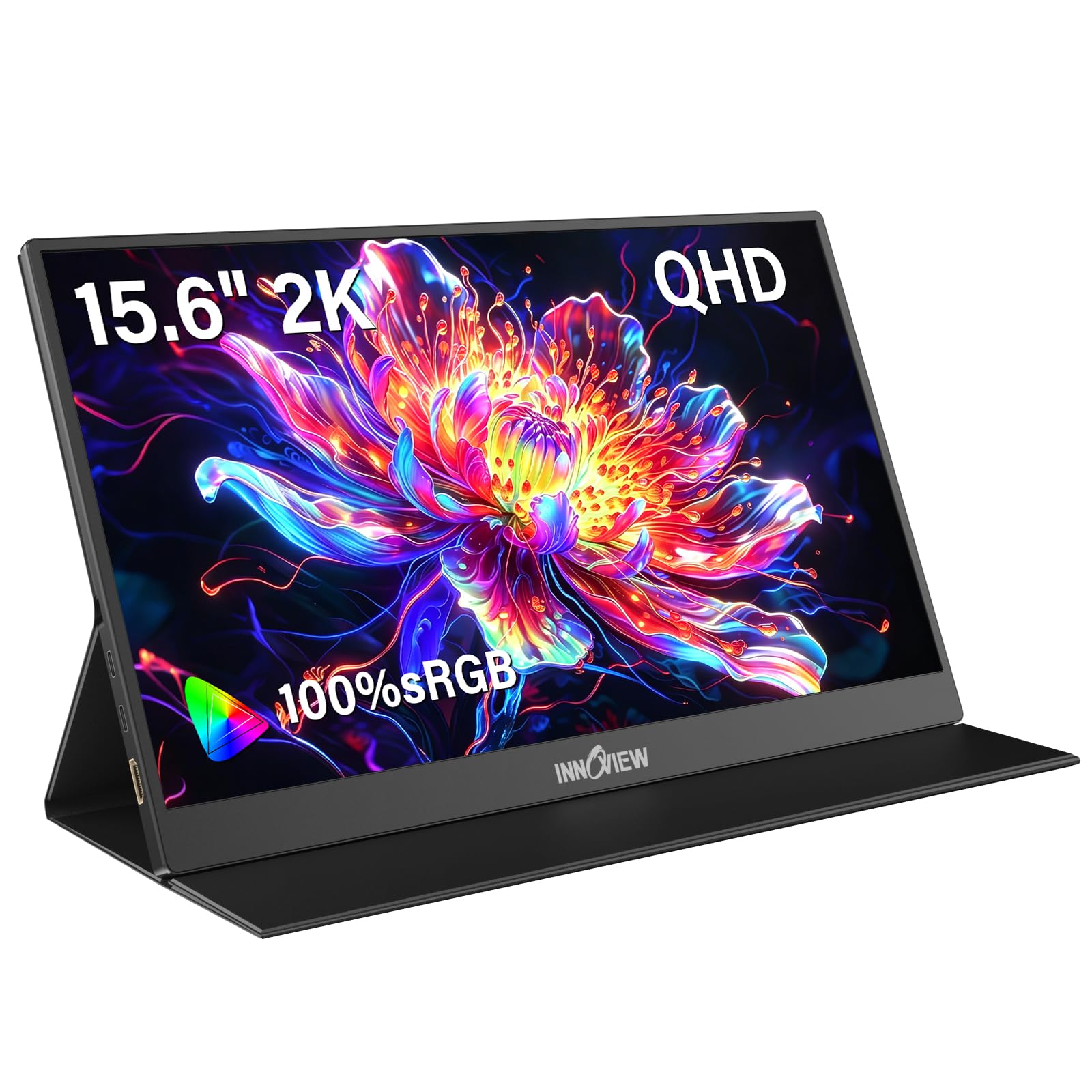
The InnoView 2K monitor disrupts the budget segment by packing a 2560×1440 QHD panel into a sub-hundred-dollar price bracket. That resolution is a massive leap in pixel density over the standard 1080p fare, giving you sharper text and more screen real estate for timelines, code windows, and spreadsheet columns. The 100% sRGB color gamut is the key differentiator here — colors pop with accuracy that rivals monitors costing twice as much, making this a strong candidate for photo editing and design work on the go.
The panel brightness is rated at 250 nits, which is on the dimmer side compared to the Flytocca and VisionOwl models, so you’ll want to avoid using it in direct sunlight. It features two full-feature USB-C ports and a standard HDMI port, and the PU leather smart cover doubles as a stand. The dual built-in speakers are adequate for casual YouTube and meeting audio, though they lack the volume and clarity of dedicated external speakers.
One trade-off at this price point is the contrast ratio — 1000:1 is standard but doesn’t deliver the deep blacks you get with an OLED or higher-end IPS panel. Additionally, the 60Hz refresh rate is fine for productivity but will not satisfy competitive gamers. For anyone needing a high-resolution second display for creative work without breaking the bank, this is a stellar choice.
Why it’s great
- QHD resolution paired with 100% sRGB is a massive upgrade for creative work
- Dual full-feature USB-C ports allow flexible cable routing
- Smart cover provides solid screen protection and doubles as a stand
Good to know
- 250-nit brightness is lower than competing models, not for outdoor use
- Contrast ratio is standard 1000:1, not ideal for HDR content
3. ASUS ZenScreen MB16ACV

The ASUS ZenScreen MB16ACV is the reference design for ultra-slim portable monitors. At just over one pound and with a profile thinner than most smartphones, it redefines what “portable” means in this category. The anti-glare IPS panel is a standout feature for remote workers who find themselves working in brightly lit rooms or near windows — the matte surface diffuses reflections far better than the glossy screens on most budget monitors.
Connectivity is strictly USB-C, with no HDMI port on the monitor itself. This keeps the profile impossibly thin but limits compatibility to laptops with USB-C DP Alt Mode support. For older laptops without this feature, you’ll need to use the included USB-C to A adapter and download the DisplayLink driver. The integrated kickstand works reliably on flat and soft surfaces, including beds and laps, which is a rare usability win.
The panel is FHD 1080p with a 60Hz refresh rate and includes ASUS Eye Care technology (TÜV Rheinland-certified flicker-free and low blue light). The color accuracy is solid for an IPS panel but not at the level of the InnoView’s 100% sRGB coverage. The lack of a headphone jack and standard HDMI input are notable omissions for console gamers. For the minimalist traveler who prioritizes lightweight design and glare-free viewing, this is the refined choice.
Why it’s great
- Anti-glare IPS panel provides excellent visibility in bright rooms
- Ultra-slim and lightweight, barely adds bulk to any laptop bag
- Kickstand is stable on soft surfaces like beds and couches
Good to know
- Strictly USB-C connectivity requires DP Alt Mode or a driver for non-USB-C laptops
- No HDMI input or headphone jack limits console gaming compatibility
4. cocopar 15.6 Inch Portable Monitor

The cocopar 15.6-inch portable monitor has been a consistent performer in the Amazon marketplace, and for good reason. The FHD IPS panel delivers a 1080p resolution with an 85% sRGB color gamut, hitting the sweet spot for web design, code editing, and casual photo viewing. The 178-degree viewing angles ensure that even if you’re sharing your screen with a colleague, the colors hold up from the sides.
This monitor offers two full-featured USB-C ports and a mini HDMI port, giving you broad compatibility with laptops, PCs, Xbox, PS4, and PS5. The single-cable setup works flawlessly with Thunderbolt 3/4 and DP Alt Mode devices. It also features VESA mounting holes (75x75mm) — a rare find at this price — allowing you to permanently mount it on an arm on your desk for a clean dual-monitor home setup when you’re not traveling.
At 1.5 pounds without the magnetic cover, it’s extremely portable. The smart cover stand is functional but can be a bit flimsy on uneven surfaces. The built-in speakers are decent for system sounds and calls but lack bass for immersive media consumption. For a versatile monitor that bridges the gap between travel and desktop work, the cocopar is a reliable workhorse.
Why it’s great
- VESA mountable for a permanent desk setup, a rarity in this price tier
- 85% sRGB coverage and IPS panel provide good color accuracy for most tasks
- Works with consoles, laptops, and smartphones via USB-C and mini HDMI
Good to know
- Smart cover stand can be wobbly on uneven surfaces like trains or beds
- Built-in speakers lack the clarity for dedicated media consumption
5. VisionOwl 15.6 Inch Portable Monitor
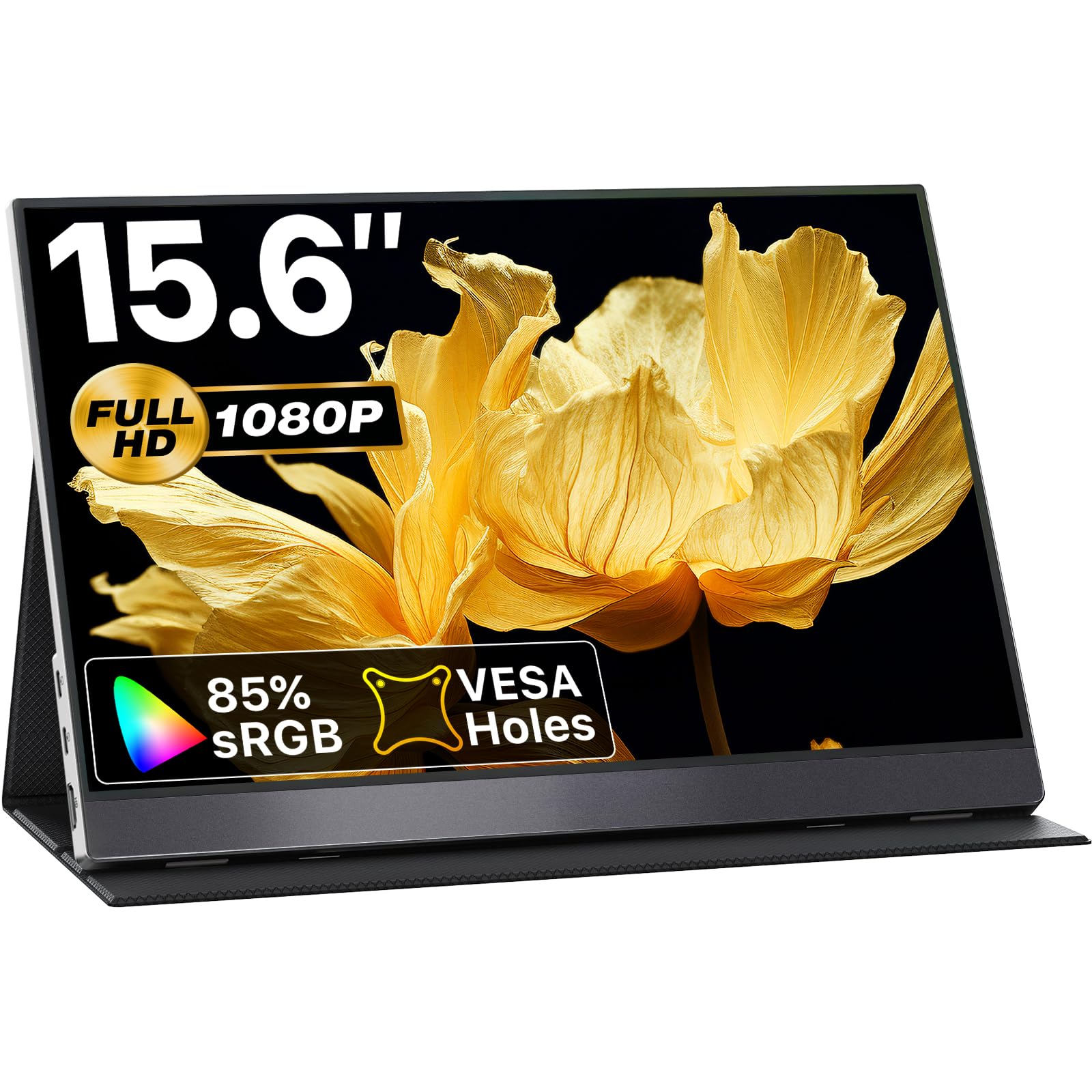
The VisionOwl stands out in a sea of plastic chassis with its premium aluminum alloy construction. This not only gives it a more professional, sleek appearance on a desk but also provides superior heat dissipation — a real advantage during long gaming sessions with the PS5 or extended spreadsheet work. The 15.6-inch FHD IPS panel with HDR support delivers vibrant, punchy visuals with a 300-nit brightness rating, making it one of the brightest options available without stepping into a higher price bracket.
Connectivity is robust, featuring dual full-function USB-C ports and a standard HDMI port. The monitor also supports FreeSync, which helps reduce screen tearing when connected to a compatible gaming system. The magnetic smart cover acts as a stand, and unlike some cheaper folio designs, it holds the screen securely at multiple angles. The VESA 75x75mm mount compatibility adds another layer of flexibility for permanent installation.
The included accessories are generous: a power adapter, USB-C to USB-C cable, USB-A to USB-C cable, and an HDMI cable. The built-in stereo speakers are above average for this segment, offering clear dialogue and decent volume. The main drawback is the lack of a headphone pass-through. For users who want a premium-feeling build and bright, responsive display for both work and gaming, this is a strong contender.
Why it’s great
- Aluminum alloy chassis offers better heat dissipation and a premium feel
- 300-nit brightness is excellent for indoor and semi-outdoor use
- VESA mountable and supports FreeSync for smoother gaming
Good to know
- No 3.5mm headphone jack for private listening
- Magnetic cover stand can be delicate if handled roughly in a bag
6. FLYTOCCA 16 Inch Portable Monitor

The Flytocca takes a different approach by offering a 16-inch panel with a 16:10 aspect ratio and a 1920×1200 resolution. The extra vertical pixels (120 pixels more than standard 1080p) are a tangible benefit for productivity — you’ll see more lines of code, taller Excel columns, and longer web pages without scrolling. The taller screen real estate is immediately noticeable when stacking documents side-by-side.
The 300-nit brightness is competitive with the VisionOwl, and the IPS panel provides a 1000:1 contrast ratio with 178-degree viewing angles. The monitor includes a 360-degree rotating stand, allowing you to switch between landscape and portrait modes easily, though auto-rotation requires manually adjusting the display settings in your operating system. The built-in speakers are described as upgraded, delivering louder output than many entry-level monitors, and the inclusion of a 3.5mm headphone jack is a welcome addition for private listening.
Weighing 1.62 pounds, it is slightly heavier than some 15.6-inch models, but the larger screen and 16:10 ratio justify the extra ounces. The smart cover provides decent protection and doubles as a stand. The main limitation is that some laptops with lower-power USB-C ports may require an external power adapter to achieve full brightness, as noted in the product details. For anyone who values vertical screen space for productivity, this is a smart alternative.
Why it’s great
- 16:10 aspect ratio provides valuable extra vertical pixels for productivity
- 360-degree rotating stand enables easy vertical orientation
- 3.5mm headphone jack for private audio without Bluetooth lag
Good to know
- Auto-rotation is not supported natively; requires manual OS settings adjustment
- May need external power for full brightness on laptops with low-power USB-C ports
7. MSI Pro MP165 E6
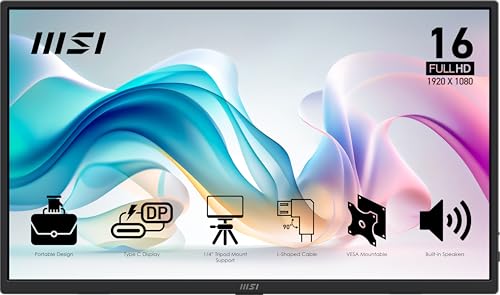
The MSI Pro MP165 E6 is engineered for the office environment, with a focus on visual comfort. The 15.6-inch FHD IPS panel is TÜV Rheinland-certified for low blue light and flicker-free operation, effectively reducing eye strain during extended work periods. The native contrast ratio is listed at 2000:1, which is significantly higher than the standard 1000:1 found on most budget monitors — this translates to deeper blacks and better text legibility.
The monitor is designed with a 1/4-inch tripod mount, allowing you to attach it to a standard camera tripod for stable, hands-free positioning in presentations or standing workstations. It also supports VESA mounting for a more permanent desk integration. At just 0.78kg and 1.38cm thick, it’s one of the lightest and thinnest options in the list, easily slipping into a laptop bag without adding noticeable weight.
Connectivity includes USB-C (DP Alt Mode) and mini HDMI, and the package comes with L-shaped right-angle cables that keep the plugs flush against the monitor body — a thoughtful design detail that prevents cable snagging in tight bags. The built-in speakers are functional but not remarkable. The main downside is the lack of a built-in stand beyond the tripod mount option; you will need a separate stand or the included protective pouch to prop it up. For eye-conscious office workers, this is the most ergonomically refined monitor here.
Why it’s great
- TÜV Rheinland-certified for low blue light and flicker-free viewing
- 2000:1 native contrast ratio for deeper blacks and better text clarity
- L-shaped flush cables reduce cable clutter and snagging in transit
Good to know
- No built-in stand; requires a tripod, VESA mount, or separate stand
- Speakers are adequate but lack low-end audio presence
8. KEFEYA 14 Inch Laptop Screen Extender
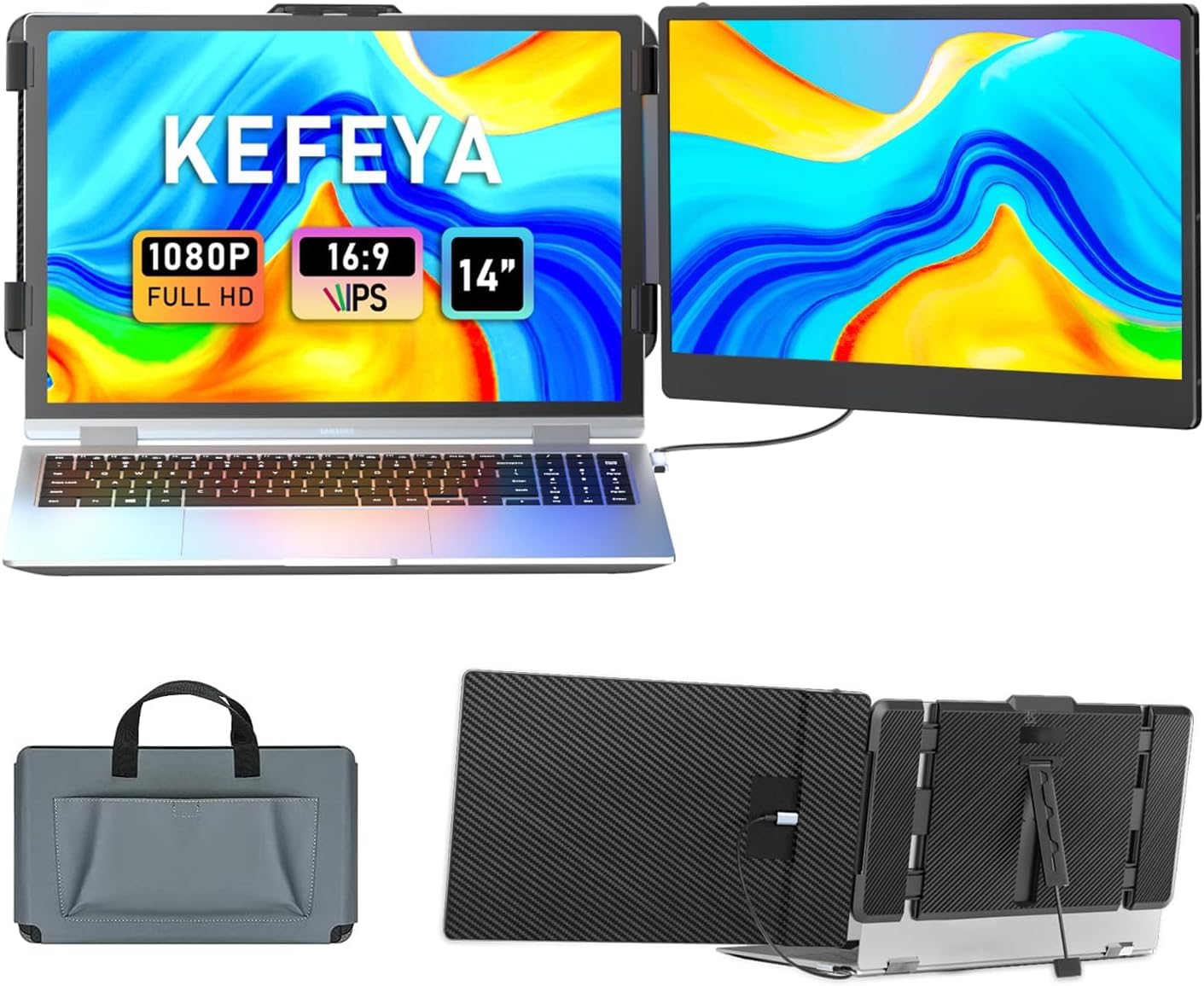
The KEFEYA 14-inch screen extender is an entry-level route for adding a second screen to your laptop. The smaller 14-inch size and 16:9 aspect ratio make it a more compact companion for ultra-portable laptops like a 13-inch MacBook Pro or a Dell XPS 13. The FHD IPS panel with a 300-nit brightness rating and 72% NTSC color gamut punches above its weight in terms of image quality, offering vibrant colors that are well-suited for basic photo editing and media consumption.
Plug-and-play setup works via a single USB-C cable on modern laptops, and the package includes all necessary cables (USB-C to USB-C, USB-A to USB-C, and HDMI). The 180-degree rotation and multiple display modes (mirror, extend, landscape, portrait) provide flexibility for different workflows. The included smart cover stand is functional but, like many budget folios, can be a bit unstable if you’re typing aggressively on a soft surface.
The build quality is solid for the price, with a slim profile that folds to just 0.9 inches thick. Weighing in at 2.34 pounds, it is heavier than the MSI or ASUS, but that weight is spread across the larger total footprint of the dual-screen configuration. The main limitation is that some laptops with non-standard USB-C implementations (like Surface Pro) may not be compatible. For a budget-friendly entry into dual-screen productivity, the KEFEYA delivers reliable performance.
Why it’s great
- Compact 14-inch size pairs well with smaller ultraportable laptops
- 72% NTSC color gamut delivers punchy, vibrant colors
- 180-degree rotation allows flexible landscape and portrait modes
Good to know
- Included smart cover stand can feel unstable on uneven surfaces
- Some laptop models (Surface Pro) may not be compatible without extra adapters
9. DZVW 14 Inch Portable Travel Monitor
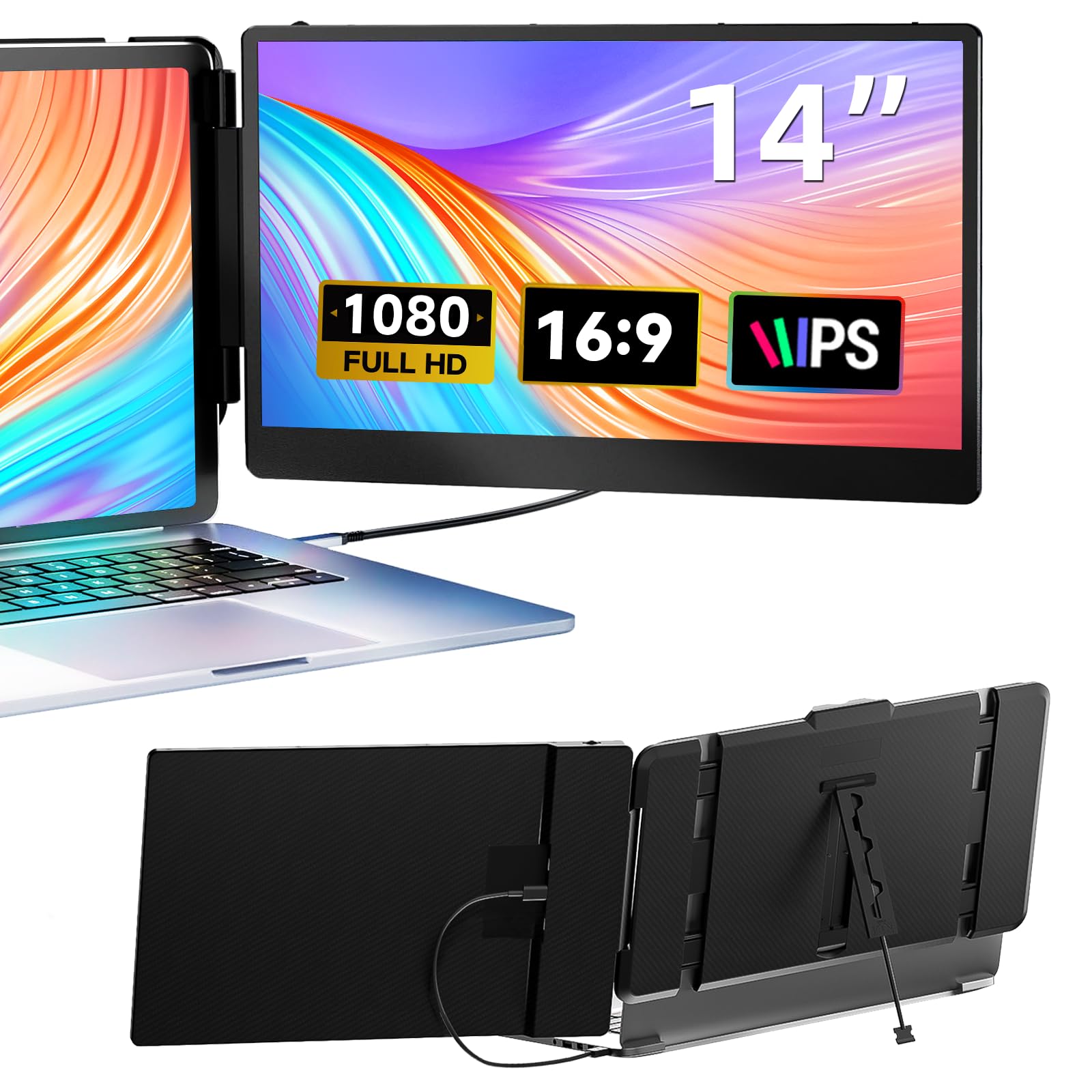
The DZVW 14-inch screen extender offers one of the most accessible price points for getting into a dual-screen laptop setup. The 1080p FHD display provides a sharp, crisp image for everyday tasks, and the 300-nit brightness rating ensures the screen remains legible in most indoor lighting conditions. The 72% NTSC color gamut is a pleasant surprise at this price level, making colors look richer than the basic 49% gamut panels found on some entry-level competitors.
Setup is straightforward: for modern laptops with a full-featured USB-C port, a single cable handles video and power. If you’re using an older laptop with HDMI, you’ll need to also plug in the included USB-A to USB-C cable for power. The package includes all necessary cables, so you won’t need to buy anything extra out of the box. The monitor supports mirror, extension, and portrait modes, giving you workflow flexibility.
The build is slim at 0.9 inches thick when folded, and the magnetic attachment to the laptop is secure during normal use. The main trade-offs are the LCD panel technology (instead of IPS), which can result in slightly narrower viewing angles and less accurate color reproduction from extreme side angles. The built-in speakers are basic, suitable for system notifications but not for music or movies. For the absolute lowest cost of entry to a dual-screen workflow, this is the most accessible option.
Why it’s great
- Very low price point makes it the most accessible entry to dual-screen productivity
- 300-nit brightness is competitive with more expensive monitors
- 72% NTSC color gamut provides richer colors than basic budget panels
Good to know
- LCD panel technology has narrower viewing angles than IPS competitors
- Requires a separate USB-A power cable when using HDMI connection
FAQ
How do I know if my laptop supports single-cable USB-C video?
Can I use a budget portable monitor with my gaming console?
What is the real-world impact of a 250-nit vs 300-nit brightness rating?
Final Thoughts: The Verdict
For most users, the best budget portable monitor winner is the Lenovo L15 because it combines a height-adjustable ergonomic stand, reliable USB-C connectivity, and a sharp FHD display in a lightweight package that doesn’t compromise on build quality. If you want the highest resolution for creative work without breaking the bank, grab the InnoView 2K. And for the ultimate in road-warrior portability and anti-glare usability, nothing beats the ASUS ZenScreen MB16ACV.

Mo Maruf
I created WellFizz to bridge the gap between vague wellness advice and actionable solutions. My mission is simple: to decode the research and give you practical tools you can actually use.
Beyond the data, I am a passionate traveler. I believe that stepping away from the screen to explore new environments is essential for mental clarity and physical vitality.