Our readers keep the lights on and my smoothie glass nicely filled. As an Amazon Associate, I earn from qualifying purchases.
There is a crispness threshold that your eyes notice immediately when you cross it. On a standard 27-inch 4K monitor, text at native resolution looks usable but never truly sharp—pixel boundaries are just visible enough to cause fatigue over an eight-hour editing session. A true 5K panel at 5120 x 2880 delivers a pixel density of roughly 218 PPI, the same retina-class clarity Apple engineered for the iMac 5K, where individual pixels vanish at normal viewing distance. That absence of visible grain is not a cosmetic upgrade; it is the measurable difference between guessing whether a character is a colon or a semicolon and knowing instantly.
I’m Mohammad Maruf — the founder and writer behind WellFizz. I have spent the last several months digging into the firmware behavior, panel lottery rates, and connectivity stack of every 5K monitor shipping today so that you know exactly which Thunderbolt 4 handshake issues are real and which are rare edge cases.
Whether you are color-grading video projects, reviewing CAD drawings, or simply tired of squinting at fuzzy type, the best 5k monitor for your desk needs to balance pixel density, color volume, and workstation connectivity without demanding a second mortgage.
How To Choose The Best 5K Monitor
Not every monitor labeled “5K” delivers the same visual experience. The panel technology, connectivity bandwidth, and factory calibration all determine whether the monitor feels sharp, sluggish, or just expensive. Here are the three specifications that separate a productive workstation from a disappointing splurge.
Pixel Density and Panel Type
A 27-inch 5K display yields roughly 218 PPI, making text and UI elements appear continuous to the human eye at normal viewing distances. IPS remains the dominant panel type at this resolution because it offers wide viewing angles and consistent color reproduction. IPS Black variants push contrast ratios to 2000:1, which noticeably improves shadow detail without the burn-in risk of OLED. For professional color work, the difference between 99% DCI-P3 and 100% sRGB matters most during soft-proofing for print; P3 coverage is more critical for video editing workflows.
Thunderbolt Connectivity and Power Delivery
Thunderbolt 4 carries 40 Gbps of bandwidth and delivers up to 100W of power to a connected laptop, which means a single cable provides video signal, peripheral hub access, and charging. Thunderbolt 3 is functionally similar but caps at lower sustained throughput for daisy-chaining multiple displays. If you plan to run a dual 5K setup, verify that the monitor supports daisy chaining over Thunderbolt — not all HDMI or DisplayPort configurations can maintain full resolution at 60 Hz when passing through a second display.
Factory Calibration and Color Volume
Delta E values below 2 indicate that the monitor left the factory with measurable color accuracy. Pantone Validation and Calman Certification are independent verifications that the panel reproduces specific color spaces reliably. For photo and video professionals, a monitor with 98% DCI-P3 coverage and a Delta E of less than 1 saves hours of manual calibration, while a panel with only 90% coverage introduces visible color shifts in gradients and skin tones.
Quick Comparison
On smaller screens, swipe sideways to see the full table.
| Model | Category | Best For | Key Spec | Amazon |
|---|---|---|---|---|
| Samsung Odyssey G8 G80HF | Gaming / Hybrid | High-refresh 5K gaming and esports | 5K 180Hz / QHD 360Hz Dual Mode | Amazon |
| Apple Studio Display | Professional | Seamless Mac ecosystem integration | 600 nits, 27-inch 5K Retina | Amazon |
| ViewSonic VP2788-5K | Professional | Mac-centric creative workflows | Thunderbolt 4, 99% DCI-P3 | Amazon |
| BenQ PD2730S | Professional | VFX and 3D design workstations | 2000:1 Contrast, KVM, 90W TB4 | Amazon |
| LG 45GX950A-B | Gaming / Ultrawide | Ultrawide 5K2K OLED immersion | 45″ 5K2K OLED, 0.03ms GtG | Amazon |
| ASUS ProArt PA32QCV | Professional | Color-critical photo and video editing | 6K, 98% DCI-P3, Calman Verified | Amazon |
| LG 32U990A-S | Professional | Thunderbolt 5 creative hubs | 6K, Nano IPS Black, 2000:1 | Amazon |
| Dell U4025QW | Productivity / Ultrawide | Multi-window productivity and KVM | 40″ 5K2K, 120Hz, IPS Black | Amazon |
| Dell U3224KB | Professional | 6K resolution for photo retouching | 32″ 6K, IPS Black, 2000:1 | Amazon |
| LG 27MD5KL-B | Professional | Mac-first single-cable 5K setup | Thunderbolt 3, 99% P3, 500 nits | Amazon |
| Kuycon G32P | Budget / Professional | High-PPI 6K at entry-level cost | 32″ 6K, 223 PPI, glossy panel | Amazon |
| Samsung Odyssey Ark | Gaming / Living Room | Large-screen cockpit gaming | 55″ 4K, 1000R Curve, 165Hz | Amazon |
| Apple iMac M4 | All-in-One | Integrated desktop with Retina display | 24″ 4.5K, M4 chip, built-in | Amazon |
In‑Depth Reviews
1. Samsung Odyssey G8 G80HF
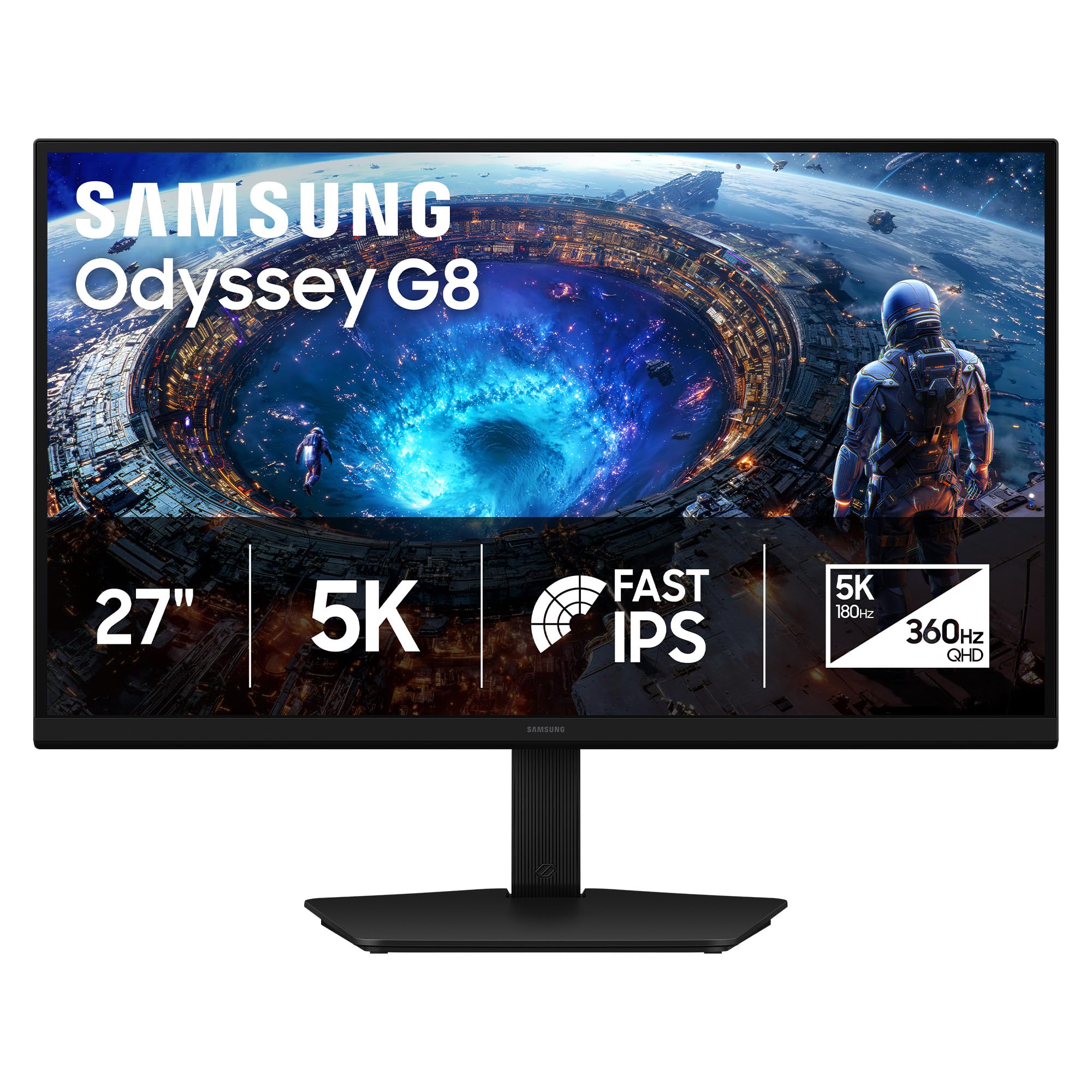
This 27-inch Fast IPS panel at 5120 x 2880 hits 180 Hz natively and toggles to QHD 360 Hz via a dual-mode feature that uses perfect integer scaling — meaning zero blur when switching resolutions mid-game. The 218 PPI density makes text look etched into the glass, and the anti-glare coating is notably less grainy than older Samsung matte finishes. DisplayPort 2.1 provides the bandwidth to sustain 5K at 180 Hz without chroma subsampling, which is rare even among premium monitors.
Color accuracy is solid out of the box with excellent uniformity across the panel, though the standard 1000:1 IPS contrast ratio means HDR scenes lack the black depth of OLED or IPS Black alternatives. The ergonomic stand offers height, tilt, swivel, and pivot adjustments, and the build quality feels dense and premium. Windows scaling remains inconsistent at this resolution, and you will need a high-end GPU to push 5K at 180 Hz in modern titles.
For professionals who also game, this monitor eliminates the need for a separate high-refresh secondary display. The dual-mode toggle is not a gimmick — it genuinely works as a single-cable solution for both pixel-peeping productivity and competitive esports. The lack of a USB-C upstream port is a noticeable omission for Mac users who prefer a single-cable charging setup.
Why it’s great
- Full-bandwidth DisplayPort 2.1 supports 5K at 180 Hz natively
- Dual-mode integer scaling is seamless and precise
- Excellent pixel density for both gaming and productivity
- Sturdy, fully adjustable stand with quality materials
Good to know
- Standard 1000:1 IPS contrast limits HDR shadow depth
- Brightness peaks at 350 nits, low for bright rooms
- No USB-C upstream port for Mac single-cable users
- Windows scaling can be inconsistent at 218 PPI
2. Apple Studio Display
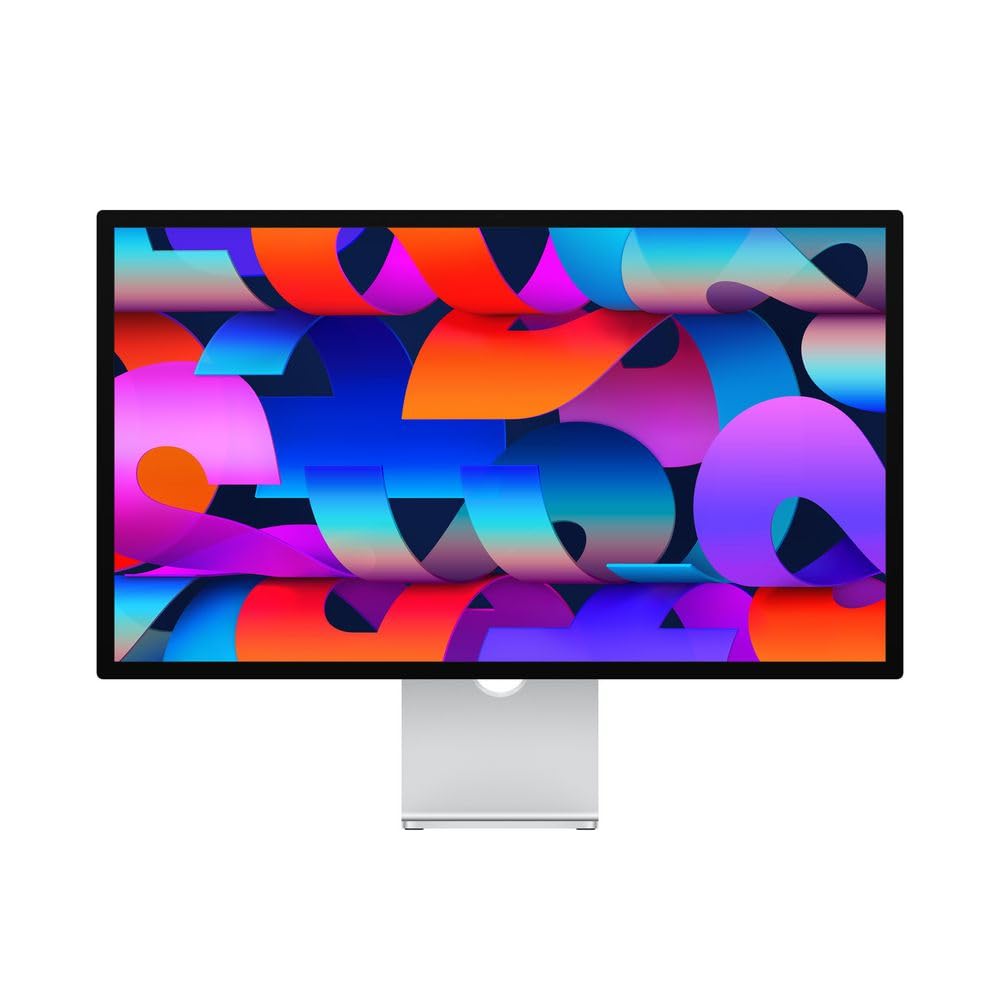
The 27-inch 5K Retina panel delivers 600 nits of sustained brightness and supports one billion colors with P3 wide gamut, matching the color calibration profile Apple uses across its mobile and desktop lineup. The glass cover is laminated directly to the panel, which eliminates the air gap and reduces internal reflections — a detail that makes blacks appear deeper than typical matte 5K monitors. The six-speaker system with Spatial Audio is genuinely impressive for a monitor, producing enough low-end to make external desktop speakers optional for video calls and casual music.
The 12MP Ultra Wide camera with Center Stage tracks your face during video calls, and the three-mic array captures voice with studio-quality clarity. Connectivity is limited to one Thunderbolt 3 port and three USB-C ports — no HDMI or DisplayPort inputs — so this monitor is effectively locked into the Apple ecosystem unless you use adapters with limited compatibility. The standard stand offers only tilt adjustment; height-adjustable and VESA options add to the already considerable cost.
For creative professionals who live inside macOS and value single-cable simplicity, the Studio Display remains the most cohesive 5K experience available. The panel longevity is proven — many users report five-plus years with zero degradation. The lack of high refresh rate (60 Hz fixed) and the premium pricing are the only reasons to look elsewhere.
Why it’s great
- 600 nits brightness and P3 color match MacBook/iMac calibration
- Laminated display eliminates air-gap reflections
- Six-speaker Spatial Audio system is genuinely good
- Proven panel longevity with years of consistent use
Good to know
- 60 Hz fixed refresh rate; no high-refresh option
- Only Thunderbolt 3 and USB-C inputs — no HDMI or DP
- Standard stand is tilt-only; height-adjustable costs extra
- Very high entry price with little spec competitiveness
3. ViewSonic VP2788-5K

This 27-inch IPS panel covers 100% sRGB and 99% DCI-P3 with Pantone Validation, meaning the factory calibration is independently verified for matching the Pantone Matching System. The 2000:1 contrast ratio comes from an IPS Black-class panel that noticeably improves black-level depth over standard IPS, making shadow detail in dark video scenes visibly richer. Thunderbolt 4 connectivity delivers 40 Gbps throughput and up to 100W power delivery, and the monitor supports daisy chaining for a dual 5K setup from a single laptop port.
The advanced ergonomic stand provides tilt, swivel, pivot, and height adjustment with smooth motion and a solid base. Build quality feels dense and well-ventilated. Some units have arrived with small dead pixel clusters that fall within the IPS panel specification, and a few users report that the monitor occasionally fails to reconnect after sleep, requiring a full power cycle. The USB hub is functional but lacks USB-C downstream ports for peripheral charging.
For creative professionals on a Mac who need verified color accuracy and a single-cable Thunderbolt 4 workflow, this is the most cost-effective Pantone-validated 5K option. The sleep-wake bug is a known firmware quirk that may be addressed in a future update, but it is worth testing within the return window.
Why it’s great
- Pantone Validated and factory calibrated for DCI-P3
- 2000:1 IPS Black contrast for deeper shadow detail
- Thunderbolt 4 with 100W PD and daisy chain support
- Full ergonomic stand with smooth adjustments
Good to know
- Occasional sleep/wake failures requiring reboot
- Some units have dead pixel clusters within spec
- USB hub lacks downstream USB-C charging ports
- Adobe RGB coverage measured at 88%, short of pro photo needs
4. BenQ PD2730S

Designed specifically for 3D artists and VFX animators, the PD2730S combines 218 PPI 5K clarity with a Nano Matte panel that diffuses ambient light without the hazy grain typical of aggressive matte coatings. The 2000:1 contrast ratio delivers deep blacks that help wireframes and shadow maps read clearly, and the 98% DCI-P3 coverage ensures color consistency across compositing software. Thunderbolt 4 provides 90W power delivery and 40 Gbps throughput, and the daisy chain support works reliably for dual 5K setups.
The built-in KVM switch with the included wireless Hotkey Puck allows instant swapping between two systems using a single keyboard and mouse — a genuine workflow accelerator for artists who render on a separate workstation. The stand is heavy-duty with a flat aluminum base that takes up significant desk depth but feels rock-solid. A small number of units have developed stuck pixels within weeks, and at least one report describes a complete vertical-line failure shortly after unboxing. The panel lottery is real here.
For motion designers and 3D artists who spend extended sessions in front of the screen, the Nano Matte surface and KVM integration make this monitor feel purpose-built. If you need the absolute lowest defect probability, check the unit thoroughly during the return window.
Why it’s great
- Nano Matte panel reduces glare without grain
- 2000:1 contrast ratio improves shadow detail for 3D work
- KVM switch with wireless Hotkey Puck for dual-system workflows
- Thunderbolt 4 with 90W PD and daisy chain support
Good to know
- Some units have stuck or dead pixels out of the box
- Heavy stand requires significant desk depth
- Limited to 60 Hz refresh rate
- Panel lottery risk — inspect within return window
5. LG 45GX950A-B

This is the world’s first 5K2K WUHD OLED gaming monitor, and it uses a 45-inch 21:9 panel with an aggressive 800R curve that wraps around your peripheral vision. The 5120 x 2160 resolution delivers 125 PPI — lower than a 27-inch 5K panel but still sharp enough to eliminate visible pixel structure, and the OLED infinite contrast ratio makes every HDR scene pop with measured peak brightness up to 1300 nits. The 0.03ms gray-to-gray response time and dual-mode switching (5K2K 165 Hz to WFHD 330 Hz) make this equally viable for cinematic single-player titles and competitive shooters.
DisplayPort 2.1 provides the bandwidth to run 5K2K at 165 Hz without chroma subsampling, and the USB-C port delivers 90W power delivery for a connected laptop. The built-in speakers are louder and clearer than typical monitor audio, and the anti-glare coating is UL-certified to reduce reflections effectively. The stand is height adjustable, and the 800R curve takes about a week to feel natural for productivity tasks. Some users report sleep-wake issues that require disabling deep sleep in the monitor settings, and the input-switching joystick is positioned awkwardly on the rear edge.
For gamers who also do productivity work and want a single ultra-wide display that does both without compromise, this OLED panel delivers image quality that no IPS monitor can match. The aggressive curve makes it less suitable for color-critical collaborative review sessions.
Why it’s great
- First 5K2K OLED with infinite contrast and 1300-nit peak
- Dual-mode 165 Hz to 330 Hz with integer scaling
- DisplayPort 2.1 for full-bandwidth high-refresh output
- Excellent built-in speakers for gaming immersion
Good to know
- Aggressive 800R curve takes adjustment for productivity
- Sleep-wake issues require disabling deep sleep mode
- Awkward input-switching joystick position
- Very expensive and requires a deep desk
6. ASUS ProArt PA32QCV

Stepping up to 6K resolution (6016 x 3384) on a 31.5-inch panel gives you 77% more pixels than a standard 4K display, and the pixel density sits at approximately 220 PPI — essentially retina-class with even more screen real estate than a 27-inch 5K. The factory calibration is Calman Verified with a measured Delta E of less than 2, and coverage of 98% DCI-P3 and 100% sRGB ensures accurate color across both print and video workflows. The LuxPixel AGLR coating is genuinely anti-glare without the sparkly haze that plagues some matte panels.
Connectivity is generous: dual Thunderbolt 4 ports with up to 96W power delivery and daisy chain support, plus HDMI 2.1, DisplayPort 1.4, and a built-in USB hub. The built-in Auto KVM allows seamless switching between two computers, and the M Model-P3 preset mode matches the color profile of a MacBook display. Some units exhibit blue splotches or backlight bleed, and the built-in speakers are weak and tinny. The 60 Hz refresh rate is fine for photo editing but may feel sluggish for video or general scrolling.
For photo editors and filmmakers who need a large, high-PPI canvas with verified color accuracy and extensive connectivity, this monitor competes directly with the Apple Pro Display XDR at a fraction of the cost. The panel lottery for uniformity is the main risk — inspect the unit immediately.
Why it’s great
- 6K resolution provides massive screen real estate at retina PPI
- Calman Verified with Delta E < 2 and 98% DCI-P3
- Dual Thunderbolt 4 with 96W PD and daisy chain
- Auto KVM switches between two computers smoothly
Good to know
- 60 Hz refresh rate may feel sluggish for video work
- Some units exhibit blue splotches or backlight bleed
- Built-in speakers are weak and tinny
- Premium pricing with panel lottery risk
7. LG 32U990A-S

The world’s first 6K monitor with Thunderbolt 5, this 32-inch panel delivers 6144 x 3456 resolution at 224 PPI — enough to view full-resolution 6K footage while keeping editing toolbars visible without scaling. The Nano IPS Black technology pushes contrast to 2000:1, which makes a visible difference in shadow detail when grading log footage. Color coverage reaches 98% DCI-P3 and 99.5% Adobe RGB, and the 10-bit panel produces smooth tonal transitions without visible banding. DisplayHDR 600 certification ensures bright highlights without blowing out specular detail.
Thunderbolt 5 runs at twice the throughput of Thunderbolt 4, allowing daisy chaining of multiple 6K displays without bandwidth compression. The monitor includes HDMI 2.1 and DisplayPort 2.1 inputs, and the USB-C port delivers 96W power delivery. The silver aluminum build is clean but plastic panels on the rear housing feel slightly less premium than the price suggests. Some users report a grainy matte coating that makes text look slightly less crisp than the glossy Apple Studio Display, and the power brick is notably large.
For creative professionals building a future-proofed workflow with Thunderbolt 5 laptops, this monitor provides the highest color volume and pixel density available in a single package. The matte coating and plastic rear panel are minor trade-offs for the connectivity and color performance.
Why it’s great
- Thunderbolt 5 doubles bandwidth for multi-6K daisy chaining
- Nano IPS Black achieves 2000:1 contrast with 10-bit color
- 99.5% Adobe RGB and 98% DCI-P3 coverage
- HDMI 2.1 and DisplayPort 2.1 inputs included
Good to know
- Matte coating can appear grainy on white backgrounds
- Large, heavy external power brick
- Plastic rear housing feels less premium than price suggests
- Brightness peaks at 450 nits, not class-leading
8. Dell UltraSharp U4025QW

The 40-inch ultrawide 5K2K resolution (5120 x 2160) gives you the equivalent of two 27-inch 1440p monitors side by side with zero bezel gap, plus extra vertical height for timeline-based editing software. The IPS Black panel achieves 2000:1 contrast ratio and 600 nits of brightness, making the display usable in brightly lit office environments without losing shadow detail. The 120 Hz refresh rate is a significant upgrade from standard 60 Hz productivity monitors, making cursor movement and scrolling feel dramatically smoother.
The built-in KVM switch supports multi-device workflows with keyboard, mouse, and network switching, and the Thunderbolt 4 port delivers 140W power delivery — enough to charge a MacBook Pro at full speed. The 21:9 aspect ratio with a subtle 2500R curve reduces eye movement across the wide panel without distorting straight lines. The stand is height adjustable and rotates, but the feet are wide and require a deep desk. The built-in speakers are average, and the only available color modes are limited to three presets that require manual fine-tuning.
For financial analysts, video editors, and software developers who keep twelve windows open simultaneously, this monitor provides the highest productivity density available in a single panel. The KVM stability is reliable in daily use, making it easy to switch between a work laptop and a personal desktop.
Why it’s great
- 40″ 5K2K replaces dual-monitor setups seamlessly
- IPS Black panel with 2000:1 contrast and 600 nits brightness
- 140W Thunderbolt 4 power delivery for MacBook Pro
- Built-in KVM switches keyboard, mouse, and network
Good to know
- Wide stand feet require significant desk surface
- Only three color modes without custom presets
- Built-in speakers are average at best
- High entry price for a productivity monitor
9. Dell UltraSharp U3224KB

The 31.5-inch 6K panel at 6144 x 3456 delivers 223 PPI, making it one of the densest displays available outside of Apple’s Pro Display XDR. The IPS Black technology pushes the contrast ratio to 2000:1, which produces noticeably deeper blacks than the standard 1000:1 IPS panels found in most 5K monitors. Color coverage reaches 99% DCI-P3 and sRGB, and the built-in 4K webcam with auto-framing is a practical addition for remote collaboration — the physical camera shutter adds privacy peace of mind.
Connectivity is extensive: Thunderbolt 4, HDMI, Mini DisplayPort, a USB hub, and an Ethernet port all built in. The stand is heavy-duty with height, swivel, tilt, and pivot adjustments. The monitor is physically massive and requires a sturdy desk. The matte coating reduces contrast slightly compared to glossy panels, and the built-in speakers are subpar. Several Mac users have reported a green half-screen failure that appears related to a driver conflict with Apple Silicon, and the panel is known to be fragile if moved after setup.
For photographers and video editors who need a high-PPI canvas with a built-in webcam for client calls, this monitor offers excellent value compared to the Apple Pro Display XDR. The compatibility issues with Apple Silicon are a known risk that Dell has not fully resolved.
Why it’s great
- 6K at 223 PPI provides superb photo-retouching clarity
- IPS Black 2000:1 contrast improves shadow depth
- Built-in 4K webcam with auto-framing and privacy shutter
- Extensive connectivity including Thunderbolt 4 and Ethernet
Good to know
- Green half-screen failure reported on some Mac Silicon systems
- Panel is fragile — moving after setup risks damage
- Matte coating reduces contrast compared to glossy panels
- Built-in speakers are below average
10. LG 27MD5KL-B

This 27-inch 5K IPS panel has been the go-to companion for Mac Pro and Mac Mini users since its release, using the same panel that shipped in the 27-inch iMac. The 5120 x 2880 resolution at 218 PPI provides retina-class sharpness that makes 1440p monitors look fuzzy by comparison. The 500 nits brightness is consistent and sufficient for most indoor lighting, and the 99% DCI-P3 coverage ensures color accuracy matches other Apple displays. The Thunderbolt 3 port delivers up to 94W power delivery, enough to charge a MacBook Pro through a single cable.
The three USB-C downstream ports provide basic hub functionality, and the built-in camera and speakers are functional but unremarkable. The stand offers height and tilt adjustment with a solid, heavy base. There is no headphone jack, no HDMI input, and no DisplayPort — this monitor is designed for Thunderbolt-only workflows. Some users report that the angled rear ports can cause intermittent connection issues depending on cable strain, and the lack of a power switch means the monitor is always in standby when not actively receiving a signal.
For Mac users who want the simplest possible 5K setup without the Apple Studio Display price premium, this remains a reliable workhorse. The Thunderbolt 3 limitation means it cannot daisy chain two 5K displays, and the aging panel design does not support HDR10 or DisplayHDR certification.
Why it’s great
- Same 5K IPS panel as 27-inch iMac for proven image quality
- Thunderbolt 3 with 94W PD for single-cable Mac workflow
- 500 nits brightness and 99% DCI-P3 color accuracy
- Solid, heavy stand with height and tilt adjustment
Good to know
- No HDMI, DisplayPort, or headphone jack
- Cannot daisy chain dual 5K displays
- No HDR10 certification or high refresh rate
- Angled rear ports cause intermittent connection issues
11. Kuycon G32P
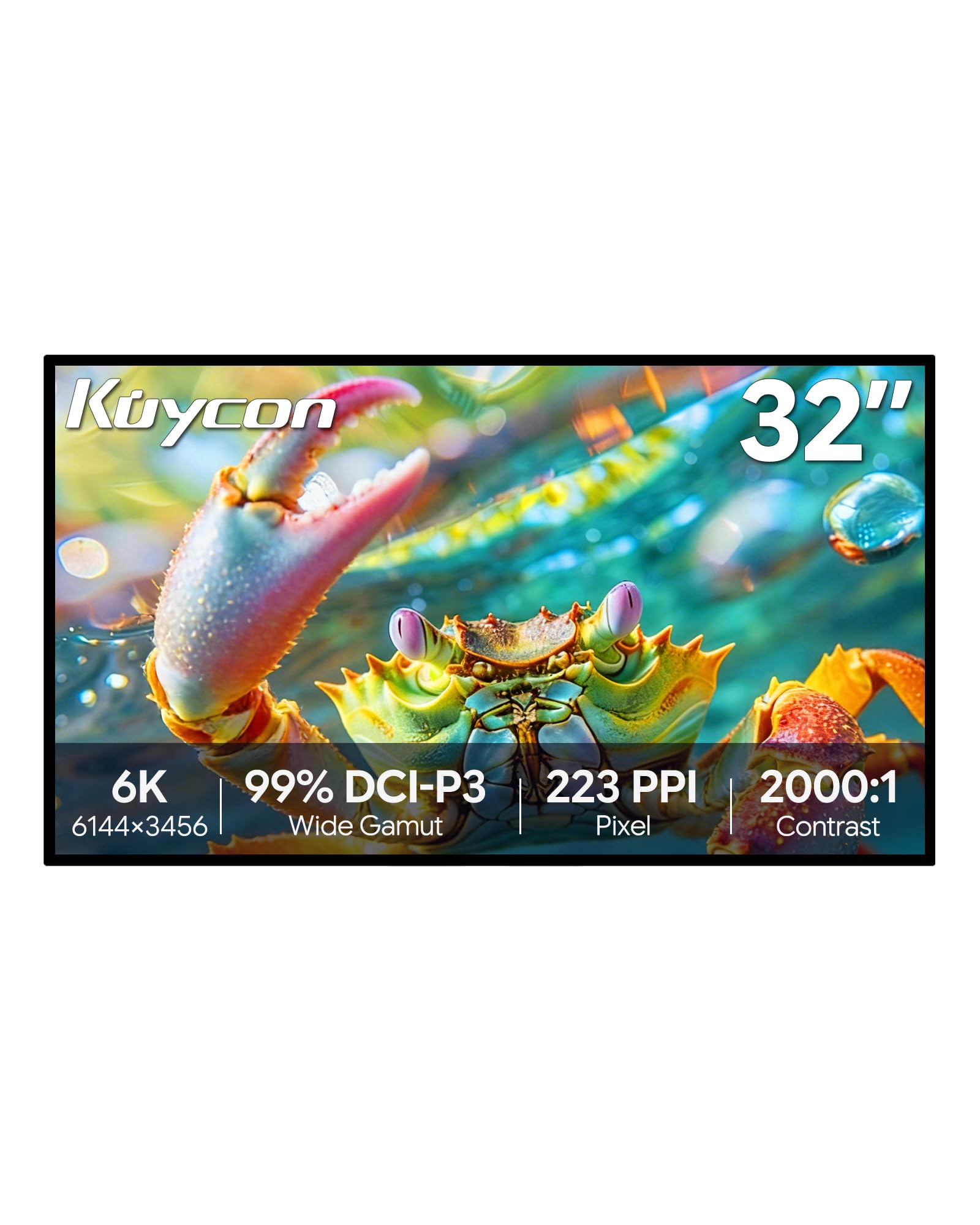
The Kuycon G32P offers a 32-inch 6K panel (6144 x 3456) with a glossy glass surface, making it one of the few non-Apple monitors to deliver the same high-contrast, vibrant appearance that glossy Retina displays are known for. The 223 PPI density is virtually identical to the Apple Studio Display, and the 99% DCI-P3 and sRGB coverage with a factory-calibrated Delta E of less than 2 ensures accurate color reproduction. The 500 nits brightness and 2000:1 contrast ratio provide good HDR pop for a non-OLED panel.
The all-aluminum CNC-machined chassis feels premium and substantial, and the included stand offers height, swivel, tilt, and pivot adjustments. Connectivity includes DisplayPort, HDMI, and USB-C with 100W power delivery, and the monitor supports standard 100x100mm VESA mounts. The bundled remote control lacks a battery, and there are no printed instructions in the box. Some units arrive with rattling internal components or fail to power on, requiring the remote to wake the display — a design quirk that feels unfinished compared to established brands.
For users who want a large, glossy 6K display at a significantly lower cost than Apple’s Pro Display XDR, the G32P delivers comparable visual quality with a few rough edges in fit and finish. The lack of Thunderbolt certification means the USB-C port may not support full bandwidth with all laptops, and the remote-dependent power-on behavior is frustrating.
Why it’s great
- Glossy 6K panel at 223 PPI matches Apple Retina clarity
- All-aluminum CNC chassis feels premium
- 99% DCI-P3 with factory Delta E < 2 calibration
- USB-C with 100W power delivery for single-cable setup
Good to know
- Remote-dependent power-on behavior feels unfinished
- Some units arrive with rattling or DOA defects
- No Thunderbolt certification — USB-C bandwidth limited
- No printed instructions or documentation included
12. Samsung Odyssey Ark

The 55-inch 4K VA panel with a 1000R curvature wraps around your field of vision like a cockpit windshield, providing an immersive gaming experience that no flat monitor can replicate. The Quantum Mini LED backlight achieves a 1,000,000:1 contrast ratio with 600 nits of brightness, and the 165 Hz refresh rate with 1ms response time ensures smooth motion in fast-paced titles. The Cockpit Mode rotates the screen vertically with height, tilt, and pivot adjustments, and the 60W 2.2.2-channel speaker system with Dolby Atmos produces room-filling sound without external speakers.
The Multi View feature allows four simultaneous inputs on the massive screen, and the built-in smart TV apps provide streaming without a connected PC. The screen weighs 91 pounds and requires two people to set up safely. The software interface is notoriously buggy — users report update hangs, GPU recognition failures, random blackouts, and input signal dropouts that require frequent troubleshooting. The OneConnect box adds cable management flexibility but introduces an additional failure point, and screen breakage from spontaneous cracking has been reported across multiple forums.
For gamers who want the most immersive single-screen setup available, the Odyssey Ark delivers visual impact that smaller monitors cannot match. The software instability and panel durability concerns make this a niche recommendation for buyers who accept the risk in exchange for the form factor.
Why it’s great
- 55-inch 1000R curve provides unmatched immersion
- Quantum Mini LED with 1,000,000:1 contrast and 600-nit HDR
- Cockpit Mode rotation adds vertical workspace flexibility
- Built-in Dolby Atmos sound system fills a room
Good to know
- 91 pounds — requires two people for setup
- Software UI is buggy with frequent update and input issues
- OneConnect box adds another potential failure point
- Spontaneous screen cracking reported in some units
13. Apple iMac M4

The 24-inch 4.5K Retina display on the iMac M4 delivers 500 nits of brightness and supports up to one billion colors with P3 wide gamut, producing the same retina-class text clarity that makes the 27-inch 5K Studio Display so highly regarded — just in a smaller package. The M4 chip with 10-core CPU and 10-core GPU provides desktop-class performance for photo editing, video transcoding, and general productivity, and the all-in-one design eliminates cable clutter entirely. The seven color options and ultra-thin chassis make this the most visually distinctive desktop computer available.
The 12MP Center Stage camera, three-mic array, and six-speaker Spatial Audio system deliver excellent video call quality, and the four Thunderbolt 4 ports allow connection to up to two external 6K displays. The 24-inch screen size is limiting for users who need extensive screen real estate for timelines or spreadsheets, and the 4.5K resolution is not as dense as the 27-inch 5K panels. The base configuration with 24GB unified memory and 512GB SSD is sufficient for most creative workflows, but storage is not user-upgradable after purchase.
For users who want a complete desktop computer with a beautiful Retina display and zero setup complexity, the iMac M4 offers the best integrated experience. Users who already own a capable Mac laptop and just need a larger 5K or 6K display should consider the standalone monitors in this guide instead.
Why it’s great
- Complete desktop with M4 performance and Retina 4.5K display
- Zero-cable setup with built-in camera, mics, and speakers
- Spatial Audio system is excellent for media and calls
- Seven vibrant color options and ultra-thin design
Good to know
- 24-inch screen limits multi-window productivity
- 4.5K resolution is less dense than 27-inch 5K panels
- Storage is not user-upgradable
- Not a standalone monitor — cannot be used with other PCs
FAQ
Can my current graphics card run a 5K monitor at 60 Hz?
What is the real difference between 5K and 6K monitors for photo editing?
Is a glossy or matte screen better for a 5K monitor?
Why do some 5K monitors have a lower refresh rate than gaming monitors?
Final Thoughts: The Verdict
For most users, the best 5k monitor winner is the Samsung Odyssey G8 G80HF because it delivers retina-class 218 PPI alongside 180 Hz gaming and a seamless dual-mode toggle — a true hybrid that eliminates the need for a second monitor. If you want verified Pantone color accuracy and Thunderbolt 4 daisy chaining for a Mac-focused creative workflow, grab the ViewSonic VP2788-5K. And for an ultrawide 5K2K OLED experience that redefines immersion for gaming and productivity, nothing beats the LG 45GX950A-B.

Mo Maruf
I created WellFizz to bridge the gap between vague wellness advice and actionable solutions. My mission is simple: to decode the research and give you practical tools you can actually use.
Beyond the data, I am a passionate traveler. I believe that stepping away from the screen to explore new environments is essential for mental clarity and physical vitality.