Our readers keep the lights on and my smoothie glass nicely filled. As an Amazon Associate, I earn from qualifying purchases.
Weak WiFi in the back bedroom, garage, or basement is a genuine frustration that turns streaming into buffering and video calls into pixelated messes. A budget-friendly range extender tackles this without the cost of a whole-home mesh system, but not all models deliver on their promised coverage and speed.
I’m Mohammad Maruf — the founder and writer behind WellFizz. I study real-world performance data, customer feedback patterns, and hardware specifications from dozens of models to separate the extenders that actually fix dead zones from those that just take up wall space.
Whether you need to connect a smart TV in the patio or get a stable signal in a steel-framed garage, this guide to the best budget wifi extender will help you find the right model without overpaying for features you do not need.
How To Choose The Best Budget WiFi Extender
Focus on three spec pillars: actual dual-band throughput, the number of external antennas, and whether the Ethernet port is 10/100 or Gigabit. Many cheap extenders list huge coverage numbers but lack the antenna gain to punch through multiple walls.
Coverage vs. Construction
Look for four high-gain external antennas if you need to breach concrete floors or a detached garage. Internal antennas in compact wall-plug designs keep the footprint small but trade off penetration power in multi-story homes.
Speed Tier and Bandwidth
AC1200 is the sweet spot for budget extenders: 300Mbps on 2.4GHz for smart-home devices and 867–900Mbps on 5GHz for streaming. AC1900 or AX1500 (WiFi 6) adds overhead if you have a newer router, but the gain in speed is marginal unless your router already pushes gigabit speeds.
Port and Modes
A Gigabit Ethernet port is essential if you plan to hard-wire a gaming console or PC through the extender — the 100Mbps port on older models caps your wired speed. Repeater, Access Point, and Bridge modes give you flexibility to use the extender in different network layouts.
Quick Comparison
On smaller screens, swipe sideways to see the full table.
| Model | Category | Best For | Key Spec | Amazon |
|---|---|---|---|---|
| Roqrl AC1200 | Mid-Range | Large coverage, four antennas | AC1200, 4 external antennas | Amazon |
| TP-Link RE550 | Premium | High throughput, EasyMesh | AC1900, Gigabit port | Amazon |
| TP-Link RE500X | Premium | WiFi 6 future-proofing | AX1500, WiFi 6 | Amazon |
| AllTough Extender | Mid-Range | Tri-mode versatility | AC1200, dual gigabit | Amazon |
| Roqrl 2026 Model | Mid-Range | Massive claimed coverage | AC1200, 4 antennas | Amazon |
| GEYILO P1 | Budget | High device capacity | AC1200, 1-tap setup | Amazon |
| NETGEAR EX6120 | Budget | Compact plug design | AC1200, 10/100 port | Amazon |
In‑Depth Reviews
1. Roqrl AC1200 WiFi Extender Signal Booster

This Roqrl extender earned its spot at the top because of its four high-performance antennas that actually deliver on the 10,000 sq. ft coverage claim. Multiple verified buyers report fixing dead zones in basements, garages, and far ends of large homes with a single unit — something many budget extenders promise but fail to deliver.
Setup through the WPS button takes under two minutes according to customer feedback, and the dual-band AC1200 speed (300Mbps on 2.4GHz, 867Mbps on 5GHz) handles simultaneous streaming and browsing without stuttering. The Ethernet port provides a wired fallback for devices like smart TVs that benefit from a stable connection.
Security is handled by WPA/WPA2 encryption, and the unit runs cool even during extended use. A veteran computer tech with 33 years of experience called it an over-performer — high praise for a model that sits in the budget-friendly tier.
Why it’s great
- Four adjustable antennas provide exceptional wall penetration
- Simple WPS one-push setup with no app required
- Three operation modes (Repeater, AP, Ethernet) offer flexibility
Good to know
- QR code in manual links to product page, not setup guide
- Some users needed to watch a YouTube video for full configuration
2. TP-Link AC1900 WiFi Range Extender RE550

The RE550 steps up to AC1900 speeds with 1.9 Gbps total bandwidth — 1300Mbps on the 5GHz band and 600Mbps on 2.4GHz. That extra overhead makes a measurable difference when multiple devices are streaming 4K video or gaming simultaneously. The three adjustable external antennas provide coverage up to 2,100 sq. ft for up to 32 devices.
One real advantage is the Gigabit Ethernet port, which allows wired speeds up to 1Gbps for a connected PC or console — a huge improvement over the 100Mbps ports that still appear on some budget models. EasyMesh compatibility lets you pair it with compatible routers for a single network name across your home.
Setup is managed through the Tether app or a web browser, and the intelligent signal indicator helps you find the optimal placement spot. Some users noted the configuration process requires more involvement than WPS-only extenders, but the performance gain justifies the extra minutes.
Why it’s great
- 1900Mbps total bandwidth handles heavy multi-device traffic
- Gigabit Ethernet port for near-wired speeds
- EasyMesh compatible for seamless whole-home roaming
Good to know
- Setup is more involved than simple WPS-only models
- Bulky design may obscure a second wall outlet
3. TP-Link AX1500 WiFi Extender RE500X

If you already have a WiFi 6 router or plan to upgrade soon, the RE500X brings AX1500 speeds (1201Mbps on 5GHz, 300Mbps on 2.4GHz) and the efficiency improvements of the newer standard. OFDMA and MU-MIMO technologies help the extender handle up to 25 devices with lower latency, making it a solid fit for homes with many smart gadgets and simultaneous streams.
The compact wall-plug design saves space, and the Gigabit Ethernet port ensures wired devices don’t bottleneck. OneMesh compatibility allows you to create a unified network with other OneMesh devices, eliminating the need to manually switch between SSIDs. The smart signal indicator guides placement to avoid weak relay zones.
Users report that the extender maintains low ping and zero packet loss even when running 24/7 camera streams through a connected switch. Setup through the Tether app is straightforward, though the extender is best positioned where it can still receive a moderate router signal — it does not create a network from nothing.
Why it’s great
- WiFi 6 reduces latency for gaming and video calls
- Gigabit Ethernet port keeps wired speeds fast
- OneMesh support for seamless roaming
Good to know
- Requires an existing WiFi signal to function
- Premium price within the budget extender category
4. AllTough 2026 WiFi Extender
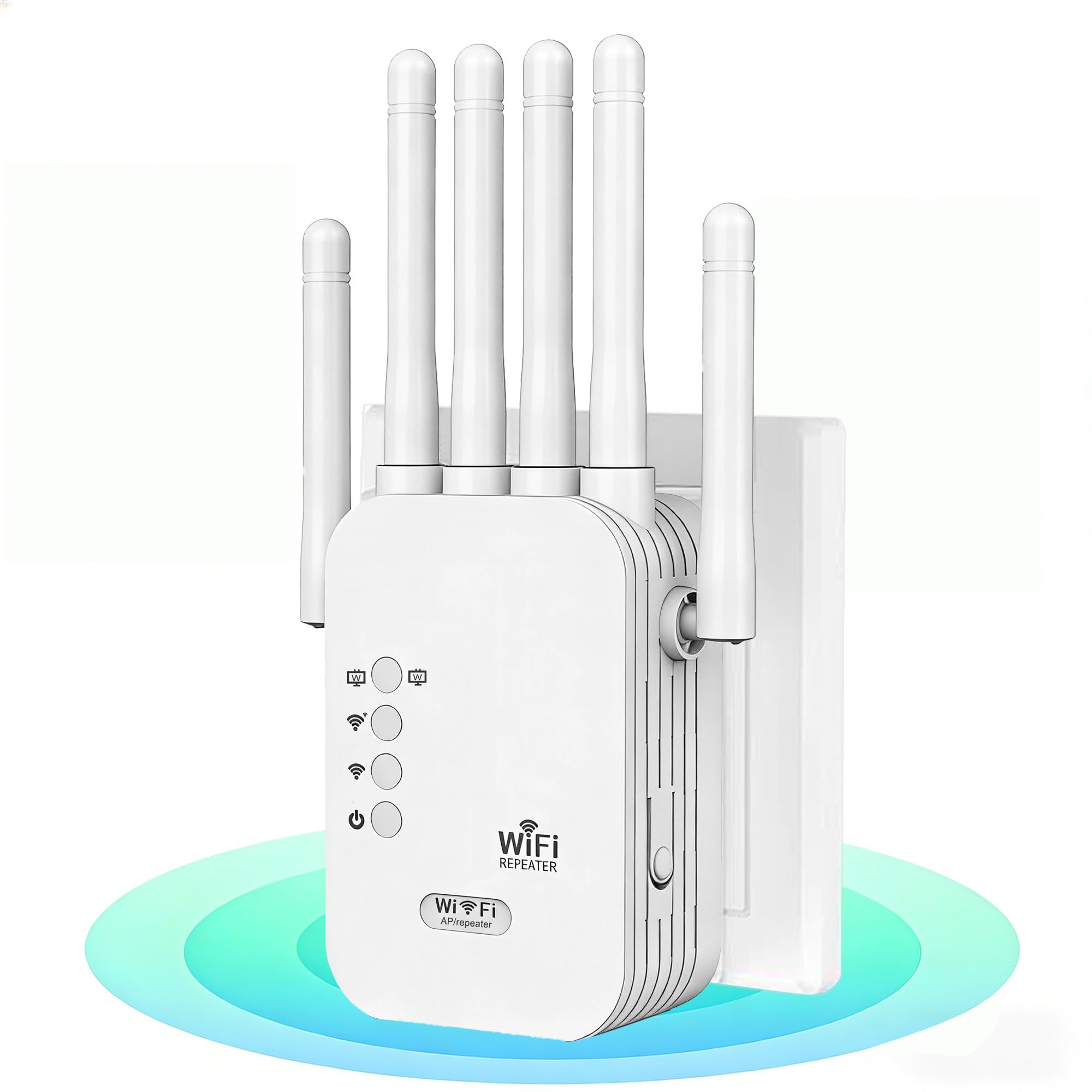
The AllTough extender offers a rare feature at its price point: dual Gigabit Ethernet ports for wired connections up to 1Gbps, plus a tri-mode system that includes Boost mode (amplifies router signal by 300%), AP mode for creating a new network, and Bridge mode for wired-speed links. This versatility lets you use the same unit for different network layouts without buying additional hardware.
Coverage is rated at 12,880 sq. ft with four high-gain antennas designed to penetrate up to eight reinforced walls or three floors. The dual-band speed (867Mbps on 5GHz, 300Mbps on 2.4GHz) supports up to 40 devices simultaneously. WPS one-click pairing or browser setup at 192.168.188.1 makes installation accessible even for non-technical users.
Real-world feedback highlights that the 5GHz band brought Dolby Atmos streaming to a TV that previously only showed 5.1 audio, and the extender replaced a more expensive TP-Link model in one home. The enterprise-grade WPA/WPA2 encryption with automatic firmware updates keeps the network secure without manual intervention.
Why it’s great
- Two Gigabit Ethernet ports for multiple wired devices
- Tri-mode system adapts to various network setups
- Strong wall penetration rated for eight walls
Good to know
- Brand is less established than TP-Link or NETGEAR
- Claimed 300% boost depends on initial router signal strength
5. Roqrl 2026 AC1200 Dual Band WiFi Extender
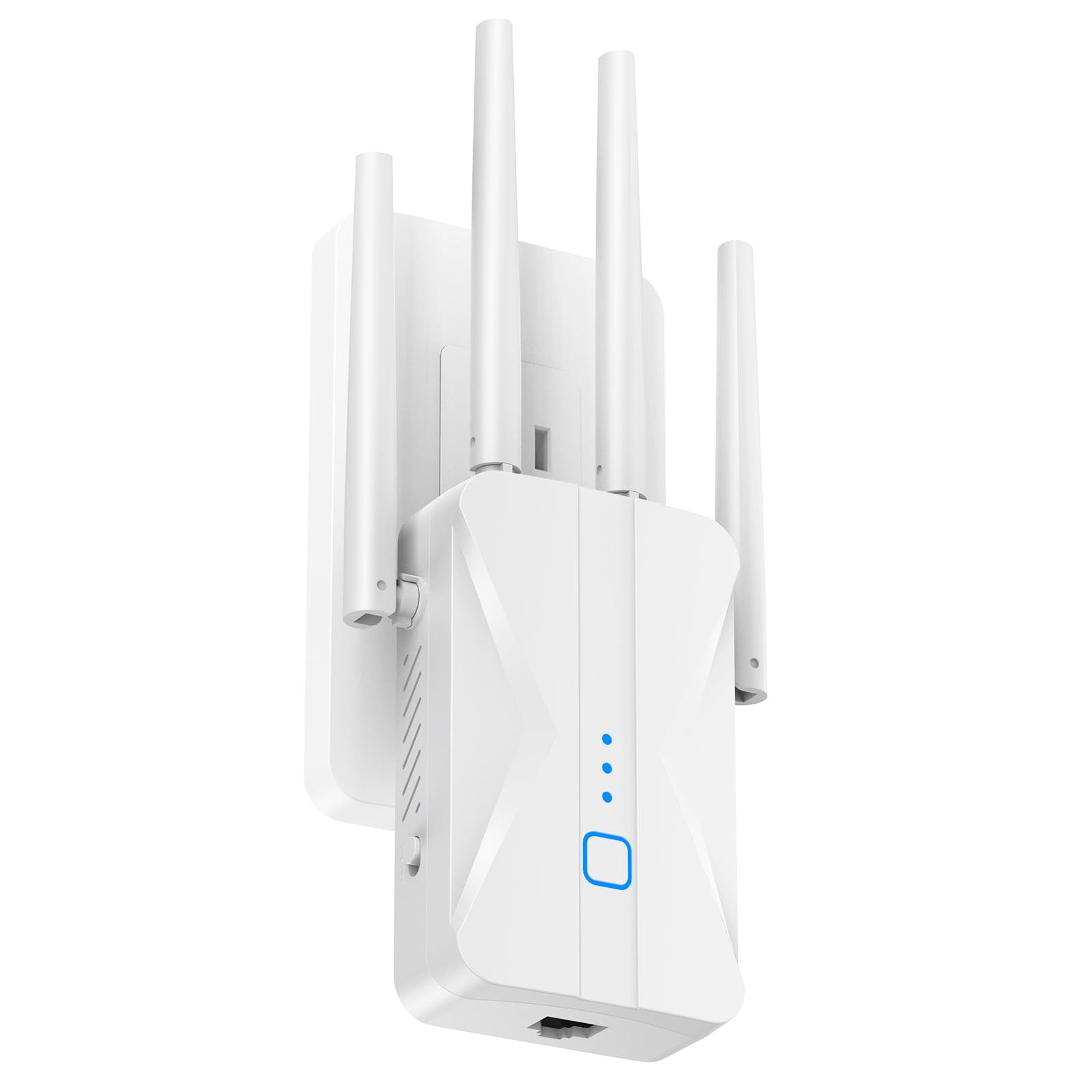
This model is essentially the big-coverage sibling of our Best Overall pick, pushing the claim to 15,999 sq. ft while keeping the same four high-gain antenna configuration. It is designed for multi-story homes, detached garages, and outdoor spaces where the router sits far from the areas you want to cover.
The AC1200 dual-band performance delivers 867Mbps on 5GHz for low-latency streaming and gaming, and 300Mbps on 2.4GHz for smart-home devices and IoT sensors. A built-in Ethernet port supports AP mode and direct wired connections for security cameras or PCs. The 1-tap WPS setup works with 99% of mainstream routers according to the manufacturer.
Customer reports confirm that the extender boosted a 5GHz signal to maximum strength for a patio smart TV and eliminated buffering in rooms where the signal was previously unusable. The bank-grade WPA/WPA2 encryption and heat-dissipation design ensure stable 24/7 operation without overheating.
Why it’s great
- Very high coverage claim with four 360-degree antennas
- 1-tap WPS setup works in seconds
- Runs cool during continuous operation
Good to know
- Claimed 15,999 sq. ft requires open floor plan to achieve
- No Gigabit Ethernet port — wired speeds limited
6. GEYILO WiFi Extender Signal Booster P1
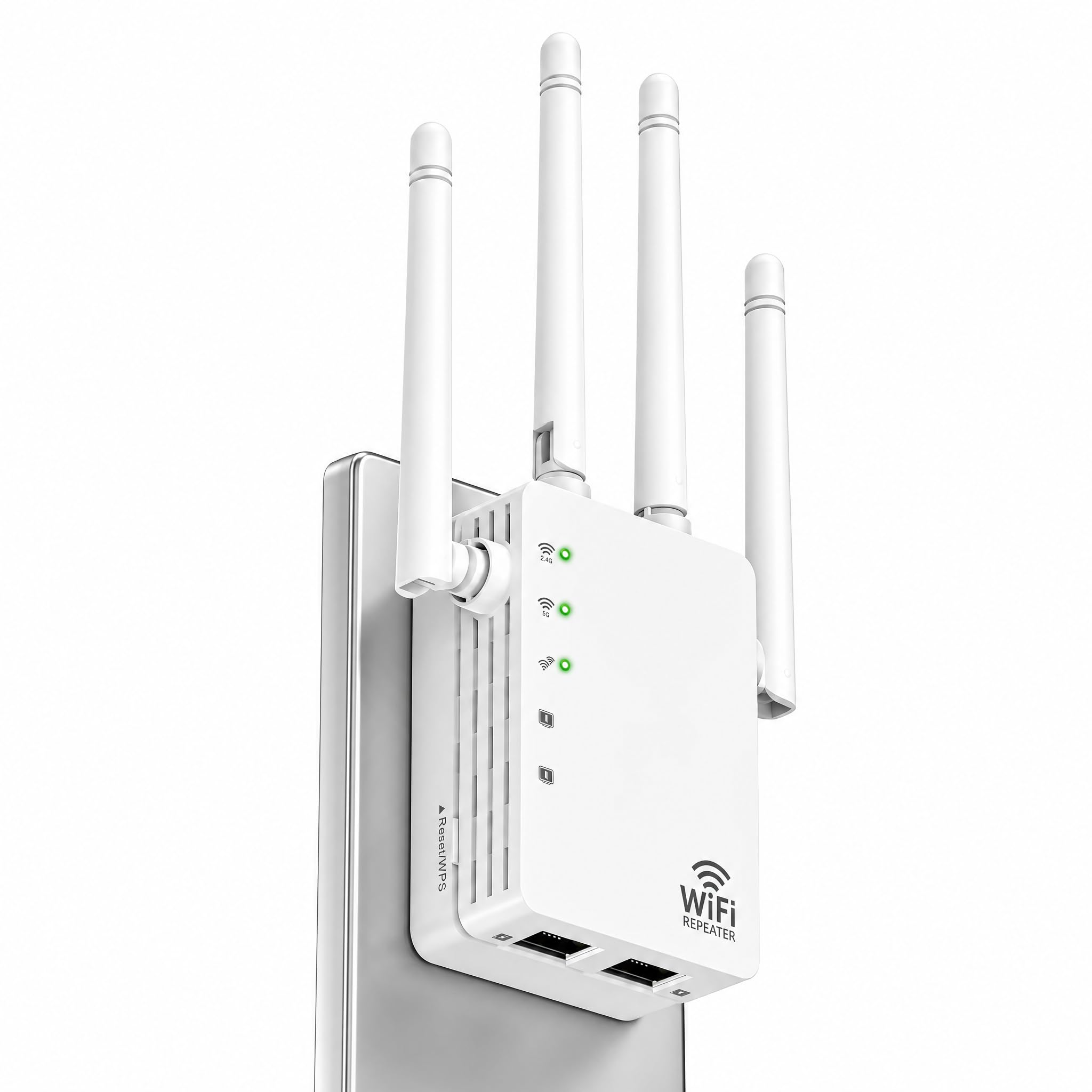
The GEYILO P1 is designed for households with a high number of connected devices — it claims support for up to 105 devices simultaneously. That capacity comes from the 5.0GHz and 2.4GHz dual-band architecture paired with four internal antennas that provide 360-degree coverage across 12,880 sq. ft.
Setup is handled through a 1-tap system that walks you through the configuration prompts in minutes. The single Ethernet port supports wired connections for printers or game consoles, though it is a standard 10/100 port rather than Gigabit, which caps wired throughput at 100Mbps. The dual-band auto-switching helps smart-home devices stay on the 2.4GHz band while streaming devices use 5GHz.
Verified buyers report that the extender eliminated dead zones in upstairs bedrooms and the garage, with one user noting smooth streaming and faster browsing immediately after setup. The compact white housing stays cool and quiet during operation, and the 360-degree design means orientation is less critical than with directional antenna models.
Why it’s great
- High device capacity suitable for large families
- Very easy 1-tap setup with clear prompts
- 360-degree coverage reduces placement sensitivity
Good to know
- Ethernet port is 10/100, not Gigabit
- Internal antennas limit wall penetration compared to external models
7. NETGEAR WiFi Range Extender EX6120

The NETGEAR EX6120 is the most compact entry in this list — it plugs directly into a wall outlet with no external antennas or cords, making it ideal for tight spaces where you want the extender to be unobtrusive. The AC1200 dual-band speeds (300Mbps on 2.4GHz, 900Mbps on 5GHz) provide enough bandwidth for a few rooms of streaming and browsing.
Setup is handled via the WPS button or a web browser, and the unit includes a single 10/100Mbps Ethernet port for connecting a wired device. Coverage is rated at 1,500 sq. ft for up to 25 devices, which suits smaller homes or apartments where the dead zone is just one or two rooms away from the router. The extender works with WPA2 and WPA/WEP secured routers.
User feedback is mixed: many report quick setup and immediate elimination of buffering in mobile homes or back bedrooms, but some experienced configuration issues where the extender connected without internet access or got stuck during firmware updates. The compact design means you lose the signal strength of external antennas, so placement within 25–40 feet of the router is recommended for optimal performance.
Why it’s great
- Smallest footprint — plugs directly into wall with no messy cables
- Very simple WPS setup for non-technical users
- Reliable for small homes with one or two dead zones
Good to know
- 10/100 Ethernet port, not Gigabit
- Some units have had reliability issues requiring reset
- Limited device capacity compared to larger models
FAQ
What is the difference between AC1200 and AC1900 on a budget extender?
Should I worry about compatibility with my ISP or router brand?
Final Thoughts: The Verdict
For most users, the best budget wifi extender winner is the Roqrl AC1200 because its four external antennas provide real wall penetration at a very accessible price point. If you want seamless roaming and a Gigabit Ethernet port for wired devices, grab the TP-Link RE550. And for a WiFi 6 upgrade path without leaving the budget tier, nothing beats the TP-Link RE500X.

Mo Maruf
I created WellFizz to bridge the gap between vague wellness advice and actionable solutions. My mission is simple: to decode the research and give you practical tools you can actually use.
Beyond the data, I am a passionate traveler. I believe that stepping away from the screen to explore new environments is essential for mental clarity and physical vitality.