Our readers keep the lights on and my smoothie glass nicely filled. As an Amazon Associate, I earn from qualifying purchases.
Printing on card stock is a different beast from plain office paper. The extra thickness and stiffness demand a printer with a straight paper path, robust feed rollers, and precise fuser temperature control. A machine that handles envelopes beautifully can choke on a 110 lb index sheet, so knowing which printers respect the material is the difference between a smooth run and a paper jam that eats your afternoon.
I’m Mohammad Maruf — the founder and writer behind WellFizz. I’ve spent hundreds of hours cross-analyzing printer specifications, reading through service manuals, and mapping user-reported card-stock behavior against manufacturer claims to separate the machines that flex from those that fail.
This guide isolates the models that feed, fuse, and finish heavy media without drama. If you buy one of these, you will have chosen from the best card stock printers on the market for reliable performance and professional results.
How To Choose The Best Card Stock Printers
Selecting a printer for card stock isn’t about page-per-minute speed or wireless convenience — it’s about hardware that physically accommodates the material. Three factors dominate the decision: the paper path design, the maximum media weight the manufacturer guarantees (and what real users actually achieve), and whether duplexing on thick stock is supported. Ignore these and you’ll buy an expensive paperweight.
Paper Path: U-Turn vs. Straight-Through
Most consumer printers route paper through a U-shaped path after pickup. Thin sheets flex through that curve, but 12-pt cover stock often refuses to bend, causing jam codes. Printers with a straight-through (rear) feed path allow thick media to pass without bending, which is non-negotiable for 110 lb and above. If you print card stock regularly, a rear-feed port is more important than any other spec.
Media Weight Ratings: Read the Fine Print
Manufacturers list a “max media weight” — typically in gsm or lb. This number often describes the highest weight the printer can physically pull through, not the weight it can feed reliably in high volume. Real-world reviews show that many printers jam on card stock near their stated ceiling. Look for models with at least 60 lb (163 gsm) rated capacity for index stock, and check user complaints about curling or mis-feeds at that weight.
Duplex and Card Stock
Automatic duplexing on card stock is rare. The paper must flip inside the printer, which requires either a long straight path after the first side or extremely precise roller timing. Most printers disable duplex automatically when you select “card stock” in the driver. If you need double-sided business cards or postcards, confirm duplex on your specific media weight before buying — or plan to manually flip and re-feed.
Quick Comparison
On smaller screens, swipe sideways to see the full table.
| Model | Category | Best For | Key Spec | Amazon |
|---|---|---|---|---|
| Brother HL-L3220CDW | Color Laser | Office duplex on heavy media | 19 ppm color, 250-sheet tray | Amazon |
| Canon MAXIFY GX2020 | MegaTank Inkjet | Low-cost high-volume card stock | 15 ppm B&W, 250-sheet tray | Amazon |
| Canon PIXMA PRO-200S | Pro Photo Inkjet | Fine-art card stock up to 13” | 8-color dye ink, borderless | Amazon |
| Sawgrass SG500 | Sublimation | Custom card stock transfers | Anti-clog tech, 8.5”x51” bypass | Amazon |
| Epson SureColor P700 | Pro Photo Inkjet | Gallery prints on thick stock | 10-color UltraChrome PRO10 | Amazon |
| Brother MFC-L8930CDW | Business Color Laser | High-volume duplexed card stock | 33 ppm color, 7” touchscreen | Amazon |
| HP DesignJet T210 | Large Format | Posters on 24” heavy media | 24-inch roll feed, <1% stray ink | Amazon |
| Epson EcoTank Pro ET-5800 | Supertank Inkjet | Economical card stock for office | 25 ppm B&W, pigment ink, 2yr ink | Amazon |
| HP Color LaserJet Pro MFP 4301fdw | Color Laser | Teams needing fast color on card | 35 ppm color, HP Wolf Security | Amazon |
In‑Depth Reviews
1. Brother HL-L3220CDW

The HL-L3220CDW sets the standard for a card-stock-ready office color laser. Its automatic duplex handles heavy media without complaint — a rare feature at this price tier — and the manual feed slot accommodates envelopes and thicker index stock cleanly. At 19 ppm for both color and B&W, it keeps pace with small-team workflows, and the included high-yield toners extend the time between replacements well beyond the first few thousand pages.
Users consistently report excellent print quality on business card stock and light cover (up to ~60 lb), with crisp text and vivid graphics that hold up to lamination. The compact footprint leaves room on a shared desk, and Brother’s reputation for durable mechanics means fewer service calls. Some firmware bugs around high-resolution file names can drop print jobs, but a simple resolution reduction solves it.
The only real trade-off is weight — at roughly 50 lb, it’s a beast to move once placed. And the lack of a scan function means this is a dedicated print machine. For pure duplex-heavy card-stock printing in a shared office, it’s the most balanced package available.
Why it’s great
- Automatic duplex works reliably on thick media up to 60 lb
- Manual feed slot handles envelopes and specialty card stock
- Compact and durable with minimal paper jams during heavy use
Good to know
- Very heavy unit at about 50 lb — not easily moved
- Setup on Mac requires workarounds for printer certificate
- No scan or copy function
2. Canon MAXIFY GX2020

The MAXIFY GX2020 is the most wallet-friendly entry point for card-stock printing that doesn’t sacrifice volume. Its MegaTank system uses pigment-based ink bottles that last for thousands of pages, dropping per-page costs well below any cartridge-based rival. The 250-sheet front tray and rear specialty feed accept card stock up to about 60 lb, and the automatic duplex works on lighter stocks, though double-sided heavy media requires manual intervention.
Where the GX2020 shines is raw economy. After the initial bottle set, replacing ink costs pennies per page — ideal for organizations that churn through printed postcards or folded marketing pieces. The 2.7-inch color touchscreen simplifies job selection, and the 35-sheet ADF handles multi-page scanning of mixed media without jams.
The downside is a tendency to curl card stock noticeably on high-quality print modes, and some users report smudging on glossy coated card stock. Stick to matte or uncoated cover stock and select standard quality for flat, dry results. It’s not a pro-grade photo printer, but for cost-conscious offices, it’s the smartest choice.
Why it’s great
- Extremely low ink cost per page with MegaTank refillable system
- Rear specialty feed accepts card stock and envelopes cleanly
- Automatic duplex and ADF for mixed media workflows
Good to know
- Card stock curls noticeably on high-quality print mode
- Prone to smudging on glossy coated card stock
- Not recommended for double-sided printing on heavy stock
3. Canon PIXMA PRO-200S

If your card-stock projects demand gallery-quality color and borderless 13×19-inch sheets, the PIXMA PRO-200S is the definitive choice. Its 8-color dye-based ink system produces incredibly smooth gradations and deep blacks that pop on thick fine-art and photo card stock. The straight-through paper path from the rear feed accepts media up to 1.2 mm thick with zero curl, making it the most reliable wide-format inkjet for heavy stock available.
Professionals who print portfolios, art prints, or presentation card stock will appreciate the speed: a bordered 8×10 emerges in about 53 seconds, and an A3+ poster in 90 seconds. The 3.0-inch color LCD gives clear ink-level feedback, and the quiet operation means it won’t dominate a small studio. Setup is the main friction point — Canon’s phone-first installation process can be confusing, and the printer is large and heavy enough to require a dedicated table.
Ink consumption is the lingering concern. Each 8-color cartridge set is expensive, and the starter cartridges run down quickly. Still, for the print quality achievable on hot-press fine-art card stock, it justifies the premium for anyone who sells their prints or presents to clients.
Why it’s great
- 8-color dye ink produces unmatched smoothness on glossy card stock
- Rear straight-through path handles up to 1.2 mm thick media flat
- Borderless 13×19 prints for portfolio-quality card stock projects
Good to know
- Ink cartridges are expensive and shorter-lasting than claimed
- Setup installation process is confusing and phone-oriented
- Large and heavy — needs a dedicated workspace
4. Sawgrass SG500
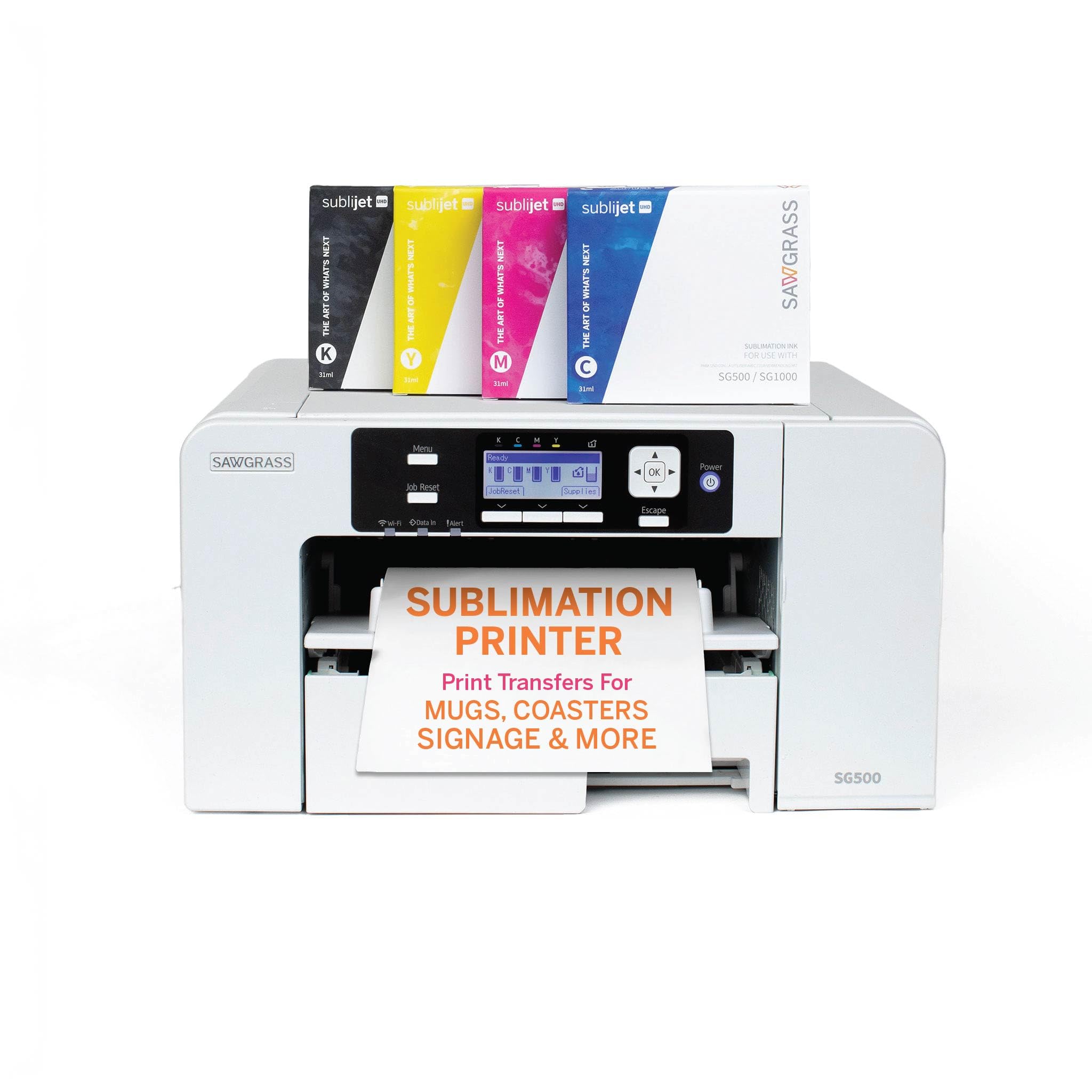
The SG500 is the only printer on this list designed exclusively for sublimation, which makes it the top pick for transferring designs onto card-stock-based coated substrates like mugs, coasters, and ornament blanks. Its SubliJet UHD inks produce vivid, color-consistent CMYK results that hold up to heat pressing without ghosting. Anti-clog technology keeps the print head healthy during idle periods — a common failure point in converted general-purpose printers.
The compact desktop size handles media up to 8.5×14 inches, and the bypass tray accepts lengths up to 51 inches, which is useful for long strip designs. Sawgrass’s MySawgrass platform provides free templates and color profiles optimized for common card-stock blanks, reducing trial-and-error waste. This closed ecosystem simplifies the learning curve for small business owners and hobbyists new to sublimation.
But the Sawgrass is not a general-purpose document printer. It prints only in CMYK sublimation dye, so plain card-stock documents will lack the contrast and sharpness of a laser. The software is slow, and third-party ink alternatives void the warranty. It’s a niche tool that excels at its specific task — card-stock sublimation — but offers nothing outside that lane.
Why it’s great
- Designed exclusively for sublimation — reliable CMYK output on coated card stock
- Anti-clog technology prevents head clogs during idle weeks
- MySawgrass platform provides ready-to-use templates for card stock blanks
Good to know
- Limited to 8.5×14 inch max — no wide-format card stock printing
- Can only print sublimation dyes; poor for plain card text documents
- Software is slow; some users report frustrating setup issues
5. Epson SureColor P700

The SureColor P700 brings pro-level color science to card-stock printing, thanks to its 10-channel UltraChrome PRO10 ink set that includes violet for extended gamut and dedicated photo black plus matte black nozzles — no ink-switching waste. For card stock up to 13 inches wide and 1.5 mm thick, the straight-through rear path feeds heavy fine-art and photo card stock cleanly, producing prints that hold archival-quality blacks on both glossy and matte finishes.
The 4.3-inch touchscreen and interior LED make media loading and job preview intuitive, and Carbon Black driver technology pushes Dmax to exceptional levels on glossy stock. Wireless printing from iOS devices works well for quick proofs. The compact footprint — 23% smaller than the previous generation — makes it studio-friendly without sacrificing paper capacity.
Two real drawbacks: the initial ink cartridges are mostly consumed during setup, effectively adding to the purchase cost. And while the P700 can feed thick card stock single sheets, some users report persistent “out of paper” errors on fine-art paper over 1.2 mm, requiring hand-feeding. If your card stock is under 1.2 mm, this is a phenomenal photo printer. If you frequently exceed that thickness, budget for the higher-end P900 with a vacuum-feed option.
Why it’s great
- 10-color ink set (including violet) delivers unmatched color gamut for card stock prints
- Dedicated photo and matte black nozzles eliminate ink-switching waste
- Compact 13-inch design with excellent black density on glossy stock
Good to know
- Starter cartridges are nearly empty; expect to replace after ~10 prints
- Inconsistent feeding of thick fine-art paper over 1.2 mm
- Uses ~80% of initial ink for setup, adding hidden cost
6. Brother MFC-L8930CDW

The MFC-L8930CDW is the most capable all-in-one color laser for card-stock volumes in a busy office. At 33 ppm in color, it outpaces every other laser on this list, and its 7-inch color touchscreen makes navigating media type settings — including a dedicated card stock menu — fast. The multi-purpose tray and front cassettes accept stock up to around 60 lb, and automatic duplex works on card stock, a rarity in this class.
Brother’s TN635XXL super-high-yield toners deliver up to 7,500 black and 6,500 color pages, drastically lowering cost per page for high-volume marketing card stock runs. The integrated NFC card reader and triple-layer security features make it suitable for regulated environments. The ADF handles legal-size originals, and scanning to cloud or editable Office documents works seamlessly from the touchscreen.
At 20.7 inches deep, it requires a sturdy table, and the initial purchase is a significant investment. Some users note that the included starter toners are lower-yield than advertised. But for an office that prints hundreds of card-stock flyers, postcards, or double-sided menus per week, the MFC-L8930CDW is a production-grade machine that pays for itself in toner savings within a year.
Why it’s great
- 33 ppm color laser speed with automatic duplex on card stock
- Super-high-yield toners drastically reduce per-page costs
- Large touchscreen and NFC card reader for efficient office workflows
Good to know
- Large footprint requires a dedicated, sturdy table
- Starter toners have lower yield than advertised replacement cartridges
- Premium price point — better for high-volume offices than casual use
7. HP DesignJet T210

When card stock isn’t big enough — when you need heavy media at 24 inches wide — the DesignJet T210 fills the gap. It accepts rolls of up to 24-inch-wide media, including heavy bond, matte canvas, and thick satin papers that rival card stock in weight and feel. The automatic horizontal cutter trims each sheet to length, and the straight-through roll path prevents the curling issues common with folded heavy media. For large-format card-stock equivalents like event banners and architectural postcards, this is the tool.
HP Click software nests multiple prints to minimize waste, and the 1-click printing from the HP Smart app makes remote job submission simple. Print speed of up to 45 seconds per A1/D sheet means a 24×36 inch card-stock poster in under a minute. The printer uses 95% less ink in routine maintenance than competing plotter printers, keeping operating costs low.
The main limitation is media width: it handles up to 24-inch rolls but cannot feed standard letter-sized card stock directly from a cassette. You must feed sheets through the front or use the optional automatic sheet feeder. And ink cartridges are proprietary — HP 712 series only — with limited local retail availability, so planning ahead is essential.
Why it’s great
- 24-inch roll path handles heavy bond and canvas up to card-stock weight
- Automatic cutter trims each sheet to length with no curl
- Very low maintenance ink use compared to other large-format plotters
Good to know
- Cannot feed standard letter card stock from cassette — sheet feed only
- Proprietary HP ink cartridges hard to find in local stores
- No automatic duplex for large-format heavy media
8. Epson EcoTank Pro ET-5800

The ET-5800 is the inkjet answer to budget-conscious offices that print card-stock documents in high volume. Its two front paper trays plus rear feed give a total of 500 sheets of on-demand paper capacity, accepting card stock up to about 100 lb via the rear specialty feeder. Epson’s DURABrite pigment ink resists smudging on coated card stock and dries instantly, making it suitable for postcards and presentation covers used in client-facing materials.
Print speed of 25 ISO ppm black and 12 ppm color is respectable for an inkjet, and the Heat-Free PrecisionCore technology means no warmup time between jobs. The large tilting LCD screen makes menu navigation easy, and the motorized output tray extends automatically when a job arrives. The included ink bottles deliver up to 7,500 black and 6,000 color pages, dropping cost per print to around 2 cents for color — cheaper than most laser toners.
Photo quality on glossy card stock is decent but not pro-grade — serious photographers will prefer the P700. Some users report frequent error messages that don’t correlate with actual printer status, and Epson’s support is not always effective. For a low-cost, high-volume card-stock document printer that handles up to 100 lb stock through the rear path, the ET-5800 is a solid workhorse.
Why it’s great
- 500-sheet capacity across two trays plus rear feed for heavy card stock
- Pigment ink dries instantly and resists smudging on coated card stock
- Extremely low cost per page with 7,500-page black ink bottles
Good to know
- Photo quality on glossy card stock is merely decent, not pro-grade
- Frequent but false error messages can be confusing
- Output tray does not auto-retract; web interface is limited
9. HP Color LaserJet Pro MFP 4301fdw

The 4301fdw is HP’s fastest color laser in this size class, reaching 35 ppm for color documents on plains paper and card stock up to about 60 lb. Its intelligent Wi-Fi maintains the best connection automatically, and the 500-sheet input capacity (standard tray plus optional second) keeps large card stock jobs running without constant refills. The auto document feeder scans both sides of mixed media in a single pass, and the duplex print engine handles double-sided card stock when the media type is correctly selected in the driver.
HP Wolf Pro Security with customizable settings protects sensitive marketing or client documents. The printer supports wireless printing from any device, including AirPrint, Android, and Chromebook. Users who run a small business or a team of up to 10 will appreciate the speed and the professional-looking color output on standard card stock.
Reliability concerns are the main hesitation. Several users report the printer failing after about a year with false paper jam errors tied to known electrical part issues. HP’s support sometimes sends refurbished units that introduce new problems. Toner cost is also steep — genuine HP cartridges are expensive, and third-party alternatives can cause firmware blocks. For a team that must have fast color on card stock every day, it’s worth budgeting for an extended warranty or considering the Brother MFC-L8930CDW as a more durable alternative.
Why it’s great
- Blazing 35 ppm color speed for high-volume card stock jobs
- Intelligent Wi-Fi with multiple connection options for shared environments
- HP Wolf Security provides customizable data protection
Good to know
- Reliability concerns — reports of false paper jam errors after a year
- Expensive proprietary toner with firmware blocks on third-party cartridges
- Replacement parts from HP support can be refurbished and problematic
FAQ
Will my regular office printer handle 110 lb card stock?
Does duplex printing work on business card stock?
Why does my card stock always curl after printing?
Can I use adhesive-backed card stock in any printer?
Final Thoughts: The Verdict
For most users, the best card stock printers winner is the Brother HL-L3220CDW because it combines reliable automatic duplex on thick media, compact office-friendly design, and the lowest laser running costs in its class. If you need professional photo quality on 13-inch fine-art card stock, grab the Canon PIXMA PRO-200S. And for high-volume color card stock at the lowest cost per page, nothing beats the Canon MAXIFY GX2020.

Mo Maruf
I created WellFizz to bridge the gap between vague wellness advice and actionable solutions. My mission is simple: to decode the research and give you practical tools you can actually use.
Beyond the data, I am a passionate traveler. I believe that stepping away from the screen to explore new environments is essential for mental clarity and physical vitality.