Our readers keep the lights on and my smoothie glass nicely filled. As an Amazon Associate, I earn from qualifying purchases.
A 32-inch 4K monitor represents the sweet spot for modern computing — it delivers a spacious canvas without overwhelming your desk, and the pixel density at this size keeps text razor-sharp without requiring scaling that degrades performance. Whether you spend your day editing color-critical photography, fighting for the top of the leaderboard, or managing multiple spreadsheets, the panel technology you choose — IPS, VA, or OLED — defines the entire experience.
I’m Mohammad Maruf — the founder and writer behind WellFizz. I’ve spent years analyzing monitor specifications, poring over calibration reports, and cross-referencing buyer feedback to isolate what separates a durable purchase from a regretful one in this specific screen size and resolution class.
After evaluating panel types, refresh rates, color gamut coverage, and ergonomic adjustability across the pricing spectrum, this guide narrows down the best 4k 32 inch monitor options for every real-world use case.
How To Choose The Best 4K 32 Inch Monitor
The decision process for a 32-inch 4K monitor is different from smaller or lower-resolution screens. At this size, the panel type heavily influences both perceived sharpness and color consistency, while the refresh rate dictates suitability for gaming versus productivity. You need to match the monitor’s strengths to your primary workload.
Panel Technology: The Foundation of Image Quality
IPS panels dominate the professional space due to wide viewing angles and stable color reproduction. VA panels offer superior native contrast (typically 2500:1 to 3000:1) which creates deeper blacks, making them excellent for media consumption, but they suffer from color shift when viewed off-angle. OLED panels deliver the ultimate contrast with per-pixel illumination yielding true blacks, but they carry burn-in risks and often command a premium price. Your choice should reflect whether you prioritize color consistency, contrast, or absolute black levels.
Refresh Rate and Adaptive Sync
Standard productivity monitors operate at 60Hz, which is perfectly adequate for office tasks, video editing, and general web browsing. Gaming demands higher refresh rates — 120Hz provides a noticeable improvement in fluidity, while 240Hz eliminates motion blur in competitive titles. Adaptive sync technologies (FreeSync and G-Sync Compatible) synchronize the monitor’s refresh rate with your GPU’s frame output to eliminate screen tearing without introducing input lag. Verify compatibility with your graphics card before purchase.
Color Gamut and Factory Calibration
For creative professionals, color accuracy is non-negotiable. sRGB coverage is the baseline for web content, while DCI-P3 coverage matters for video production and HDR grading. Factory-calibrated monitors with Delta E values under 2 ensure you see colors as the creator intended, reducing the need for external calibration tools. HDR certification — whether DisplayHDR 400 or True Black 400 — determines how well the monitor handles high dynamic range content, with OLED and Mini-LED implementations outperforming standard edge-lit LCD panels.
Ergonomics and Connectivity
A 32-inch screen is heavy and takes up significant desk real estate. Height-adjustable stands with tilt, swivel, and pivot capabilities prevent neck strain during long sessions. VESA compatibility (100x100mm is standard) lets you mount the monitor on an arm for maximum flexibility. Connectivity matters for future-proofing — HDMI 2.1 supports 4K at higher refresh rates, DisplayPort 1.4 is essential for high-bandwidth signals, and USB-C with power delivery simplifies cable management for laptops.
Quick Comparison
On smaller screens, swipe sideways to see the full table.
| Model | Category | Best For | Key Spec | Amazon |
|---|---|---|---|---|
| ASUS ROG Swift PG32UCDM | QD-OLED | Elite Gaming & Content | 240Hz / 0.03ms / 99% DCI-P3 | Amazon |
| MSI MPG 321URX QD-OLED | QD-OLED | High-End Gaming | 240Hz / 0.03ms / True Black 400 | Amazon |
| LG 32GX850A-B UltraGear | OLED | Dual-Mode Gaming | 165Hz (330Hz FHD) / 0.03ms | Amazon |
| Samsung Odyssey Neo G8 G85NB | Mini-LED VA | High-Brightness Gaming | 240Hz / 1ms / Quantum HDR2000 | Amazon |
| Dell UltraSharp U3225QE | IPS | Professional Productivity | 450 cd/m² / 2000:1 Contrast / USB-C | Amazon |
| ASUS ProArt PA329CV | IPS | Color-Accurate Creative Work | Delta E < 2 / 100% sRGB / 400 cd/m² | Amazon |
| BenQ PD3205U | IPS | Mac-Ready Design | 99% sRGB/Rec.709 / USB-C 90W PD | Amazon |
| Dell 32 Plus S3225QS | VA | All-Around Value | 120Hz / 1500:1 Contrast / FreeSync Premium | Amazon |
| CRUA 32″ Curved 4K | VA | Immersive Gaming on Budget | 240Hz / 1500R Curve / 3000:1 Contrast | Amazon |
| LG 32UR500K-B | VA | Home/Office Productivity | 90% DCI-P3 / MaxxAudio Speakers | Amazon |
| ViewSonic VX3276-4K-MHD | MVA | Budget 4K Desktop | 2500:1 Contrast / Mini DP Input | Amazon |
In‑Depth Reviews
1. ASUS ROG Swift 32” 4K OLED Gaming Monitor (PG32UCDM)

The ASUS ROG Swift PG32UCDM sets the benchmark for what a 32-inch 4K monitor can deliver. Its QD-OLED panel produces true blacks alongside a peak brightness of 1000 nits in HDR content, creating infinite contrast that LCD panels simply cannot match. The 240Hz refresh rate paired with a 0.03ms GtG response time eliminates motion blur entirely, making this monitor equally suited for fast-paced competitive shooters and visually rich single-player titles.
Color performance is reference-grade, with 99% DCI-P3 coverage and a Delta E of less than 2 straight out of the box. The custom heatsink and graphene film reduce burn-in risk significantly, and ASUS backs this with a 3-year warranty that includes burn-in coverage — a critical reassurance for OLED buyers. The glossy finish enhances perceived clarity and color pop, though it does reflect ambient light in bright rooms.
The ergonomic stand offers height, tilt, swivel, and VESA 100x100mm mounting. Connectivity is future-proof with HDMI 2.1, DisplayPort 1.4, and a USB-C port with 90W power delivery. The included DisplayWidget Center software lets you adjust OLED Care settings and monitor parameters via mouse, which is a welcome convenience for fine-tuning without digging through on-screen menus.
Why it’s great
- Reference-grade color accuracy with 99% DCI-P3 and Delta E < 2
- 240Hz refresh rate with 0.03ms response eliminates all motion blur
- 3-year warranty with burn-in coverage provides peace of mind
- USB-C with 90W PD simplifies laptop connectivity
Good to know
- Glossy screen reflects ambient light in brightly lit rooms
- OLED burn-in risk requires proactive care routines (pixel refresh, dark theme)
- Premium price positions it at the top of the market
2. MSI MPG 321URX QD-OLED

The MSI MPG 321URX delivers a 31.5-inch QD-OLED experience that competes directly with the ASUS ROG Swift, offering the same 240Hz refresh rate and 0.03ms response time. The panel produces 1.07 billion colors with 99% DCI-P3 coverage and a Delta E of 2 or less, resulting in vibrant, accurate visuals that excel in both gaming and content creation scenarios. VESA DisplayHDR True Black 400 certification confirms the panel’s ability to render deep, inky blacks without blooming.
OLED Care 2.0 includes pixel shift, pixel refresh, and taskbar detection to mitigate burn-in, and MSI Gaming Intelligence AI offers features like Smart Crosshair and Optix Scope for competitive advantage. The stand provides four-way adjustability with height, tilt, swivel, and pivot, though some users note it lacks the solid feel of pricier competitors. The KVM switch and PiP/PbP support are valuable for multi-device setups.
Connectivity includes HDMI 2.1, DP 1.4a, and a USB-C port with 90W power delivery. Some users on macOS have reported dual-monitor stability issues that require disabling DSC and locking to a DP input at 120Hz, which is a known quirk. Text clarity is excellent for a QD-OLED, with sub-pixel rendering that avoids the purple fringing seen on earlier generations. This monitor strikes a strong balance between gaming performance and productivity utility.
Why it’s great
- Stunning QD-OLED contrast and 99% DCI-P3 color gamut
- 240Hz refresh rate with tear-free FreeSync support
- KVM switch and PiP/PbP enhance multi-device workflows
- OLED Care 2.0 provides robust anti-burn-in measures
Good to know
- Stand adjustment range feels limited compared to premium IPS monitors
- macOS dual-monitor setup may require DSC workaround
- High price point, though competitive for QD-OLED
3. LG 32GX850A-B 32″ UltraGear 4K OLED

The LG 32GX850A-B brings WOLED technology to a more accessible price point than its QD-OLED rivals. The glossy OLED panel delivers per-pixel illumination that produces perfect blacks and vibrant colors, with Micro Lens Array+ technology boosting typical brightness to 275 nits for improved highlight detail. The dual-mode feature is a standout — you can run 4K at 165Hz for graphically rich titles or switch to 1080p at 330Hz for competitive esports where raw frame rate matters more than resolution.
Color accuracy is strong with 98.5% DCI-P3 coverage, and VESA DisplayHDR True Black 400 certification ensures deep black levels in HDR content. The 0.03ms response time eliminates ghosting entirely, and both G-Sync Compatible and FreeSync Premium Pro support mean the monitor works flawlessly with both NVIDIA and AMD GPUs. The ergonomic stand offers height, tilt, swivel, and pivot adjustments — a full range that many OLED competitors omit.
Some users report sub-pixel text rendering that is less sharp than IPS or VA panels, though at normal viewing distances this is rarely noticeable. The glossy finish delivers exceptional clarity in controlled lighting but shows reflections more readily than matte alternatives. Build quality is solid with a metal bezel, and the on-screen controls are intuitive. For buyers who want OLED performance without the QD-OLED premium, this LG represents the best value in the class.
Why it’s great
- Dual-mode allows 4K 165Hz or 1080p 330Hz flexibility
- Full ergonomic stand with height, tilt, swivel, and pivot
- G-Sync Compatible and FreeSync Premium Pro certified
- Best price-to-performance ratio in the OLED category
Good to know
- Text clarity is slightly softer than IPS or VA panels
- Glossy finish reflects bright ambient light sources
- Peak brightness is lower than QD-OLED competitors
4. Samsung 32″ Odyssey Neo G8 (G85NB)

The Samsung Odyssey Neo G8 remains one of the most aggressive gaming monitors on the market, combining a 1000R curved VA panel with Quantum Mini-LED backlighting for a peak brightness of 2000 nits. This makes it the brightest monitor in this roundup, capable of delivering HDR highlights that genuinely pop in a way that standard edge-lit LCDs cannot approach. The 240Hz refresh rate and 1ms GtG response time keep motion handling crisp, and FreeSync Premium Pro ensures tear-free gameplay.
The VA panel’s native 1,000,000:1 contrast ratio — enabled by the Mini-LED local dimming zones — produces deep blacks that approach OLED territory, though some blooming around bright objects on dark backgrounds is visible if you look for it. The 1000R curve is aggressive and takes about two weeks to fully adapt to, but it does enhance immersion in gaming and cinematic content. The matte display finish effectively kills reflections, which is a practical advantage for brightly lit rooms.
Reliability has been a mixed topic in user feedback. Some units exhibit scan lines at 240Hz, which can be mitigated by running at 120Hz, and the joystick controls are small and tucked under the bottom bezel. The stand is sturdy but wobbles slightly on uneven surfaces. VESA 100x100mm mounting is supported. If you prioritize raw brightness and HDR impact over color accuracy and viewing angles, the Neo G8 delivers an experience no other LCD in this size can touch.
Why it’s great
- 2000-nit peak brightness delivers stunning HDR highlights
- Mini-LED backlight achieves near-OLED black levels
- 240Hz refresh rate with 1ms response for competitive gaming
- Matte display eliminates glare in bright environments
Good to know
- Scan line issues reported at 240Hz on some units
- 1000R curve is aggressive and requires adjustment period
- Joystick controls are small and difficult to locate by feel
5. Dell UltraSharp U3225QE
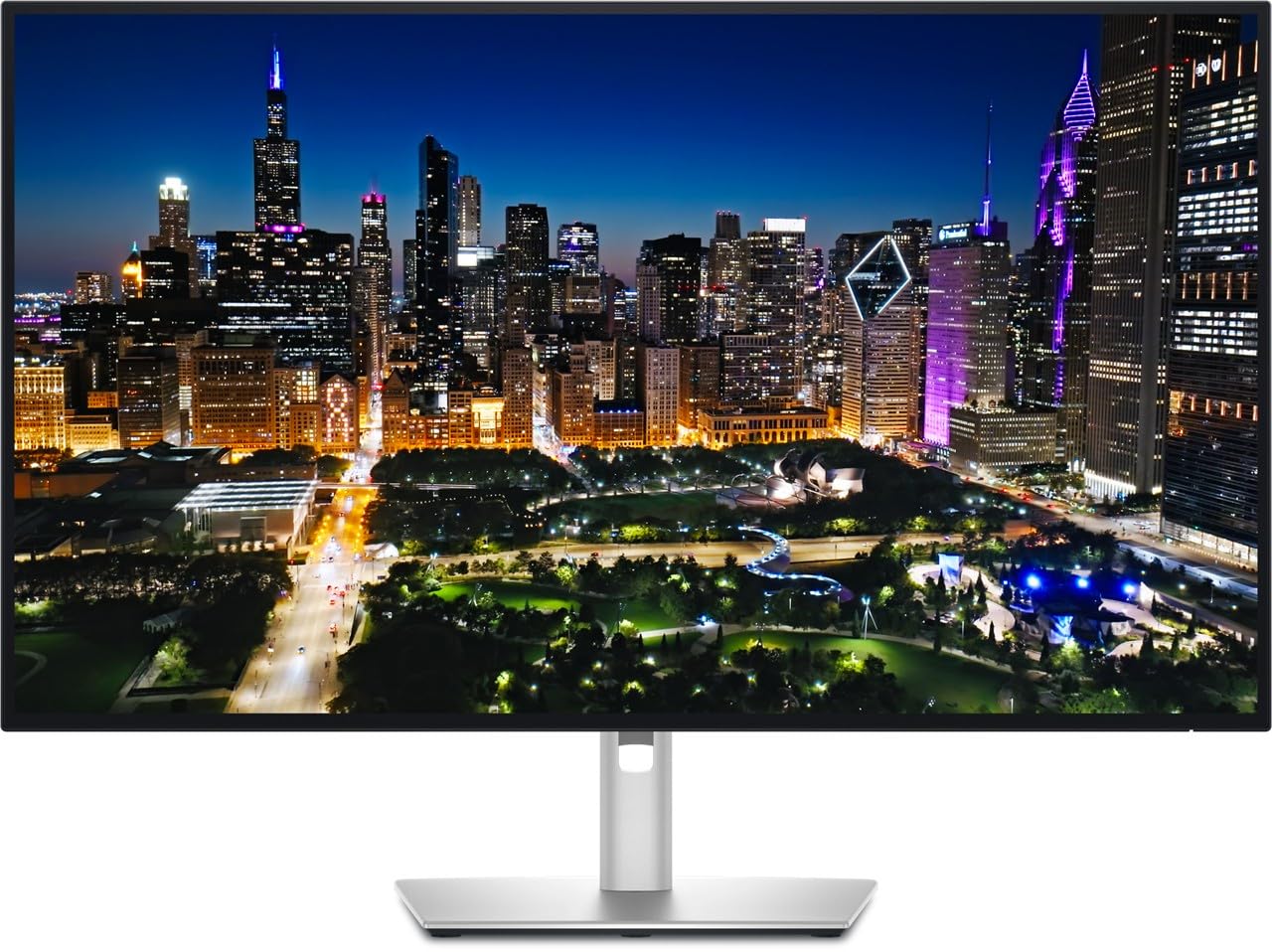
The Dell UltraSharp U3225QE is an IPS Black panel that achieves a 2000:1 contrast ratio — double that of standard IPS panels — while maintaining the wide viewing angles and color consistency that professionals depend on. With 450 cd/m² of brightness and 100% sRGB coverage, this monitor delivers excellent image clarity for productivity, photo editing, and design work. The 120Hz refresh rate is a meaningful upgrade from the standard 60Hz, making cursor movement and window animations noticeably smoother without gaming-specific compromises.
Connectivity is comprehensive with dual DisplayPort inputs, HDMI, USB-C with power delivery, and a built-in USB hub. The stand offers height, tilt, swivel, and pivot adjustments with the smooth hydraulic feel Dell is known for. The TÜV 5-Star eye comfort certification includes ComfortView Plus which reduces blue light emissions to 35% without washing out colors — a real advantage for 14-hour workdays. The built-in ambient light sensor automatically adjusts brightness to match room conditions.
User feedback consistently praises the build quality and image clarity, with deep blacks that do not look gray as on conventional IPS panels. The anti-glare coating with hard-coating 3H minimizes reflections without adding graininess. The monitor is not designed for high-refresh gaming — 120Hz is its ceiling — but for creative professionals and office users who want the sharpest 4K experience with superior contrast, this Dell is the benchmark.
Why it’s great
- IPS Black panel achieves 2000:1 contrast for deep blacks
- 120Hz refresh rate improves daily workflow smoothness
- Extensive connectivity with dual DP, HDMI, USB-C, and hub
- TÜV 5-Star eye comfort certification with ambient light sensor
Good to know
- Not suitable for high-refresh competitive gaming
- Premium price reflects professional-grade features
- Built-in speakers are adequate but not exceptional
6. ASUS ProArt Display 32” 4K HDR (PA329CV)

The ASUS ProArt PA329CV is a 32-inch 4K IPS monitor engineered for color-critical workflows. It covers 100% sRGB and 100% Rec. 709 color spaces, is Calman Verified, and ships with a factory calibration report guaranteeing Delta E under 2. This level of accuracy out of the box means you can trust the colors for photo editing, graphic design, and video production without investing in a separate calibration sensor.
The 400 cd/m² peak brightness and 178-degree viewing angles deliver consistent color from any seated position. The stand is fully adjustable with height, tilt, swivel, and pivot, and includes a desk C-clamp for mounting on thicker surfaces. Connectivity is robust with DisplayPort, HDMI, a USB-C port with power delivery, and a 4-port USB 3.2 hub. The uniform brightness setting is a welcome feature for professionals who need consistent luminance across the entire screen for print matching.
User feedback highlights sturdy build quality and reliable color performance, with one reviewer noting that two units produced identical calibrated results — a sign of good quality control. The front power button is intentionally unlit to avoid distraction during dark-room editing. Some users have reported USB-C display issues on Apple Silicon Macs that were resolved via a firmware update. For creative professionals who need a reliable, accurate, and well-built monitor at a reasonable price, the PA329CV is a top contender.
Why it’s great
- Factory-calibrated with Delta E < 2 and Calman Verified
- 100% sRGB and Rec. 709 coverage for accurate color work
- Full ergonomic stand with pivot and C-clamp support
- USB-C with power delivery and built-in USB hub
Good to know
- 60Hz refresh rate limits gaming use
- Brightness is adequate but not exceptional for HDR
- USB-C display issues on Mac may require firmware update
7. BenQ PD3205U Mac-Ready Monitor

The BenQ PD3205U is built specifically for the Mac ecosystem, offering a 32-inch 4K IPS panel with 99% sRGB and Rec. 709 coverage, factory calibrated with a Delta E of 3 or less. The AQCOLOR technology reproduces accurate colors that photographers and video editors can rely on, and the monitor is both Calman and Pantone SkinTone validated — a rare certification that ensures skin tones render naturally.
The standout feature is the Hotkey Puck G2, a physical controller that lets you switch between color modes (sRGB, Rec. 709, DCI-P3, CAD/CAM) and adjust brightness without diving into on-screen menus. This is a genuine productivity boost for professionals who toggle between color spaces throughout the day. The USB-C port delivers 90W power delivery, charging a MacBook Pro while transmitting video and data over a single cable.
The ergonomic stand offers height, tilt, swivel, and pivot adjustments, though the regular stand does not support portrait mode. The built-in speakers are universally described as tinny and inadequate — plan on using external speakers or headphones. The matte screen and uniform brightness technology reduce glare and ensure consistent luminance across the panel. For Mac users who want Apple-level integration without the Apple Studio Display price, the PD3205U is the closest alternative in this size class.
Why it’s great
- Calman and Pantone SkinTone validated for accurate color
- Hotkey Puck G2 enables fast color mode switching
- USB-C with 90W PD charges MacBook while transmitting video
- Seamless Mac integration with rapid sleep/wake
Good to know
- Built-in speakers are poor — external audio required
- Regular stand does not support portrait orientation
- Peak brightness is moderate for HDR content
8. Dell 32 Plus 4K Monitor – S3225QS

The Dell S3225QS delivers an impressive blend of features at a price that undercuts most competitors. The 31.5-inch VA panel achieves a 1500:1 contrast ratio for deeper blacks than typical IPS monitors, and the 120Hz refresh rate with AMD FreeSync Premium provides smooth motion handling that covers both productivity and casual gaming. The 0.03ms response time is among the fastest in its class, effectively eliminating ghosting in fast-moving content.
Color performance is solid with 99% sRGB and 95% DCI-P3 coverage, though the VA panel does exhibit some color shift when viewed from extreme angles. HDR readiness means it can accept HDR signals and display them with adequate dynamic range, though it lacks local dimming for true HDR impact. The ComfortView Plus feature reduces blue light emissions to 35% without an obvious yellow tint, making this a strong candidate for all-day use.
The stand is fully maneuverable with height, tilt, and swivel adjustments, and the ultra-thin bezel in ash white gives it a clean, modern aesthetic. Built-in speakers are noticeably better than the previous generation, with deeper frequency response and higher volume output. User reviews consistently highlight the excellent value, with one noting that the speakers are loud enough even at 1% volume. For users who want a feature-rich 4K 32-inch monitor without breaking into premium territory, the S3225QS is the strongest contender.
Why it’s great
- 120Hz refresh rate with FreeSync Premium for smooth gaming
- 1500:1 contrast ratio provides deeper blacks than IPS
- 95% DCI-P3 coverage for vibrant color reproduction
- Excellent value proposition with full ergonomic stand
Good to know
- VA panel shows color shift at wide viewing angles
- HDR performance is limited without local dimming
- No USB-C port for single-cable laptop connection
9. CRUA 32″ Curved Gaming Monitor

The CRUA 32-inch curved gaming monitor targets budget-conscious gamers who want 4K resolution and high refresh rates without spending OLED money. The VA panel operates at 240Hz with AMD FreeSync support, and the 1500R curvature wraps the display around your field of view for an immersive experience that flat panels cannot match. The 3000:1 contrast ratio and 120% sRGB coverage deliver punchy colors with deep blacks that look great in games and movies.
Connectivity is surprisingly complete for the price tier — HDMI 2.1, DisplayPort 1.4, and PiP/PbP support allow you to connect multiple sources simultaneously. The built-in speakers are adequate for casual use, though most gamers will prefer dedicated audio. RGB backlighting adds aesthetic flair to gaming setups, and the 75x75mm VESA mount support gives mounting flexibility. The stand offers tilt adjustment but lacks height and swivel adjustment, which is a common cost-saving measure at this level.
User feedback is positive overall, with praise for the crisp resolution, smooth 240Hz gameplay, and clean white design that appeals to home office and cozy gaming aesthetics. The on-screen menu system is described as confusing without a remote, and the stand assembly requires patience. Some users noted that the advertised built-in speakers did not function properly, recommending external speakers. For gamers who prioritize refresh rate and curvature over color accuracy and build refinement, the CRUA delivers exceptional performance for the investment.
Why it’s great
- 240Hz at 4K resolution on a budget-friendly VA panel
- 1500R curvature enhances gaming immersion significantly
- HDMI 2.1 and DP 1.4 support modern consoles and GPUs
- 3000:1 contrast ratio provides deep black levels
Good to know
- Stand lacks height and swivel adjustment
- On-screen menu system is not intuitive
- Built-in speakers may not function on all units
10. LG 32UR500K-B Ultrafine

The LG 32UR500K-B is a straightforward 4K monitor built for home office and general productivity. The 32-inch VA panel delivers clear, vibrant images with 90% DCI-P3 color gamut coverage, which is strong for the entry-level pricing tier. HDR10 support ensures compatible content displays with expanded dynamic range, though the 250 cd/m² peak brightness limits HDR impact compared to brighter panels. The 60Hz refresh rate is standard for office use and handles spreadsheets, documents, and web browsing without issues.
MaxxAudio-equipped stereo speakers provide louder and clearer sound than the typical monitor, making this a viable all-in-one solution for a compact desk setup where external speakers would clutter the workspace. OnScreen Control software lets you split the display and adjust settings via mouse clicks, which is more convenient than hardware buttons. The stand offers tilt adjustment — height and swivel are not available, but the borderless design keeps the footprint small.
Dynamic Action Sync and Black Stabilizer are included as gaming-friendly features, though the 60Hz panel will not satisfy competitive gamers. The VA panel provides decent contrast at 1000:1, and the anti-reflective coating works well in typical indoor lighting. For users who simply need a large, sharp 4K screen for office tasks and occasional media consumption without extra frills, the LG 32UR500K-B offers reliable performance at an accessible price.
Why it’s great
- 90% DCI-P3 color gamut covers more than sRGB
- MaxxAudio built-in speakers outperform typical monitor audio
- OnScreen Control software enables easy display management
- Borderless design minimizes desk footprint
Good to know
- 60Hz refresh rate limits gaming potential
- 250 cd/m² brightness is modest for HDR content
- Stand offers tilt only, no height or swivel adjustment
11. ViewSonic VX3276-4K-MHD

The ViewSonic VX3276-4K-MHD is the most budget-conscious option in this roundup, using an MVA panel that achieves a 2500:1 native contrast ratio — significantly better than standard IPS monitors for black depth. The 4K UHD resolution at 32 inches produces sharp text and detailed images, making it suitable for document work, web browsing, and media consumption. HDR10 support is included, though the 300 cd/m² brightness limits its impact to subtle improvements rather than dramatic highlights.
The design is notably thin with ultra-slim bezels and a brushed metal frame that looks more premium than the price suggests. Connectivity is comprehensive for this tier, with HDMI, DisplayPort, and Mini DisplayPort inputs — the inclusion of Mini DP is a rare convenience for older MacBooks and certain laptops. The built-in 2W speakers are weak and best replaced with external speakers or headphones. ViewSonic’s Eye Care technology includes flicker-free backlighting and a blue light filter to reduce eye fatigue during long sessions.
User reviews are mixed — while many praise the solid build, sharp picture, and easy setup, others report frustrating on-screen controls with buttons on the back that are difficult to operate by feel. There are sporadic reports of vertical line defects developing after a month of use, so warranty support should be considered. The fixed-height stand cannot be adjusted for height, and VESA mounting requires screws that are not included. For users who need the cheapest possible 32-inch 4K monitor and can work around its limitations, the VX3276-4K-MHD delivers the core resolution benefit at the lowest cost.
Why it’s great
- 2500:1 contrast ratio produces deep blacks for the price
- Thin bezels and brushed metal frame look premium
- Mini DisplayPort input adds flexible connectivity
- Flicker-free technology reduces eye strain
Good to know
- Fixed stand offers no height or tilt adjustment
- Back-mounted buttons are difficult to operate
- Quality control issues reported in longer-term use
FAQ
Is 32 inches too large for desk use with a 4K monitor?
Should I choose an IPS or VA panel for a 4K 32-inch monitor?
Do I need HDMI 2.1 for a 4K 32-inch monitor?
What is the difference between OLED and QD-OLED in monitors?
How long do modern OLED monitors last before burn-in occurs?
Final Thoughts: The Verdict
For most users, the best 4k 32 inch monitor winner is the ASUS ROG Swift PG32UCDM because it delivers uncompromising QD-OLED performance with reference-grade color accuracy and a 240Hz refresh rate, backed by a 3-year burn-in warranty. If you want high-brightness HDR for gaming without OLED concerns, grab the Samsung Odyssey Neo G8. And for professional creative work with a Mac-friendly setup and excellent color accuracy, nothing beats the BenQ PD3205U.

Mo Maruf
I created WellFizz to bridge the gap between vague wellness advice and actionable solutions. My mission is simple: to decode the research and give you practical tools you can actually use.
Beyond the data, I am a passionate traveler. I believe that stepping away from the screen to explore new environments is essential for mental clarity and physical vitality.