Our readers keep the lights on and my smoothie glass nicely filled. As an Amazon Associate, I earn from qualifying purchases.
Choosing the wrong 40-inch screen means living with pixelated text, a desk that’s too shallow, or a GPU that chokes on the extra real estate. The 40-inch class sits in a sweet spot where resolution, curvature, and physical footprint all have to align perfectly, or the whole setup feels wrong. This is a deep-research buy — you plan to live with this monitor for years — so every spec from panel type to connectivity matters.
I’m Mohammad Maruf — the founder and writer behind WellFizz. I analyze display hardware specifications like resolution scaling, pixel density, and HDR certification to help you cut through the marketing clutter and find the panel that genuinely fits your workflow.
This guide dissects eleven distinct 40-inch-class monitors across four key categories, helping you identify the best 40 inch computer monitor for your specific balance of gaming responsiveness, creative color accuracy, and productivity real estate.
How To Choose The Best 40 Inch Computer Monitor
A 40-inch monitor is a commitment. You need to evaluate resolution, panel technology, curvature, and connectivity before you clear the desk space. Here’s what to look for.
Resolution and Pixel Density: The PPI Rule
At 40 inches, 3440×1440 gives you about 93 PPI — readable but soft. For crisp text and fine detail, 5120×2160 (5K2K) yields roughly 140 PPI, which matches or exceeds a standard 27-inch 4K monitor. If you edit photos or read code all day, anything below 5K2K will leave you wanting.
Panel Type: IPS vs VA vs OLED
IPS panels offer wide viewing angles and consistent color, ideal for creative work. VA panels deliver deeper native contrast (3000:1 or higher) but can suffer from darker gamma shifts off-angle. OLED panels provide per-pixel lighting with infinite contrast, but require burn-in management for static UI elements — less ideal for 8-hour spreadsheets.
Curvature and Viewing Distance
A 1500R curve wraps around you for gaming immersion but feels aggressive for productivity. A 2500R curve is a middle ground suitable for both gaming and desk work. A 3800R curve is nearly flat and best for multi-monitor setups or professional layout work. Measure your desk depth first.
Connectivity Hub
USB-C with power delivery (65W or 96W) lets you charge a laptop with a single cable. Thunderbolt 4 offers 40Gbps bandwidth and daisy-chaining, essential for Mac users. Check if downstream USB ports are on the side or back — rear ports are a daily frustration for swapping peripherals.
Quick Comparison
On smaller screens, swipe sideways to see the full table.
| Model | Category | Best For | Key Spec | Amazon |
|---|---|---|---|---|
| LG 40WP95C-W | Premium | Creative pros with Macs | 5K2K Nano IPS / Thunderbolt 4 | Amazon |
| Dell U4025QW | Premium | Productivity power users | 5K2K IPS Black / 600 nits | Amazon |
| MSI MPG 491CQP | Premium | Gamers wanting OLED | DQHD QD-OLED / 0.03ms | Amazon |
| Samsung Odyssey G7 G75F | Premium | Mixed office/gaming | WUHD VA / HDR600 | Amazon |
| Dell U4924DW | Premium | Engineering/Blueprints | DQHD 32:9 / Ethernet | Amazon |
| Deco Gear 40 5K2K | Mid-Range | Value 5K2K / Sim racing | Nano IPS / 65W PD | Amazon |
| LG 34G630A-B | Mid-Range | Competitive esports | WQHD VA / 240Hz | Amazon |
| Samsung M7 M70D | Mid-Range | Smart TV / Home office | 4K UHD / HDR10 | Amazon |
| Alienware AW3425DWM | Mid-Range | Budget ultrawide gaming | WQHD VA / 180Hz | Amazon |
| Gawfolk GF490D | Budget | Entry-level 49in ultrawide | DUHD VA / 240Hz | Amazon |
| Z-Edge UG40 | Budget | Max screen for the money | 5K2K IPS / 120Hz | Amazon |
In‑Depth Reviews
1. LG 40WP95C-W

The LG 40WP95C-W is the benchmark for 40-inch productivity monitors, and it earns the top spot here because its 5K2K Nano IPS panel delivers 98% DCI-P3 coverage with the kind of text sharpness that makes 8-hour workdays easy on the eyes. The 5120×2160 resolution at 140 PPI eliminates the need for scaling compromises — you get native crispness that rivals a 27-inch 5K iMac display. The Thunderbolt 4 connectivity with 96W power delivery makes it a true docking station replacement for MacBook users, handling data, display, and charging over a single cable.
At 300 nits brightness and a 1000:1 contrast ratio, it is not the brightest panel in this roundup, but the Nano IPS technology keeps color accuracy consistent across the entire 21:9 curve. The 2500R curvature hits a sweet spot for desk work — immersive enough to reduce edge glare but not aggressive enough to distort straight lines in CAD or photo editing. The built-in speakers are adequate for system audio during video calls, though you will want dedicated monitors for any serious media consumption.
What keeps this from being a perfect universal pick is the price premium and the fact that the 72Hz refresh rate (overclockable via FreeSync) is underwhelming for competitive gaming. If you need a high-refresh gaming panel, look further down this list. But for creative professionals who value color fidelity and single-cable convenience, this monitor is the gold standard.
Why it’s great
- Native 5K2K resolution delivers the best text clarity in this roundup
- Thunderbolt 4 with 96W PD replaces a dedicated docking station
- 98% DCI-P3 color gamut with factory-calibrated accuracy out of the box
Good to know
- Brightness is capped at 300 nits, not ideal for very bright rooms
- 120Hz is not natively supported; you are limited to 72Hz for gamers
- Reported image retention issues after extended static use; require careful screen-saver management
2. Dell UltraSharp U4025QW

The Dell U4025QW is the direct premium competitor to the LG 40WP95C, and it fights back with two distinct advantages: an IPS Black panel that doubles the native contrast ratio to 2000:1, and a peak brightness of 600 nits that makes it genuinely usable in sunlit rooms. The 5K2K resolution (5120×2160) is identical, but the IPS Black technology delivers noticeably deeper blacks and better shadow detail without the off-angle glow typical of standard IPS panels.
Dell’s built-in KVM switch with Ethernet pass-through is the best implementation in this list, allowing you to toggle between two connected computers with a single button press. The stand offers full height, tilt, swivel, and pivot adjustments, and the anti-glare coating is effective without adding a hazy sheen. At 120Hz, this monitor offers a much smoother desktop experience than the LG’s 72Hz cap, and the 5ms GTG response time is adequate for casual gaming.
The biggest drawback is the cost — this is the most expensive monitor in the roundup — and the plastic chassis feels a tier below what the price suggests. Some users also report that the default color modes are inaccurate out of the box and require calibration to reach the advertised Delta E levels. For professionals who work with direct sunlight behind them and need a 120Hz refresh rate for fluid scrolling, this is the better choice.
Why it’s great
- IPS Black panel delivers 2000:1 contrast for deeper blacks than standard IPS
- 600 nits peak brightness makes it usable in bright ambient lighting
- 120Hz native refresh rate with a responsive built-in KVM switch
Good to know
- Premium price point places it above the LG competitor
- Plastic build feels less premium than the price implies
- Default color calibration needs manual adjustment or a hardware calibrator
3. MSI MPG 491CQP QD-OLED

The MSI MPG 491CQP is the only QD-OLED panel in this lineup, and it delivers a visual experience that makes every other panel look compromised. The 49-inch 32:9 super ultrawide with 1800R curvature wraps around your peripheral vision, and the QD-OLED technology produces per-pixel lighting with true blacks and a 1,000,000:1 contrast ratio that no VA or IPS panel can match. The 0.03ms GTG response time is essentially instant, eliminating all ghosting and motion blur in fast-paced games.
Color coverage is exceptional at 99% DCI-P3 and 98% Adobe RGB, with Delta E ≤ 2 accuracy out of the box. The 144Hz refresh rate is conservative for an OLED (most high-end gaming OLEDs hit 240Hz), but the combination of instant response and deep contrast makes motion clarity better than any 240Hz VA panel. MSI’s OLED Care 2.0 includes pixel refresh and logo detection to mitigate burn-in, and the 3-year warranty with burn-in coverage provides peace of mind for mixed-use buyers.
The trade-offs are real. The 5120×1440 resolution is fine for gaming but feels soft for productivity compared to a true 5K2K panel — text rendering is mediocre, and you lose vertical height compared to a 21:9 40-inch monitor. HDR peak brightness is capped around 400 nits, which is underwhelming for HDR gaming. If you prioritize gaming immersion and media consumption above all else, this is the best panel in the list. For balanced productivity, the LG or Dell is more practical.
Why it’s great
- QD-OLED panel with infinite contrast and per-pixel lighting for unmatched HDR
- 0.03ms response time and 144Hz for buttery-smooth competitive gameplay
- Includes Dell’s 3-year warranty covering burn-in for peace of mind
Good to know
- 5120×1440 resolution at 49 inches yields softer text than 5K2K at 40 inches
- HDR peak brightness is moderate at ~400 nits, not a true HDR standout
- Requires a powerful GPU to drive full resolution at high frame rates in demanding titles
4. Samsung Odyssey G7 G75F

The Samsung Odyssey G7 G75F is the first monitor in the roundup to hit 180Hz natively with a fast 1ms GTG response time, making it a genuine hybrid option for mixed office and gaming use. The 40-inch 21:9 VA panel at 5120×2160 resolution (WUHD) delivers 140 PPI — the same crispness as the LG and Dell — but with a native 3000:1 contrast ratio and VESA DisplayHDR 600 certification that provides more visual punch than the 300-nit alternatives.
The 1000R curvature is aggressive and immersive for gaming but can be distracting for spreadsheet work or CAD layouts where straight lines appear distorted near the edges. The FreeSync Premium Pro certification ensures tear-free gameplay at high refresh rates, and the monitor includes height, tilt, and swivel adjustments on a sturdy stand. Color accuracy out of the box is good, but some users report needing to tweak the default settings to achieve even backlight uniformity.
The primary con is the VA panel’s off-angle gamma shift — colors and gamma look correct when viewed head-on, but shift slightly as you move off-center. This is not an issue for a single-user desk setup, but it matters in collaborative viewing scenarios. For the gamer who also works from home and needs a single monitor that excels at both, this is the strongest candidate in the premium tier.
Why it’s great
- 180Hz native refresh rate with 1ms GTG response for smooth gameplay
- HDR600 certification with 3000:1 VA contrast for impactful HDR
- 5K2K resolution at 40 inches gives same pixel density as the top-tier LG and Dell
Good to know
- 1000R curve is too aggressive for focused productivity work
- VA panel exhibits gamma shift when viewed off-angle
- Menu navigation and HDR settings require manual tweaking out of the box
5. Dell UltraSharp U4924DW

The Dell U4924DW is the only 32:9 monitor in this list, effectively replacing two 27-inch QHD monitors without a bezel gap. The 5120×1440 resolution (DQHD) on a 49-inch VA panel gives you 3800R curvature — barely curved at all — making it ideal for professionals who need a continuous horizontal workspace for blueprints, timelines, or financial spreadsheets. The built-in Ethernet port and KVM switch allow you to share a single keyboard, mouse, and wired network connection between two computers.
At 350 nits brightness and a 2000:1 contrast ratio, the panel is decent but not exceptional. The 5ms GTG response time is fine for desktop work but not suitable for fast-paced gaming. The IPS-like viewing angles hold up well for the panel type, and the anti-glare coating effectively reduces reflections in bright rooms. Dell’s build quality is solid, with a fully adjustable stand that includes height, tilt, and swivel.
The major drawback is the shallow curve — at 49 inches with only a 3800R bend, the extreme left and right edges of the screen feel flat and require head turning to see clearly, which reduces the ergonomic benefit of a curved display. The 60Hz refresh rate is a letdown for any gaming ambition. If you need a true dual-monitor replacement and value Ethernet connectivity, this is the monitor. For general use, the more aggressive curves and higher refresh rates elsewhere offer a better experience.
Why it’s great
- 49-inch 32:9 aspect ratio replaces dual 27-inch monitors without a bezel
- Built-in Ethernet port and KVM simplify multi-computer setups
- Strong anti-glare coating for well-lit professional environments
Good to know
- 3800R curve is too shallow to provide immersion at this width
- 60Hz refresh rate and 5ms response time limit gaming viability
- Large physical footprint requires a deep desk (at least 30 inches)
6. Deco Gear 40 Curved 5K2K
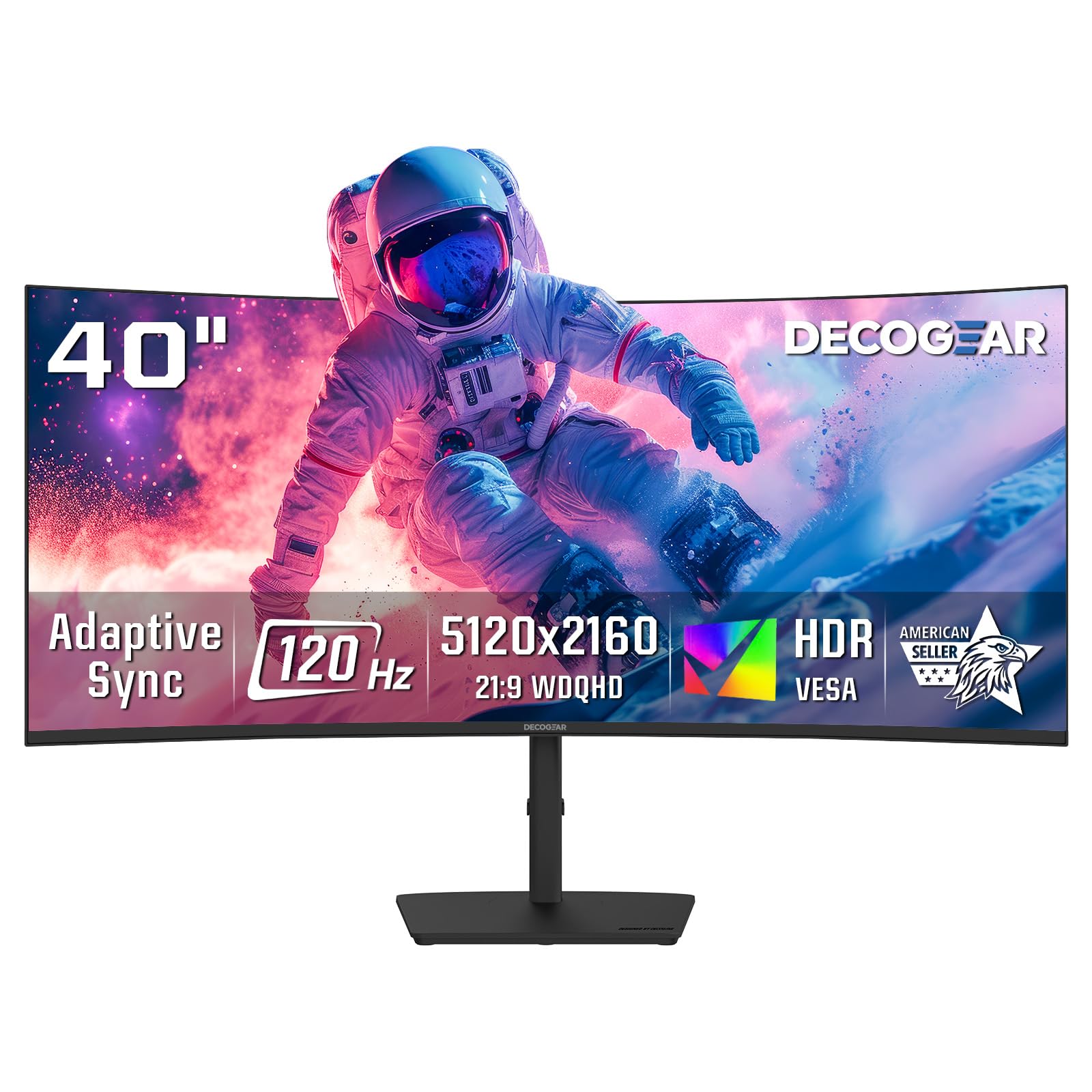
The Deco Gear 40 is the entry point into 5K2K territory, and it nails the essential specs: a 40-inch Nano IPS panel at 5120×2160 resolution with 99% DCI-P3 color coverage and 120Hz refresh rate. For productivity users who need the full 5K2K resolution for crisp text and detailed UI but cannot justify the premium for the LG or Dell, this is the pragmatic choice. The 2500R curve provides a comfortable wrap without distorting productivity apps.
Connectivity includes USB-C with 65W power delivery, four USB-A ports, and both DisplayPort and HDMI inputs. The built-in speakers are better than most monitors at this price point, adequate for YouTube and system sounds. The stand offers tilt and swivel adjustments but lacks height adjustment — a notable omission for a 40-inch monitor where vertical positioning is critical for ergonomics.
The panel brightness is rated at 250 nits, which is dim compared to the Samsung and Dell premium options, and the contrast ratio of 2000:1 on an IPS panel is decent but not class-leading. Some users report the single-button OSD control is clunky to navigate. If you need genuine 5K2K resolution and 120Hz refresh without the high price, this is the best compromise, but you are sacrificing brightness and build quality.
Why it’s great
- Native 5K2K resolution with 120Hz refresh at a budget-friendly price
- 99% DCI-P3 coverage and Nano IPS panel for accurate color
- USB-C with 65W PD and four USB-A ports for hub functionality
Good to know
- 250 nits peak brightness is dim for bright room use
- Stand lacks height adjustment, limiting ergonomic setup
- Single-button OSD control is inconvenient for frequent adjustments
7. LG 34G630A-B

The LG 34G630A-B is the highest refresh rate monitor in this roundup at 240Hz, and it pairs that speed with a 34-inch WQHD (3440×1440) VA panel that delivers deep 3000:1 native contrast. For competitive gamers who prioritize fluid motion over pixel count, this is the best choice in the mid-range tier. The 21:9 aspect ratio provides the ultrawide field of view without the massive GPU demands of a 5K2K monitor, letting you hit high frame rates with a mid-range GPU.
Color coverage hits 95% DCI-P3 with VESA DisplayHDR 400, and the VA panel’s native contrast delivers punchy visuals in dark game scenes. The stand offers full height, tilt, and swivel adjustments, and the narrow bezel design keeps the focus on the action. FreeSync Premium ensures tear-free gameplay across the entire refresh rate range, and the Black Stabilizer helps reveal details in shadowed areas.
The resolution ceiling is the main trade-off — 3440×1440 at 34 inches yields 110 PPI, which is noticeably softer than the 5K2K options for text and fine detail. The 21:9 aspect ratio also means you cannot stack documents vertically as easily as on a 16:9 40-inch panel. If you accept these ultrawide compromises and want the fastest refresh in the list, the LG delivers.
Why it’s great
- 240Hz refresh rate with 1ms GTG response for elite competitive gaming
- VA panel with 3000:1 native contrast for deep blacks in dark scenes
- Fully adjustable stand with height, tilt, and swivel
Good to know
- 3440×1440 at 34 inches yields 110 PPI, less sharp than 5K2K options
- 21:9 aspect ratio is less efficient for vertical document stacking
- Built-in speakers are functionally adequate but sound mediocre
8. Samsung M7 M70D

The Samsung M7 M70D is not a gaming monitor — it is a 43-inch 4K UHD smart monitor with Tizen OS that blurs the line between a computer display and a smart TV. The 16:9 aspect ratio at 3840×2160 resolution provides 103 PPI, which is adequate for general productivity and media consumption but not sharp enough for detailed creative work. The VA panel delivers 5000:1 static contrast, giving it deeper blacks than the IPS monitors in this list.
What sets the M70D apart is its smart TV functionality — built-in Netflix, YouTube, Prime Video, and Samsung TV Plus run natively without needing a PC connected. The USB-C port supports laptop charging and display output, and the SolarCell remote eliminates the need for batteries. The Gaming Hub enables cloud gaming from services like Xbox Game Pass without a console, making it a versatile option for dorm rooms or guest spaces.
The drawbacks: 60Hz refresh rate caps you to desktop-level smoothness with no gaming headroom, the glossy screen creates noticeable reflections in bright rooms, and some users report compatibility issues with specific PC hardware. The smart TV interface can also feel sluggish compared to a dedicated streaming box. If you need a single display that works as both a productivity monitor and a living room TV, the M70D is compelling. If you want a pure monitor, skip it.
Why it’s great
- Built-in Tizen OS with Netflix, YouTube, and cloud gaming without a PC
- 5000:1 VA contrast delivers deeper blacks than IPS monitors
- USB-C connectivity for laptop charging and display in one cable
Good to know
- 60Hz refresh rate limited to desktop use, not suitable for gaming
- Glossy screen causes reflections in rooms with windows or overhead lights
- Reported hardware compatibility issues with some Dell/Lenovo PCs
9. Alienware AW3425DWM

The Alienware AW3425DWM offers the most affordable entry point into ultrawide gaming in this list, combining a 34-inch WQHD (3440×1440) VA panel with a 180Hz refresh rate and 1ms response time. The 1500R curve provides genuine immersion in racing and flight sims, and the 95% DCI-P3 color coverage with DisplayHDR 400 delivers vibrant visuals that punch above the price point. FreeSync Premium and VESA AdaptiveSync ensure tear-free gameplay across the refresh range.
The stand is well-designed for a budget monitor — it includes height and tilt adjustment, though it lacks swivel rotation. The OSD includes useful gaming presets like MOBA/RTS and an FPS counter, and the hardware-based low blue light solution reduces eye strain without washing out colors. The HDMI 2.1 port supports console gaming at high frame rates.
At 3440×1440 on a 34-inch diagonal, the pixel density is 110 PPI, which is acceptable for gaming but noticeably fuzzy for text-heavy work compared to 5K2K competitors. The VA panel does not match OLED levels of black depth, and the 180Hz refresh rate requires a DisplayPort connection to hit the maximum. If your budget is tight and you want the best gaming ultrawide experience without sacrificing a fully adjustable stand, this is it.
Why it’s great
- 180Hz refresh rate with 1ms response at a budget-friendly price
- 1500R curve provides immersive gaming without distorting productivity apps
- Height and tilt adjustable stand included, rare at this price point
Good to know
- 110 PPI at 34 inches results in soft text compared to 5K2K screens
- VA panel blacks are good but not competitive with OLED
- Full 180Hz requires DisplayPort connection; HDMI is limited
10. Gawfolk GF490D
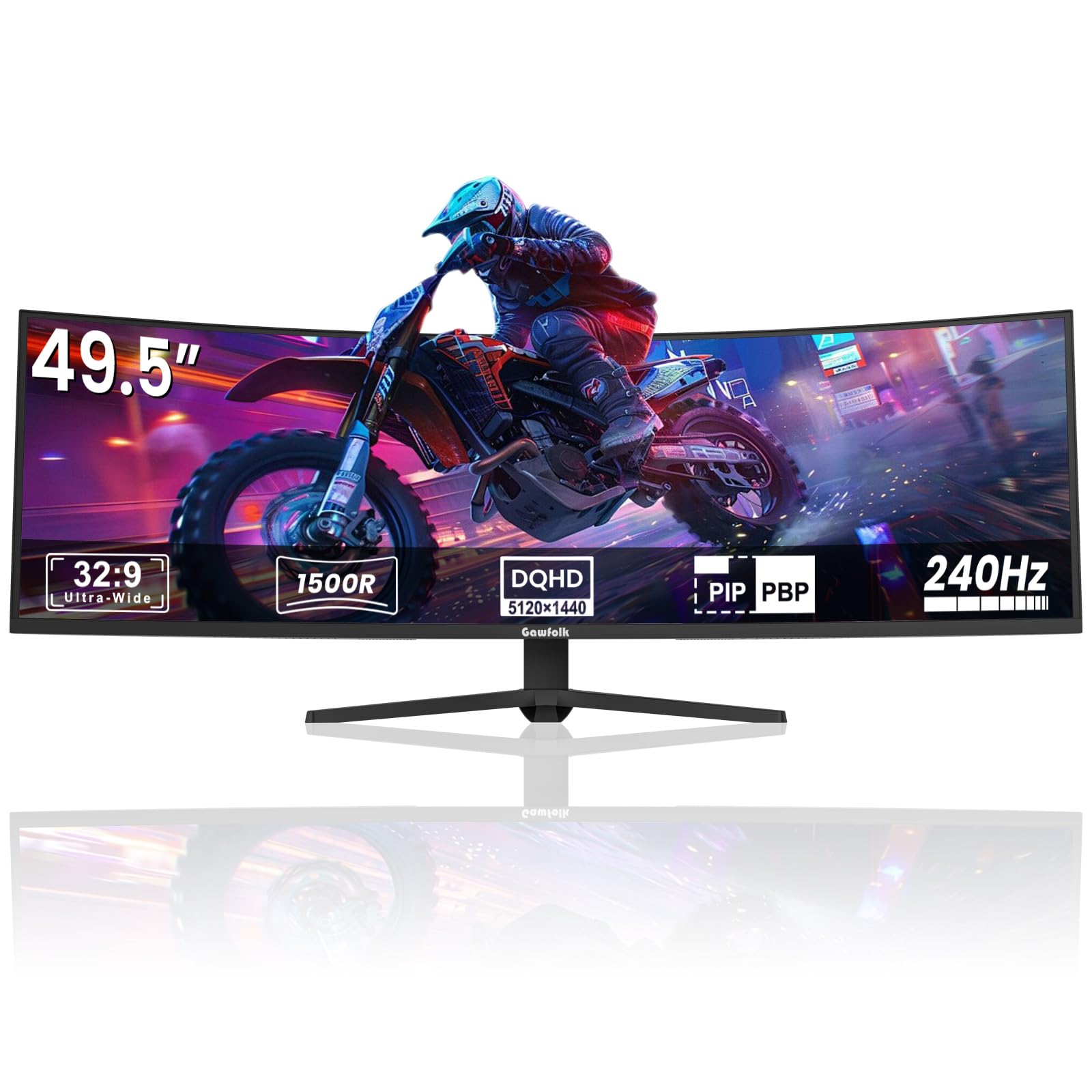
The Gawfolk GF490D enters the 49-inch super ultrawide category with a 5120×1440 DUHD VA panel at 240Hz, making it the cheapest way to get a 32:9 aspect ratio with a high refresh rate. The 1500R curve is aggressive, wrapping the 49-inch panel around your peripheral vision for a genuinely immersive experience in flight sims and racing games. The 3000:1 native contrast delivers decent blacks, and the 85% NTSC color gamut is acceptable for casual use.
For the price, you get a massive screen with a VESA mountable design and built-in crosshair overlays that competitive gamers will appreciate. The stand is functional but basic, lacking height or swivel adjustments. The panel is bright enough at 300 cd/m² for average room lighting, and the 240Hz refresh rate ensures smooth motion in supported titles.
The cons are significant: some units exhibit random screen blackouts lasting 1-4 seconds during gameplay, and others show significant ghosting when the screen returns. Color accuracy is mediocre out of the box, and the speakers lack bass. Brand reliability is an open question — the warranty and support experience is not on par with Dell or Samsung. If you need 49 inches and 240Hz on a tight budget and are willing to accept potential quality control issues, this delivers. For a reliable daily driver, pay more.
Why it’s great
- 49-inch 32:9 super ultrawide at 240Hz is unmatched value on paper
- 1500R aggressive curve provides strong gaming immersion
- VESA mountable with built-in crosshair and FreeSync support
Good to know
- Reports of random screen blackouts during gameplay on some units
- Color accuracy and brightness are below premium-tier competition
- Brand support and reliability are unproven over the long term
11. Z-Edge UG40
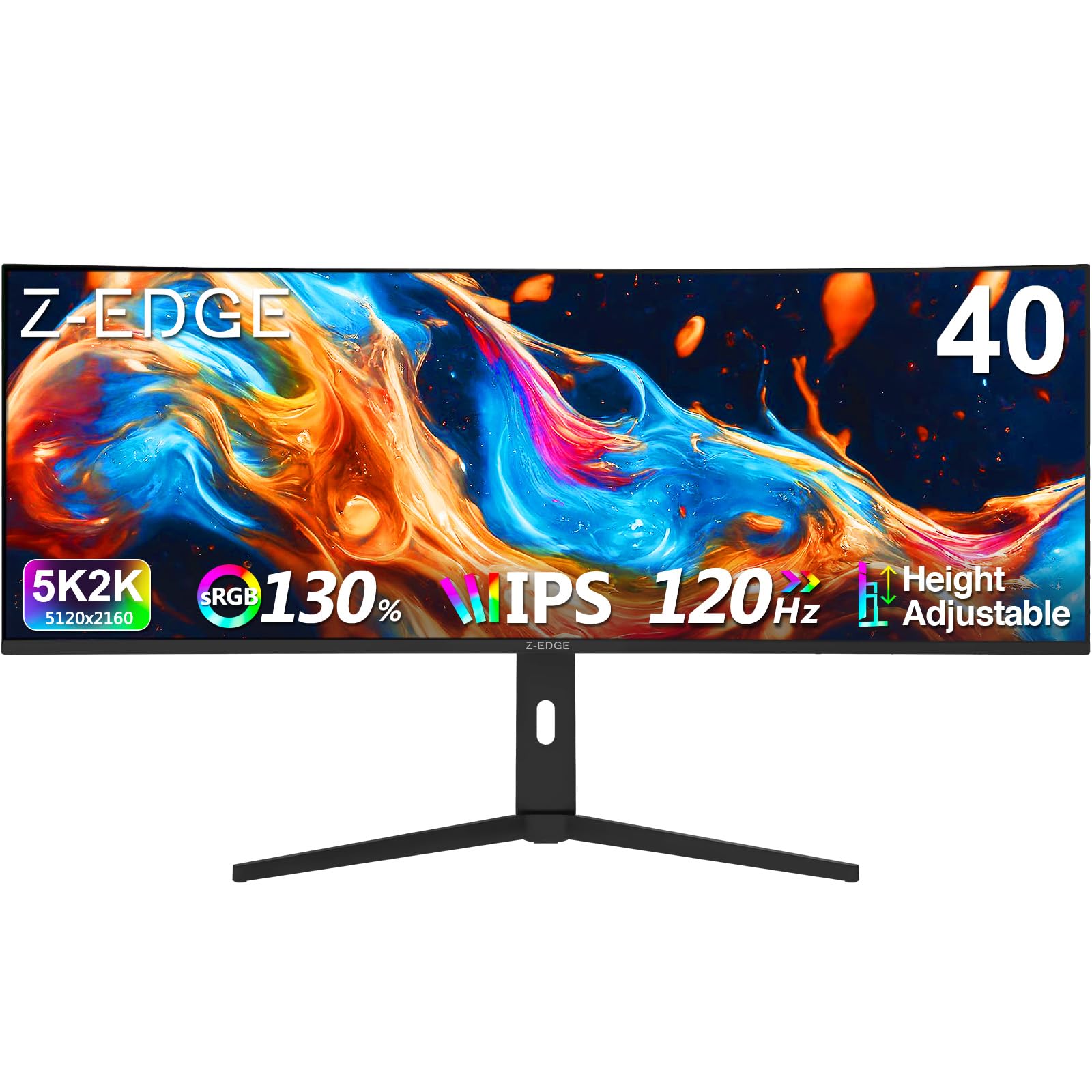
The Z-Edge UG40 brings 5K2K (5120×2160) resolution to a 40-inch IPS panel at the lowest price in the roundup, making it the cheapest route to 140 PPI text sharpness. The 120Hz refresh rate provides smooth desktop scrolling and casual gaming, and the 21:9 aspect ratio is ideal for video editing timelines and multi-window productivity. The 2500R curve offers a comfortable balance between immersion and flat workspace.
Connectivity includes dual HDMI 2.1 ports and dual DP 1.4 ports, allowing you to drive the monitor at full 120Hz without bandwidth issues. The built-in speakers are adequate for system sounds, and the stand offers height, tilt, and swivel adjustments — a rarity at this price. PIP and PBP modes let you display input from two devices simultaneously, and the included crosshair and timer overlays help with gaming.
The main sacrifices: brightness is capped at 300 nits, and the narrow viewing angle of the IPS panel causes color shifting off-axis. Some users report a very slow wake-up from sleep, and the OSD interface is basic. If your priority is the largest 5K2K screen with the highest refresh rate for the lowest possible price, the UG40 delivers. For consistent build quality and reliable firmware, consider the Deco Gear.
Why it’s great
- Lowest price for native 5K2K resolution at 40 inches
- 120Hz refresh rate with dual HDMI 2.1 and DP 1.4 inputs
- Fully adjustable stand with height, tilt, and swivel
Good to know
- Narrow IPS viewing angles cause color shift off-center
- Slow wake-from-sleep behavior reported by multiple users
- Basic OSD interface and less refined build quality than premium brands
FAQ
Is a 40-inch monitor too big for a standard 60-inch desk?
Can a 40-inch 5K2K monitor run at 120Hz over HDMI 2.0?
Does a 40-inch ultrawide monitor cause motion sickness in games?
What is the difference between 5K2K and 4K on a 40-inch monitor?
Is OLED burn-in a real concern for a monitor used 8+ hours daily?
Final Thoughts: The Verdict
For most users, the best 40 inch computer monitor winner is the LG 40WP95C-W because it combines native 5K2K resolution with Thunderbolt 4 connectivity and 98% DCI-P3 color accuracy in a package that creative professionals can rely on daily. If you want a brighter panel with higher contrast and a 120Hz refresh for a smoother desktop experience, grab the Dell U4025QW. And for competitive gamers who want the fastest refresh in the roundup, nothing beats the LG 34G630A-B with its 240Hz VA panel.

Mo Maruf
I created WellFizz to bridge the gap between vague wellness advice and actionable solutions. My mission is simple: to decode the research and give you practical tools you can actually use.
Beyond the data, I am a passionate traveler. I believe that stepping away from the screen to explore new environments is essential for mental clarity and physical vitality.