Our readers keep the lights on and my smoothie glass nicely filled. As an Amazon Associate, I earn from qualifying purchases.
The biggest letdown with a cheap digital photo frame is a grainy, washed-out screen that makes your favorite memories look dull. Worse, some budget frames rely on clunky USB-only transfers, forcing you to wrestle with folders and file formats instead of simply enjoying the slideshow. The best options today skip all that by including Wi-Fi and a responsive touchscreen without demanding a premium price.
I’m Mohammad Maruf — the founder and writer behind WellFizz. My research focuses on comparing real-world specs like panel resolution, internal storage, and app ecosystem reliability across budget-tier electronics to find the frames that actually deliver a sharp, user-friendly experience.
If you are searching for a best budget digital photo frame, the goal is to find one with a crisp IPS display, at least 16GB of storage, and a simple app for sharing photos from your phone in seconds — no cloud fees required.
How To Choose The Best Budget Digital Photo Frame
The budget photo frame market is crowded, but not every cheap frame is a good deal. The ones that disappoint usually cut corners on the one thing you actually look at: the screen. Prioritizing a few key specs filters out the duds fast.
Screen Quality and Resolution
A good budget frame must have an IPS LCD panel with a native resolution of at least 1280×800. TN panels wash out colors when you view from an angle, and lower resolutions make faces look soft. Touchscreen responsiveness also varies — a responsive panel makes navigating albums and settings feel fluid rather than frustrating.
Storage and Connectivity
Internal storage dictates how many photos the frame can hold natively. 16GB is adequate for several thousand pictures, but 32GB gives you room to load high-resolution video clips without constantly managing space. Wi-Fi is non-negotiable for a true budget-friendly experience — it lets family members send photos remotely via an app, which is the entire point of a modern frame. Also check if the frame accepts SD cards or USB drives for offline transfers.
App Ecosystem and Sharing Simplicity
Not all companion apps are created equal. Frameo is the most popular app in this tier due to its straightforward interface and ability to invite multiple users. Other frames use proprietary apps like Uhale or VPhoto. The best app for a non-technical user is the one that requires the fewest steps to upload a photo. A clunky app turns a thoughtful gift into a frustrating chore, so read real user experiences about the setup flow before committing.
Quick Comparison
On smaller screens, swipe sideways to see the full table.
| Model | Category | Best For | Key Spec | Amazon |
|---|---|---|---|---|
| Flyruit 10.1″ Frameo | Premium | Best Overall Value | 32GB storage, 1280×800 IPS | Amazon |
| RCA 10.1″ WiFi | Mid-Range | Large Storage Capacity | 32GB + SD expansion up to 64GB | Amazon |
| JIUGEDPF Smart White | Premium | Design & Display Quality | 1280×800 IPS, 178° viewing angle | Amazon |
| NETTIPS 10.1″ Frameo | Mid-Range | Simple Gift Solution | 16GB storage, 1280×800 touch | Amazon |
| Dragon Touch Classic 10 | Mid-Range | Ease of Setup | 16GB, 1280×800 IPS touch | Amazon |
| BWJBSW 10.1″ Black | Budget | Best Entry-Level Wi-Fi | 32GB, 1280×800 IPS touch | Amazon |
| Dragon Touch Frameo | Budget | Best Gift for Non-Tech Users | 32GB expansion, HD touch | Amazon |
In‑Depth Reviews
1. Flyruit 10.1″ Frameo Digital Picture Frame

The Flyruit frame hits the sweet spot for a budget-conscious buyer who still wants premium-level capacity. Its 32GB of built-in storage holds over 10,000 photos at standard resolution, which means you can load years of memories without touching a memory card. The Frameo app is widely recognized as the most beginner-friendly sharing platform, and this frame supports both Wi-Fi and offline USB-C transfers for maximum flexibility.
The 1280×800 IPS touchscreen delivers vibrant colors and wide viewing angles, so the frame looks equally good when viewed from across a living room or from a side angle on a nightstand. A built-in motion sensor also helps conserve the panel by dimming the display when no one is in the room, a feature more common on frames that cost twice as much.
Buyers consistently praise the straightforward setup — just plug it in, connect to 2.4GHz Wi-Fi, and scan the code to invite family. The “React” emoji feature adds a fun touch, letting loved ones send quick reactions to photos. At this price point, the combination of storage, display, and app quality makes this the frame almost everyone should start with.
Why it’s great
- Generous 32GB internal storage reduces need for external cards.
- Frameo app allows unlimited users to share photos instantly.
- Motion sensor and auto-rotate add convenience usually found on pricier models.
Good to know
- Only works with 2.4GHz Wi-Fi networks; 5GHz not supported.
- Must remain plugged into power at all times — no battery operation.
2. RCA 10.1″ WiFi Digital Picture Frame

RCA brings a familiar brand name to the budget segment with a frame that packs 32GB of internal memory and the ability to expand via SD or USB up to 64GB. That makes it an excellent pick if you plan to store video clips alongside high-resolution photos. The Uhale app handles remote sharing, and you can also upload directly from a computer through the Uhale website, which older users often find simpler than a phone app.
The 10.1-inch IPS display at 1280×800 resolution produces bright, clear images. Touch sensitivity is reliable, and the auto-rotate function works smoothly when you switch between landscape and portrait mounting. The frame includes a detachable stand and VESA-compatible mounting holes for wall placement, giving you flexibility in how you display it.
Customer feedback highlights how easy it is to load photos for less tech-savvy relatives. One reviewer mentioned buying it for a grandparent with dementia and finding the simple interface and durable build perfect for the use case. The frame lacks a remote control, but the touchscreen is intuitive enough that most users won’t miss it.
Why it’s great
- Expansive 32GB internal storage plus support for 64GB SD cards.
- Web-based upload option makes adding photos from a computer easy.
- Wall-mountable design with included stand for tabletop placement.
Good to know
- Only three slide transition styles available — limited variety.
- Initial setup QR code can be confusing; using the 10-digit code is more reliable.
3. JIUGEDPF Smart White Digital Picture Frame
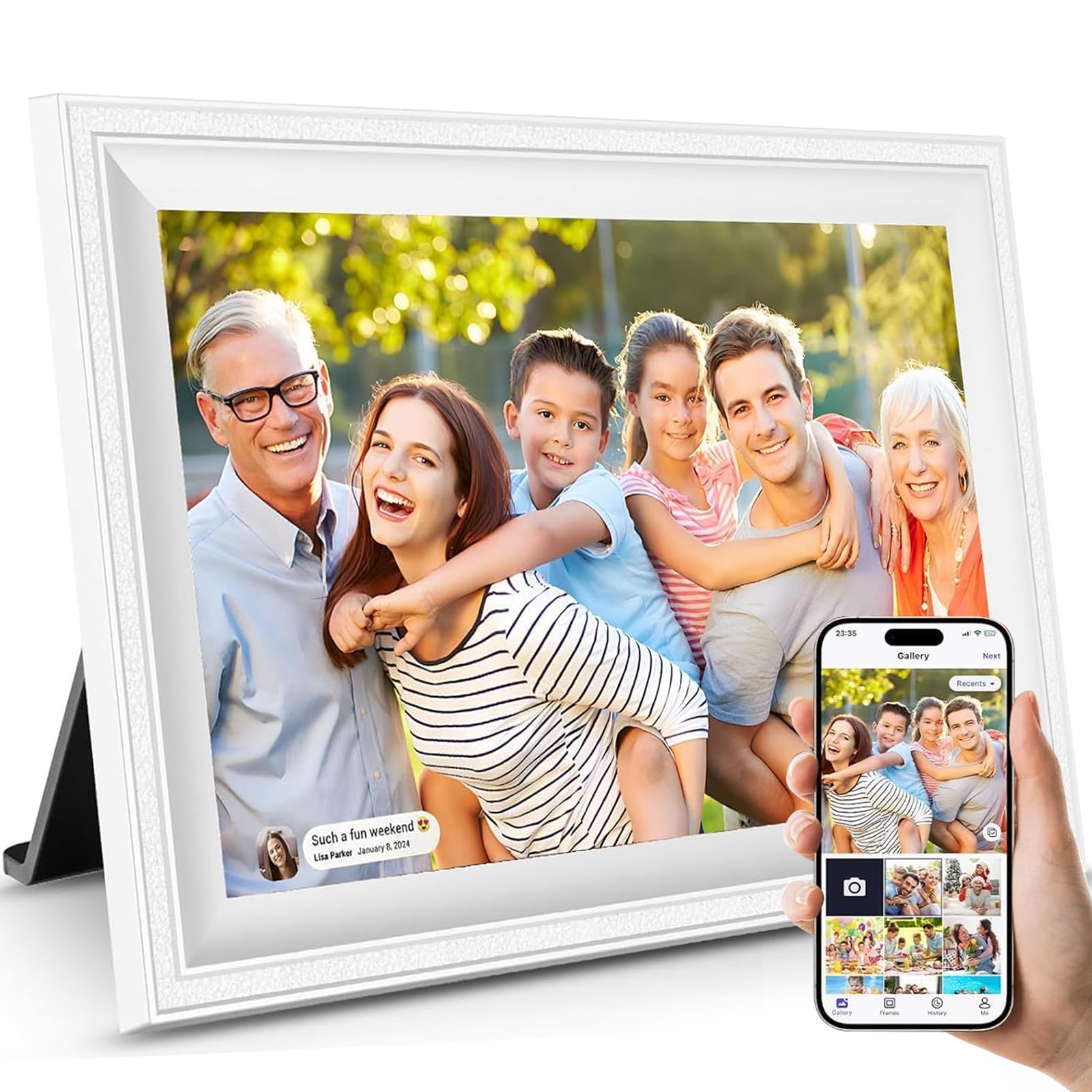
The JIUGEDPF frame stands out with its clean white bezel and minimalist design that blends into modern home decor. The 1280×800 IPS panel offers a 178-degree viewing angle, meaning the image stays accurate and vibrant whether you are looking straight on or from the side. Image quality is a recurring praise point in customer reviews, with many noting that scenic photos look especially sharp and rich.
Storage is rated at 16GB internally, which is ample for around 4,000 standard photos, and can be expanded via microSD card up to 32GB. The companion app supports Wi-Fi photo and video sharing, and the frame also includes a smart display function that shows the time, temperature, and weather — turning it into a functional desk accessory when photos are not cycling.
JIUGEDPF backs the frame with a 2-year warranty, which is longer than most budget models offer. The white finish is a welcome departure from the sea of black frames, and the streamlined profile looks more expensive than its price suggests. One minor trade-off is the 16GB internal limit, but for most users that is plenty for a rotating slideshow of family highlights.
Why it’s great
- Superior 178-degree viewing angle for vivid colors from any seat.
- Modern white design blends into home decor better than most budget frames.
- 2-year warranty provides peace of mind beyond the standard 1-year coverage.
Good to know
- Internal storage is 16GB, about half of what some competitors offer at a similar price.
- Video format support is limited to MP4 with a max length of 15 seconds.
4. NETTIPS 10.1 Inch Frameo Digital Picture Frame
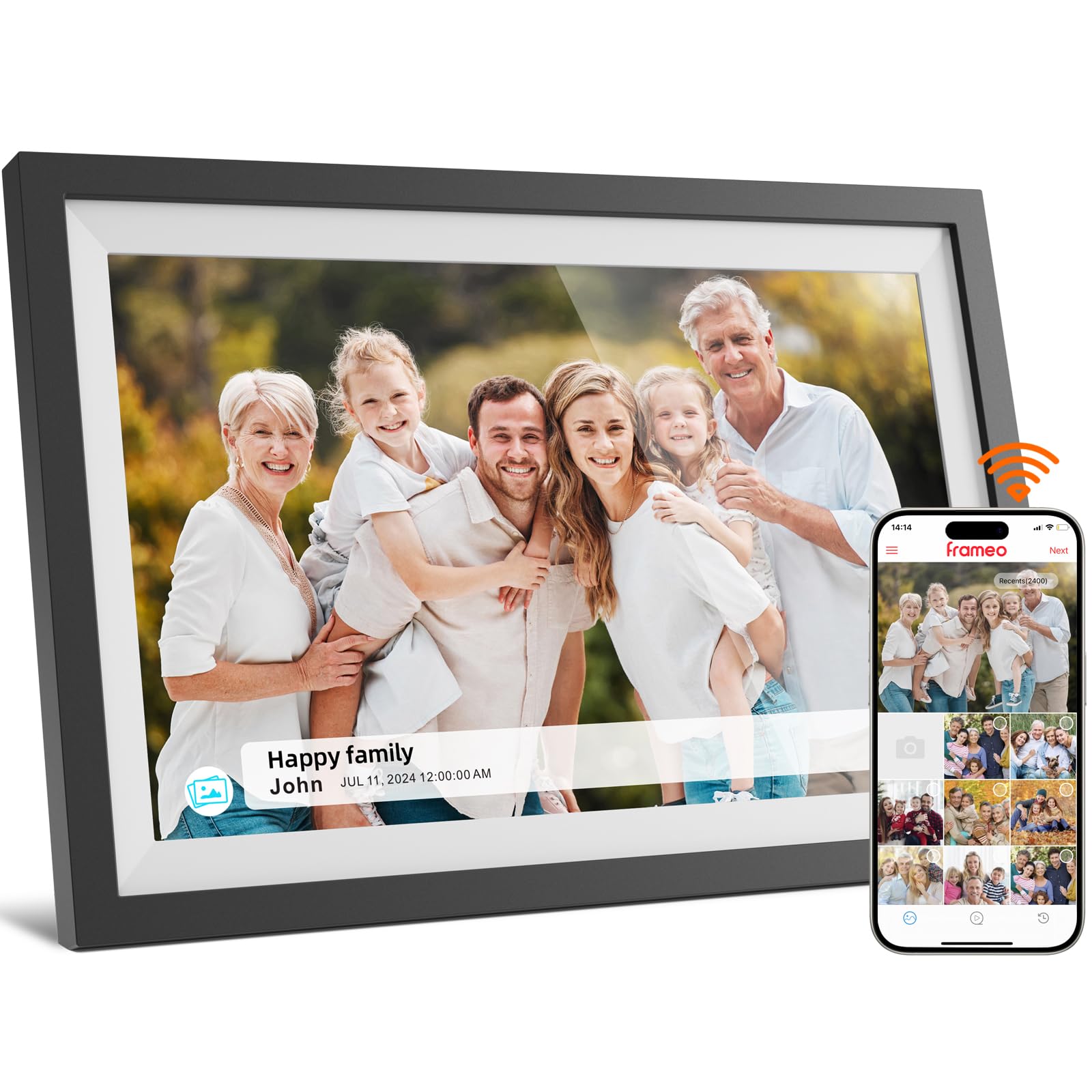
The NETTIPS frame focuses on simplicity and reliability, leaning fully into the Frameo app ecosystem. Setup is genuinely quick — plug in, connect to Wi-Fi, and share the 10-digit code with family. The 1280×800 IPS touchscreen delivers crisp images with good color reproduction, matching the quality of more expensive models. The frame also displays the time, date, and temperature when idle, giving it utility beyond just a photo display.
Storage comes in at 16GB, which holds roughly 4,000 photos at 3MB each. If you need more space, the frame supports microSD expansion up to 32GB. The auto-rotate feature works seamlessly, so you can mount the frame in landscape or portrait orientation without manually adjusting settings. Multiple users can send photos via the Frameo app, making it a great hub for extended family to stay connected.
Reviewers frequently note that this frame is an excellent gift for grandparents, with one customer buying several for every household in their family. The 1-year replacement warranty and responsive support team add confidence. The only real limitation is the smaller internal storage compared to the 32GB models, but for most daily slideshow use, 16GB is more than enough.
Why it’s great
- Frameo app makes multi-user sharing simple and intuitive.
- Auto-rotate in both portrait and landscape modes works without manual tweaks.
- Displays time, date, and temperature for dual-purpose use.
Good to know
- 16GB internal storage fills faster if you add many video clips.
- Wall mount hardware not included in the package.
5. Dragon Touch 10.1” WIFI Digital Picture Frame

Dragon Touch is a familiar name in the digital frame space, and the Classic 10 Elite model delivers a straightforward Wi-Fi experience at a competitive price. The 1280×800 IPS touchscreen produces sharp, bright images, and the matte finish on the bezel when the screen is off gives it a premium look. The frame can hold around 80,000 photos on its 16GB internal memory — a generous estimate for smaller files, but real-world capacity is still ample for thousands of high-res shots.
Setup takes just a few minutes via the VPhoto app, and the interface is intuitive enough for all ages. One notable feature is the motion sensor that automatically turns the display on when someone enters the room and off when the room is empty, saving power and extending screen life. The frame also supports SD card and USB drive connectivity for offline transfers, giving you multiple ways to load content.
Customer reviews highlight the crisp display and seamless app connection consistently. Some users point out that photo management on the VPhoto app can feel cluttered when multiple people upload from different devices, but the overall experience remains positive. The frame is wall-mountable and includes a stand, so you can place it exactly where it looks best.
Why it’s great
- Motion sensor turns the screen on and off automatically to save energy.
- Easy setup process praised by users of all technical skill levels.
- Supports SD card and USB drive for offline photo loading.
Good to know
- Photo management via VPhoto app can get messy with many shared folders.
- Only works with 2.4GHz Wi-Fi; no 5GHz band compatibility.
6. BWJBSW 10.1 Inch Digital Picture Frame

The BWJBSW frame is a surprising contender at the entry level, offering 32GB of built-in storage — double what many similarly priced frames include. The 1280×800 IPS touchscreen delivers solid clarity and color accuracy, and the high-clarity water-transfer shell gives it a more refined look than typical budget plastic frames. Auto-rotation via the built-in gravity sensor works reliably, so you can switch orientation on the fly.
One advantage this frame has over other budget options is support for Wi-Fi 6 for faster transfers, though the frame itself will still work fine on older routers. The free companion app allows sharing via a QR code, email, or direct invitation. Photos and videos up to 15 seconds can be sent remotely. The cloud system deletes uploaded data after 7 days for privacy, which is reassuring but means the frame relies on its local 32GB storage for long-term retention.
User reviews are generally positive, with most praising the easy setup and good picture quality. A few users noted the lack of a shuffle option for slideshows, meaning photos play in the order they are uploaded. If random playback matters to you, this is worth considering. Overall, the massive 32GB storage at this price point is hard to beat for someone just getting into Wi-Fi frames.
Why it’s great
- 32GB internal storage holds up to 80,000 photos without external cards.
- Supports Wi-Fi 6 for faster photo transfers on compatible networks.
- Auto-rotation via gravity sensor works for both orientations.
Good to know
- Slideshow plays photos in upload order — no shuffle mode available.
- Cloud storage automatically deletes uploaded data after 7 days.
7. Dragon Touch Frameo Digital Picture Frame
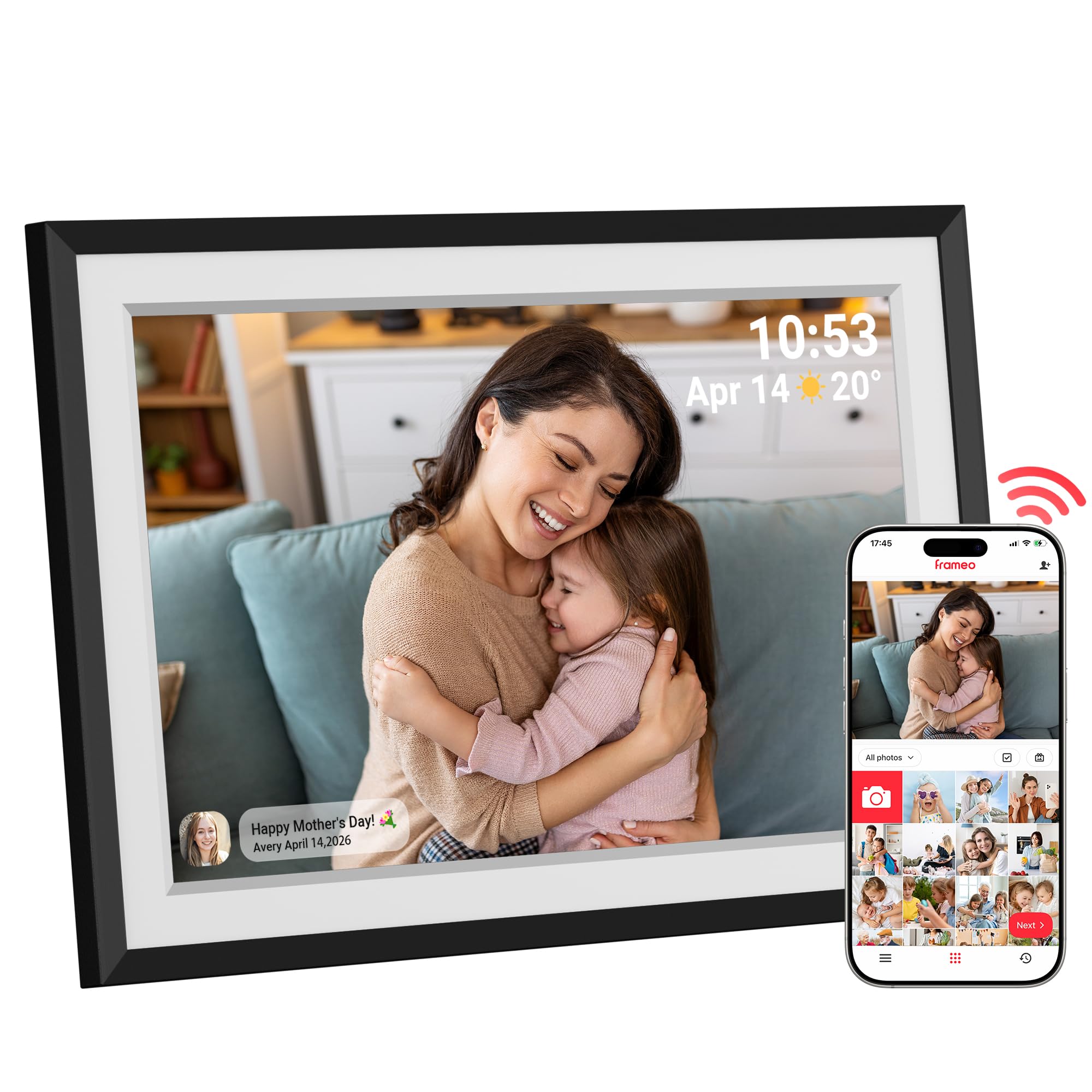
This Dragon Touch model runs on the Frameo app, which is a strong selling point for gifting. The app is widely considered the most user-friendly option for non-tech-savvy recipients like grandparents. Setup involves connecting the frame to Wi-Fi and sharing a code with family — no email, no cloud account, no confusion. The 1280×800 HD touchscreen produces vibrant images with excellent color fidelity, and the customizable slideshow lets you adjust speed and background music.
The frame comes with 16GB of internal storage but supports expansion up to 32GB via microSD card. Multiple family members can send photos and short videos from the Frameo app, making it feel like a shared family album that updates in real time. The auto-rotate sensor ensures every photo displays in the correct orientation, and the frame includes a sleep mode timer to dim the screen at night.
Customer reviews are overwhelmingly positive, with many buyers calling it a perfect gift for Mother’s Day, birthdays, or Christmas. The packaging is gift-ready right out of the box. The only catch is that the frame must stay plugged in, and it only connects to 2.4GHz Wi-Fi. For a dedicated gift that requires minimal ongoing maintenance, this frame checks all the right boxes.
Why it’s great
- Frameo app is the easiest for remote family sharing — no tech skills required.
- Customizable slideshow with adjustable speed and background music.
- Internal storage expandable to 32GB via microSD for more capacity.
Good to know
- No built-in motion sensor for automatic on/off display.
- Must remain connected to power; no battery option for portability.
FAQ
Do budget digital photo frames require a subscription for cloud sharing?
Can I use a budget frame without connecting it to Wi-Fi?
What screen resolution should I look for in a cheap digital photo frame?
Final Thoughts: The Verdict
For most users, the best budget digital photo frame winner is the Flyruit 10.1″ Frameo because it combines 32GB storage, a sharp IPS touchscreen, and the hassle-free Frameo app at a price that leaves room for a memory card upgrade later. If you want a frame with the largest expandable storage, grab the RCA 10.1″ WiFi with its 64GB SD support. And for a beautifully designed frame that doubles as a smart desk display, nothing beats the JIUGEDPF Smart White.

Mo Maruf
I created WellFizz to bridge the gap between vague wellness advice and actionable solutions. My mission is simple: to decode the research and give you practical tools you can actually use.
Beyond the data, I am a passionate traveler. I believe that stepping away from the screen to explore new environments is essential for mental clarity and physical vitality.