Our readers keep the lights on and my smoothie glass nicely filled. As an Amazon Associate, I earn from qualifying purchases.
For digital artists, the difference between a frustrating drawing session and a productive one often comes down to one thing: how the screen feels under your stylus. Latency, parallax, pressure sensitivity, and screen texture are the quiet factors that separate a tool from a toy.
I’m Mohammad Maruf — the founder and writer behind WellFizz. I’ve spent months analyzing the internals, display specs, and pressure-response curves of Android drawing tablets to find which models actually deliver on their creative promises.
Whether you are a beginner looking for an affordable entry point or a professional needing a portable studio, the best android tablet for drawing balances raw performance with a screen and stylus that let you forget you’re working on glass.
How To Choose The Best Android Tablet For Drawing
Buying a drawing tablet is not like buying a general-purpose tablet. A high-resolution screen means nothing if the stylus lags behind your stroke or if un-laminated glass creates a distracting gap between the pen tip and the pixels. Focus on these factors.
Screen Lamination and Surface Texture
Full lamination eliminates the air gap between the glass and the LCD panel. This reduces parallax — the visual offset you see when drawing at an angle. Combined with an anti-glare etched surface, the screen mimics the tooth of real paper instead of sliding like ice. Matte or nano-etched glass also cuts reflections, making outdoor sketching viable.
Pressure Sensitivity and Tilt Recognition
Standard 4096 levels are sufficient for most artists, but 8192 and 16384 levels allow finer gradations between a whisper-light pencil stroke and a heavy brush press. Tilt recognition (commonly 60 degrees) enables shading effects that mimic real pencils and markers. Battery-free pens eliminate the worry of charging a stylus mid-session.
Processor and RAM for Heavy Canvases
Drawing apps like Clip Studio Paint and Krita demand steady CPU and GPU performance. A mid-range processor with at least 6 GB of RAM handles 300 DPI canvases and moderate layer counts. For complex brushes, 8 GB or 12 GB of RAM prevents stutter. The operating system should be Android 14 or newer to ensure app compatibility.
Quick Comparison
On smaller screens, swipe sideways to see the full table.
| Model | Category | Best For | Key Spec | Amazon |
|---|---|---|---|---|
| XPPen Magic Drawing Pad | Premium | Budget pro studio | 16384 levels, 12.2″, 256GB | Amazon |
| Wacom MovinkPad Pro 14 | Premium Plus | Professional studio | OLED 3K, 12GB RAM, 8192 levels | Amazon |
| Wacom MovinkPad 11 | Premium | Serious mobile sketching | 8192 levels, 11.4″, battery-free pen | Amazon |
| Lenovo Idea Tab Pro | Mid-Range | Large canvas on a budget | 12.7″ 3K, 8GB RAM, 90Hz | Amazon |
| HUION KAMVAS Slate 11 | Mid-Range | Entry-level all-in-one | Full lamination, 90Hz, 8000mAh | Amazon |
| Samsung Galaxy Tab S10 FE | Mid-Range | Reliable brand with S Pen | 90Hz, IP68, Exynos 1580 | Amazon |
| TCL NXTPAPER 14 | Mid-Range | Eye-friendly long sessions | 14.3″ 2.4K, paper-like screen | Amazon |
| Samsung Galaxy Tab S6 Lite | Budget | First drawing tablet | 10.4″ 2K, 14hr battery, 64GB | Amazon |
| Lenovo Idea Tab | Budget | Student hobbyist | 11″ 2.5K, 90Hz, 8GB RAM | Amazon |
| PicassoTab A12 | Budget | Beginner on a strict budget | 12″ 2K, 6GB RAM, laminated | Amazon |
| UGEE Pad UT2 | Budget | Portable value pick | 10.36″ 2K, 7000mAh, 6.95mm | Amazon |
In‑Depth Reviews
1. XPPen Magic Drawing Pad

The XPPen Magic Drawing Pad hits a rare sweet spot: professional-grade pen performance without the pro-tier price tag. Its 16384 pressure levels deliver twice the sensitivity of most competitors, translating faint feather strokes and heavy shading with equal precision. The X3 Pro Slim stylus requires no charging or pairing — pick it up and draw instantly — and its 60-degree tilt recognition works naturally for cross-hatching and angle-dependent brush effects.
The 12.2-inch AG-etched screen offers a 3:2 aspect ratio (2160×1440 resolution) that feels closer to a standard sketchbook than the elongated 16:10 panels found on most Android tablets. With 8 GB RAM, 256 GB storage expandable via microSD, and an 8000 mAh battery rated for thirteen hours of continuous use, it handles Clip Studio Paint and ibis Paint X without lag. The TÜV Rheinland eye-comfort certification and ten-step soft-light adjustment make it viable for all-day studio work.
Artists upgrading from iPad Pros or Wacom Intuos displays often cite the matte screen texture and battery-free pen as decisive advantages. The main compromise is that Android drawing apps still lack a direct ProCreate equivalent — but for pure drawing hardware in this range, XPPen has set the benchmark.
Why it’s great
- Industry-leading 16384 pressure sensitivity for hyper-nuanced strokes
- Battery-free stylus with 60-degree tilt recognition and no pairing
- 12.2″ AG-etched screen mimics paper texture and resists fingerprints
- 13-hour battery life supports full-day creative sessions away from power
Good to know
- Android app ecosystem still lacks a true ProCreate alternative
- Pre-installed apps may not suit every workflow — expect to download your own
- Included keyboard accessory is mediocre; better to use Bluetooth
2. Wacom MovinkPad Pro 14

The MovinkPad Pro 14 is Wacom’s statement that Android can serve as a professional creative OS. The 14-inch OLED panel delivers true blacks and 100% DCI-P3 color coverage — critical for illustrators and concept artists who need accurate color reproduction for client previews. The 3K resolution (2880×1800) combined with Wacom’s Premium Texture etched glass provides a surface that feels like premium bristol board while eliminating the glare that plagues glossy screens.
Under the hood, the Snapdragon 8s Gen 3 processor and 12 GB of RAM handle massive layered files in Clip Studio Paint without stutter, even when applying liquefy and heavy texture brushes. The battery-free Pro Pen 3 delivers 8192 levels of pressure with three customizable buttons and replacement nibs stored inside the pen barrel. Wacom also includes a two-year Clip Studio Paint Debut license plus the Wacom Canvas app for quick sketching.
At under 1.6 pounds, this is a genuinely portable studio. The dedicated Quick Draw feature lets you tap and hold the pen on the locked screen to instantly launch a sketch app — replicating the instant responsiveness of a physical sketchbook. For professionals who need to travel without sacrificing screen real estate or color accuracy, this is the strongest Android option currently available.
Why it’s great
- 14″ OLED 3K display with 100% DCI-P3 and true blacks for color-critical work
- Professional-grade Snapdragon 8s Gen 3 and 12GB RAM for demanding apps
- Battery-free Wacom Pro Pen 3 with 8192 pressure levels and built-in nib storage
- Quick Draw feature launches sketching instantly from locked screen
Good to know
- Premium price positions it as a professional investment, not a casual buy
- Processor can stutter on the most extreme liquefy filters and textured brushes
- Charger not included in the box
3. Wacom MovinkPad 11

The MovinkPad 11 distills everything Wacom knows about pen input into a portable Android tablet that weighs just 1.3 pounds. The 11.45-inch anti-glare etched glass screen offers a subtle tooth that provides traction for precise linework, while the full lamination keeps the stylus tip feeling close to the pixels. The slimmed-down Pro Pen 3 retains the full 8192-level pressure detection and three programmable buttons, all without needing a battery.
With 8 GB of RAM and 128 GB of internal storage, this tablet runs the full Google Play library plus Wacom’s bundled Clip Studio Paint Debut license. Artists report that palm rejection works reliably out of the box — a common pain point on non-Wacom Android tablets. The matte screen also resists oil smudges, keeping the surface clean through long drawing marathons.
The main trade-off is the processor: it handles most drawing tasks smoothly but shows hesitation on heavy liquefy filters and dense textured brush packs. For illustrators who prioritize a natural pen-on-paper feel and reliable palm rejection over raw compute power, this is the most refined 11-inch Android drawing tool available.
Why it’s great
- 8192 pressure levels with battery-free Wacom Pro Pen 3, no charging needed
- Ultra-light 1.3 lbs design with anti-glare etched glass for true paper feel
- Reliable palm rejection works immediately without calibration tweaks
- Bundled Clip Studio Paint Debut license plus Wacom Canvas sketching app
Good to know
- Processor lags on heavy liquefy filters and complex textured brush packs
- Charging speed is slower than competing mid-range tablets
- No included case — you will need a third-party sleeve or stand
4. Lenovo Idea Tab Pro

The Lenovo Idea Tab Pro offers the largest drawing canvas in the mid-range segment with its 12.7-inch 3K LCD display. The 2944×1840 resolution delivers crisp linework at any zoom level, and the 90 Hz refresh rate keeps panning and brush strokes fluid. The included Tab Pen Plus supports Circle to Search and pressure-sensitive note-taking, making this a strong hybrid tool for students who sketch study diagrams and art projects alike.
Powered by the MediaTek Dimensity 8300 processor and 8 GB of RAM, this tablet handles moderate layer counts and standard-resolution canvases without slowdown. The 45W fast charging and 10200 mAh battery are best-in-class for this price tier — you can work through a full day of classes and studio time without hunting for an outlet. The quad JBL speakers with Dolby Atmos also make it a solid entertainment device when you switch off from drawing.
The primary drawback for serious artists is the screen surface: it lacks the anti-glare etching found on dedicated drawing tablets. Without a matte screen protector, the glossy LCD can create reflections and the stylus feels slicker than paper. For artists who prioritize screen real estate and battery endurance over pure surface texture, the Idea Tab Pro delivers exceptional value.
Why it’s great
- Massive 12.7″ 3K LCD with 90 Hz refresh for fluid scrolling and drawing
- Premium MediaTek Dimensity 8300 processor handles multitasking smoothly
- 10200 mAh battery with 45W fast charging for full-day sessions
- Includes Tab Pen Plus and folio case out of the box
Good to know
- Glossy screen surface lacks anti-glare etching — reflections can distract
- Requires Lenovo’s proprietary 45W charger for fast charging (not included)
- No GPS module; relies on Wi-Fi-based location for navigation
5. HUION KAMVAS Slate 11

The KAMVAS Slate 11 brings full-lamination and a 90 Hz refresh rate to the mid-range price tier — features typically reserved for more expensive tablets. The nano-etched anti-glare surface reduces reflections and provides a consistent matte texture that feels noticeably more paper-like than standard glossy panels. Paired with HUION’s H-Pencil stylus (4096 pressure levels, 60-degree tilt), the Slate 11 delivers accurate linework with minimal parallax even when drawing at steeper angles.
Internally, the 8-core CPU and 8 GB of RAM handle Clip Studio Paint and ibisPaint X smoothly at standard canvas sizes. The 8000 mAh battery sustains extended studio sessions, and the 128 GB internal storage plus microSD expansion up to 1 TB provides ample room for layered project files. HUION includes a 3-month free membership to Clip Studio Paint and ibisPaint X, plus a leather case and artist glove in the box.
Quality control can be inconsistent — some users report needing a replacement unit to get a fully functional screen. The stylus also has a harder nib that some artists find too slick against the matte glass. For buyers willing to verify their unit early, the KAMVAS Slate 11 offers the best core drawing feature set at its price point.
Why it’s great
- Full-laminated anti-glare screen minimizes parallax and reduces eye strain
- 90 Hz refresh rate for visually fluid brush strokes and scrolling
- 8GB RAM and 8000mAh battery for smooth, long-lasting creative sessions
- Comes with leather case, artist glove, and 3-month CSP membership
Good to know
- Quality control can require a replacement unit for a fully functional screen
- Stylus nib is hard and slick on matte glass — some prefer a softer replacement
- Case quality is mid-range; elastic band for the pen is not securely designed
6. Samsung Galaxy Tab S10 FE

Samsung’s Galaxy Tab S10 FE brings the S Pen experience to a more accessible price point without sacrificing build quality. The large display with a 90 Hz refresh rate provides smooth visual feedback while drawing, and the S Pen’s responsive design mimics the friction of real paper without requiring a battery or pairing. Samsung’s Handwriting Assist feature can clean up messy handwritten notes by straightening alignment and adjusting spacing — useful for students who switch between sketching and annotation.
The Exynos 1580 processor and 128 GB of storage (expandable via microSD) handle moderate drawing workloads and general multitasking with ease. The IP68 water and dust resistance rating is unique among drawing-focused Android tablets — a genuine advantage if you work in cafes, outdoors, or near sinks. The 20-hour battery life (video playback rating) translates to multiple days of casual sketching between charges, and Super Fast Charging gets you back up quickly when needed.
The 4 GB RAM configuration can feel tight when running layered clip studio files alongside reference images. Artists producing large format or high-layer-count work should consider this more of a capable sketchbook than a full studio replacement. For everyday note-taking, journaling, and moderate digital art, the Samsung ecosystem and S Pen refinement make this a trustworthy daily driver.
Why it’s great
- IP68 water and dust resistance for worry-free use in any environment
- S Pen is battery-free, responsive, and feels natural on the glass surface
- 90 Hz display and long 20-hour battery for extended drawing sessions
- Strong Samsung ecosystem with DeX mode for PC-like productivity
Good to know
- 4GB RAM limits performance with large layered files in Clip Studio Paint
- Charger not included — only a USB-C cable is in the box
- Glossy screen lacks anti-glare etching; reflections can be distracting outdoors
7. TCL NXTPAPER 14

The TCL NXTPAPER 14 is built around a genuinely different display philosophy: instead of maximizing brightness and contrast, its 14.3-inch 2.4K screen uses DC dimming and an anti-glare coating to reduce blue light and mimic the visual comfort of e-paper. The dedicated NXTPAPER Key lets you toggle between Regular mode (vibrant video), Color Paper mode (soft tones for digital art and comics), and Ink Paper mode (mono e-paper texture for reading and sheet music).
The included T-PEN stylus offers 4096 pressure levels and works fluidly for sketching, note-taking, and marking up PDFs. The MediaTek Helio G99 processor combined with 8 GB RAM (plus 8 GB of expandable virtual memory) handles drawing apps and split-screen multitasking without significant lag. The 10000 mAh battery with 33W fast charging and reverse charging capability can also top off your phone or earbuds during studio sessions.
The 60 Hz display refresh rate is lower than competitors offering 90 Hz, and the lack of a microSD slot limits internal storage to the built-in 256 GB. This is not the best choice for animation or ultra-fast brush work, but for artists who spend hours reading reference materials and sketching on a glare-free, eye-friendly canvas, the NXTPAPER 14 is uniquely suited.
Why it’s great
- Paper-like screen with DC dimming and anti-glare coating reduces eye strain
- Three display modes (Regular, Color Paper, Ink Paper) for different workflows
- 10000mAh battery with 33W fast charging and reverse charging for accessories
- Large 14.3″ 2.4K display provides generous canvas for detailed sketches
Good to know
- 60 Hz refresh rate is noticeably less fluid than 90 Hz competitors
- No microSD card slot — storage is fixed at 256 GB
- Wall charger not included in the box
8. Samsung Galaxy Tab S6 Lite
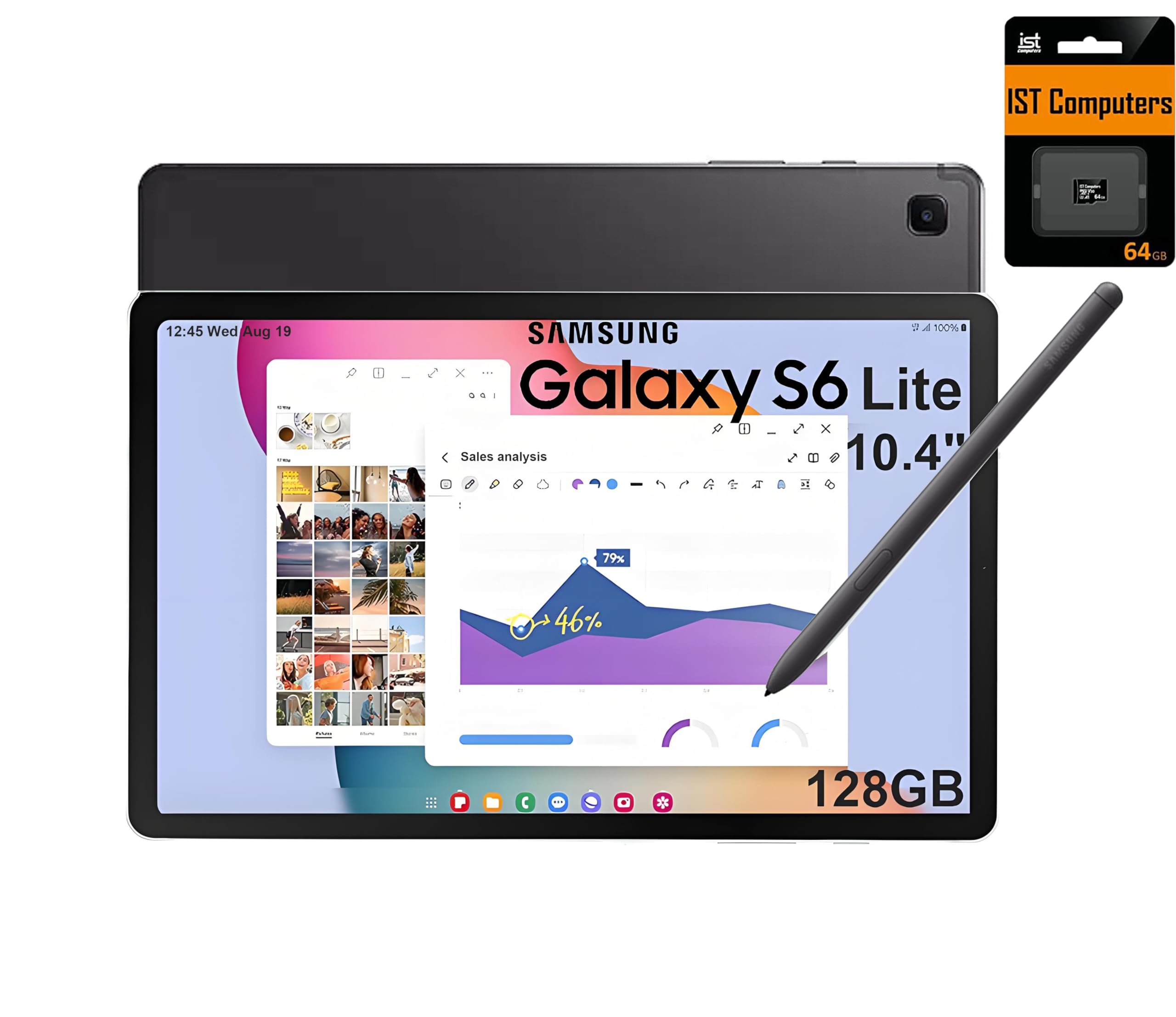
The Galaxy Tab S6 Lite remains a viable entry point into Android digital art primarily because of the included S Pen. Samsung’s stylus is battery-free, responsive, and requires no setup — a rare feature at this price level. The 10.4-inch 2K display provides adequate resolution for detail work, and the 14-hour battery life ensures you can sketch through multiple days without hunting for a charger. The Exynos 1280 processor with 64 GB of internal storage (plus the bundled 64 GB SD card) handles moderate drawing apps and note-taking with acceptable responsiveness.
The main limitation is the 4 GB of RAM, which becomes a bottleneck when running layered projects in Sketchbook or Infinite Painter. The 60 Hz refresh rate also means scrolling and brush strokes feel slightly less fluid than higher-refresh competitors. Samsung DeX mode provides a PC-like interface when connected to a monitor or keyboard, expanding the tablet’s utility beyond drawing into productivity and study.
This tablet is best suited for beginners, students, and casual sketchers who want a reliable brand with a proven stylus. Professional-level multi-layer work will test its memory limits, but for learning the fundamentals of digital art and keeping a visual diary, the S6 Lite delivers excellent core functionality at its price.
Why it’s great
- Battery-free S Pen included with no setup required — pick up and draw
- 10.4″ 2K display with 14-hour battery life for multi-day sketching
- Samsung DeX mode for PC-like productivity when connected to a monitor
- Two-year extended warranty included with this specific bundle
Good to know
- 4GB RAM limits performance with layered or large-format drawing projects
- 60 Hz refresh rate feels less fluid than 90 Hz competitors for brush strokes
- Charger not included — only a USB-C cable is provided
9. Lenovo Idea Tab

The Lenovo Idea Tab is a well-rounded student tablet that includes a Tab Pen and folio case without inflating the price. The 11-inch 2.5K IPS display with a 90 Hz refresh rate provides a smooth canvas for both drawing and document work, and the MediaTek Dimensity 6300 processor with 8 GB of RAM handles light to moderate creative apps without stutter. The 256 GB internal storage offers generous breathing room for project files, apps, and media.
Lenovo has integrated four learning-focused apps (AI Note, Squid, Nebo, and MyScript Calculator) that work with the Tab Pen for handwritten note-taking and diagram annotation. Circle to Search with Google works via the pen or finger, making it easy to grab references without leaving your drawing app. The 12-hour battery life supports a full day of classes and sketching.
The main trade-off is the glossy screen surface — it lacks the etched anti-glare finish that serious drawing tablets provide. Without a matte screen protector, the stylus glides with less friction and reflections can be an issue in bright rooms. For students who need a capable Android tablet for note-taking and hobbyist drawing, the Idea Tab delivers strong specs at a very competitive entry point.
Why it’s great
- 11″ 2.5K display with 90 Hz refresh for fluid visuals and smooth pen input
- 8GB RAM and 256GB storage handle multitasking and project files well
- Includes Tab Pen, folio case, and four learning-focused productivity apps
- Circle to Search with Google works with both finger and pen
Good to know
- Glossy screen lacks anti-glare etching — consider a matte screen protector
- Battery life is 12 hours, slightly below the longest-lasting competitors
- Included folio case is functional but feels flimsy
10. PicassoTab A12 Drawing Tablet
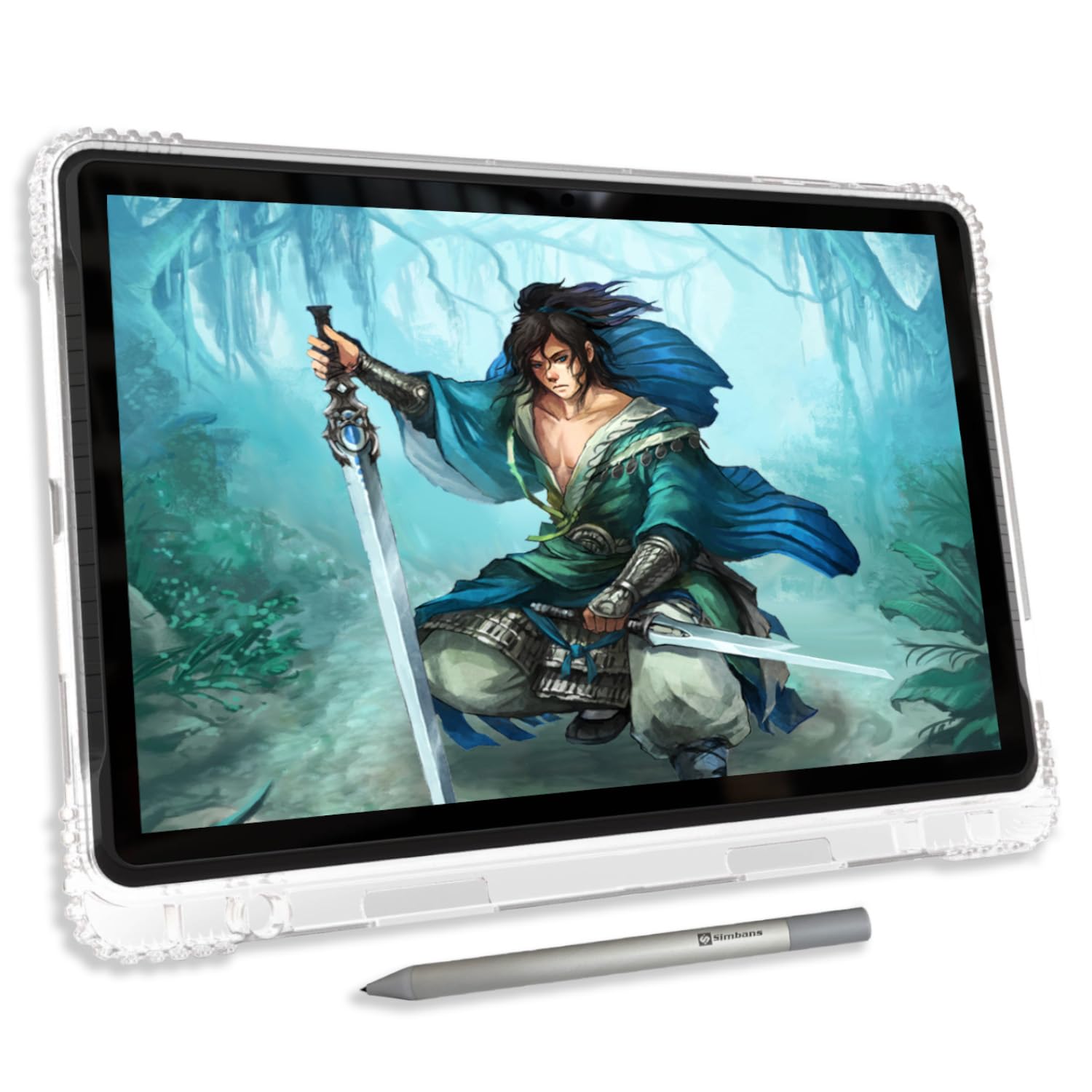
The PicassoTab A12 stands out at its price point by offering a 12-inch laminated 2K display — a large canvas with reduced parallax that usually costs more. The Picasso Pen 3 delivers 4096 pressure levels with palm rejection, and the laminated construction helps your strokes land where you intend even at off-center angles. The tablet runs Android 15 out of the box and includes a lifetime PRO upgrade for the Concepts drawing app plus pre-installed Infinite Painter, removing the immediate need to purchase software.
The octa-core processor with 6 GB of RAM and 128 GB of expandable storage handles moderate drawing workflows and general tablet tasks. The included accessories are generous: a protective case, screen protector, glove, and charger with interchangeable US/UK/EU plugs are all in the box. The lifetime Artixo VIP tutorial access is a genuine value-add for beginners who want guided instruction on shading, proportions, and coloring.
The stylus uses a single AAAA battery (a spare is included), and the default nib is noticeably hard against the included screen protector — some users report micro-scratches. The battery life also is not officially rated, which makes planning long outdoor sessions uncertain. For absolute beginners on a tight budget who want a large screen and bundled learning resources, the A12 is a compelling starter kit.
Why it’s great
- 12″ laminated 2K screen provides a large, low-parallax drawing surface
- Lifetime PRO Concepts app and Artixo VIP tutorials included at no extra cost
- 6GB RAM and expandable 128GB storage handle moderate creative workloads
- Comprehensive bundle: case, screen protector, glove, and region-swappable charger
Good to know
- Stylus nib is very hard against the screen protector — may cause micro-scratches
- Battery life is not officially stated; dependability for long sessions is unknown
- Stylus requires AAAA battery and default nib feels too slick for some artists
11. UGEE Pad UT2
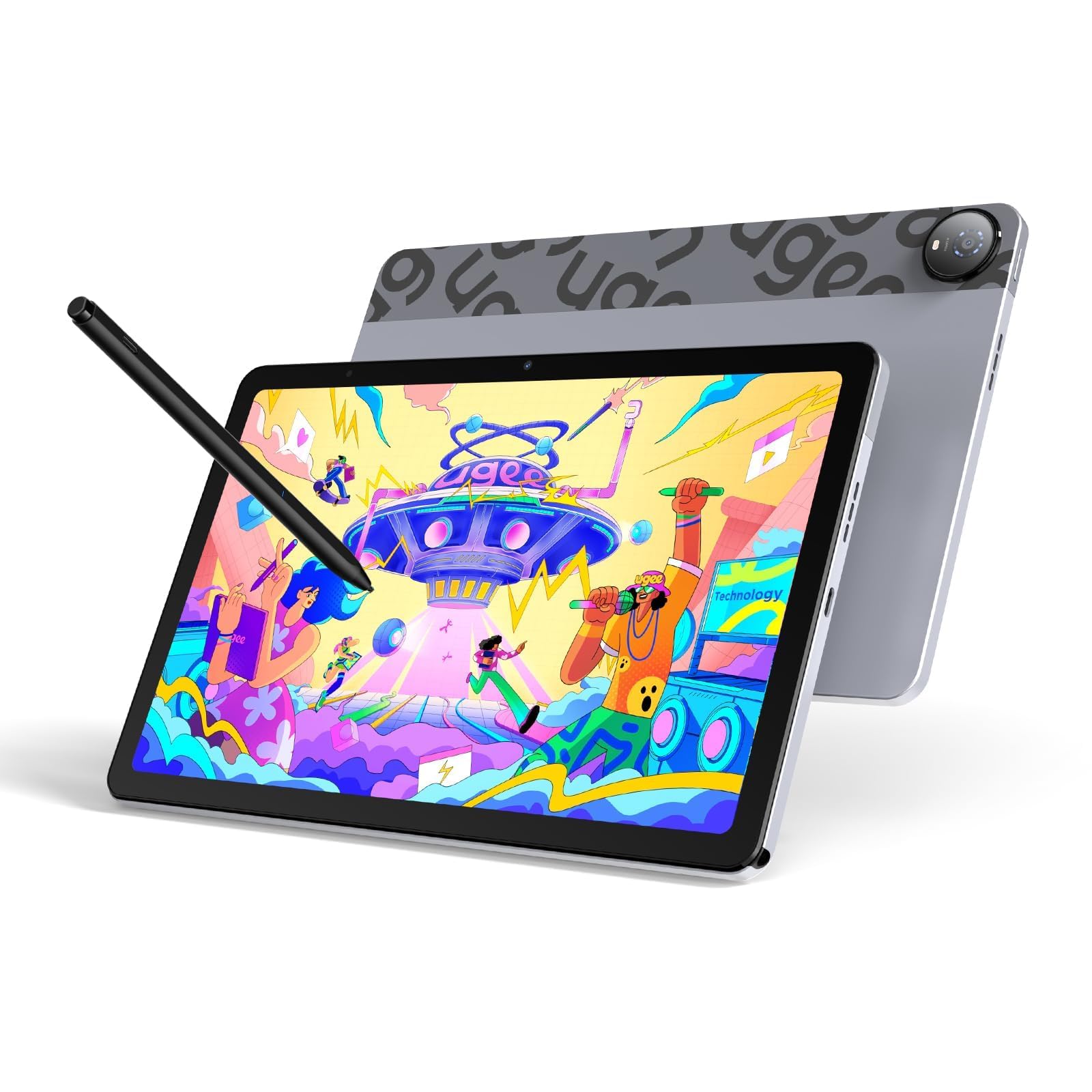
The UGEE Pad UT2 prioritizes portability without cutting the core drawing features that matter. At 6.95 mm thick and 466 grams, it is thinner and lighter than most smartphones, slipping into a backpack pocket without adding noticeable weight. The 10.36-inch 2K display with a nano-etched matte surface provides anti-glare clarity and reduces fingerprint accumulation, while the full lamination keeps the stylus tip close to the pixels for accurate line placement.
The MediaTek Helio G99 SoC with 6 GB of RAM and 128 GB of expandable storage handles Krita, Clip Studio Paint, and ibis Paint X at moderate canvas sizes without lag. The 7000 mAh battery delivers approximately nine hours of continuous drawing with an 8% hourly drain rate, and 18W fast charging refuels 50% of the battery in about an hour. The included 13-gram stylus with 4096 pressure levels lasts an impressive 130 hours on a single charge — enough for weeks of daily sketching.
The stylus eraser function has inconsistent reliability, and the 60 Hz display refresh rate is lower than the 90 Hz panels found on some similarly priced competitors. The smart folio case with a 15–75 degree adjustable stand is functional but adds bulk to an otherwise slim package. For traveling artists who need a matte-screen drawing tablet that disappears into a bag, the UT2 delivers focused utility at an affordable entry price.
Why it’s great
- Ultra-thin 6.95mm and light 466g design for effortless portability
- Nano-matte 2K screen reduces glare and provides a natural paper-like feel
- Stylus lasts 130 hours per charge — weeks of sketching without recharging
- 9+ hours of continuous drawing with fast charging for quick refuels
Good to know
- Stylus eraser function has intermittent reliability issues
- 60 Hz display refresh rate is less smooth than 90 Hz alternatives
- Included folio case adds noticeable bulk to the thin tablet
FAQ
What is the difference between a laminated and non-laminated screen for drawing?
Do I need more than 4096 pressure sensitivity levels to draw well?
Can I use any Android drawing tablet with Clip Studio Paint?
Why does my palm cause accidental marks when using Android drawing apps?
Do battery-free styluses perform better than rechargeable ones?
Final Thoughts: The Verdict
For most users, the best android tablet for drawing winner is the XPPen Magic Drawing Pad because it delivers professional-grade 16384 pressure sensitivity and a paper-like matte screen at a price that undercuts premium competitors by a wide margin. If you want a portable professional studio with an OLED display and abundant RAM for heavy layered projects, grab the Wacom MovinkPad Pro 14. And for a budget-friendly entry point that includes a wired-free S Pen and proven brand reliability, nothing beats the Samsung Galaxy Tab S6 Lite.

Mo Maruf
I created WellFizz to bridge the gap between vague wellness advice and actionable solutions. My mission is simple: to decode the research and give you practical tools you can actually use.
Beyond the data, I am a passionate traveler. I believe that stepping away from the screen to explore new environments is essential for mental clarity and physical vitality.